
Thinking about building a chatbot? It’s easy to see it as just a tool for deflecting support tickets. But that’s a limited view. The real transformation happens when you build a strategic tool designed to unlock serious business growth—creating automated conversations that qualify leads, personalize the sales journey, and drive revenue 24/7.
Move Beyond Support Tickets to Strategic Growth

Chatbot Sales Growth
Most people hear “chatbot” and picture that little pop-up handling basic FAQs. Sure, that’s a decent start, but it’s only scratching the surface. The game-changing value comes when your chatbot becomes a core part of your revenue engine.
Think of your chatbot as your most reliable salesperson. It works around the clock, never needs a coffee break, and can handle thousands of conversations at once without breaking a sweat. In this guide, we’ll walk you through building a tool that delivers a clear, compelling return on investment from day one.
A Revenue Engine, Not a Cost Center
The crucial first step is to reframe how you think about your bot. Stop asking, “How many support tickets can this handle?” and start asking, “How many qualified leads can this generate?” This simple shift in perspective changes everything.
Here’s how that looks in the real world:
- For an e-commerce store: A well-built chatbot guides a curious visitor from a product question straight to checkout. It can even recover abandoned carts by offering a timely discount.
- For a service-based business: It asks smart, qualifying questions, books meetings directly into a sales rep’s calendar, and ensures your team only talks to high-intent leads.
Building a chatbot is less about tech and more about smart marketing automation. You’re investing in a system that actively finds, nurtures, and converts customers at scale.
This proactive approach is what separates a simple FAQ bot from a true growth machine. It’s about creating automated experiences so helpful they naturally speed up the customer journey.
The Growing Market Opportunity
This strategic mindset is quickly becoming the norm. In 2024, the global chatbot market was valued between $7.76 billion and $9.56 billion. Projections show it skyrocketing to roughly $27 billion by 2030.
This explosive growth is a clear signal: businesses investing in sophisticated chatbot development now are positioning themselves way ahead of the curve. You can read more about the chatbot market growth on mordorintelligence.com.
Designing Conversations That Convert, Not Confuse
A great strategy is the secret to a successful AI chatbot, ensuring it provides value rather than frustration. Before you create a chatbot, get crystal clear on what the bot is supposed to do and how it will talk to people. This groundwork is the difference between a bot that helps your business and one that just annoys your customers.
First, give your chatbot one clear, primary job. Whether you are using a drag-and-drop builder or writing the logic in Python, a bot that tries to do everything usually ends up being good at nothing. What’s the one main thing you want users to accomplish?
- E-commerce: Steer visitors to the right product or recover abandoned carts.
- Service Business: Qualify new leads or schedule demos.
Nailing down one core goal makes every other decision easier. It becomes your guidepost, ensuring every part of the conversation has a purpose.
From Goal to Conversation Flow
With your main objective locked in, you can start mapping out the conversation. Think of it like a script. You need to anticipate what the user might ask and gently guide them toward the final goal. This process, known as conversational design, is all about making the chat feel natural and easy.
A simple flowchart is the best way to start. What does your bot say first? What choices does it offer? If someone asks about pricing, what happens next? Sketching this out helps you find dead ends or confusing loops before you’ve wasted any time building.
If you want to dive deeper into structuring these interactions, we have a detailed guide on how to design a chatbot conversation flow. For those building truly advanced bots, platforms that provide customizable ChatGPT solutions can create more human-like dialogues.
Giving Your Chatbot a Personality
A chatbot without a personality is just a boring, interactive menu. To connect with people, give it a persona that matches your brand. Is your brand fun and quirky, or more formal and to the point?
Your chatbot’s personality should shine through in its:
- Tone: The specific words and phrases it uses.
- Pacing: How quickly it sends messages (don’t dump a wall of text!).
- Media: The way it uses emojis, GIFs, or images.
A bot for a trendy fashion brand might use plenty of emojis and a friendly tone. A chatbot for a law firm will likely stick to a professional and reassuring voice. This consistency makes the experience feel genuine and builds trust.
Key Takeaway: A well-defined persona makes your chatbot feel less like a machine and more like a helpful part of your team. It’s a small touch with a huge impact on user engagement.
Before you start building, summarize these elements in a blueprint.
Your Core Chatbot Blueprint
| Component | Key Questions to Answer | Example (E-commerce Bot) |
|---|---|---|
| Primary Goal | What is the single most important action a user should take? | Recover abandoned carts by offering a 10% discount. |
| Target Audience | Who are you talking to? What are their pain points? | Shoppers who added items to their cart but didn’t check out. |
| Brand Persona | What is your brand’s voice? (e.g., helpful, witty, formal) | Friendly, helpful, and slightly urgent. Uses emojis. |
| Key Scenarios | What are the 2-3 most common conversations it will have? | 1. Remind user of cart. 2. Offer discount. 3. Answer shipping questions. |
| Success Metric | How will you know if it’s working? | 20% increase in recovered carts within 30 days. |
Getting this blueprint right from the start saves headaches later. It ensures you’re building a focused tool that delivers results.
And the pressure to get this right is growing. Projections show that by 2025, over 987 million people will use AI chatbots regularly. As expectations rise, a clunky chatbot isn’t just an inconvenience—it’s a reason for customers to leave.
Bringing Your First Conversation Flow to Life
You’ve got your strategic blueprint. Now for the fun part: actually building it. The thought of constructing a chatbot might sound daunting, but you don’t need to be a developer to create a powerful, interactive bot anymore.
The real choice is your approach. You could go the custom-coded route—slow, expensive, and often overkill. Or, you can use no-code platforms. These tools have opened up chatbot development, allowing marketers to build sophisticated conversation flows with simple visual editors.
Think of it less like coding and more like drawing a flowchart. You drag and drop elements—text bubbles, images, buttons—and connect the dots to map out the conversation.
Visualizing Your Chatbot’s Journey
Before logging into a builder, have a mental model of what you’re creating. A solid design process ensures every piece you build has a purpose.
This framework breaks it down into three core pillars: nail down your Goal, map out the user’s Journey, and define your bot’s Persona.
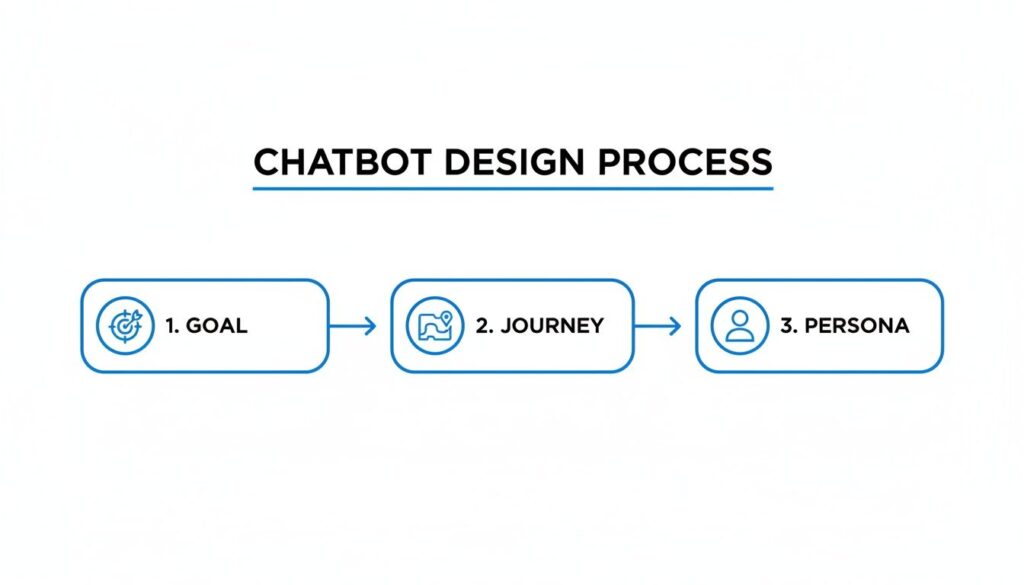
Chatbot Design Process
Keep these three things front and center. It’s the best way to make sure every message and button works toward your main business objective.
Inside a No-Code Flow Builder
Let’s make this tangible. Say you’re building a welcome flow for your e-commerce store’s Facebook Page. The goal is to greet visitors, learn what they’re shopping for, and point them to the right product category.
Tools like Clepher give you an intuitive visual canvas to map out your entire conversation. It’s a bird’s-eye view of the user’s experience.
In this drag-and-drop environment, you piece together the conversation using different content blocks:
- Message Blocks: The text your chatbot sends.
- Images and Galleries: Essential for showing off products.
- Buttons and Quick Replies: Crucial for giving users clear, tappable choices to guide the conversation.
This visual method makes building a chatbot incredibly fast. You can create a conversation, preview it in seconds, and tweak it on the fly.
Adding a Spark of Intelligence with Conditional Logic
This is where your chatbot goes from a simple script to a smart assistant. Conditional logic is just a fancy term for “if this happens, then do that.” It lets your bot react differently based on user actions or what you already know about them.
It sounds technical, but in a visual builder, you’re just setting up simple rules.
Pro Tip: Don’t overcomplicate it. Start with a few simple conditions. The goal is a personalized experience, not a confusing maze.
Here are a few real-world examples:
- Lead Qualification: If a prospect says their company has more than 50 employees, tag them as a “high-value lead” and offer to book a demo. If they have fewer, send them a helpful blog post instead.
- E-commerce: If a customer has a “previous_customer” tag, greet them with “Welcome back!” and offer a special discount.
- Customer Support: If someone clicks a button for “Billing Issue,” route the chat to a human agent. If they click “Track My Order,” the bot can handle it automatically.
This ability to tailor the journey is what makes a chatbot truly effective. It ensures every person gets the most relevant information, boosting their experience and your conversion rates. The bottom line is simple: the tools to build a sophisticated, automated conversation are more accessible than ever.
Putting Your Chatbot to Work Where Your Customers Live
You can build your own chatbot with the most brilliant logic in the world, but if nobody finds it, it’s just code collecting digital dust. The whole point is to meet your customers where they already are: on your website, in their Instagram DMs, and on Facebook Messenger.
This isn’t just about being everywhere. It’s about creating a tailored experience for each platform. When done right, every touchpoint becomes a chance for a helpful, automated conversation.
Your Website: The Digital Front Door
Your website is your home base. As you build your chatbot, think of it as the ultimate store greeter—it’s there 24/7 to welcome visitors, answer questions, and capture leads before they bounce.
Putting Your Chatbot to Work Where Your Customers Live
You can build the most brilliant chatbot in the world, but if nobody finds it, it’s just code collecting digital dust. The whole point is to meet your customers where they already are: on your website, in their Instagram DMs, and on Facebook Messenger.
This isn’t just about being everywhere. It’s about creating a tailored experience for each platform. When done right, every touchpoint becomes a chance for a helpful, automated conversation.
Your Website: The Digital Front Door
Your website is your home base. A website chatbot is like the ultimate store greeter—it’s there 24/7 to welcome visitors, answer questions, and capture leads before they bounce.
The bot needs to feel like it belongs on your site. Platforms like Clepher let you tweak the widget’s color to match your brand, write a welcome message that sounds like you, and control which pages it appears on. A sales-oriented bot on your pricing page makes sense, while a helpful one on your blog is more appropriate.
Actionable Tip: Don’t make people hunt for your chatbot. A simple pop-up that says “Got questions? I can help!” removes the guesswork. I’ve seen this simple tweak boost engagement by over 40%.
Facebook Messenger: Your Community Hangout
For e-commerce and local businesses, Facebook Messenger is a powerhouse. When someone messages your Page, they expect a fast, conversational answer. This is where your bot can shine, handling common questions and guiding people to products in seconds.
Whether you are looking to build your first AI chatbot or exploring professional chatbot creation, Meta’s platform offers the perfect sandbox. A few tips for building Messenger bots:
- Go Visual: Use product carousels, quick-reply buttons, and GIFs to keep the conversation engaging.
- Think in Snippets: People are scanning on their phones. Break down information into short, punchy messages.
- Re-engage: Once someone messages you, they’re on your list. This opens the door for follow-ups like abandoned cart reminders or new product announcements.
Instagram Direct Messages: The New Main Street
Instagram is a massive hub for e-commerce. With over two billion monthly users, a chatbot in your DMs is a game-changer. It’s your secret weapon for handling the endless stream of story replies and messages.
If you decide to develop chatbots with Python, you can use APIs to instantly field repetitive questions—”Price?” “Do you ship here?” “Is this in stock?”—freeing your team for conversations that need a human touch. You can even set it to trigger flows based on keywords. If someone DMs “returns,” the bot can immediately send your policy and a link to the returns portal. Simple and effective.
The best part? You don’t always need a complex platform to get started. You can even code a simple chatbot from scratch to handle these basic interactions and scale as your business grows.
WhatsApp: The Direct Line
As the most popular messaging app, WhatsApp gives you a direct, personal line to your customers. The vibe here is more one-to-one, perfect for order confirmations, shipping alerts, and personalized support.
Because it feels so personal, the rules of engagement are stricter:
- Be direct and add value: Messages should be incredibly relevant and to the point.
- Focus on utility: Think transactional. A travel bot sending a flight reminder or an e-commerce bot confirming an order has shipped is a perfect use case.
- Get permission first: This is non-negotiable. You must have explicit consent before messaging someone on WhatsApp, usually via a checkbox during checkout.
By strategically deploying your chatbot across these channels, you create a connected, always-on customer experience and turn every platform into an engine for growth.
Automating Your Business with Smart Integrations
Building a Chatbot Workflow
A standalone chatbot is useful, but an integrated chatbot can transform your business. This is where the magic happens. By connecting your bot to the software you already use, you create a central hub for your marketing and sales operations.
When your chatbot talks to your other systems, you stop the manual work of copying and pasting data. This speeds up your sales cycle and gives customers a seamless experience. It’s the secret to scaling your business without scaling your team.
From Conversation to Action
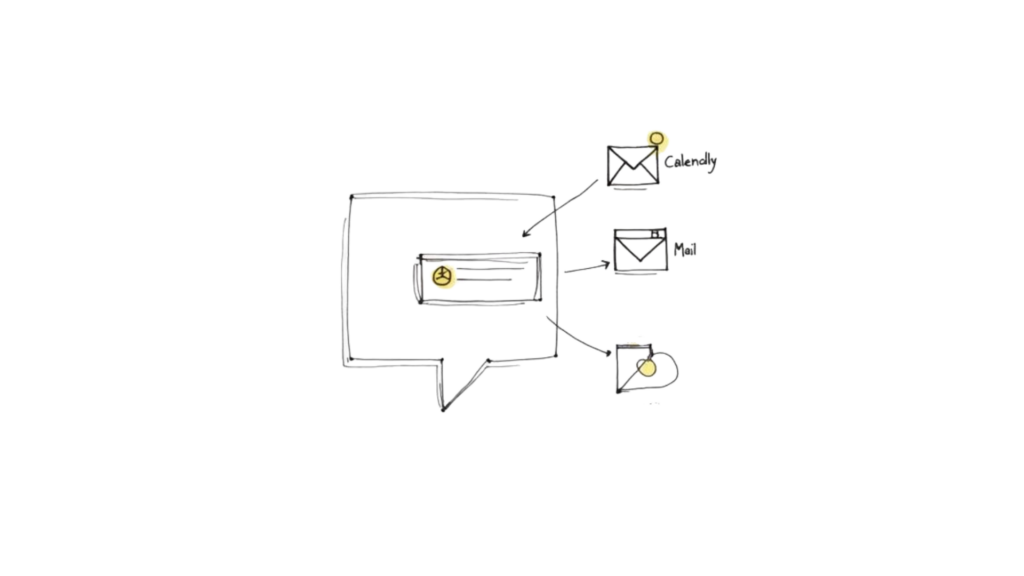
Think about the valuable actions that happen in a chat: a user gives you their email, books a meeting, or asks for an update. Without integrations, a human has to move that information from one place to another. With a smart setup, these actions trigger automatically.
Here are a few game-changing examples:
- CRM Integration: A new lead from your chatbot instantly appears as a contact in HubSpot or Salesforce, and the right salesperson gets notified. No one lifts a finger.
- Email Marketing: Someone subscribes via your Messenger bot and is immediately added to the right list in Mailchimp or ConvertKit, triggering your welcome email.
- Appointment Booking: A qualified prospect wants a demo. The chatbot taps into your Calendly, shows available times, and books the meeting right there in the chat.
These automated workflows do more than save time. They’re a safety net, ensuring no lead falls through the cracks.
Expanding Your Reach with Webhooks and Zapier
What if you use a tool that doesn’t have a direct integration? That’s where tools like Zapier and webhooks become your best friends. They act as a universal translator between your chatbot and thousands of other apps.
For instance, a platform like Clepher can send a webhook—a small packet of data—to another service when something specific happens, like a user getting a tag.
A webhook is your secret weapon for custom automation. It’s like giving your chatbot a direct phone line to any other app, allowing you to build incredibly specific workflows.
This opens up a world of possibilities. You could automatically send customer info to a Google Sheet, trigger an SMS notification via Twilio, or create a task in Asana. To see this in action, learn how to integrate Zapier with Clepher and connect to over 5,000 different apps.
High-Impact Integrations for Business Growth
To put your business on autopilot, your chatbot needs to be deeply connected. You can explore various integration options to see how many tools can work together, but I recommend prioritizing these high-impact connections first:
- Customer Relationship Management (CRM): Syncing contact data and chat transcripts to your CRM is non-negotiable.
- Email Marketing Platforms: Build your email list directly from conversations on Messenger, Instagram, or your website.
- Scheduling Software: Letting people book demos or calls without leaving the chat slashes friction and boosts conversions.
- E-commerce Platforms: Hook into Shopify or WooCommerce to pull product details, check order status, and send abandoned cart reminders.
By focusing on these core integrations, your chatbot becomes an active part of your entire tech stack, working behind the scenes to drive real results.
Using Data to Improve Your Chatbot Performance
Putting your chatbot live isn’t the finish line; it’s the starting block. The best chatbots are never “done”—they’re always evolving. This data-driven improvement is what separates a decent bot from a business asset. You need to turn raw numbers into smarter conversations and better results.
But before you launch, a solid pre-launch check is non-negotiable. It’s your last chance to catch awkward phrasing or broken paths before they reach your audience.
Your Pre-Launch Check
First, run through every conversation path yourself. Then, grab a colleague who hasn’t been involved and have them do the same. A fresh pair of eyes will always find something you’ve missed.
Here’s your checklist:
- Test every button and link. Does it go where it’s supposed to?
- Check your integration triggers. If the bot is supposed to tag a “lead,” does that tag show up in your CRM?
- Read the flow out loud. Does it sound like a natural conversation or a robot reading a script?
- Look for dead ends. What happens if a user types something unexpected? Have a fallback message that gently guides them back on track.
This simple checklist will help you iron out 90% of the most common hiccups before your first real conversation.
After the Launch: What Metrics Actually Matter
Okay, your chatbot is live. Now the real learning begins. It’s easy to get swamped by analytics, so zero in on the key metrics that show what’s working and what’s falling flat.
The goal isn’t just to have conversations; it’s to have conversations that achieve a specific business outcome. Your metrics need to reflect that.
Start by obsessing over these performance indicators:
- Goal Completion Rate (GCR): This is your north star. It’s the percentage of users who finish the main goal, whether that’s booking a demo or completing a purchase. A low GCR signals friction in your flow.
- Fall-back Rate (FBR): This tracks how often your chatbot got confused and served its default “I don’t understand” message. A high FBR means you need to beef up your keyword triggers or offer clearer button options.
- Conversation Drop-off Points: Where are people leaving the chat? Analytics tools, like those in Clepher, show you the exact message with the highest exit rate. This is a goldmine for pinpointing and fixing spots where users get confused or lose interest.
By keeping a close eye on this data, you can make smart, iterative changes. You might find that adding one extra button or rewording a single question makes your goal completion rate skyrocket. To go deeper, check out our guide on the most important chatbot KPI metrics to track.
Got Questions About Building a Chatbot?
When you’re first starting with chatbots, a few questions always come up. Let’s tackle them head-on.
Conclusion
Whether you’re building a chatbot for the first time or looking to build a chatbot that delivers production-ready experiences at scale, clear goals and the right mix of tools will help you build and train your chatbot effectively. You can learn how to build using a simple chatbot using templates or a chatbot using a no-code platform, or choose to build a chatbot from scratch with programming languages like Javascript and Python—learn Python resources or Codecademy courses can give you the coding skills you need.
Hybrid approaches combine rule-based and retrieval-based methods with generative models and deep learning, while LLMs and llms accessed via the OpenAI API or Azure OpenAI power generative AI and ai-powered agents that learn from data and continue training with fresh training data.
Ready to build a chatbot that actually moves the needle? With Clepher, you can design and automate conversations across your website, Messenger, Instagram, and WhatsApp—all without writing a single line of code. Start your free trial today and see just how simple it is to get going.

Related Posts
Social Media Marketing Automation: Your Ultimate Guide
March 27, 2026Unlock Growth with Conversational AI for Customer Support
March 26, 2026Your Ultimate Guide to Instagram Chat Bots
March 25, 2026
Founder Clepher