
Yes, you absolutely can schedule a message on WhatsApp. While the personal app on your phone doesn’t have a built-in scheduler, there are powerful ways to get it done—especially for businesses that need to send messages at the perfect moment.
This guide gives you actionable steps for each method, from simple personal reminders to scalable marketing campaigns.
Why Scheduling WhatsApp Messages Is a Game-Changer
Ever needed to send a perfectly timed birthday wish across time zones, a critical appointment reminder, or a marketing flash sale when it will have the most impact? Doing it all manually is a recipe for forgotten messages and missed opportunities.
Scheduling transforms WhatsApp from a simple chat app into a strategic communication tool. It ensures your messages land exactly when they’re supposed to, every single time. This isn’t just about convenience; it’s about getting real results.
In a world where WhatsApp handles a mind-boggling 140 billion messages every day, timing is everything. For example, scheduling appointment reminders can cut no-shows by up to 40%. With WhatsApp’s average open rate hitting 98%—completely dwarfing email’s typical 20%—businesses that master scheduling gain a massive advantage. You can dig deeper into these WhatsApp statistics to see the full picture.
Understanding Your Scheduling Options
So, how do you actually start scheduling? The right method depends entirely on your goal. Are you sending a one-off personal message, or are you running a business campaign?
Your main options boil down to these:
- The WhatsApp Business App: This free app offers basic, reactive automation like “away messages” that trigger when you’re unavailable. It’s a good starting point but doesn’t let you proactively schedule messages for a future time.
- Third-Party Scheduler Apps: These are mobile apps for individuals who need to schedule one-off personal messages. They often work by using your phone’s accessibility features, which can be unreliable and pose privacy risks.
- The WhatsApp Business API: This is the official, compliant, and scalable solution for businesses. Paired with a platform like Clepher, you unlock the power to schedule broadcasts, create automated follow-up sequences, and send personalized messages reliably at scale.
This flowchart helps visualize which path makes sense for your needs.
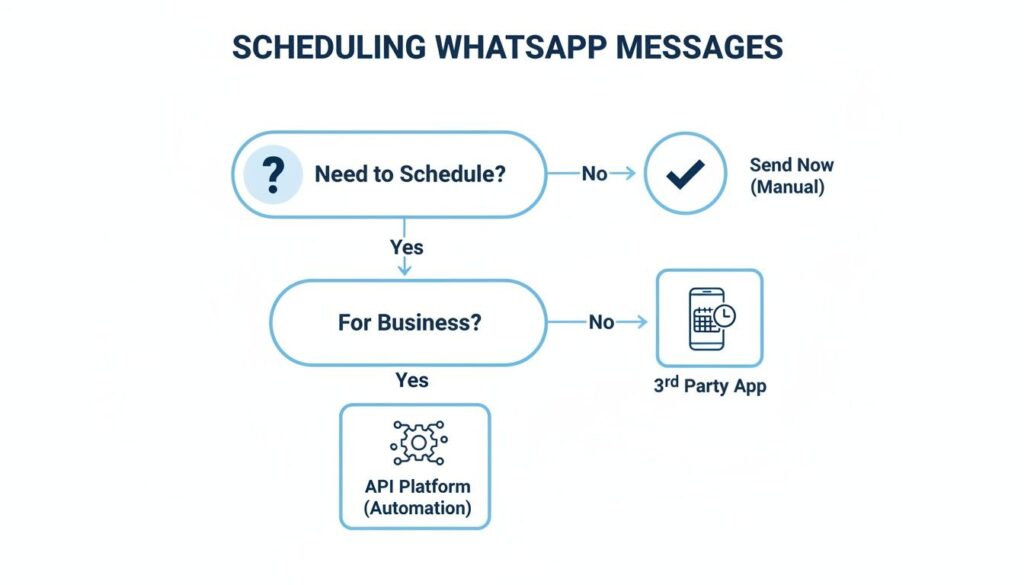
WhatsApp Scheduling
WhatsApp Scheduling Methods at a Glance
To make the choice even clearer, here’s a quick breakdown of how each method stacks up.
| Method | Best For | Key Feature | Limitation |
|---|---|---|---|
| WhatsApp Business App | Small businesses needing basic auto-replies | Simple “away” and “greeting” messages | No proactive scheduling or broadcasts |
| Third-Party Apps | Individuals scheduling personal messages | One-off message scheduling on your phone | Can be unreliable; potential privacy risks |
| WhatsApp Business API | Businesses needing scalable, reliable messaging | Compliant broadcasts and advanced automation | Requires an official platform like Clepher |
The key takeaway is simple: for any serious business use, the official WhatsApp Business API is the only effective and reliable route. It keeps you compliant and gives you the power to do much more than just send a message later.
Using the WhatsApp Business App for Simple Automation
For small business owners, the free WhatsApp Business App is your first step into automation. It’s a great entry point, but its features are reactive, not proactive.
This means you can’t use it to schedule a message for a future date and time. Instead, the app handles instant replies triggered when a customer messages you. These tools manage customer expectations and provide immediate info when you’re away.
The two main features are “Away Messages” and “Greeting Messages.”
WhatsApp Mobile Scheduling
Setting Up Away Messages
Away messages are your automatic out-of-office reply. They respond to incoming chats outside your set business hours, letting customers know you got their message and when you’ll be back.
Real-World Example: Imagine you run a local bakery that closes at 6 PM. You can set an away message like: “Thanks for reaching out to Sweet Treats Bakery! We’re currently closed but will get back to you first thing tomorrow morning. Our hours are 8 AM – 6 PM, Tuesday to Sunday.”
This simple automation stops customers from feeling ignored and sets clear expectations.
Leveraging Greeting Messages
Greeting messages automatically welcome customers who message you for the first time or after 14 days of inactivity. Think of it as your digital handshake—a perfect opportunity to start the conversation right.
Real-World Example: A consultant could use a greeting message to provide instant value: “Hello! Thanks for your interest in my services. While I review your message, feel free to book a free 15-minute discovery call here: [Your Booking Link].” This turns a simple greeting into a powerful lead-capture tool.
For businesses aiming to push their automation even further, integrating a tool like the best AI chatbot for business can be a game-changer.
But here’s the catch. These replies don’t solve the proactive scheduling problem. You can’t schedule a promotional broadcast message in WhatsApp for a big sale next Friday. That level of control isn’t there.
Using Third-Party Apps for Simple Scheduling
When the WhatsApp Business App isn’t enough, many people turn to third-party scheduler apps like SKEDit or Wasavi. They fill a specific need: scheduling a single message to a person or group for a later time.
These apps provide the basic “send later” function that official WhatsApp apps lack. They’re built for simple, one-off tasks, making them a go-to for personal reminders or very small-scale business messages.
How They Actually Work
The magic behind these apps is a clever use of your phone’s accessibility settings. When you install an app like SKEDit, it asks for permission to view and control your screen. If you grant it, the app can mimic your actions.
When your scheduled time arrives, the app opens WhatsApp, navigates to the chat, pastes your message, and hits send. It’s a neat workaround, but one that comes with serious strings attached.
The trade-off is clear: you’re handing over significant control of your device in exchange for a feature WhatsApp doesn’t offer. Before installing one, check the app’s reputation, read reviews, and review its privacy policy. Your security comes first.
When It Makes Sense (And When It Doesn’t)
This approach can be handy in certain situations:
- A freelance social media manager could schedule weekly “Happy Monday!” check-in messages for their clients.
- An individual could queue up birthday wishes for friends in different time zones so they land at the right moment.
But here’s the catch: this method is notoriously unreliable for anything mission-critical. For most of these apps to work, your phone must be on, unlocked, and connected to the internet at the exact moment the message is scheduled to send.
If your phone is off or has a weak signal, the message will fail. That unreliability makes it a non-starter for important business communications. A simple reminder? Fine. A critical sales follow-up? Absolutely not.
The Professional Solution: WhatsApp Business API
When you’re ready to get serious about scheduling on WhatsApp, you need to move past workarounds. This is where you graduate to a strategic marketing machine powered by the WhatsApp Business API.
The API is the official, direct line to Meta’s servers, built for businesses that can’t afford to miss a beat. Using it with a platform like Clepher unlocks the power to schedule messages at scale—reliably, consistently, and compliantly. Your scheduled messages send every time, whether your phone is on, off, or at the bottom of a lake.
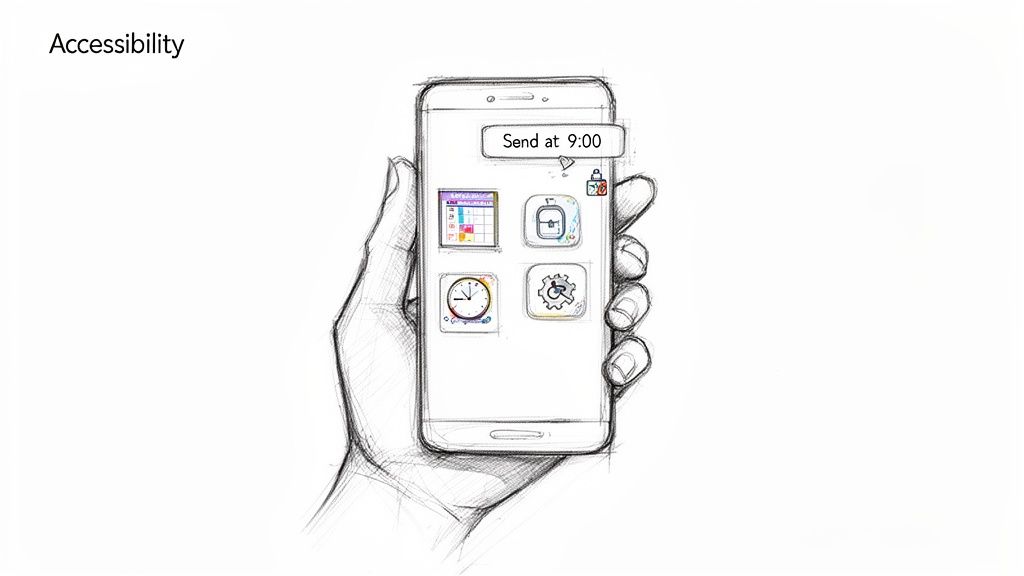
WhatsApp Phone Accessibility
From Simple Task to Strategic Advantage
The magic of the API isn’t just sending a message later. It’s about building entire automated conversational flows that run on a schedule you set. Platforms like Clepher give you an intuitive, no-code builder that makes this powerful technology accessible to anyone.
Instead of just scheduling one message, you can build and schedule entire sequences that engage your audience automatically.
- For E-commerce Brands: A customer abandons their cart. With Clepher, you can automatically schedule a three-part reminder sequence. The first message goes out an hour later, another hits 24 hours later with a small discount, and a final follow-up arrives after 72 hours.
- For Coaches and Creators: Have a big webinar coming up? Schedule a personalized broadcast to your subscriber list, sending reminders a week out, a day before, and one hour before the event to maximize attendance.
- For SaaS Companies: Schedule a drip campaign of onboarding messages for new users. Day one is a warm welcome, day three offers a pro-tip on a key feature, and day seven is a quick check-in to see if they need help.
This scheduled automation saves hours every week while nurturing leads from first click to final sale.
Why the API Is the Only Real Choice for Business
The numbers don’t lie. 80% of users read WhatsApp messages within just five minutes, and business communications see an unmatched 98% open rate. Well-timed, scheduled campaigns can drive 40% higher conversion rates, particularly for things like abandoned cart reminders.
Since the average person checks WhatsApp 23-25 times daily, hitting those small windows with scheduled, personalized messages can boost engagement by an average of 45%.
The key difference is reliability and scale. Third-party apps are a gamble. The API is a guarantee. It’s the difference between a tool that might work and a system that will work, every single time.
The Power of Scheduled Broadcasts
One of the most valuable features unlocked with the API is scheduling broadcast messages on WhatsApp. This isn’t like the limited broadcast lists in the standard app. The API lets you send targeted, scheduled messages to thousands of opted-in subscribers at once.
Imagine a local restaurant scheduling a broadcast for 4 PM on a Friday to promote its weekend specials—hitting subscribers right as they’re making dinner plans. Or a digital marketing agency automating its monthly performance reports to go out to every client on the first of the month.
This is the kind of smart, scalable scheduling that actually moves the needle for a business.
Smart Strategies for Scheduling Your Messages
Knowing you can schedule a message on WhatsApp is one thing. Knowing how to do it without turning off your audience is another. Powerful automation demands a thoughtful approach.
Without a solid game plan, even well-intentioned messages can feel spammy. That leads to blocks, a damaged brand reputation, and a quick end to your WhatsApp marketing efforts.
The absolute foundation of any scheduling strategy is explicit consent. You must have clear permission from users before you send them automated messages. This isn’t just a nice-to-have—it’s a non-negotiable part of WhatsApp’s policies. Skipping this step is the fastest way to get your business number banned.
Create Hyper-Relevant Audience Segments
One-size-fits-all broadcasts are dead. The real power of scheduling comes alive when you send the right message to the right person. This is where segmentation becomes your most important tool.
By slicing your audience into smaller, targeted groups, you can deliver messages that resonate on a personal level.
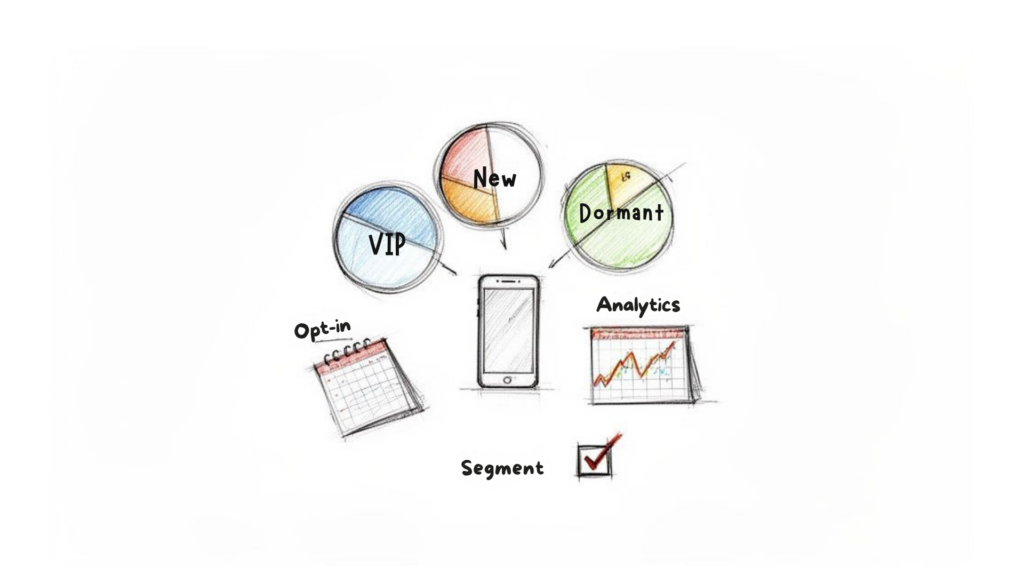
WhatsApp Customer Segmentation
An e-commerce brand could create segments based on:
- Purchase History: Schedule a message for customers who bought a specific product, offering them a discount on a related item.
- Engagement Level: Re-engage subscribers who’ve gone quiet for 60 days with a special “we miss you” offer.
- Subscription Status: Send scheduled renewal reminders for subscribers whose plans are about to expire, drastically cutting down on churn.
This personalization transforms a generic blast into a helpful notification your audience will appreciate. The goal is to make every scheduled message feel like a helpful tap on the shoulder, not an annoying interruption.
Find Your Perfect Sending Cadence
How often should you hit send? Too often, and you risk annoying people into unsubscribing. Too infrequently, and you lose momentum. The right sending frequency is a delicate balance that depends on your audience and industry.
There’s no magic number. The key is to test and monitor. A platform like Clepher provides detailed analytics, showing you how your audience responds to different schedules. Keep a close eye on your open rates, click-through rates, and, most importantly, your unsubscribe numbers.
Businesses using scheduling are tapping into a massive wave of over 100 billion daily messages. With 54% of users preferring WhatsApp for marketing, the opportunity is huge. Data shows click-through rates on scheduled promotions hitting an incredible 45-60%—miles ahead of email’s typical 1-4%.
By analyzing your results, you can fine-tune your strategy over time, discovering the perfect cadence that keeps your audience engaged without burning them out. For more advanced ideas, explore our guide on effective WhatsApp marketing strategies.
Common Questions About WhatsApp Scheduling
As you start exploring WhatsApp scheduling, a few key questions almost always pop up. Getting straight answers is the best way to move forward with confidence
Ready to unlock reliable, scalable, and compliant WhatsApp scheduling? Clepher gives you the no-code tools to build powerful automated campaigns, schedule broadcasts, and engage customers at exactly the right moment. Start building your first automated flow today!

Related Posts
Website Facebook Messenger: Setup & AI for Sales in 2026
April 1, 2026How an API Chat Bot Transforms Your Business (And How to Build One)
March 31, 2026
Founder Clepher