

Picture this: a team member who works 24/7, engaging every customer the moment they message you. That’s what chatbots on Facebook do. They’re automated assistants that handle repetitive tasks—answering common questions, capturing lead info, and guiding customers to the right products—so you don’t have to.
This guide breaks down exactly how to use them to transform your business.
What Are Facebook Chatbots and Why Your Business Needs One
In a world of instant gratification, customers expect immediate answers. A delay of even a few minutes can mean a lost sale or a frustrated user. Shifting from slow, manual replies to instant, scalable conversations with chatbots gives you a serious competitive edge.
Chatbots aren’t a futuristic gimmick; they’re a must-have tool. Think of them as your front-line communication team. They field all the predictable queries, freeing up your human staff to solve the complex problems that require a personal touch.
Shifting From Manual Labor to Smart Automation
Before chatbots, a person had to read every message, figure out the request, and type a reply. This process is slow, expensive, and impossible to scale during busy periods or after hours. A chatbot automates this entire workflow, ensuring every customer gets a helpful response immediately, day or night.
This simple shift is transformative. It allows you to deliver a consistently great experience that builds loyalty and drives sales.
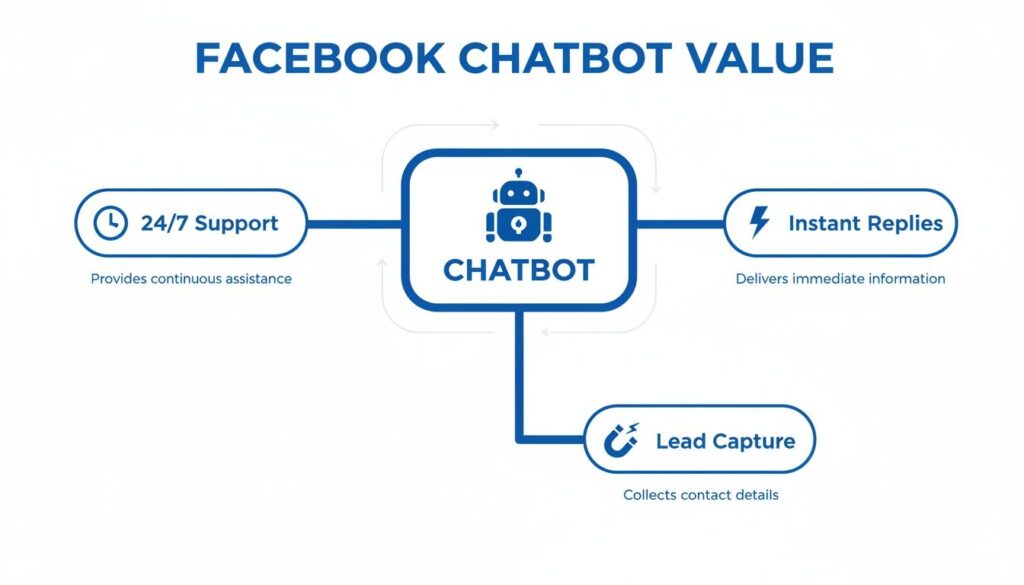
Facebook Chatbot Value
As you can see, automation delivers on three core business goals: 24/7 support, instant replies, and automated lead capture. This isn’t just about saving time; it’s about creating a better customer experience that fuels growth.
The Evolution of Chatbots From Basic Scripts to AI Assistants
Chatbots have evolved dramatically. What started as clunky, rule-based scripts is now a sophisticated AI assistants that understand context and provide genuinely helpful interactions.
| Capability | Rule-Based Chatbots (Yesterday) | AI-Powered Chatbots (Today) |
|---|---|---|
| Conversation Flow | Rigid, follows a strict script. | Flexible, adapts to user input. |
| Understanding | Keyword-based; easily confused. | Natural Language Processing (NLP) understands intent. |
| Personalization | Generic, one-size-fits-all responses. | Learns from data to offer personalized replies. |
| Problem Solving | Limited to pre-programmed answers. | Can handle complex, multi-step queries. |
| Integration | Basic, often siloed. | Deep integration with CRM, databases, and other tools. |
Today’s AI-powered chatbots don’t just follow a script; they have a conversation. This makes the entire experience feel more natural and effective, leading to better results.
The Undeniable Reach of Facebook Messenger
The opportunity on Facebook is massive. Messenger is the undisputed king of automated customer service, accounting for 79% of all chatbot engagements. With over a billion users reachable via ads, it’s a goldmine for businesses.
This massive user base means your target audience is already there. By meeting them where they spend their time, you can start conversations that convert. To learn more, check out these top reasons why chatbots should be part of your business strategy.
The Takeaway: A chatbot allows your business to be “always on.” It transforms your social media inbox from a backlog of questions into a powerful engine for sales, support, and relationship building.
Ultimately, using chatbots on Facebook is about creating efficiency and opportunity. Whether you run an e-commerce store, a local service, or a personal brand, automating conversations helps you serve more people, capture more leads, and build a stronger, more responsive business.
Putting Your Chatbot to Work With Real-World Use Cases
Let’s move past theory and look at how chatbots drive real business results. Here are four practical, high-impact ways to put chatbots on Facebook to work for you.
These are proven blueprints for saving time, boosting revenue, and delighting customers.
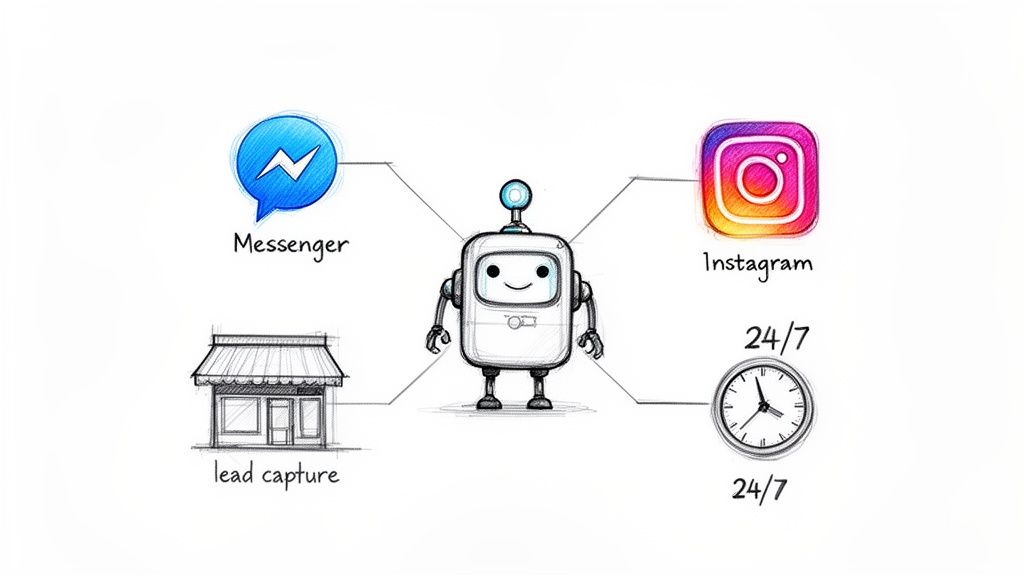
Facebook Chatbot Integration
Generate Leads Around the Clock
Traditional lead gen relies on static forms that feel impersonal. A chatbot turns this into an engaging, two-way conversation that captures high-quality leads, even while you sleep.
Real-World Example: A real estate agent’s chatbot can ask visitors, “Are you looking to buy or sell?” Based on the reply, it asks qualifying questions like, “What’s your ideal neighborhood?” or “What’s your budget?” Before finishing, it offers a free market guide in exchange for an email. Just like that, a cold inquiry becomes a warm, pre-qualified lead—no human intervention required.
Automate Sales and Recover Lost Revenue
For e-commerce businesses, every abandoned cart is lost money. Chatbots can proactively re-engage these shoppers in Messenger, where open rates crush email.
Here’s a practical flow for an online clothing store:
- Abandoned Cart Reminder: An hour after a shopper leaves, the bot sends a friendly nudge: “Hey, did you forget something? Your cart is waiting!”
- Sweeten the Deal: If they don’t convert, the bot follows up with a 10% discount code to seal the deal.
- Handle Last-Minute Questions: The bot can instantly answer questions about sizing, shipping, or returns right in the chat.
This simple automated flow recovers a significant percentage of lost sales, directly boosting your bottom line with zero manual effort.
Provide Instant Customer Support
Today’s customers expect answers now. A support chatbot acts as your 24/7 front-line agent, instantly resolving common issues so your human team can focus on complex problems.
The Result: A well-designed chatbot can automate answers for up to 80% of routine questions. This frees your team from repeatedly answering “Where is my order?” so they can focus on high-value conversations.
Real-World Example: A customer messages your page to track their order. The chatbot asks for their order number, integrates with your e-commerce platform, and instantly provides the real-time shipping status and a tracking link. This delivers a fantastic customer experience and slashes your support ticket volume.
Drive Engagement and Collect Feedback
Chatbots are excellent tools for building a community and gathering valuable insights. They can welcome new followers, run interactive polls, or collect feedback in a way that feels personal and engaging.
Real-World Example: An online course creator can use a chatbot to engage with anyone who comments on a promotional post. The bot starts a conversation, asks what they hope to learn, and offers a sneak peek. This strategy gathers crucial market research, makes followers feel heard, and builds a more loyal and engaged audience.
How to Build Your First Facebook Chatbot Without Coding
Forget the myth that building a chatbot requires a computer science degree. Today, anyone can create a powerful chatbot on Facebook using no-code platforms. It’s more like snapping together digital LEGO blocks than writing code.
You simply choose elements—a line of text, an image, a few buttons—and connect them in a visual editor. This drag-and-drop approach lets you map out the entire customer journey, from “hello” to “thank you,” in minutes. You can launch a bot in an afternoon, not weeks.
Your Five Steps to a Live Chatbot
Getting your first bot running is surprisingly simple. This is an actionable game plan, not a theoretical exercise. Follow these five steps to have an automated assistant engaging customers in no time.
- Connect Your Pages: Grant a chatbot-building platform secure access to your Facebook Business Page and Instagram account. This is a one-time setup that takes just a few clicks.
- Design Your First Flow: Jump into the visual builder and map out the conversation. A great start is a welcome message with clear buttons like “Learn More” or “View Products.”
- Choose a Trigger: A trigger is what starts the conversation. It could be a user typing a keyword like “pricing,” clicking the “Send Message” button, or messaging you for the first time.
- Test It Yourself: Before going live, become the customer. Send a test message to your page and run through the flow. This is the best way to catch awkward phrasing or broken paths.
- Activate Your Bot: Once you’re happy with the conversation, flip the switch. Your new digital assistant is now on the clock, ready to engage customers 24/7.
The Power of No-Code Platforms
Chatbot technology has exploded since Facebook opened its Messenger platform to developers in 2016. Today, there are over 300,000 active chatbots on the platform. This massive adoption shows how essential automation has become for customer engagement. You can explore more stats about Facebook Messenger’s marketing power on amraandelma.com.
The Takeaway: No-code tools put control in the hands of the people who know customers best: marketers and business owners. You can build, test, and tweak conversations without ever needing a developer.
This direct control allows for incredible agility. You can launch a promotional flow for a flash sale in minutes or instantly add an automated answer to a new, frequently asked question. To see how simple this is, check out how a no-code chatbot builder like Clepher makes it happen.
Unlocking Powerful Features for Business Growth
A basic chatbot answers questions. A smart chatbot actively drives growth. Once you master the fundamentals, you can use advanced features to turn simple conversations into strategic marketing machines.
These tools transform your bot from a reactive agent into a proactive powerhouse for sales and relationship-building.
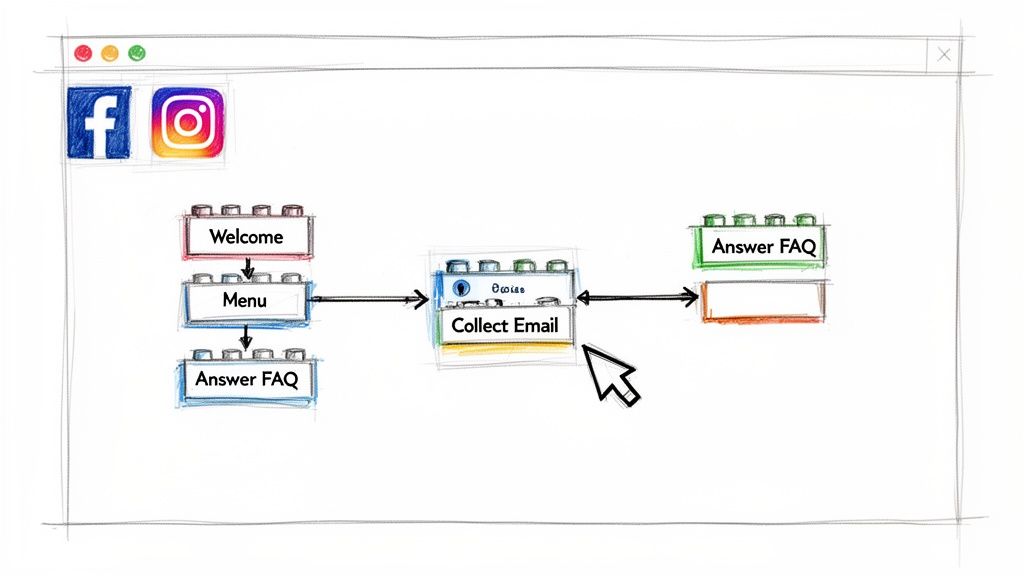
Facebook Chatbot Flow
Segment Your Audience for Precision Targeting
Audience segmentation allows you to group users based on their interests, purchase history, or stage in the sales funnel. By applying tags during a conversation, you can build detailed profiles of who they are and what they want.
Real-World Example: A fitness apparel store can tag users who click a button for “women’s running gear.” This simple action turns a random subscriber into a member of a specific segment, enabling hyper-relevant marketing later.
The Takeaway: Segmentation is the foundation of effective chatbot marketing. It lets you stop broadcasting one message to everyone and start whispering personalized advice to individual customers, dramatically increasing engagement.
Personalize Conversations to Feel More Human
Nobody likes talking to a generic robot. Personalization uses customer data—like their name or past purchases—to make automated conversations feel genuine and one-on-one.
Instead of “Here’s your order update,” a personalized message says, “Hi Sarah, good news! Your new running shoes have shipped and should arrive on Friday.” This small change makes a huge difference.
Actionable Tips for Personalization:
- Use their name: Greet users by their first name to create an instant connection.
- Reference past interactions: Mention a product they viewed to show your bot is paying attention.
- Customize offers: Send promotions based on their known interests, like the “women’s running gear” segment.
Send Broadcasts for High-Impact Messaging
Once you’ve segmented your audience, use broadcasts to send targeted messages directly to their Messenger or Instagram inbox. Unlike email, chatbot broadcasts have astonishingly high open rates, often exceeding 80%.
Real-World Example: Our fitness apparel store launches a new line of running socks. They send a broadcast only to the “women’s running gear” segment with a message like, “Just in! Our new breathable running socks are here. Get 15% off with code RUN15.” This laser-focused approach ensures high relevance and drives conversions. You can amplify your reach even further with effective Facebook advertising strategies.
Use Analytics to See What Works
You can’t improve what you don’t measure. Built-in analytics provide a clear view of your chatbot’s performance. Track key metrics like open rates, click-through rates, and lead conversion rates.
This data shows which messages resonate and which fall flat. It allows you to A/B test different approaches, tweak your flows, and continuously optimize your chatbot into a true engine for business growth.
Best Practices for Chatbots People Actually Enjoy Using
A great chatbot feels like a helpful assistant; a bad one is an annoying roadblock. The difference isn’t tech—it’s thoughtful design. Getting this right is what makes chatbots on Facebook a genuine asset.
First, be upfront. Don’t pretend your bot is human. Introduce it and explain what it can do so users know exactly what to expect.
Design Conversations That Flow Naturally
Think of your chatbot’s conversation as a guided path, not a rigid script. Make it incredibly easy for people to get what they need with minimal effort.
- Kill the text walls: Break information into short, punchy messages (one or two sentences).
- Use emojis for personality: Add a bit of character that matches your brand’s voice, but don’t overdo it.
- Guide with buttons: Replace open-ended questions like “How can I help you?” with clear options like “Track My Order” or “Browse Products.” This removes guesswork and reduces frustration.
Give Users Control and a Way Out
Nothing is more infuriating than being trapped in an automated loop. A non-negotiable rule of good chatbot design is to always provide a clear path to a human.
The Takeaway: A “Talk to an Agent” button should be a permanent fixture in your main menu. This “escape hatch” builds trust and reassures users that real help is available if the bot hits its limit.
This simple feature shows you respect the user’s time and understand automation can’t solve everything. Forcing someone to fight with a bot is a surefire way to lose a customer for good.
Quick Guide to Better Chatbot Conversations
Use this practical checklist to create interactions that help, not hinder.
| Do This for Better Engagement | Avoid This Common Mistake |
|---|---|
| Use buttons and quick replies. | Asking vague, open-ended questions like “What do you need?” |
| Keep messages short and scannable. | Sending long, dense paragraphs of text. |
| Introduce the bot and its purpose. | Pretending the chatbot is a real person. |
| Offer a clear path to human support. | Hiding the option to speak with a live agent. |
| Maintain your brand’s unique voice. | Using generic, robotic, or overly formal language. |
Sticking to these practices helps you build a chatbot that improves the customer experience, builds loyalty, and becomes a valuable part of your team.
Measuring Your Success and Staying Compliant
Launching your chatbot is just the first step. To turn it into a true business asset, you must focus on two things: tracking performance and playing by Facebook’s rules.
Nailing both ensures your chatbot delivers results and operates safely for the long term.
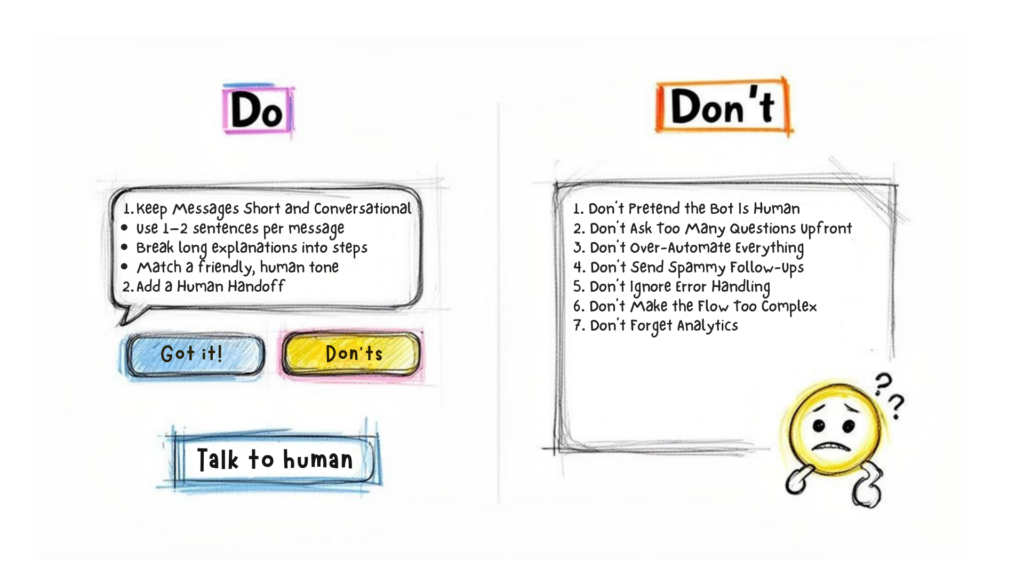
Facebook Chatbot Tips
Without tracking, you’re flying blind. Focusing on the right metrics is how you prove your chatbot’s value and find ways to make it even better.
Key Metrics for Measuring Chatbot ROI
To understand your chatbot’s impact, track a few key performance indicators (KPIs). This is essential to maximize your marketing automation ROI.
- Open Rates: What percentage of people open your messages? High rates (often over 80%) show your initial hook is effective.
- Click-Through Rates (CTR): How many users click the buttons or links in your messages? A strong CTR means your calls to action are compelling.
- Lead Conversion Rate: The percentage of conversations that result in a captured lead (like an email). This directly measures your bot’s business impact.
- Support Ticket Reduction: Compare the number of routine support questions before and after launching your bot. A significant drop proves it’s saving your team valuable time.
For a deeper dive, review this complete guide to chatbot KPI metrics to track.
Understanding Facebook’s Platform Policies
Ignoring Facebook’s rules is the fastest way to get your chatbot shut down. The platform has strict policies to prevent spam, and you must follow them.
The most critical rule is the 24-hour messaging window. When someone messages your Page, a 24-hour clock begins. During this window, you can send promotional messages.
Once the 24-hour window closes, you cannot send promotional content. Period. Violating this rule can get your Page’s messaging privileges restricted or revoked.
To re-engage someone after 24 hours, you must use approved Message Tags. These allow you to send non-promotional follow-ups for specific use cases, like order updates or event confirmations. Using these tags correctly is key to maintaining long-term conversations while staying compliant.
Frequently Asked Questions About Facebook Chatbots
Jumping into chatbots can bring up a few questions. Here are practical answers to the most common ones.
Ready to turn your social media inbox into a sales and support powerhouse? With Clepher, you can build powerful, AI-driven chatbots for your website, Facebook, Messenger, and Instagram in minutes—no coding required. Start automating conversations, capturing leads, and delighting customers today. Learn more and get started with Clepher.

Related Posts
Social Media Marketing Automation: Your Ultimate Guide
March 27, 2026Unlock Growth with Conversational AI for Customer Support
March 26, 2026Your Ultimate Guide to Instagram Chat Bots
March 25, 2026
Founder Clepher