
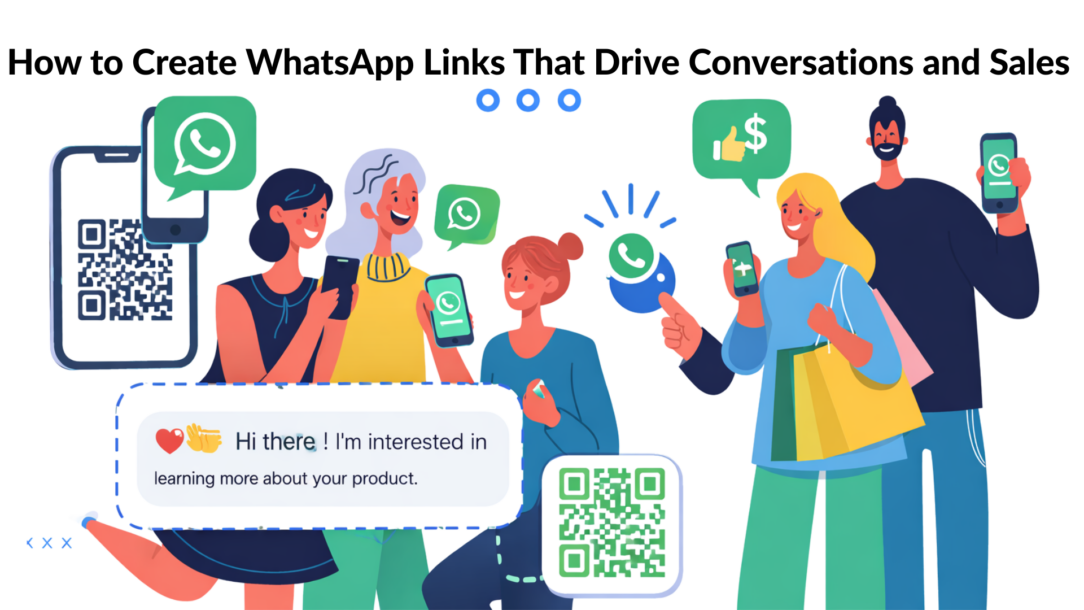
Ready to stop chasing customers and start having conversations? A direct WhatsApp chat link is the simplest, most powerful way to connect with visitors right from your website, social media, or even your email signature.
It’s surprisingly easy to create one. The basic formula is: https://wa.me/yourphonenumber.
Just replace “yourphonenumber” with your full phone number, including the country code (but without any “+” or “- symbols). That’s it. This single link makes your WhatsApp account clickable from anywhere, instantly bridging the gap between you and your next customer.
Why a Simple WhatsApp Link Is a Game-Changer for Your Business
A WhatsApp link isn’t just another contact button; it’s a direct pipeline to your customers, meeting them on the app they already use and trust for hours every day.
This approach lets you bypass clunky contact forms and the dreaded “we’ll respond in 24-48 hours” email void. Instead, you’re inviting immediate, personal conversations that lead to real business outcomes.
Imagine a potential customer lands on your sales page. They have a small question, but filling out a form feels like too much work. A simple “Chat with us on WhatsApp” button removes that friction, transforming a passive browser into an engaged lead with a single tap. This is how you capture interest in the moment it happens.
Meet Customers Where They Are
This strategy is effective because you’re not forcing people onto a new platform. You’re engaging them in their digital comfort zone. As of early 2025, WhatsApp has soared past 3 billion monthly active users worldwide, making it the most popular messaging app on the planet.
With people spending an average of 34 minutes on the app daily, it’s clear where your audience is already having conversations. You can explore more statistics on WhatsApp’s global reach at backlinko.com.
By adding a WhatsApp link to your marketing, you tap into a powerful communication habit that’s already part of your customers’ daily lives.
Drive Engagement and Build Trust
This direct line fosters a personal, back-and-forth dialogue that feels less like a corporate transaction and more like a helpful chat with a real person. This is how you build trust faster than any automated email sequence ever could.
This is the essence of conversational marketing, a strategy focused on building real relationships through dialogue. To learn more about putting these ideas into action, check out our guide on what is conversational marketing.
Ultimately, a WhatsApp link transforms your marketing from a one-way announcement into a two-way relationship. The result? Better support, warmer leads, and more sales.
Generating Your First WhatsApp Link in Under a Minute
Let’s get right to it. You don’t need a special generator or complex software to create a basic WhatsApp link. You can do it yourself in seconds.
There are two standard formats you can use, and both achieve the same result: opening a direct chat with you.
The quickest and most common method uses the wa.me short link. This is WhatsApp’s official, tidy URL, perfect for places where space is limited, like a social media bio.
Alternatively, you can use the full URL: api.whatsapp.com. It’s longer but works exactly the same way. The choice between them is mostly about presentation.
The Basic Link Structure
To create your link, you only need one piece of information: your full phone number in international format. This means including your country code but removing any leading zeros, plus signs, or hyphens.
Here’s how the two formats work:
- The Short Link:
https://wa.me/PhoneNumber - The Full URL:
https://api.whatsapp.com/send?phone=PhoneNumber
Let’s use a practical example. If your US-based business number is (555) 123-4567, the international format you need is 15551234567.
Plugging that into the formulas, your links would be:
- The short link:
https://wa.me/15551234567 - The full URL:
https://api.whatsapp.com/send?phone=15551234567
Clicking either of those links will instantly open a chat screen with that number. It’s that simple.
Pro Tip: Always test your link before sharing it. A simple typo can create a dead end for customers and cost you valuable leads. Click it yourself to make sure it works as expected.
Providing this direct line is incredibly effective, especially when you consider the sheer scale of WhatsApp’s user base.
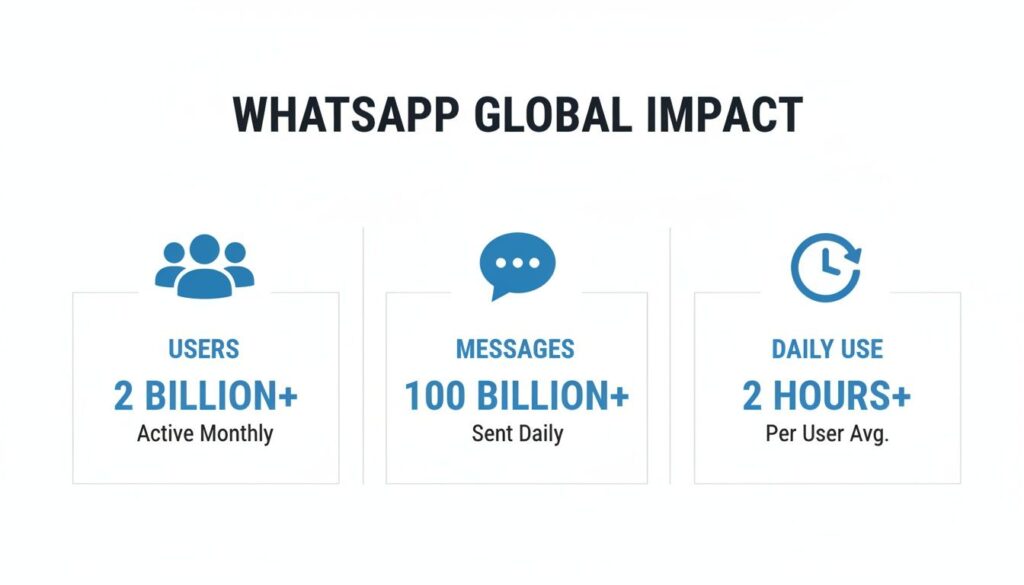
WhatsApp Stats
These aren’t just numbers; they represent an opportunity. You’re not just adding a contact method; you’re connecting with billions of people on the platform they prefer for daily communication.
Comparing Basic WhatsApp Link Formats
So, should you use wa.me or api.whatsapp.com? For most situations, their performance is identical. The user experience is the same, but the context of where you place the link might make one a better choice.
Here’s a quick breakdown to help you decide:
| Feature | wa.me Link | api.whatsapp.com Link |
|---|---|---|
| Length | Short and clean, ideal for social media. | Longer and more descriptive. |
| Functionality | Opens a direct chat window. | Opens a direct chat window. |
| Recognition | Instantly recognizable as WhatsApp. | Clearly indicates an API link. |
| Best Use Case | Email signatures, Instagram bios, text messages. | Website buttons, backend integrations. |
Ultimately, the choice comes down to aesthetics and placement.
For customer-facing links where space is tight (like an SMS campaign or a social profile), the clean wa.me link is almost always the better choice. It looks professional, feels more trustworthy, and gets the job done perfectly.
Crafting Prefilled Messages That Guide the Conversation
A basic WhatsApp link opens a door. A link with a prefilled message invites your customer inside and starts the exact conversation you want. This simple addition turns a generic “contact us” button into a purposeful, high-intent interaction.
By writing their first line for them, you dramatically reduce friction. Instead of staring at a blank chat window, your customer sees a relevant message ready to go. All they have to do is hit “send.”
Building Your Link with a Prefilled Message
Adding a prefilled message is just a small addition to the basic link structure. You simply add ?text=YourEncodedMessage to the end of the URL.
The full structure looks like this: https://wa.me/PhoneNumber?text=YourEncodedMessage
The key part is “YourEncodedMessage.” URLs can’t handle spaces or certain special characters, so you need to “encode” them. The most common substitution is replacing every space with %20.
For example, the message “Hello, I have a question” becomes Hello%20I%20have%20a%20question.
Think of URL encoding as a universal language for browsers. It ensures your message appears perfectly formatted in the WhatsApp chat box, no matter what device your customer is using.
Real-World Examples That Convert
Let’s see this in action. The most effective prefilled messages are specific to the context from which the user is clicking.
Here are a few practical examples for different business scenarios:
- For an E-commerce Product Page: An online store places a link below the “Add to Cart” button for a new jacket.
- Message:
Hi!%20I'm%20interested%20in%20the%20new%20denim%20jacket%20(SKU:%20DJ123).%20Is%20it%20available%20in%20a%20size%20Large? - Why it works: It’s specific and gives your support team all the context they need, including the SKU. This leads to an instant, helpful answer without back-and-forth questions.
- Message:
- For a Service Business Website: A consultant could use this on their “Services” page to drive bookings.
- Message:
Hello!%20I'd%20like%20to%20book%20a%20free%2015-minute%20discovery%20call%20to%20discuss%20your%20marketing%20services. - Why it works: This immediately qualifies the user’s intent. You know right away this is a warm lead interested in a specific offering, not a generic inquiry.
- Message:
- For a Facebook Ad: A local landscaping company runs an ad for a spring cleanup package.
- Message:
I%20saw%20your%20ad%20on%20Facebook.%20Could%20I%20get%20a%20free%20quote%20for%20your%20spring%20cleanup%20service? - Why it works: It attributes the lead directly to the ad campaign and moves them straight to the next step in your sales process—getting a quote.
- Message:
By crafting thoughtful messages, you transform a passive click into an active, valuable conversation. The same principles that make these prompts effective apply to writing great chatbot scripts. For more tips, check out our guide on effective chatbot copywriting.
How to Track and Optimize Your WhatsApp Link Performance
Creating a WhatsApp link is the easy part. Knowing if it’s actually working is where the real value lies.
If you can’t measure which links are driving conversations, you’re marketing in the dark. A standard wa.me link is a black box—you see messages coming in, but you don’t know which button, ad, or post they came from. Tracking turns guesswork into a data-driven strategy.
The solution is to use UTM parameters. These are simple tags you add to the end of your URL. They don’t change where the link goes, but they carry tracking information that tells your analytics tools exactly where a user clicked from.
This lets you finally see which social media posts, email campaigns, or paid ads are generating the most valuable chats.
Demystifying UTM Parameters for WhatsApp
Think of UTMs as labels for your links. While there are five standard parameters, you only need to focus on three to get actionable insights for your WhatsApp links.
Here are the essentials:
utm_source: Identifies the platform that sent the traffic, likefacebook,google, oremail_newsletter.utm_medium: Describes the marketing medium, such ascpc(for paid ads),social_post, orwebsite_button.utm_campaign: Names the specific marketing effort, likesummer_sale_2024orwebinar_signup.
Let’s build one. Imagine you’re running a Facebook ad for a summer sale. Your base link is: https://wa.me/15551234567?text=I%20want%20the%20summer%20deal!
Now, let’s add UTM tags: https://wa.me/15551234567?text=I%20want%20the%20summer%20deal!&utm_source=facebook&utm_medium=cpc&utm_campaign=summer_sale_2024
This longer link now carries valuable data. When someone clicks it, your analytics can tell you precisely that this conversation started from your paid Facebook summer sale campaign.
Pro Tip: Be consistent with your naming conventions. In your reports,
Using Link Shorteners for Cleaner URLs and Better Tracking
That long, UTM-tagged URL isn’t exactly user-friendly. You wouldn’t want to print it on a business card. This is where link shorteners like Bitly or Rebrandly become essential tools.
They accomplish two key things:
- They clean up your links, transforming a messy URL into something short and professional (e.g.,
bit.ly/SummerSaleChat). - They provide their own analytics, giving you an at-a-glance dashboard of click counts, geographic data, and timing.
This gives you a powerful layer of click data, showing you how many people are starting the journey to your WhatsApp chat.
Understanding which links perform best is crucial. The principles behind good social media analytics for modern churches apply to any industry—it’s all about tracking engagement to see what resonates. By combining UTMs with link shorteners, you gain the visibility needed to optimize your WhatsApp strategy.
Put Your Links to Work with QR Codes and Chatbots
Your WhatsApp link is a versatile tool. It can connect your digital marketing to the physical world and even automate the conversations that follow. This is how you scale your customer interactions from one-on-one chats to a fully automated system.
By converting your link into a QR code, you can bridge your offline and online marketing efforts. Suddenly, your product packaging, event banners, restaurant menus, or storefront displays become direct gateways to a WhatsApp chat.
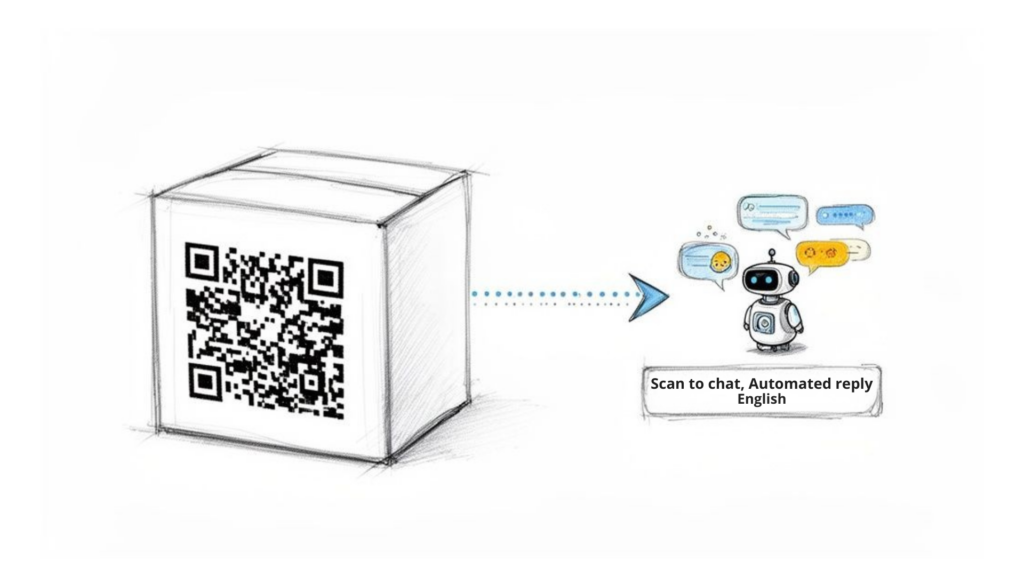
WhatsApp QR Chatbot
This journey—from a physical scan to a helpful, automated chat—is how you turn a moment of curiosity into a valuable customer interaction.
Turning Your Link into a Scannable QR Code
You can turn any URL into a QR code, including your WhatsApp link. Dozens of free online generators can create one for you in seconds. Simply paste your full wa.me link—complete with the prefilled message and UTM parameters—into a generator to create a downloadable image.
To make them effective, it helps to understand what a QR code is and how it works. This knowledge helps you place them in locations where they will get noticed and scanned.
Consider these real-world use cases:
- In a retail store: A customer scans a QR code on a clothing tag. The prefilled message asks, “Hi! I’d like to see if this is in stock in another size.”
- At a conference: An attendee scans a code on your booth’s banner. Their message says, “I’m at the event and would love to schedule a quick demo.”
- On a restaurant menu: A diner scans a code with a prefilled prompt: “I have a question about the menu ingredients.”
In each case, you’ve eliminated friction. No one has to find and type your phone number. They just scan, tap, and start a high-intent conversation that you’ve already framed for them. The same strategy works for other platforms, too; our guide on creating a Messenger QR Code covers similar principles.
Supercharge Your Link with Chatbot Automation
A QR code that opens a chat is useful. But a QR code that triggers an intelligent chatbot is a game-changer. This is how you provide instant customer service 24/7 without overwhelming your team.
When you connect your WhatsApp Business account to an automation platform like Clepher, you can design conversational flows that activate the moment someone sends that prefilled message.
This isn’t just about sending a basic auto-reply. It’s about deploying an automated system that can qualify leads, answer FAQs, book appointments, or even process orders on its own.
Let’s revisit the restaurant example. Instead of a manager manually answering ingredient questions during a busy service, a chatbot handles it instantly:
- User Scans & Sends: “I have a question about the menu ingredients.”
- Chatbot Responds: “I can help with that! Which dish are you interested in?”
- User Replies: “The Classic Burger.”
- Chatbot Provides Info: “The Classic Burger contains gluten (bun) and dairy (cheese). Would you like to see our gluten-free or dairy-free options?”
This entire exchange happens automatically. The customer gets an immediate, helpful answer, and your staff remains focused on in-person service. By pairing a QR code with a smart chatbot, you’ve turned a manual task into a seamless, scalable customer service channel.
Still Have Questions About WhatsApp Links?
As you begin implementing WhatsApp links, a few common questions often come up. Let’s tackle them so you can move forward with confidence.
Conclusion
Ready to connect your WhatsApp links to a 24/7 sales and support engine? With Clepher, you can link your WhatsApp account to intelligent AI chatbots that qualify leads, answer questions, and drive sales while you sleep. Start your free trial today and discover how easy it is to put your customer engagement on autopilot.

Related Posts
Website Facebook Messenger: Setup & AI for Sales in 2026
April 1, 2026How an API Chat Bot Transforms Your Business (And How to Build One)
March 31, 2026
Founder Clepher