

When your CRM and ticketing system work together, you’re giving your support team a cheat sheet for every customer interaction. Your CRM holds the customer’s entire story—from their first purchase to their browsing habits. Your ticketing system manages their immediate problems, one by one.
Connecting them turns a simple problem-solving task into a relationship-building opportunity.
The Power Duo Your Business Can’t Ignore
Imagine your customer data living in two separate universes.
In one, your sales and marketing teams use a CRM. They see a customer’s entire journey, from the first ad they clicked to their tenth purchase. They know this person is a loyal, high-value fan.
In the other universe, your support team stares at a ticketing system. A new ticket pops up from a frustrated customer whose recent order is late. Without context, it’s just another ticket in the queue. The agent sends a standard apology, provides an update, and closes the ticket. It’s efficient, but completely impersonal.
Now, let’s merge those universes by integrating the CRM and ticketing system.
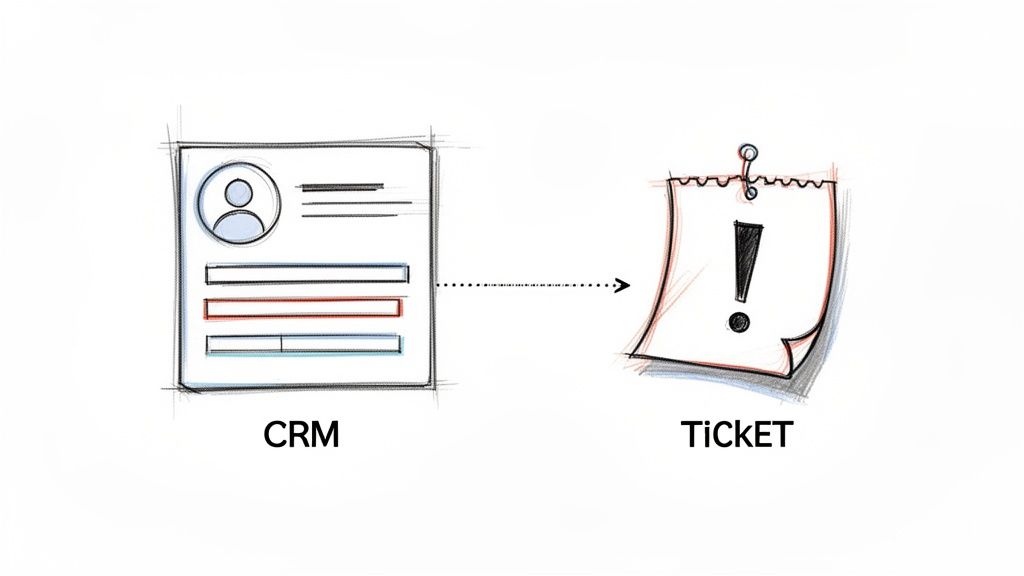
CRM Ticketing Flow
A Real-World E-commerce Example
When that same ticket about the delayed order comes in, the support agent’s screen looks totally different. Right next to the ticket, they see key data pulled directly from the CRM:
- Customer Since: 2 years
- Lifetime Value: Over $1,500
- Last Purchase: 3 days ago
- Recent Activity: Viewed a new product page yesterday
Suddenly, this isn’t just another ticket. It’s a make-or-break moment with a VIP customer. The agent’s approach shifts. Instead of a generic apology, they can say, “I see you’ve been a loyal customer for over two years, and I’m so sorry we’ve let you down. I’ve expedited your shipment and, as a thank you for your patience, here is a 20% discount code for your next purchase.”
This simple, context-aware interaction transforms a potential complaint into a powerful loyalty-building moment. That’s the core benefit of an integrated CRM and ticketing system: it turns transactional support into relational problem-solving.
Beyond Technology: A Strategic Shift
Connecting these systems isn’t just a technical fix; it’s a strategic move to build a unified customer experience. You’re tearing down the walls between sales, marketing, and support.
This gives every employee the intel they need to treat customers like people, not ticket numbers. This approach directly impacts your bottom line by boosting retention, increasing customer lifetime value, and sparking positive word-of-mouth. Every interaction becomes smart, personal, and valuable.
Understanding Your CRM: The 360-Degree Customer View
A Customer Relationship Management (CRM) system is the central brain for your business, capturing every customer interaction to build a complete, 360-degree profile. It’s the difference between just knowing a customer’s name and truly understanding their entire story with your brand.
This unified view is non-negotiable today. The global CRM market is projected to blast past $112 billion in 2025 and rocket toward $262 billion by 2032. With 91% of companies with 10+ employees already using one, a CRM is standard equipment for any business serious about growth.

CRM and Ticketing Customer Journey
From First Click to Loyal Customer
When a new lead lands on your e-commerce store, a CRM doesn’t just see another visitor; it starts building their story. It meticulously tracks their journey from that very first touchpoint, creating a rich profile that gets smarter with every interaction.
This customer story includes:
- Marketing Engagement: Which ads they clicked, what emails they opened, and the blog posts they read.
- Sales Activities: Every phone call logged, every demo they attended, and every proposal sent.
- Purchase History: A complete record of every transaction—what they bought, when, and for how much.
- Support Interactions: Notes from past conversations and links to previous support tickets.
By centralizing this information, the CRM turns disconnected data into a powerful tool for your entire team.
Giving Your Teams the Power of Context
A CRM is more than a digital filing cabinet; it’s an engine that empowers your entire organization. When every team has access to the same complete customer profile, you stop just solving problems and start proactively managing relationships.
The real power of a CRM isn’t in the data it holds, but in the intelligent actions it enables. It gives your team the context to make every conversation personal, relevant, and valuable.
This shared view delivers tangible results. A sales rep preparing for a call can instantly see that the prospect downloaded a case study and had a great chat with support last week. Armed with that knowledge, they can tailor their pitch to the prospect’s interests, drastically increasing their chance of closing the deal. This is especially powerful when you integrate HubSpot and other key platforms into your workflow.
Making the Shift to Proactive Management
Ultimately, a CRM changes how you operate. Instead of waiting for a customer to complain, your teams can anticipate their needs and deliver personalized experiences that build lasting loyalty.
Marketing can:
- Segment audiences with incredible precision for campaigns that feel one-to-one.
- Automate personalized email sequences triggered by specific user behaviors.
Sales teams can:
- Prioritize leads based on engagement scores, not guesswork.
- Have more meaningful, context-rich conversations that build rapport.
Support agents can:
- Instantly understand the full history behind a customer’s issue before the conversation even starts.
This fundamental shift from reactive to proactive is the true game-changer. A well-implemented CRM is the foundation for a truly customer-centric business.
Your Ticketing System: The Support Command Center
If a CRM is the customer’s life story, a ticketing system is their urgent Post-it note demanding immediate attention. Think of it as the emergency room for customer issues. Every email, live chat, social media DM, and phone call is an incoming patient needing care.
A ticketing system brings order to that chaos. It automatically triages each request, assigns it to the right specialist, and tracks the case from creation to resolution. This turns a frantic inbox into a streamlined, measurable workflow.
At its core, the system ensures no customer query ever gets lost. It’s the operational backbone that makes excellent, scalable support possible.
The Lifecycle of a Support Ticket
Understanding how a ticket moves through your system demystifies the support process. Most tickets follow a predictable path that keeps your team accountable and consistent.
Here’s the typical journey:
- Creation: A customer sends a message through any channel. The system instantly grabs it and turns it into a numbered ticket.
- Assignment: Based on your rules, the ticket is automatically routed. For instance, a message containing “refund” can go straight to the billing team.
- Resolution: The assigned agent communicates with the customer and solves their problem. Every part of that conversation is logged in the ticket.
- Closure: Once the issue is fixed, the agent marks the ticket as “closed.” This action is recorded, feeding into your team’s performance metrics.
This structured lifecycle gives you control. It creates a documented history for every interaction, which is invaluable for training, quality assurance, and spotting recurring customer pain points.
Essential Features That Drive Efficiency
A modern ticketing system is far more than a shared inbox; it’s packed with features designed to automate work. These systems slash resolution times and boost satisfaction—non-negotiable for businesses like SaaS companies and online course sellers.
The ticketing market is projected to grow from $3.64 billion in 2023 to $7.51 billion by 2031, a surge driven by the demand for smarter operations.
Key features include:
- Automated Routing: Smart rules that assign tickets based on keywords, customer priority, or channel.
- Service Level Agreements (SLAs): Built-in timers that track response and resolution deadlines to ensure agents hit performance targets.
- Knowledge Base Integration: Lets agents quickly share help articles, speeding up fixes for common questions.
The goal of a ticketing system isn’t just to manage problems—it’s to create a predictable, efficient, and high-quality support experience every single time.
To truly level up your support, explore automating customer service to scale your efforts without hiring an army of agents. This is where tools like AI-powered chatbots become crucial for providing instant responses and handling initial triage—a core part of effective help desk automation. An AI chatbot can field a question, create a ticket, and assign it before a human agent even knows it exists.
CRM and Ticketing System for Help Desk Efficiency
A combined crm ticket system bridges crm software and help desk ticketing to streamline customer request handling. Whether you’re evaluating the best crm ticketing system or a dedicated crm with a ticketing system, the right ticketing system for your business reduces ticket volume and improves ticket handling through automation features and advanced features.
Why Integrate CRM and Help Desk Ticketing?
Ticketing and crm integration turns customer support tickets into actionable insights. A crm ticket connects customer history from crm platforms with each support request, creating a single management system that supports both sales and support teams. crm integration enables powerful crm capabilities such as automated routing, context-aware responses, and reporting across ticket management and CRM tools.
Core Ticketing Features to Look For
- Ticket management: unified inbox for all customer requests and support request types, including email ticketing.
- Automation features: auto-assignment, SLA enforcement, and escalation to reduce ticket volume and manual work.
- Collaboration: internal notes, shared ownership, and cross-team handoffs between help desk software and crm tools.
- Reporting & analytics: track ticketing features performance, response times, and customer satisfaction.
- CRM integration: sync contacts, purchase history, and case context so agents have full visibility.
Choosing the Right Ticketing Solution
When comparing ticketing system comparison and crm vs standalone help desk decisions, consider whether you need a management tool focused on support or a crm ticketing solution that serves the whole customer lifecycle. A ticketing solution should be scalable—ticketing system helps growing teams manage increasing customer support tickets and improves resolution times.
Popular Options and Use Cases
Leading crm platforms like Zoho Desk provide a help desk ticketing tool embedded in crm software, offering combined crm ticket system capabilities. For many organizations, the best help desk is one that balances help desk and crm functionality: advanced ticketing, crm and ticketing solutions, and integration with existing management software.
Practical Guidance
- If you’re looking for a good ticketing tool, evaluate automation features and CRM integration first.
- For a crm ticketing solution that isn’t overly complex, choose a system for your business that matches your team size and workflow.
- Consider crm and help desk ticketing options if you need unified customer records and a single source of truth for customer interactions.
- Test email ticketing and help desk ticketing system workflows to ensure they reduce ticket volume and improve SLA compliance.
- Review 5 crm ticket system solutions and perform a ticketing system comparison to find the right ticketing system for your business.
In summary, crm and ticketing solutions that combine crm help and help desk software deliver better customer experience, faster ticket handling, and measurable improvements in support operations. Whether you choose a powerful crm platform, a help desk tool like Zoho Desk, or a dedicated crm with ticketing capabilities, prioritize ticketing features, crm integration, and scalability to find the best crm ticketing system for your needs.
Why Integration Is a Non-Negotiable Strategy
Running your business with a separate CRM and ticketing system is like having two brilliant detectives on a case who refuse to speak to each other. One knows the suspect’s entire backstory; the other knows what crime was just committed. Working in isolation, they’re just guessing.
Integrating your CRM and ticketing system is when those two detectives finally compare notes. The “what” of the problem (the support ticket) is instantly connected to the “who” (the customer’s entire history). This is a fundamental shift that empowers your team to deliver smarter, faster, and more personal service.
The Power of a Single Source of Truth
Let’s walk through a quick “before and after” to see this in action.
Before Integration: A support agent gets a ticket: “My latest shipment is damaged.” They see a ticket number and a frustrated message. Their goal is transactional: process a replacement, apologize, and close the ticket as fast as possible. The customer is just another case in the queue.
After Integration: The agent sees the same ticket, but now their screen lights up with data from the CRM. Right next to the request, they see:
- Customer Status: VIP Tier
- Lifetime Value: Over $5,000
- Recent Activity: Abandoned a cart worth $300 yesterday
This context changes everything. The agent now knows this isn’t just any customer—it’s a high-value advocate on the verge of another purchase. The goal shifts from “solve the problem” to “save the relationship and the future sale.”
An integrated system creates a single source of truth, taking the guesswork out of customer interactions. It empowers everyone on your team to see the complete story, turning reactive problem-solving into proactive relationship management.
Eliminating Data Silos for Smarter Decisions
When your sales and support platforms don’t talk, you create invisible walls inside your company. Your sales team knows who your best customers are, but your support team might be treating them like strangers. This disconnect is where opportunities die.
Integration demolishes those silos, creating a smooth flow of information.
- Sales teams can see recent support tickets before a renewal call, letting them address any lingering issues.
- Marketing teams can build smarter campaigns, like excluding customers with an open support ticket from a new promotion.
- Support teams get the full picture to prioritize tickets intelligently and personalize every interaction.
This is fast becoming the standard way to operate. A massive 91% of companies with 10 or more employees already use a CRM. The US drives 37% of global CRM spending, meaning powerful, integration-friendly tools are widely available. You can find more CRM market share stats and data.
From Disconnected Tools to a Unified Workflow
The magic of integrating your CRM and ticketing system shines when you compare the two approaches. The difference isn’t just technical—it hits your efficiency, customer happiness, and your bottom line.
Here’s how daily operations change when your systems are in sync.
Siloed vs. Integrated Systems: A Head-to-Head Comparison
This table breaks down the practical differences between running separate systems and an integrated approach.
| Feature | Siloed Systems (Separate) | Integrated System (Combined) |
|---|---|---|
| Agent View | Limited to ticket details; no customer history or value visible. | 360-degree view of the customer, including purchase history and lifetime value. |
| Workflow | Manual data lookup required; agents must switch between multiple tabs. | Automated data sync; all information appears on a single screen. |
| Customer Experience | Generic, impersonal responses that feel transactional. | Personalized, context-aware support that builds loyalty. |
| Data Visibility | Siloed data leads to inconsistent information across teams. | A single source of truth ensures everyone has the same, up-to-date info. |
| Efficiency | Slower resolution times due to information gaps and manual work. | Faster first-response and resolution times, boosting agent productivity. |
Ultimately, integration is a non-negotiable strategy because it forces your technology to align with your most important business goal: putting the customer at the center of every decision.
Integration in Action for E-commerce and SaaS
Theory is one thing, but seeing a CRM and ticketing system integration solve real-world problems is where the value becomes clear. Let’s walk through practical examples for two different businesses: an e-commerce brand and a B2B SaaS company. These show how integration shifts your team from putting out fires to proactively building relationships.
The journey from separate, siloed systems to a powerful, unified view is what this is all about.
This visual nails the transformation: you go from scattered data to a central hub where your team has the full story on every customer.
E-commerce: Turning a Complaint into a Conversion
An online clothing store gets a live chat message from a customer, Sarah: “My order arrived with the wrong size dress, and the event is this weekend!”
The Problem (Without Integration): The support agent, Alex, sees another “wrong item” complaint. He follows the script: apologize, give return instructions, and offer a replacement that probably won’t arrive in time. Sarah is left frustrated, and the store is one step closer to a bad review.
The Solution (With Integration): The moment Sarah’s chat ticket pops up, her CRM data appears. Alex instantly sees:
- Customer Status: VIP Tier, with 5 purchases in the last 6 months.
- Lifetime Value: $1,250.
- Recent Activity: Viewed a specific handbag three times yesterday.
This isn’t just another ticket; it’s a make-or-break moment with a high-value customer. Context changes everything.
Alex’s approach flips. He can now say, “Sarah, I am so sorry about this. I see you’re one of our best customers, and we’re going to make this right. I’m overnighting the correct dress to you, and for the trouble, I’ve added a 25% discount to your account. I also noticed you were looking at that leather handbag—the discount will work for that, too.”
The Result: Sarah gets her dress, feels valued, and uses the discount to buy the handbag. A potential disaster became a loyalty-building moment that also drove a sale. That’s the power of a CRM and ticketing system working as one.
SaaS: Prioritizing Fixes for High-Value Clients
A project management SaaS company gets a bug report. A user named David reports that the new “export to PDF” feature is corrupting his files.
The Problem (Without Integration): The bug report becomes a ticket and gets tossed into the engineering queue. It’s prioritized based on how many people report it. If it’s not a widespread issue, that ticket could sit for weeks, leaving David’s company stuck.
The Solution (With Integration): When David submits the ticket, the system links it to his CRM profile. The product team sees the full picture:
- Account: Acme Corp, an enterprise-level client.
- Subscription: Top-tier plan, a $25,000 annual contract.
- Status: Renewal is in 60 days.
Suddenly, this isn’t a low-priority glitch. It’s a massive retention risk for a major account. The ticket is automatically flagged as “critical” and escalated to a senior developer. The product manager is alerted because this fix is crucial for securing that renewal.
The Result: The engineering team deploys a patch within 48 hours. David gets a personal notification that the issue is solved. Acme Corp is impressed with the responsive support and renews its contract. For SaaS companies, an integrated CRM and ticketing system is the backbone of proven SaaS customer retention strategies, helping slash churn.
Your Blueprint for a Successful Integration
Connecting your CRM and ticketing system is a strategic move, not just a tech project. Without a solid plan, you’re asking for messy data and frustrated teams. This step-by-step guide helps you sidestep common traps and get real value from day one.
1. Define Your Strategic Goals First
Before you touch any software, ask the most important question: What business problem are we trying to solve? Vague goals like “improving efficiency” won’t work. You need specific, measurable targets.
Good goals look like this:
- Reduce first-response time by 25% by giving agents instant access to customer history.
- Increase VIP customer retention by 15% by automatically flagging their tickets for priority handling.
- Decrease ticket resolution time by 30% by eliminating the need for agents to switch between systems.
These goals give your project a clear “why” and provide the exact metrics you’ll use to measure success.
2. Audit Your Current Tools and Workflows
Next, take a hard look at your existing processes. Map out how customer interactions flow, from a sales call logged in the CRM to a support ticket being resolved.
The point of this audit is to find the friction. Where do handoffs break down? Where is information getting lost? Pinpointing these pain points is key to designing a workflow that actually fixes things.
Document which data fields are used most, which teams access what information, and where your current setup causes delays. This audit is the foundation of your integration strategy.
3. Choose Your Integration Method
With your goals set and your current state mapped, decide how you’ll connect your systems. You have two main paths.
- Native Connectors: Most major CRM and ticketing platforms offer built-in, one-click integrations. These are usually the easiest and most reliable options because they’re designed to work together out of the box.
- Third-Party Tools: Middleware platforms like Zapier or Make act as universal translators, connecting thousands of different apps. These tools give you flexibility to build custom workflows, especially when a native integration isn’t available. You can integrate Zapier with your existing tools to automate almost any process.
The right method depends on your software, technical resources, and workflow complexity. A native connector is great for simplicity. A tool like Zapier is perfect for highly customized, multi-step automations.
From there, map your critical data fields to ensure a seamless sync and—most importantly—train your team on the new, improved process.
Your Top Integration Questions, Answered
Connecting a CRM and ticketing system brings up a few key questions. Let’s tackle the most common ones.
Conclusion
Integrating a crm and ticketing system empowers businesses to centralize customer data, automate ticket routing, and enforce SLAs for faster resolution times. By combining helpdesk ticketing with CRM contact histories and reporting dashboards, teams gain better visibility into customer support workflows and performance metrics. Prioritize platforms that offer seamless integration, automation rules, and customizable ticket fields to scale support operations while maintaining consistent service levels. Ultimately, a well-implemented crm and ticketing system improves customer satisfaction, reduces response times, and provides actionable insights to continually refine support processes.
Ready to unify your customer conversations and turn support into a growth engine? Clepher centralizes your marketing, sales, and support with AI-powered chatbots on the channels your customers already use. Start your free trial today.

Related Posts
How to Create a Survey on Facebook for Maximum Engagement
March 28, 2026Social Media Marketing Automation: Your Ultimate Guide
March 27, 2026
Founder Clepher