
Ready to customize your Facebook Page URL? It’s one of the fastest ways to transform your page from looking like an amateur setup to a professional brand asset. This simple tweak changes that long, clunky, system-generated address into a clean, memorable link that boosts your credibility in seconds.
Let’s turn theory into action and get it done.
Why Your Facebook URL Is a Branding Superpower
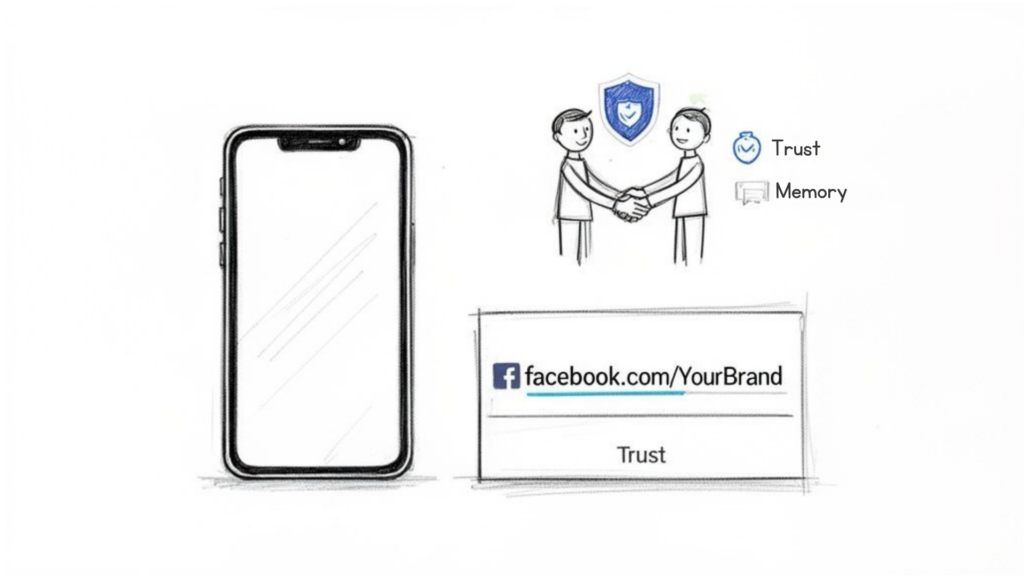
Customize Facebook Page URL Brand Trust
Think of your Facebook Page URL as your digital business card. Which one inspires more confidence?
- This:
facebook.com/Your-Business-1000892745… - Or this:
facebook.com/YourBrandName
The answer is obvious. The first link looks temporary and untrustworthy. The second one is a branding superpower that tells customers you’re serious.
This isn’t just about looking good; it’s a strategic move with a real impact on your bottom line.
- Builds Instant Credibility: A custom URL signals you’re a legitimate, established business, not a fly-by-night operation. It’s a small detail that builds massive trust.
- Improves Brand Recall: It’s far easier for customers to remember and type a simple name than a random string of numbers. Simple is memorable, and memorable gets you more visits.
- Boosts Direct Traffic: A clean URL encourages people to type it directly into their browser, driving more traffic to your page and funneling more leads into your chatbot flows.
Ultimately, a custom URL is a foundational step to build brand awareness and solidify your online presence.
Generic vs Custom URL: The Real-World Impact
The difference between a generic URL and a custom one isn’t just cosmetic—it has a measurable impact on your business metrics. Here’s a quick breakdown of how these two options stack up.
| Metric | Generic URL (e.g., /pages/Your-Business/123456) | Custom URL (e.g., /YourBrandName) |
|---|---|---|
| Brand Recall | Very Low | High |
| User Trust | Low | High |
| Memorability | Almost impossible to remember. | Easy to remember and share. |
| SEO Impact | Minimal; numbers add no value. | Positive; keywords can improve ranking. |
| Direct Traffic | Low; users won’t type it manually. | Higher; encourages direct visits. |
| Marketing Materials | Looks unprofessional and clutters designs. | Clean, professional, and easy to print. |
As you can see, making this one small change elevates your brand’s professionalism and marketing effectiveness almost instantly. It’s a quick win you can’t afford to ignore.
A custom URL is more than just a link—it’s your brand’s digital address. Making it clean and recognizable is one of the simplest yet most effective actions you can take to strengthen your business’s social media presence. This small detail sets a strong foundation for your entire marketing strategy.
The Essential Rules for Choosing Your Page Username
Customize Facebook Page URL Username Rules
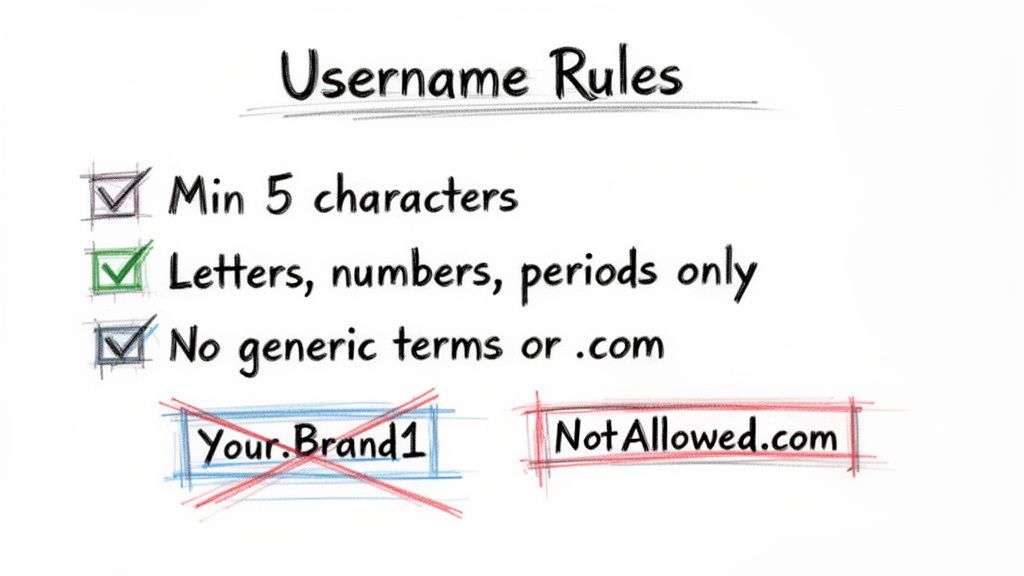
Before you jump in, you need to know Facebook’s rules. Get this wrong, and your request will be rejected.
Let’s get the technical stuff out of the way. Your username must be:
- At least five characters long.
- Made up of only letters (A-Z), numbers (0-9), and periods (.).
- Unique to your Page.
You can’t use generic terms like “marketing” or “coffee” on their own, and you can’t add extensions like “.com” or “.org” at the end.
Crafting a Strategic Username
The real goal here is brand consistency. If you’re @YourBrandCo on Instagram and TikTok, you absolutely want facebook.com/YourBrandCo. This creates a seamless experience for customers trying to find you.
Think about readability. Using a period can make a long name much easier to digest. For example, YourBrand.Global is much cleaner on a business card than yourbrandglobal.
A branded, memorable URL isn’t just a vanity metric—it drives real engagement. Data shows 31.1% of users aged 25-34 actively prefer branded URLs, and it directly impacts how they interact with a page. You can see more Facebook marketing stats here that prove how critical small branding details are.
Before you lock anything in, do a quick search to see if that username is available on other social platforms. A consistent handle everywhere strengthens your brand and makes it dead simple for your ideal customers to connect with you.
And if you’re not totally clear on who those customers are, our guide on how to build detailed buyer personas is the perfect place to start. A great username speaks their language.
How to Customize Your Facebook Page URL Step by Step
Ready to lock in that professional URL? The whole process takes less than five minutes. It’s one of the first things you should do when setting up a new page. Let’s walk through how to change it on both desktop and mobile.
First, let’s clear up a common point of confusion. Your Page has a Name and a Username. They are not the same thing.
- Page Name: This is your brand’s display title, like “Clepher AI Chatbots.” It appears right under your profile picture.
- Page Username: This creates your custom URL (
facebook.com/clepher) and your page handle (@clepher).
To change your URL, you need to edit your username.
Customizing Your URL on Desktop
Most page admins prefer managing their pages from a desktop. It’s fast and straightforward.
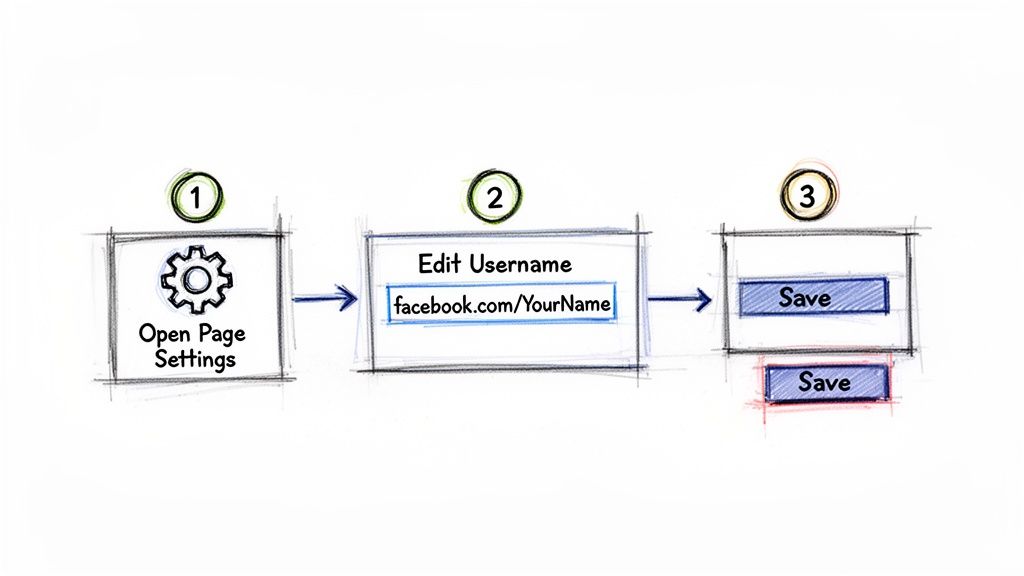
- Log in to Facebook and go to the Page you want to update. Make sure you’re viewing it as an admin.
- On the left-hand menu, click Settings.
- On the General Page Settings screen, you’ll see your Page Name at the top. Right below it is the Username field. Click Edit.
- Type in your desired username. A green checkmark will appear if it’s available. If not, you’ll have to try some variations.
- Once you find one that works, click Save Changes. Facebook may ask for your password to confirm.
This image shows you exactly where to find the username field in your settings.
Customize Facebook Page URL Steps
The option is placed right under the page name, making it pretty intuitive once you know where to look.
Pro Tip: If you manage multiple pages, double-check that you’re editing the right one before you save. The change is instant, and your old URL will immediately stop working. Any existing links from your website or email signatures will lead to a “page not found” error.
Customizing Your URL on Mobile
Need to make a quick change on the go? You can do it from the Facebook app. The menu layout is a bit different, but the process is just as simple.
- Open the Facebook app and switch to your Page’s profile.
- Tap your Page’s profile picture or the hamburger menu (three horizontal lines).
- Scroll down and tap Settings & Privacy, then choose Settings.
- Tap Page Settings.
- Under “Personal Information,” tap Name.
- This screen shows both your Page Name and your Username. Tap the username to edit it.
- Enter your new username, check for availability, and save your changes.
And that’s it! Your new custom URL is live and ready to be shared.
Troubleshooting Common URL Customization Issues
So you followed the steps, but Facebook hit you with an error. It’s frustrating, but it happens. When you try to customize a Facebook page URL, you might run into a few common roadblocks.
The most frequent issue is the “Username isn’t available” error, even when a search for the Page shows nothing. This usually means the username is tied to a deleted profile or Meta has reserved it to stop brand squatting. Either way, it’s off-limits.
Another major hurdle is eligibility. If your Page is brand new, you might not be able to set a custom URL right away. Facebook often requires a Page to be a few weeks old and have a certain number of followers (historically around 25, but this can change) to prove it’s not a spam account.
How to Find a Workaround
If your perfect name is taken or your Page is too new, don’t give up. Get creative with your naming strategy.
- Add a Prefix: Try adding a simple, relevant word to the beginning. For a coffee shop called “The Grind,” a solid alternative could be
facebook.com/GetTheGrind. - Use a Suffix: Suffixes work just as well. Add your location or a keyword that describes your business, like
facebook.com/TheGrindNYCorfacebook.com/TheGrindCoffee. - Incorporate a Period: For longer names, a period can improve readability and help you secure a unique handle. For instance,
facebook.com/MyAwesome.Agency.
Sometimes the problem isn’t the name, but the timing. If you’ve recently changed your URL or Page name, Meta can put a temporary freeze on further changes to prevent spam. In that case, your only move is to wait it out for a few days.
If you’ve tried these workarounds and still hit a wall—especially if you believe another Page is squatting on your trademarked name—your final option is to contact Meta support directly. Be prepared with documentation to prove you own the name.
Putting Your New Custom Facebook URL to Work
Customize Facebook Page URL Digital Branding
You’ve claimed your branded corner of Facebook—now put it to work. A clean URL is just the starting line. The real value comes from making that link a core part of how you attract and engage customers.
Start by updating your URL everywhere your brand exists. Consistency is key.
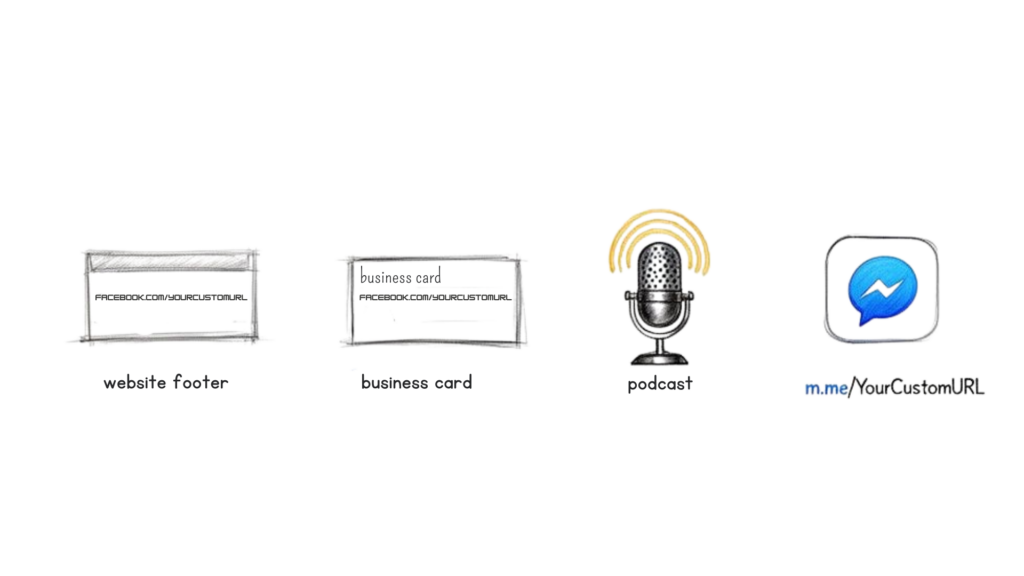
- Your Digital Footprint: Add it to your website footer, contact page, and all company email signatures.
- Offline Materials: Print it on business cards, brochures, product packaging, and in-store displays.
- Across the Web: Link to it from your other social profiles, like your YouTube channel, LinkedIn page, or TikTok bio.
- In Person (and on Air): Now you can easily say it on a podcast or during a webinar. “Find us on Facebook at YourBrandName” is clean, professional, and easy for people to remember.
Turn Your URL into an Automation Gateway
Here’s where you can get strategic. A simple facebook.com/YourBrandName link is good, but you can turn it into a direct pipeline to your Messenger chatbot using the m.me/YourBrandName format.
This isn’t just a link to your Page; it’s a direct entry point into an automated conversation.
Imagine the possibilities. A customer scans a QR code on your product packaging, and it doesn’t just take them to your Page—it opens Messenger and starts a support bot to answer their questions instantly. Or a user clicks a link in your email newsletter, and a lead generation flow kicks in to qualify them on the spot. This is how you transform passive traffic into active engagement.
This simple change has a measurable impact. A 2026 report found that customized Facebook URLs see significantly higher click-through rates (CTR), averaging 0.22-0.88% on Feed placements compared to a 0.15% baseline for generic ones. For SaaS businesses using Clepher for automated onboarding, a custom URL like
facebook.com/ClepherSupportseamlessly integrates with Instagram DMs and WhatsApp, boosting conversions by 7.72% on average.
This strategy closes the gap between marketing and sales. You’re no longer just sending people to a static page. You’re inviting them into an interactive experience designed to help them, qualify them, and guide them toward a purchase.
For more powerful strategies on how to connect your Facebook presence directly to your bottom line, check out our guide on creating Facebook ads that convert.
Frequently Asked Questions About Facebook Page URLs
Knowing how to customize your Facebook Page URL is one thing. But what about the tricky “what-ifs”? Let’s get those common questions answered so you can move forward with confidence.
Ready to turn your Facebook audience into loyal customers? With Clepher, you can build AI-powered chatbots for Messenger and Instagram that qualify leads, answer questions, and drive sales 24/7. Start automating conversations with Clepher today.

Related Posts
Your Guide to the Facebook Page URL in 2026
April 7, 20265 Best Chatfuel Alternatives in 2026 You Need to Try!
April 6, 2026How to Customize Your Facebook Page URL: A 2026 Guide to Boost Your Brand
April 5, 2026
Founder Clepher