
In 2026, a help desk is no longer just a place to log tickets. It’s the command center for your entire customer experience, directly impacting retention and brand loyalty. Customers now expect instant, personalized, and effortless support on the channels they already use, from Messenger and Instagram to WhatsApp and email. Simply responding to tickets in a queue is a strategy destined to fail. The line between a struggling support team and a high-performing one is a proactive, modern approach.
Adopting a framework of good help desk practices is essential for transforming your support function from a reactive cost center into a powerful engine for growth. This isn’t about minor tweaks; it’s about re-engineering your workflows, embracing automation, and putting data at the heart of your operations. When your support is fast, efficient, and intelligent, customers notice. This directly translates to higher satisfaction, increased loyalty, and a stronger bottom line, especially for e-commerce brands, digital agencies, and SaaS businesses.
This article breaks down 10 actionable, results-focused practices you can implement immediately. We’ll skip the generic advice and give you the specific, practical steps for each point. You will learn how to:
- Integrate omnichannel support to meet customers where they are.
- Automate first-response and route tickets intelligently.
- Establish and track meaningful Service Level Agreements (SLAs).
- Build a self-service knowledge base that actually reduces ticket volume.
- Implement clear escalation paths and continuous training programs.
Each section provides a clear roadmap for upgrading your support system into a competitive advantage.
1. Implement Omnichannel Support Integration
One of the most impactful good help desk practices is to stop forcing customers into a single support channel. Modern customers expect to connect with you on their preferred platform, whether it’s Facebook Messenger, Instagram DMs, WhatsApp, or your website’s live chat. Omnichannel support integration centralizes these conversations into a single, unified inbox, so your team can manage everything from one dashboard.
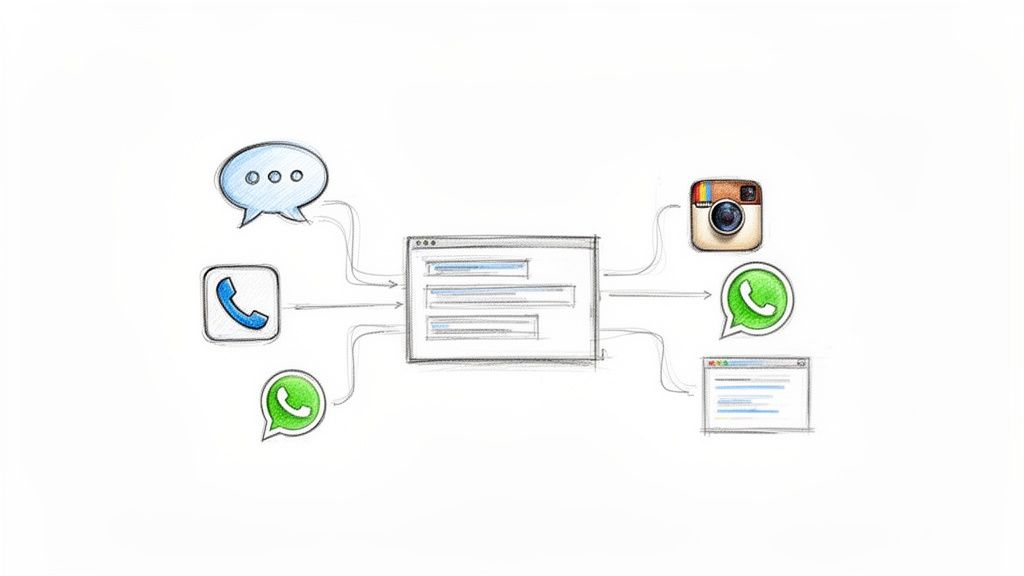
Help Desk Multi Channels
This approach eliminates the chaos of juggling multiple apps and browser tabs. For example, a direct-to-consumer (DTC) brand can use a tool like Clepher to manage a pre-sale question on Instagram, a shipping query from Facebook Messenger, and a technical issue from their website chat, all within the same interface. This provides a seamless service experience, regardless of where the conversation starts.
How to Implement Omnichannel Support
Implementing a true omnichannel system is more than just being present on multiple channels; it’s about creating a unified customer journey. To understand this concept more deeply, you can explore the fundamentals of an omnichannel customer experience on clepher.com.
Follow these actionable steps to get started:
- Start Small and Scale: Don’t try to integrate every channel at once. Begin with the 2-3 platforms where your customers are most active. For an e-commerce brand, this might be Instagram DMs, Facebook Messenger, and website chat. Master these before adding others.
- Establish Channel Protocols: Define clear guidelines. For instance, complex billing issues received via social media could be escalated to email, while quick questions about product features are best handled directly in the chat app.
- Use Automation and Tagging: Leverage automation to tag incoming conversations based on keywords. A “VIP” tag can route high-value customers to senior agents, while an “Order_Issue” tag can direct inquiries to the logistics specialist, improving efficiency.
- Audit and Optimize: Regularly review channel performance. If you notice resolution times are lagging on a specific platform, it may be a sign you need to allocate more agent resources or improve the self-service options available there.
2. Utilize AI-Powered First-Response Automation
One of the most effective good help desk practices for modern teams is deploying intelligent chatbots to handle initial customer interactions. AI-powered automation acts as the first line of defense, instantly engaging customers, answering common questions, and gathering key details before a human agent ever needs to step in. This dramatically improves response speed and frees up your team to focus on complex problem-solving.
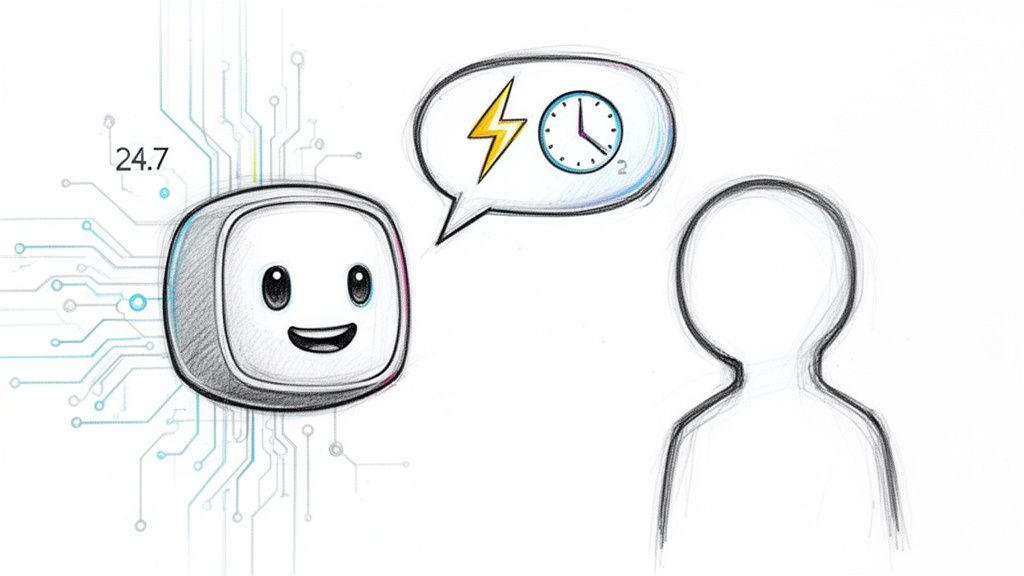
Help Desk Chatbot Support
This approach ensures customers receive an immediate acknowledgment, which is crucial for satisfaction. For instance, an e-commerce store can use a Clepher AI agent to instantly handle order status updates, return requests, and shipping questions 24/7. Similarly, a SaaS company can use a chatbot to guide new users through initial setup, providing a frictionless onboarding experience without tying up support staff.
How to Implement AI First-Response
Implementing an AI-first response system is about efficiency and intelligent delegation, not just replacing humans. To effectively utilize AI in your support strategy, a foundational step is understanding how these tools work, as discussed in this guide to an AI chatbot for small business. For a deeper dive into chatbot capabilities, you can explore how to maximize customer support with AI chatbots on clepher.com.
Follow these actionable steps to get started:
- Start with High-Frequency Questions: Don’t try to automate everything at once. Train your AI agent on your top 20 most frequently asked questions first. This ensures you get the biggest impact quickly by automating the most repetitive inquiries.
- Set Clear Escalation Triggers: Define rules for when the bot should hand off a conversation to a human. For example, set a fallback trigger if the AI’s confidence score drops below 85% or if a customer uses keywords like “complaint” or “manager.”
- Use Keyword-Based Routing: Configure your AI to recognize specific keywords. A query containing “billing error” or “security concern” can be automatically routed to a specialized team, bypassing the general support queue entirely.
- Continuously Review and Improve: Make it a weekly habit to review bot conversations. Look for recurring questions the bot couldn’t answer or instances where its responses were inaccurate. Use these insights to refine its knowledge base and improve its performance.
3. Establish Response Time SLAs with Performance Tracking
One of the most crucial good help desk practices is to move beyond vague promises of “fast support” and establish concrete Service Level Agreements (SLAs). An SLA is a formal commitment to respond to and/or resolve a customer inquiry within a specified timeframe. This practice introduces accountability and allows you to measure performance objectively, identifying operational bottlenecks before they harm customer satisfaction.
For example, an e-commerce store might set a 1-hour first-response SLA for urgent order issues coming through chat but a 4-hour SLA for general questions submitted via email. Similarly, a SaaS company could promise a 15-minute response for high-priority subscription problems while committing to a 2-hour window for standard technical tickets. This tiered approach ensures your most critical issues get the fastest attention.
How to Implement Response Time SLAs
Implementing SLAs is about setting realistic goals and using data to hold your team accountable. It transforms your support from a reactive function into a proactive, performance-driven operation. To learn more about why speed is so critical, especially on social platforms, you can read about whether businesses are responding fast enough on social media on clepher.com.
Follow these steps to build your SLA framework:
- Benchmark and Set Realistic Goals: Analyze your current average response times. If your team currently takes 3 hours to respond, setting a 30-minute SLA is unrealistic. Start with an achievable target, like 2 hours, and gradually improve it as you optimize workflows.
- Create Tiered SLAs: Not all inquiries are equal. Differentiate SLAs based on channel, issue type, or customer value. A high-value “VIP” customer might have a 15-minute SLA, while a standard inquiry has a 2-hour SLA. This prioritizes resources effectively.
- Automate Acknowledgments and Alerts: Use automation to send an instant acknowledgment confirming receipt of the inquiry. You can also set up internal alerts that notify agents or managers when an SLA is approaching its deadline, preventing breaches.
- Track and Review Performance: Consistently monitor your performance against your SLA targets using your help desk’s analytics. Review these metrics weekly to identify peak support times, common reasons for SLA misses, and agents who may need additional support.
4. Implement Intelligent Ticket Routing and Prioritization
Another essential good help desk practice is to stop manually assigning every incoming query. Intelligent ticket routing uses rules or AI to automatically direct inquiries to the most appropriate agent or department. This system can analyze keywords, customer history, or the channel of origin to ensure the ticket lands with the person best equipped to solve it, dramatically reducing wait times.
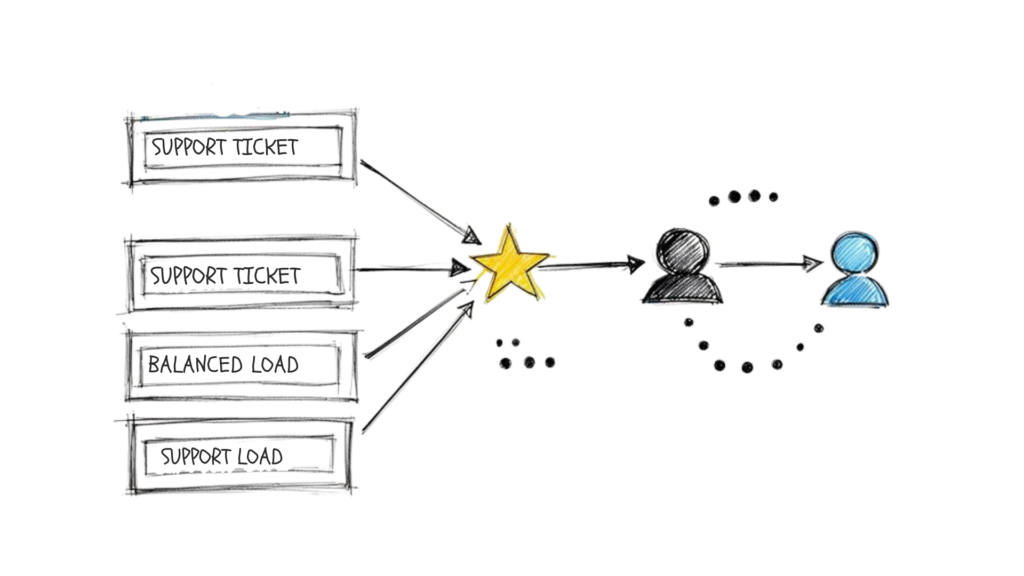
Help Desk Practices Workflow
This approach optimizes your team’s efficiency and boosts customer satisfaction by connecting users with specialists faster. For instance, a SaaS company can automatically route messages containing “API” or “integration error” to a technical support engineer, while queries with “invoice” or “subscription” are sent to the billing team. This ensures experts handle complex issues from the start, avoiding frustrating internal transfers.
How to Implement Intelligent Ticket Routing
Effective routing goes beyond simple keywords; it involves mapping your team’s skills to your customers’ needs. By creating a structured system, you empower agents to focus on what they do best, leading to higher-quality resolutions.
Follow these actionable steps to get started:
- Create a Clear Tagging Taxonomy: Use a platform like Clepher to set up custom fields and tags based on common issues (“Shipping,” “Payment,” “Bug_Report”). When a message comes in containing “Where is my order?”, an automation rule can apply the “Shipping” tag instantly.
- Map Agent Skills to Routing Rules: Identify and document each agent’s expertise. Create rules that assign “Shipping” tagged tickets to your logistics specialist or “Bug_Report” tickets to a Level 2 technician. This ensures the first point of contact is the right one.
- Prioritize High-Value Customers: Use customer data to create “VIP” segments. Configure your routing rules to place tickets from these customers at the top of the queue, ensuring they receive the fastest possible service and feel valued.
- Monitor and Adjust Monthly: Regularly review routing effectiveness. Track metrics like time-in-queue and first-contact resolution rates for each ticket type. If “Payment” tickets are taking too long to resolve, you may need to assign more agents to that queue or refine your automation.
5. Develop a Comprehensive Knowledge Base and Self-Service Resources
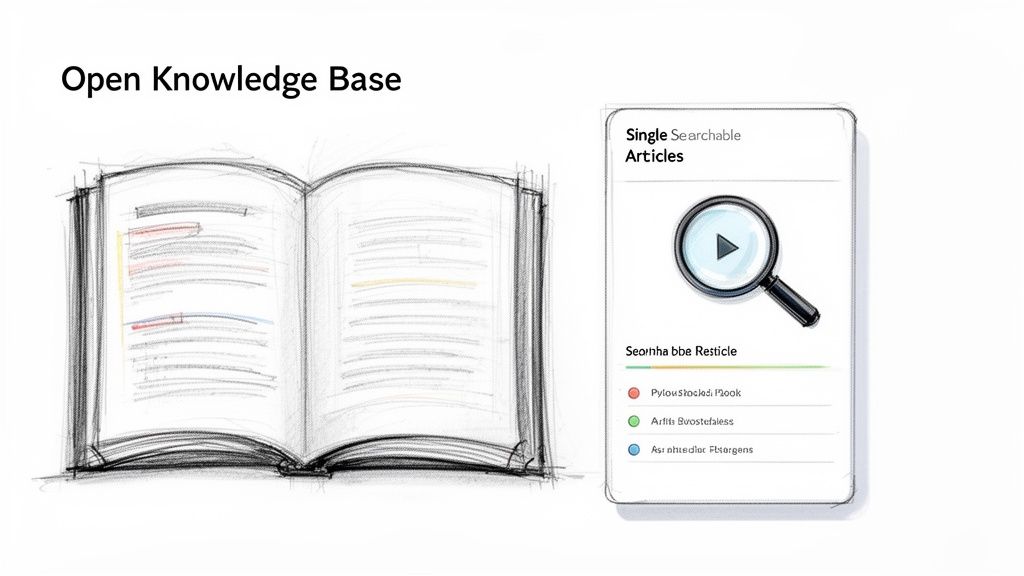
Empowering customers to find their own answers is one of the most effective good help desk practices for scaling support. A comprehensive knowledge base (KB) is a centralized, searchable repository of articles, FAQs, video tutorials, and troubleshooting guides. This self-service portal deflects common inquiries, freeing up your agents to handle more complex issues that require a human touch.
Help Desk Practices Knowledge Base
When customers can resolve problems independently, it boosts their satisfaction and confidence in your brand. For example, a SaaS company can create detailed feature documentation and API guides, while an e-commerce store can offer clear instructions on its returns process. This not only reduces ticket volume but also provides your support team with a single source of truth, ensuring the answers they provide are always consistent.
How to Build an Effective Knowledge Base
A great knowledge base is a living resource that evolves with your business and customer needs. It’s not a one-time project but an ongoing commitment to customer education.
Follow these steps to create a resource that truly helps:
- Analyze Your Top Inquiries: Run a report on your most common support tickets from the last 90 days. Group them by topic (e.g., “billing,” “shipping,” “login issue”) and create a dedicated article or FAQ for each high-frequency problem.
- Use Mixed Media: Cater to different learning styles. Create short video walkthroughs for complex processes like software setup or product assembly. Use annotated screenshots for step-by-step guides and text for policy explanations.
- Integrate with Automation: Program your chatbots to suggest relevant KB articles when specific keywords are detected. A customer typing “reset password” can automatically receive a link to the self-help guide, resolving the issue without agent intervention.
- Keep Content Fresh: Schedule quarterly reviews to update articles with new features, policy changes, or improved troubleshooting steps. A knowledge base with outdated information erodes customer trust and increases support tickets.
6. Implement Proactive Outreach and Issue Prevention
One of the most transformative good help desk practices is shifting from a purely reactive model to a proactive one. Instead of waiting for customers to report problems, proactive outreach involves identifying potential issues and contacting customers before they realize they need help. This approach builds tremendous customer loyalty by showing you’re looking out for them.
This strategy fundamentally changes the customer relationship. For example, an e-commerce store can automatically notify customers about a potential shipping delay due to bad weather, turning a potential complaint into a positive interaction. Similarly, a SaaS company can send an alert about a new security feature or a notification about an upcoming billing renewal, preventing account issues and reducing support ticket volume.
How to Implement Proactive Outreach
Building a proactive support system requires leveraging customer data and automation to anticipate needs. It’s about being a helpful guide rather than just a problem-solver.
Follow these actionable steps to get started:
- Segment Your Audience for Relevance: Don’t send generic blasts to everyone. Use customer data to create segments. A digital course creator could send a check-in message specifically to students who haven’t completed a key module within a certain timeframe, offering help.
- Automate Trigger-Based Messages: Set up automated flows that trigger based on specific customer behaviors. A subscription service can use a tool like Clepher to automatically send a renewal reminder 7 days before an account expires, complete with a direct link to update payment details.
- Monitor for Potential Service Issues: Keep an eye on system-wide events. If your website is scheduled for maintenance, use a broadcast feature to inform all active users in advance, preventing a flood of “Is the site down?” tickets.
- Respect Communication Preferences: Proactive outreach should be helpful, not intrusive. Always provide a clear and easy way for users to opt-out of non-essential communications. Ensure your practices are compliant with regulations like GDPR and only send messages that provide genuine value.
7. Establish Clear Escalation Procedures and Paths
Even the most skilled help desk team will encounter issues they can’t solve alone. This is where clear escalation procedures become one of the most critical good help desk practices. By creating a documented, well-understood path for complex issues, you ensure that no customer is left waiting while agents struggle to find the right person to help. This system prevents frustration and dramatically reduces resolution times.
A well-defined escalation path acts as a roadmap for your support team. For instance, a SaaS company can have a clear rule: if an agent identifies a recurring software bug, the ticket is immediately escalated to the engineering team. Similarly, an e-commerce store can route any order fulfillment issues directly to the logistics department. This structure empowers agents to act decisively, ensuring the customer’s issue reaches the specialist who can fix it fastest.
How to Implement Escalation Procedures
Effective escalation is about creating a predictable, efficient system for handing off complex inquiries. It’s not just about passing a problem to someone else; it’s about ensuring a seamless transition that leads to a swift resolution.
Follow these actionable steps to build your escalation framework:
- Define Clear Escalation Triggers: Document the specific criteria for an escalation. This could be based on issue complexity (e.g., system-wide bugs), customer sentiment (e.g., highly dissatisfied customer), or a time limit (e.g., any tier-1 issue unresolved in two hours).
- Map Out Escalation Paths: Create visual flowcharts for different issue types. For an agency, a technical website issue might go to a developer, while a billing dispute is escalated to the account manager. For a DTC brand, payment gateway failures go to the finance team, and product defect reports go to quality assurance.
- Automate Routing with Workflows: Use a platform like Clepher to create automated escalation workflows. You can set up rules that automatically tag and route a conversation to a specific team or senior agent based on keywords like “refund,” “bug,” or “manager.”
- Establish a Feedback Loop: The escalation shouldn’t be a one-way street. Require the specialist team (e.g., engineering, fulfillment) to provide a summary of the resolution back to the support team. This information can then be used to update the knowledge base, helping tier-1 agents solve similar issues in the future.
8. Measure and Optimize Key Support Metrics
You cannot improve what you do not measure. One of the most fundamental good help desk practices is to systematically track key performance indicators (KPIs) to gain objective insights into your support operations. This data-driven approach moves your team from reactive problem-solving to proactive, strategic improvement, fostering a culture of accountability.
Tracking metrics like Customer Satisfaction (CSAT), First Contact Resolution (FCR), and Average Resolution Time allows you to pinpoint friction points and identify coaching opportunities. For example, a SaaS company might notice a low FCR rate for issues related to a new feature. This insight prompts them to create better knowledge base articles and provide targeted training, directly improving both agent efficiency and customer retention.
How to Implement a Metrics-Driven Approach
Implementing a metrics program is about turning raw data into actionable change. Focus on the few KPIs that truly reflect the health of your customer relationships and operational efficiency.
Follow these actionable steps to get started:
- Focus on Critical KPIs: Don’t drown your team in data. Start by tracking 3-5 core metrics that align with your business goals. Common starting points include CSAT, Average First Response Time, and FCR rate.
- Segment Your Data: Gain deeper insights by segmenting metrics by channel, agent, or issue type. This can reveal if a specific platform is underperforming or if a particular agent needs more support. Clepher’s built-in analytics dashboard provides this real-time visibility automatically.
- Establish a Review Cadence: Make metrics part of your team’s routine. Hold weekly reviews to discuss performance, celebrate wins, and identify challenges. Set monthly or quarterly targets to give the team a clear goal to work toward.
- Benchmark and Act: Compare your performance against industry standards (e.g., a typical CSAT score is 75-85%). More importantly, tie every metric review to a concrete action plan. If resolution times are increasing, perform a root cause analysis to understand why and implement a specific process change.
9. Create Standard Operating Procedures and Documentation
One of the most foundational good help desk practices is to move beyond tribal knowledge and establish clear, written procedures for every common scenario. Standard Operating Procedures (SOPs) are detailed, step-by-step instructions that guide your agents on how to handle specific tasks, from processing a refund to troubleshooting a software bug. This documentation ensures consistency, reduces errors, and dramatically speeds up onboarding.
Well-documented SOPs act as a single source of truth, eliminating guesswork and ensuring every customer receives the same high level of service, regardless of which agent handles their ticket. For example, a SaaS company can create a detailed SOP for handling billing disputes that outlines the exact verification steps, the required documentation from the customer, and the protocol for issuing a credit. This ensures compliance and fairness in every case.
How to Implement SOPs and Documentation
Effective SOPs are living documents that are co-created with your team and are easily accessible when needed. They should be practical, clear, and focused on enabling agents to resolve issues efficiently and correctly.
Follow these actionable steps to get started:
- Involve Your Agents: The best SOPs are built with input from the people who do the work every day. Involve your support agents in the creation process to ensure the procedures are accurate and practical. This also creates buy-in and encourages adoption.
- Start with High-Frequency Issues: Don’t try to document everything at once. Begin by creating SOPs for your top 5-10 most common support requests. For an e-commerce brand, this might include “Order Cancellation,” “Return & Refund Process,” and “Damaged Item Reporting.”
- Use Visual Aids and Templates: For complex workflows, create visual flowcharts that map out decision trees. You can also use pre-built automation flows, like those in Clepher, as a form of “living documentation.” When an agent needs to know the process for following up on an abandoned cart, they can review the automated chatbot flow.
- Centralize and Review Regularly: Store all SOPs in a centralized, easily searchable location like a company wiki or shared folder. Schedule a quarterly review to update procedures based on new product features, policy changes, or feedback from the support team.
10. Foster Continuous Training and Agent Development
A help desk is only as good as the agents who run it. One of the most critical good help desk practices is to invest in continuous training and development. This means moving beyond a one-time onboarding session and committing to an ongoing program of skill enhancement, product education, and professional growth.
A well-trained team resolves issues faster, delivers higher-quality customer experiences, and feels more engaged and motivated. For instance, an e-commerce brand that launches new products quarterly should hold weekly training sessions leading up to each launch. This ensures every agent can confidently answer nuanced customer questions from day one, reducing escalations and improving First Contact Resolution (FCR).
How to Implement Continuous Training
Building a culture of learning doesn’t require a massive budget, just a consistent commitment. It’s about creating opportunities for agents to refine their skills and deepen their expertise over time. Fostering this environment is vital for retaining top talent and helping them build rewarding careers in Information Technology Help Desk Jobs.
Follow these actionable steps to create a robust training program:
- Implement Monthly Themed Training: Focus on one specific area each month. One month could be dedicated to mastering a new CRM feature, the next could cover advanced de-escalation techniques, and another could focus on a specific product line.
- Use Recordings for Coaching: With consent, use recordings of calls and chat sessions as powerful coaching tools. In one-on-one sessions, managers can review interactions with agents to praise what went well and collaboratively identify areas for improvement.
- Establish Peer Mentorship: Create an internal “knowledge guru” program where top-performing agents are empowered to mentor their peers. This not only shares expertise effectively but also provides a leadership growth path for your best agents.
- Make Training Practical: Go beyond presentations and use role-playing exercises that mimic real customer scenarios. Simulate a difficult conversation about a delayed shipment or a technical glitch with a software subscription to build practical skills and confidence.
- Track the Impact on KPIs: Connect your training efforts directly to performance metrics. After a month of training focused on FCR, analyze whether that metric improved. This demonstrates the ROI of your development program and helps refine future training topics.
Top 10 Help Desk Practices Comparison
| Solution | Implementation Complexity 🔄 | Resource Requirements ⚡ | Expected Outcomes 📊 | Ideal Use Cases 💡 | Key Advantages ⭐ |
|---|---|---|---|---|---|
| Implement Omnichannel Support Integration | Medium–High 🔄; API work, migration & training required | Moderate; integrations, dev time, agent onboarding | Consolidated conversations; fewer missed inquiries; consistent CX | Multi‑channel e‑commerce, DTC brands, SaaS with social presence | Unified inbox; synchronized history; improved visibility |
| Utilize AI‑Powered First‑Response Automation | Medium 🔄; needs training data and tuning | Low–Moderate; initial dataset, monitoring, no‑code setup possible | Instant replies; handles 60–80% common inquiries; lower ops cost | High‑volume FAQ requests, order/status checks, basic onboarding | Fast 24/7 responses; scales with minimal headcount |
| Establish Response Time SLAs with Performance Tracking | Low–Medium 🔄; define SLAs and dashboards | Moderate; monitoring tools, reporting setup, alerts | Predictable response times; accountability; identifies bottlenecks | Businesses with SLA expectations (SaaS, e‑commerce) | Measurable service standards; prioritization and staffing insights |
| Implement Intelligent Ticket Routing and Prioritization | Medium–High 🔄; rule/AI design and taxonomy required | Moderate; tagging, skill mapping, periodic maintenance | Faster resolution; higher FCR; balanced agent workload | Teams with specialized roles, high ticket volumes | Matches expertise to issues; reduces handling time |
| Develop Comprehensive Knowledge Base and Self‑Service Resources | High 🔄; large initial content effort and structure | High; content creation, multimedia production, maintenance | Lowers ticket volume 20–40%; improves self‑service adoption | Product documentation, how‑tos, onboarding materials | 24/7 consistent answers; reduces training/time costs |
| Implement Proactive Outreach and Issue Prevention | Medium 🔄; build triggers, segmentation and flows | Moderate; data insights, broadcast tools, compliance checks | Fewer escalations; improved retention and NPS | Subscription renewals, delivery updates, at‑risk users | Prevents issues; strengthens customer relationships |
| Establish Clear Escalation Procedures and Paths | Low–Medium 🔄; document criteria and timelines | Low–Moderate; documentation, training, routing rules | Faster access to expertise; fewer unresolved escalations | Complex products, regulated support, multi‑tier teams | Reduces misrouting; clarifies accountability |
| Measure and Optimize Key Support Metrics | Medium 🔄; analytics instrumentation and reviews | Moderate–High; dashboards, data analysts, survey tools | Data‑driven improvements; staffing forecasts; KPI visibility | Scaling support orgs, performance‑focused teams | Identifies root causes; drives continuous improvement |
| Create Standard Operating Procedures and Documentation | Medium–High 🔄; author templates and flows | Moderate; time to document, review cycles, storage | Consistent responses; faster onboarding; fewer errors | Growing teams, multi‑shift support, agencies | Standardizes quality; speeds agent ramp-up |
| Foster Continuous Training and Agent Development | Medium 🔄; ongoing programs and coaching | High; training time, budget, coaches, materials | Higher CSAT and FCR; lower turnover; improved morale | Customer‑centric orgs, high complexity products | Builds expertise; improves long‑term performance |
From Good to Great: Your Next Steps in Help Desk Excellence
Transforming your customer support from a functional cost center into a powerful engine for growth and loyalty is an ambitious but achievable goal. We’ve explored ten foundational pillars of good help desk practices, moving from reactive problem-solving to proactive customer engagement. This journey isn’t about simply adopting new software; it’s a fundamental shift in mindset. It’s about viewing every support ticket not as a problem, but as an opportunity to strengthen a customer relationship.
The practices detailed here, from implementing omnichannel support and AI to establishing clear escalation paths and fostering continuous training, are not isolated tactics. They are interconnected components of a single, cohesive system. A comprehensive knowledge base (Practice #5) fuels your AI chatbots (Practice #2), which in turn frees up human agents to handle the complex issues identified by your intelligent ticket routing (Practice #4). This synergy is where true excellence is born.
Key Takeaways for Immediate Impact
If you’re wondering where to begin, focus on the areas that will yield the most significant immediate returns. For many businesses, especially in e-commerce or SaaS, this often means tackling response times and resource allocation.
- Automation as an Amplifier: The most impactful first step is often introducing automation. Implementing AI-powered first-response systems frees your skilled agents from repetitive, low-level inquiries. This single change can dramatically reduce first-response times (Practice #3) and improve your team’s morale.
- Knowledge is Power: Your second priority should be building a robust self-service portal and knowledge base. Every article you create is a 24/7 support agent, empowering customers to find their own answers and deflecting countless tickets from your queue.
- Measure What Matters: You cannot improve what you do not measure. Begin tracking core metrics like First Contact Resolution (FCR) and Customer Satisfaction (CSAT) immediately (Practice #8). These numbers provide the objective feedback needed to validate your strategies.
Your Roadmap to a World-Class Help Desk
Adopting these good help desk practices is a marathon, not a sprint. The key is to build momentum through incremental, consistent improvements. Don’t attempt to overhaul your entire operation overnight. Instead, create a phased implementation plan.
- Start with a Quick Win: Choose one or two practices that address your most pressing pain point. If your team is overwhelmed, start with AI automation. If customers complain about inconsistent answers, begin with standard operating procedures (Practice #9).
- Document and Standardize: As you implement a new process, document it thoroughly. This creates a foundation for consistency and makes it easier to train new team members, ensuring your standards don’t degrade as you scale.
- Gather Feedback and Iterate: Your help desk doesn’t operate in a vacuum. Regularly solicit feedback from both your customers and your support agents. Use this qualitative data, alongside your quantitative metrics, to refine your approach continuously.
Ultimately, building a great help desk is about building a system that values both your customers’ time and your team’s expertise. It’s about creating an environment where problems are solved efficiently, customers feel heard, and your agents are empowered to do their best work. By moving from a reactive firefighting mode to a proactive, strategic approach, you’ll do more than just close tickets; you’ll build the kind of customer loyalty that fuels sustainable, long-term growth.
Conclusion
Adopting best practice approaches to service desk and help desk operations is essential for delivering excellent service and improving the help desk experience. Desk best practices and proven best practices — from implementing a modern help desk with reliable help desk software and ticketing system to instituting effective knowledge management and asset management — enable efficient ticket management, faster response times, and higher customer satisfaction scores. Service desk best practices and ITSM-aligned processes (including ITIL guidance) help desk management and desk staff should focus on training and developing help agents and help desk technicians so that desk staff have the tools they need to succeed. By standardizing help desk processes, monitoring help desk metrics, and prioritizing service requests and stakeholder communication, organizations can create an efficient help desk that provides exceptional service and a consistent help center experience. In short, applying the right strategies and desk best practices can help improve help desk support, ensure effective help desk solutions, and get the best service possible for the end user.
Ready to put these practices into action with powerful, intuitive automation? Clepher provides the tools you need to implement AI-powered chatbots, manage omnichannel conversations, and automate workflows across Messenger, Instagram, and more, turning your support operation into a revenue-generating machine. Explore how Clepher can help you build a truly excellent help desk today.

Related Posts
Your Ultimate Guide to Instagram Chat Bots
March 25, 2026How to Create a Killer Poll Game on Instagram to Boost Engagement and Leads
March 24, 202612 Fresh Social Media Content Ideas That Convert in 2026
March 23, 2026
Founder Clepher