
Collecting customer feedback is all about meeting people where they are and asking the right questions at the right time. The best strategies today ditch passive email surveys for conversational tools—like website chatbots and social media DMs—to get real-time insights while the customer is still engaged.
Why Your Old Feedback Methods Don’t Work Anymore

Customer Feedback Communication Contrast
Let’s be honest, the classic feedback playbook is broken. Those long email surveys sent days after a purchase? They usually get ignored or land straight in the trash. And those annoying website pop-ups asking “How did we do?” are closed before anyone even reads the question.
These old-school methods fail because they are inconvenient, impersonal, and feel like a chore. They create friction, which is why response rates are so dismal and the insights you get are vague at best. You’re left guessing what customers really think because the people with the strongest opinions rarely bother to fill out a ten-question form.
The Shift to Conversational Customer Experience Feedback
The future of customer feedback is a conversation. Instead of forcing customers into a formal, separate process, smart businesses now gather opinions directly inside the platforms they already use and love, like Messenger, Instagram, and WhatsApp.
This approach transforms feedback from a one-way street into a genuine two-way dialogue.
Here’s how this plays out in the real world:
- Post-Purchase Check-in: A few days after a delivery, a friendly WhatsApp message pops up: “Hey Sarah, how are you liking your new sneakers? Quick question – was the delivery process smooth?”
- Real-time Service Poll: Immediately after a support chat on your website, the bot asks, “On a scale of 1-5, how helpful was that conversation?”
- Product Discovery on Instagram: After someone votes in a story poll about a new t-shirt design, a DM bot automatically follows up: “Thanks for voting! What other colors would you love to see?”
This is the core transformation: moving from passively hoping for feedback to proactively starting conversations. It’s about making it incredibly easy—even enjoyable—for customers to share their thoughts in the moment.
Platforms like Clepher are built for this shift. Using no-code automation, you can design engaging conversational flows that capture priceless insights without ever interrupting the customer’s experience. It’s how you stop guessing and start understanding through interactions they actually welcome.
Building a Framework for Meaningful Customer Feedback
Before you write your first question, you need a plan.
Jumping into feedback collection without a clear goal is like setting sail with no destination. You’ll gather tons of information, but none of it will point you in the right direction. To get feedback that actually drives growth, start by defining what you want to achieve.
Your goals are the compass for everything that follows—the questions you ask, the channels you use, and the metrics you track. Are you trying to find weak spots in your product? Measure overall customer happiness? Or understand what happens after someone clicks “buy”? Each objective requires a different approach.
For instance, an e-commerce store aiming to improve delivery satisfaction will have a very different strategy than a SaaS company trying to smooth out its onboarding. The store might send a quick WhatsApp message post-delivery, while the SaaS business could use a website chatbot to ask targeted questions during a user’s first week.
Define Your Primary Feedback Goals
First, identify the most critical part of the customer journey you want to fix or improve. Don’t try to measure everything at once; that’s a recipe for overwhelm and useless data. Instead, focus on one or two key areas to create a targeted, effective feedback loop.
Here are a few common goals and what they look like in action:
- Improve Product Features: A software company could use an in-app message to ask its power users, “If you could change one thing about our reporting dashboard, what would it be?” This pulls specific, actionable ideas directly from the people who know the product inside and out.
- Measure Customer Loyalty: After a support chat is resolved via Instagram DMs, a bot could immediately follow up with a Net Promoter Score (NPS) question: “How likely are you to recommend us to a friend?” This captures their loyalty at a key moment.
- Optimize the Post-Purchase Experience: A direct-to-consumer brand could automate a Messenger check-in: “Hey Alex! Your order should have arrived. On a scale of 1-5, how was the unboxing experience?” This gives you immediate insight into your product presentation.
By aligning your questions with a specific business objective, you transform feedback from a simple score into a powerful tool for strategic decision-making.
This focused approach doesn’t just give you cleaner data; it also shows customers you respect their time. A study found that 77% of customers view brands more favorably if they actively seek their input. When 74% of customers define loyalty by feeling valued (not by discounts), seeking feedback becomes a powerful way to build that connection.
Matching Goals to Channels and Metrics
Once your goal is clear, pick the right channel and metric. The beauty of conversational marketing is its flexibility—you can tailor your method to fit the context of the conversation perfectly.
For example, asking for a detailed review in a fast-paced Instagram DM will likely fail. A quick poll or an emoji rating is a much smarter play. On the other hand, a post-purchase email provides the space for more thoughtful feedback.
To make this easier, here’s a simple framework to connect your business goals with the right tools.
Matching Feedback Goals to the Right Channels and Metrics
This table provides a clear roadmap for aligning your business objectives with the most effective conversational AI methods.
| Business Goal | Best Channel (Clepher) | Key Metric | Example Question |
|---|---|---|---|
| Improve SaaS Onboarding | Website Chatbot | Task Success | “Were you able to successfully connect your calendar on the first try?” |
| Gauge E-commerce Delivery Satisfaction | WhatsApp / Messenger | CSAT | “How satisfied were you with the speed of your delivery? (1-5)” |
| Gather Pre-Sale Product Feedback | Instagram DM | Poll Response | “We’re launching a new hoodie. Which color do you like more? A or B?” |
| Measure Post-Support Service Quality | Messenger / Live Chat | NPS | “Based on your recent chat, how likely are you to recommend us?” |
This strategic alignment ensures you’re not just collecting random data, but the right data, in the right place, at the right time. It’s the foundation for turning customer opinions into tangible business growth.
Designing Conversations That Actually Get Responses
Knowing what to ask is one thing. Getting people to actually answer is another.
The secret isn’t a better survey—it’s making your feedback request feel like a natural conversation. Your goal is to make it so simple to respond that customers share their thoughts without even thinking about it.
That means ditching the robotic, formal tone of old-school surveys. Instead, use a friendly voice, a touch of personalization, and interactive elements that meet customers right where they are. The difference in response rates between a clunky email form and a quick in-chat poll is night and day.
Make Participation Effortless
The single biggest reason people don’t give feedback is friction. If a customer has to click a link, open a new tab, and stare at a long form, you’ve already lost. Conversational feedback flips that on its head by bringing the questions directly into the chat.
The most powerful way to do this? Use quick-reply buttons instead of open-ended text boxes. Don’t ask, “How was your experience?” Give them tappable options instead.
- For CSAT: Let them tap an emoji (😊, 😐, 😠) or a simple 1-5 scale.
- For product polls: Show buttons with clear choices like “T-Shirt A” or “T-Shirt B.”
- For service feedback: Offer options like “Super helpful!” or “Needs improvement.”
This tiny change sends your response rates soaring because it only takes a single tap. You get the structured data you need, and your customer barely has to lift a finger.
The Power of Personalization and Timing
A generic message gets a generic response—or none at all. Personalization makes the whole thing feel human. Just using a customer’s first name can instantly make your request feel like it’s from a person, not an algorithm.
A message starting with, “Hey Sarah, a quick question about your recent order…” is infinitely more engaging than, “Dear valued customer…” It shows you see them as an individual.
Timing is just as important. The best time to ask for feedback is when the experience is fresh. Don’t wait three days to ask about a support chat; trigger the request the second the conversation ends.
Think about these high-impact moments:
- Immediately after a support ticket is resolved.
- A few minutes after a user finishes a key action (like your onboarding flow).
- A few days after a physical product is delivered (giving them time to actually use it).
Here’s what a simple, interactive flow built in a tool like Clepher can look like.

Chat Interaction
This visual builder shows how a message can be personalized with quick-reply buttons, making it a breeze for customers to engage. The takeaway is that modern feedback is about building smart, automated dialogues, not static forms.
Scripts You Can Use Today
Theory is great, but let’s get practical. Here are a few copy-and-paste script templates you can adapt for your business, designed to work perfectly in a platform like Clepher. Notice they’re short, friendly, and laser-focused.
1. The Post-Purchase Check-In (E-commerce) Perfect for Messenger or WhatsApp, sent 3-4 days after delivery.
- Initial Message: “Hey [First Name]! 👋 Just checking in to see how you’re loving your new [Product Name]. Quick question for you…”
- Question: “On a scale of 1-5, how was the delivery and unboxing experience? 📦”
- Follow-up (for 4-5 star rating): “Awesome! We’re so glad to hear that. We’d be thrilled if you could leave a review here: [Review Link]. Thanks again!”
- Follow-up (for 1-3 star rating): “Oh no, we’re sorry to hear that. Can you tell us a bit more about what went wrong so we can make it right?”
2. The Service Satisfaction Survey (SaaS/Support) Trigger this in-app or via live chat the moment a support ticket is closed.
- Initial Message: “Thanks for chatting with our team today, [First Name]! Before you go, could you rate your support experience?”
- Question: (Use emoji buttons) “How did we do? 😊 | 😐 | 😠”
- Follow-up (for positive/neutral): “Thanks for the feedback! It helps us improve.”
- Follow-up (for negative): “We’re sorry we didn’t meet your expectations. A manager will review this conversation and follow up with you shortly if needed.”
3. The Abandoned Cart Feedback Request Send via Messenger or Instagram DM about an hour after a cart is abandoned.
- Initial Message: “Hey [First Name], it looks like you left something behind in your cart! Did you have any questions about the [Product Name]?”
- Question: “No worries if you’re not ready! Just curious, was there anything that stopped you from completing your purchase today?”
- Quick-Reply Options: “Shipping Cost” | “Had a Question” | “Just Browsing” | “Technical Issue”
These scripts aren’t just questions; they’re conversation starters that make the customer feel heard.
Modern customers expect this seamless, digital-first interaction. In fact, 61% of customers in 2024 prefer digital channels over the phone. With live chat satisfaction hitting 73% (compared to just 51% for email), meeting customers in chat is no longer a nice-to-have. You can learn more about what customers want in today’s customer service landscape.
Where Should You Ask? Choosing the Right Conversational Channels
Once you’ve nailed down your questions, the next big decision is where to ask them. This isn’t a minor detail—it’s everything.
Trying to get product feedback with a stiff, formal email is like trying to have a casual chat in a library. You have to meet people where they’re already comfortable and scrolling. A quick message on a platform they check dozens of times a day will always beat a request that yanks them out of their flow.
This is why a smart, multichannel approach is so powerful. Don’t blast the same survey everywhere. Instead, match the channel’s unique vibe to your specific feedback goal.
Website Chatbots for Real-Time Visitor Insights
Your website is your digital storefront, the perfect spot to grab feedback from anonymous visitors and loyal customers alike. Website chatbots are brilliant for collecting contextual, “in-the-moment” insights tied to what a user is doing right now.
Think of them as your on-site research crew, ready to pop up with the right question at the right time. This channel is unbeatable for understanding user intent and pinpointing where they get stuck.
Here are a few actionable use cases:
- SaaS Trial Feedback: A SaaS company triggers a chatbot when a user on a free trial is about to leave the pricing page. The bot asks, “Before you go, was anything unclear about our plans?” This is a goldmine for uncovering pricing objections.
- E-commerce Cart Abandonment: An online store has a chatbot appear if a user has been idle on the checkout page for 60 seconds. A simple, “Having any trouble? Let us know if we can help!” can instantly reveal technical bugs or shipping cost concerns.
- Content Effectiveness: At the bottom of a blog post, a chatbot asks, “Was this article helpful?” It’s a direct, simple way to get a pulse on your content quality.
Website chatbots give you a direct line to understanding user intent and frustration. They turn passive browsing into an active feedback loop, capturing insights you would otherwise lose.
Messenger and Instagram for Engaging Your Community
Facebook Messenger and Instagram DMs are where your brand’s personality shines. These channels are less about formal support and more about building relationships.
Because people are already in a social mindset, a feedback request feels less like a corporate survey and more like a friend asking for an opinion. This is the place to gather thoughts on creative ideas, new product drops, and how people feel about your brand.
Consider these scenarios:
- New Product Polling: An e-commerce brand posts an Instagram Story showing two new t-shirt designs and asks followers to vote. An automation then sends a follow-up DM to voters: “Thanks for voting! What other colors would you love to see?”
- Post-Purchase Excitement: A few days after an order arrives, send a friendly Messenger note: “Hey [First Name]! How are you liking your new gear? Send us a pic!” This generates user-generated content and genuine, qualitative feedback at the same time.
WhatsApp for Post-Purchase and High-Trust Communication
WhatsApp feels personal. It’s a direct line, often reserved for important updates like order confirmations and shipping notices. This built-in trust makes it an incredibly effective platform for post-purchase feedback.
Since users have to opt in, open rates are sky-high. You can be confident your request will be seen. Our guide on creating a survey in WhatsApp dives deep into how to build these flows.
A perfect example is a brand sending a message a week after delivery: “Hi [First Name], we hope you’re enjoying your order. On a scale of 1-5, how would you rate the product quality?” It’s direct, simple, and gets straight to the point in a channel the customer trusts.
Choosing the right channel is all about context. A multichannel approach is non-negotiable; research shows 73% of customers report high satisfaction with live chat, versus just 51% for email. And with SMS-style surveys boasting open rates as high as 98%, weaving similar prompts into chat flows can give your engagement a massive boost. These multichannel customer service statistics really highlight the impact.
Turning Feedback into Actionable Business Insights
Collecting feedback is a great start, but the real magic happens when you turn raw comments into actual business improvements. If feedback just sits in a dashboard, you’ve only done half the job.
The goal is to build a system that transforms data into decisions. This proves to customers that their voice truly matters.
This process kicks off the second a customer responds. By using automation to organize incoming feedback instantly, you can stop being reactive and start being proactive. It’s not just about efficiency; it’s about creating a repeatable process for learning and growth.
Automatically Tag and Segment Your Audience
Picture this: a customer gives you a low rating. What happens next? In a typical setup, that feedback gets buried in a spreadsheet. With a smart system, that one response can trigger a chain of automated actions.
This is where automatic tagging comes in. Based on a customer’s answer, you can assign specific tags to their profile. This creates dynamic segments for targeted follow-ups and deeper analysis.
Here’s how it looks in the real world:
- A low CSAT score (1-2 stars) automatically applies a tag like
Unhappy-CustomerorNeeds-Follow-Up. - A high NPS score (9-10) tags a user as a
Brand-AdvocateorPotential-Reviewer. - Feedback mentioning “reporting” adds a tag like
Feature-Request-Reporting.
This isn’t just about staying organized. It’s about turning a single piece of feedback into a long-term identifier. Now, you have a clearly defined segment of at-risk customers you can nurture back to health.
These segments are powerful. For example, you could send a special offer exclusively to your Brand-Advocate group or build a custom email campaign for everyone who requested that new reporting feature. Get more ideas in our guide on customer segmentation strategies.
This process begins across all your digital channels.
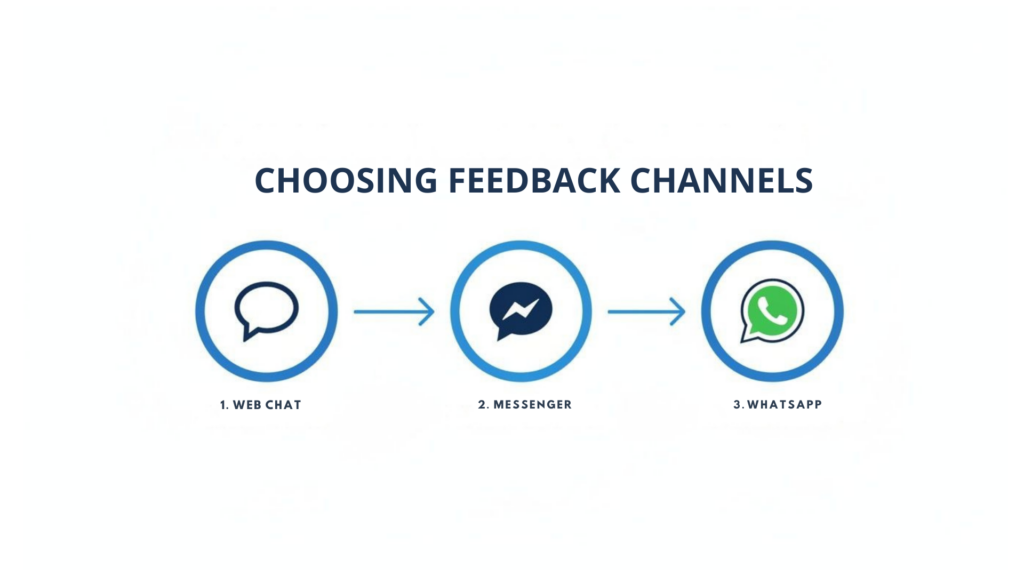
Customer Feedback Channels
Whether the conversation happens in a web chat, on Messenger, or over WhatsApp, a unified strategy lets you capture, tag, and segment feedback without missing a beat.
The Power of Closing the Loop
One of the most important things you can do is “close the loop”—getting back to customers to let them know their feedback was heard and what you’re doing about it.
It’s been shown that customers whose issues are resolved quickly often become more loyal than those who never had a problem in the first place.
Closing the loop proves you’re actually listening. And it doesn’t have to be a manual, time-sucking task. Automation can handle the initial response, ensuring every customer feels acknowledged.
- For Negative Feedback: A low CSAT score can trigger a message like, “We’re sorry to hear about your experience. A team member will review your comments and reach out personally within 24 hours.” This buys you time while showing the customer they’ve been heard.
- For Positive Feedback: A high score can trigger a request for a public review: “We’re so glad you had a great experience! Would you be willing to share your thoughts on [Review Site]?” This strikes while the iron is hot.
- For Feature Requests: A simple, “Thanks for the suggestion! We’ve added it to a list for our product team to review,” shows you value their ideas, even if you can’t build it tomorrow.
Integrate Feedback Across Your Entire Tech Stack
Your feedback data becomes far more valuable when plugged into the other tools you use every day. By connecting your conversational platform with your CRM, email service, or team communication tools, you create a seamless flow of information.
This integration turns isolated comments into a company-wide intelligence system.
Here are a few high-impact integrations:
- CRM Integration: Automatically sync CSAT and NPS scores to a customer’s profile in your CRM. This gives your sales and support teams a complete picture of that customer’s history and sentiment.
- Slack/Team Alerts: Create a rule that posts all negative feedback directly to a dedicated Slack channel. This lets managers spot trends and jump on issues in real-time.
- Email Marketing Sync: Sync your feedback tags (like
Brand-Advocate) with your email marketing platform. Now you can build hyper-targeted campaigns based on actual customer sentiment.
When you build these connections, you create a system where customer feedback actively informs every part of your business, from front-line support to long-term product strategy. This is how you move beyond just collecting data and start building a truly customer-centric operation.
When you ask for feedback, you’re also asking for data. In a world where people are more conscious of privacy, how you handle that data is as important as the questions you ask.
Think of compliance not as a chore, but as an opportunity to build trust. Get this right, and you’ll get the kind of honest feedback that fuels growth.
Transparency is your most powerful tool. Don’t bury your intentions in fine print. Clearly state what data you’re collecting and why, right at the point of opt-in. This builds confidence and makes customers far more willing to share.
Your Compliance Checklist
To build customer trust and stay on the right side of the law, understanding GDPR compliance is non-negotiable. These principles are now the gold standard for responsible data handling everywhere.
Here’s how to put it into action:
- Craft Clear Opt-In Messages: Ditch the generic “Subscribe for updates.” Get specific. Try, “Can we message you on WhatsApp in a few days to get feedback on your new order? We’ll only use it to improve our service.” See the difference?
- Make Opt-Outs Simple: Nothing erodes trust faster than a complicated unsubscribe process. A simple “Reply STOP to opt out” in your messages is a standard, respected practice.
Compliance is your promise to the customer that you respect their privacy. When customers feel their data is safe, they reward you with their honest perspective—the most valuable asset you can collect.
Here’s the bottom line: a customer who trusts you will tell you what’s wrong before they leave. A customer who doesn’t will just disappear. By prioritizing transparent data practices, you create an environment where valuable, actionable feedback can thrive.
How to Collect Customer Feedback
Effective feedback collection and acting on customer feedback are essential to improve your product, reduce customer effort score, and increase overall customer experience. Below are best practices to gather customer feedback and best practices to ensure customer satisfaction, with actionable steps and strategies.
Best Practices to Gather Customer Feedback
Use a coordinated customer feedback strategy that captures feedback across multiple channels and minimizes effort for your customer base. The goal of the feedback collection process is to capture relevant feedback from customers, understand customer behavior and customer needs, so you can turn it into action.
Choose the right customer feedback methods
- Use a mix of feedback, including short in-app surveys, email surveys (NPS, CSAT), post-support ticket surveys, and embedded website microsurveys to capture feedback in the moment.
- Methods to collect should also include user feedback channels such as live chat transcripts, social media monitoring, and customer service feedback logs.
- Employ ways to collect customer comments: feedback forms, product usage analytics, usability tests, and customer interviews for qualitative insights.
Design surveys and touchpoints for low effort
- Keep surveys brief to reduce customer effort score — one or two questions where possible.
- Ask the right type of feedback (quantitative + qualitative): combine scores (NPS/CSAT) with an open field for feedback to improve context.
- Time prompts to use your product moments: after successful task completion, during onboarding, or immediately after support interactions.
Segment and prioritize feedback
- Segment customers by customer segments, usage patterns, and customer base to identify trends and prioritize improvements.
- Analyze feedback to identify common themes — feedback comes from multiple channels, and every piece of feedback can reveal valuable insights when aggregated.
- Capture feedback consistently to build a reliable dataset for analyzing customer behavior and overall customer experience.
Make feedback accessible and shareable
- Centralize feedback into a single system so product, support, and leadership teams can access it — this closes the customer feedback loop.
- Use dashboards and reports to share feedback across teams and highlight actionable insights.
- Encourage customers to provide stories and examples to enrich quantitative results.
Follow ethical and practical collection practices
- Ask for permission, respect privacy, and be transparent about how feedback will be used.
- Avoid survey fatigue by spacing requests and rotating questions across the customer base.
- Include incentives sparingly and appropriately to encourage participation without biasing feedback.
Best Practices to Ensure Customer Satisfaction
Collect and act on customer data with the explicit aim of improving customer satisfaction. A proactive approach that turns feedback into changes helps build stronger customer relationships and increases retention.
Act on feedback quickly and visibly
- Establish a feedback process where teams review incoming feedback, prioritize fixes, and implement changes — turning feedback into action reduces churn.
- Communicate back to customers when you act on customer feedback — this closes the feedback loop and shows customers you value their input.
- Track improvements with metrics like customer satisfaction, customer effort score, and retention to measure impact.
Use feedback to improve products and services
- Use customer feedback to identify feature gaps, usability issues, and unmet customer needs; feed those insights into your product roadmap.
- Train customer support teams using real customer service feedback to improve first-contact resolution and empathy in interactions.
- Analyze customer feedback to understand customer intent and behavior and to personalize experiences across customer segments.
Create a continuous customer feedback loop
- Make feedback collection an ongoing process rather than a one-time campaign; integrate feedback into regular product and service reviews.
- Capture feedback from customers at different lifecycle stages — onboarding, active use, renewal, and after churn — to build a holistic view of the overall customer experience.
- Use the feedback loop to prioritize changes that will deliver the highest value to your customer base.
Make it easy for customers to get support
- Provide multiple support channels (chat, email, phone, help center) and measure satisfaction for each channel using customer service feedback methods.
- Reduce customer effort by streamlining self-service options, improving documentation, and ensuring quick escalation paths for complex issues.
- Collect support interactions as part of your feedback collection process to identify recurring problems and training opportunities.
Measure, analyze, and refine
- Implement feedback analytics to quantify trends, understand customer segments, and detect early warning signs from customer feedback.
- Use qualitative feedback to interpret quantitative scores — understanding customer feedback requires both data types.
- Continuously refine your feedback collection process and customer feedback strategy based on results and changing customer needs.
Practical Steps & Quick Wins
- Choose 3 primary methods to collect feedback (in-app, email, support follow-up) and instrument them this quarter.
- Create a single feedback repository and tagging system to capture feedback across multiple channels.
- Set a cadence: weekly triage of new feedback, monthly analysis for trends, and quarterly roadmap updates based on feedback to improve.
- Share results internally and show customers how their feedback shaped product decisions to strengthen customer relationships.
Still Have Questions?
Got a few more questions about using chatbots to gather feedback? Perfect. Here are quick answers to the most common things we hear.
Conclusion
Getting customer feedback is not just about collecting responses — it’s about understanding customer needs, analyzing customer feedback, and using customer feedback to make meaningful improvements. Adopt these best practices for collecting customer feedback and for ensuring customer satisfaction to build a culture that values user feedback and continuously improves the overall customer experience.
Ready to stop guessing and start listening? With Clepher, you can build smart, engaging feedback flows on your website, Messenger, Instagram, and WhatsApp in minutes. Start collecting insights that actually drive growth today.

Related Posts
Turn Visitors Into Leads With a Web Chat Widget
April 2, 2026Website Facebook Messenger: Setup & AI for Sales in 2026
April 1, 2026How an API Chat Bot Transforms Your Business (And How to Build One)
March 31, 2026
Founder Clepher