

Forget the technical jargon. Building an AI agent that actually works comes down to a simple, three-phase process: strategize, design, and deploy. Following this path helps you create agents that do more than just answer questions—they actively find leads, close sales, and support your customers 24/7.
Building AI Agents That Drive Real Results
The idea of creating an AI agent can sound like a huge coding project, but it’s not. The best agents aren’t born from complex algorithms; they come from a rock-solid business strategy. It’s far less about the tech and way more about understanding what makes a conversation truly helpful.
Before you even open a tool like Clepher, you need to give your agent one, and only one, primary job. A fuzzy goal like “improve customer support” is a recipe for building something that does nothing well. You have to get specific.
For example, an e-commerce store could build an agent to slash abandoned carts by popping up with a timely discount code. A SaaS company could have an agent qualify new leads by asking a few sharp questions, then booking demos directly on a sales rep’s calendar.
See the difference? These goals are tangible. They turn a simple chatbot into a real team player that delivers results you can actually measure.
Understanding the Modern AI Agent Building Process
Modern AI agents are no longer built with heavy coding from scratch. Instead, tools powered by OpenAI, visual agent builders, and lightweight API workflows make the process accessible. And when you need custom logic, simple Python snippets can extend your agent’s abilities without complicating the build.
The Core Agent Creation Workflow
The entire process hangs on a straightforward, repeatable framework. This isn’t about reinventing the wheel; it’s about following a proven path from a rough idea to a live agent that works for your business.
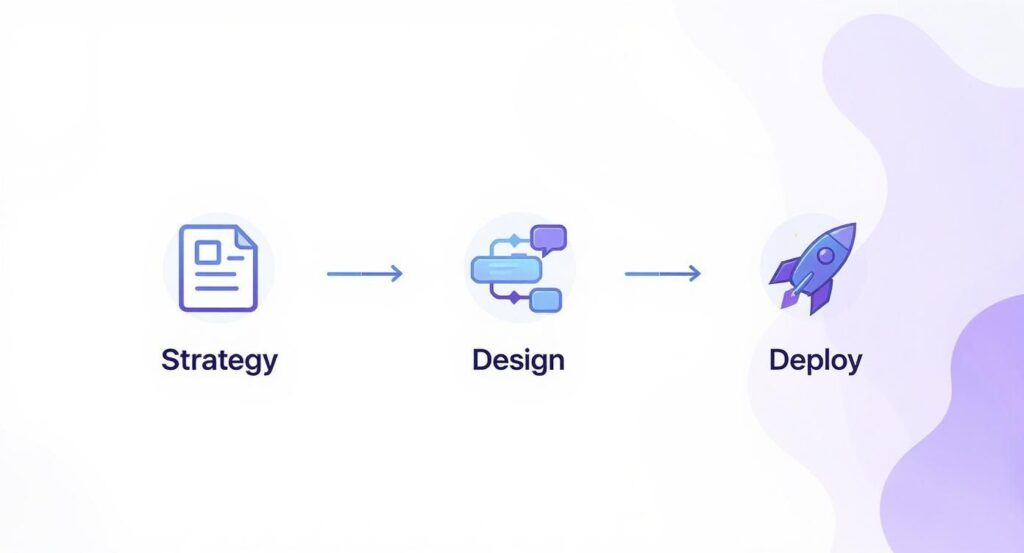
Create AI agents workflow
This workflow drives home a key point: a successful launch is the payoff for smart upfront thinking. The deployment part is just the final step.
This structured approach makes sure your agent is built on a firm foundation. You’re not just building a bot; you’re designing an automated system to hit a specific business target. That mindset shift is what separates a gimmicky chatbot from a true business asset.
Key Takeaway: The quality of your AI agent is directly tied to the quality of your planning. Rushing this stage will lead to a frustrating experience for both you and your customers.
Understanding the Foundation of an Effective AI Agent
To build an agent that truly performs, you need to ground your strategy in a few core principles. This isn’t just a checklist; it’s the foundation for everything that follows. The table below breaks down the essential pillars that turn a simple idea into a valuable business tool.
| Pillar | Description | Business Impact |
|---|---|---|
| Specific Goal | The agent has one clear, measurable job to do (e.g., book demos, reduce cart abandonment). | Prevents scope creep and ensures the agent delivers a quantifiable return on investment. |
| Target Audience | You know exactly who the agent will be talking to—their pain points, language, and common questions. | Leads to more natural, relevant conversations that resonate with users and drive them to take action. |
| Success Metrics | You’ve defined what “success” looks like in numbers (e.g., 15% increase in qualified leads). | Allows you to track performance, justify the agent’s existence, and make data-driven improvements. |
| Handoff Protocol | There’s a clear plan for when and how the agent passes a conversation to a human. | Prevents customer frustration and ensures complex or high-value issues get the attention they deserve. |
| Brand Voice | The agent’s personality and tone are aligned with your overall brand identity. | Creates a consistent and trustworthy customer experience across all your communication channels. |
Focusing on these pillars from the start ensures every decision you make—from conversation design to prompt engineering—is aligned with a clear business objective.
To make this more tangible, here are a few roles your first agent could take on:
- 24/7 Lead Qualifier: Greets website visitors, asks a few key questions about their needs and budget, then books meetings directly on your sales team’s calendar for the hot leads.
- Post-Purchase Support Assistant: Instantly handles common questions about order status, shipping times, and returns, freeing up your support team for trickier issues.
- New User Onboarding Guide: Welcomes new customers to your software, walks them through the first few critical setup steps, and answers basic questions to boost activation rates from day one.
Each of these examples solves a very real business problem. That’s the key—a well-defined purpose is always the first step toward building an agent that delivers.
Designing Your Agent for Maximum Impact
Jumping straight into a builder without a plan is like trying to build a house without a blueprint. You might end up with something, but it won’t be what you wanted. Successful AI agents are born from careful design, long before a single line of dialogue is written.
This design phase is all about defining a crystal-clear purpose. An agent without a specific job becomes a jack-of-all-trades and master of none, leading to confusing conversations and frustrated users. Your first task is to give your agent one primary objective.

AI agents data analysis
This focus ensures every part of the agent, from its first greeting to its final action, is aligned with a measurable business outcome. It turns the agent from a neat tech feature into a core part of your operational strategy.
Define Your Agent’s Core Function
Before you map out a single conversation, decide what problem your AI agent’s “job” is. Is it there to generate leads, solve problems, or guide users? Each goal requires a completely different design, personality, and set of skills. This is the foundation of building your AI agent effectively.
A lead qualification agent for a B2B company, for instance, needs to be professional, inquisitive, and efficient. Its job is to separate hot leads from window shoppers, then seamlessly book a meeting for the sales team. Its north star is qualifying and converting, which is one of the main applications of AI agents in business.
On the other hand, a support agent for an e-commerce store should be empathetic, patient, and knowledgeable. Its success is measured in problems solved, not meetings booked. It needs instant access to order information and return policies, with a primary goal of resolving issues fast — a clear example of agentic AI at work.
-
Sales Focus: An agent for a SaaS website that asks about company size, current software, and budget before offering a demo.
-
Support Focus: An agent on an e-commerce site that handles “Where is my order?” and “How do I make a return?” questions 24/7.
-
Engagement Focus: An agent for a course creator that helps new students find their first lesson, aiming to boost user activation from day one.
Map the Conversation Flow
With a clear goal in mind, you can start mapping the ideal user journey. Think of this as creating a flowchart for the conversation. What’s the very first thing the user will ask? What are the key decision points where the conversation could branch off?
A great way to start is by listing the top five questions you anticipate users will have. For each question, map out the ideal response and the next logical step. For example, if a user asks about pricing, the agent shouldn’t just state the price. It should ask a follow-up question to guide them to the right plan, like, “Which of these best describes your team size?” This is part of building your AI agent correctly.
Pro Tip: Your initial conversation map is a hypothesis. The real insights will come from reviewing actual user conversations after you launch and seeing where people get stuck or go off-script. Don’t aim for perfection on day one.
This process forces you to think from the user’s perspective. What information do they need at each step? What dead ends could cause them to abandon the chat? Anticipating these needs is what separates a clunky bot from an agent that feels genuinely helpful — a key application of AI agents.
Plan for Integrations and Fallbacks
No agent operates in a vacuum. To be effective, it needs to connect with the other tools to use that run your business. Planning for integrations from the start saves massive headaches later and ensures you can integrate the AI agent seamlessly.
Does your agent need to pull customer history from your CRM? Should it create a new lead in your sales pipeline after qualifying a prospect? These connections are what elevate an agent from a simple Q&A bot to a powerful automation engine. Integrated systems can boost lead conversion by over 15%.
Just as important is planning for when things go wrong. What happens when the AI agent’s logic fails to recognize a question? A well-designed “fallback” is crucial. Instead of just saying “I don’t understand,” a better agent might offer a few options based on keywords it did recognize or provide an easy way to connect with a human.
This safety net ensures that even when the agentic AI stumbles, the user experience remains positive. It shows you’ve thought about its limitations and have a plan to support the user, which is key to deploy your AI agent successfully.
Bringing Your AI Agent to Life with No-Code Tools
You’ve got your strategy. Now for the fun part: turning that plan into a real, working AI agent that can interact with customers.
The best part? You don’t need to be a developer. Thanks to massive investments in AI, powerful models like GPT-4o-mini are now fast and cheap enough to be embedded almost anywhere. This puts serious power in your hands and makes building your AI agent accessible to everyone.
A lead qualification agent for a B2B company, for instance, needs to be professional, inquisitive, and efficient. Its job is to separate hot leads from window shoppers, then seamlessly book a meeting for the sales team. Its north star is qualifying and converting.
On the other hand, a support agent for an e-commerce store should be empathetic, patient, and knowledgeable. Its success is measured in problems solved, not meetings booked. It needs instant access to order information and return policies, with a primary goal of resolving issues fast.
- Sales Focus: An agent for a SaaS website that asks about company size, current software, and budget before offering a demo.
- Support Focus: An agent on an e-commerce site that handles “Where is my order?” and “How do I make a return?” questions 24/7.
- Engagement Focus: An agent for a course creator that helps new students find their first lesson, aiming to boost user activation from day one.
Map the Conversation Flow
With a clear goal in mind, you can start mapping the ideal user journey. Think of this as creating a flowchart for the conversation. What’s the very first thing the user will ask? What are the key decision points where the conversation could branch off?
A great way to start is by listing the top five questions you anticipate users will have. For each question, map out the ideal response and the next logical step. For example, if a user asks about pricing, the agent shouldn’t just state the price. It should ask a follow-up question to guide them to the right plan, like, “Which of these best describes your team size?”
Pro Tip: Your initial conversation map is a hypothesis. The real insights will come from reviewing actual user conversations after you launch and seeing where people get stuck or go off-script. Don’t aim for perfection on day one.
This process forces you to think from the user’s perspective. What information do they need at each step? What dead ends could cause them to abandon the chat? Anticipating these needs is what separates a clunky bot from an agent that feels genuinely helpful.
Plan for Integrations and Fallbacks
No agent operates in a vacuum. To be effective, it needs to connect with the other tools to use that run your business. Planning for integrations from the start saves massive headaches later and ensures your AI assistant can perform at its best.
Does your agent need to pull customer history from your CRM? Should it create a new lead in your sales pipeline after qualifying a prospect? These connections are what elevate an AI agent from a simple Q&A bot to a powerful automation engine. Integrated systems can boost lead conversion by over 15%, making sure the agent performs in real-world scenarios.
Just as important is planning for when things go wrong. What happens when the AI assistant doesn’t understand a question? A well-designed “fallback” is crucial. Instead of just saying “I don’t understand,” a better agent might offer a few options based on keywords it did recognize or provide an easy way for the user to connect with a human. This ensures that even when the machine learning model using natural language stumbles, the experience remains positive.
This safety net shows you’ve thought about your AI’s limitations and have a plan to support the user, which is key to building trust in your AI development strategy.
Bringing Your AI Agent to Life with No-Code Tools
You’ve got your strategy. Now for the fun part: turning that plan into a real, working AI assistant that can interact with customers.
The best part? You don’t need to be a developer. Thanks to massive investments in AI, powerful models like GPT-4o-mini, Anthropic, and frameworks like LangChain are now fast and cheap enough to embed almost anywhere. This puts serious power in your hands, letting you train the model effectively and enabling the agent to communicate intelligently with users.
With these tools, building your AI agent is no longer about coding from scratch. You can connect APIs, define conversation flows, and deploy a fully functioning assistant in a fraction of the time it used to take, making AI development accessible for teams of all sizes.
For anyone who wants to build without code, specialized no-code platforms for AI builders are the answer. These tools translate your flowcharts and ideas into a functional system using simple drag-and-drop interfaces.
Setting Up Triggers and Conversation Nodes
First, how does a conversation even start? In a no-code builder, this is called a trigger.
A trigger is the specific action that kicks off your AI agent. It could be someone clicking the chat widget on your website, messaging your Instagram page with the keyword “discount,” or commenting on a Facebook post.
Once triggered, the conversation flows through a series of nodes. Think of these as the individual building blocks of your dialogue. Each node is a single point in the conversation—a greeting, a question, a piece of information, or a decision.
Here’s a glimpse of what that looks like inside a visual builder.
You can see exactly how a user moves from that initial trigger through different questions and answers, branching off based on their input.
For a sales qualification bot, the first node might be a friendly welcome: “Hi there! Thanks for your interest. To get you to the right person, could you tell me a bit about your company?” The following nodes would then capture their answers and guide them along. You can see how this works in a hands-on no-code chatbot builder where the process is intuitive.
Using Conditional Logic to Guide the Conversation
This is where your agent gets its brain. Conditional logic is just a simple way of saying “if this, then that.” It allows your agent to send users down different paths based on what they say or do.
Let’s look at a practical sales example:
- Initial Question: “What’s your company’s monthly marketing budget?”
- Condition 1: If their budget is over $5,000, the agent routes them to book a call with a senior sales rep.
- Condition 2: If the budget is under $5,000, it offers a link to a recorded demo and adds them to a nurturing email sequence.
- Condition 3: If they type “I’m not sure,” the agent pivots and asks, “What is your company’s approximate annual revenue?”
This simple logic ensures your sales team only spends time with qualified leads, while still providing value to prospects who aren’t a great fit yet. It turns a generic bot into a smart assistant that sorts and directs traffic for you.
Key Insight: Conditional logic translates your business rules into an automated process that works 24/7. It’s how you guarantee every lead and customer gets the right experience, every time.
Crafting Prompts and Capturing Data
While logic creates the path, prompts tell the underlying AI model (like GPT-4) what to say and how to say it. A well-crafted prompt gives the AI context, sets the tone of voice, and clearly defines its job.
For a customer support agent, a good prompt might be: “You are a friendly and empathetic support assistant for ‘Glow Skincare.’ The user is asking about their order. Use the getOrderStatus function to pull the shipping status based on the order number they provide. Be concise and reassuring.”
This single instruction tells the AI its persona, its goal, and the tools it can use to get the job done.
Of course, your agent should also be listening. Most no-code builders let you save user responses to custom fields to capture critical data like:
- Name
- Email Address
- Company Size
- Specific product interest
Once you have this information, you can use it to personalize the rest of the conversation or send it straight to your CRM. This is how your agent becomes an integrated part of your marketing and sales ecosystem, turning conversations into actionable data.
Mastering the Seamless Human Handoff
No matter how smart your AI agent is, there will always be times when a human touch is needed. A customer might have a complex problem, or maybe they just want to talk to a person. Getting this handoff right isn’t a failure—it’s a critical part of a customer-centric automation strategy.
The goal is to make the jump from AI to human so smooth that the customer feels supported, not passed along. A good handoff process shows your AI agent isn’t trying to replace your team; it’s making everyone more efficient.
A clean handoff makes your entire support system feel like one cohesive unit, blending the best of automation with the irreplaceable empathy of your human team.
Identifying the Right Triggers for Escalation
First, teach your agent when to ask for help. Waiting for a customer to furiously type “talk to a human” is too late—frustration has already set in. A much better approach is to set up proactive triggers that automatically kick off the handoff.
Think of these triggers as an early warning system. They spot moments of friction or high-value opportunities that a human should handle.
- Sentiment Analysis: Modern AI can detect frustration or anger in someone’s language. If it picks up on a sharp negative turn, it should immediately offer to connect them with a team member.
- Keyword Detection: Set up simple keyword triggers like “speak to an agent,” “complaint,” or “manager.” Also include keywords for complex issues you know the agent can’t solve, like “legal question” or “custom quote.”
- Repetition Loops: If a customer asks the same question three times, that’s a clear sign the agent isn’t helping. This “three strikes” rule is a perfect trigger to escalate the chat.
- High-Intent Actions: When someone asks about enterprise pricing, that’s a golden opportunity. The agent can recognize these buying signals and instantly route the conversation to a sales rep.
Designing a Frictionless Handoff Flow
Once a trigger fires, the handoff itself needs to be effortless. The worst-case scenario is forcing someone to repeat everything they just told the AI.
The secret is passing the full conversation context to the human agent.
This means when a support person takes over, they see the entire chat history. They know who the customer is, what they’ve asked, and why the conversation was escalated. Platforms like Clepher can integrate with helpdesks like Zendesk or HubSpot to make this happen automatically.
Pro Tip: Automate your ticket creation. When an escalation is triggered, set up your system to automatically open a new support ticket and assign it to the right department—sales, support, billing, etc. This cuts out manual work and speeds up response times.
Your agent also needs to set clear expectations. An abrupt “Please wait for an agent” feels cold.
A much better message is: “I see you’re asking about a custom integration. I’m connecting you with one of our technical specialists who can help. They’ll be with you in about 2-3 minutes and will have our full conversation history.”
That message acknowledges the user’s specific need, tells them who they’ll be talking to, and sets a realistic wait time. This hybrid approach often wins the chatbot vs live chat for customer service debate, giving you the efficiency of AI with the value of human expertise.
Deploy, Test, and Optimize Your AI Agent
Getting your AI agent live isn’t the finish line—it’s the starting gun. The difference between an agent that just works and one that drives results comes from continuous, data-driven improvement.
A “big bang” launch is usually a recipe for disaster. A phased rollout is much smarter.
Start with your internal team. Let them hammer on the agent, try to break it, and give unfiltered feedback. This is the safest way to catch glaring errors or awkward phrasing before a customer sees them.
Once you’ve smoothed out the kinks, do a controlled live test. Release the agent to a small slice of your audience—maybe just 5% of your website visitors. This keeps the risk low while giving you invaluable data on how real people interact with your agent.
A/B Testing Your Conversation Flows
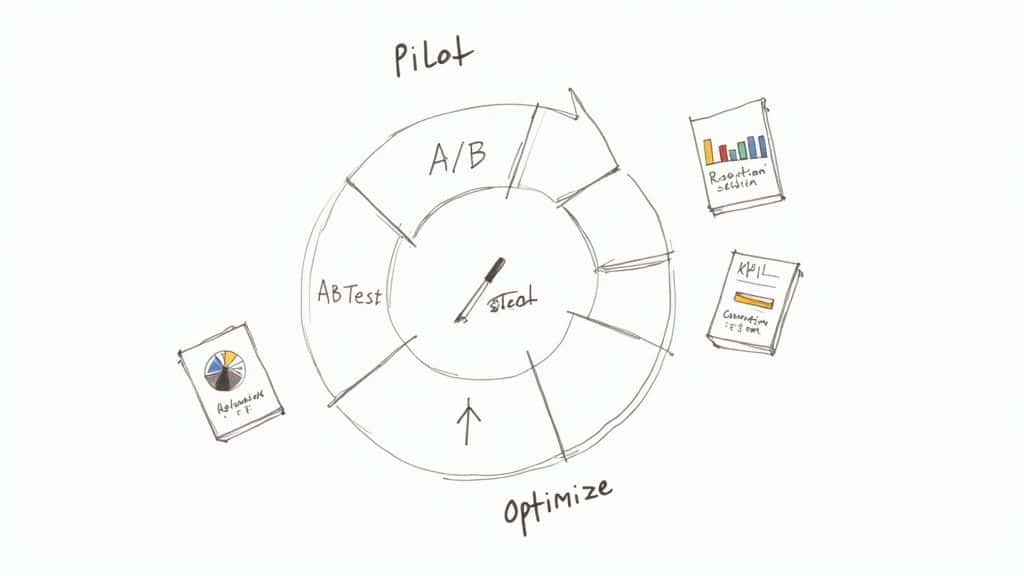
AB Testing AI agents
You shouldn’t have to guess what works best. You should test it. A/B testing is your most powerful tool for optimization. Instead of wondering if a direct greeting works better than a casual one, you can run both simultaneously and let the data decide.
No-code platforms like Clepher make this easy. You can build two different conversation paths (Path A and Path B), and the system will automatically split your traffic between them.
Here are a few practical A/B tests to run:
- Opening Lines: Test a proactive, question-based opener (“Hi there! Can I help you find the right plan?”) against a more passive greeting (“Hey! Let me know if you have any questions.”).
- Button vs. Open Text: At a key decision point, see if users are more likely to click a predefined button (like “Pricing”) or type their own response. The results might surprise you.
- Prompt Variations: Try different instructions for the AI. One prompt might tell the agent to be “concise and professional,” while another encourages a “friendly and humorous” tone. Then measure which one leads to better conversations.
Tracking the Metrics That Actually Matter
To improve, you have to measure what’s happening. But you need to track the right Key Performance Indicators (KPIs). These numbers tell the story of your agent’s performance. Vanity metrics like “total conversations” are nice, but they don’t tell you if the agent is doing its job.
Focus on these actionable KPIs instead:
- Resolution Rate: What percentage of conversations does the agent handle without needing a human? This is your top metric for effectiveness, especially for support agents.
- Escalation Rate: On the flip side, how often does the agent pass a conversation to a human? A high rate might point to a gap in the agent’s knowledge.
- Lead Conversion Rate: For sales agents, this is the bottom line. What percentage of chats result in a booked demo or a captured email?
- User Satisfaction Score (CSAT): End conversations with a simple, “Did you find this helpful? (👍/👎)”. This direct feedback is pure gold.
The journey of creating AI agents spans over 75 years, starting with concepts from the 1950s. In 1966, Joseph Weizenbaum’s ELIZA at MIT showed that even simple pattern-matching could create seemingly meaningful dialogue, setting the stage for the sophisticated systems we build today.
The Power of Reviewing Conversation Logs
Your most valuable resource for optimization is hiding in plain sight: the conversation logs. These transcripts are a direct line into your user’s mind.
Make it a regular habit to read through them, paying close attention to conversations that failed or were escalated.
Look for patterns. Are people constantly asking a question your agent can’t answer? That’s a sign to add a new knowledge article or build a new flow. Do conversations tend to die at a specific point? That part of your script is probably confusing.
For a deeper dive, review these essential chatbot best practices that cover dialogue design and user engagement.
This simple feedback loop—launch, measure, analyze, refine—is what separates a static bot from an AI agent that gets better over time. Every conversation is a new data point, giving you the insights to make your agent smarter and more valuable to your business.
Common Questions About Building AI Agents
Even with a good roadmap, you’ll have questions. Here are clear, straightforward answers to the most common hurdles people face when building their first AI agent.
Conclusion
In conclusion, creating AI agents combines selecting the right large language model (LLM/GPT/Claude/Gemini) with prompt engineering, tool use, and implementation choices like Rag, LangGraph, and A2A to allow AI agents to interact with external systems and use tools for tasks that require real-time data analysis, query parsing, and reasoning and planning. Autonomous agents and autonomous agents working together can handle customer inquiries, data analysis, and other use cases by iterating, debugging, and configuring the agent to make decisions based on user preferences and human oversight, with feedback loops to improve performance and ensure relevant information is surfaced.
Whether you choose chatgpt, other generative ai models, or chatbots on a free tier, ensure you set up your environment, understand agent uses and tool use, enable agent-to-agent (agents working together) coordination, and maintain frequently asked questions, sonnet-like prompts, and clear processes for selecting the right model, allowing agents to interact and parse inputs while you iterate on implementation and deployment.
Ready to build an AI agent that gets real results for your business? With Clepher, you can design, launch, and optimize powerful AI agents for marketing, sales, and support—all without writing a single line of code. Start your free trial today and see what you can build.

Related Posts
Unlock Growth with Conversational AI for Customer Support
March 26, 2026Your Ultimate Guide to Instagram Chat Bots
March 25, 2026How to Create a Killer Poll Game on Instagram to Boost Engagement and Leads
March 24, 2026
Founder Clepher