

Building a chatbot is easier than you think. In fact, you don’t need to be a developer to create a chatbot that delivers real value for your business. Rather than worrying about complex coding or learning python, modern tools allow you to focus on strategy instead of syntax. By first defining a clear goal, then mapping out the conversation, and finally using a no-code builder, you can launch a chatbot on your website, Messenger, or Instagram in just a few hours. As a result, what once felt like advanced chatbot development is now accessible to anyone.
In this guide, we’ll show you exactly how to build a chatbot step by step—from idea to launch—without needing to build a chatbot from scratch or write a single line of code.
Why Great Chatbots are Your Secret Growth Engine
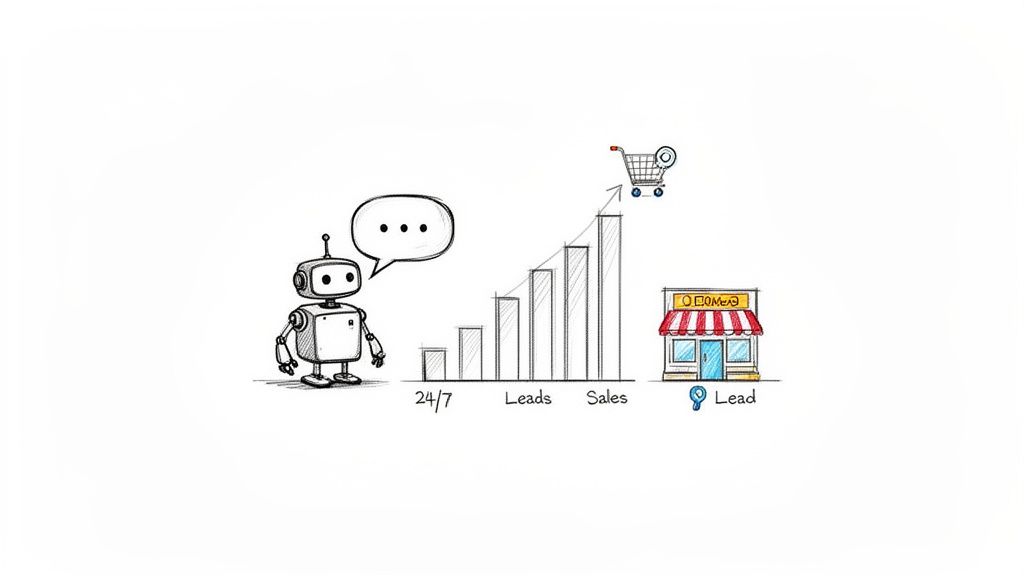
Let’s skip the hype and get straight to the results. A well-designed chatbot isn’t just a trendy tech experiment; instead, it represents a fundamental shift in how businesses communicate with customers. Simply put, it’s your most efficient employee—one that works 24/7, responds instantly, and never needs a coffee break.
For e-commerce brands and marketers in particular, this creates a powerful advantage. AI chatbots turn passive channels like your Messenger inbox and Instagram DMs into automated sales and support engines. Rather than waiting for customers to search for your “Contact Us” page, you can engage them immediately, right at the moment they show interest. Ultimately, this is how modern chatbot development drives faster responses, higher conversions, and scalable growth.
Chatbot Sales
From Manual Effort to Automated Growth
Imagine capturing leads, answering repetitive questions, and guiding shoppers to the perfect product—all on autopilot. A simple chatbot makes this a reality and directly impacts your bottom line.
This isn’t about replacing your team. It’s about amplifying their efforts. By automating the routine tasks, you free up your people to focus on high-value conversations that truly need a human touch, like closing a complex sale or handling a sensitive customer issue.
The market sees this potential, too. The global chatbot industry is set to explode from USD 9.30 billion in 2025 to USD 27.07 billion by 2030. This growth is fueled by accessible AI that makes building smart bots easier than ever. With platforms like Clepher, you can tap into messaging giants like WhatsApp, which serves 3 billion users and sees 175 million business conversations every day. You can dive deeper into these market trends over on Mordor Intelligence.
Key Takeaway: A chatbot automates the first steps of the customer journey, allowing your business to qualify leads and provide instant support at a scale that’s impossible to achieve manually.
Tangible Business Outcomes from Day One
The real power of a chatbot lies in the concrete results it drives. It’s not just about being available; it’s about actively pushing your business goals forward, 24/7.
Here are a few practical wins you can expect right away:
- Slash Cart Abandonment: A bot can pop up the moment a user leaves a cart, offering a quick discount or answering a last-minute question about shipping to lock in the sale.
- Generate Qualified Leads: Forget boring forms. A chatbot can ask engaging, conversational questions to qualify visitors and automatically segment them for your sales team.
- Deliver Instant Support: A whopping 73% of customers say that valuing their time is the most important thing a company can do. A bot provides immediate answers to common questions about order status, return policies, or product specs.
Ultimately, learning how to make a chatbot is about building a system that nurtures customer relationships at every touchpoint. It’s your secret engine for sustainable growth, turning everyday chats into measurable business results.
Designing Conversations That Actually Convert
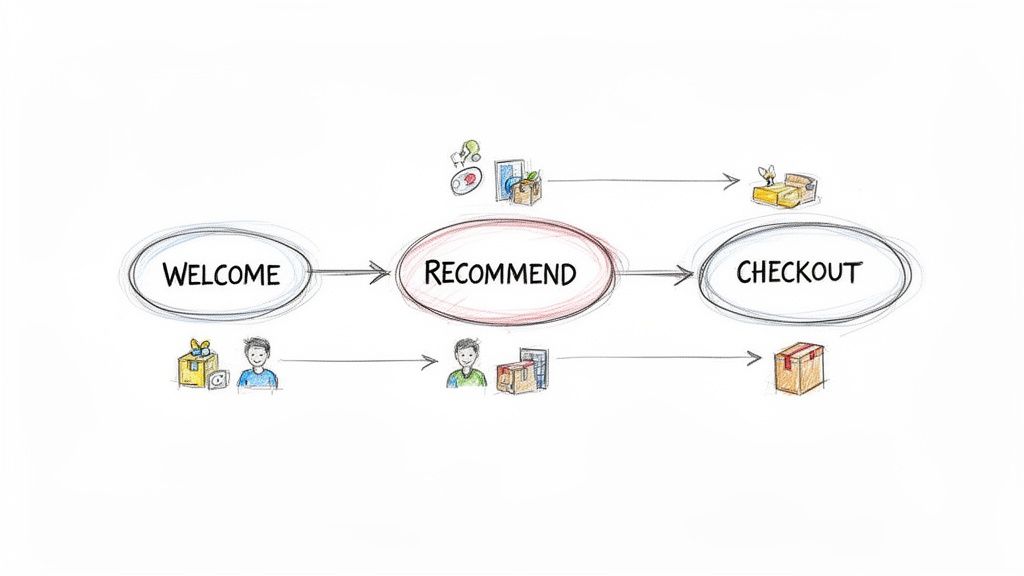
A powerful chatbot isn’t built with code; it’s built with a smart conversation plan. Before touching a builder, you need a clear map of the interaction. This is your playbook for designing a flow that feels human, helps people, and achieves your business goals.
Chatbot Customer Journey
Here’s the most important rule: give your chatbot one primary job. A bot that tries to do everything will fail at everything. Zero in on the single most valuable task it can handle.
Is its job to qualify new leads? Knock out the top 3 most common support questions? Guide a shopper to the perfect product? Once you define that one job, the entire design process becomes much simpler.
Pinpoint Your Chatbot Development Core Job
Start by identifying where your customers (and your team) are struggling. Where are the biggest bottlenecks? What repetitive questions tie up your support staff all day? These are your low-hanging fruit—areas where a bot can make an immediate impact.
A great chatbot solves a real, specific problem. For an e-commerce store, a bot that helps a user find the right running shoe is infinitely more valuable than one that just says, “Hello, how can I help?”
Here are a few high-impact jobs perfect for a first bot:
- Lead Qualification: Ask a few simple questions to determine if a visitor is a good fit before a sales rep spends their time.
- FAQ Automation: Provide instant answers to questions about shipping, returns, or business hours, freeing up your human team for complex issues.
- Product Recommendation: Create a quiz-like flow that guides users to the best product for their needs, acting like a helpful in-store sales assistant.
To really nail this, understanding the basics of UX/UI design principles is a great place to start, as these concepts are the foundation of any good conversational flow.
Craft a Compelling Welcome and Persona
The first thing your bot says is its most important line. It must instantly clarify what it does and why the user should care. A generic “Hi, I’m a bot” is a conversation killer. Be direct and helpful from the start.
Good Example: “Hey there! Looking for the perfect pair of running shoes? I can help you find your ideal fit in under 60 seconds. Just tap a button below to get started!”
This message works because it sets expectations, shows immediate value, and provides a clear call to action. You’re offering to solve their problem right now.
Don’t forget to give your bot a persona that aligns with your brand. Is it witty and fun? Or professional and straight to the point? This voice makes the interaction feel authentic, not robotic.
Mapping the Conversational Journey
With your bot’s main job and welcome message locked in, it’s time to map the conversation. Think of it like a simple flowchart. What happens after the user clicks “Get Started”? What options do they see next?
When designing your flow, it’s crucial to include several key components. This table breaks down what you’ll need.
Essential Elements of a Successful Chatbot Flow
| Component | Purpose | E-commerce Example |
|---|---|---|
| Welcome Message | Greets the user, sets expectations, and provides a clear starting point. | “Hi! I can help you find the perfect gift. Ready to start?” |
| Guiding Questions | Narrows down the user’s needs with specific, easy-to-answer questions. | “Who are you shopping for? (Friend, Partner, Family)” |
| Actionable Options | Provides clear buttons or quick replies to keep the conversation moving. | Buttons for “Men’s,” “Women’s,” or “Kid’s” shoes. |
| Value Delivery | Presents the solution the user was looking for, like a product or information. | Shows 2-3 recommended products with images and “View Details” links. |
| Contingency Path | Offers an “escape hatch” for users who have a different question or get stuck. | “Need something else? [Talk to a Human] [Track Order]” |
Each step should build on the last, guiding the user smoothly toward the end goal.
Let’s stick with our running shoe example. The flow might look like this:
- Welcome Message: Offers to help find the perfect running shoe.
- Initial Question: “First, what type of terrain will you be running on? (Road, Trail, or Track)”
- Follow-up Question: “Got it. Now, are you looking for a shoe for daily training or for race day?”
- Recommendation: Based on the answers, the bot presents 2-3 top product recommendations with images, brief descriptions, and “Buy Now” buttons.
- Contingency Plan: The bot also offers an option like, “Have a different question?” to let users ask about shipping or returns.
This structured approach keeps the conversation focused and guides the user toward a valuable outcome. Of course, the words you use are just as important as the flow. For more on that, our guide on effective chatbot copywriting is packed with tips for writing scripts that connect with people.
Create a Chatbot with a No-Code Builder
Now for the exciting part. The time you spent mapping conversations and defining goals is about to pay off. At this stage, we’re moving from blueprint to build, transforming your plan into a real, interactive chatbot you can start using chatbot immediately.
Fortunately, you don’t need to be a coding expert to launch your first chatbot. Thanks to modern no-code builders, the entire process is visual and intuitive.
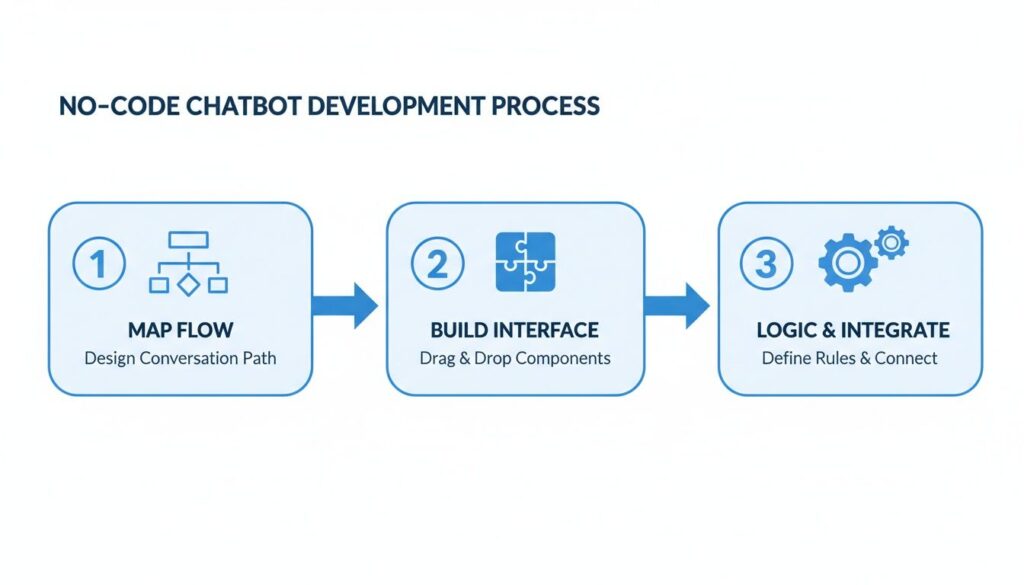
Instead of writing code, you’ll use a drag-and-drop interface. Think of it like building with LEGOs—each block represents a message, a button, or an action. By connecting these blocks, you create the conversational journey you designed earlier. As a result, this visual approach allows you to focus entirely on the customer experience and continuously improve your chatbot based on real user interactions.
Your Visual Building Blocks
When you open a no-code builder, you’ll find a canvas ready for your ideas. The goal is simple: recreate the flow you mapped out by connecting different conversational elements.
Here are the core components you’ll use:
- Messages: These are the text bubbles your bot sends. You can add text, emojis, or personalize it with the user’s name.
- Buttons & Quick Replies: These guide the conversation by giving users clear, tappable options so they always know what to do next.
- User Input Fields: This element lets you ask open-ended questions to capture an email address or collect feedback.
- Image & Video Cards: Perfect for e-commerce, these let you showcase products with visuals, creating a shoppable experience right inside the chat.
These tools are designed to be intuitive. To see how a clean interface makes this process feel less like work, check out a no-code chatbot builder made for marketers who need to move fast.
Implementing Conditional Logic Without Code
One of the most powerful features in modern chatbots is conditional logic. At first glance, it may sound technical. However, it’s simply a way of telling your bot, “If the user does X, then you should do Y.” Because of this, the chatbot works in a way that feels smart, relevant, and adaptive rather than robotic.
For instance, you can set up a keyword trigger for words like “pricing” or “cost.” When that happens, the chatbot responds instantly by sending a message with your pricing plans—no human intervention required. As a result, customers get answers faster while your team saves time.
In real-world deployment, this logic becomes even more powerful. For example, an e-commerce skincare store can ask new visitors about their skin type (Oily, Dry, or Combination). Based on the user’s response, the chatbot presents a tailored set of product recommendations. While this isn’t a complex machine learning algorithm, it still creates a highly personalized experience. Ultimately, this simple “if-then” structure is a big reason why chatbot deployment delivers such strong value for businesses.
This smart automation is why the AI chatbot market is exploding. The SaaS segment now makes up 62.4% of all AI chatbot implementations, allowing businesses to deploy 24/7 support without a huge upfront investment. To see how quickly this industry is scaling, you can discover more insights about the chatbot market size on Chatboq.
Building Your E-commerce Product Finder
Let’s build that running shoe product finder we designed earlier. Here’s how you’d bring that flow to life in a visual builder.
This is the kind of clean, drag-and-drop canvas you’ll be working with—it keeps things simple so you can focus on the conversation.
First, grab a text block for your welcome message: “Hey there! Looking for the perfect pair of running shoes? I can help you find your ideal fit in under 60 seconds.”
Below that, add a “Buttons” element with three options: “Road,” “Trail,” and “Track.” Drag a connection from the “Road” button to a new message that asks the next question: “Got it. Now, are you looking for a shoe for daily training or for race day?” Repeat this for the “Trail” and “Track” paths.
Finally, connect each path to a “Carousel” or “Gallery” element. Here, you upload images of the recommended shoes, add short descriptions, and include a “Buy Now” button linking directly to the product page on your website.
In just a few minutes, you’ve built an automated sales assistant. It proves that with the right tools, anyone can build a genuinely powerful chatbot.
Deploying Your Chatbot Across Key Customer Channels
Your bot is designed and built. Now it’s time to put it to work. A chatbot is useless until it’s placed directly in the path of your customers.
The goal is to make your bot impossible to miss by putting it on the channels your audience already uses. This isn’t about hoping people find it; it’s about strategic placement to turn every website visit and social media message into an automated conversation.
We’ve already covered the groundwork: mapping the flow, building the interface, and connecting the logic. Now, we’re plugging that work into the real world.
Chatbot Development
This process is the foundation for everything we’re about to do—taking that conversation map and making it a live, interactive tool.
Adding a Chat Widget to Your Website
Your website is prime real estate for a chatbot. Visitors are actively looking for information, and a chatbot can provide instant answers, stopping them from leaving out of frustration. Most no-code platforms give you a simple snippet of code to embed a chat widget.
If you’re on a platform like Shopify or WordPress, this is a breeze. Just copy the code and paste it into your theme settings or use a plugin. In minutes, your bot is live.
Pro Tip: Don’t let the widget sit there passively. Set it to pop up with a proactive welcome message on high-intent pages, like your pricing or checkout pages. A simple, “Got questions about our plans? I’m here to help!” can make a huge difference in engagement.
Connecting to Facebook Messenger and Instagram DMs
This is where conversational marketing truly shines. Integrating your bot with your Facebook Page and Instagram profile transforms your DMs from a manual chore into an automated lead machine.
Connecting these platforms is usually a matter of a few clicks inside your chatbot builder. Once linked, your bot can instantly handle incoming messages, comments, and even story replies.
Here are a few actionable tactics for driving traffic to your social media bots:
- Click-to-Messenger Ads: Run Facebook ads where the call-to-action button opens a conversation with your bot instead of a landing page. This is a game-changer for lead generation because the bot can qualify them on the spot.
- QR Codes: Put a QR code on your product packaging or in-store signs. A quick scan opens a Messenger chat, perfect for offering setup guides or exclusive content.
- Instagram Story Replies: Configure your bot to automatically reply to anyone who reacts to your Instagram Story. For a deep dive, our guide on setting up a chatbot on Facebook walks through these strategies.
Making Your Chatbot Discoverable
Getting your chatbot live is just the first step. Now, you have to actively promote it. Think of it like marketing a new, incredibly efficient team member.
Promote your bot in your email signature. Add a link to it in your social media bios. Mention it in your app. The more visible it is, the more work it can do for you. Each channel plays a unique role, but together they create an ever-present assistant ready to help customers wherever they are.
How to Measure and Optimize Your Chatbot’s Performance
Launching your chatbot isn’t the finish line—it’s the starting line. Real success comes from digging into the data and making smart, strategic improvements over time.
It’s time to focus on the metrics that actually matter. This is how you turn a helpful tool into a powerful asset with a clear return on investment. Let’s cover which key performance indicators (KPIs) to track, how to spot conversational weak points, and simple ways to test your way to a high-performing bot.
Moving Beyond Vanity Metrics
It’s easy to get excited about the total number of conversations your bot handles. But that number alone tells you very little. Did those conversations solve problems? Did they lead to sales? To understand performance, you need to look deeper.
These are the metrics that tell the true story of your chatbot’s effectiveness:
- Goal Completion Rate (GCR): This is your most important metric. It measures how many users successfully completed the main action you designed the flow for—like capturing an email or finding a product. A low GCR is a clear sign that something in your conversation is broken.
- Engagement Rate: Of all the people who see your chat widget, how many actually start a conversation? A low engagement rate might mean your welcome message isn’t compelling or the widget is in the wrong place.
- Fallback Rate (FBR): This is the “I don’t understand” rate. It’s the percentage of times your bot couldn’t figure out a user’s question. A high FBR means you need to add more keywords or build new flows to handle what people are actually asking.
Tracking these numbers helps you diagnose problems before they cost you customers. It’s the difference between guessing what’s wrong and knowing exactly where to focus your effort.
Uncovering Conversational Bottlenecks
Your chatbot’s analytics dashboard is a goldmine. It lets you see exactly where users are dropping off in your conversational flows. Think of it like a funnel report for your chatbot.
Look for specific points where a large percentage of users stop responding. This is a conversational bottleneck, and it’s your biggest opportunity for improvement.
E-commerce Example: Let’s say your product finder bot asks users to choose between “Men’s” and “Women’s” apparel. The analytics show that 60% of users drop off right after that first question. That’s a massive leak. It could mean your options are too restrictive. Adding a third option like “Unisex/Accessories” could immediately fix that drop-off point.
These are the insights that separate a basic bot from one that genuinely serves customers. With platforms like Clepher, e-commerce businesses can deploy omnichannel bots, where it’s predicted that 95% of interactions will be handled by AI by 2025, driving massive cost savings.
A Practical Guide to A/B Testing Your Chatbot
Once you’ve found a bottleneck, the next step is to test your way to a fix. A/B testing is creating two versions of a message or flow to see which one performs better. It’s a simple way to make data-driven decisions.
Most modern chatbot builders have this feature built in. You can create a “Variant A” and a “Variant B,” and the platform will automatically show each version to 50% of your audience.
Here are a few high-impact elements you can A/B test right away:
- Welcome Messages: Test different opening lines to see which one pulls more users into a conversation.
- A: “Hey! How can I help you today?”
- B: “Looking for our best deals? I can show you our top promotions right now.”
- Button Copy: The words on your buttons matter. Test different phrases to see which one gets more clicks.
- A: “Learn More”
- B: “See Product Details”
- Timing of Proactive Messages: For website bots, test how long you wait before popping up a message. On your pricing page, does a 5-second delay work better than a 15-second one?
Let the test run until you have enough data, then pick the winner and make it the new default. Continuous, small improvements compound over time, turning a good chatbot into an indispensable growth engine.
Common Questions About Building a Chatbot
Diving into a new tool always brings up a few questions. Building a chatbot is more straightforward than ever, but it’s normal to wonder about the details. Let’s tackle some of the most common questions so you can get started with confidence.
Conclusion
Building a chatbot combines natural language processing (NLP), language models, and smart development choices to create a production-ready assistant that improves customer support and satisfaction. You can start with rule-based logic using regex and templates or use generative models and vectors for semantic search. Either way, chatbot development should focus on training data, language understanding, and continuous improvement so the bot keeps improving as it re-trains on real messages and feedback.
Frameworks like Dialogflow, Rasa, Clepher, and Microsoft Bot Framework—with APIs and connectors to Azure OpenAI—help connect chatbots to messaging apps and digital channels. Decisions around backend, UI, and programming languages such as JavaScript affect how the chatbot responds, integrates APIs, and handles escalation to a human agent when needed.
To succeed in deployment, prioritize scalability, security, monitoring, and performance. By combining NLP techniques, APIs, and ongoing optimization, you create a chatbot that is practical, generative when needed, and able to improve over time as customer needs change.
Ready to build a chatbot that actually grows your business? With Clepher, you can launch an AI-powered assistant on your website and social channels in minutes, no coding required. Start automating your lead generation, sales, and support today. Get started with Clepher for free.

Related Posts
Social Media Marketing Automation: Your Ultimate Guide
March 27, 2026Unlock Growth with Conversational AI for Customer Support
March 26, 2026Your Ultimate Guide to Instagram Chat Bots
March 25, 2026
Founder Clepher