

Let’s be real: juggling multiple Instagram profiles can feel like spinning plates. You’re constantly trying to switch between multiple Instagram accounts, keep different brand voices straight, and say a quick prayer you don’t accidentally post a client’s Reel to your personal feed. When you’re switching between multiple brands all day, even small mistakes can turn into big headaches.
The secret to managing it all without losing your mind is to build a solid system. It starts with mastering Instagram’s native features that let you switch between multiple Instagram accounts with ease, and then scaling up with a reliable social media management tool that keeps everything organized in one place. Pair that with crystal-clear guidelines for each brand, and managing multiple Instagram profiles becomes far more strategic—and far less stressful. This guide will give you actionable steps to transform that chaos into a streamlined, results-driven workflow.
Establishing Your Multi-Account Management Foundation
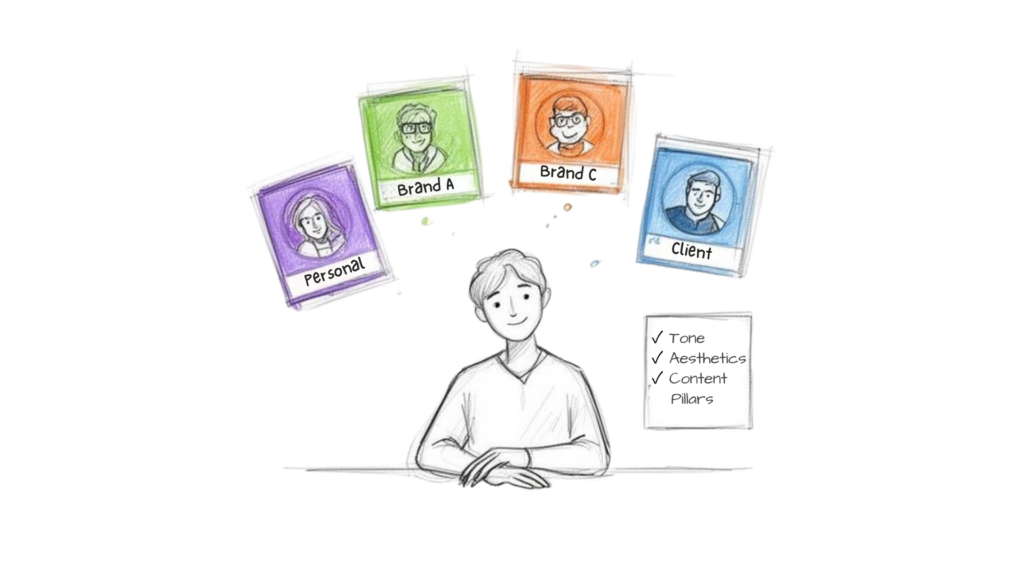
Multiple Accounts Management
The biggest headache isn’t just remembering passwords. It’s about keeping the strategy, voice, and visual style distinct for every single profile you manage—all while avoiding total burnout. The real goal is to manage multiple Instagram accounts effectively by turning that chaos into a smooth, predictable workflow.
If you’re just getting started, Instagram’s built-in account switcher is a great first step. It allows you to easily switch between Instagram accounts directly inside the app, so you can stop logging in and out a dozen times a day. You can add up to five profiles, making it ideal for creators running a personal brand alongside a second Instagram account for a business, side hustle, or client. For solo creators, this small change can make a massive difference in day-to-day efficiency.
This level of organization is more important than ever. With over 80% of users following at least one business, brands that manage multiple Instagram accounts effectively have a clear advantage. A streamlined presence isn’t just convenient—it’s non-negotiable for sustainable growth.
Laying the Strategic Groundwork Before You Post
While the native app works for a handful of profiles, it hits a wall quickly. Once you cross that five-account threshold or start managing high-stakes client accounts, you need a more powerful setup.
But the very first step isn’t picking a tool—it’s defining the rules of engagement for each account. Before you schedule a single post, create a simple brand guide for each profile. This document will be your north star, keeping everything consistent.
- Tone of Voice: Be specific. Is this brand witty and casual, or professional and authoritative? For example, a local coffee shop might use slang and emojis (“OMG, this new cold brew slaps! 🤌”), while a financial advisor needs a formal, trustworthy tone (“Discover three strategies for portfolio diversification in Q3.”).
- Visual Identity: Lock down the color palette, preferred filters, and grid aesthetic. A fitness influencer might use bright, high-energy shots. A minimalist home decor brand will stick to neutral colors and clean lines.
- Content Pillars: What are the 3-5 core topics this account will consistently post about? For a SaaS company, this could be product updates, industry news, and customer success stories. These pillars keep your content focused and prevent random, off-brand posts.
Takeaway: A well-defined brand guide is your best defense against posting mishaps. It ensures every post, comment, and Story feels authentic, building trust and a loyal following for each account.
Choosing Your Multi-Account Management Tool
With your brand guides in hand, you can figure out what level of management you actually need. For a small business owner with a personal and a business account, Instagram’s native switcher is likely enough. To get the most out of it, check out our guide on how to use Instagram for business.
However, if you’re a social media manager at an agency juggling ten client accounts, a centralized dashboard becomes an absolute necessity. At this scale, third-party tools are essential for turning a frantic, manual process into a scalable system.
Here’s how they stack up:
| Capability | Instagram Native App (Up to 5 Accounts) | Third-Party Management Tools (e.g., Clepher) |
|---|---|---|
| Account Limit | Capped at 5 accounts | Virtually unlimited, depending on the plan |
| Scheduling | Limited to posts, Reels, and Stories | Advanced scheduling, content calendars, and bulk uploads |
| Analytics | Basic performance metrics per account | In-depth, comparative analytics across all accounts |
| Team Collaboration | None; requires sharing login credentials | Secure team access, user roles, and approval workflows |
| Inbox Management | Separate inboxes for each account | Unified inbox to manage DMs and comments from one place |
| Automation | Very limited (e.g., Quick Replies) | Advanced DM automation, comment moderation, and routing |
The bottom line: The native app is perfect for getting started, but dedicated platforms are built to handle complexity and save you serious time as you grow. Getting this foundation right sets you up for success as you build out your content engine.
Designing a Scalable Content Engine
If you’re trying to manage a number of accounts by posting one-off, reactive content, you’re setting yourself up for failure. Managing several Instagram accounts manually is a surefire recipe for inconsistent quality, half-baked captions, and that sinking feeling of, “What on earth am I going to post today?”
To scale multiple Instagram accounts without burning out, you need to stop thinking like a content creator and start acting like a content architect. This shift—from chaotic daily scrambles to a controlled, strategic workflow—is how you transform your process, move beyond handling accounts manually, and grow multiple profiles effectively.
From Individual Posts to a Master Plan
The best agencies and social media pros don’t get bogged down in the details of a single post inside the Instagram app. Instead, they zoom out and operate from a master content calendar. Think of this as a strategic roadmap for all your social media accounts, designed to keep everything aligned across multiple brands—not just a simple posting schedule.
Actionable Example: Let’s say you’re handling many Instagram accounts, including three very different clients: a neighborhood café, a personal trainer, and a fashion boutique. Your master calendar gives you a bird’s-eye view of every account—whether they’re brand profiles, personal accounts, or new accounts you’re onboarding—so you can map out distinct themes for each one weeks in advance without confusion or overlap.
- The Cafe: Week one’s theme is “New Spring Menu.” You’d schedule a Carousel post showing the new dishes, a Reel of the barista crafting a specialty latte, and daily Stories with customer reviews.
- The Fitness Coach: The theme is “Debunking Beginner Fitness Myths.” All content is designed to build authority and establish trust with a new audience.
- The Fashion Brand: This week is built around a “Flash Sale,” with a carefully sequenced series of posts to build urgency and drive sales.
This approach guarantees a healthy mix of content formats (Reels, Carousels, Stories) and goals (engagement, sales, leads) for every account. If you ever feel stuck for ideas, our guide on creating quality Instagram content can jumpstart your brainstorming.
Centralize Everything with an Asset Library
We’ve all been there—the frantic, last-minute search for a logo or a specific video file. It’s a colossal waste of time. The fix is surprisingly simple: a centralized asset library.
Use a tool like Google Drive or Dropbox to create a shared folder system where every piece of approved content lives.
Takeaway: Creating a single source of truth for your content assets immediately eliminates version control headaches. It empowers your team to find what they need, right when they need it. No more Slack messages asking, “Hey, can you send me that logo again?”
Your folder structure should be dead simple. Create a main folder for each client, then add subfolders for different content types:
- Graphics: Logos, post templates, and approved brand imagery.
- Videos: Raw B-roll footage, edited Reels, and short clips for Stories.
- Copy: A master doc with pre-approved captions, core hashtag sets, and standard calls-to-action.
This system powers content batching. You can now dedicate a block of time to a single task—one day for shooting all videos for the month, another for writing all captions. This assembly-line approach ensures consistent, high-quality content goes live on the right account, at the right time. Every time.
Unifying Your Inboxes with Smart Automation
Your Instagram DMs are a goldmine. They’re where leads ask questions, customers need help, and your community connects with your brand. But when you’re juggling multiple profiles, inboxes pile up fast—making it harder to effectively manage multiple Instagram accounts without missing opportunities or slowing down response times.
The key to getting your sanity back is centralizing your communications. Imagine every DM from all your accounts flowing into one unified dashboard. No more frantic app-switching. No more worrying that an important message slipped through the cracks. This single inbox becomes your command center for engagement, giving you a clear view of Instagram activity while pairing seamlessly with analytics across multiple accounts to show what conversations actually drive results.
From Manual Replies to AI-Powered Conversations for the Instagram App
Once your DMs are in one place, you can bring in automation as your new superpower. This isn’t about replacing human connection; it’s about handling repetitive tasks, so your team can focus on the high-value interactions that actually move the needle.
Business Use Case: An e-commerce agency manages three online stores. Each inbox is flooded with the same questions: “Where is my order?” “What’s your return policy?” “Do you ship to Canada?”
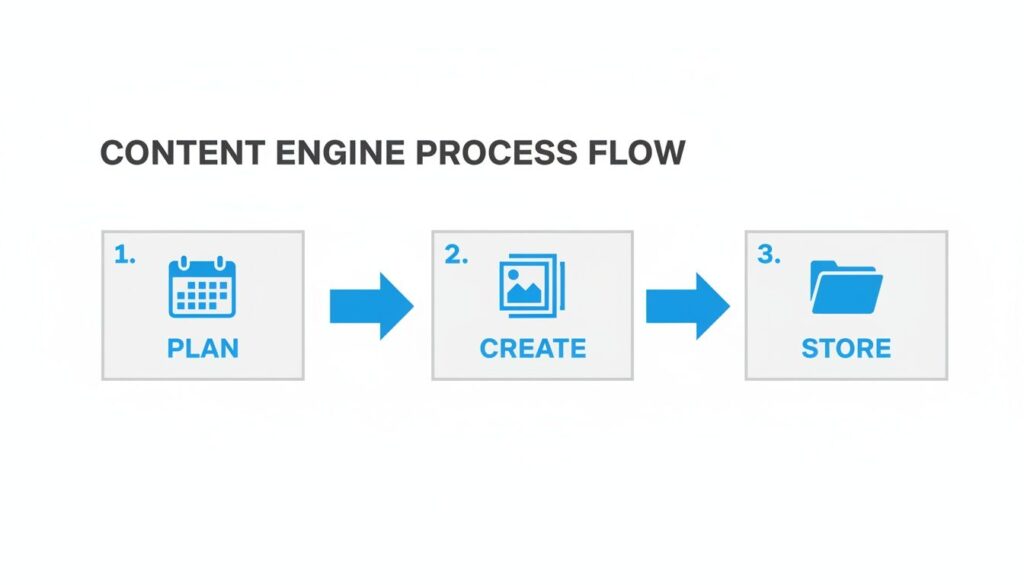
Instead of having agents type the same answers over and over, an AI-powered chatbot can step in.
Process Flow
By setting up a few simple automated responses, the bot can instantly answer these common questions across all three accounts, 24/7. This gives customers immediate answers and frees up your team to handle complex sales inquiries or resolve unique support issues. For a deeper look, see how to automate Instagram messages.
Routing Conversations to the Right People
Smart automation goes beyond FAQs. It can act as an intelligent bouncer for your inbox, making sure every conversation gets to the right person automatically. You can build simple conversational flows that qualify leads or triage support tickets.
For example, a chatbot could ask initial questions to understand a user’s needs:
- “Are you asking about an existing order?” → Routes to the customer support team.
- “Are you interested in a wholesale partnership?” → Routes to the sales department.
- “Do you have a question about our products?” → Routes to a product specialist.
Takeaway: Strategic routing ensures your team’s experts are pulled into conversations they are qualified to handle. The result is a faster, more accurate response system that improves customer satisfaction and helps you close more sales.
This approach transforms your DMs from a source of stress into a powerful engine for growth. By centralizing and automating, you ensure every message gets a timely, professional response that strengthens your brand.
Improving Team Collaboration and Security
How to Manage Multiple Instagram Accounts
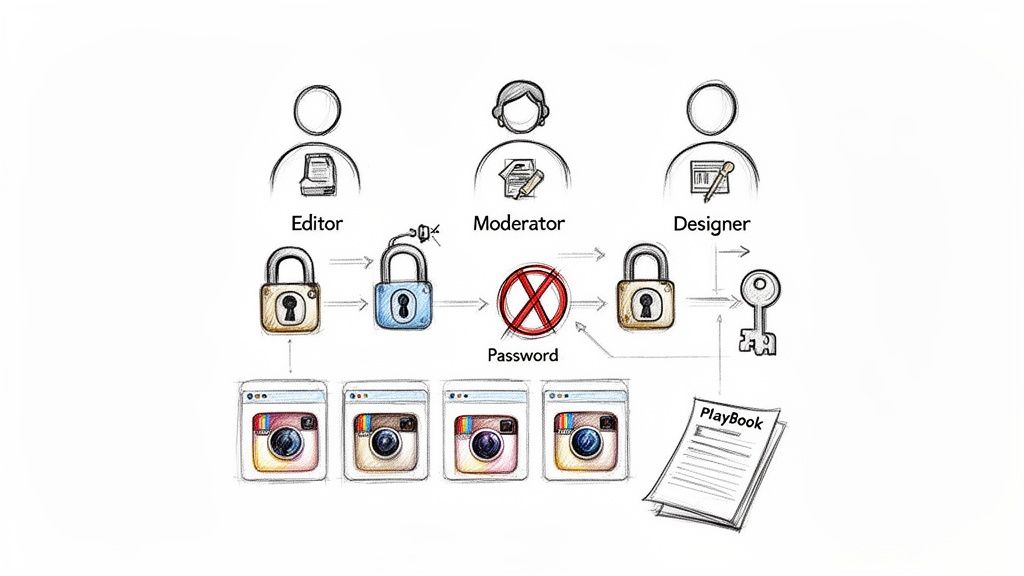
As your operation scales, bringing on a team is the next step. But if your onboarding process involves sharing passwords in a spreadsheet, you’re creating a massive security risk. One wrong login or accidental post can tank a brand’s credibility in seconds.
The solution is to build a secure ecosystem where you can delegate access without ever handing over a password. This approach fundamentally changes how you manage multiple Instagram accounts by swapping shared credentials for smart systems.
Secure Access with Role-Based Permissions
Third-party management tools are non-negotiable for secure team collaboration. They let you grant specific, role-based permissions so team members only access the accounts and features they need to do their job.
Actionable Example: Imagine a team with distinct responsibilities. You can create custom roles that mirror their jobs:
- Content Creator: Can draft and schedule posts for Client A’s account, but cannot publish them or view DMs.
- Community Manager: Has permission to view and reply to comments and DMs for Client B’s account but has no access to posting or analytics.
- Analyst: Gets view-only access to performance metrics for all accounts but can’t engage or post content.
This granular control removes the risk of someone accidentally posting to the wrong account or stumbling into sensitive information. It empowers your team to work confidently within a secure framework.
Takeaway: Assigning roles does more than tighten security—it creates a scalable workflow. Team members see only what’s relevant to them, which cuts down on confusion and sharpens their focus.
Creating a Simple Account Playbook
Alignment is just as crucial as access. Create a simple, one-page playbook for each account you manage. This isn’t a massive brand guide; it’s a quick-reference doc that keeps the strategy clear and consistent for everyone.
Your playbook should cover the essentials: core content pillars, tone of voice, key hashtags, and specific “dos and don’ts.” For digital marketing agencies, this is a lifesaver. With Instagram projected to hit 2.5 billion monthly active users, preventing mix-ups—like posting bakery photos to a tech client’s feed—is essential. You can learn more about building effective agency workflows for managing Instagram to avoid these scenarios.
This systematic approach minimizes security risks, prevents costly mistakes, and gives your team the clarity they need to deliver great work.
Measuring Performance Across Your Portfolio
You can’t improve what you don’t measure. But when you’re juggling multiple Instagram accounts, pulling analytics from each profile one by one is a recipe for disaster. It’s tedious and makes it nearly impossible to see the big picture.
You end up drowning in isolated data points. What worked? What bombed? Why did one client’s account pop off while another’s flatlined? Answering those questions is guesswork without a centralized reporting system.
To get a real handle on performance, track all your accounts from a single dashboard. This lets you compare them side-by-side, spot trends you’d otherwise miss, and finally understand what’s actually working.
Pinpointing the KPIs That Actually Matter
Forget vanity metrics like follower count. To prove your value, focus on the key performance indicators (KPIs) that tell a story about audience behavior and content effectiveness.
Start by zeroing in on these essential metrics for every account:
- Engagement Rate: This classic KPI shows how many people are actively interacting with your content. A healthy rate means your content is truly resonating.
- Story Completion Rate: Are people tapping through your Stories at lightning speed, or are they sticking around to the end? This reveals how captivating your content is.
- Link Clicks: For any account trying to drive traffic to a blog, product page, or sign-up form, this is a bottom-line metric. It directly measures how well your content converts interest into action.
- Saves: A save is a huge compliment. It signals that you’re providing genuine utility, not just fleeting entertainment.
Takeaway: Focusing on these action-oriented KPIs shifts your perspective. You stop asking, “How many people saw this?” and start asking, “How many people did something because of this?” That’s the foundation of a smart measurement strategy.
Creating Unified Reports for Strategic Insights
Once you’re tracking the right numbers, pull them all together in a unified report. This lets you compare performance across your entire portfolio, uncovering insights you’d never catch by looking at accounts in isolation.
Actionable Insight: Your dashboard might reveal that Reels are a massive reach-driver for your B2C fashion client, but carousels generate more leads for your B2B software client. This isn’t just trivia; it’s a strategic directive. It tells you exactly where to focus your creative energy for each account to maximize results.
This bird’s-eye view is a game-changer for anyone learning how to manage multiple Instagram accounts. Centralized dashboards eliminate the soul-crushing cycle of logging in and out of each profile. You can instantly spot your top-performing content and figure out why it worked. You can get more ideas for leveraging centralized analytics.
This level of comparative analysis is what separates a good social media manager from a great one. You move from just executing tasks to making data-driven decisions that actively grow each account. It’s how you optimize your strategy and turn scattered data into a clear roadmap for success.
Common Questions About Managing Instagram Accounts
Once you start juggling multiple Instagram accounts, the questions start piling up. Getting straight answers is the only way to build a workflow that’s both efficient and secure. Here are the solutions to the most common hurdles social media managers and agencies run into.
Conclusion
In short, the right tools make all the difference. A social media management platform designed to simplify and consolidate Instagram posts is the easiest way to manage your Instagram presence—whether you’re running one Instagram account or juggling multiple accounts, including a new Instagram account, a brand account, or five accounts for different clients. An all-in-one solution helps you schedule and publish content, schedule Instagram posts at optimal posting times, and access in-depth analytics for smarter content planning—all without constantly switching apps or worrying about frequent account switching being flagged.
Practical Instagram management tools that combine a mobile app with browser access let you manage accounts in one dashboard, making it easy to switch between them without logging in each time. This reduces friction whether you’re toggling between two accounts or dozens. Knowing when to keep everything in one account versus when to create multiple accounts helps reduce complexity and avoid costly errors. With the right platform supporting content planning, scheduling, publishing across Instagram and Facebook, and analytics, you can manage social media efficiently and maintain a consistent brand voice across all business or creator profiles.
Ready to centralize your Instagram DMs and put your engagement on autopilot? Clepher offers an AI-powered platform to manage all your conversations from a single dashboard, qualify leads automatically, and deliver instant customer support. Start your free trial and see how much time you can save.

Related Posts
Facebook Marketplace Bot: A Step-by-Step Guide (2026)
May 9, 2026Live Chat on Wix: How to Install & Optimize in 2026
May 8, 2026Facebook AI Chat Bots: Your 2026 Conversion Guide
May 7, 2026
Founder Clepher