
When you introduce AI into your sales workflow, you’re not just giving your team another tool—you’re giving them a 24/7 teammate. From lead grading and deal forecasting to chatbots that convert curious visitors into customers, AI sales tools reduce manual tasks and accelerate pipelines.
Understanding the Benefits of AI for Sales
AI merges predictive forecasts with conversational insights. Your reps spend less time on busywork and more time on high-impact conversations. That shift translates into shorter sales cycles and fast, measurable wins.
- Lead Scoring speeds up qualification and lifts conversion rates.
- Predictive Forecasting flags pipeline risks and improves revenue forecasts with high accuracy.
- Conversational Intelligence automates routine chats and captures real buying signals.
- Email Follow-Up Automation cuts e-commerce response time by up to 50%.
Predictive models often hit 85%+ accuracy, sharpening quota planning and resource allocation. Bots that resolve routine questions on the spot can boost engagement and cut response times by 60%.
In one survey across mid-market tech firms, companies deploying AI cut admin work by 90%, grew qualified opportunities by 33%, and saw a 10–20% ROI increase while reducing human error by 20%. Read the comprehensive research about AI sales productivity.
90% less admin work and 33% more qualified opportunities underline why AI is a game-changer for sales teams.
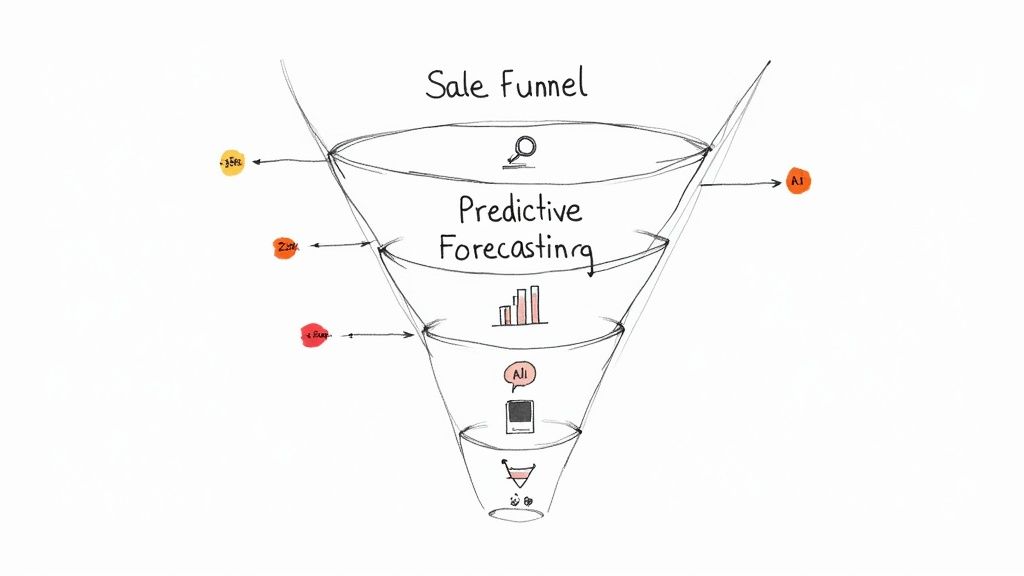
AI Sales Benefits
Once live, these tools start mapping patterns across millions of data points. ROI often appears within weeks, paying back implementation costs in just 3–6 months.
Measuring Impact And ROI
To prove AI’s value, track metrics that matter:
- Conversion Lift: Percentage increase in closed deals
- Time Saved: Reduction in manual activities
- ROI: Incremental revenue divided by implementation costs
Real-World Impact Examples
Teams across industries are already seeing results:
- A retail e-commerce squad trimmed email follow-up time by 50% with AI-driven sequences.
- A SaaS vendor saw a 25% boost in demo-to-deal conversion after adding an AI assistant.
Key Benefits of AI in Sales
|
AI Feature |
Sales Impact |
Time Saved |
ROI Increase |
|
Lead Scoring |
Focuses reps on high-potential prospects |
30% |
10% |
|
Predictive Forecasting |
Enhances pipeline visibility |
40% |
15% |
|
Conversational Chatbots |
Automates FAQs and booking |
50% |
12% |
|
Email Follow-Up Automation |
Schedules and personalizes follow-ups |
50% |
14% |
This breakdown shows exactly how each feature drives faster results and higher returns.
Learn more about AI chatbots’ benefits in our guide on AI chatbots today.
Select the Best AI Sales Use Cases
Choosing the right pilot builds momentum fast. Start by mapping your sales funnel to spot high-volume touchpoints that stall deals. Repetitive tasks jump out, freeing reps from routine work and boosting both efficiency and morale.
In practice, your first AI pilot should balance complexity, cost, and impact. Pick a use case that slots into your stack without heavy lifting, so you see wins quickly.
- Chatbots for lead capture: Automate welcome messages, qualifying questions, and push contacts into your workflows.
- Predictive Lead Scoring: Surface hot prospects by analyzing behavior, firmographics, and past interactions.
- Dynamic Email Personalization: Tailor subject lines and content in real time based on browsing and purchase signals.
Before you dive in, audit your CRM and marketing lists for missing contacts or sparse activity logs. A simple data-flow diagram—showing sources, processors, and storage—will save headaches later.
To illustrate, an e-commerce team I worked with fed purchase logs and site events into a lightweight model. Within weeks, cross-sell rates jumped by 18%, giving them a clear map of which pilots to roll out next.
Assess Data Readiness
Confirm your data has enough depth and accuracy to train models or run basic analyses. Even 1,000 records can be enough to prove a concept.
- Volume metrics: Aim for at least 1,000 records in each key table.
- Consistency checks: Ensure fields like email, job title, and region align across systems.
- Freshness: Verify that recent event logs capture the latest customer behaviors.
Once you’ve checked these boxes, plug numbers into a simple ROI formula to forecast potential revenue.
Estimate ROI Impact
Forecasting ROI starts with conservative lifts in conversion rates or deal size. Even small gains scale across volume. For example, a 5% uptick on 1,000 monthly leads translates to 50 extra qualified prospects.
|
Use Case |
Estimated Lift |
Time to Value |
|
Chatbots |
10% more leads |
4 weeks |
|
Predictive Lead Scoring |
15% conversion |
6 weeks |
|
EmAIl Personalization |
8% open rate |
3 weeks |
This table lays out pilot trade-offs at a glance, helping teams choose the sweet spot between speed and impact.
Align Pilots With Tech Stack
Your CRM and marketing tools should guide—not block—your AI experiments.
- Integrations with Salesforce, HubSpot, and Pipedrive for seamless lead routing.
- Zapier and Make connectors to link email and SMS broadcasts.
- Custom webhooks to trigger actions in order management or support platforms.
At a local agency, wiring an AI qualification form into its CRM cut manual entry by 40%, freeing reps to spend more time on calls. Document workflows and gather rep feedback—those insights often uncover hidden snags.
Build Your Final Use Case Shortlist
After scoring impact and readiness, you’ll have a ranked list of pilots. I recommend pairing one low-effort, high-return use case with a more ambitious stretch goal:
- Low-effort chatbots for FAQs and lead capture—live in days.
- Predictive scoring using existing data—live in weeks.
- Email personalization A/B test for top segments—live in a month.
This shortlist becomes your AI playbook. It aligns budgets, timelines, and KPIs so everyone knows what success looks like.
“A clear shortlist—and solid ROI metrics—win buy-in and build momentum. Early victories pave the way for broader AI adoption.”
Now, pick your top idea, set the metrics, and let the experiments begin.
Design AI-Driven Sales Conversations
Before any code is written, map out how prospects move from that first click to a real conversation. Breaking the journey into bite-sized pieces makes chat and voice flows feel like genuine human interaction.
Define Buyer Intents
List the main reasons someone might reach out:
- Pricing Inquiry – Questions about plans and fees
- Product Demo – Booking a trial walkthrough
- Feature Exploration – Comparing capabilities with competitors
- Post-Purchase Support – Checking order status or returns
Feeding these FAQs into your model helps it spot patterns and deliver spot-on answers.
Build Natural Prompts
Prompts should feel like a teammate, not a script. Pull real customer questions from your help center or support tickets and weave them into your prompts.
“Clarity in prompts reduces misunderstandings by 25%, improving user satisfaction.”
Match the tone to your brand voice for consistency and trust.
Visualize AI Flow
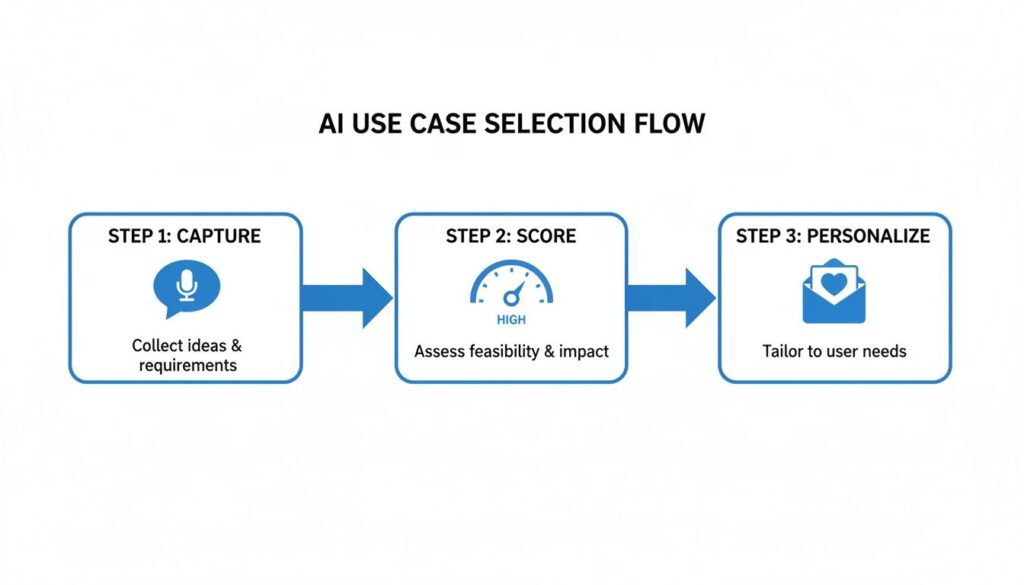
AI Use Case Selection Flow
This flowchart shows how messages move from lead capture through intent scoring to tailored follow-up sequences.
Sample Conversations
Here are two real dialogues that highlight prompt design and escalation logic:
- SaaS Trial Bot
User: “I signed up but haven’t seen a tutorial.”
Bot: “I can guide you. Would you like a quick setup overview or a live demo link?”
User: “Live demo link, please.”
Bot: “Great! Here’s a scheduled slot link: [Demo Calendar].”
- Retail Post-Purchase Assistant
User: “Where is my order #12345?”
Bot: “It shipped on June 5 and should arrive in 2 days.”
User: “It’s urgent.”
Bot: “I’m escalating this to a live agent now. They’ll message you on WhatsApp shortly.”
These examples showcase persona design, fallback logic, and escalation triggers in action.
Persona Design Tips
Define a clear persona profile:
- Demographics (age range, location, role)
- Behavioral data (browsing patterns, support history)
- Labels like Tech Enthusiast, Small Biz Owner, Executive
A well-defined persona helps your AI reply in a tone that truly resonates.
Fallback Logic Strategies
No bot is perfect. Give unknown queries a clear path:
- Ask a clarifying question
- Offer a shortlist of related FAQs
- Escalate to a human when needed
Log these moments to refine your training set and reduce future misses.
Escalation Trigger Rules
Hand off to a person for complex or urgent queries:
- Watch for urgency keywords like “now,” “help,” or “problem.”
- Track repeated failed intent matches
- Honor direct requests for a human
Quick handoffs can cut resolution time by up to 30%.
Measure Response Accuracy
Use your analytics dashboard to track:
- Intent Accuracy: Correct intent matches percentage
- Resolution Rate: Cases closed without agent intervention
- Escalation Frequency: Handoffs per session
- First Response Time: Delay between user message and bot reply
Aim for intent accuracy above 90% and keep escalation rates low.
Test And Tune
Real-world testing reveals blind spots:
- Invite internal testers or loyal customers
- Monitor intent recognition rates and fallback frequency
- Adjust prompts and thresholds based on performance data
Channel Integrations
Meet prospects where they are and sync every interaction with your CRM:
- Web Chat Widget: Embed on key landing pages for instant capture
- SMS Gateway: Send alerts and follow-ups on mobile
- Voice Bot: Route calls through natural-language IVR
|
Channel |
Best Use Case |
Response Time |
ROI Impact |
|
Web Chat |
Lead capture on site |
<5s |
12% lift |
|
SMS |
Follow-ups and alerts |
<10s |
8% lift |
|
Voice |
High-value qualification |
<15s |
15% lift |
Seamless integration raises lead capture by 18% by eliminating manual handoffs.
With this blueprint, you can launch AI-driven conversations that engage prospects, capture intent, and qualify leads without pulling your team away from high-value work.
Improve AI Lead Qualification and Routing
Swap guesswork for data-driven clarity. With AI, every lead is scored and routed based on real signals, not gut feelings.
“AI lead scoring moves you from opinions to data-backed decisions in seconds.”
Predictive models weave together firmographic, behavioral, and intent signals into a single health score:
- Firmographic signals reveal industry, company size, and revenue—ideal for targeting strategic accounts.
- Behavioral signals track page visits, content downloads, and email opens.
- Intent signals scan search queries or social chatter for purchase interest.
- Combined scores cut through the noise and surface qualified leads instantly.
In one case, a B2B SaaS team fed six months of CRM history into their model and hit 90% forecast accuracy. An agency slashed churn by 30% through automated lead reassignment.
Training With Historical Data
To teach your AI what truly sells, export at least 12 months of closed-won and closed-lost deals. Include deal size, region, contact role, and outreach timestamps.
- Label each record as a win or a loss—your ground truth.
- Cleanse duplicates and fill gaps to ensure complete attributes.
- Feed the dataset into your model so it picks up hidden patterns.
Retrain these models monthly to adapt to seasonality shifts and market trends.
Setting Up Your AI Pipeline
Begin by exporting lead histories from your CRM. Hook up tools like Salesforce and HubSpot via API or Zapier to keep data flowing automatically.
Here, Einstein Lead Scoring highlights top prospects in green and lower-value leads in red. Those insights drive routing rules that send hot leads straight to senior reps without manual handoffs.
Manual Scoring vs AI Lead Scoring Metrics
Compare traditional and AI-driven approaches:
|
Metric |
Manual Approach |
AI-Driven Approach |
|
Conversion Rate |
20–25% |
29–30% |
|
Churn Reduction |
5–10% |
13–31% |
|
Forecast Accuracy |
60–70% |
90% |
Key Insight AI-driven scores gain accuracy as data volumes grow, delivering scalable, consistent insights.
These improvements translate into 9–20% jumps in marketing conversions and 13–31% drops in churn while driving forecast accuracy to 90% . Learn more about AI lead scoring on MarketsandMarkets.
Automating Routing Rules
With scoring live, set up routing thresholds in your CRM or automation platform:
- Leads scoring above 80 go to enterprise account executives immediately.
- Scores between 50 and 79 route to mid-market reps with tailored follow-up tasks.
- Anything under 50 enters a nurture sequence with automated emails.
Amp up engagement by weaving in conversational follow-ups. Check out our guide on AI chatbots for lead generation in Clepher to see how bots handle the first touch before handing off your hottest prospects.
Triggers fire in real time—SMS, email, or Slack notifications alert reps the moment a lead crosses your threshold. That speed turns your funnel into a self-optimizing revenue engine.
Start small, track your KPIs, and iterate. In lead qualification and routing, precision always beats volume.
Personalize Outreach And Integrate Your CRM
Imagine reaching out to every prospect as if you’re speaking one-on-one. By analyzing behaviors, profiles, and past purchases, your messages gain a personal touch—at scale. With tailored content and uninterrupted data flow, engagement climbs, and revenue follows.
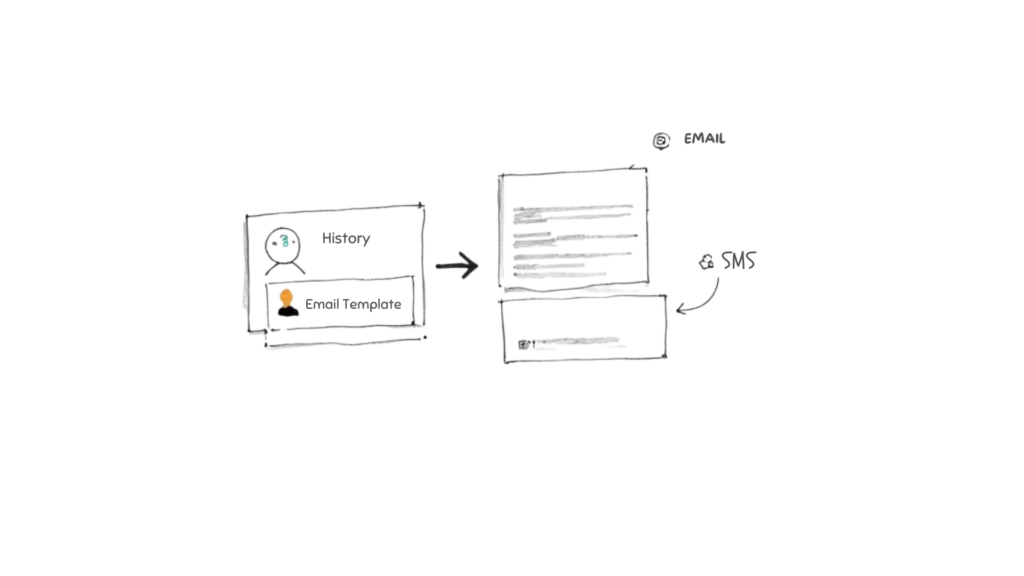
Integrate CRM
Audience Segmentation With AI
Let AI sort contacts into meaningful clusters:
- Purchase frequency and preferred categories
- Pages visited and time spent browsing
- Demographic and firmographic details
This clarity powers campaigns across email, SMS, and social channels, setting the stage for a truly strategic sales process.
Crafting Custom Messages
Dynamic templates swap content in real time. Here’s a simple workflow:
- Define the segment and its behavior trigger
- Align each segment with the right product or content block
- Run A/B tests to fine-tune opens and clicks
25% higher click rates can result when dynamic blocks match user preferences.
Once your email engine hums, bring personalization to SMS and social ads. AI auto-generates concise copy based on interests—so every message feels fresh without rewriting every line.
Connecting AI Insights To CRM
All insights matter only if reps see them instantly. A seamless link between your AI platform and CRM ensures scores, segments, and tags flow directly into each lead record.
|
CRM |
Integration Method |
Data Synced |
|
Salesforce |
API/Webhook |
Lead score, segments, tags |
|
HubSpot |
Native connector |
Custom properties and campAIgns |
|
Custom |
Webhooks or middleware |
Events, personalization tokens |
Check out our guide on integrating HubSpot seamlessly with AI-driven segmentation.
“Reps respond faster when lead context appears automatically in their CRM.”
Next, set up triggers so that when a prospect hits a key behavior threshold, their score updates in real time. No manual data entry, just up-to-the-minute context.
Triggering Multi-Channel Campaigns
With CRM records enriched, orchestrate messages across every channel:
- Email blasts with personalized subject lines
- SMS alerts for time-sensitive offers
- Social ad retargeting based on recent behavior
Each interaction writes back to your CRM immediately, so nothing slips through the cracks.
Real-World Example Workflows
E-commerce flow:
- The visitor checks Product A but leaves without buying
- After 24 hours, AI sends an email featuring Product A
- Two days later, AI showcases a complementary item if there’s no click
Local agency workflow:
- Three logins from a free-trial user trigger an upgrade offer
- No response in five days routes the lead to a sales rep
A 25% lift in trial conversions was achieved by linking these conditional rules.
Constant feedback ensures reps never miss updates—they focus on selling, not data wrangling.
Best Practices For Personalization
Testing is non-negotiable. Always pilot subject lines and hooks before a full launch.
- Use A/B tests on email and SMS to compare variants
- Review open and click-through rates weekly
- Gather feedback from reps on tone and timing
Small tweaks can yield 10%+ lift in engagement.
Measuring ROI
To prove AI’s impact, track metrics that matter:
- Define your KPIs: open, click, and conversion rates
- Pull reports from your CRM and AI analytics dashboard
- Benchmark against previous campaigns to spot real growth
Leverage these insights to sharpen segments and refine messaging each cycle.
Common Mistakes To Avoid
Watch out for pitfalls that kill engagement:
- Overloading messages with too many product links
- Ignoring unsubscribe data, which harms deliverability
- Letting profiles go stale by skipping daily syncs
Consistency and data hygiene are key to scaling outreach effectively.
Make regular audits part of your routine.
Optimize Performance And Ensure Compliance
Bringing AI into your sales process is just the first step. The real gains come from testing, tracking, and tweaking at every turn. Small, frequent adjustments driven by data and team feedback turn a basic chatbot into a finely tuned sales assistant.
- A/B tests compare chat flows and email sequences.
- KPI dashboards highlight conversion lift and deal velocity in real time.
- Automated alerts notify your team when metrics slip below agreed thresholds.
On the ground, teams pair these tactics with user reviews to spot edge cases and bugs early. A small marketing agency ran split tests and monthly audits, slashing drop-off rates by 18% within three months.
A/B Testing For Chatbots And EmAIls
Sharper interactions start with focused experiments:
- Define a crisp hypothesis: tweak a chatbot greeting or emAIl subject to move the needle.
- Split your contacts into two equal groups and run both experiences simultaneously.
- Use statistical tools to confirm which version delivers a real uplift.
An online retailer tested two different greetings and recorded a 15% lift in qualified leads.
With Clepher’s random path distribution, you can launch multivariate tests without extra code. Always log your parameters and outcomes in Clepher’s analytics dashboard.
Tracking KPIs And Calculating ROI
Numbers tell the story. Zero in on metrics that reflect sales impact:
- Conversion Lift
- Deal Cycle Time
- Average Deal Size
A simple ROI formula—(incremental revenue – AI costs) ÷ AI costs—gives you a clear financial picture. Keep an eye on Lead Velocity Rate to track pipeline changes month over month.
One team merged chat and email KPIs into a single dashboard and boosted ROI tracking accuracy by 20%.
|
Metric |
Before AI |
After AI |
|
Deal Cycle Time |
45 days |
35 days |
|
Win Rate |
40% |
52% |
|
Response Time |
2 hours |
30 minutes |
Data-driven metrics fuel stronger budget requests and faster buy-in.
Merge CRM reports with Clepher analytics to create a single source of truth and simplify exec updates.
Model Retraining And Data Compliance
AI models drift if neglected. Plan retraining every 30–60 days and monitor prediction errors.
- Maintain audit trails for GDPR and CCPA requests.
- Encrypt customer data at rest and in flight.
- Enforce role-based access controls and detailed logging.
“Regular audits and retraining are non-negotiable to keep AI reliable and compliant.”
Use version control for model code and data schemas to roll back if needed. Work closely with legal and security teams to align AI checks with governance frameworks.
Embedding performance and compliance routines into your quarterly rhythm keeps momentum going. When optimization loops and governance move in tandem, your AI-powered sales engine delivers steady revenue growth—and peace of mind.
Frequently Asked Questions
These FAQs tackle common hurdles when weaving AI into sales workflows. You’ll find actionable tips, real-world examples, and quick wins you can apply right away.
Every tip here comes from real wins in e-commerce, SaaS, and local outfits. Ready to turn conversations into conversions? Turn conversations into conversions with Clepher.

Related Posts
Unlock Growth with Conversational AI for Customer Support
March 26, 2026Your Ultimate Guide to Instagram Chat Bots
March 25, 2026How to Create a Killer Poll Game on Instagram to Boost Engagement and Leads
March 24, 2026
Founder Clepher