

When someone replies to your Instagram Story, it’s not just a comment or a like. That message lands directly in your DMs, kicking off a private, one-on-one conversation.
This is a game-changer. A Story reply signals a much deeper level of interest than a passive view, making it one of the most powerful tools you have for building real relationships and guiding followers toward a sale.
Why Instagram Story Replies Are a Hidden Goldmine

Instagram Story Replies
Sure, metrics like views and likes feel good, but they’re mostly vanity metrics. Someone can tap through your entire Story without actually engaging.
An Instagram Story reply, on the other hand, is an active signal. It’s a conscious choice to start a conversation. That simple action transforms a passive viewer into an active prospect, moving the interaction from a public broadcast to a private channel where real connection—and conversion—happens.
Think of it this way: a “like” is a polite nod. A DM reply is someone walking up to you to introduce themselves. For a business, that shift is everything.
Turning Stories into Conversation Funnels
Every Story you post is an opportunity to be a conversation starter. When you strategically encourage replies, you create a direct pipeline to your most engaged followers.
This reframes your entire content strategy. Instead of just posting content, you’re creating opportunities.
- Gather Customer Feedback: Post a Story asking, “What’s the #1 thing you struggle with when it comes to [your niche]?” Each reply is pure gold for market research.
- Segment Your Audience: Use a quiz where users reply with their answers. Now you can tag them based on their interests or pain points, setting the stage for perfectly targeted follow-ups.
- Drive Direct Sales: A Story showcasing a new product with the call-to-action “Reply ‘DETAILS’ for a secret link” creates exclusivity and drives high-intent clicks.
The real value isn’t just the reply itself, but the permission it grants you to continue the conversation. A single reply is an open invitation to nurture a lead or guide a customer toward a purchase.
The Power of High-Intent Interactions
The scale of this opportunity is massive. With over 500 million people using Stories daily, it’s a primary communication channel on the platform.
Research shows that roughly one in five Stories gets a direct reply, proving audiences are willing to interact when given a reason. For businesses, this means Story replies are a direct line to audience feedback and sales. You can explore more insights in Amra & Elma’s report on Instagram Stories statistics.
A reply signifies genuine interest. Someone who types out a message is far more invested than someone who just passively taps through. By focusing on generating these interactions, you stop chasing fleeting views and start building a community of followers who are genuinely interested in what you have to sell.
How to Craft Stories That Drive Conversations
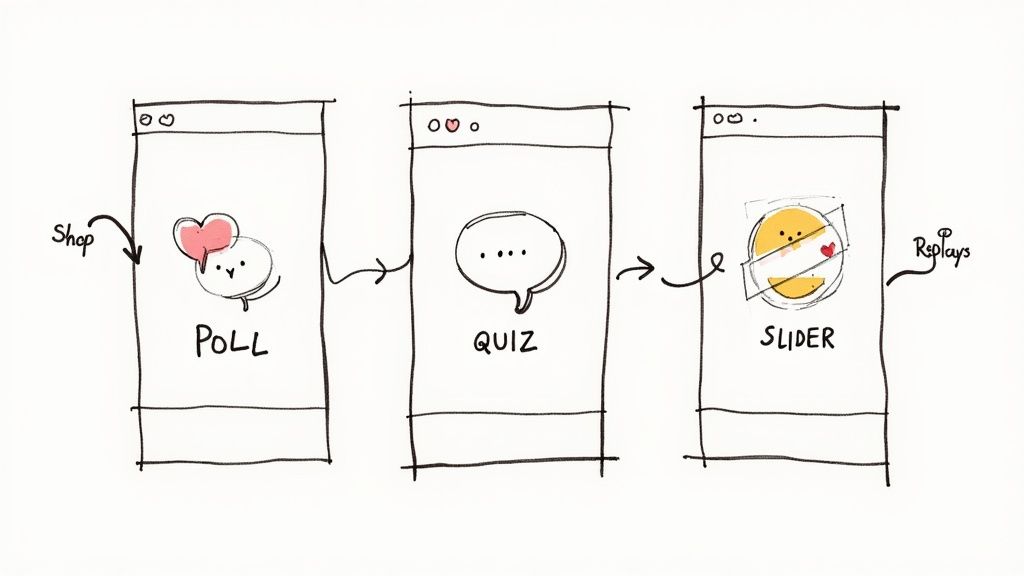
Instagram Story Replies Features
Getting more Instagram Story replies isn’t luck; it’s strategy. Your goal is to create content that practically begs for a response, turning silent followers into active participants.
This means moving beyond generic prompts and being intentional. Every Story should use Instagram’s interactive features to guide your audience toward a specific business goal.
Of course, before you get replies, you need eyeballs. Learning how to get more views on Instagram Story is the first step, as a wider audience means more opportunities for engagement.
Use Interactive Stickers as Conversation Starters
Instagram’s built-in stickers are your secret weapon. They make it easy for someone to engage—a quick tap is much less effort than typing a full sentence. But the real magic is how you can use them to qualify and segment your audience.
- Polls: Ask a simple “This or That” question. A marketing agency could ask: “Which platform is your focus this quarter? Instagram or TikTok?” The answers instantly reveal what your audience is prioritizing.
- Quizzes: These are perfect for qualifying leads. A fitness coach could run a quiz titled “What’s Your Biggest Fitness Hurdle?” with options like “Motivation,” “Nutrition,” or “Time.” Anyone who taps “Nutrition” is a warm lead for a meal planning program.
- Sliders: Use an emoji slider to gauge interest. A clothing brand could post a new product and ask, “How excited are you for this drop? 🔥” The people who slide it to the right are your super-fans—perfect for an early-bird offer sent to their DMs.
Every one of these interactions is a data point. You’re not just chasing engagement; you’re learning what your audience needs, which is pure gold for your follow-up messages.
Story Prompts to Drive Different Types of Replies
| Business Goal | Story Prompt Idea | Example Call-to-Action |
|---|---|---|
| Simple Engagement | “This or That” Poll | Which design do you like more? VOTE! |
| Audience Research | Quiz Sticker | What’s your #1 struggle with [topic]? |
| Product Feedback | Slider Sticker | How much would you use this feature? (Slide to tell us) |
| Warm Lead Generation | Question Sticker | What’s holding you back from [achieving goal]? |
| High-Intent Leads | Direct Reply Prompt | Reply ‘GUIDE’ to get my free checklist. |
| Sales Conversion | Exclusive Offer | Want early access? Reply ‘SECRET’ for the link. |
Use this table as a starting point. The key is to match the prompt to the action you want your follower to take next.
Build Intrigue with Narrative Storytelling
Humans are wired for stories. Instead of random updates, create short, compelling narratives that unfold over a few slides, making people want to see what happens next.
One of the most effective ways to do this is with a cliffhanger. Start a fascinating case study or client success story. Just as you get to the most interesting part, end the sequence with a prompt: “Reply ‘RESULT’ and I’ll send you the full story.”
This creates an “information gap” that people feel a need to close. They are no longer passively watching; they’re actively chasing the conclusion, which makes their reply incredibly valuable.
Actionable Takeaway: Create a sense of urgency and exclusivity. The information they receive in their DMs should feel like a reward for their interaction, strengthening their connection to your brand.
For more creative ideas, check out our guide on the top Instagram Story games—they’re a fun way to get people talking.
Optimize Your Story Length and Structure
How you organize your Stories makes a huge difference. Data shows the first three Stories are a major drop-off zone, with exit rates hitting 12.99% after the first slide. If you can keep them past that point, retention levels off.
This means your opening Story has to be a showstopper.
The sweet spot? Brands posting up to five Stories a day tend to keep about 70% of their viewers all the way through. It’s enough to tell a good story without overwhelming your audience. Better retention leads directly to more opportunities for people to send those valuable Instagram Story replies.
Setting Up Your Automated Reply Engine
As your brand grows, manually answering every single Instagram Story reply becomes impossible. That initial buzz of engagement quickly turns into a massive time sink, and potential leads fall through the cracks while they wait for a response.
This is the moment automation transforms from a “nice-to-have” to your most powerful asset.
An automated reply engine, like the one you can build with Clepher, becomes your secret weapon for scaling these one-on-one conversations. It guarantees every person who replies gets an immediate, relevant response—24/7. This system is your always-on assistant, capturing leads and delivering resources without you ever touching your phone.
The idea isn’t to kill human connection; it’s to supercharge it. Automation handles the repetitive first steps, freeing you to personally engage in the conversations that matter most.
Connecting Your Instagram Account
First, you need to give your automation tool permission to manage your DMs. This is a secure, one-time setup that takes just a few clicks.
Inside a platform like Clepher, you’ll head to the integrations section and authorize your Instagram Business account. Once connected, the tool can “listen” for incoming Story replies and trigger the automated flows you’re about to build.
Establishing Keyword Triggers
This is where the magic happens. Keyword triggers are the brains of your automated reply system. You define specific words or phrases that, when used in a Story reply, kick off a specific automated message sequence.
It’s like teaching the system commands: “When someone replies with this word, I want you to do that action.”
Here are a few practical business examples:
- For Lead Magnets: You post a Story promoting a new guide with the call-to-action: “Reply with ‘GUIDE’ to get it instantly!” When someone replies “GUIDE,” the system automatically messages them the download link. No waiting, no manual work.
- To Segment Your Audience: A coach with two programs (beginner and advanced) posts a Story asking, “Which level are you? Reply ‘BEGINNER’ or ‘ADVANCED’.” Each keyword triggers a different flow, sending tailored information and tagging the user for future follow-ups.
- To Run a Flash Sale: An e-commerce brand creates urgency with a Story that says, “Our flash sale is live! Reply ‘SECRET’ for the exclusive link.” The keyword “SECRET” instantly unlocks the automated message with the link to the hidden sale page.
Pro Tip: Keep your keywords simple, easy to remember, and directly tied to the call-to-action in your Story.
By setting up precise keyword triggers, you transform your DMs from a chaotic inbox into an organized, efficient lead-capture machine. Every reply becomes a deliberate step in a customer journey you’ve designed.
Scripting Your First Automated Message
That first automated message is critical—it must be instant, helpful, and feel personal, even though it’s automated. You’re simply acknowledging their action and delivering on the promise you made in your Story.
Here’s a quick look at how simple it is to build a keyword trigger and response flow inside a no-code builder.
This visual shows the core concept: a user’s reply with a specific keyword immediately kicks off your pre-written response.
A great first message only needs three things:
- Instant Acknowledgment: Confirm you got their message. “Hey [First Name]! You got it.”
- Value Delivery: Give them what they asked for immediately. “Here’s your free guide to [Topic] as promised.”
- A Clear Next Step: Tell them what to do next. “Click the link below to download it now. Would love to know what you think!”
This simple formula makes the interaction feel both conversational and efficient. For more advanced scripting techniques, check out our complete guide on automated Instagram messaging.
Building Smart Automation Flows That Convert
A basic auto-reply is good, but a smart one is a game-changer. By moving beyond simple keyword triggers, you can build conversational flows that qualify leads, segment your audience, and guide people toward a purchase—all on autopilot. This is how you turn Instagram Story replies into a true conversion engine.
Instead of just blasting a link, a smart flow asks questions, figures out what the person wants, and delivers a tailored experience. It’s the difference between a vending machine and a personal shopper.
Using Conditional Logic to Qualify Leads
Conditional logic is the brain behind your smart automation. It allows your flow to ask questions and then perform different actions based on the answers, turning a one-way message into a dynamic, two-way conversation.
Imagine a real estate agent posts a Story about a new listing with the CTA, “Reply ‘INFO’ for details.”
- A basic flow: Dumps a link to the Zillow page.
- A smart flow: Asks, “Thanks! To help you out, are you a first-time homebuyer or an experienced investor?”
Based on that one answer, conditional logic sends totally different follow-ups. The “first-time homebuyer” gets a helpful guide on the buying process, while the “investor” receives a portfolio of similar properties. That’s how you provide real value.
Real-World Scenarios for Smart Flows
Let’s see how this works for different businesses:
- E-commerce Brand: A clothing store’s CTA is, “Reply ‘STYLE’ for a personalized recommendation!” The flow asks, “Shopping for a casual look or a formal event?” Depending on the reply, it sends a curated link to the right product category and tags the user for future marketing.
- Business Coach: A coach runs a Story poll: “Biggest challenge? A) Getting clients or B) Scaling.” When someone votes, an automated flow triggers, asking, “Got it. Are you currently making less than $10k/month or more?” This qualifies them for different coaching programs on the spot.
- B2B Service: A marketing agency posts a case study asking people to reply “STRATEGY” for a free consult. The automation follows up: “Happy to help! To prepare, what is your company’s approximate annual revenue?” This pre-qualifies leads so the sales team only talks to high-value prospects.
To build these intelligent conversations, you need a platform designed for it. A powerful chatbot for Instagram like Clepher provides the visual, no-code tools to create these complex yet effective flows.
Segmenting and Nurturing on Autopilot
The real power of smart flows comes from what happens after the first chat. By asking qualifying questions, you automatically segment users into different funnels.
A smart automation flow doesn’t just respond; it listens, learns, and sorts. It turns your messy DM inbox into a perfectly organized database of qualified leads, each tagged and ready for the right follow-up.
This visual shows the basic building blocks for setting up a smart automation flow.

Instagram Story Replies Flowchart
This decision tree is just the start. The magic happens when you add conditional branches after the keyword is triggered.
Once a user is tagged (e.g., ‘hot-lead,’ ‘new-customer’), you can schedule timed follow-ups. A user tagged ‘hot-lead’ might get a personal check-in from your team 24 hours later, while someone tagged ‘new-customer’ could get a message a week later asking for feedback.
This entire process turns your Instagram DMs into an intelligent sales assistant that works around the clock to identify your best prospects and nurture them toward becoming loyal customers.
Measuring What Matters and Optimizing Your Strategy
Running a powerful automation strategy without tracking results is like driving with your eyes closed. To turn Instagram Story replies into a reliable growth engine, you have to measure what matters.
If you don’t measure it, you can’t improve it. This means going beyond Instagram’s built-in insights. We’re after the data that reveals the true return on investment (ROI). The goal is to build a data-driven feedback loop where every Story and automated flow gets a little smarter than the last.
Key Metrics for Your Story Reply Funnel
The most valuable data is inside your automation platform. A tool like Clepher tracks the entire user journey, from the initial reply to the final conversion.
To understand your account’s overall health, an Instagram Engagement Rate Calculator can provide useful context. But for your funnel, focus on these KPIs.
Key Metrics for Your Story Reply Funnel
This table breaks down the metrics you need to watch to see the real business impact of your efforts.
| Funnel Stage | Metric to Track | Why It Matters | Tool for Tracking |
|---|---|---|---|
| Top of Funnel | Reply Volume per Story | Shows which content prompts actually start a conversation. It’s your first signal of what resonates. | Instagram Insights & Clepher Analytics |
| Middle of Funnel | Keyword Trigger Frequency | Tells you which CTAs and keywords are most effective at getting people into your funnel. | Clepher Analytics |
| Middle of Funnel | DM Click-Through Rate (CTR) | Measures how many people click the links you send in your automated DMs. A direct measure of your offer’s appeal. | Clepher Analytics & URL Shorteners |
| Bottom of Funnel | Conversion Rate | The ultimate goal—tracking the sale, sign-up, or booked call. This is where you see the ROI. | Your E-commerce or CRM Platform |
Tracking these numbers tells the whole story. You’ll see exactly which Story formats pull in the most replies, which keywords kick off the best conversations, and which automated messages actually drive sales.
A Simple Framework for A/B Testing
Data is only useful if you act on it. A/B testing is a simple way to discover what your audience truly wants. The concept is easy: change one thing at a time and see which version gets better results.
Apply this to every part of your Story reply strategy.
- Test Your Story Prompts: Post two similar Stories but switch up the call-to-action.
- Version A: “Reply ‘GUIDE’ for my free checklist!”
- Version B: “Want my free checklist? Send me a quick ‘YES’!”
- Measure: Which one got a higher reply volume? The results can be surprising.
- Test Your Automated Responses: For the same keyword trigger, set up two different automated messages. A tool like Clepher can automatically send Version A to 50% of repliers and Version B to the other 50%.
- Version A: “Here’s the guide! [Link]”
- Version B: “Awesome! Here’s the guide you asked for. Let me know what you think! [Link]”
- Measure: Did the conversational tone in Version B lead to a higher click-through rate?
By constantly testing, you move from guessing what your audience wants to knowing what they respond to. This iterative process is the key to creating a high-performance automation funnel that consistently delivers results.
This approach turns your analytics into an actionable playbook. You’ll be able to pinpoint your most engaged followers and systematically sharpen your strategy for better outcomes.
Got Questions About Instagram Story Reply Automation?
Let’s tackle some common questions about automating Instagram Story replies. It’s a powerful strategy, but it’s smart to get the details straight before you dive in. We’ll clear up any confusion so you can build your system with confidence.
Ready to turn your Instagram Story replies into a powerful, automated sales engine? Clepher gives you all the tools you need to build smart, conversational flows that capture leads, qualify prospects, and drive revenue 24/7. Start your free trial today and see how easy it is to put your DMs to work.

Related Posts
How to Create a Killer Poll Game on Instagram to Boost Engagement and Leads
March 24, 202612 Fresh Social Media Content Ideas That Convert in 2026
March 23, 2026Elevate Your Customer Experience with Conversational AI for Customer Engagement
March 22, 2026
Founder Clepher