
For most small business owners, “marketing automation” sounds like a complicated tool reserved for big companies with huge teams and even bigger budgets. That couldn’t be further from the truth.
So, what is it, really? Think of it as your most reliable employee. It uses smart software to handle the repetitive, manual marketing tasks that eat up your day—like sending follow-up emails, posting to social media, or nurturing new leads. It’s how you punch above your weight, save precious time, and create better experiences for your customers.
Why Marketing Automation Is Your Secret Weapon
Marketing Automation
If you’re running a small business, you’re the CEO, marketer, salesperson, and head of customer support all rolled into one. The daily grind is real. You’re trying to send follow-up emails, answer the same five questions over and over, and keep track of new leads, all while actually running the business.
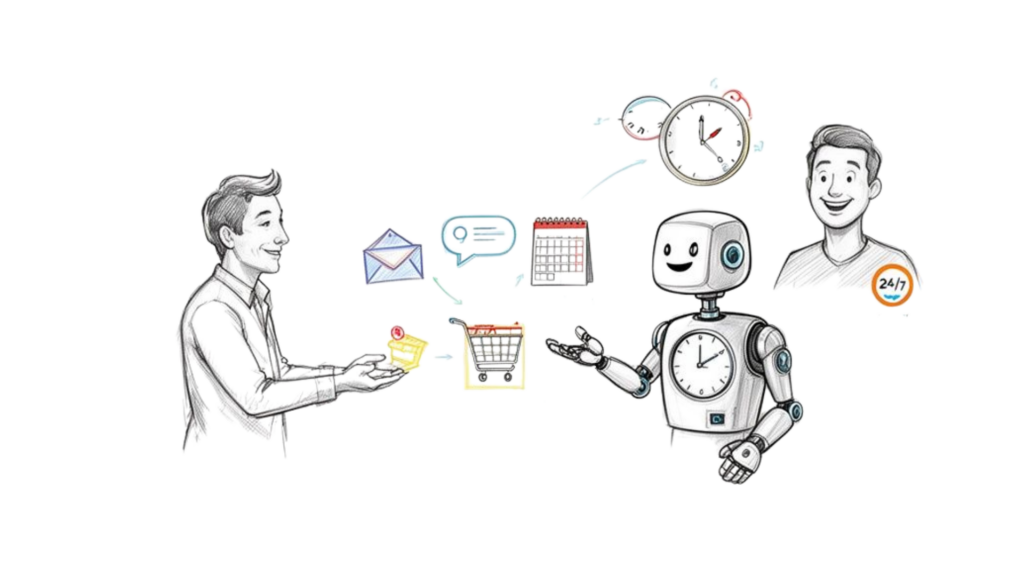
There are never enough hours in the day to focus on the big picture. This is exactly where marketing automation changes the game. It’s your 24/7 assistant that never calls in sick and handles the tedious tasks you wish you could offload.
Reclaim Your Time and Boost Efficiency
Imagine a potential customer lands on your website at 10 PM on a Friday. Instead of their inquiry sitting in your inbox until Monday morning, an automated chatbot greets them instantly, answers basic questions, and captures their contact info. By the time you log on, you have a qualified lead waiting for you.
This isn’t just about saving a few minutes. It’s about transforming how your business operates. When you automate these routine workflows, you free yourself to focus on high-value work like strategy, creative thinking, and building real relationships with customers.
From Manual Grind to Automated Growth
Here’s a practical look at how automation transforms common small business tasks.
| Common Manual Task | Your Automated Solution | The Business Impact |
|---|---|---|
| Manually emailing every new lead | An automated welcome email series | Every lead gets a prompt, professional touchpoint, increasing engagement. |
| Forgetting to follow up with prospects | A timed drip campaign that nurtures leads over weeks | You stay top-of-mind without lifting a finger, converting more leads into sales. |
| Answering the same FAQs all-day | A website chatbot that handles common questions | Frees up your time for complex issues and gives customers instant answers. |
| Posting on social media one by one | A scheduling tool that plans and publishes content | Maintains a consistent online presence and saves hours of administrative work. |
By offloading these tasks, you’re not just saving time—you’re building a scalable and professional operation.
Never Let a Lead Slip Through the Cracks
Every small business owner knows the pain of a forgotten follow-up. A hot lead comes in, but you get pulled into a dozen other things. By the time you remember to reach out, they’ve gone cold or chosen a competitor.
Automation puts a stop to that.
A new lead can instantly get a personalized welcome email, followed by a series of messages designed to educate and nurture them over time. This consistent communication keeps your brand front and center, moving prospects closer to a decision without any manual work on your end.
Key Takeaway: Automation isn’t about replacing the human touch; it’s about scaling it. It ensures every lead gets prompt, relevant communication, which builds the trust and loyalty small businesses thrive on.
The return on investment is clear. Research shows that 75% of businesses using automation see a positive ROI within just one year. On top of that, companies using these tools report an average revenue increase of 34%.
For a small business where every dollar counts, automation is one of the most powerful 7 cost-effective marketing strategies for small businesses you can implement.
Finding Your First High-Impact Automation Wins
Trying to implement marketing automation can feel overwhelming. With so many possibilities, where do you start? The trick is to find one or two “quick wins” that deliver the biggest impact with the least effort.
Start by hunting for the bottlenecks and time-sucks in your day. Think about the repetitive tasks that drain your energy and stop you from focusing on growth, like answering the same questions a dozen times a day or doing manual data entry.
Pinpoint Your Most Repetitive Tasks
The best place to start is with tasks that are both frequent and rule-based. If you find yourself doing the same thing, in the same way, multiple times a day or week, you’ve found a perfect automation opportunity.
Here are a few common culprits in small businesses:
- Answering the same old questions: “What are your hours?” “What’s your return policy?”, or “How do I get started?”
- Welcoming new leads: Manually sending a “hello” email every time someone fills out a contact form.
- Following up on inquiries: Spending mental energy remembering to check in with a prospect who went quiet.
- Qualifying potential customers: Wasting time on the phone with people who aren’t a good fit.
Each of these represents hours of your week you could reclaim. For example, a simple chatbot can handle 80% of routine customer questions, freeing you to tackle the complex issues that need your brainpower.
Map Your Customer Journey to Find the Gaps
Walk a mile in your customer’s shoes. Trace their path from the first time they hear about you to the moment they become a loyal fan. Where do they get stuck? Where does communication feel slow or non-existent?
Mapping this journey reveals the critical moments where a little automation can make a massive difference.
- Awareness Stage: A visitor lands on your site. An automated pop-up offering a discount for their email can instantly turn a passive browser into an engaged lead.
- Consideration Stage: Someone downloads your free guide. An automated email sequence can drip-feed them valuable content over the next week, building trust and positioning you as an expert.
- Decision Stage: A customer adds an item to their cart but gets distracted. An abandoned cart automation sends a timely reminder, often recovering a lost sale.
Actionable Example: An e-commerce boutique notices many shoppers abandon carts after seeing shipping costs. They set up an automation that triggers 60 minutes after abandonment, offering a 10% discount or free shipping to nudge them over the finish line.
Three High-Impact Automations to Start With Today
Feeling stuck? Focus on one of these three proven starting points. They are easy to set up, deliver immediate results, and build the confidence to tackle bigger projects.
- The Welcome Sequence: This is your digital handshake. When someone joins your email list, a 3-5 part automated series introduces your brand, sets expectations, and provides immediate value. It guarantees every new lead gets a warm, consistent welcome.
- Lead Qualification Chatbot: Put a simple chatbot on your website’s key pages. Program it to ask a few smart questions like, “What’s your budget?” or “What’s your project timeline?” The bot can send hot leads straight to your calendar while providing helpful resources to those who aren’t ready.
- Abandoned Cart Recovery: If you sell online, this is non-negotiable. When someone leaves items in their cart, an automated email or message reminds them to complete their purchase. Companies using this have seen conversion rates jump by as much as 30%.
Let’s move from talking about chatbots to actually building one. Modern tools are all about visual, drag-and-drop builders. If you can make a flowchart, you can build a bot. The goal is to map out a natural conversation that helps your customer reach a goal, whether that’s signing up, booking a call, or buying a product.
The Blueprint for a Great Conversation
Before you open a chatbot builder, grab a pen and paper. A successful bot is built on a clear, logical conversational path. You need to anticipate what your user wants and make it ridiculously easy for them to get it.
Sketch out the basic steps of the chat:
- The Greeting: Keep it friendly, clear, and on-brand. A simple “Hey there! 👋 Thanks for stopping by. How can I help you today?” works wonders.
- The Main Menu: Give people obvious choices using buttons like “See our services,” “Check my order status,” or “Get a free quote” to keep the conversation moving.
- The Information Exchange: Capture what you need—like an email—by offering something valuable in return, such as a discount code or a free guide.
- The Closing: Always end on a high note. Confirm what’s next (“Great! Your free guide is on its way to your inbox”) and always provide an easy way to talk to a human.
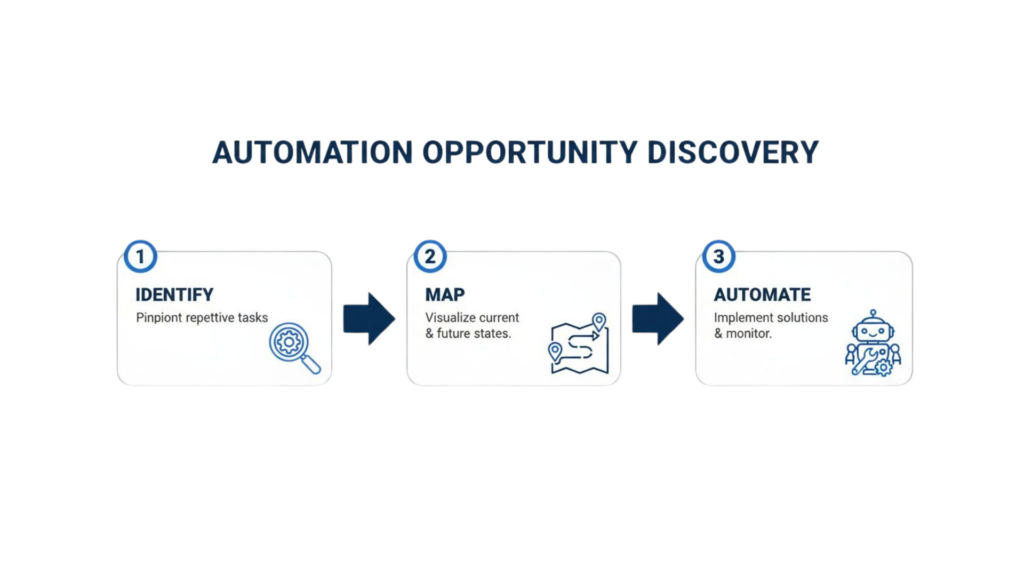
Automation Opportunity
As you can see, solid automation always starts by spotting a problem, mapping the user’s journey, and only then building the solution.
Activating Your Bot with Capture Widgets
A chatbot is useless if nobody talks to it. That’s where capture widgets come in. These are the triggers that kickstart a conversation and turn a passive website visitor into an active lead. Think of them as a friendly greeter at a store entrance.
For most small businesses, a few key widgets deliver the biggest punch:
- Website Pop-up: Set a pop-up to appear after someone’s been on your site for 10 seconds, offering a discount code in exchange for their email or Messenger opt-in.
- Comment-to-Messenger Trigger: Run a Facebook or Instagram post that says, “Comment ‘GUIDE’ below, and we’ll DM you our free guide.” When someone comments, your bot automatically messages them.
- Click-to-Chat Button: Drop a “Message Us” button on your website or in your email signature. It’s the fastest way to offer support.
Pro Tip: Your chatbot’s copy needs to sound like a person, not a script. Use emojis, keep sentences short, and let your brand’s personality shine. If you’re a fun, casual brand, your bot should be too!
Real-World Example: A Lead Magnet Delivery Bot
Let’s make this real. Imagine you’re a fitness coach with a “7-Day Healthy Meal Plan” PDF you want to give away to build your email list. Here’s exactly how you’d build that chatbot flow.
- The Trigger: Create a Facebook post announcing the free meal plan. The call to action is simple: “Comment ‘MEALPLAN’ below to get your free copy instantly!”
- The Opening Message: The moment someone comments, the bot messages them: “Hey [First Name]! Saw you’re interested in the 7-Day Meal Plan. To send it over, I just need your best email. Is [User’s Facebook Email] the right one?”
- The Conditional Logic: The bot gives them two buttons: “Yes, that’s it!” and “No, wrong email.” If they click “Yes,” it moves on. If they click “No,” it replies, “No problem! Just type your best email address below.”
- Tagging and Delivery: Once the email is confirmed, the bot tags the user as “Interested-MealPlan” in your system. It then sends the final message: “Awesome! Your meal plan is on its way to your inbox. Enjoy!”
In just a few minutes, you’ve built an automated machine that captures a lead, verifies their info, segments them, and delivers the goods—all without you lifting a finger. That’s what powerful marketing automation for small businesses looks like.
For a more detailed walkthrough, check out our complete guide on how to build a chatbot from the ground up.
Using Segmentation for Smarter Messaging
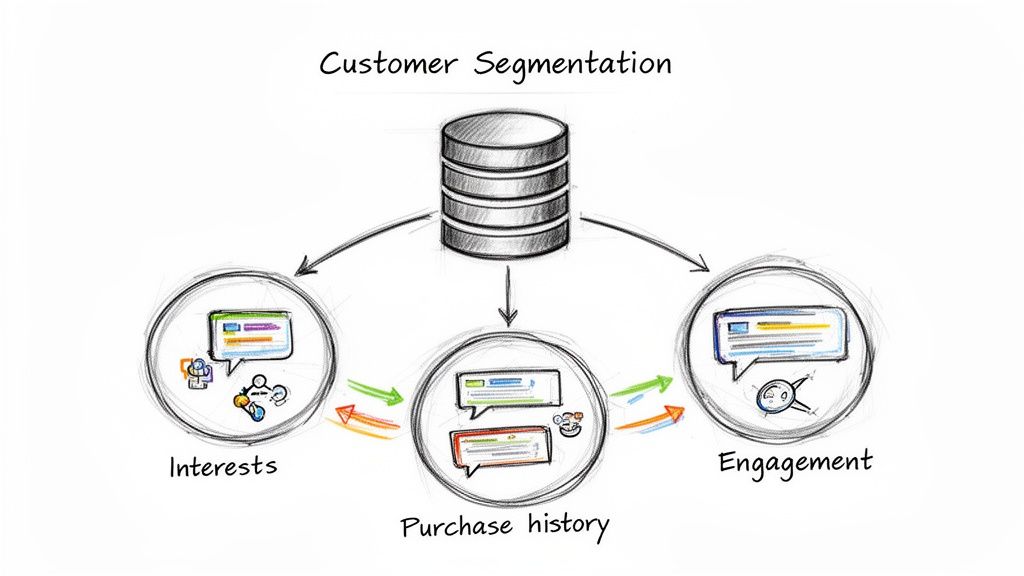
Customer Segmentation
Sending the same generic message to your entire list is like shouting into a crowded room and hoping the right person hears you. It’s loud, inefficient, and easy for customers to ignore.
The real magic of marketing automation for small businesses is ditching mass broadcasts for smart, targeted communication. This is where segmentation comes in. At its core, it’s just dividing your audience into smaller groups based on what they have in common. This lets you send incredibly relevant messages that feel less like a sales pitch and more like a one-on-one conversation.
The Building Blocks of Personalization
The tools for this are simple: tags and custom fields. Think of them as digital sticky notes you attach to each contact.
- Tags are simple labels for tracking actions and interests, like
Downloaded-Guide,Attended-Webinar, orVIP-Customer. - Custom Fields store specific info about a person, like their birthday, last purchase date, or industry.
Actionable Example: A local yoga studio could automatically tag a user Interested-in-Vinyasa when they click a link about Vinyasa classes. Later, when a new Vinyasa workshop opens, the studio can send a message only to people with that tag. This dramatically increases bookings because the message is a perfect fit.
If you want to go deeper, there are plenty of customer segmentation strategies you can explore.
Building Segments That Work for You
The elegance of automation is creating dynamic segments—groups that automatically update as subscriber behaviors change. You set the rules once, and your platform does the heavy lifting.
Imagine creating a segment called “Hot Leads.” You could define it with rules like:
- Contact has the tag
Downloaded-Pricing-Sheet - Contact has visited the pricing page 3+ times in the last 7 days
- Contact has not made a purchase yet
Whenever a contact meets these criteria, they’re instantly added to the “Hot Leads” segment. The second they buy, they’re automatically removed. This gives your sales team a fresh, real-time list of the most engaged prospects with zero manual work.
Turning Data into Dollars
Once your segments are in place, you can craft campaigns that feel incredibly personal. It’s no wonder 64% of marketers are already using automation, with 79% of them automating parts of their customer journey. It just works.
Real-World Example: An online course creator sells programs on digital photography.
- Beginners Segment: This group gets a welcome campaign with tips on camera basics, introductory blog posts, and an offer for their “Photography 101” course.
- Advanced Segment: This group receives emails about advanced lighting techniques, invitations to expert webinars, and promos for their “Mastering Photoshop” course.
By speaking to each group’s specific needs, the creator builds stronger connections and sells far more courses than if they had blasted a generic “buy my course” email to everyone.
This level of personalization used to be reserved for huge corporations. Today, marketing automation puts this power directly into the hands of small businesses, allowing you to create one-on-one experiences at scale.
Integrating Automation with Your Other Business Tools
Your marketing automation platform is powerful on its own, but it becomes a game-changer when it talks to the other software you use every day—your CRM, email provider, and SMS tools.
When these systems are siloed, you get stuck in a frustrating cycle of exporting and importing data. It’s slow, error-prone, and defeats the purpose of automation. The goal is a seamless tech stack where information flows freely, giving you a complete picture of every customer interaction.
Connecting Your Core Systems for a Unified View
Picture this: a new lead starts a chat on your website. The bot qualifies them and grabs their email. In an integrated system, this is what happens instantly:
- To Your CRM: The new contact, their chat history, and any tags (like
Hot-Lead) are automatically created in your CRM. - To Your Email Platform: The lead is added to a specific email list, kicking off a relevant welcome sequence.
- To Your SMS Tool: If they opted in, their number is synced and ready for appointment reminders.
This automatic data sync means your sales team has full context before they pick up the phone, your email marketing is perfectly timed, and you can finally say goodbye to manual data entry. If you’re still choosing tools, check out our guide on finding the right CRM and ticketing system.
Native Integrations vs. Connectors Like Zapier
You have two main paths to connect your tools. Understanding the difference is key.
Native integrations are direct, pre-built connections between software platforms. They are simple to set up—often just requiring an API key—and are incredibly reliable because the developers designed them to work together. For example, a marketing platform might have a native integration that adds a subscriber to a Mailchimp list with a single click.
Connectors like Zapier or Make act as a bridge between thousands of apps that don’t have a native connection. They run on a simple “when this happens, do that” logic.
Example Workflow with Zapier:
- Trigger: When a new tag “Booked-Demo” is added to a contact in your automation tool…
- Action: …create a new deal in HubSpot, add a row to a Google Sheet, and send a Slack notification to your sales team.
While connectors offer amazing flexibility, they can sometimes have a slight delay and often come with an extra subscription cost. For your most critical connections (like your primary CRM), a native integration is almost always the better choice for speed and stability. For more ideas, a review of the top SaaS marketing automation tools can offer valuable insights.
By building an interconnected ecosystem, you’re not just automating tasks; you’re building a smarter business where every piece of data enriches your customer profiles.
Measuring and Optimizing Your Automation Performance
Launching your automation flows is a huge step, but the real work starts now. Think of it like tuning a guitar. You don’t just string it and expect it to sound perfect. You play a chord, listen, and make small adjustments until it’s right.
The same goes for automation. You must continuously listen to what the data tells you, then tweak your approach for better results. This isn’t about getting buried in spreadsheets; it’s about focusing on the numbers that tell a clear story about customer behavior.
Key Metrics That Actually Matter
To cut through the noise of analytics dashboards, zero in on the metrics that directly impact your bottom line.
Here are the big ones to watch:
- Open Rates: Your first impression. A low open rate usually means your subject line or first line isn’t grabbing enough attention.
- Click-Through Rates (CTR): This shows how many people were interested enough to click a link. A low CTR suggests your message or offer might be missing the mark.
- Conversion Rates: The ultimate measure of ROI. This tracks how many people took the desired action, like booking a demo, using a coupon, or making a purchase.
- Unsubscribe Rates: A sudden jump in unsubscribes is a massive red flag that your messages are too frequent, not valuable, or hitting the wrong audience.
Focusing on these four gives you a quick and accurate health check on your automation efforts.
Turning Data Into Actionable Insights
Data is just numbers until you use it to make smarter decisions. The best tool for the job is A/B testing.
A/B testing (or split testing) means sending two different versions of a message to a small part of your audience to see which one performs better. It removes the guesswork.
You can test almost anything:
- Headlines & Subject Lines: Try a direct, benefit-driven subject line against one that sparks curiosity.
- Calls-to-Action (CTAs): Pit “Learn More” against “See How It Works.” Small word changes can make a big difference.
- Message Copy: Test a short, punchy message against a more detailed one.
- Timing: Does your audience engage more in the morning or evening? Split a broadcast and find out.
Actionable Example: Let’s say you’re running an abandoned cart sequence. You could test two versions: one offering a 10% discount and another offering free shipping. After sending each to 500 people, you might find that free shipping boosts cart recovery by 15%. That’s a data-backed insight you can immediately roll out to improve revenue.
This disciplined testing is what separates the pros from the amateurs in marketing automation for small businesses. You stop guessing and start knowing what truly works, refining your strategy one profitable improvement at a time.
Ready to turn your website and social media visitors into loyal customers? With Clepher, you can build intelligent, automated conversations that capture leads, answer questions, and drive sales 24/7. Start your free trial today and see how easy it is to put your growth on autopilot.

Related Posts
How to Create Email Lists in Gmail (The Right Way)
March 21, 2026Create a Group Email List in Gmail the Right Way
March 20, 202610 Actionable Lead Scoring Best Practices for 2026
March 19, 2026
Founder Clepher