
USD 1.92 billion is not a niche software category. It is a signal. The global no-code AI agent builder market reached that size in 2024 and is projected to reach USD 17.68 billion by 2033 at a 29.4% CAGR, according to DataIntelo’s no-code AI agent builder market report.
That growth matters because it tells you something practical. Businesses no longer need to wait for a developer sprint, a custom integration project, or an expensive AI build just to automate support, qualify leads, or follow up with buyers across web chat and social channels.
With today’s no-code tools, teams can build AI agents and deploy AI agents in a fraction of the time it used to take. What once required engineering resources can now be handled inside an automation platform designed for speed and flexibility.
For marketers, sales teams, and support operators, the shift is simple. You can move from idea to working agent fast. Not with theory. With real AI workflows, prompts, integrations, and live customer conversations. You can even deploy agents across multiple channels and coordinate multi agent systems that handle different parts of the customer journey.
What is a No-Code AI Agent Builder
A no-code AI agent builder is software that lets non-technical teams create AI-powered workflows without writing code.
The easiest way to think about it is this. It works like digital LEGO blocks. One block handles the user message. Another checks a knowledge source. Another tags the contact. Another sends the lead to a CRM via an API. Another escalates to a human if confidence is low.
Put the blocks together, and you get an agent that does useful work.
The best no-code platforms go a step further. They let you build, test, and deploy AI agents quickly, connect systems through APIs, and scale from a single use case to full multi agent automation across your business.
What the builder does
Instead of asking a developer to wire everything manually, a no-code platform gives you a visual canvas. You define:
- How a conversation starts
- What the agent should know
- Which actions it can take
- When a human should step in
- Where the conversation should happen, such as your website, Messenger, WhatsApp, or Instagram DM
That matters because most business use cases are not about building a robot from scratch. They are about solving a repeated problem.
Examples include:
- Lead qualification: ask a few smart questions, tag the prospect, route hot leads fast
- Support triage: answer common questions, pull context, hand off edge cases
- Sales follow-up: re-engage interested visitors after a form fill, story reply, or checkout drop-off
- Campaign delivery: send personalized replies and offers based on user behavior
Agent versus basic bot
A lot of people still picture old chatbot trees. Tap button A, get response A.
A modern agent is more flexible. It can interpret intent, use context, pull in business data, and decide which path makes sense next. If you want a simpler breakdown, this explainer on what AI agents are gives the concept useful business framing.
Practical takeaway: If your team can map a customer journey on a whiteboard, it can usually build a first no-code agent.
The reason this category is growing so quickly is obvious from the ground level. Teams want AI outcomes without engineering bottlenecks. No-code builders close that gap.
Why Your Business Needs No-Code AI Now
Most businesses do not have an AI problem. They have an execution problem.
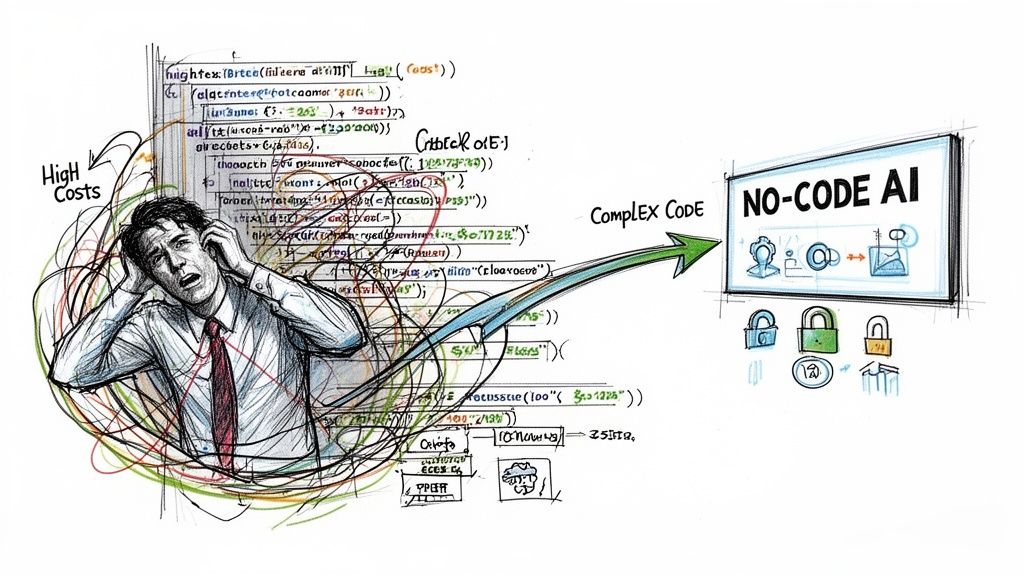
They know where automation would help. Faster lead response. Better support coverage. Less manual follow-up. More consistent campaign delivery. What slows them down is the usual stack of blockers: technical complexity, limited dev resources, and uncertainty about whether the payoff will justify the effort.
No Code AI Agent Builder
No-code changes that equation.
The ROI case is already strong
According to Aisera’s analysis of no-code AI agents, enterprises achieve 1.7x ROI from GenAI investments via no-code platforms, and 83% of sales teams using AI reported revenue growth. That matters because revenue-facing teams do not need another dashboard. They need tools that help them close faster, nurture better, and respond at scale.
The same source notes that non-technical teams can build agents in hours, not months. That is a significant unlock.
A marketing manager can launch an inbound qualification flow.
A support lead can automate repetitive FAQs.
A sales ops team can route inquiries by intent, urgency, or offer interest.
Where the business impact shows up first
The earliest wins usually come from work that is both repetitive and commercially important.
Sales
Sales teams lose deals when response time slips. A no-code agent can answer first-touch questions, qualify by budget or need, and route strong prospects to the right rep.
That shortens the gap between interest and action.
Marketing
Marketers sit on a lot of unconverted intent. Story replies, comment triggers, landing page visits, abandoned carts, promo interest, webinar registrations. An AI agent turns those touchpoints into live conversations instead of dead-end clicks.
Support
Support teams deal with volume spikes, repeated questions, and handoff friction. A good agent removes the repetitive layer so humans can focus on exceptions, escalations, and high-empathy cases.
What waiting costs you
The biggest mistake is treating no-code AI as an “eventually” project.
When a competitor responds faster, qualifies better, and follows up automatically across channels, they do not need a dramatic technological edge. They just need a better operating rhythm.
Here is the practical difference no-code creates:
- Faster launches: ideas move from backlog to live workflow quickly
- Lower dependence on dev teams: marketing and ops can build directly
- More testing capacity: teams can try offers, prompts, and routing logic without big rebuilds
- Better coverage: your business can engage customers outside business hours
Tip: Start where delay is already costing money. Missed DMs, slow lead response, repetitive support tickets, or abandoned checkout follow-up are usually better first targets than broad “AI transformation” projects.
No-code AI is not valuable for its novelty. It is valuable because it removes waiting from work, which directly affects revenue.
Core Features Powering Modern AI Agents
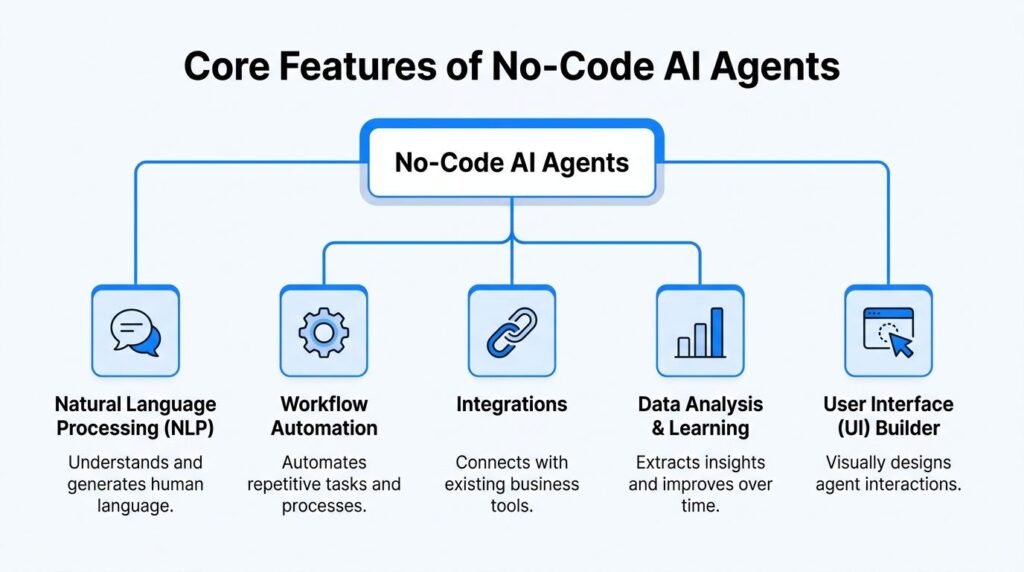
A no-code AI agent builder looks simple on the surface, but the useful ones combine several layers behind the scenes. If you understand those layers, choosing and configuring a platform gets much easier.
No Code AI Agent Builder Features Diagram
The visual builder
The visual builder is the part non-technical teams care about first.
A visual builder lets you design flows with triggers, branches, conditions, messages, actions, and handoffs. Instead of writing logic, you map it.
That is especially useful for teams that already think in journeys:
- ad click to lead capture
- story reply to offer sequence
- support question to self-serve answer or escalation
- product quiz to recommendation and follow-up
The best builders make the logic visible. If a customer says X, the agent does Y. If the lead matches a segment, the flow changes. If intent is unclear, escalate.
Knowledge and context
An agent is only as good as the information it can use.
Some builders let you attach help docs, FAQs, policy pages, product details, or internal notes so the agent can answer with context instead of generic filler. Others also let you store fields like plan type, order status, tags, or prior interactions.
Consider the difference between:
- A bot that says, “Please contact support.”
- An agent that says, “Your request sounds like a return question. Here are the next steps, and I can hand this to a human if needed.”
What to look for
| Feature | Why it matters in practice |
|---|---|
| Knowledge sources | Lets the agent answer from your actual business information |
| Customer fields | Personalizes replies using contact data and history |
| Segmentation | Routes users by interest, lifecycle stage, or behavior |
| Memory | Keeps conversations from feeling reset every time |
Multi-model support
Not every task needs the same AI model.
According to Dust’s write-up on no-code AI agent builders, multi-model support across models like Claude, GPT, and Gemini can lead to 30-50% improvements in task completion rates and latency when teams match the model to the task.
That matters more than many buyers realize.
- Reasoning-heavy flows: use a model better suited for logic and conditional decisions
- Creative copy tasks: use a model better suited for persuasive or brand-style output
- Multimodal tasks: use a model that can handle image-related inputs more effectively
If you run e-commerce or social campaigns, this can show up in everyday work. One model might produce stronger promotional DMs. Another might handle policy questions with more precision. Another may do better when the user sends a screenshot or image.
Key takeaway: Do not ask “Which model is best?” Ask “Which model is best for this agent’s job?”
Integrations and action layers
A conversational agent becomes valuable when it can do more than talk.
It should be able to:
- tag a contact
- update a CRM
- send a webhook
- trigger an email or SMS handoff
- create a support ticket
- notify a rep
- log an outcome for reporting
Platforms like n8n, Zapier, and app-native builders often provide these capabilities. The agent becomes an operating layer across your tools instead of another isolated inbox.
Controls that separate demos from production
A good-looking prototype is easy. A dependable live agent is harder.
Look for features like:
- Fallback paths when the model is uncertain
- Human handoff controls
- Testing environments
- Logs and transcripts
- Versioning
- Analytics on outcomes, not just message count
Without those controls, teams often launch something that sounds smart in a demo and gets messy in live traffic.
The modern no-code stack is powerful because it combines interface, intelligence, context, and action. Skip any one of those, and the agent feels incomplete fast.
Real-World AI Agent Use Cases for Growth
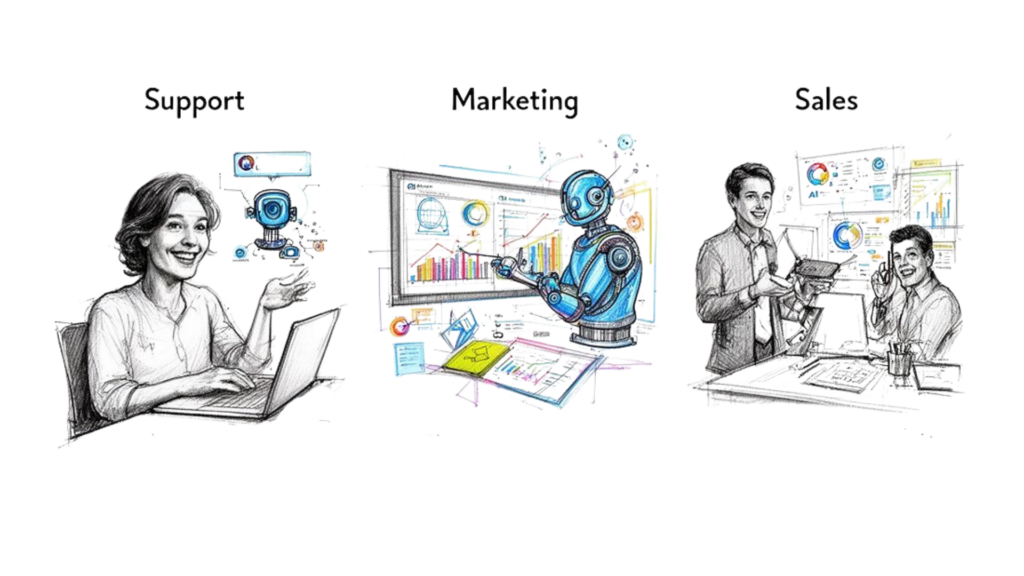
The biggest gap in most no-code AI content is simple. It talks about automation in general, but not enough about customer engagement across the channels where people already buy, ask, compare, and hesitate.
That gap is not small. Metaflow’s coverage of no-code AI agent builders notes that 70% of brands seek omnichannel bots for broadcasts and engagement on channels like Instagram and WhatsApp.
That tracks with what teams need. Not just internal workflows. Real conversations tied to pipeline, orders, and customer experience.
No Code AI Agent Builder Automation
Marketing use case
A DTC skincare brand runs creator campaigns on Instagram.
People reply to stories with questions like “Which serum is for dry skin?” or “Do you ship internationally?” Before, the social team answered manually when they had time. Some replies turned into sales. Many went cold.
Now the brand uses an AI agent to handle the first response.
How the flow works
- A user replies to a story
- The agent asks one or two intent questions
- Based on the reply, it tags the user by concern or product interest
- It sends a relevant product recommendation
- If the user shows purchase intent, it offers a time-sensitive promo or routes to a human closer
The important part is not the automation itself. It is that the conversation keeps moving while intent is fresh.
Sales use case
A service business gets inbound leads from a website widget and paid social.
Before, every lead went into the same form bucket. The sales team had to sort serious buyers from casual browsers manually. That created lag, and lag hurt conversion quality.
A no-code sales agent fixes the front end of that process.
What it asks
Instead of a long form, the agent asks conversational questions:
- What are you trying to solve
- How soon do you need help
- Are you buying for yourself or a team
- What kind of budget range are you considering
Then it routes the lead.
| Lead behavior | Agent action |
|---|---|
| Clear buying intent | Sends to sales, books call, or triggers immediate follow-up |
| Still researching | Delivers a guide, FAQ sequence, or nurture flow |
| Poor fit | Gives a helpful answer and keeps the pipeline clean |
This works well because it does not force every visitor into the same funnel.
Support use case
An e-commerce store gets the same questions repeatedly. Shipping times. return policy. order changes. product compatibility. discount eligibility.
Those tickets clog the queue. Customers wait for simple issues, and agents spend time copying the same answers.
A support agent can take the first layer.
What a solid support flow looks like
It should do three things well:
- Resolve common requests: shipping, return windows, basic product info
- Collect missing context: order number, issue type, urgency
- Escalate cleanly: pass the transcript and tags to a human when needed
That last part matters. Support automation fails when it traps users in loops.
Tip: The best customer-facing agents are not designed to “handle everything.” They are designed to resolve the predictable work and route the messy work well.
Where businesses get this wrong
Many teams start too broadly.
They try to launch one giant agent for all channels, all customer types, and all intents. The result is usually a vague assistant that knows a little about everything and does nothing especially well.
A better approach is channel-specific and job-specific:
- Instagram DM agent for promo and lead intent
- Website agent for qualification and FAQs
- WhatsApp agent for post-purchase updates
- Support agent for repeat service requests
That is how no-code AI becomes a growth tool instead of a novelty widget.
How to Choose the Right No-Code AI Agent Builder
Most buyers compare platforms by screenshots and feature lists. That is not enough.
The better way is to evaluate the builder against the job you need it to do. A support-first business needs something different from an agency running Instagram lead funnels. A sales team qualifying inbound web leads needs something different from an operations team automating approvals.
A big issue gets overlooked here. MindStudio’s guide to no-code AI agent builders points out that 95% of AI pilots fail to deliver business impact due to unproven performance. That makes reliability a buying criterion, not a post-launch task.
For a broader comparison of available platforms, this overview of AI agent platforms is a helpful companion.
The shortlist checklist
Use this when comparing tools.
Channel fit
Ask where the agent will live.
If your business depends on Instagram DMs, Messenger, WhatsApp, and web chat, a builder that only shines on internal workflows may be the wrong fit. Great backend automation does not mean strong front-end conversation design.
Integration depth
Look beyond logos on the homepage.
You want to know whether the platform can:
- Push lead data into your CRM
- Trigger downstream email or SMS
- Update contact tags and segments
- Support handoffs to support or sales systems
A shallow integration marketplace looks good in a sales deck and becomes frustrating in live operations.
Reliability controls
Many teams cut corners on this aspect.
Ask the vendor or test yourself:
- Can I run sample conversations before launch?
- Can I inspect transcripts and failure points?
- Can I version flows safely?
- Can I set fallback behavior?
- Can I escalate to a human cleanly?
A practical comparison lens
| Evaluation area | What to look for |
|---|---|
| Ease of use | Non-technical staff can build and edit without waiting on engineers |
| Conversation design | Conditional paths, personalization, segmentation, channel-native UX |
| Testing | Sandbox, preview mode, transcript review, retry logic |
| Analytics | Outcome reporting, not just raw chat volume |
| Compliance | GDPR controls and sensible data handling options |
What works and what does not
What works:
- starting with one narrow use case
- using a builder with strong handoff logic
- testing real conversations before launch
- choosing tools that match your channel mix
What does not:
- buying based on templates alone
- assuming a generic “AI chatbot” can handle sales, support, and marketing equally well
- skipping evaluation because the demo looked polished
- launching without owners for review and optimization
Practical rule: If a platform makes it easy to build but hard to test, it will create more cleanup work later.
The right no-code AI agent builder is not the one with the most features. It is the one your team can use confidently in production.
Launch Your First AI Agent in Minutes with Clepher
The easiest first build is not a giant assistant. It is a focused revenue workflow.
A good starter project is an agent that answers a product question, qualifies interest, captures the lead, and routes the conversation based on what the person wants next.
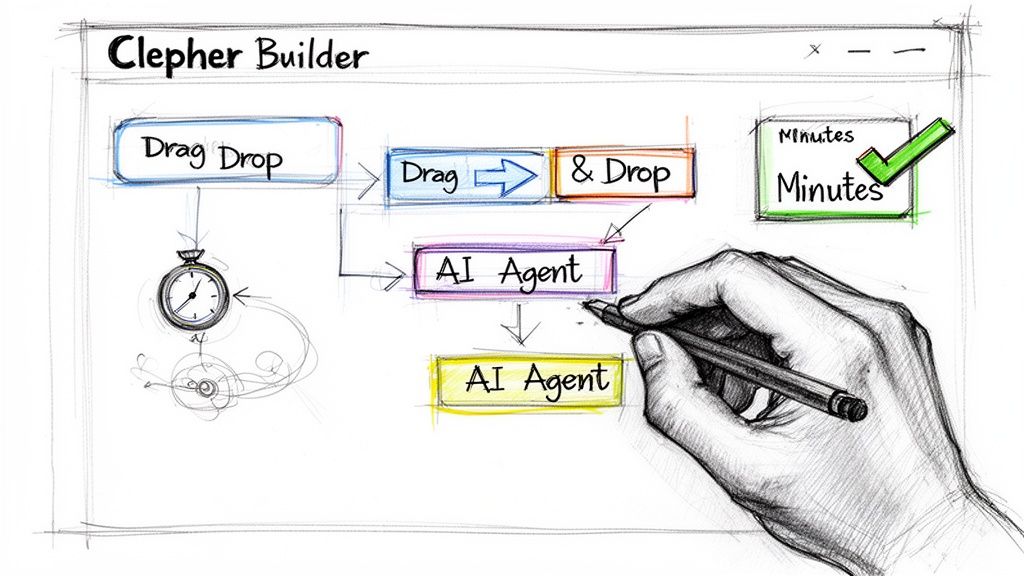
No Code AI Agent Builder Workflow Sketch
Clepher is one option for this kind of build. It provides a no-code flow builder for website chat, Facebook, Messenger, WhatsApp, and Instagram DM, along with segmentation, broadcasts, widgets, and app connections. If you want the product walkthrough, start with how to create AI agents.
A fast launch workflow
1. Pick one outcome
Choose a single job for the agent.
Good examples:
- Qualify inbound leads from your site
- Answer common pre-purchase questions in Instagram DM
- Recover abandoned carts through follow-up conversations
- Route support questions before a human takes over
Bad first project: “handle all customer communication.”
2. Define the conversation path
Map the core path before you build.
Keep it simple:
- greeting
- intent detection
- two to four qualification questions
- recommendation, answer, or routing step
- capture action such as tag, field update, or handoff
No-code builders shine in letting you visually map the sequence without needing a developer to translate your logic.
3. Add business context
Load the agent with the information it needs.
That could include:
- product FAQs
- shipping and return rules
- offer details
- lead qualification questions
- tags or segments for follow-up
If the agent lacks context, it will sound polished and still fail.
Keep the build grounded in real traffic
The fastest way to get value is to use language customers already use in chats, comments, DMs, and support logs.
Take the exact questions people ask and build around those first. That makes the initial agent much more realistic than writing hypothetical prompts from scratch.
Here is a quick visual walkthrough to pair with that process:
4. Connect the next action
A live agent should not end with a nice message and nowhere to go.
Connect the flow to what happens next:
- assign a tag
- send a notification
- push to a CRM
- start a nurture sequence
- escalate to live chat
5. Test before going live
Run through likely scenarios:
- ideal buyer
- confused buyer
- repeat customer
- off-topic user
- support request that should escalate
You are checking clarity, routing, and edge cases. Not just whether the AI can produce a fluent sentence.
Quick win: Your first launch is successful if it handles one repetitive, high-intent conversation better and faster than your current manual process.
That is the bar. Hit that first, then expand.
Measuring Success and Optimizing Your AI Agents
Once the agent is live, the important question changes from “Does it work?” to “Is it helping the business?”
Many teams stop at activity metrics. Number of conversations. Number of messages. Reply rate. Those are useful diagnostics, but they are not the main scorecard.
Track business outcomes first
For a sales or lead-gen agent, watch metrics such as:
- Lead qualification quality: Are the right prospects reaching the team
- Speed to handoff: Are hot leads getting routed quickly
- Booked conversations or downstream sales actions: Is the agent creating real next steps
For support, focus on:
- Containment: Which issues are resolved without human effort
- Escalation quality: whether human agents receive enough context
- Customer friction: where users drop, repeat themselves, or ask for a person immediately
For e-commerce, add:
- Pre-purchase assist value: whether product questions get answered cleanly
- Recovery flow performance: whether abandoned buyers re-engage
- Segment quality: whether tagging improves follow-up relevance
Optimization usually comes from small edits
You rarely need a full rebuild.
Most gains come from targeted changes:
- Tighten the first message
- Remove one unnecessary question
- Improve fallback answers
- Split one path into two clearer intents
- Change the point where a human handoff appears
A simple review loop
| What to review | What it reveals |
|---|---|
| Transcript patterns | Confusing questions, weak answers, repeated user objections |
| Drop-off points | Where the flow feels too long or unclear |
| Handoff reasons | Whether the agent lacks knowledge or confidence rules |
| Segment outcomes | Which audiences respond well to the experience |
Tip: Review failures before successes. Strong transcripts are nice. Broken ones tell you what to fix next.
The best teams treat the agent like a living revenue asset. They tune prompts, paths, timing, and routing based on real behavior, then keep improving.
Frequently Asked Questions about No-Code AI
If your team wants to turn website chats, Messenger conversations, WhatsApp threads, and Instagram DMs into structured lead gen, support, and sales workflows, explore Clepher to see how a no-code conversational setup can fit your channel mix.

Related Posts
No-Code AI Agent Builder: Your 2026 Growth Playbook
April 8, 2026Your Guide to the Facebook Page URL in 2026
April 7, 20265 Best Chatfuel Alternatives in 2026 You Need to Try!
April 6, 2026
Founder Clepher