
Your new user just signed up. Congratulations! But the real work has just begun. A clunky or confusing onboarding experience is the fastest way to turn an enthusiastic trial user into a churn statistic. The goal isn’t to show off every feature you’ve built; it’s to guide new users to their first critical ‘aha!’ moment as quickly and smoothly as possible. This is the moment they truly get your product’s value.
Great onboarding is a growth engine. It transforms curious users into activated, engaged customers who stick around for the long haul, directly boosting activation, retention, and lifetime value. For Product Managers building a framework, understanding the strategy is key. For a comprehensive overview, explore these 10 essential customer onboarding best practices to see how the pros map out a successful user journey.
This guide breaks down the nine essential SaaS onboarding best practices that top companies use to win over new users. We’ll cover actionable steps you can take today, with real-world examples to show you how it’s done.
1. Ditch the Static Tour for Interactive Walkthroughs
Old-school product tours were like a boring museum guide pointing at things behind glass. “Here’s the dashboard. Over there is the settings menu.” Users clicked through, retained nothing, and were left to figure things out on their own.
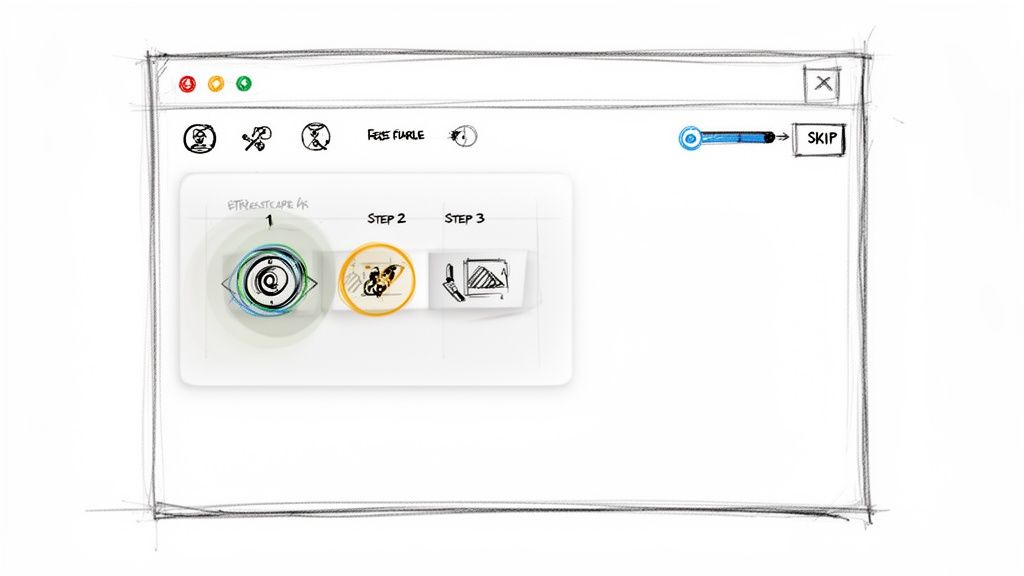
Modern onboarding is a hands-on workshop. Instead of just showing users features, interactive walkthroughs prompt them to use them. Contextual tooltips and checklists guide them through their first critical tasks, creating momentum from the very first session.
Real-World Example: Slack doesn’t give you a long tour of its interface. It immediately guides you to send your first message to the “Slackbot.” This simple, interactive step teaches the core function of the app by having you perform it.
SaaS Onboarding Flow
How to Make Your Product Tours Actionable
The goal is to create a small win that builds user confidence.
- Focus on the “Aha!” Moment: Identify the one or two actions a user must take to see value. Design your tour around completing those tasks, and nothing else.
- Keep It Short: Aim for a walkthrough that takes less than three minutes. Anything longer risks user fatigue.
- Make It Skippable: Always give users a clear “Skip Tour” or “X” button. Forcing an experienced user through a beginner’s guide is a recipe for frustration.
- Use Checklists: An onboarding checklist (e.g., “Step 1: Create Project,” “Step 2: Invite Teammate”) gamifies the process and gives users a clear sense of progress.
By making tours interactive, you shift from passive orientation to active learning, transforming the user’s first experience from a lecture into a tangible achievement.
2. Simplify the First Experience with Progressive Disclosure
Showing a new user every single feature on their first login is like handing them a 1,000-page manual and saying, “Good luck!” It’s overwhelming and a leading cause of abandonment.
The solution is progressive disclosure. You intentionally hide advanced features and reveal them only as the user becomes more proficient. This simplifies the initial UI, reduces cognitive load, and keeps the user focused on what matters most at the beginning.
Real-World Example: When you first open Canva, you’re presented with simple templates and basic tools. You can create a social media graphic in minutes. The more advanced features, like background removal or brand kits, are there, but they don’t clutter the initial experience. You discover them as your needs and skills grow.
How to Implement Progressive Disclosure
Think of your product as a video game. You don’t get all the power-ups on level one.
- Identify Your “Level One” Features: What are the 3-5 absolute must-have features for a new user to succeed? Make those front and center. Everything else can be tucked away in menus or introduced later.
- Unlock Features with Milestones: Use achievements to reveal new functionality. For example, once a user has sent 10 campaigns, you could trigger a tooltip that says, “Pro Tip: You can now A/B test your subject lines to get even better results!”
- Create a “Beginner Mode”: Design a simplified workspace that users can “graduate” from. Asana does this well by starting users with simple task lists before introducing complex views like timelines and portfolios.
This approach makes your product feel intuitive and manageable, building user confidence and guiding them from novice to power user at their own pace.
3. Personalize Onboarding Paths for Different User Segments
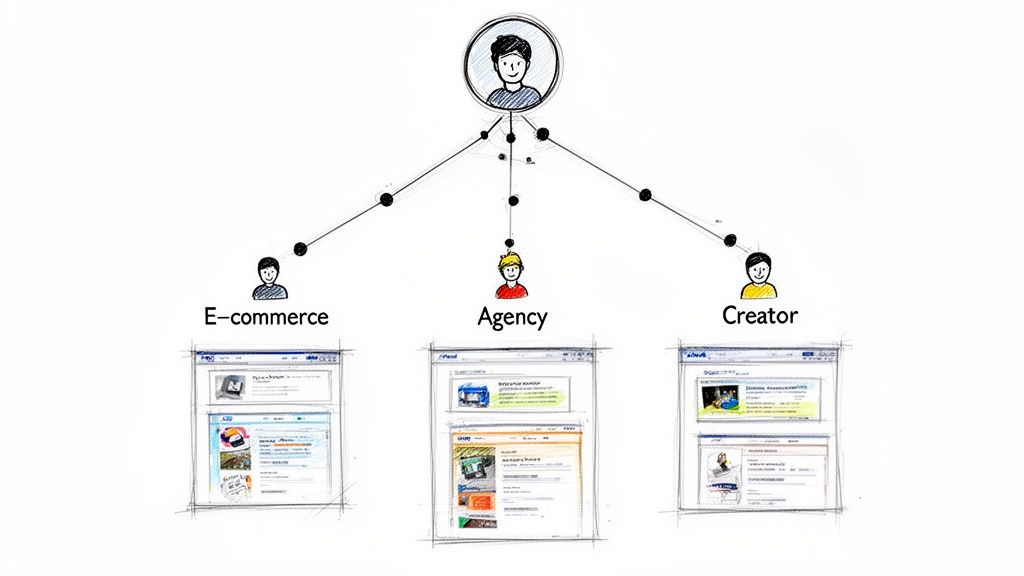
A marketing agency, a solo creator, and an e-commerce store might all sign up for your product, but they have completely different goals. A one-size-fits-all onboarding flow will fail to resonate with at least two of them.
Personalized onboarding tailors the initial experience based on a user’s role, industry, or stated goal. This shows them you understand their specific problem and have a direct solution for it, dramatically shortening their time-to-value.
Real-World Example: When you sign up for Asana, it asks what kind of team you’re on (Marketing, Engineering, etc.). A marketing team is then shown project templates for campaign tracking, while an engineering team sees templates for sprint planning. It’s the same product, but a completely different first impression.
SaaS Onboarding User Connections
How to Personalize the User Journey
It starts with asking the right questions at the right time.
- Use a Simple Welcome Survey: Right after signup, ask one or two simple questions: “What is your role?” and “What do you want to achieve?” This is all the data you need to start.
- Offer Relevant Templates: Based on their answers, immediately suggest pre-built templates. A coach signing up for an automation tool should see templates for course sign-ups, not for e-commerce abandoned carts.
- Customize the Checklist: Tailor the onboarding checklist to each segment. A solopreneur’s checklist might be three simple steps, while an enterprise team’s includes inviting members and setting up integrations.
- Send Segmented Emails: Don’t send the same welcome email to everyone. Use their survey answers to trigger a tailored email sequence with tips and case studies relevant to their industry. To learn more, explore these customer segmentation strategies on clepher.com.
Personalization proves that your product isn’t just a tool; it’s a solution designed for them.
4. Use a Structured Email Sequence to Guide Users Forward
Your onboarding doesn’t end when the user closes their browser. A strategic email sequence keeps them engaged and guides them back to the product to complete their next key action.
Instead of one generic “Welcome!” email, a structured sequence acts as a proactive guide. Each message should have a single, clear purpose: to help the user reach the next milestone on their journey to becoming an active user.
Real-World Example: Duolingo’s email and notification system is legendary. If you miss a day of practice, you get a gentle, motivating reminder. These messages aren’t just marketing; they’re an integral part of the product experience, designed to help you build a habit.
How to Build a High-Impact Email Sequence
Each email should be a small, valuable nudge, not a sales pitch.
- Email 1 (Immediately): Welcome & First Step. Welcome them and give them one clear call-to-action (CTA) to complete their first critical task.
- Email 2 (Day 2): Celebrate a Win & Introduce Next Step. Acknowledge what they’ve already done and introduce the next logical step. “Great job creating your first project! Now, let’s invite a teammate.”
- Email 3 (Day 4): Share a Pro Tip. Offer a valuable tip or shortcut related to a feature they’ve already used. This builds their skills and confidence.
- Email 4 (Day 7): Case Study or Social Proof. Share a short story of how a similar customer found success. This reinforces the value and inspires them to keep going.
- Pro Tip: Always test your subject lines and CTAs. Small tweaks can make a huge difference in engagement. For more on this, read our guide on how to increase email open rates.
A well-crafted email sequence bridges the gap between sessions, turning a one-time signup into a long-term habit.
5. Leverage Video to Show, Not Just Tell
Why force a user to read a 500-word article when a 90-second video can show them exactly what to do? Video is one of the most effective tools for onboarding because it caters to visual learners and makes complex workflows easy to understand.
Short, focused videos that demonstrate key tasks are far more digestible than text-heavy documentation. They bridge the gap between knowing a feature exists and knowing how to use it confidently.
Real-World Example: Loom, a video messaging tool, practices what it preaches. Throughout their onboarding, they use short, friendly videos of their own team members to explain features. It feels personal, helpful, and shows the product in action.
How to Use Video Effectively in Onboarding
Keep it short, sweet, and to the point.
- Create a “Getting Started” Library: Produce a series of short (under 2 minutes) videos covering the most common first steps.
- Embed Videos Contextually: Don’t just hide them on a support page. Place a “Watch a quick tutorial” link right next to the feature it explains inside your app.
- Focus on High Quality: Use a good microphone for clear audio and record in high resolution. Add captions for accessibility.
- Host on YouTube: Publish your tutorials on YouTube with optimized titles and descriptions. This turns your onboarding content into an SEO asset that can attract new users.
Video lowers the barrier to learning, reduces support tickets, and helps users become proficient faster.
6. Offer In-App Help Right Where Users Need It
When a user gets stuck, the worst thing you can do is force them to leave your app, open a new tab, and search through a clunky knowledge base. The best onboarding provides help at the exact moment of friction.
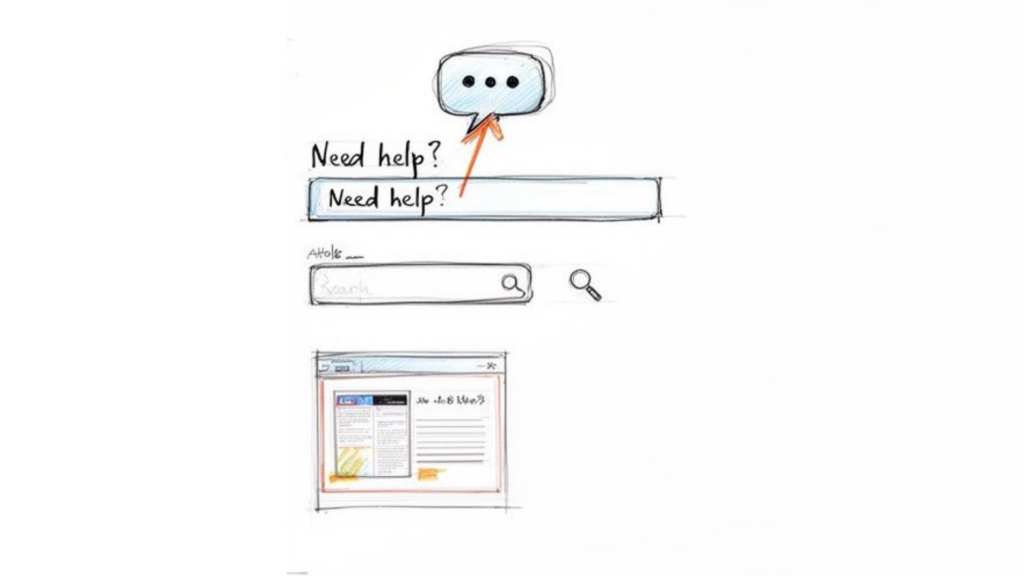
This means combining immediate, contextual help (like tooltips) with a comprehensive, searchable knowledge base for deeper dives. This dual approach empowers users to solve their own problems without breaking their workflow.
Real-World Example: Figma, the design tool, uses subtle tooltips that appear when you hover over an icon, explaining what it does. For more complex questions, their in-app help search bar pulls up relevant knowledge base articles without forcing you to leave your design file.
SaaS Onboarding UI Sketch
How to Build a Proactive Help System
Anticipate questions before they’re asked.
- Use Contextual Tooltips: Place small “?” icons next to complex settings or fields. A quick hover or click should reveal a simple, jargon-free explanation.
- Integrate a Chat Widget: An in-app messenger provides a direct line to support and your help docs. Use a bot to answer common questions instantly. To see how this works, learn more about how to automate customer service.
- Build a Searchable Knowledge Base: Create clear, well-organized articles and guides. Use videos, GIFs, and screenshots to make them easy to follow.
- Gather Feedback on Your Help Content: At the end of each article, ask a simple “Was this helpful? (Yes/No)”. This data is gold for finding and fixing gaps in your documentation.
7. Provide High-Touch Onboarding for High-Value Users
Automation is great for scaling, but for your most valuable customers, a human touch is irreplaceable. High-touch onboarding involves offering 1-on-1 calls, screen-sharing sessions, or a dedicated success manager to guide key accounts through setup.
This white-glove service is essential for complex products or enterprise clients. It ensures your most important customers succeed quickly, builds strong relationships, and dramatically reduces the risk of early churn.
Real-World Example: HubSpot offers free onboarding consultations to new customers. A specialist walks them through connecting their marketing tools and launching their first campaign, directly tying the product’s features to the customer’s business goals.
How to Implement a High-Touch Strategy
Focus your human resources where they’ll have the biggest impact.
- Identify Key Segments: Offer personal calls only to users on higher-tier plans or those who match your ideal customer profile. Use a signup survey to automatically flag these users.
- Make Scheduling Easy: Integrate a tool like Calendly into your welcome email or in-app messages for eligible users, allowing them to book a “Setup & Strategy” call in just a few clicks.
- Focus on Co-Creation: Don’t just demo the product on the call. Use screen sharing to build their first workflow or campaign with them. This hands-on help is incredibly valuable.
- Send a Follow-Up Package: After the call, send a summary email with a link to the recording, a checklist of next steps, and direct contact information.
For high-LTV customers, a personal onboarding call is one of the best investments you can make.
8. Use Behavior-Based Triggers for Timely Nudges
Instead of sending messages on a fixed schedule (e.g., Day 1, Day 3, Day 7), the most advanced onboarding systems react to what users actually do in the product.
Behavioral onboarding triggers messages based on specific user actions—or inaction. This makes your guidance feel incredibly relevant and timely, as if the app is responding directly to their needs.
Real-World Example: After you upload a few files to Dropbox but haven’t used the sharing feature, a prompt appears suggesting you share a file with a colleague. The message is triggered by your specific behavior, making it far more effective than a generic email about sharing features.
How to Use Behavioral Triggers
It all starts with tracking key user actions.
- Map Your Key Activation Events: Identify the core actions that correlate with long-term retention. This could be “Invited a Teammate,” “Connected an Integration,” or “Published First Post.”
- Create “If-Then” Recipes: Build automated triggers around these events. If a user creates their first project, then send an in-app message with tips on task management. If a user hasn’t connected their calendar after three days, then send an email highlighting the benefits of the integration.
- Nudge Inactive Users: If a user completes Step 1 but doesn’t move on to Step 2 within 48 hours, trigger a gentle reminder or an offer of help.
Behavioral onboarding allows you to deliver the perfect message at the perfect moment, guiding each user along their unique path to success.
9. Build a Community for Peer-to-Peer Learning
The best onboarding doesn’t always come from you. Often, the most valuable lessons come from other users. Building a community—like a Slack group, forum, or user group—leverages your power users to help onboard new ones.
This approach uses social proof and peer-to-peer learning to help new users discover creative use cases, solve problems, and feel like they’re part of something bigger.
Real-World Example: Notion’s community is a huge part of its success. Users create and share incredible templates for everything from project management to personal journaling. This user-generated content acts as a massive, organic onboarding engine, showing new users what’s possible far beyond what the official tutorials cover.
How to Foster a Community-Led Onboarding Culture
Create a space where your users can connect and learn from each other.
- Launch a Dedicated Space: Start a private Slack or Discord community for your customers. Create channels like #introductions, #getting-started, and #show-your-work to encourage interaction.
- Feature Your Users: Host monthly webinars where you interview a power user about their workflow. This is far more engaging than a standard product demo.
- Celebrate Wins: Create a #wins channel where users can share their successes. This provides powerful social proof and inspires new users.
- Start a Champion Program: Identify your most helpful community members and reward them with perks like early access to features, exclusive swag, or a direct line to your product team.
A thriving community turns your customers into your best marketers and your most effective onboarding specialists.
SaaS Onboarding: 9 Best Practices Comparison
| Onboarding Pattern | Implementation Complexity 🔄 | Resource & Maintenance ⚡ | Expected Outcomes 📊 / Quality ⭐ | Ideal Use Cases 💡 | Key Advantages ⭐ |
|---|---|---|---|---|---|
| Interactive Product Tours and Guided Walkthroughs | 🔄🔄🔄 — medium to high (UX & sequencing) | ⚡⚡ — moderate design + updates | 📊 Faster time-to-first-value; ⭐⭐⭐⭐ | New-user first-run, feature launches, in-app demos | ⭐ Stepwise discovery; measurable friction points; quick no-code updates |
| Progressive Feature Disclosure and Simplified First Experience | 🔄🔄🔄🔄 — high (adaptive UX) | ⚡⚡⚡ — medium/high design & testing | 📊 Lower cognitive load; sustained adoption; ⭐⭐⭐⭐ | Complex products with many features; mixed-skill audiences | ⭐ Prevents overwhelm; scales complexity; improves perceived ease |
| Personalized Onboarding Paths Based on User Segmentation | 🔄🔄🔄🔄 — high (routing + content variants) | ⚡⚡⚡⚡ — high content & upkeep | 📊 Higher activation per segment; ⭐⭐⭐⭐⭐ | Multi-industry SaaS, varied personas, template-driven setups | ⭐ Highly relevant guidance; faster value; intent data capture |
| Structured Email Onboarding Sequence with Clear Progression | 🔄🔄 — low/medium (campaign setup) | ⚡⚡ — low ongoing cost; needs optimization | 📊 Consistent re-engagement; cost‑efficient activation; ⭐⭐⭐ | Users who check email; re‑engagement of inactive users | ⭐ Scalable; timed guidance; easy A/B testing |
| Video Content and Visual Demonstrations | 🔄🔄🔄 — medium (production workflow) | ⚡⚡⚡ — production + hosting updates | 📊 Improved retention & confidence; lower support; ⭐⭐⭐⭐ | Visual/sequential tasks, feature demos, SEO outreach | ⭐ High clarity; reusable across channels; strong discoverability |
| Contextual In‑App Help Combined with Knowledge Base | 🔄🔄🔄🔄 — high (UI integration + docs) | ⚡⚡⚡⚡ — high content maintenance | 📊 Fewer support tickets; in‑context resolution; ⭐⭐⭐⭐ | Complex workflows, frequent edge‑case questions | ⭐ Keeps users in product; searchable self‑service; analytics on gaps |
| Personal Onboarding Calls and High‑Touch Support | 🔄🔄🔄 — medium (ops & scheduling) | ⚡⚡⚡⚡⚡ — very high human cost | 📊 Very high activation for key accounts; ⭐⭐⭐⭐⭐ (per-user) | High-LTV customers, complex implementations, enterprise | ⭐ Fast unblock; relationship building; bespoke configuration |
| Usage‑Based Triggers and Behavioral Onboarding Moments | 🔄🔄🔄🔄 — high (eventing + logic) | ⚡⚡⚡ — medium/high instrumentation | 📊 Highly relevant engagement; improved advanced feature uptake; ⭐⭐⭐⭐⭐ | Product-led growth, event-rich products, targeted moments | ⭐ Timely context; reduces message fatigue; higher conversion |
| Community and Peer Learning (User Groups, Forums, Social Proof) | 🔄🔄 — medium (platform + moderation) | ⚡⚡ — medium ongoing community management | 📊 Long-term loyalty & advocacy; peer-driven support; ⭐⭐⭐ | Ecosystem building, template sharing, advocacy programs | ⭐ User-generated content; network effects; lowers support load |
Your Onboarding Is Never ‘Done’—It’s a Growth Flywheel
We’ve covered nine powerful SaaS onboarding best practices, from interactive tours to behavior-triggered messages. While each tactic is different, they all share one common goal: get the user to a meaningful win, fast.
Effective onboarding isn’t a project you complete. It’s a living, breathing part of your product that requires constant iteration. The journey from a curious signup to a loyal advocate is built on a series of intentional, helpful interactions that guide and empower your users.
Your Actionable Next Steps
Don’t try to implement all of these at once. Start by identifying the single biggest leak in your current onboarding funnel. Where do most users get stuck and drop off?
Once you have your starting point, pick one or two strategies from this list to fix that specific problem.
- If users seem lost and confused: Start with an interactive walkthrough that guides them through the 3 most important first steps.
- If activation rates are low: Implement a simple welcome survey and create personalized onboarding paths for your key user segments.
- If feature adoption is poor: Use behavior-based triggers to introduce advanced features only after a user has mastered the basics.
The Real ROI of Great Onboarding
Think of onboarding as your most powerful growth lever. A well-designed experience directly impacts every metric that matters: it increases activation, boosts feature adoption, reduces churn, and lays the foundation for long-term retention.
By mastering these SaaS onboarding best practices, you move from simply showing users your product’s features to helping them achieve their goals. You transform their first experience from one of uncertainty into a confident partnership. That focus on user success is the ultimate competitive advantage.
FQAs: SaaS Onboarding Best Practices
Conclusion
A well-designed SaaS onboarding process combines user onboarding flows, customer onboarding strategy, onboarding software, and performance tracking. By aligning onboarding efforts with customer goals and continuously optimizing the onboarding experience, SaaS companies can improve activation, reduce churn, and drive sustainable growth across B2B and SaaS customers.
Ready to automate and personalize your onboarding with powerful, AI-driven conversations? Clepher provides the tools to implement many of these best practices today, from creating segmented welcome bot flows to triggering contextual messages based on user behavior. Start building a smarter, more effective onboarding experience by visiting Clepher to see how our conversational AI can transform your user activation.

Related Posts
Chatbots for Banks: The Ultimate Guide for 2026
April 4, 2026Mastering Conversational AI for E-commerce Success
April 3, 2026Turn Visitors Into Leads With a Web Chat Widget
April 2, 2026
Founder Clepher