
Tired of dismal email open rates and survey responses that trickle in days later? It’s time to stop shouting into the void and meet your customers where they actually are: WhatsApp. Whether you want to create a poll in WhatsApp, send quick feedback questions, or start creating a WhatsApp survey, the platform makes engagement effortless.
Creating a survey in WhatsApp isn’t just about changing the channel. It’s about shifting from a formal, often-ignored request to a simple, engaging chat. This direct approach gets you instant, honest insights because it feels less like a chore and more like a quick conversation—especially when you create a WhatsApp poll inside a chat or even a WhatsApp group for collective responses.
Why WhatsApp Is Your Best Channel for Feedback
If you’re still relying on email to gather customer feedback, you’re leaving a massive amount of valuable insight on the table. We’ve all experienced “survey fatigue”—that feeling when another generic feedback request hits our inbox. We ignore them because they feel impersonal and time-consuming. The result? Disappointingly low response rates that give you a skewed, incomplete picture of what your customers really think.
WhatsApp completely flips this script.
Instead of your survey landing in a cluttered inbox, you’re starting a conversation on an app people check constantly. When you begin creating a WhatsApp survey, the interaction feels immediate, personal, and incredibly lightweight. That’s why customers are so much more likely to actually engage and give you the answers you’re looking for.
The Power of Real-Time Engagement
Let’s look at a practical example. Imagine an e-commerce store trying to improve its delivery experience. Sending an email survey a week after an order arrives is a gamble. By then, the customer’s memory of the delivery details has faded, and their motivation to fill out a form is practically zero.
Now, picture this instead: an hour after the package is marked as delivered, the customer gets a friendly, automated WhatsApp message. “Hi [Customer Name], we see your order arrived! How was the delivery experience? Tap an emoji to rate it: 👍😐👎”
It’s a simple, one-tap question that’s completely frictionless—very similar to how you would create a poll in WhatsApp, letting users respond instantly. The store gets immediate feedback while the experience is still fresh. This allows them to either flag issues with their shipping carrier or identify what’s working well. This real-time capability is what makes creating a WhatsApp survey so potent. You’re not just asking questions; you’re asking them at the perfect moment.
The core advantage of WhatsApp is its immediacy. You’re not just collecting data for a quarterly report; you’re opening a direct line to your customer at the peak of their experience, enabling you to act on feedback when it matters most—whether through one-on-one chats or a quick question sent inside a WhatsApp group.
When you look at the raw numbers, the difference between WhatsApp and traditional survey channels becomes crystal clear.
Table: WhatsApp Surveys vs Traditional Methods
| Metric | WhatsApp Surveys | Email Surveys | Web Form Surveys |
|---|---|---|---|
| Response Rate | 45-60% (or higher) | 5-10% | 1-5% |
| Time to First Response | Under 15 minutes | 24-48 hours | Varies widely |
| Completion Rate | ~80% | ~40% | ~30% |
| Engagement Style | Conversational, 2-way | Formal, 1-way | Transactional, 1-way |
The data speaks for itself. The conversational, immediate nature of WhatsApp drives engagement that other channels simply can’t match.
Unmatched Reach and Personal Connection
The sheer scale of WhatsApp makes it an undeniable force. With over 3 billion monthly active users worldwide, it’s a direct line to a massive global audience. Key markets like India (532.2 million users) and Brazil (124 million users) highlight its dominance.
This massive user base means you can connect with an incredibly diverse audience right on their phones.
Unlike an email, which can feel corporate and cold, a message on WhatsApp has the feel of a personal ping from a friend. This intimacy builds trust and encourages people to give more candid, detailed responses. When weighing your options, it’s smart to compare WhatsApp with the best texting services for business to see where each platform’s strengths lie for collecting feedback.
Choosing the Right WhatsApp Survey Method
So, how should you actually run a survey on WhatsApp? The answer depends on what you’re trying to achieve. It’s about picking the right tool for the job, whether you need a quick opinion poll or a deep dive into customer data.
For many small businesses or community managers, the simplest route is often the most effective. Using WhatsApp’s built-in poll feature inside a group chat is fantastic for gathering fast, informal feedback.
For instance, if you run a local fitness group and want to decide on a new class time, a quick poll gets you instant answers without any complicated setup. Simple.
But that manual approach hits a wall pretty fast. It doesn’t scale, you can’t automate it, and it gives you zero data to plug into your business systems. When you need to survey hundreds of customers, track responses, and ask personalized follow-up questions, you’ll need something more powerful.
Scaling Up with the WhatsApp Business Platform
This is where the WhatsApp Business Platform (often called the API) comes in. Think of it as the engine for creating automated, scalable, and genuinely interactive survey experiences. When you pair it with a platform like Clepher, a boring questionnaire transforms into a dynamic, two-way conversation.
This is the go-to solution for any business that needs to:
- Automate survey delivery based on triggers, like a customer making a purchase or a support ticket being closed.
- Personalize questions using customer data (e.g., “Hi Sarah, how was your experience with the new running shoes?”).
- Integrate responses directly into your CRM or analytics dashboard.
- Use interactive buttons and lists to make the survey quick, easy, and even fun to complete.
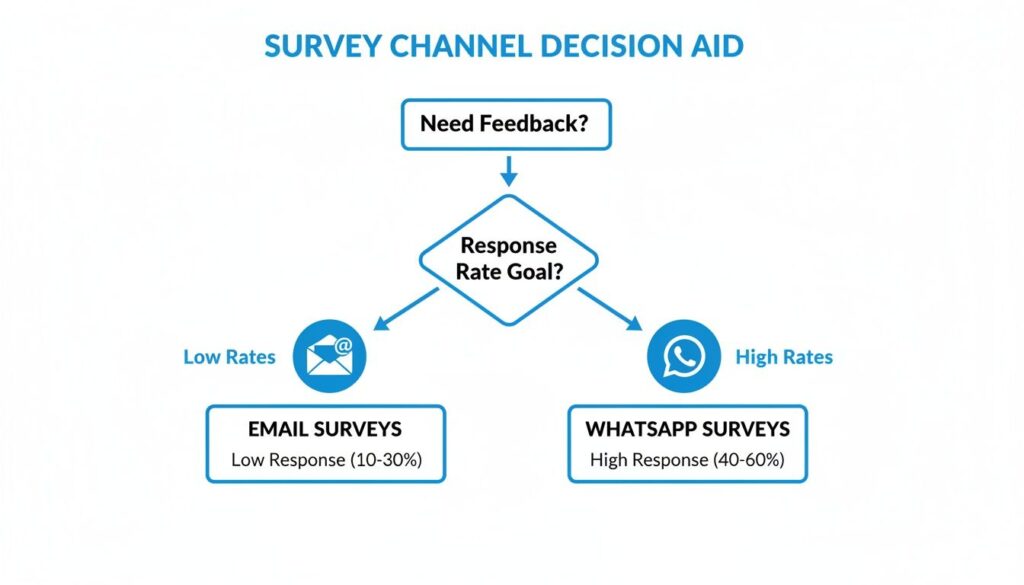
This visual drives home the point: when it comes to getting responses, WhatsApp blows traditional channels like email out of the water.
WhatsApp Survey Channels
The takeaway is clear: for any serious feedback effort, WhatsApp is the hands-down winner for engagement. That alone makes investing in the platform worthwhile. By turning your survey into a seamless dialogue, you’re tapping into the core principles of conversational marketing to build stronger customer relationships.
Actionable Tip: Use native polls for quick, informal feedback within small, established groups. Use the WhatsApp Business Platform when you need automation, scale, personalization, and data integration for your survey campaigns.
Building a Survey People Actually Want to Take
The real difference between a WhatsApp survey that gets answers and one that gets ignored boils down to a single word: conversation. People use WhatsApp because it’s personal and instant. If your survey feels like a robotic questionnaire, it’s dead on arrival.
It all starts with a warm, personalized welcome. Forget “Please take our survey.” Try something that acknowledges your relationship with the customer. A simple, “Hi [Customer Name], thanks for your recent order! We’d love to get your quick thoughts—it’ll only take a minute,” sets a completely different, more human tone.
Crafting a Frictionless Experience
Your number one goal is making it ridiculously easy to respond. Long, open-ended questions create friction and are the fastest way to kill your completion rate. Instead, lean into the interactive elements WhatsApp was built for.
- Reply Buttons: These are your best friends for simple yes/no questions or multiple-choice options. A user just has to tap their answer. It’s so much faster than typing.
- List Messages: Got more than three options? A list message presents them in a clean, scrollable menu. This is perfect for questions like, “Which of these features do you use most often?”
When you use a chatbot builder, you can map this entire conversational flow out visually. You design the path from the first welcome message to the initial question, then create branches depending on how the user answers. The whole experience feels dynamic and responsive, like it’s adapting to their input in real time.
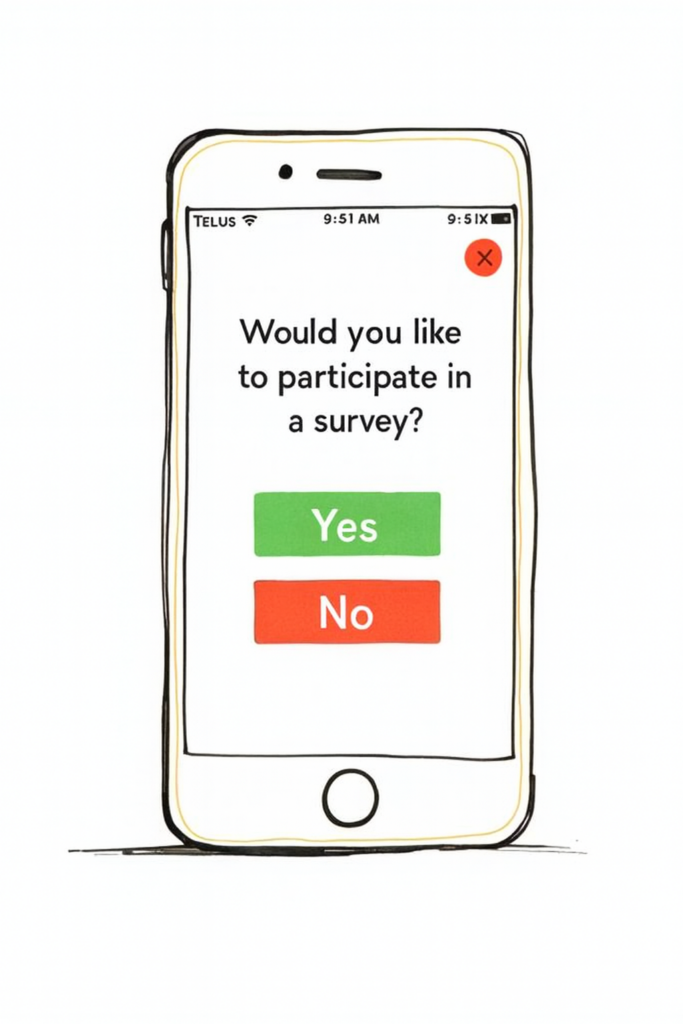
This is what a well-designed mobile survey should look like—clear text and simple buttons guide the user effortlessly.
WhatsApp Mobile Survey
The key takeaway is simplicity. That clean interface, combined with easy rating scales and yes/no options, removes all the work and massively boosts completion rates.
Proven Survey Templates for WhatsApp
You don’t need to reinvent the wheel. Here are three battle-tested templates you can adapt right now.
1. Net Promoter Score (NPS)
This classic for measuring loyalty works beautifully in a chat.
- Initial Question: “On a scale of 0 to 10, how likely are you to recommend [Your Company] to a friend?” (Use a list message for the 0-10 options).
- Follow-Up (Promoters 9-10): “That’s great to hear! What did you like most about your experience?”
- Follow-Up (Detractors 0-6): “We’re sorry to hear that. Could you tell us a bit more about what we could do better?”
2. Customer Satisfaction (CSAT)
This is perfect for getting immediate feedback after a specific interaction, like a purchase or a support ticket.
- Initial Question: “How satisfied were you with your recent purchase experience?”
- Options (Reply Buttons): Very Satisfied, Satisfied, Neutral, Unsatisfied, Very Unsatisfied.
- Follow-Up: Based on their answer, ask a single open-ended question like, “What’s one thing we could do to make it even better next time?”
A great survey ends as gracefully as it begins. Always close with a sincere “Thank you for your time!” and let them know how their feedback will be used. This reinforces that their opinion matters.
Ultimately, a winning WhatsApp survey is a masterclass in engagement. By keeping it short, interactive, and conversational, you create an experience customers are happy to participate in. For more ideas, check out these 10 customer engagement ideas that can be adapted for any channel.
Deploying Your Survey for Maximum Engagement
A well-designed survey is only half the battle. If your message arrives at the wrong time or feels like spam, even the best questions will be ignored. Smart deployment is how you unlock the incredible response rates WhatsApp is known for.
Start with a Clear Opt-In
First things first: you absolutely need explicit user opt-in.
You cannot send a survey in WhatsApp to anyone who hasn’t clearly agreed to receive messages from you. This isn’t just a best practice—it’s a core policy. Sending unsolicited messages is the fastest way to get your business number blocked.
Getting consent doesn’t have to be a roadblock. Just integrate the opt-in naturally into your existing customer journey.
- At Checkout: Add an unchecked box on your e-commerce checkout page: “Receive order updates and occasional feedback requests on WhatsApp.”
- In-Store: Use a QR code at the point of sale that customers can scan to join your WhatsApp updates list.
- Support Interactions: After resolving a ticket, have your agent ask if they’d be open to a quick feedback survey via WhatsApp.
Time Your Survey for Peak Impact
With consent secured, the next piece is timing. Sending your survey at the right moment can dramatically boost response rates. The goal is to feel relevant, not random.
Trigger your survey to send immediately after a key moment. For an e-commerce brand, this could be an hour after a delivery is marked complete. For a SaaS company, it might be 24 hours after a new user signs up. This way, the experience is still fresh, leading to more accurate feedback.
If you want to go deeper, our guide on how to schedule messages on WhatsApp offers practical strategies you can implement right away.
The best WhatsApp surveys feel like a natural continuation of an existing conversation. By triggering them based on specific actions, you shift the context from “a company asking me for something” to “a helpful follow-up about my recent experience.”
Personalize Your Outreach Message
Finally, craft an opening message that sets clear expectations and shows you value the user’s time. A generic blast will always underperform.
Use personalization tags to include the customer’s name and reference their recent interaction. Be upfront about how long it will take.
A message like, “Hi Sarah, thanks for your recent order! We’d love your feedback on the delivery experience. It’s just three quick questions and should only take about 30 seconds,” is far more effective than a vague request. This approach respects their time, clarifies the purpose, and makes them much more likely to engage.
Turning Survey Responses into Actionable Insights
Getting feedback is great, but the real magic happens in what you do next. Raw data is just noise. The competitive edge comes from turning those answers into a clear picture of what your customers actually want.
The process starts with getting your data organized. A chatbot platform’s analytics dashboard is your mission control for viewing completion rates, response times, and an overview of answers. For a deeper dive, export the data into a spreadsheet to start digging for patterns.

WhatsApp Survey Data Analysis
From Data Points to Strategic Decisions
Once organized, it’s time to uncover the story your data is telling. Start by segmenting the feedback. Don’t just stare at the overall results; slice them by customer type, purchase history, or location.
You might discover that your VIP customers are asking for a feature new users don’t care about. Or maybe you’ll find that delivery issues are all coming from one specific region. This is where the gold is.
From there, you can start spotting key trends.
- Calculate Your NPS: Categorize your 0-10 responses into Detractors (0-6), Passives (7-8), and Promoters (9-10). Your Net Promoter Score is simply the percentage of Promoters minus the percentage of Detractors.
- Spot Common Themes: Read the open-ended feedback. Are people repeatedly mentioning the same problem or praising the same feature? Tag these responses with keywords like “slow shipping” or “great support” to see what themes emerge.
The goal isn’t just to listen—it’s to understand. Segmenting responses helps you move past generic feedback and find specific, actionable insights that can guide everything from product development to your marketing messages.
Closing the Loop with Customers
Identifying insights is one thing, but acting on them—and telling your customers you did—is what builds real trust. Once you’ve got your takeaways, the next step is closing the feedback loop.
This doesn’t have to be a massive undertaking. Let’s say several customers complained about a confusing step in your checkout process. You fix it. Then, you send a targeted WhatsApp broadcast to the very people who gave you that feedback. A simple message like, “You spoke, we listened. We’ve updated our checkout to make it simpler, all thanks to your suggestion!” goes a long way. It shows their voice matters.
Finally, use what you’ve learned to make your next survey even better. If one question had a huge drop-off rate, rephrase it or use interactive buttons next time. Every survey in WhatsApp is a chance to learn—not just about your customers, but also about how to ask better questions.
Common Questions About WhatsApp Surveys
Even with a solid plan, jumping into WhatsApp surveys can bring up a few questions. Getting the details right is essential for compliance, user engagement, and getting the data you need.
Let’s clear up some of the most common questions.
Conclusion
Conducting a survey in WhatsApp offers a fast, familiar channel for reaching participants, boosting engagement and response rates when designed with clear questions, respect for privacy, and simple response options. To get reliable results, plan your questionnaire carefully, obtain consent, test messages for clarity, and use tools or integrations to automate collection and analysis while obeying platform policies and data-protection rules. By combining concise messaging, thoughtful timing, and transparent follow-up, WhatsApp surveys can provide actionable insights for marketers, researchers, and community organizers.
Ready to stop guessing and start asking? Clepher gives you all the tools you need to build, automate, and analyze engaging WhatsApp surveys that get real results. Start your free trial today and see how easy it is to gather feedback that grows your business.

Related Posts
How to Sell Online Courses and Build a Profitable Business
March 12, 2026AI Customer Service Automation: Your Guide to Scaling Support
March 11, 2026
Founder Clepher