
Automating Facebook Messenger isn’t about setting up a few generic canned replies. It’s about building a smart, 24/7 system that turns casual chats into qualified leads, recovers lost sales, and keeps customers happy without you lifting a finger—one of the most practical ways to automate Facebook Messenger for real business impact.
Think of it as transforming your inbox from a time-sucking chore into a powerful engine for business growth. Using tools like Meta Business Suite to organize and automate messages on Facebook, you can move from scattered manual replies to structured, intelligent conversation flows. This guide breaks down exactly how to build that engine, step-by-step, from planning your first conversation to launching advanced sales sequences.
Why Messenger Automation Is No Longer Optional
In a world of instant gratification, a reply that takes hours is a lost opportunity. This is where Facebook Messenger automation changes the game, transforming your customer interactions from a slow, manual process into a 24/7 engagement powerhouse.
Imagine your best salesperson and top support agent working around the clock, with zero payroll costs. That’s the power we’re tapping into. We’re not just building “we’ll get back to you” messages. We’re creating guided experiences that solve problems, answer questions, and drive people to take action—all on an app they already use daily.
The Real-World Business Impact
Let’s get practical. For an e-commerce store, automation can instantly answer “Where’s my order?” or check if a product is in stock. Better yet, it can proactively message a shopper who abandoned their cart, offering a small discount to seal the deal. That’s a direct path to recovering revenue.
For a service business, like a marketing agency or a local gym, a bot can qualify new leads by asking a few key questions (“What’s your budget?” “What are your goals?”). It can then schedule a discovery call right inside the chat, filtering out tire-kickers and freeing your team to focus on closing deals with high-intent prospects.
Key Takeaway: The goal is to build a reliable, predictable system for generating leads and sales from your Messenger inbox. You’re creating a machine that nurtures people from their very first message, adding value every step of the way.
And the audience is ready. Over 375,000 people engage with automated bots daily, showing a clear preference for instant interaction. With over 1.04 billion active monthly users on Messenger, automation is proven to resolve 30-70% of inquiries without any human help. That’s a massive reduction in your support workload.
For a quick look at the difference this makes, compare the old way of doing things to the new.
Manual vs Automated Messenger Impact
| Metric | Manual Approach | Automated Approach |
|---|---|---|
| Response Time | Hours or days | Instant, 24/7 |
| Lead Capture | Inconsistent, relies on memory | Systematic, every user is captured |
| Sales Recovery | Almost non-existent | Proactive abandoned cart follow-ups |
| Support Cost | High (staff time) | Low (one-time setup) |
| Scalability | Limited by team size | Nearly infinite |
The numbers don’t lie. Shifting to an automated approach frees up incredible resources while actively boosting your bottom line.
Going Beyond Basic Customer Service
Instant support is a great start, but the real power of Messenger automation is in building a marketing channel you own. Every person who messages your Page becomes a subscriber you can connect with again. You can segment this audience based on their interests and actions, then send targeted broadcasts about:
- New product launches: Announce new items directly to people who’ve shown interest in that category before.
- Flash sales and promotions: Drive serious urgency with time-sensitive offers sent straight to their Messenger inbox.
- Exclusive content: Nurture your leads by sharing valuable tips, guides, or invitations to webinars.
A platform like Clepher gives you all the tools needed to build these sophisticated, money-making conversations. It helps you turn passive social media followers into an active, automated system that not only supports your customers but brings in revenue and builds loyalty for years to come. To go deeper, check out how Messenger bots can improve sales conversion rates.
Designing Your First Conversational Flow
Alright, let’s move from strategy to action. It’s time to build your first conversational flow—a guided path you design to walk users toward a specific business goal.
Forget any notion that you need to be a coder. Modern tools use visual, drag-and-drop builders. If you can sketch a flowchart, you can build a Messenger bot.
The biggest mental shift is to stop thinking like a marketer and start acting like a helpful concierge. Your job isn’t to blast sales pitches; it’s to create a natural, back-and-forth dialogue that helps people get what they want, whether that’s an answer, a booked appointment, or a discount code. Each message should feel like a logical next step, gently pulling the user toward the goal.
This is what that journey looks like in a nutshell. A simple chat starts, the bot takes over the heavy lifting, and it turns into a real business outcome.
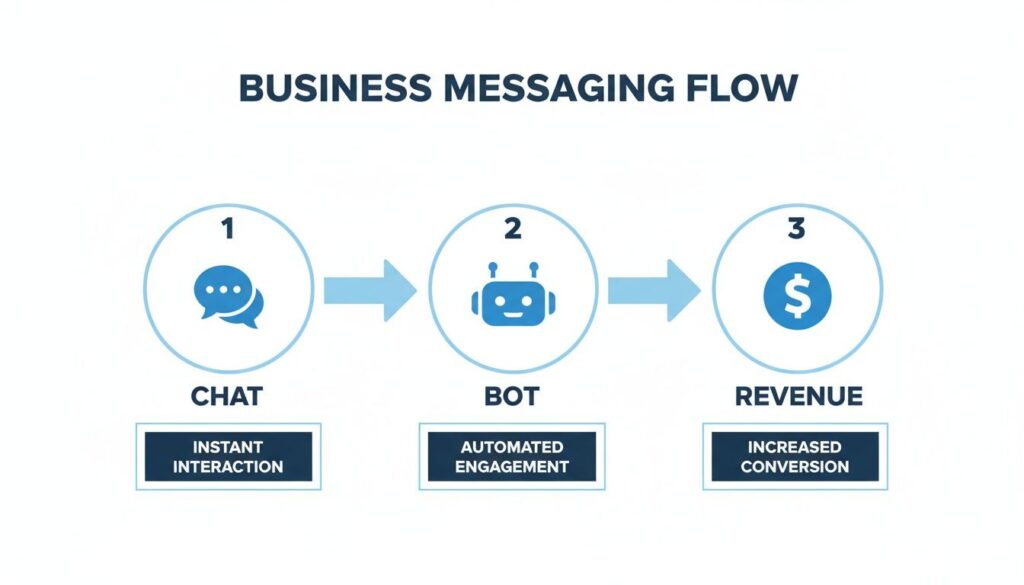
Messaging Flow
As you can see, it’s a direct line from conversation to conversion. Your Messenger inbox stops being a chaotic mess of DMs and becomes a streamlined engine for your business.
The Core Building Blocks of a Flow
Every conversational flow, no matter how complex, is built from a few simple components. Master these, and you can build almost anything.
- Welcome Message: This is your digital handshake. It’s the first thing people see. It should greet them, clarify what the bot can do, and get straight to the point.
- Quick Replies: These are clickable buttons that appear under a message. They’re fantastic for guiding the conversation and preventing users from having to type. Think of them as multiple-choice answers that control the flow’s direction.
- User Input Fields: Sometimes you need specific information like an email address or phone number. A user input field prompts the user for that data and saves it to their contact profile for later use.
- Conditional Logic: This is where the magic happens. It’s the “if this, then that” brain of your bot. If a user clicks “Yes,” they go down one path; if they click “No,” they go down another. This is what makes the conversation feel responsive and intelligent.
Pro Tip: Before you touch a single thing in a bot builder, map out the conversation on paper or a whiteboard. Seriously. Seeing the user’s journey from start to finish helps you spot dead ends or confusing steps before you waste time building them.
A Practical Example: The Local Gym Promotion
Let’s make this tangible. Imagine a local gym, “FitFlex Gym,” wants to run a “Free 7-Day Trial” promotion. The goal is simple: capture a lead’s name and email, and get them to book a quick tour.
Here’s a breakdown of how their flow could work:
-
The Greeting: The moment someone messages their page, the flow kicks off with a friendly welcome. “Hey there! Thanks for your interest in FitFlex Gym. Ready to claim your free 7-day trial and see what we’re all about?” Below the message are two Quick Reply buttons: “Yes, let’s go!” and “Maybe later.”
-
Capturing Information: If they click “Yes, let’s go!”, the bot immediately responds. “Awesome! To get your trial pass sent over, what’s the best email address for you?” This uses a User Input field to grab their email.
-
The Call to Action: Once the email is in, the bot confirms it and pivots to the next goal. “Got it! Your pass is on its way to your inbox. The best way to start is with a quick tour. We have spots open tomorrow at 10 AM and 4 PM. Do either of those work?” More Quick Replies make booking the tour painless.
This is a perfect, bite-sized example of how to automate Facebook Messenger for lead generation. In under a minute, the gym has a qualified lead, their contact details, and a scheduled appointment—all without a staff member lifting a finger.
For a deeper dive into crafting conversations that actually work, you can learn more about how to design a chatbot that converts.
Remember, your first flow doesn’t need to be a sprawling masterpiece. It just needs to be clear, helpful, and laser-focused on accomplishing one valuable task.
Turning Visitors into Messenger Subscribers
You can design the most brilliant conversational flow in the world, but it’s useless if no one sees it. The real starting point for high-performing automation isn’t the flow itself—it’s turning your existing audience into active Messenger subscribers. This is how you build the bridge from your website and social posts into your automated world.
Think of your website and Facebook Page as your storefronts. Messenger is the private consultation room where the real conversations happen. You need strategic entry points, or “triggers,” to invite people in. Without them, your automation just sits there, waiting.
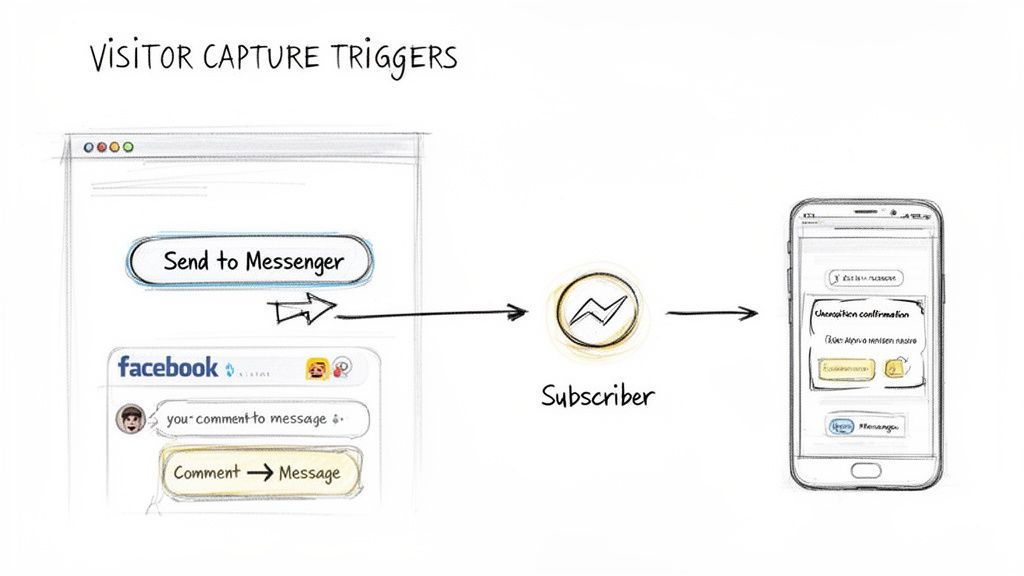
Visitor Capture Triggers
This whole process is about meeting customers where they are and giving them a frictionless way to start a chat. Once they’re in, your automated flows take over.
Capture Tools for Your Website
Your website traffic is a goldmine of people actively looking for what you offer. Instead of hoping they find a static contact form, you can engage them instantly with Messenger widgets.
-
The Website Chat Widget: You’ve seen this one—it’s the small chat bubble that lives in the corner of a site. When a visitor clicks it, a Messenger conversation opens right there. It’s perfect for answering questions and capturing leads at the exact moment their interest is highest. A consultant could use this to kick off an automated qualification sequence, asking about budget and project scope before a human ever joins the chat.
-
“Send to Messenger” Buttons: These are game-changers for any landing page or blog post. You can place a button that says “Get Discount in Messenger” or “Download the Guide via Messenger.” The moment someone clicks, it opts them into your Messenger list and immediately delivers the promised value. It’s a direct, value-driven exchange.
Turning Social Engagement into Subscribers
Passive likes and shares are nice vanity metrics, but they don’t build a direct line of communication. Comment-to-message automation is the most effective way to convert your social media audience into a list you can actively market to.
Here’s how it works: someone comments on a specific Facebook post with a keyword (or any comment), and your automation instantly sends them a private message.
Key Takeaway: Comment-to-message transforms your Facebook posts from static announcements into interactive lead-generation machines. Every single comment becomes a golden opportunity to start a one-on-one conversation and add a new subscriber to your list.
This strategy is incredibly versatile. Here are a few ways businesses are using it right now:
-
Giveaways & Contests: An online store posts, “Comment with #GIVEAWAY to enter to win our new product!” When someone comments, the bot messages them: “You’re in! We’ll announce the winner here on Friday. While you wait, here’s a 10% off coupon.” Just like that, everyone who entered is now a subscriber.
-
Content Delivery: A business coach posts a video with the call to action, “Want my free checklist for running better ads? Comment ‘CHECKLIST‘ below!” The bot then sends a DM with a link to the PDF, delivering value on the spot while capturing a new lead.
-
Driving Sales: A local restaurant announces a new menu item. “Comment ‘MENU‘ and we’ll send you the details plus a special offer!” This builds excitement and moves the sales conversation from a public forum into a private, personalized chat.
Using Keyword Triggers for Instant Responses
Beyond posts, you can set up keywords that trigger specific flows whenever someone messages your Page directly. This is your frontline for automated customer service and intelligent lead routing. Instead of making people wait, you provide instant answers.
Just think about the most common questions you get. Each one can be a keyword trigger.
| Keyword Trigger | Automated Action | Business Use Case |
|---|---|---|
| “pricing” | Starts a flow that details different plans and packages. | A SaaS company instantly sends its pricing info and a link to start a free trial. |
| “shipping” | Triggers a flow that explains shipping policies and delivery times. | An e-commerce brand dramatically reduces support tickets by answering its most common query automatically. |
| “demo” | Kicks off a lead qualification flow and presents a calendar link to book a call. | A B2B service filters and schedules sales calls without any manual back-and-forth emails. |
By combining these capture tools, you create a complete system to automate Facebook Messenger from the very first touchpoint. You’re no longer just waiting for people to talk to you; you’re actively creating opportunities for engagement. For a great walkthrough, explore this subscribe message example to see how a simple opt-in can lead to a powerful conversation.
Advanced Automation for Driving Revenue
Once you have a steady stream of subscribers, it’s time to shift your focus from simply chatting to actively driving sales. This is where your Messenger channel graduates from an engagement tool to a revenue-generating machine.
We’re moving beyond welcome messages. The goal is to build smart, automated sequences that directly impact your bottom line. Every tap, question, and action a user takes is a signal. Advanced automation turns those signals into hyper-relevant, perfectly timed messages that feel less like a sales pitch and more like a personal shopper.
Recapture Lost Sales with Abandoned Cart Sequences
Abandoned carts are the silent killer of e-commerce revenue. Someone finds a product, adds it to their cart… and then vanishes. For years, email has been the go-to for clawing those sales back, but its power is fading in a world of cluttered inboxes.
Messenger is a different beast entirely.
Imagine dropping a friendly reminder directly onto a customer’s phone an hour after they left your site. There’s no spam filter to fight, no crowded inbox—just a direct, personal nudge. The immediacy of Messenger is what makes it so brutally effective at getting these high-intent shoppers to complete their purchase.
A solid abandoned cart flow usually looks like this:
- Reminder 1 (1 hour later): Keep it simple and helpful. “Hey [First Name], did you forget something? The items in your cart are waiting for you!” followed by a button to “Complete Your Order.”
- Reminder 2 (12 hours later): Inject a little urgency or social proof. “Hi [First Name], your items are still available! Just a heads up, that [Product Name] has been flying off the shelves this week. Don’t miss out!”
- Reminder 3 (24 hours later): Time for the final nudge. “We’ve saved your cart for you, [First Name]. To make it a little easier, here’s a 10% discount to help you finish your purchase today.”
Key Takeaway: Messenger abandoned cart sequences don’t feel like an aggressive sales tactic; they feel like good customer service. When you frame your messages as helpful reminders, you recover sales without turning people off.
And the results? They speak for themselves. Businesses that automate Facebook Messenger for cart recovery see success rates of 18-20%. That’s a massive jump from email’s typical 5-8%. This is a perfect example of how AI-driven bots are reshaping conversational commerce—a trend that helped fuel over 50% YoY revenue growth for Meta’s click-to-message ads in late 2025. You can dig deeper into the strategic power of Facebook Messenger.
Segment Your Audience for Hyper-Targeted Broadcasts
Blasting the same generic message to every subscriber is a fast track to high unsubscribe rates. The real power of Messenger lies in segmentation. By applying tags to users based on their actions, you can slice your audience into specific groups and send them messages they actually want to see.
Think of tags as digital sticky notes you attach to a user’s profile. You can apply them automatically whenever someone:
- Clicks a specific button (e.g., they tap “Men’s Shoes”).
- Asks about a certain product.
- Buys something from a particular category.
- Enters your funnel from a specific comment-to-message post.
Once you have these tags, you can craft incredibly precise broadcast campaigns. Got a new line of running shoes? Send a message only to people tagged with “running” or “fitness.” Running a flash sale on your premium software plan? Broadcast it just to users who previously asked about “pricing.” This kind of precision makes your marketing feel relevant, not spammy.
Personalize Conversations with Conditional Logic
If tags are the sticky notes, conditional logic is the brain that reads them. This “if-then” engine makes your automation truly intelligent. Instead of forcing every user down the same path, you can build dynamic conversations that adapt on the fly.
This lets you check a user’s tags or custom data before sending a message. For instance, your welcome flow could check if a user already has the “Customer” tag.
- If YES: “Welcome back, [First Name]! Great to see you again. Are you looking for support or to check out our new arrivals?”
- If NO: “Hey there, [First Name]! Welcome to our brand. To help you get started, would you like a quick tour of what we offer or a special first-time buyer discount?”
That one simple check completely transforms the conversation. It makes repeat customers feel recognized and new visitors feel welcomed and guided.
Connect Your Bot to Your Entire Marketing Stack
Your Messenger bot shouldn’t operate in a silo. To unleash its power, it needs to talk to the other tools you rely on every day—your CRM, email platform, and webinar software. This is where integrations, often powered by a tool like Zapier, become essential.
An integration creates a seamless data highway between your systems. For example, when your bot captures a new lead’s email inside a Messenger chat, a well-built integration can instantly:
- Create a new contact in your CRM (like HubSpot or Salesforce).
- Add that contact to a specific audience in your email tool (like Mailchimp).
- Ping your sales team in Slack with the lead’s details.
This kind of automation eliminates manual data entry, ensures no lead ever falls through the cracks, and creates a truly cohesive customer journey.
Optimizing Support and Staying Compliant
Automation isn’t just for making sales. It’s a secret weapon for customer support, capable of instantly clearing a huge chunk of common questions off your team’s plate.
When you automate Facebook Messenger for support, you’re not trying to replace your team; you’re empowering them. You’re building a system that handles the repetitive, low-level questions so your support agents can focus on conversations that need a human touch.
This frees up your team to tackle complex problems, nurture high-value customers, or close important deals. Meanwhile, your bot is in the trenches, giving instant answers about shipping, returns, or business hours. Customers get help immediately, and your support ticket volume plummets. It’s a win-win.
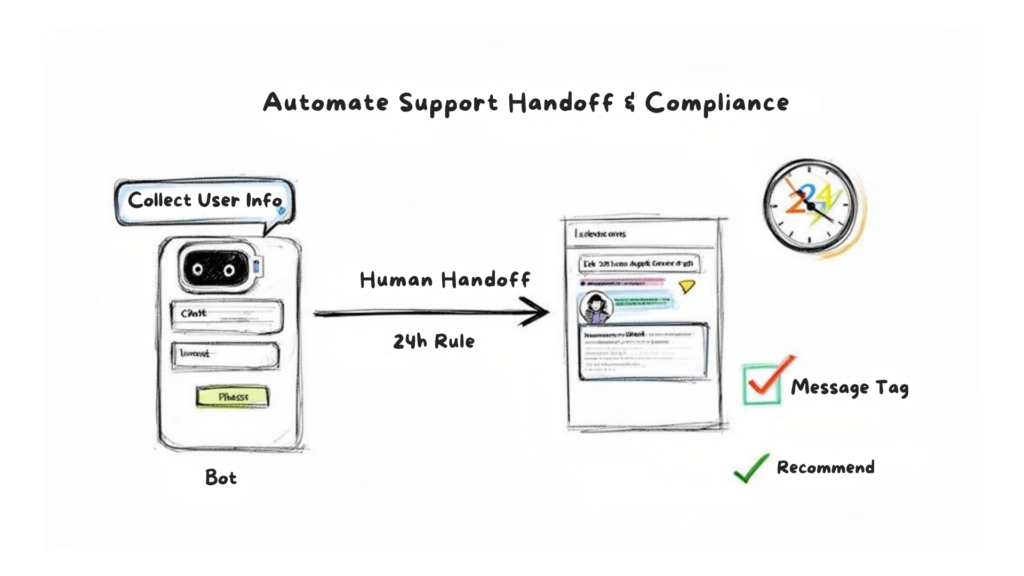
Support Handoff
The real magic, though, is in the handoff. A well-designed bot knows its limits and, more importantly, knows exactly when to get out of the way.
Engineering the Perfect Human Handoff
A “human handoff” is that critical moment when your bot passes the conversation to a live person. The goal is to make it so smooth the customer barely notices. A bad handoff is jarring and forces the customer to repeat everything they just told the bot—a recipe for frustration.
A great handoff, on the other hand, feels like a natural escalation. Your bot acts as a first-line agent, gathering essential info upfront so your team doesn’t have to.
For example, a customer messages you, “My order is wrong.” The bot can jump in:
- “I’m sorry to hear that. I can get you to an agent right away.”
- “To speed things up, could you provide your order number and a quick description of the issue?”
Once the customer replies, the bot transfers the chat. The key is that the agent gets the full conversation history and all the data the bot collected. They can dive right in with, “Hi, I see you’re having an issue with order #12345. Let’s get this sorted out for you.” It completely avoids that dreaded “How can I help you?” reset.
Pro Tip: Always give users an escape hatch. A persistent “Talk to a Person” button in your bot’s menu is a non-negotiable best practice. It builds trust and ensures no one ever feels trapped talking to a machine.
Navigating Meta’s Messaging Policies
Building a killer bot is one thing, but keeping it compliant with Meta’s rules is another. Ignoring these policies is the fastest way to get your Page’s messaging privileges shut down. The single most important rule to live by is the 24-hour messaging window.
Here’s how it works: once a user messages you, a 24-hour clock starts. During that window, you can send them as many messages as you need, including promotional ones. But after that 24-hour window closes, your ability to message them becomes extremely limited.
This is where many businesses stumble. They build a list of Messenger subscribers and then try to blast a promo a week later. That’s a direct violation and a quick ticket to getting your Page flagged.
So, how do you send important updates outside of that window? With Message Tags.
Using Message Tags Correctly
Message Tags are specific labels approved by Meta that let you send essential, non-promotional messages outside the 24-hour window. Think of them as special passes for necessary updates, not for marketing. Using them correctly is mission-critical.
For most businesses, these are the three tags you’ll use:
- Confirmed Event Update: Perfect for sending reminders or updates about an event the user registered for, like a webinar.
- Post-Purchase Update: This is for all your transactional messages—shipping confirmations, delivery updates, or order changes.
- Account Update: Use this to notify users about non-recurring changes to their account, like a status update or a potential security issue.
When you send a broadcast with one of these tags, you’re telling Meta it fits into one of those approved categories. If you try to sneak a “20% Off Sale!” message with a Post-Purchase Update tag, you will get caught.
Stay compliant, and your Messenger automation will be a powerful asset for years to come.
Got Questions About Messenger Automation?
Jumping into any new tech brings up questions. When you start to automate Facebook Messenger, you’re not just grabbing a new tool—you’re fundamentally changing how you communicate with customers. Let’s tackle some common hurdles.
The biggest fear for many is getting on Meta’s bad side. The good news is, automation isn’t just allowed; it’s encouraged when done right. You just have to play by their rules.
Ready to put these insights into practice? With Clepher, you can build, launch, and manage powerful Messenger automations without touching a single line of code. Start turning more visitors into customers, supporting them instantly, and driving real revenue today. Get started with Clepher.

Related Posts
How to Create a Killer Poll Game on Instagram to Boost Engagement and Leads
March 24, 202612 Fresh Social Media Content Ideas That Convert in 2026
March 23, 2026Elevate Your Customer Experience with Conversational AI for Customer Engagement
March 22, 2026
Founder Clepher