

A well-designed chat bot for Facebook isn’t just a fancy tech toy. Think of it as your best employee—a 24/7 sales agent, support specialist, and lead qualifier, all rolled into one, engaging customers right where they hang out. It’s a strategic asset that automates conversations to drive sales, capture leads, and build loyalty around the clock.
Why Your Business Needs a Chat Bot for Facebook
Facebook Chatbot
Before a bot, your ability to engage leads and support customers via live chat is shackled by business hours and staff availability. After? Your business, powered by the Messenger platform and Meta tools, is always on, ready to help a customer at 2 AM or qualify a new lead over the weekend. This isn’t a minor tweak; it’s a fundamental transformation in how you operate.
-
Practical Example: The E-commerce Store Picture a shopper loading up their cart and then getting distracted. Instead of that sale vanishing forever, your chatbot automatically sends a message to their Messenger an hour later, offering a small discount to bring them back. This single, automated flow can slash abandoned cart rates and directly recover revenue.
-
Practical Example: The Service Business Think about a local gym. A potential client lands on your Facebook Page after hours. Instead of leaving a message and waiting, a chatbot instantly engages them, asks about their fitness goals, and books a free trial class directly on your calendar. You wake up to qualified appointments already booked.
The Real-World Impact on Business Operations
This shift from manual, reactive work to automated, proactive engagement is a game-changer. The impact ripples across your sales, marketing, and customer support, creating efficiencies that free up your team to focus on high-value tasks.
Let’s look at the tangible difference a chatbot makes in day-to-day operations.
Business Operations Before and After a Chatbot
| Business Function | Without a Chatbot | With a Chatbot |
|---|---|---|
| Lead Capture | Manual form fills, missed late-night inquiries. | 24/7 automated lead qualification via Messenger. |
| Customer Support | Staff answers repetitive questions during business hours. | Instant answers to common questions, any time. |
| Sales Process | Follow-ups depend on sales team availability. | Automated cart recovery, proactive sales guidance. |
| Marketing Reach | Relies on email open rates and ad clicks. | Direct, high-engagement messages to Messenger inboxes. |
The “after” column isn’t just about saving time; it’s about creating a more responsive and effective business model that meets customers on their terms.
The Takeaway: Meet customers where they already are. With its massive user base, Facebook Messenger is the perfect place to build direct, automated relationships that feel personal and immediate.
Facebook Messenger is one of the world’s most dominant messaging platforms, with an estimated 979 million users reachable through ads each month. A chatbot lets you tap into this enormous audience directly and conversationally. It’s a key piece of the puzzle for any business looking to streamline their digital presence, fitting perfectly among the top social media automation tools.
The benefits are clear and direct:
- Lead Generation: Automatically capture and qualify leads 24/7, without lifting a finger.
- Sales Conversion: Proactively recover abandoned carts and guide users toward a purchase.
- Customer Support: Instantly answer common questions, freeing up your team for complex issues.
- Marketing Engagement: Deliver personalized promotions directly to a user’s inbox, where open rates crush email.
Ultimately, don’t see a chatbot as another monthly expense. See it as a strategic investment that generates revenue, saves time, and builds stronger customer relationships. If you want to go deeper, we cover more ground in our article.
Step 1: Connecting Your Chatbot to Facebook
Alright, let’s get your Clepher account hooked up to your Facebook Page. This is where the magic starts and your Facebook chatbot begins to take shape. We’ve made this process as painless as possible, so you’ll be up and running in minutes.
Think of this step as handing your messenger chatbot the keys to your business’s front door. Without this connection, your bot is just an idea—it can’t greet anyone, answer questions, or capture leads on your Facebook Page, severely limiting its functionality.
Getting the Connection Authorized
First, you’ll need a Clepher account. Once you’re in the dashboard, you’ll see a clear prompt to connect a new page. Clicking this kicks off a secure pop-up directly from Facebook to handle the authorization. Facebook will then ask you to pick which Business Page you want to connect. If you’re managing several pages, just be careful to select the right one here. A quick double-check now saves a headache later. After that, you’ll see a list of permissions Clepher is requesting. This part is critical for enabling full Facebook Messenger automation.
Actionable Insight: It might be tempting to uncheck some of those permissions, but for your Facebook chatbots to work correctly and achieve their full functionality, you must approve all of them. These permissions are what allow Clepher to send messages, read conversations, and manage settings on your behalf—all critical functions for a successful automated messenger chatbot.
Skipping a permission will break your bot’s core functions. For instance, if you deny messaging permissions, it literally can’t reply to users. We built Clepher with security as a priority, so you can grant these with confidence. If you want to dive deeper into what each permission does, check out the various settings in Messenger they control.
Your Final Pre-Flight Check
Once you’ve granted the permissions, Facebook will send you right back to your Clepher dashboard. You should now see your newly connected page listed. Success! But before you build your first conversation, run through this quick final check.
- Is the Page Active? Look for a green “Active” status next to your Facebook Page in the Clepher dashboard.
- Are You an Admin? The Facebook account you used must have Admin rights for the Business Page. Editor or Moderator roles don’t have enough permissions.
- Can You Send a Test Message? Most platforms have a “Test Connection” button. Click it. This sends a message from Clepher to your Page’s inbox, confirming messages are flowing correctly.
Once you’ve ticked off these three items, your foundation is set. Your Clepher account and Facebook Page are now officially working together. Now for the fun part: building the conversational Flows that will engage your audience and get results.
Step 2: Designing Your First Conversational Flow
You’ve connected your Facebook Page and Clepher account. The technical setup is done. Now it’s time to shift from setup to strategy and breathe some life into your messenger bot.
A conversational flow is simply a guided path that helps people get what they need from you. We’re not building a clunky, robotic script. We’re designing a genuinely helpful interaction using chatbot tools.
The cornerstone of any good bot experience is the welcome. When someone messages your Page for the first time, this is your one shot to make a great first impression. A warm greeting paired with clear next steps tells the user you’re ready to help, not just talk at them. Inside Clepher’s visual builder, you’ll drag and drop elements like buttons and quick replies. These are the building blocks of a great user experience, turning a boring monologue into a dynamic dialogue.
Crafting a Purposeful Welcome
Your welcome message must do more than just say hi. It needs to orient the user and give them clear, actionable options to get them where they need to go, fast. This follows the best practices for setting expectations and engagement.
A solid welcome flow includes:
- A warm greeting that uses the user’s first name.
- A quick sentence about what the bot can help with.
- A few obvious buttons or quick replies to get the conversation moving.
The Takeaway: Think of your first message as a friendly host at a party. It should welcome the guest, find out what they need, and then point them toward the right conversation. This simple act of guidance makes the entire experience feel effortless. This is all made possible by the secure connection between Clepher and Facebook, which is what allows these flows to run smoothly and reliably.
Personalizing the User Journey
Once you nail the welcome message, the real power comes from creating personalized paths with conditional logic. A good Facebook Messenger chatbot shouldn’t give everyone the same canned response. A new visitor has different needs than a returning customer, and your flow should recognize that.
To create a Facebook bot that excels, you need sophisticated routing. For instance, you can build a branching path right from your welcome message. One button could say, “I’m a New Customer,” while another says, “I Need Support.” Clicking the first could trigger a flow that shows off your best products. The second could route the user to your support docs or a live agent, minimizing the need for complex Natural Language Processing (NLP) for initial navigation while still delivering high-value experiences.
This isn’t just a nice-to-have; it’s what customers now expect. Consumer adoption of chatbots is through the roof for a reason. Globally, 88% of users had engaged with a chatbot by 2022, and 65% use them daily or weekly. You can read the full research on chatbot adoption to see just how common these interactions have become.
Practical Example: Digital Agency Flow
- Welcome Message: “Hi [First Name]! Welcome to [Agency Name]. How can we help you today?”
- Buttons: Two clear options appear: “Explore Our Services” and “Get Support.”
- Path 1 (Services): A click triggers a follow-up asking about their business needs (e.g., “SEO,” “PPC,” “Web Design”). Based on their choice, the bot sends relevant case studies and a link to book a discovery call.
- Path 2 (Support): This click leads to a message asking for their client ID or email, then offers a link to a knowledge base or an option to open a support ticket.
By the end of this process, you’ll have a functional, multi-path conversation. You’ve transformed your Messenger presence from a static inbox into an interactive tool that works for you 24/7.
Step 3: Growing Your Audience with Smart Widgets
A brilliant conversational flow is fantastic, but it’s only half the story. If no one interacts with your bot, it’s not doing much good. This is where you pivot from building to broadcasting, proactively pulling people into your Messenger experience with Clepher’s smart growth widgets.
Think of these tools as on-ramps to the conversational highway you just built. Without them, you’re relying on users to find your Page and message you on their own. That friction kills momentum.
Turn Website Visitors into Subscribers
One of the most powerful tools is the Send to Messenger button. You can embed this anywhere on your website—at the end of a blog post, on a product page, or inside a lead capture form.
Instead of just asking for an email, offer something valuable—like a guide, checklist, or discount—and deliver it instantly via Messenger. When a visitor clicks, they’re immediately subscribed to your bot. This approach often crushes traditional email opt-ins because it’s immediate.
Practical Example: The E-commerce Store
- The Scenario: Someone is on a product page but hesitates, about to leave.
- The Widget: A “Send to Messenger” button appears with text like, “Get a 10% discount code sent right to your Messenger!”
- The Result: The user clicks, becomes a subscriber, and gets the code. Now, if they still don’t purchase, you have a direct line to follow up with them.
Convert Engaged Commenters into Warm Leads
Another incredibly effective tool is the Comment-to-Message trigger. This widget connects to your organic Facebook posts and automatically sends a private message to anyone who leaves a comment.
This is a game-changer for driving engagement and capturing leads. You create a post asking a question or prompting a specific keyword. The moment someone comments, your chat bot for Facebook opens a private conversation with them.
Actionable Insight: This strategy transforms your Facebook comments section from a social space into a lead generation machine. You capture intent the moment a user shows interest.
Practical Example: The Marketing Agency
Create a post that says, “Comment ‘GUIDE’ below, and we’ll send you our free guide to Facebook Ads in 2025!” Anyone who comments gets the guide from your bot, which can then ask a few qualifying questions. You’ve just turned a content offer into an automated lead qualification funnel.
Step 4: Driving Revenue With Advanced Bot Strategies
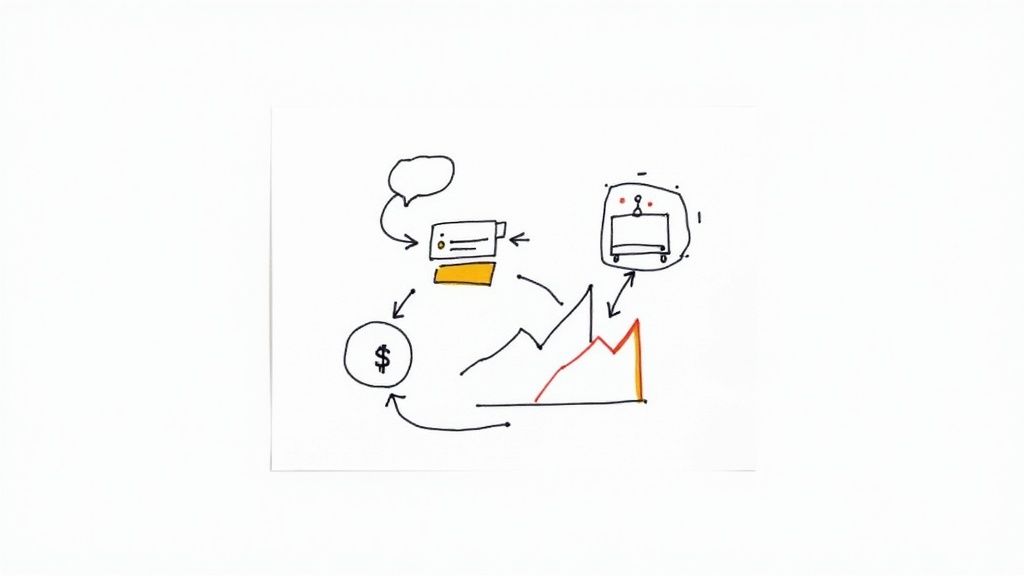
Facebook Chatbot Business Flow
A chatbot that just answers questions is a missed opportunity. Once you’ve got the basics down, it’s time to turn your bot into a revenue-generating machine. This means building automated sequences that directly impact your bottom line.
E-commerce Abandoned Cart Recovery
Every e-commerce store loses money from abandoned carts. A shopper gets distracted, and the sale is gone. This is where a chat bot for Facebook becomes your secret weapon for clawing that revenue back.
With Clepher, you can integrate with your e-commerce platform to trigger a flow when someone abandons a cart for one hour. The bot then slides into their DMs with a personal touch.
- First Nudge (1 Hour Later): “Hey [First Name], looks like you left a few things in your cart! Did you have any questions before checking out?” It’s helpful, not pushy.
- Sweeten the Deal (24 Hours Later): If they still haven’t bought, the bot follows up with an incentive. “Still thinking it over? Here’s a 10% discount to help you decide. Your cart is waiting!”
The Takeaway: The real power here is meeting customers in a high-engagement channel they check constantly. An abandoned cart email gets buried, but a Messenger notification is almost impossible to ignore.
Agency Lead Qualification And Booking
For agencies and service businesses, the goal is to filter out tire-kickers and book calls with qualified prospects. A chatbot automates this entire process.
Design a flow that acts as a 24/7 gatekeeper, asking crucial qualifying questions upfront:
- What’s your monthly marketing budget?
- Which of our services are you most interested in?
- What’s your biggest business challenge right now?
Based on their answers, the bot uses conditional logic to decide the next step. If their budget is too low, it can offer a free resource. If they’re a perfect match, the bot immediately presents a calendar link to book a discovery call on the spot. Your Facebook Page just became a lead-qualifying machine that never sleeps. We have another guide that goes deeper into how you can automate sales with Facebook Messenger chatbots.
And for businesses ready to push the envelope, integrating advanced techniques like Retrieval Augmented Generation (RAG) can elevate your bot’s intelligence, allowing it to handle far more complex queries with data-backed accuracy.
High-Impact Chatbot Use Cases
Here are some actionable strategies you can implement right away. These examples show how specific chatbot features lead to tangible business outcomes.
| Use Case | Target Business | Key Feature Used | Expected Result |
|---|---|---|---|
| Abandoned Cart Nudge | E-commerce | E-commerce Integration, Timed Delays | 15-25% recovery of otherwise lost sales. |
| Lead Qualification Filter | Agencies/Services | Conditional Logic, Custom Fields | Higher quality sales calls and a 30% reduction in time spent on unqualified leads. |
| Post-Purchase Follow-Up | E-commerce | Audience Segmentation, Broadcasts | Increased repeat purchases and higher customer lifetime value (CLV). |
| Automated Appointment Booking | Agencies/Services | Calendar Integration, Conversational Forms | A fully automated booking process that fills your sales calendar 24/7. |
| Flash Sale Promotion | E-commerce | Broadcasts, Quick Replies | Immediate sales spikes with 80%+ open rates on Messenger promotions. |
| Client Onboarding Sequence | Agencies/Services | Drip Sequences, File Sharing | Smoother client onboarding, reduced manual work, and improved initial satisfaction. |
Each of these strategies takes a common business problem and applies a targeted, automated solution. By implementing just one or two, you can start seeing a significant impact.
Step 5: Testing and Launching Your Chatbot
Alright, let’s get this bot ready for showtime. A solid launch comes down to smart, thorough testing. Think of this as your final pre-flight check to ensure your AI chatbot delivers a flawless experience. Rushing this part is a recipe for frustrated users and lost opportunities.
Before going live, you have to get inside your user’s head. Clepher’s built-in testing tools let you interact with your bot exactly like a new subscriber would. This is your chance to go through every conversational flow, click every button, and stress-test every piece of logic. This is how you train the chatbot before it handles real-world queries.
The Pre-Launch Quality Check
Become a mystery shopper for your own bot. As you click through, keep a sharp eye out for common snags that can derail the user experience.
Here’s a quick checklist of what to hunt for:
- Conversational Dead Ends: Does every path lead somewhere useful? A user should never feel stuck. Always provide a clear next step or a way back to the main menu.
- Broken Logic Triggers: Test every single condition. If a user says their budget is over $5,000, does the bot actually route them to the high-value lead flow? Don’t assume; verify.
- Typos and Awkward Phrasing: Read every message out loud. Does it sound like a real person talking? Small grammatical errors can make your brand look amateurish.
- Slow Response Times: A simulated typing delay can feel human, but don’t overdo it. Excessive delays make your bot feel sluggish.
Actionable Insight: Catching these issues internally is the difference between a five-minute fix for you and a public failure seen by hundreds. That quick tweak now will save you from a hundred negative user experiences later, regardless of whether you are using a premium or free chatbot builder.
Once you’ve squashed all the internal bugs, it’s time to roll it out. A “big-bang” launch can be risky. A phased approach is smarter.
Start with a “soft launch” by rolling out your AI chatbot to a small, controlled group first. This could be a handful of loyal customers or traffic from a specific, low-volume ad campaign. This lets you get real-world data and feedback without putting your whole audience on the line. The feedback from this initial group is pure gold. It will show you how real people actually talk to your bot, revealing confusing paths you never considered. Let it run for a week, monitor the interactions, make refinements to further train the chatbot, and then you’ll be ready to launch with total confidence.
Conclusion
In conclusion, implementing a chat bot for Facebook can streamline customer support, increase engagement, and drive conversions by delivering instant, personalized interactions at scale. Businesses that design conversational flows with user intent in mind and integrate analytics will see improved response times and higher satisfaction, making the chat bot for Facebook a strategic component of any modern digital marketing program.
Moving forward, prioritize testing, continuous optimization, and seamless integration with existing systems to maximize ROI and ensure the bot evolves with customer needs. Unused terms: automated messenger, social AI, lead nurturing bot, Facebook automation, conversational commerce, inbox responder, bot analytics, messenger workflow.
Ready to build a chatbot that drives revenue and delights customers? Get started with Clepher today and launch your own powerful bot in minutes.

Related Posts
Unlock Growth with Conversational AI for Customer Support
March 26, 2026Your Ultimate Guide to Instagram Chat Bots
March 25, 2026How to Create a Killer Poll Game on Instagram to Boost Engagement and Leads
March 24, 2026
Founder Clepher