

At its core, a chatbot on Facebook is an automated program that talks to people through Messenger and Instagram DMs. It’s designed to handle common tasks like answering questions, offering support, and guiding users through a sales funnel.
But that definition is a bit dry. What it really does is transform your slow, manual, one-at-a-time replies into instant, 24/7 automated conversations. This frees up your team from repetitive tasks and gives your customers the immediate answers they expect.
Why a Chat Bot on Facebook Is a Game Changer
Let’s skip the theory and talk results.
Imagine an e-commerce brand that slashes its support ticket volume by 60% because its bot instantly handles every “Where’s my order?” question. Or picture a local gym capturing qualified leads overnight while the staff is at home. That’s the real, tangible power of this automation.
A well-built chatbot isn’t just a gadget; it’s a core business asset. It works tirelessly to ensure no customer feels ignored and no lead goes cold. It turns your social media presence from a passive billboard into an active, revenue-generating machine.
Drive Real Business Impact
Shifting from manual support to an automated system delivers clear, measurable wins. You’re not just answering messages faster; you’re building a more efficient, scalable business.
The difference is night and day.
- Availability: Human agents have shifts and take breaks. A chatbot is always on, ready to engage customers at any time zone.
- Response Time: Instead of making customers wait minutes or hours, a bot responds in seconds. This speed is what modern consumers expect.
- Lead Capture: A bot can systematically qualify leads with targeted questions and collect contact information, ensuring no opportunity slips through the cracks.
This immediate, consistent engagement is why Facebook Messenger has become a global powerhouse for business automation. With over 300,000 active bots on the platform, their importance is clear.
To see the difference, let’s compare the operational impact directly.
Manual Support vs Chat Bot Automation Impact
| Metric | Manual Support (Human Agent) | Automated Support (Chat Bot) |
|---|---|---|
| Availability | Limited to business hours and staff shifts | 24/7/365, instant availability |
| Response Time | Minutes to hours, depending on workload | Seconds, immediate engagement |
| Cost Per Interaction | Higher, includes salary, benefits, and training | Significantly lower, fixed software cost |
| Scalability | Limited; requires hiring more staff | Nearly infinite, handles unlimited conversations |
| Lead Capture | Prone to human error, can miss opportunities | Systematic and consistent, captures every lead |
| Consistency | Varies by agent and mood | 100% consistent, always on-brand |
The table makes it clear: automation doesn’t just improve a few metrics. It transforms your entire support and lead generation model into something far more efficient and reliable.
More Than Just a Support Tool
Thinking of a Facebook chatbot as only a customer service tool is a huge mistake. It’s a versatile engine for growth that plugs directly into your marketing and sales efforts.
A chatbot’s true value lies in its ability to handle repetitive, high-volume tasks with perfect accuracy, freeing up your team to focus on complex problem-solving and building deeper customer relationships.
To see how a bot fits into the bigger picture, it helps to look at proven marketing automation strategies that focus on building relationships at scale.
Platforms like Clepher make this completely accessible, turning a once-complex idea into a simple, no-code reality. This guide will show you exactly how to build this kind of asset for your own business.
For a deeper dive into the specific ways chatbots can benefit your company, check out our comprehensive guide to using Facebook chatbots for businesses.
Connecting Your Accounts: The Foundation for Success
Alright, let’s get your chatbot’s foundation rock-solid. Before you can build automated conversations, you first need to connect your Facebook and Instagram accounts to a platform like Clepher.
Think of it like giving your new bot the keys to the office. This initial step is what allows the platform to see incoming messages and send replies on your behalf, all without you lifting a finger.
Why Granting the Right Permissions is Non-Negotiable
When you connect your accounts, Facebook will show you a list of permissions. It’s tempting to skim and click “accept,” but paying attention here is critical. Denying the wrong permission can hamstring your chatbot from the start.
For your bot to work, it absolutely needs permission to:
- Manage and access Page conversations in Messenger: This is the big one. It’s what lets your bot read and reply to messages.
- Manage and access conversations in Instagram Direct: Same deal, but for your IG profile. Your bot is useless on Instagram without this.
- Show a list of the Pages you manage: This lets the platform display your Pages so you can pick the right one to connect.
Without these, your bot is essentially silenced. Granting full permissions ensures every feature works flawlessly from day one.
The platform guides you through this visually, so you’re not flying blind.
Once you’ve authenticated, your pages will pop up in the dashboard just like in the screenshot above. That’s your green light—the technical side is secure, and you’re ready to start building.
The Admin Role: The Most Common Stumbling Block
Here’s an actionable tip that will save you a ton of frustration: you must be an Admin on the Facebook Page you want to connect. This is the #1 reason connections fail.
If your role is just an “Editor” or “Moderator,” you don’t have the authority to grant another app permission to manage messages. Facebook set it up this way for security.
Actionable Takeaway: Before you start, go to your Facebook Page settings and check your role. If you’re not an Admin, ask the current Admin to upgrade your access or have them complete the connection process for you. This one check can save you hours of troubleshooting.
Once you’ve confirmed you’re an Admin and linked your accounts, the technical setup is done. Now you can get to the fun part—designing automated conversations that engage customers and drive your business forward.
Crafting Your First Automated Conversation Flow
Alright, you’ve got your Facebook Page and Instagram account hooked up to Clepher. Now for the fun part: teaching your bot what to say and do. This is where you shift from setup to strategy, designing the automated chats that will welcome, guide, and help your audience.
Forget about needing to code. With a visual, no-code Flow Builder, you’ll be dragging and dropping elements—text bubbles, buttons, image galleries—to create an interactive journey for your users. The goal isn’t to build a clunky menu but to create a smooth, helpful experience that gets people what they need, fast.
Building Your Welcome Message and Main Menu
Let’s start with the most important conversation your bot will have: the first one. Your Welcome Message is what a user sees the moment they connect. It needs to be sharp, clear, and instantly show people what’s possible.
A great Welcome Message does three things right away:
- Greets the User by Name: A simple
{{first_name}}tag makes the interaction feel personal from the start. - Explains Its Purpose: A quick line like, “Hey, I’m the automated assistant for [Your Brand]. I can help you with…” sets clear expectations.
- Provides Clear Next Steps: This is crucial. Give them buttons that lead to the most common solutions instead of making them guess what to type.
Practical Example: A customer lands on your Page and hits “Message.” Your bot immediately responds: “Hi Sarah! Welcome to Pet Pawtique. I’m here to help you find what you need. What are you looking for today?”
Below that message, they see three buttons: “Track My Order,” “Browse Products,” and “Speak to a Human.” With one tap, they’re on their way. This simple, guided approach removes all friction.
That initial connection is the foundation for everything else you build.
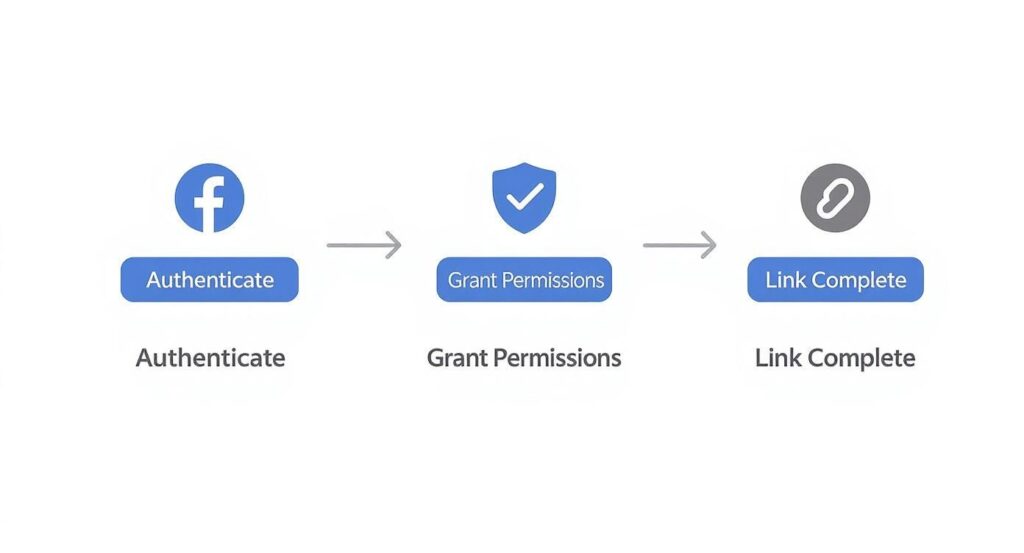
linking process
Once you’ve handled this simple authentication, your no-code builder has the power it needs to bring your conversational flows to life.
The Core Building Blocks of a Conversation
Inside the Flow Builder, every chat is a series of simple pieces you connect. Think of them like conversational LEGOs.
Here are the essential blocks for that first Welcome Message:
- Text Blocks: This is your voice. Use them for greetings, questions, and info. Keep your text blocks short—one main idea per bubble is best.
- Quick Replies & Buttons: These are your user’s navigation. A Quick Reply disappears after it’s clicked (great for keeping the chat tidy), while a Button stays visible (perfect for main menu options).
- Image Carousels: Sometimes, showing is better than telling. A gallery is perfect for showcasing products or services. For an e-commerce store, this could be a “Top Sellers” carousel where each image links directly to a product page.
Actionable Takeaway: The most effective chatbot conversations don’t pretend to be human. They aim to be helpful, efficient, and clear. Guiding users with buttons is almost always a better experience than forcing them to type and guess what the bot can understand.
Making Your Chat Bot Feel Natural
Once you have the basic structure, small tweaks can make the interaction feel more polished.
One of the easiest tricks is using a “Typing…” delay. This simple element shows the three animated dots, just like a real person is typing. By adding a one or two-second typing delay before a message, you create a more natural rhythm.
This tiny detail stops your bot from dumping a wall of text on the user at once. It adds a natural pause, giving them a moment to read and process. Combine that with clear text and guided buttons, and you’ve built a chatbot experience that feels both professional and genuinely useful.
Activating Your Bot to Capture More Leads
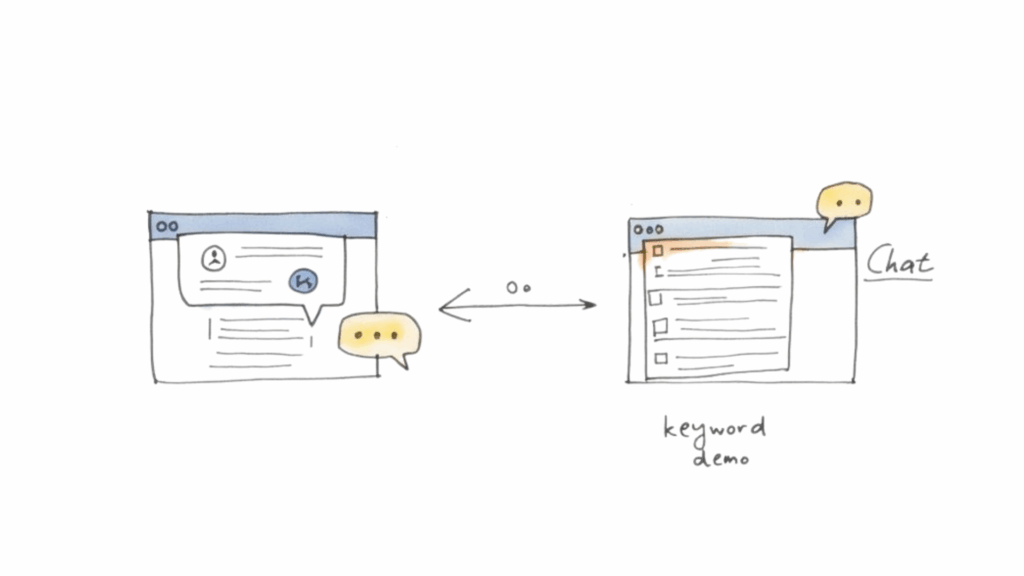
Facebook chatbot workflow
So you’ve built a great conversational flow. Now what? It’s time to put it to work. A chatbot that just sits there waiting for someone to message your Page is a massive missed opportunity.
The real magic happens when you use your bot to proactively start conversations. This is how you turn passive scrollers and curious visitors into engaged leads. You’re transforming your bot from a simple Q&A tool into a nonstop marketing engine.
Let’s break down how to activate these powerful lead-capture features.
Turn Post Comments Into Conversations
One of the best ways to grow your subscriber list is with a Comment Growth Tool. This feature lets your chatbot on Facebook automatically send a private message to anyone who comments on a specific post. It’s a game-changer for turning organic engagement into direct conversations.
Practical Example: You run a Facebook ad for a new skincare line. In the ad copy, you write, “Want a 15% off coupon? Comment ‘SKIN’ below, and we’ll send it to your DMs!”
When a user comments “SKIN,” your bot instantly messages them: “Hey {{first_name}}! Thanks for your interest. Here’s your 15% off coupon code: NEWGLOW15. Tap below to start shopping!” This simple exchange achieves several things at once:
- Boosts Post Engagement: Asking for comments signals to the Facebook algorithm that your post is interesting.
- Delivers Instant Gratification: The user gets their coupon right away, creating a fantastic first impression.
- Captures a New Subscriber: The moment they interact with your bot, they become a contact you can message again (within platform rules).
This is far more effective than hoping people see your post and remember to visit your website later. You capture their interest at its peak and pull them straight into a sales-focused chat.
Actionable Takeaway: The goal isn’t just to get comments; it’s to convert that public interest into a private, trackable sales conversation. The Comment Growth Tool bridges that gap perfectly.
Convert Website Visitors with a Chat Widget
Your website is another goldmine for leads. A Customer Chat Widget embeds a small Messenger icon on your site, letting visitors start a conversation with your bot without leaving the page.
Instead of making them hunt for a “Contact Us” form, you give them a direct line to instant answers. As soon as they send that first message, they become a Messenger contact.
This means if they leave your site without buying, you can send a follow-up right to their Messenger inbox an hour later. A simple nudge like, “Hey, still thinking about those items in your cart?” can be all it takes to recover what would have been a lost sale.
Use AI Triggers for Smart Responses
Finally, you can teach your bot to listen for specific keywords and automatically launch the perfect response. This is where your automation starts to feel truly intelligent.
Practical Example: A real estate agent could set up triggers for words like:
- “Pricing” or “How much”: The bot immediately sends a link to their pricing page or asks qualifying questions about their budget.
- “Tour”: The bot kicks off a flow to schedule a virtual property tour through an integrated calendar.
- “Contact”: The bot provides a phone number and business hours or offers to have a human agent get in touch.
These triggers work like a well-trained salesperson, identifying buying signals and moving the conversation forward 24/7. They ensure that no matter how someone phrases their question, your bot understands their intent and provides a valuable response.
For businesses running paid campaigns, this strategy pairs well with Click-to-Messenger ads. By combining these activation tools, your chatbot becomes an indispensable part of your lead generation machine.
Using Tags and Broadcasts for Smarter Messaging
Sending the same generic message to everyone is the fastest way to get ignored. The real power of a chatbot on Facebook is landing personalized, relevant messages that feel like they were written for one person. This is where tags become your secret weapon.
Think of tags like digital sticky notes. You attach them to a user based on what they do—like clicking a button or downloading a guide. These labels let you slice your audience into laser-focused segments.
A Practical Example of Tagging in Action
Let’s walk through a real-world scenario. Imagine you run a digital marketing agency. Your bot’s main menu has buttons for your services: “SEO Services,” “PPC Management,” and “Content Marketing.”
When someone taps the “SEO Services” button, you can have Clepher instantly add a tag called interested-in-seo. This happens completely behind the scenes. You’ve just grabbed a critical piece of data about what they want.
Actionable Takeaway: This one simple action—tagging a user based on a single click—is the cornerstone of smart, segmented marketing. You’ve moved from guessing what your audience wants to knowing what they’ve told you they’re interested in.
That person is no longer just another name on your list. They’re a warm lead who just raised their hand and pointed directly at a high-value service you offer.
Sending Targeted Follow-Ups with Broadcasts
A week later, you decide to run a promo for a free SEO audit. Instead of spamming your entire list, you use Broadcasts. You build your message and tell it to go out only to users with the interested-in-seo tag.
This laser-focused approach sends your conversion rates through the roof because the offer is a perfect match. It feels helpful, not pushy. In fact, targeted strategies like this can boost engagement by as much as 200% compared to generic blasts.
In Clepher, you have several ways to get these messages out:
- One-Time Broadcasts: Perfect for flash sales, event reminders, or special announcements. You build it, pick your segment, and hit send.
- Recurring Notifications: This is your compliant way to send promotional messages outside Facebook’s tight 24-hour window. A user must opt in first, giving you permission to send valuable updates on a daily, weekly, or monthly schedule.
This level of targeting is what elevates a basic bot into a strategic marketing machine.
Staying Compliant with Facebook’s Rules
With great messaging power comes great responsibility. Facebook is strict about protecting users from spam. The big one is the 24-hour messaging window.
The rule is simple: you can only send promotional messages to a user within 24 hours of their last interaction with your bot. Once that clock runs out, the window slams shut.
This is exactly why Recurring Notifications are so critical. They give you a compliant way to re-engage people long after that initial 24-hour window has closed. Always be transparent, give people a clear way to unsubscribe, and respect your audience.
Measuring Performance to Optimize Your Bot
Launching your chatbot is just the starting line. Real growth comes from paying close attention to how people interact with it and making smart tweaks over time. Without data, you’re just guessing.
You wouldn’t run an ad campaign without tracking conversions, right? Your chatbot is no different. Platforms like Clepher have built-in analytics that show you exactly what’s working and what’s falling flat. This is how you turn a good bot into an indispensable one.
Key Metrics You Need to Watch
To cut through the noise, focus on a few core metrics that tell the most important story.
These numbers give you a clear, actionable snapshot of user engagement:
- Open Rates: What percentage of users who get a message actually open it? High open rates mean your initial hook is working.
- Button Click-Through Rates (CTR): This is critical. It tells you if the choices you’re giving people are relevant and compelling.
- User Drop-Off Points: Where in the conversation do people just disappear? Pinpointing these moments is the first step to fixing confusing or unhelpful parts of your flow.
Actionable Takeaway: Your goal isn’t just to get people talking; it’s to guide them to a successful outcome. Watching where they get stuck is the fastest way to improve that journey and boost your results.
An Actionable Framework for A/B Testing
Once you’ve identified a weak spot—like a welcome message with a low CTR—it’s time to optimize. A/B testing is a simple but powerful way to do this.
The idea is to create two versions of a message (‘A’ and ‘B’), show them to different segments of your audience, and see which one performs better.
Practical Example: You could test two different welcome messages:
- Version A (Benefit-Driven): “Hi {{first_name}}! Want to find your perfect product? Tap below to get started.”
- Version B (Direct & Simple): “Hi {{first_name}}! How can I help you today?”
By running this test, you might discover that Version A gets 30% more clicks on your main menu buttons. That’s a measurable improvement you can roll out to everyone.
For a complete breakdown of what to track, check out our guide on the most important chatbot KPI metrics you should be monitoring. This cycle of measuring, testing, and improving is what ensures your chatbot evolves into a true asset for your business.
Still Have Questions About Your Facebook Messenger Chatbot?
Even with a step-by-step guide, it’s natural for a few questions to pop up. Let’s tackle some of the most common ones we hear from people building their first chatbot on Facebook.
Conclusion
Creating a chatbot on Facebook using a Messenger chatbot platform like Clepher is essential for streamlining customer support and generating leads. Their user-friendly interface, templates, and drag-and-drop bot-building tools make deployment easy.
For advanced solutions, an AI chatbot utilizing natural language processing handles frequently asked questions across different regions and preferred language settings, delivering an intuitive user experience. The messenger platform supports necessary integration for booking flows, product recommendations, and instant responses, directing inquiries to support agents when needed. Businesses can begin with Free chatbot options and scale using pro plan features.
Ultimately, choosing the right chatbot tools—whether simple live chat or a full chatbot builder—minimizes effort, improves customer satisfaction, and prioritizes customer experience for your Facebook Business account.
Ready to turn conversations into conversions? Clepher gives you all the tools you need to build, launch, and optimize a powerful chatbot for your business. Start your free trial today.

Related Posts
Conversational AI for Sales: Your 2026 Guide to Boosting Revenue
April 10, 2026Transform Your Sales Game with an AI Powered Sales Assistant
April 9, 2026No-Code AI Agent Builder: Your 2026 Growth Playbook
April 8, 2026
Founder Clepher