
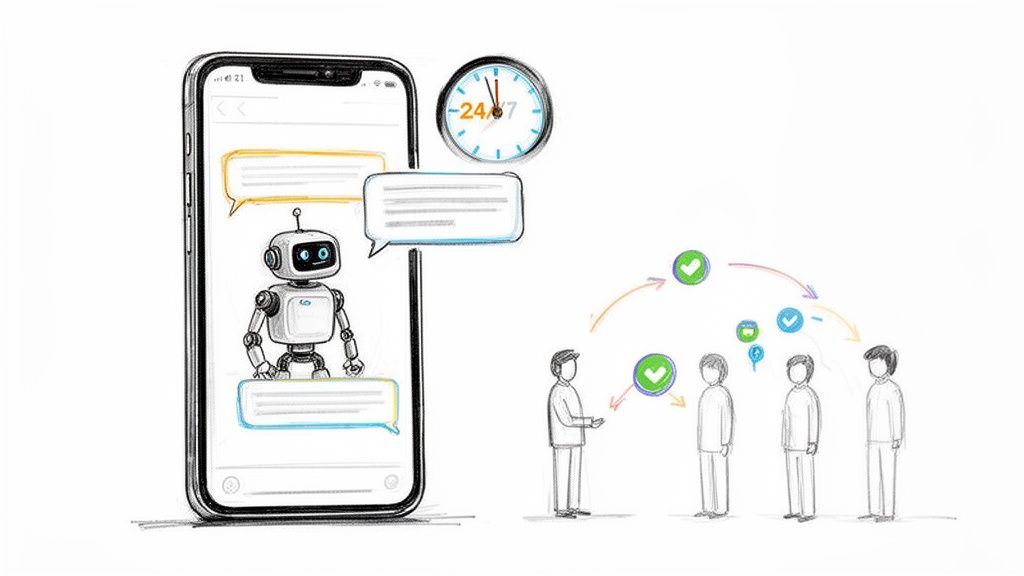
Imagine having an employee who works 24/7 inside your Facebook and Instagram DMs. This tireless team member instantly answers questions, qualifies leads, and guides customers straight to checkout. That’s the real power of chatbots for Facebook—they turn your social media pages from a one-way street into a bustling hub of conversation.
This guide will give you actionable steps to build a chatbot that gets real results, transforming how you connect with customers and grow your business.
Understanding Facebook Chatbots and Why They Matter
Facebook Chatbot Support
At its core, a Facebook chatbot is an automated program that chats with people inside Messenger and Instagram DMs. But think of it less like a clunky robot and more like a hyper-efficient personal assistant for your brand. It uses a set of rules and, increasingly, artificial intelligence to understand what people are asking and give them the right answer, right away.
This isn’t just about auto-replies. It’s about building a system that can handle thousands of one-on-one dialogues at the same time, turning your broadcast-style posts into genuine conversations. The impact is immediate.
The Shift from Broadcasting to Conversing
For years, social media marketing was about shouting a message and hoping someone listened. A chatbot flips that model on its head.
Now, instead of just seeing your post, a user can comment on it and instantly get a personalized message in their inbox. This single interaction kicks off a real conversation, turning a passive follower into an active subscriber. Once they’ve engaged, you can continue the dialogue, learn their interests, and send them relevant content that moves them closer to becoming a customer.
The numbers don’t lie. Today, there are over 300,000 active chatbots on Messenger alone, with more than 375,000 people interacting with them every day. They’re no longer a novelty; they’re a core part of modern business. You can discover more insights about chatbot adoption rates to see just how deeply they’ve reshaped communication.
A chatbot is your solution to scaling intimacy. It allows you to have thousands of personalized conversations simultaneously, something no human team could ever manage. This is how you turn followers into customers and customers into loyal fans.
What Does This Mean for Your Business?
The practical uses are huge. A chatbot becomes your brand’s frontline, available 24/7 to handle critical tasks that fuel growth. This frees up your human team from the grind of repetitive questions so they can focus on high-value work that requires a human touch.
To give you a clearer picture, here’s a quick breakdown of what a chatbot can take off your plate.
Key Chatbot Functions at a Glance
| Business Function | How Chatbots Transform It | Real-World Example |
|---|---|---|
| Lead Generation | Captures and qualifies leads the moment they show interest, day or night. | A user comments “info” on a real estate ad. The bot instantly DMs them to ask qualifying questions and collect their email. |
| Customer Support | Provides instant answers to common questions, cutting down on support tickets. | A customer asks, “What are your hours?” in Messenger. The bot replies immediately with the correct times. |
| Sales & E-commerce | Guides customers through the buying process and recovers lost sales. | A bot messages a user who left items in their cart, offering a small discount to complete the purchase. |
In short, a well-designed chatbot acts as a force multiplier for your marketing, sales, and support. It’s not about replacing people—it’s about empowering them to do their best work.
How Chatbots Drive Tangible Business Results
Let’s move past the theory. Putting chat bots for Facebook to work is all about getting real, measurable results. These aren’t just flashy tools; they have a direct impact on your bottom line by working around the clock to capture leads, drive sales, and deliver amazing support. When you automate these conversations, you’re building a growth engine that never sleeps.
Generate Leads Around the Clock
Your best chance to convert a lead is the moment they show interest. If someone comments on your Facebook post at 10 PM, making them wait until morning for a reply is a recipe for a lost opportunity. This is where a chatbot becomes your most valuable player.
You can set up a chatbot to instantly engage anyone who comments on a specific post or ad. The second a user types “I’m interested,” the bot slides into their DMs with a personalized message, kicking off a one-on-one conversation while their interest is red-hot.
This simple action turns passive engagement into active lead capture. The bot can then:
- Ask qualifying questions to see if they’re a good fit.
- Collect contact info like an email address or phone number.
- Segment the lead with tags based on their answers for targeted follow-ups.
Practical Example: A real estate agent runs a Facebook ad for a new house. A user comments, “more info.” Instantly, a chatbot messages them, provides a link to the virtual tour, and asks if they’re pre-approved for a mortgage. That whole interaction happens automatically, qualifying a hot lead in seconds.
Drive More Sales Automatically
Chatbots are masters at guiding customers through the buying journey, and they’re especially good at recovering sales you thought were gone. One of the most powerful use cases is automated cart recovery. Statistics show that nearly 70% of online shopping carts are abandoned, but a well-timed nudge can make all the difference.
Instead of an email that gets buried, a chatbot can ping someone directly in Messenger or Instagram with a friendly reminder. This message can link them straight back to their cart and even offer a small discount to sweeten the deal. It feels personal and immediate.
Practical Example: A customer adds a pair of shoes to their cart but gets distracted. An hour later, your chatbot sends a message: “Hey, it looks like you left something behind! Complete your order now and get 10% off.” That single, automated message can be the difference between a lost sale and a new customer.
Beyond saving abandoned carts, chatbots can run automated promotions, announce flash sales, and point users directly to product pages. These proactive sales strategies are a game-changer. You can learn more about how to improve conversions with Facebook Messenger chatbots by setting up similar automated flows.
Revolutionize Your Customer Support
Great customer support is fast, helpful, and available when your customers need it—not just between 9-to-5. Chatbots are built for this, delivering instant support that dramatically improves customer satisfaction while taking a huge load off your human agents.
Most support queries are repetitive: shipping policies, return processes, business hours. A chatbot can be trained to answer these frequently asked questions instantly, 24/7. This frees up your human support team to focus on the complex, high-touch issues that actually require a person.
By handling that first wave of common questions, a chatbot acts as your frontline, filtering and resolving up to 80% of routine inquiries on its own. That means shorter wait times for customers and a more focused, efficient human support team. It’s a better experience for everyone.
Essential Features Your Chatbot Platform Needs
Facebook Chatbot Flowchart
Choosing the right chatbot platform is like picking an engine for a race car. The wrong one leaves you sputtering, but the right one gives you the power to lap the competition. To win, your tool needs a specific set of non-negotiable features built for growth.
Not all chatbot builders are created equal. Some are little more than glorified auto-responders, while others are full-blown marketing machines. The difference comes down to a few core functions that turn a basic bot into a strategic asset that makes you money.
No-Code Visual Flow Builder
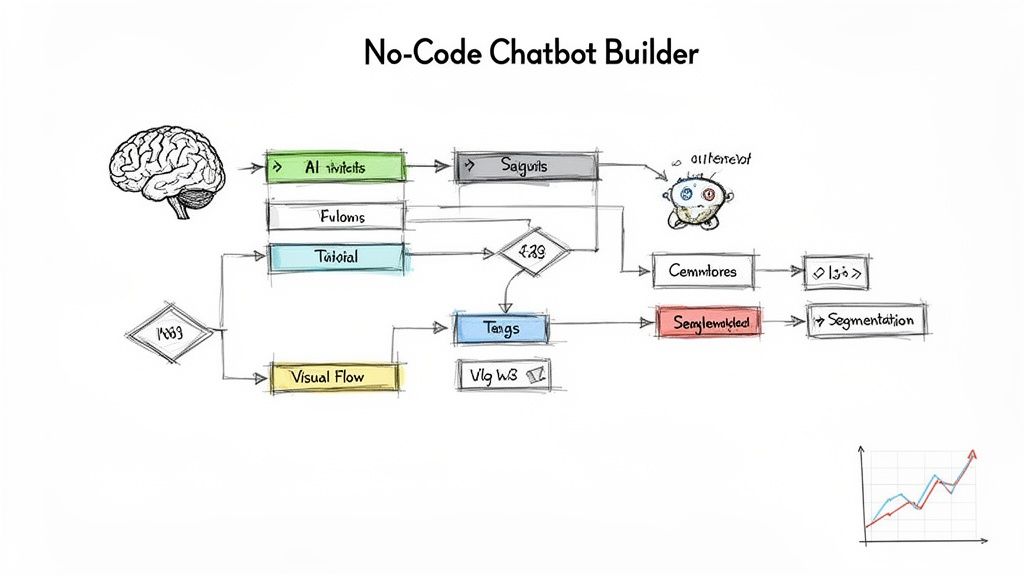
The single most important feature is a visual flow builder. Think of it as a drag-and-drop canvas where you map out conversations like a flowchart. You see exactly how a user gets from point A to point B without writing a single line of code.
This is a game-changer for marketers and business owners. It means you can design complex, multi-step automations—like a lead qualification sequence or an abandoned cart flow—in minutes. You focus on the strategy, not the technical headaches.
Intelligent Triggers and AI Keywords
A chatbot is useless if it can’t figure out what people want. That’s where intelligent triggers and AI keywords come in. This feature lets your bot “listen” for specific words or phrases in a user’s message and automatically kick off the right conversation.
Practical Example: If someone types, “What’s your return policy?” or “how do i send something back,” the bot understands the intent is the same. It instantly sends your pre-written answer explaining the process. This makes the conversation feel natural and helpful.
Your chatbot’s ability to understand intent is what separates a frustrating experience from a delightful one. AI keyword triggers build a bot that feels less like a machine and more like a helpful assistant who actually gets it.
Audience Segmentation and Tagging
Generic, one-size-fits-all messages don’t cut it. The real power of chatbot marketing is sending the right message to the right person at the right time. This is only possible with robust segmentation and tagging capabilities.
As people chat with your bot, you can automatically apply tags based on their answers, actions, or interests. For instance:
- Tag a user as “Hot Lead” if they answer “yes” to a qualifying question.
- Tag them with “Purchased-Product-X” after they complete a sale.
- Segment users who clicked a link for a specific promotion.
This lets you build hyper-targeted audiences. You can send a broadcast about a new product only to past buyers or follow up with your hot leads without bugging everyone else. That level of personalization skyrockets engagement and conversions.
Detailed Analytics and Reporting
If you can’t measure it, you can’t improve it. Your chatbot platform must provide clear, actionable analytics. This means tracking metrics that tie directly to your business goals, not just a subscriber count.
Look for a dashboard that shows you:
- Open Rates and Click-Through Rates (CTR) for your broadcast messages.
- Conversion Rates inside specific conversational flows.
- User Drop-Off Points so you can see where people are getting stuck.
This data is your roadmap for optimization. It tells you which messages are working and where your flows are breaking down, allowing you to constantly tweak your strategy for better results. Facebook Messenger is a business powerhouse, with over 40 million businesses reaching 1 billion users. With the right analytics, chatbots can drive 30-50% lead conversion rates from ads and achieve a 15x ROI on campaigns. You can discover more insights about Messenger’s marketing potential and see how these features deliver serious returns.
Proven Chatbot Automations You Can Build Today
Theory is great, but actionable playbooks are better. A powerful chatbot for Facebook isn’t about complex tech; it’s about solving real business problems with smart, automated conversations. The most successful chatbots are built with a single, high-value goal in mind.
Let’s break down three of the most effective automations you can set up right now, complete with their goals and conversational steps.
The E-commerce Abandoned Cart Saver
For any e-commerce brand, abandoned carts are a constant leak in the revenue bucket. A Messenger or Instagram chatbot cuts through the noise with a timely, personal nudge that brings shoppers back to finish what they started.
The goal is simple: recover lost sales by re-engaging shoppers who left items in their cart.
This conversation gets triggered about an hour after a user ditches their checkout. A winning flow looks like this:
- Friendly Reminder: The bot pops up with a message like, “Hey [First Name], it looks like you left something behind!” Personalization makes it feel less like an ad and more like a helpful heads-up.
- Show What They Left: It then displays a picture of the item(s) in their cart, jogging their memory.
- Incentivize Action: The bot can offer a small, time-sensitive discount. “Complete your order in the next hour and get 10% off with code SAVE10.”
- Direct Link to Checkout: A clear call-to-action button takes them straight back to their pre-filled cart, removing all friction.
This single automation can reclaim a huge chunk of lost revenue. It’s a perfect example of a chatbot acting as your most diligent salesperson.
The primary metric to track here is your cart recovery rate. This tells you the percentage of abandoned carts that turn into sales after the chatbot steps in.
The Agency Lead Qualifier
Digital marketing agencies spend a ton of time generating leads, but not all leads are created equal. A chatbot can act as your 24/7 gatekeeper, vetting prospects so your sales team only spends time on calls with qualified, high-intent people.
The main goal is to automatically qualify new leads and book sales calls without anyone lifting a finger.
This flow usually kicks off when someone clicks a “Learn More” button on a Facebook ad. The chatbot then starts a conversation to see if they’re a good fit:
- Initial Engagement: “Thanks for your interest! To see if we’re a good fit, I just need to ask a few quick questions.”
- Budget Question: The bot asks about their monthly marketing budget using pre-set buttons (e.g., “$1k-$3k,” “$3k-$5k,” “$5k+”).
- Service Interest: Next, it asks which services they’re interested in (e.g., “SEO,” “Paid Ads,” “Content Marketing”).
- Booking the Call: If their answers align with your ideal client profile, the bot serves them a direct link to your calendar. If not, it can offer a free resource instead.
This process keeps your sales pipeline filled with warm, pre-qualified leads. The key metric is the number of qualified meetings booked.
The Local Business Appointment Booker
For local businesses like salons or dentists, a constantly ringing phone is a major interruption. A chatbot transforms your Facebook Page into an automated booking assistant that fills your calendar day and night.
The primary goal is to automate appointment scheduling and slash no-shows.
A simple but effective booking flow works like this:
- Service Selection: The bot greets the user and asks which service they’d like to book, presenting options as clickable buttons.
- Date and Time Availability: It connects with a calendar tool to show available slots, letting the user pick one on the spot.
- Collect Contact Info: Once a time is chosen, the bot confirms the details and asks for a name, email, and phone number.
- Send Automated Reminders: The bot automatically sends a confirmation message right away and a reminder 24 hours before the appointment, which drastically cuts down on no-shows.
Automating this sequence frees up your staff and gives clients a seamless booking experience.
These are just a few examples of what’s possible. We’ve compiled a list of the best 2024 chatbot use cases if you want more ideas tailored to your specific industry.
To help you visualize how these automations fit different needs, here’s a quick comparison of popular chatbot templates.
Chatbot Template Comparison for Different Industries
This table breaks down common automation flows, what they achieve, and which businesses benefit most.
| Chatbot Template | Primary Business Goal | Best For (Industry) | Key Metric to Track |
|---|---|---|---|
| Abandoned Cart Saver | Recover lost sales and boost revenue. | E-commerce, Retail | Cart Recovery Rate |
| Lead Qualifier | Filter prospects and book sales calls. | Agencies, B2B Services, Real Estate | Qualified Meetings Booked |
| Appointment Booker | Automate scheduling and reduce no-shows. | Salons, Clinics, Consultants, Local Services | Appointments Booked Automatically |
| FAQ Assistant | Provide instant answers to common questions. | Any business with high inquiry volume | Support Ticket Reduction Rate |
| Giveaway/Contest Bot | Generate leads and increase engagement. | B2C Brands, Influencers, E-commerce | New Leads Generated |
Choosing the right template comes down to identifying your biggest bottleneck. Once you know the problem you’re solving, the right automation becomes obvious. The main KPI for the local business bot is the number of appointments booked automatically, a direct reflection of time saved.
How to Build and Launch Your First Chatbot
Jumping into the world of chatbots for Facebook is way easier than it sounds. This step-by-step guide will get you from idea to working chatbot, fast—no technical background needed.
The key to a successful first bot? Start small. Don’t try to build an all-singing, all-dancing machine right away. Instead, pick one specific, high-value problem to solve. A great starting point is a bot that answers your top three most frequently asked questions.
Step 1: Define Your Goal and Choose a Platform
Before you do anything else, decide on the one main job your chatbot will do. Is it booking appointments? Qualifying leads? Handling support questions? A crystal-clear goal makes every other decision easier.
Once you know your goal, pick your tool. Look for a no-code platform with a visual, drag-and-drop builder designed for marketers, not developers. A platform like Clepher lets you get your first chatbot for Facebook running without touching a line of code.
Connecting your social media accounts is usually just a few clicks. You’ll authorize the platform to access your Facebook Business Page and Instagram account, and you’re ready to start building.
Step 2: Design a Simple Welcome Flow
Your welcome flow is your bot’s first impression. It has to be clear, friendly, and helpful. This is the first message someone sees when they start a chat.
A great welcome message does three things:
- Greets the user personally. Using their first name makes the interaction feel more human.
- Sets clear expectations. Briefly explain what the bot can do. For example, “Hi [First Name]! I’m the automated assistant for [Your Brand]. I can help you with our hours, services, and booking appointments.”
- Provides easy options. Give the user buttons or quick replies like “Our Services,” “Book Now,” or “Ask a Question” to guide them.
Think of your welcome flow as a helpful receptionist. It shouldn’t overwhelm visitors. Its job is to greet them warmly and point them in the right direction.
Step 3: Set Up Entry Points and Test Everything
A brilliant chatbot is useless if nobody can find it. You need to create obvious ways for people to start a conversation. We call these “entry points,” and they are critical for getting people to use your bot.
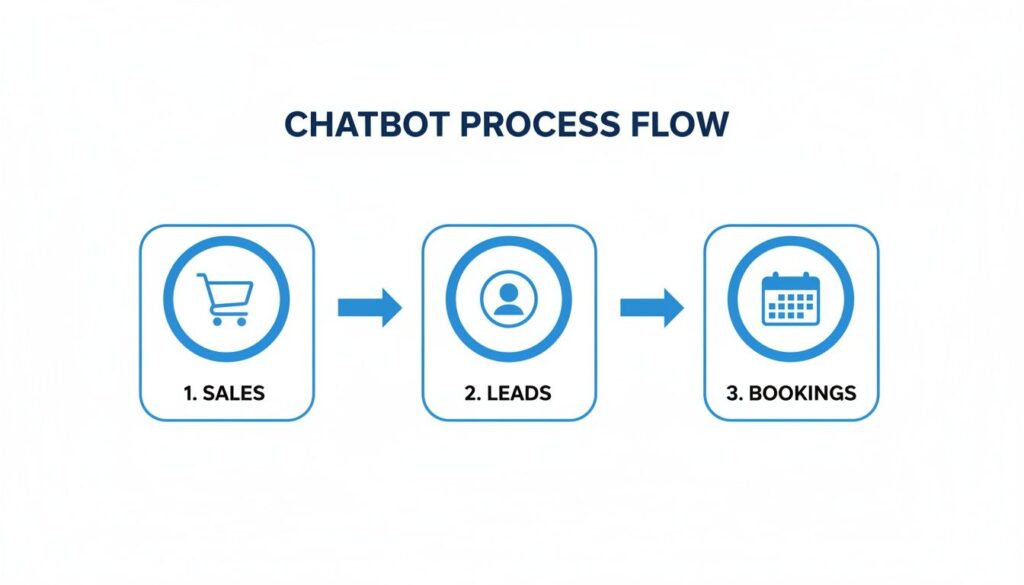
This diagram shows how chatbots drive real business results like sales, leads, and bookings.
Facebook Chatbot Process Flow
Each step is a function that can be automated, turning a casual browser into a paying customer.
Here are a few popular entry points you can set up right away:
- Comment-to-Message: Automatically sends a DM to anyone who comments on a specific Facebook or Instagram post.
- QR Codes: Create a unique QR code that, when scanned, drops a user directly into a conversation with your bot.
- Website Widgets: Add a chat bubble to your website that invites visitors to chat on their favorite social platform.
Before you go live, test everything. Run through every conversation path yourself, then have a few team members do the same. Click every button, try every keyword, and ensure the experience is smooth and bug-free.
Measuring and Optimizing Your Chatbot Performance
Getting your chatbot live is just step one. The real magic happens when you treat it like a living marketing asset that you can constantly fine-tune. To do that, you need to track the right numbers and understand what they’re telling you.
Just like any other marketing channel, your chatbot’s success is in the data. You have to dive in to see exactly how your automated conversations are impacting your bottom line.
Key Performance Indicators That Matter
Don’t get lost in vanity metrics. Focus on the numbers that tell the real story about user engagement and whether you’re hitting your business goals.
Your core metrics should include:
- Open Rate: The percentage of users who open your broadcast messages. Messenger open rates often hit 80% or higher, crushing email.
- Click-Through Rate (CTR): Shows how many people are clicking a link or button in your messages. A healthy CTR means your content is compelling.
- Conversion Rate: The big one. This tracks the percentage of users who take the final, desired action—making a purchase, booking a demo, or signing up.
- Subscriber Growth: A steady climb in subscribers means your entry points are working and people see value in connecting with your bot.
Keeping a close eye on these numbers helps you quickly figure out what’s resonating with your audience.
Actionable Optimization Strategies
Data is useless if you don’t act on it. Once you know your numbers, you can make smart, targeted improvements to your chat bots for Facebook and get even better results. This is an ongoing cycle of testing, learning, and refining.
A chatbot isn’t just an automation tool; it’s a direct line to your customers. Analyzing how they interact with it provides priceless insights into their needs and pain points. Use that feedback to make your bot better.
Here are a few powerful optimization tactics to start with:
- A/B Test Your Messages: Stop guessing. Test different versions of your messages to see which headline, image, or call-to-action gets a better CTR. Small tweaks can lead to big wins.
- Analyze User Drop-Off Points: Dig into your analytics and find where people are abandoning your flows. If many users exit at the same step, that’s a red flag. Rewrite that part to make it clearer and more engaging.
- Refine Your Keyword Triggers: Pay attention to what people are actually typing. If they’re frequently asking questions your bot can’t answer, add those phrases as new AI keyword triggers to provide instant, helpful answers.
Continuously optimizing your chatbot turns it from a simple tool into a powerful growth engine that learns, adapts, and delivers better results over time.
Still Have Questions About Facebook Chatbots?
Jumping into the world of chatbots for Facebook can feel like a big step, but it’s probably easier than you think. Let’s clear up a few of the most common questions we hear.
Conclusion
A Facebook Messenger chatbot can be a powerful, AI-powered addition to your customer experience, helping you answer customer questions, guide users, and deliver product recommendations through Facebook Messenger and website chatbots. With chatbot software like Clepher, businesses can easily create a chatbot using no-code or low-code options with a user-friendly interface.
The best Facebook Messenger bot is easy to create, simple to test, and supports chatbot integrations such as Shopify, webhooks, and handoff to a support agent when needed. By following chatbot best practices and using AI agents or ChatGPT-style integrations, companies can improve engagement, offer multilingual support, and deliver fast, on-brand conversations that scale across channels and support a global audience.
Ready to see what no-code automation can do for your social media? With Clepher, you can build smart chatbots that generate leads, drive sales, and provide instant support 24/7.
Start building your first chatbot today and see the results for yourself.

Related Posts
How to Create a Survey on Facebook for Maximum Engagement
March 28, 2026Social Media Marketing Automation: Your Ultimate Guide
March 27, 2026Unlock Growth with Conversational AI for Customer Support
March 26, 2026
Founder Clepher