
A chat widget is more than just a pop-up on your site. It’s a direct line to your visitors, turning a one-way website into a two-way conversation. Think of it as your digital storefront greeter, ready to offer instant support, capture leads, and close sales the moment someone shows interest.
Why Your Website Needs a Chat Widget Today
Let’s cut right to the chase: modern customers expect immediate answers. A website with only a contact form is like a store with no one inside. A chat widget bridges that gap, transforming passive browsing into an active, engaging conversation.
This isn’t just a technical upgrade; it’s a strategic shift in how you connect with your audience.
For an e-commerce store, a chat widget is a helpful shop assistant who appears when a customer is debating a purchase. For a SaaS company, it’s the on-demand expert who clarifies a pricing question that could seal the deal. The goal is to meet customers exactly where they are, delivering immediate value that builds trust from the very first click.
Driving Real Business Results
Adding a chat widget delivers tangible, immediate results. Imagine you run an online store. Data shows a staggering 63% of customers are more likely to return to a site that offers live chat. This translates directly to turning casual visitors into paying customers.
Just look at Intuit. After adding live chat to their product pages, they saw conversion rates soar by 190% and sales increase by 211%.
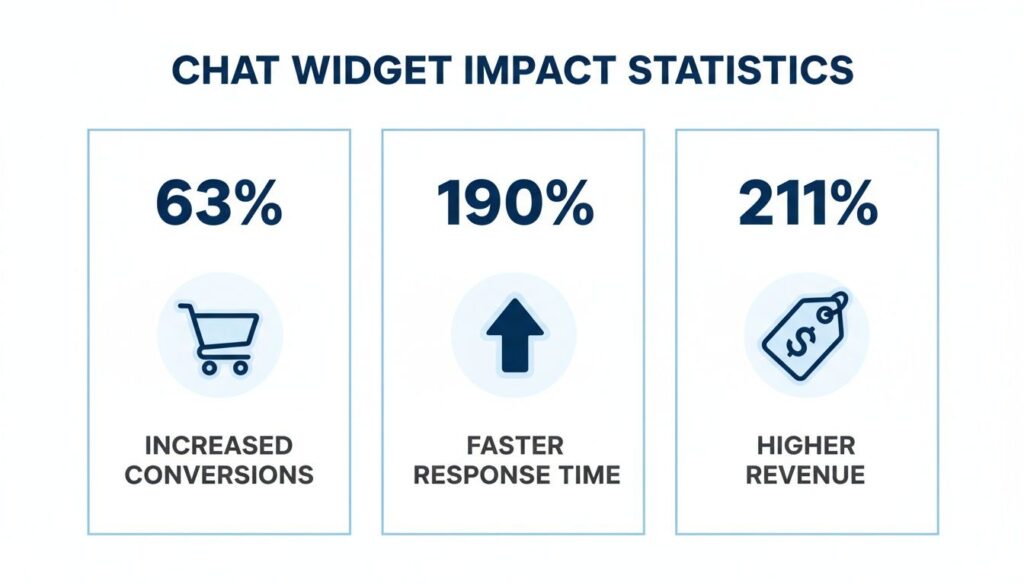
Chat Widget Statistics
These aren’t just vanity metrics. They demonstrate how a single tool can dramatically lift your most important KPIs by simply making it easier for people to get the help they need, right when they need it.
Here’s a quick summary of the transformation a chat widget can bring to your key metrics.
Chat Widget Impact at a Glance
| Metric | Potential Impact | Business Benefit |
|---|---|---|
| Conversion Rate | Increase by 63% or more | Turns more website visitors into paying customers. |
| Sales Revenue | Potential increase of 211% | Directly boosts the bottom line by closing more deals on-site. |
| Response Time | Up to 190% faster | Resolves customer issues instantly, improving satisfaction. |
| Lead Qualification | Automated and instant | Frees up sales teams to focus on high-intent prospects. |
As you can see, the benefits go far beyond just being helpful. A well-implemented chat widget is a powerful engine for growth.
Beyond Sales and Support
While boosting sales is a huge win, the advantages don’t stop there. A chat widget is an incredibly powerful tool for gathering customer insights and qualifying leads automatically.
Every conversation provides a goldmine of data on customer pain points, common questions, and product interest. This feedback is invaluable for refining your marketing, improving your products, and elevating the entire customer experience.
By setting up automated initial questions, you can effortlessly filter serious prospects from casual browsers. This ensures your sales team invests their time on high-quality leads, which means greater efficiency and more closed deals. If you want to dig into the mechanics, you can learn more about what live chat support entails.
The real power of a chat widget isn’t just answering questions. It’s about starting conversations that lead to conversions, loyalty, and invaluable business intelligence.
Choosing the Right Chat Tool for Your Business
Let’s be honest, not all chat tools are created equal. The market is full of options, from basic plugins to sophisticated AI agents. The key is to avoid getting lost in feature lists and instead ask one simple question: What is my primary business goal?
Your goal will determine the right tool for you.
- Lead Capture: Are you a B2B company trying to book more demos? You need a widget that qualifies leads and integrates with a calendar.
- Customer Support: Is your main goal to slash support tickets? An AI-powered chatbot that can answer common questions 24/7 is your best bet.
- Driving Sales: For an e-commerce store, the priority might be rescuing abandoned carts or proactively upselling products.
Your primary goal is your North Star. A business needing 24/7 support will lean towards a powerful AI chatbot, while one focused on high-touch sales will need live chat that plugs into their CRM.
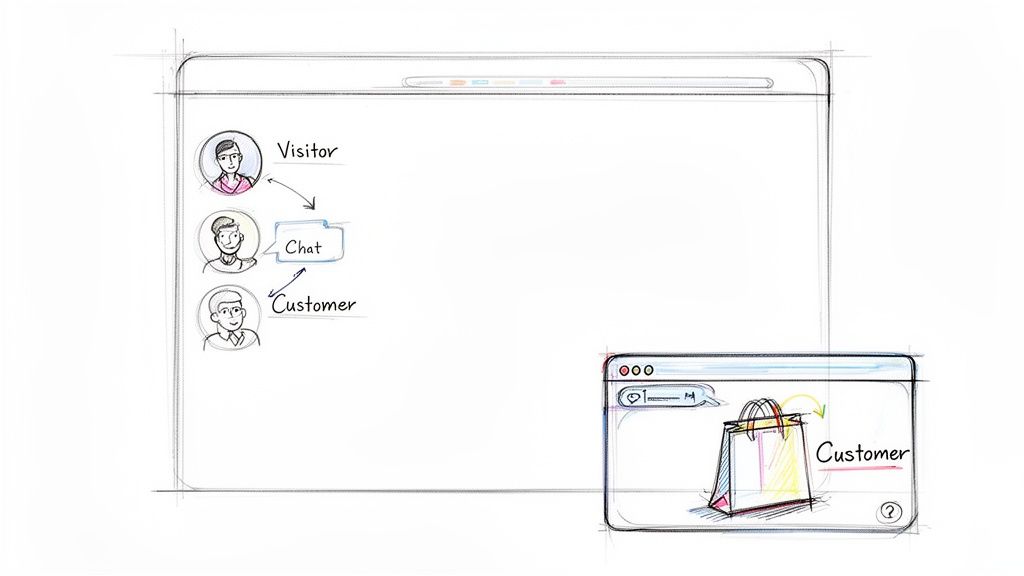
Website Customer Flow
Core Features You Cannot Ignore
Once you’ve identified your main goal, you can start evaluating features. Focus on these non-negotiable fundamentals that deliver real results.
Here’s a practical checklist:
- A No-Code Builder: You shouldn’t need a developer to tweak a welcome message. A visual, drag-and-drop builder allows you to make changes and launch new conversational flows quickly.
- Key Integrations: Your chat widget must connect with your other tools, especially your CRM (like HubSpot or Salesforce), email platform (like Mailchimp or Klaviyo), and automation tools like Zapier.
- Multi-Channel Capabilities: Your customers are everywhere. Look for a tool that unifies conversations from your website, Instagram DMs, and Facebook Messenger into a single inbox.
Choosing a tool without these core features leads to fragmented data, manual work for your team, and a clunky user experience.
Your chat tool should be a central hub for customer communication, not just another isolated channel. Picking the right one means ensuring it fits seamlessly into your existing workflow.
Live Chat vs. AI Chatbots
The final decision is whether you need a human-powered live chat or an AI chatbot.
A live chat tool is managed entirely by your team. It’s fantastic for building personal rapport and navigating complex sales conversations. The downside? It’s limited by your team’s availability and can be costly to staff.
An AI chatbot, on the other hand, works 24/7. It can handle frequently asked questions, qualify leads while you sleep, and even process basic orders on its own.
For most businesses, a hybrid approach works best. Let the bot handle simple, repetitive inquiries and then intelligently hand off high-value conversations to a live agent. This gives you the efficiency of automation without sacrificing the personal touch that closes deals.
Installing and Customizing Your First Chat Widget
Getting your first chat widget live is quicker than you think. Most platforms make it simple, usually involving a small snippet of code or a plugin. The real transformation begins when you customize the widget to feel like an integral part of your website.
This conversational approach is rapidly becoming the standard. A staggering 5.3 million websites now use online chat, and about 18% of the top million sites have a chat widget. This massive adoption shows a clear shift toward giving customers the instant communication they expect. To learn more, explore more live chat statistics here.
Getting Started on Popular Platforms
No matter your website platform, the core concept is the same: you’re simply telling your site where to load the chat widget from.
- For WordPress: Use a dedicated plugin. Go to the WordPress repository, search for your chat provider’s plugin, install it, and activate. Knowing how to add plugins in WordPress makes this a two-minute job.
- For Shopify: Most chat services have an app in the Shopify App Store. Add the app, connect your account, and the widget will appear on your store automatically.
- For Custom Websites: This is a simple copy-and-paste task. Grab the JavaScript snippet from your chat provider and place it in your website’s HTML, just before the closing
</body>tag. This ensures it loads last without slowing down your page content.
These methods ensure your chat widget website integration is smooth, even without technical expertise. Looking for a solution specifically for WordPress? Check out our detailed guide on setting up a chatbot for WordPress.
Customizing Your Widget to Match Your Brand
Once installed, it’s time to customize. A well-designed widget builds trust and encourages interaction, while a generic one feels out of place.
Your goal is to make the chat widget feel like an intentional part of your website’s design, not a third-party tool that was just tacked on. Consistency is key to a professional user experience.
Focus on these three areas for the biggest impact:
- Match Your Brand Colors: Adjust the widget’s colors to align with your website’s palette for instant visual harmony.
- Craft a Compelling Welcome Message: Ditch the generic “How can I help you?” and tailor your greeting to the page. For a pricing page visitor, try, “Have questions about our plans? I can help!”
- Set Your Team’s Availability: Be upfront about your business hours. When you’re offline, use an automated message to capture contact details and let visitors know when to expect a reply.
Designing Automated Conversations That Actually Convert
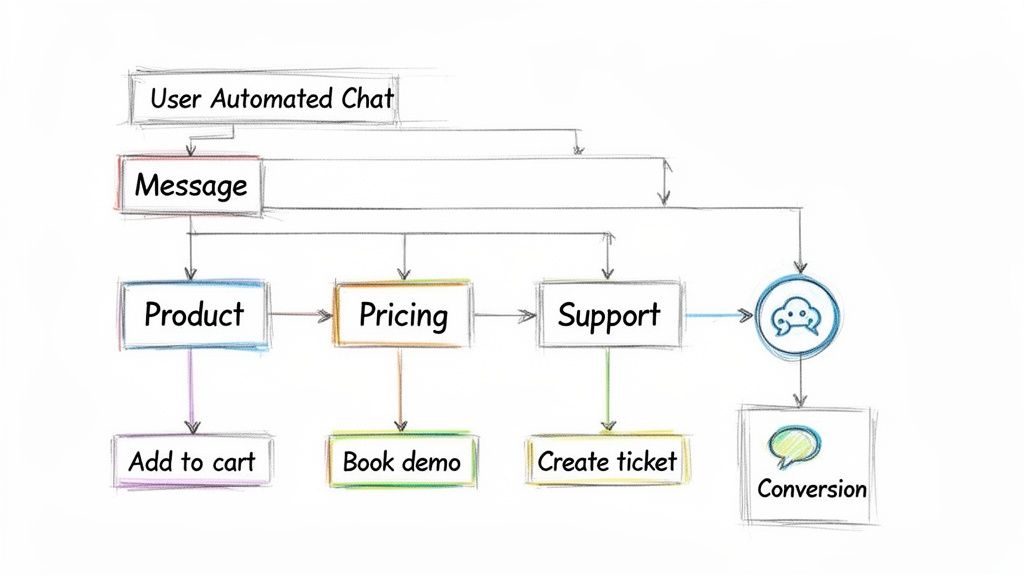
A chat widget is just the window; the real power is in the conversation behind it. Don’t just install a widget and hope for the best. Design smart, automated conversations that guide visitors toward an action and turn your chat widget website into a conversion machine.
This means mapping out different conversational flows for different user needs. Someone on your pricing page has different questions than someone on your blog. Your widget should recognize that context and adapt. That’s how you create an experience that feels personal and helpful, not robotic.

Chat Widget Website Setup
Proactively Engage with Smart Triggers
The best chat strategies are proactive. Instead of waiting for a visitor to click, use triggers to start conversations at critical moments in their journey. Triggers are rules that automatically open the chat widget based on user behavior.
Focus your proactive engagement on high-intent pages.
- On a Pricing Page: A visitor lingering here is considering a purchase. Set a trigger to fire after 15 seconds with a message like, “Finding the right plan? I can walk you through the options.”
- During Checkout: If someone is on the checkout page but hasn’t completed their purchase, a trigger can offer help. A simple, “Having trouble checking out? Let me know if you need assistance!” can prevent an abandoned cart.
- On a Key Product Page: For a complex product, a trigger can offer a quick video demo or a link to a detailed guide right when a visitor seems to be weighing their options.
These proactive nudges transform the widget from a passive tool into an active sales assistant.
Real-World Examples of High-Converting Flows
Let’s look at how this works in practice. A well-designed conversational flow anticipates user needs and provides a clear path to a solution.
A great automated conversation doesn’t try to trick someone into thinking they’re talking to a human. Instead, it provides immediate value and a clear, efficient path to their goal. It respects their time and their intent.
Consider these common business use cases:
1. The SaaS Demo Booker: A visitor lands on a feature page. The chat widget asks if they’d like to see it in action. If they say yes, the bot qualifies them with two quick questions (e.g., “What’s your company size?”) and then displays a calendar to book a demo instantly. This fills the sales team’s calendar with qualified leads on autopilot.
2. The E-commerce Discount Helper: A customer has items in their cart but hesitates at checkout. The widget triggers, offering a 10% discount to complete the purchase now. This timely incentive can be all it takes to close the sale and recover a potentially lost customer.
To dive deeper into creating effective flows, learn more about how to design a chatbot that aligns with your business goals.
Integrating Your Chat Widget Into Your Marketing Stack
A standalone chat widget is a missed opportunity. Its true power is unlocked when it connects to the other marketing tools you use every day. By integrating your widget with your CRM, email platform, and sales software, every conversation becomes actionable data.
This is how you build automated workflows that save time and close more deals. For example, a new lead chats on your site, and they are automatically added to your email list, tagged with their interests, and a new deal is created in your sales pipeline—all without manual effort.
Chat Widget Website Process
Creating a Seamless Ecosystem
The goal is to build a connected system where information flows freely between your tools. Platforms like Zapier or Make, along with native integrations, make this possible. They allow your chat widget website to become the central hub for customer communication.
This integrated approach pays off. The ROI from connected chat widgets is significant, especially for lead generation and sales.
- Businesses using AI chat see a 2.3 times increase in customer engagement.
- They can boost landing page conversions by as much as 20%.
- A solid 55% of companies using chatbots for marketing report getting higher-quality leads.
To see the full picture, you can explore more insightful chatbot statistics.
Your chat tool becomes exponentially more powerful when it’s not just collecting conversations, but actively enriching your customer profiles and triggering actions in other parts of your marketing stack.
Essential Chat Widget Integrations
Don’t try to connect everything at once. Start with the tools that directly impact your customer lifecycle. Just a few key integrations can make a massive difference.
Connecting your chat widget to other platforms is how you turn simple conversations into a strategic asset. Below are the most critical connections to prioritize.
Essential Chat Widget Integrations
| Integration Category | Example Tools | Primary Benefit |
|---|---|---|
| CRM | HubSpot, Salesforce | Automatically syncs new leads, logs chat transcripts, and creates deals, giving your sales team a complete view of every prospect. |
| Email Marketing | Mailchimp, Klaviyo | Adds new subscribers captured via chat directly to your email lists, allowing you to kickstart automated nurture sequences immediately. |
| Scheduling | Calendly, Acuity | Lets qualified leads book demos or appointments directly within the chat widget, eliminating friction and back-and-forth emails. |
| E-commerce | Shopify, WooCommerce | Pulls in customer order history and cart details to provide personalized support and targeted upsell offers during a chat. |
By building these bridges, every conversation adds long-term value, turning a simple support tool into a real engine for growth.
Common Questions About Website Chat Widgets
Even with clear benefits, it’s smart to ask questions before adding a new tool to your site. Here are answers to the most common concerns we hear.
Conclusion
Implementing a chat widget website demonstrably improves customer satisfaction and drives measurable business benefits. A highly customizable chat box or chat bubble that you can embed and add your company’s logo to creates a cohesive brand experience across web and mobile, while widget settings and customization options let businesses tune the chat interface for their products or services and customer needs. Whether you use a widget for website builders like Squarespace, Wix, Webflow, GoDaddy, or BigCommerce, the seamless integration and fast loading speed ensure instant responses that reduce friction and increase satisfaction and loyalty.
Beyond faster replies, features like analytics, customer data tracking, and an AI-powered platform with advanced AI and chatbot capabilities enable companies to automate customer queries, surface relevant FAQs from a knowledge base or help center, and route complex issues to human agents. Omnichannel support — including WhatsApp and other channels — and API access let the chat widget to your website become an integral part of your omnichannel strategy, helping businesses get closer to their customers and improve customer interactions across web and ecommerce environments.
Offering a free trial or live chat software demo encourages adoption: teams can test widget supports, advanced features, and integration with existing systems before committing. With tools like Tidio or other platforms, companies can configure widget settings, get notified of new conversations, and use analytics to optimize response workflows and team staffing. The result is faster resolution, higher conversion rates, better retention, and stronger brand loyalty.
In short, a chat widget that supports advanced features, customization, and seamless integration with website builders and backend systems helps automate routine tasks, surface knowledge base content, and deliver personalized, instant responses. This combination improves customer satisfaction, streamlines customer interactions, increases sales for e-commerce, and equips businesses with the data and tools needed to continually refine the customer experience.

