
If you’re not using Facebook Messenger on your website, you’re leaving a direct line to your customers wide open. Integrating a website Facebook Messenger chat does more than just add a chat bubble; it transforms your static site into a dynamic sales and support hub, letting you engage with visitors the second they have a question.
This isn’t just theory. This is about turning passive browsers into active customers.
Why Your Website Needs Facebook Messenger
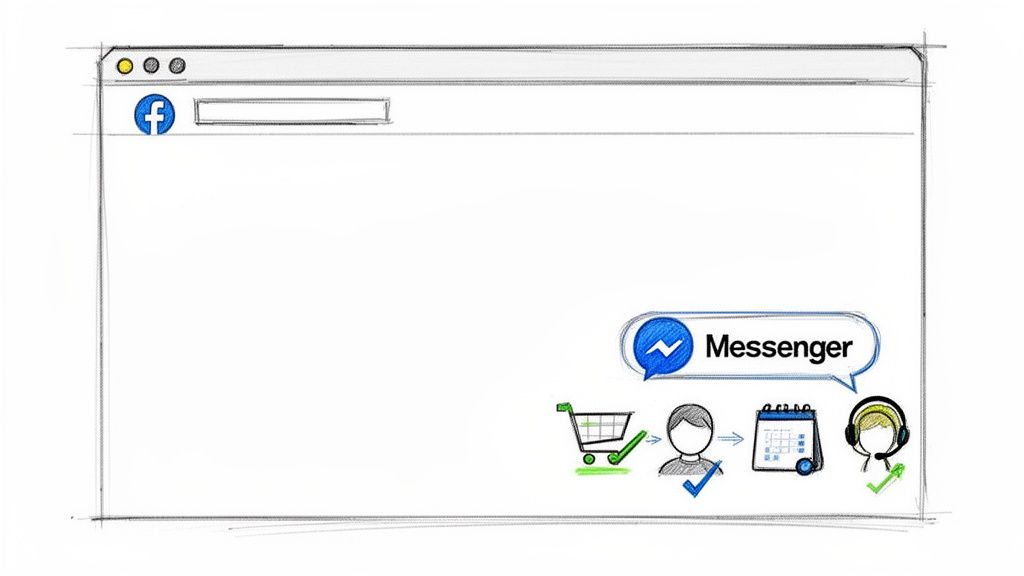
Messenger Customer Journey
Think about your own online shopping. You have a question about a product. Do you want to hunt for a contact form, fill it out, and hope for an email reply tomorrow? Or would an instant answer help you click “buy” right now? Your customers want the same thing.
Adding Messenger to your website bridges this gap, creating an immediate, personal connection that drives action. It’s a strategic shift that delivers real, measurable results.
Get Tangible Results with Messenger
| Business Goal | How Messenger Delivers Results | Real-World Example |
|---|---|---|
| Drive More Sales | Intercepts hesitant buyers with instant answers and proactive offers, reducing cart abandonment. | An e-commerce store’s bot sends a 10% discount to a user lingering on the checkout page, closing the sale on the spot. |
| Generate Qualified Leads | Qualifies visitors 24/7 and books appointments automatically, turning website traffic into scheduled calls. | A consultant’s chatbot asks three quick questions and then books a qualified lead directly into their calendar. |
| Deliver Instant Support | Provides immediate answers to common questions, freeing up your human team for more complex issues. | A SaaS company’s bot instantly resolves a common login issue, deflecting a support ticket and delighting the customer. |
| Build Lasting Loyalty | Creates an ongoing conversation that continues in the customer’s pocket long after they’ve left your website. | A brand sends order updates and personalized follow-ups directly in Messenger, creating a sticky and delightful experience. |
As you can see, the impact is immediate and practical. You’re not just answering questions; you’re actively guiding the customer journey, from first click to final purchase and beyond.
Meet Customers Where They Already Are
The numbers speak for themselves. Facebook Messenger is used by around 1 billion people worldwide. In the United States alone, usage has reached 201.5 million people. The largest demographic? The 25–34 age group, with 44 million users—a prime audience for most businesses.
By putting Messenger on your site, you’re not asking customers to learn a new tool or create a Facebook account just to reach you. Whether they’re using the mobile app, a web browser, or even the web version on a desktop, they’re already familiar with some version of Facebook and how it works. That familiarity removes friction and makes it easier for them to start a conversation instantly.
The conversation might begin on your website, but it seamlessly continues on their phone—right alongside apps like WhatsApp—creating a persistent and convenient connection that a generic live chat window simply can’t match.
The Takeaway: By opening a direct, personalized, and automated line to your audience, you turn passive website visitors into active leads and loyal customers. The conversation doesn’t end when they leave your site—it continues wherever they go.
From Static Forms to Dynamic Conversations
Let’s be honest: traditional contact forms are conversation killers. A visitor sends a question into a black hole and just hopes for the best. A website Facebook Messenger chat, however, starts a two-way dialogue that gets things done now.
Here’s how this transformation plays out in the real world:
- E-commerce Store: A customer is hesitating at checkout. An automated Messenger prompt appears, offering a 10% discount to seal the deal. Result: Sale saved, customer happy.
- Consulting Business: A potential client is on your services page. A chatbot qualifies them on the spot and books a discovery call right into your calendar. Result: Hot lead captured, no back-and-forth emails.
- Digital Agency: A client has a common technical question. The chatbot provides an instant, accurate answer from your knowledge base. Result: Support ticket avoided, team focuses on bigger problems.
In each case, the business is actively engaging the user, providing immediate value, and steering them toward a goal. This is the core power of a website’s Facebook Messenger integration—it turns your site into an active player in the customer’s journey. You can learn more about how businesses leverage Messenger chatbots for success in our detailed guide.
How to Add the Official Facebook Chat Plugin to Your Site
Ready to get started? The most direct route is using the official Facebook Chat Plugin. It’s the simplest way to open a conversation channel with your visitors, and you can set it up right from your Facebook Business Page without needing to be a coding wizard.
First, head to your Facebook Business Page and open the “Meta Business Suite.” From there, navigate to your “Inbox,” click the settings gear icon, and select “Chat Plugin.” This becomes your command center for generating the code snippet you’ll need.
What makes this powerful is how it connects your website to the broader ecosystem of social media platforms people already use daily. Visitors can continue conversations from Messenger Home, receive replies as they would with SMS, and stay connected even if they move between devices.
With features like end-to-end encryption, users feel secure while chatting, and the experience remains smooth and familiar. Even better, customers can start interacting without a Facebook account in some cases, reducing friction and making it easier for anyone to reach out.
Your First Customization Steps
Before you touch any code, Meta gives you a few options to make the chat widget feel like part of your brand. While the options are basic, they’re your first chance to make a good impression.
Here’s what you can customize right away:
- Automated Greetings: Craft a welcome message that greets new visitors.
- Brand Color: Change the default blue to match your website’s color palette.
- Guest Chat: Decide if visitors must log into Facebook or if they can chat anonymously as a guest.
That welcome message is a golden opportunity. Don’t settle for a generic “How can I help?” Be specific and actionable. If you run an e-commerce store, try something like, “Hey! See something you like? Let me know if you need help finding the right size.” It feels human and starts a real conversation.
Actionable Insight: Your welcome message should kick off a conversation that leads to a specific outcome—a sale, a lead, or a problem solved. Ask a simple, inviting question that’s relevant to the page they’re on.
Installing the Code (and Its Limitations)
Once you’ve personalized your greeting and color, Meta will generate a small snippet of JavaScript code. Your job is to copy this and paste it into your website’s backend.
Whether you use WordPress, Shopify, or Squarespace, you’ll find a section for custom scripts, usually in the “header,” “footer,” or a general “custom code” area. The best practice is to place it just before the closing </body> tag on every page where you want the chat to appear.
And just like that, you’re live. The native plugin works. It funnels all your website chats directly into your Facebook Page inbox, which is great for centralizing conversations. But—and this is a big but—it has serious limitations.
At its core, the native plugin is a reactive tool. It simply waits for you or someone on your team to manually reply to every single message. Every. Single. One.
This is where you hit a ceiling. The native plugin gets you in the game, but it won’t let you build any real automation. Smart auto-replies that qualify leads while you sleep? Nope. To go beyond just being a message-taker, you need to think bigger. Check out our guide on how to set up an effective auto reply for Facebook Messenger to see what’s possible.
The native plugin is the starting line. The next step is to find a tool that turns that little chat bubble into a fully automated sales and support machine.
Connecting an AI Chatbot for 24/7 Automation
Getting the native Facebook Chat Plugin on your site is a great first step. But think of it as the hardware. The real magic happens when you install the software—an intelligent automation platform like Clepher. This is where you transform a simple chat box into a tireless marketing and support system that works for you 24/7.
Instead of waiting for a message, a smart AI chatbot initiates the conversation. It can answer common questions instantly, qualify leads while you sleep, run promotions, and even close sales right inside the chat window. Your widget transforms from a passive support channel into an active, revenue-generating machine.
This diagram lays out the basic setup for the native plugin—the foundation you’ll build your automation on.
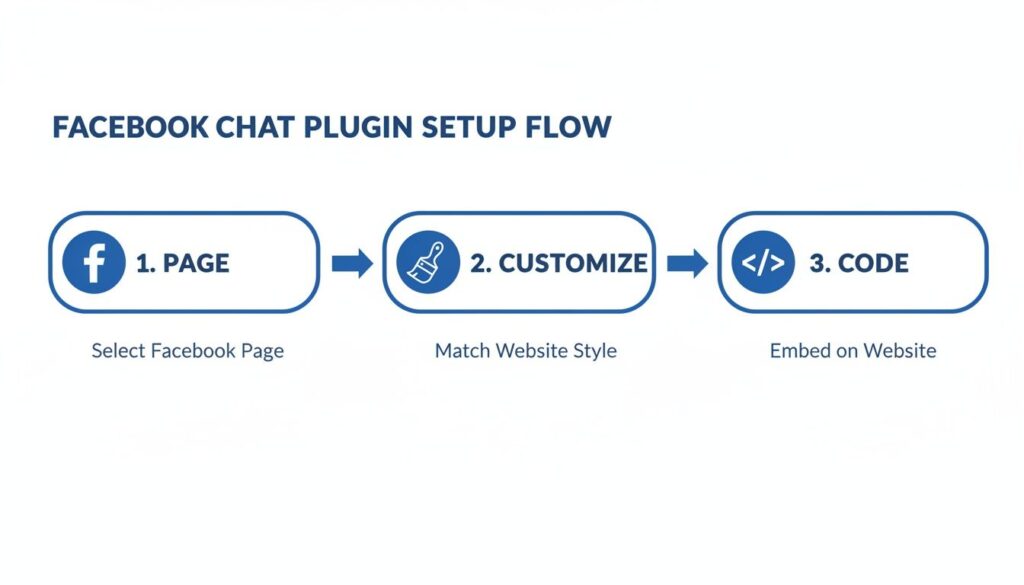
Messenger Setup Flow
The initial process is simple: connect your page, customize the appearance, and copy the code. That’s all it takes to lay the groundwork for a much more powerful AI layer.
Go Beyond Basic Chat with No-Code Automation
The best part? You don’t need to be a developer to build sophisticated automations. Modern platforms like Clepher provide intuitive, no-code, drag-and-drop builders. You can visually map out entire conversations, telling the bot exactly how to respond based on a visitor’s actions or keywords.
Let’s apply this to an e-commerce store. A visitor is on a product page and asks, “Do you have this in blue?”
- Without Automation: They wait. Maybe they get an answer tomorrow, but by then, they’ve already bought from a competitor. The sale is lost.
- With Automation: The bot replies instantly: “We do! We have it in Sky Blue and Navy Blue. Want to see some pictures?”
This immediate, helpful interaction keeps a potential customer engaged and moves them closer to a purchase. It’s like having a perfect salesperson ready to assist every visitor, at any hour.
Actionable Insight: By automating the first few conversational steps, you guarantee that no lead is ever left waiting. Your AI handles the repetitive queries, freeing up your human team to focus on high-value conversations that require a human touch.
A Real-World E-commerce Automation Flow
Let’s see what a fully automated sales flow looks like in action. Imagine a visitor adds a pair of shoes to their cart but gets distracted and doesn’t check out. A little while later, they open the chat on your website.
The bot immediately recognizes the user and their abandoned cart, kicking into gear.
It proactively sends a message: “Hey [First Name]! I saw you left those awesome running shoes in your cart. Any questions before you check out? To help you decide, here’s a 10% discount on us.”
The user replies, asking about the return policy. The bot instantly pulls the answer from its knowledge base and provides a clear, concise explanation.
Satisfied, the user clicks the “Complete Purchase” button that the bot conveniently provided. They’re taken straight to their pre-filled cart with the discount already applied.
Just like that, you’ve recovered a sale, answered a question, and built trust—all without a human lifting a finger. This is the kind of transformative power an AI-driven website Facebook Messenger integration delivers. If you want to build this exact strategy, our guide on creating an AI agent for sales is the perfect next step. Platforms like Clepher give you all the tools to build these scenarios with ease.
Customizing Your Messenger Experience for Engagement
A generic chat widget is a wasted opportunity. It just sits there, hoping someone clicks. An intelligent, personalized chat widget, however, starts conversations that drive sales, answer questions, and build real connections. This is where you stop using the default website Facebook Messenger and start creating a branded, high-converting experience.
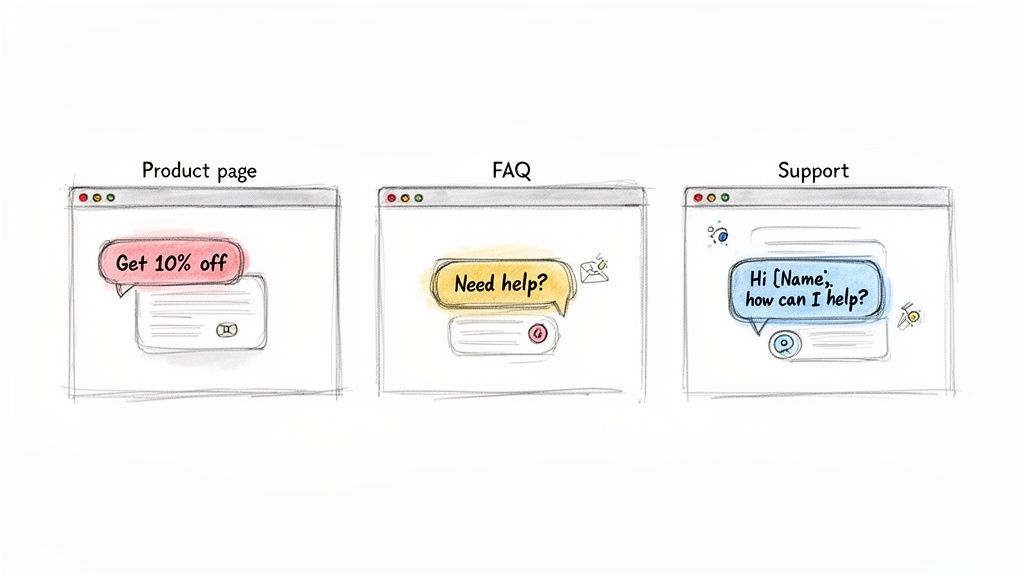
Messenger Chatbot Uses
Real customization isn’t about changing the bubble color; it’s about saying the right thing to the right person at the perfect moment. When you connect a platform like Clepher, you unlock the ability to design context-aware conversations that feel less like a script and more like genuine help.
Tailor Greetings to Page Content
A one-size-fits-all “Hi, how can I help?” is lazy. The real power comes when your chatbot’s greeting changes based on the specific page a visitor is browsing. This simple shift shows you’re paying attention and makes the chat invitation impossible to ignore.
Consider these real-world examples:
- On a Product Page: “Hey! I see you’re checking out the [Product Name]. Have any questions about the features or sizing? I’m here to help.”
- On an FAQ Page: “Looking for answers? Ask me anything about our policies, shipping, or returns, and I’ll find the information for you instantly.”
- On the Pricing Page: “Hi there! I can help you find the perfect plan. Want me to walk you through the differences between our packages?”
This small detail tells the visitor you understand exactly what they’re looking for right now.
Actionable Insight: By tailoring your welcome message to the page a user is viewing, you immediately increase the relevance of the conversation. It proves your bot isn’t a generic tool but a smart assistant ready to provide context-specific help.
Greet Returning Visitors by Name
Nothing builds rapport faster than a little recognition. When someone has messaged you before—whether on your site or directly through your Facebook Page—you have a golden opportunity to make them feel seen.
With simple personalization tags, your bot can greet them by name. A friendly “Welcome back, Sarah!” is a world away from a cold “Hello.” This tiny touch makes the whole interaction feel more like an ongoing conversation with a person, not a machine. It’s an incredibly simple way to make a customer feel valued the second they return.
Trigger Proactive Messages Based on Behavior
This is where the magic really happens. Instead of waiting for a visitor to start a chat, your bot can proactively jump in at critical moments. This is how you turn a passive support tool into an active sales and conversion machine.
Consider these powerful, behavior-driven scenarios:
- Checkout Page Hesitation: A user has been on the checkout page for more than 60 seconds without buying. Your bot can pop up with a nudge: “Looks like you’re about to complete your order! Here’s a 10% discount to say thanks.” You’re no longer just a website; you’re a helpful brand that values its business.
- Exit-Intent: Someone’s cursor drifts towards the ‘close’ button. They’re about to leave. The bot can make one last play: “Before you go, want a copy of our free guide to [Topic]?” You might not get the sale today, but you’ve captured a lead for tomorrow.
These proactive triggers transform your website’s Facebook Messenger from a simple chat bubble into your most tireless employee, working 24/7 to guide visitors toward your most important goals.
Turning Messenger Conversations into Leads and Sales
Having a Facebook Messenger chat widget on your site is step one. The real transformation happens when you stop seeing it as a support tool and start treating it as a sales engine. It’s time to move beyond just answering questions and start actively generating leads and turning chats into revenue.
This is where you put strategic automation to work. One of the most powerful moves is running ‘Click-to-Messenger’ ad campaigns on Facebook and Instagram. Instead of sending traffic to a generic landing page, these ads pull users directly into a specific, automated sales conversation you’ve already built.
Imagine running an ad for new sneakers. A user clicks, and instead of a webpage, they land in a Messenger chat on your site. The bot immediately shows them color options, answers sizing questions, and presents a “Buy Now” button. It’s a frictionless path from ad to purchase, and it converts like crazy.
Build Targeted Subscriber Lists with Tags
Here’s a game-changer: every person who messages your page becomes a contact. This opens a direct line for re-engagement, but blasting everyone with the same generic message is a fast track to getting blocked.
The smart play is to use tags to segment your audience based on their interests and actions.
For example, a visitor interacts with your chatbot and asks about “women’s running shoes.” Your bot can instantly tag them with interest_running_shoes_women.
Now what?
- When you launch a new running shoe, you send a targeted broadcast only to people with that tag.
- Running a flash sale on women’s apparel? You can create a segment that includes this group.
- For a holiday promo, you can target everyone who showed product interest in the last 90 days.
This precision ensures your messages are always relevant, causing your engagement rates to skyrocket because you’re sending offers people actually want. It’s like having a hyper-targeted email list, but with the near-instant open rates that only Messenger can deliver.
Actionable Insight: Building a segmented Messenger subscriber list is one of the highest-ROI activities you can undertake. It lets you send the right offer to the right person at the right time—directly in a channel they check constantly.
Recover Abandoned Carts Automatically
Abandoned carts are the silent killer of e-commerce revenue. A customer finds something they love, adds it to their cart, gets to checkout, and…vanishes.
Email reminders are standard, but they often get buried in a crowded inbox. A timely nudge on Messenger, however, is almost impossible to ignore.
Here’s how an automated abandoned cart sequence with a platform like Clepher works. The system detects when a user has left items behind and, after a set time, triggers a friendly message.
The bot might say, “Hey [First Name]! Did you forget something? Your items are waiting for you.” That gentle reminder is often all it takes. If they still don’t bite, you can program a follow-up a few hours later with a small incentive, like a 10% discount code, to close the deal.
This isn’t just a nice idea; it’s a proven strategy for clawing back lost revenue. By leveraging the phenomenal open rates of Messenger, you can recover sales that would have otherwise been lost for good. That’s a direct, measurable impact on your bottom line.
Answering Your Top Questions About Facebook Messenger on Your Website
Thinking about adding Facebook Messenger to your website is smart, and a few key questions always come up. Let’s tackle them head-on so you can move forward with a clear plan for success.
Ready to transform that little chat bubble into your hardest-working sales and support tool? With Clepher, you can design intelligent conversation flows without writing a single line of code, capture more leads, and recover abandoned carts on autopilot. Get started with Clepher today and see what real automation can do for your business.

Related Posts
10 Lead Capture Software Tools Compared for 2026
October 18, 2026WhatsApp Chatbot for Ecommerce: A Practical 2026 Guide
October 17, 2026What Is Lead Scoring and How It Drives Real Sales Results
October 16, 2026
Founder Clepher