
A live chat widget is that little pop-up window, usually tucked in the corner of a screen, that lets website visitors have a real-time conversation with a business. This chat bubble, often referred to as a website chat or live chat tool, works like an instant messaging window that closes the gap between a visitor’s question and your answer, turning a passive browsing experience into an active, two-way dialogue. When you add live chat or place a chat widget on your website, you create a faster, more personal way to communicate.
Why Your Website Needs a Digital Front Door
Imagine your website is a physical store. Without a live chat widget, it’s like having no one on the sales floor. Visitors browse your products, read your content, and then… leave. Often without a word. You have no clue what they were looking for, what questions held them back, or why they decided to walk away.
This is the classic problem of silent visitor drop-off, where potential customers and valuable leads simply vanish.
A live chat software solution fixes this by creating a digital front door. It’s an immediate, welcoming way to start a conversation, transforming a passive visit into a helpful interaction. Instead of letting visitors wander aimlessly, you can proactively greet them through chat support, just like a sharp store assistant would. Even a free live chat setup can dramatically reduce missed opportunities.
Turning Anonymous Visitors into Engaged Leads
A chat widget on your website does way more than just field questions; it actively captures leads that would otherwise be lost for good. When a visitor has a last-minute question about pricing or a specific feature, the widget delivers an instant answer through live chat, stopping them from clicking away in frustration.
That immediate support can be the one thing that separates a lost visitor from a new customer. This transforms your website’s role from a static online brochure into an interactive sales and support hub where you can:
- Guide potential customers: Help people find exactly what they need, pointing them toward the right product page or service information.
- Answer critical questions: Instantly clear up doubts about shipping, features, or company policies before they become a reason to leave.
- Capture valuable information: Collect contact details and user feedback to nurture leads and improve your offerings — especially when using an AI chatbot integrated with your live chat software.
From Optional Extra to Essential Tool
Years ago, a chat widget might have been seen as a “nice-to-have.” Today, it’s a non-negotiable part of a modern business strategy. Customers expect instant answers and easy ways to get help. A website without that direct line of communication feels disconnected and out of date.
For your website to truly be a digital front door, it’s essential to move beyond informal messaging apps for customer communication and into more structured solutions. A dedicated chat widget integrates directly into your business operations, ensuring a professional and seamless experience.
This shift means chat widgets are no longer just for support teams. They have become powerful tools for sales, marketing, and improving the entire user experience, making your website work smarter, not just harder.
Choosing Your Conversation Style: Live Chat vs. Chatbots
Alright, you’ve decided to add a chat widget to your website. Smart move. Now comes the big question: who—or what—is going to be on the other side of that conversation? This isn’t just a technical choice; it’s about defining the personality of your digital front door. Let’s break down the two main styles to figure out what fits your business best.
Live Chat: The Human Touch
Live chat is exactly what it sounds like: a real person from your team answering questions in real-time. Think of it as having a dedicated personal shopper in a high-end boutique. It’s perfect for handling complex, high-value conversations that need empathy, nuance, and genuine problem-solving. This human-powered approach shines when a personal connection is everything.
- Complex Sales Questions: A B2B software company can use live chat for a sales engineer to answer a potential buyer’s detailed technical questions, building trust and moving the deal forward faster.
- Sensitive Support Issues: A financial services firm can offer discreet, empathetic support to a client dealing with a complicated account issue, strengthening that relationship.
- High-Touch Onboarding: A consultant can personally welcome a new client, answer their first few questions, and set the tone for a great partnership right from the start.
The magic here is the ability to adapt and understand context in a way automation can’t. The trade-off? Live chat is only available when your team is, and it requires a direct investment of your team’s time.
Automated Chatbots: The 24/7 Concierge
An automated chatbot, powered by AI and pre-set rules, is your tireless 24/7 concierge. It’s built to handle routine, repetitive tasks instantly, day or night, without a human needing to be on standby. This is the go-to for businesses needing to provide immediate answers at scale.
For example, a chatbot for an e-commerce brand can instantly:
- Answer the classic “Where is my order?” question.
- Initiate a return or exchange process.
- Provide product recommendations based on simple queries.
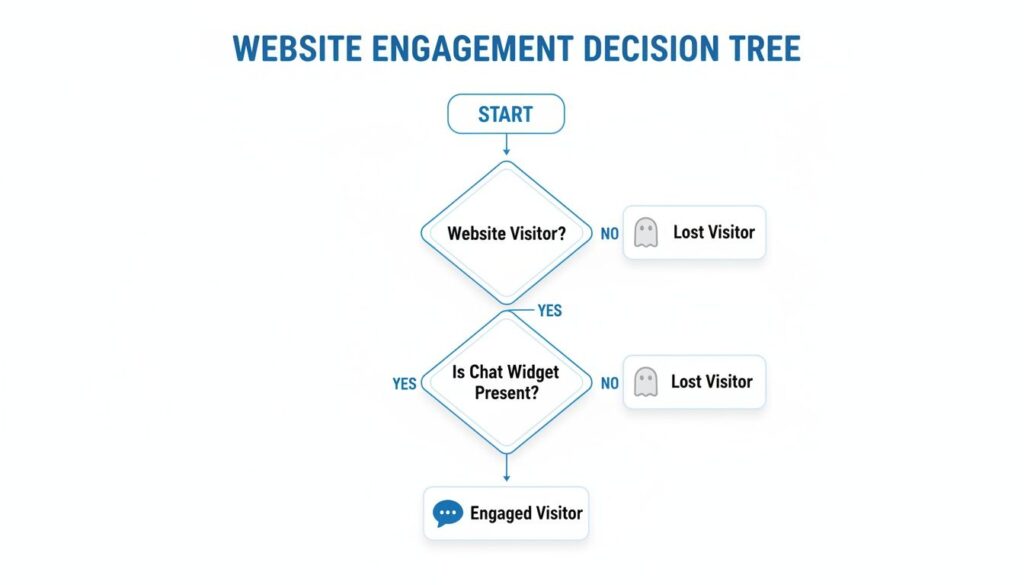
This simple decision tree shows the powerful impact a chat widget—whether human or bot—can have on keeping visitors on your site.
chat widgets for websites decision tree
As the visual makes clear, no chat widget often means a lost visitor. But having one opens the door for a real connection.
The Hybrid Model: Best of Both Worlds
Why choose just one? A hybrid model brings together the efficiency of a chatbot with the expertise of a human agent.
Here’s a practical example: the chatbot acts as the first line of defense, handling common questions and qualifying leads. When a question gets too complex or a visitor asks for a human, the conversation is seamlessly handed over to a live agent. It’s a smooth, smart workflow that gives customers the best of both worlds.
This approach lets you offer immediate, 24/7 support while keeping that human touch for high-stakes interactions. For most growing companies, it’s the most flexible and scalable solution.
Comparing Chat Widget Types
To make the decision clearer, let’s put these three models side-by-side. Each has its strengths, and the best fit really depends on your resources, customer needs, and business goals.
| Feature | Live Chat (Human-Powered) | Automated Chatbot (AI-Powered) | Hybrid Model (Combined) |
|---|---|---|---|
| Availability | Limited to business hours | 24/7, instant | 24/7 (bot) with human availability during business hours |
| Cost | Higher (staffing costs) | Lower (one-time setup + subscription) | Moderate (subscription + limited staffing) |
| Scalability | Low (limited by team size) | High (handles unlimited chats) | High (bot handles volume, humans handle exceptions) |
| Best For | Complex, high-value, nuanced conversations | Repetitive FAQs, lead capture, after-hours support | Businesses wanting both scale and a personal touch |
| Key Weakness | Not scalable or cost-effective for high volume | Lacks empathy and can’t handle complex issues | Requires seamless integration for a good handoff |
Ultimately, the hybrid model often gives you the most bang for your buck, blending automation’s efficiency with the irreplaceable value of human expertise. The demand for instant interaction is undeniable. Chat widgets are now standard, with a whopping 73% of buyers expecting them for smooth online experiences.
The right choice really boils down to your specific goals. If you want to dive deeper into how these two approaches stack up, check out our detailed guide on the differences between a chatbot vs live chat for customer service.
Putting Your Chat Widget to Work for Growth
Okay, let’s move past the theory. A well-placed, intelligent chat widget isn’t just a fancy “contact us” button; it’s a growth engine that works across your entire business. Let’s break down exactly how your sales, support, and marketing teams can put these tools to work for tangible results.
chat widgets for websites
Accelerate Sales Cycles and Qualify Leads
For your sales team, a chat widget is a direct hotline to your most interested prospects. It’s about connecting with potential buyers the exact moment their interest peaks.
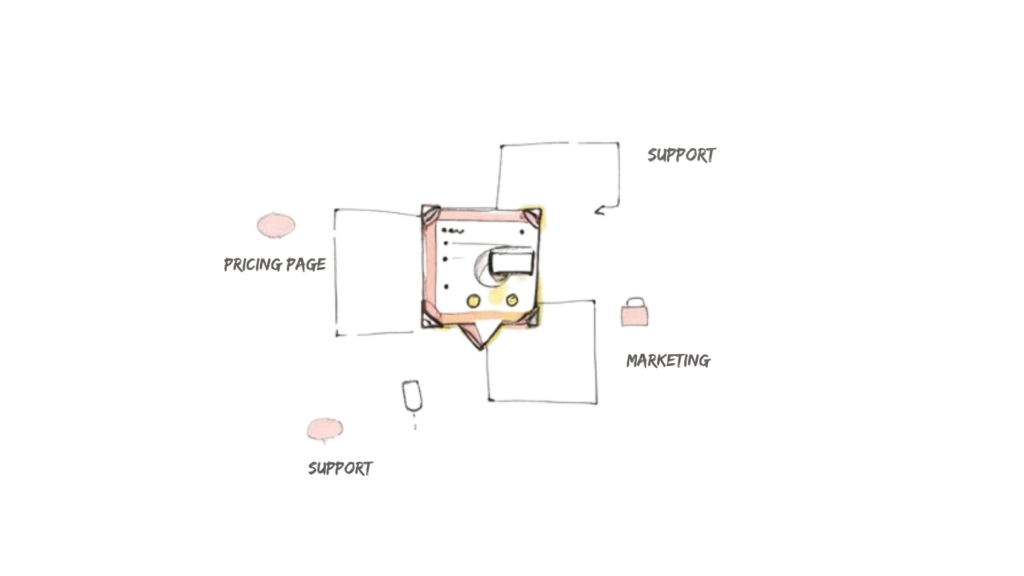
Picture this: someone is lingering on your pricing page. A proactive chat widget can slide in with a simple, “Have any questions about our plans? I’m here to help!” This single interaction can:
- Knock out last-minute objections: Instantly clear up any confusion about features or pricing, preventing a warm lead from bouncing.
- Qualify leads in real-time: A quick chat can tell you if this person is a good fit, saving your team from chasing dead ends.
- Book demos on the spot: Forget making people fill out a form and wait. Your rep can drop a calendar link right into the chat and schedule a meeting then and there.
The result? A much shorter sales cycle. By engaging people at their highest moment of intent, you strip out all the friction from the buying process and turn hesitant visitors into qualified leads—fast.
Slash Support Costs with Smart Automation
In customer support, the name of the game is resolving issues quickly and efficiently. A chat widget, especially one backed by a smart chatbot, becomes your first line of defense.
Think about an e-commerce store that gets hundreds of “Where is my order?” tickets every single day. Instead of tying up support agents, a chatbot can ask for the order number, look up the status, and provide an instant update.
This frees up your human agents to tackle the complex, high-stakes issues that actually require empathy and creative problem-solving. Businesses can often automate up to 60% of common inquiries this way, which not only cuts support costs but also crushes first-response times and makes for happier customers. If you want to dive deeper, check out our guide on how to automate customer service.
Drive Marketing Engagement and Personalization
For marketers, chat widgets are goldmines for user onboarding, collecting feedback, and segmenting your audience. They let you create interactive experiences that are miles ahead of static web pages.
Here’s a practical example: a new user just signed up for your SaaS product. A chat widget can trigger a welcome message, walking them through the first few critical steps of setting up their account. This interactive tour makes sure users “get it” and see the value right away, which is a massive boost for retention.
You can also use the widget to:
- Gather feedback: After a user completes a key action, the widget can pop up and ask for a quick rating for invaluable insight.
- Segment audiences: Based on the pages someone visits or the questions they ask, you can automatically tag them for future personalized campaigns.
This approach turns your website into a living marketing channel. Connecting it to broader Top conversion rate optimization strategies helps you engage users in context, gather mission-critical data, and ultimately drive a much higher customer lifetime value.
How to Select the Right Chat Widget Platform
Picking a chat widget platform can feel overwhelming. The trick is to tune out the noise and focus on what your business actually needs. Before you even look at features, get clear on your primary goal. Are you trying to capture more sales leads? Or is your main goal to slash the number of customer support tickets? Your answer is your compass.
Once you know your “why,” you can measure platforms against these four critical pillars.
Evaluate Core Integration Power
Your chat widget can’t be an island. It has to connect seamlessly with the tools you already rely on every day, creating one unified view of your customer. Without these connections, you end up with frustrating data silos and a ton of manual work.
Before you commit, make a checklist of your must-have tools:
- Customer Relationship Management (CRM): Does it sync new leads and chat histories with your CRM, like HubSpot or Salesforce?
- Helpdesk Software: Can it create support tickets in platforms like Zendesk or Freshdesk right from a conversation?
- Marketing Automation: Does it connect to your email marketing software to kick off follow-up campaigns?
Poor integration is a deal-breaker. A platform that plays nicely with your existing tech stack will save you countless hours and prevent major headaches.
Ensure Perfect Brand Alignment
A chat widget should feel like a natural part of your brand, not some clunky, third-party add-on. The best chat widgets for websites offer deep customization, letting you match your brand’s look and feel. This consistency is huge for building trust and making the user experience feel professional.
Look for a platform that gives you total control over:
- Colors and Fonts: Can you plug in your brand’s exact hex codes and typography?
- Logos and Avatars: Can you upload your company logo and custom photos for your agents?
- Welcome Messages: Can you write custom greetings that reflect your brand’s unique voice?
A generic, unbranded widget can make your site feel less trustworthy. Customization isn’t just about looks; it’s about maintaining a cohesive brand identity at every single touchpoint.
Plan for Future-Proof Scalability
The platform you pick today has to be able to support your growth tomorrow. Scalability isn’t just about handling more website traffic; it’s about the platform’s ability to grow with you as your strategies get more sophisticated.
Ask yourself these forward-thinking questions:
- Can it handle a sudden spike in simultaneous chats without lagging?
- Does it support more complex automated workflows as your needs change?
- Can you easily add more team members, create different departments, and set up advanced routing rules?
Choosing a platform that can scale saves you from the painful process of migrating to a new tool right when your business is hitting its stride.
Prioritize Your Team’s Usability
Finally, even the most powerful tool is worthless if your team finds it confusing or frustrating. The platform’s interface needs to be intuitive, both for the agents using it daily and for the managers building out your chat flows. If it requires a week of training, it’s going to kill adoption and slow you down.
A user-friendly platform means your team can get up and running fast, focusing on helping customers instead of wrestling with software. If you want to get a better handle on the different types of widgets out there, you can learn more about how to identify a chat widget and what makes each one tick. A platform with a clean, logical builder is what empowers your team to innovate and adapt on the fly.
Implementing and Optimizing for Maximum Impact
Getting a chat widget installed is the easy part. The real work—the part that turns visitors into loyal customers—is in how you optimize it. Simply having a widget is step one. Building a smart, strategic system around it is what turns a simple tool into a high-powered business asset.
chat widgets for websites chat features
Let’s walk through the practical steps that make all the difference.
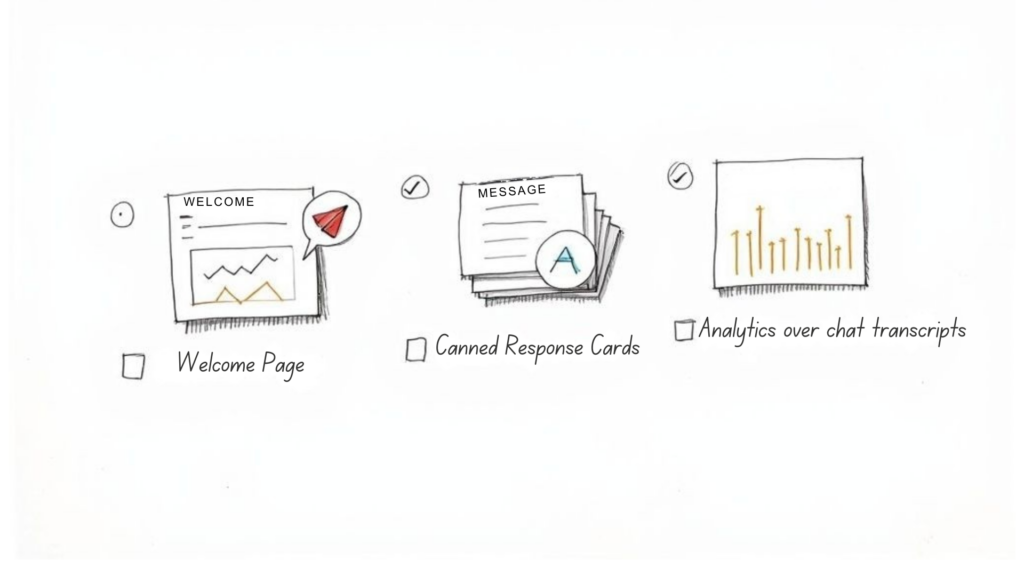
Craft Compelling Welcome Messages
First impressions count. Your welcome message is the first thing a visitor sees, and it immediately sets the tone. A generic “How can I help you?” is forgettable. A personalized, context-aware greeting is what grabs attention.
Instead of a one-size-fits-all approach, tailor your greeting to the page the user is actually on:
- Pricing Page: “Have questions about our plans? I can help you find the perfect fit for your team.”
- Checkout Page: “Need a hand with your order? I’m here to make checkout a breeze.”
- Blog Post: “Enjoying the article? Let me know if you want to see more content like this.”
This tiny change makes the interaction feel relevant and proactive. You’re not just waiting for them to ask; you’re anticipating their needs.
Set Up Proactive Chat Triggers
Don’t just wait for visitors to start a chat. Proactive triggers let you jump in at the perfect moment based on specific user behavior. This is your chance to engage someone who is showing high intent but might be on the verge of leaving.
By setting up triggers on pages like your checkout or features comparison, you can address last-minute hesitations and provide the final push a user needs to convert. It’s the digital equivalent of a helpful store associate noticing a confused customer and stepping in to help.
For instance, if someone has been lingering on your features page for more than 60 seconds, a trigger can pop up a message offering a quick feature comparison or a link to a demo. That timely intervention can be the difference between a lost lead and a new customer.
Build a Library of Canned Responses
In customer support, speed is everything. Canned responses are pre-written answers to common questions that let your team reply instantly and consistently. This doesn’t make your chats robotic—it frees up your team’s brainpower to tackle more complex issues.
Start by listing your most frequently asked questions:
- What are your shipping policies?
- How do I process a return?
- What are your business hours?
- Can you tell me more about [specific feature]?
By creating a library of sharp, clear answers, you ensure every customer gets the same accurate information, fast. It’s a non-negotiable for scaling support without letting quality slip.
Analyze Chat Transcripts for Insights
Your chat history is an absolute goldmine of customer intelligence. Don’t let it just sit there. Regularly reviewing chat transcripts gives you raw, unfiltered access to your customers’ exact words, pain points, and questions.
Look for patterns. Are ten people this week asking about a feature you thought was obvious? Are customers getting stuck at the same step in your checkout process? This feedback is a direct pipeline to improving your entire user experience.
Analyzing transcripts helps you refine chatbot scripts, update your website copy, and train your support team on what really matters to your audience. It creates a powerful feedback loop for continuous improvement.
Got Questions About Chat Widgets? We’ve Got Answers.
Jumping into any new tool for your website brings up a few questions. That’s smart. Before you pull the trigger, let’s clear the air on some of the most common things business owners ask about adding a chat widget.
Ready to turn your website visitors into loyal customers with powerful, AI-driven conversations? Clepher makes it easy to build and launch intelligent chat widgets that market, sell, and support your business 24/7. Start your free trial today and see the difference.

Related Posts
How to Customize Your Facebook Page URL: A 2026 Guide to Boost Your Brand
April 5, 2026Chatbots for Banks: The Ultimate Guide for 2026
April 4, 2026Mastering Conversational AI for E-commerce Success
April 3, 2026
Founder Clepher