
Creating a WhatsApp link is your first step to instant customer conversations. The method is simple: use the wa.me/ format, followed by your phone number in full international format. Just be sure to remove any leading zeros, brackets, or dashes.
For example, a US number like +1 (555) 123-4567 becomes https://wa.me/15551234567. And just like that, you’ve turned a simple phone number into a powerful, clickable gateway to your business.
Why a WhatsApp Link Is a Non-Negotiable Sales Tool
In a world of ignored emails and clunky contact forms, a direct WhatsApp link is a game-changer. It instantly closes the gap between customer interest and a real conversation, turning a passive website visitor into an active sales lead.
Think about it: clicking a link versus filling out a form is the difference between an immediate, personal dialogue and a cold lead that might go stale.
This simple tool gives you a massive advantage. You can capture high-intent leads, offer instant support, and close deals faster. It’s like opening a private, direct line to your business that customers can access with a single tap.
Remove Friction, Boost Conversions
Put yourself in your customer’s shoes. They’re on your product page, ready to buy, but have one quick question about shipping. A traditional contact form adds steps and delays—often just enough to make them abandon their cart.
A prominent “Chat with us on WhatsApp” link changes everything. It removes all that friction. They can ask their question, get an answer in real-time, and complete their purchase right then and there.
By eliminating waiting periods, you directly tackle one of the biggest sales killers: customer hesitation. Instant answers build trust and momentum, guiding customers straight to the checkout.
A WhatsApp link is a powerful conversion tool. To get the most out of it, apply principles of conversion rate optimisation to your entire sales funnel.
WhatsApp Link Benefits at a Glance
Let’s break down why switching from old-school methods to a direct chat link delivers such tangible results.
| Feature | Traditional Methods (Email/Forms) | WhatsApp Link (Click-to-Chat) |
|---|---|---|
| Response Time | Hours or days | Instant or near-instant |
| Customer Effort | High (multiple fields to fill) | Low (one click to start a chat) |
| Interaction Style | Formal and impersonal | Conversational and personal |
| Lead Quality | Varies, often cold leads | High-intent, warm leads |
| Conversion Impact | Lower due to delays and friction | Higher due to speed and direct engagement |
The takeaway is clear: WhatsApp links meet customers on their terms, offering the immediate, low-effort communication they now expect.
Meet Customers Where They Are
This isn’t just about convenience; it’s about aligning with modern customer behavior. A staggering 69% of customers globally are more likely to buy from businesses they can message directly.
This approach is the heart of conversational marketing, where the goal is to build relationships through genuine dialogue. With new features like WhatsApp Channels rocketing to 500 million users in their first year, the platform’s role in business is only growing. You can see more stats on WhatsApp’s business impact on SQ Magazine.
How to Create Your WhatsApp Link (3 Methods)
We’ve covered why WhatsApp links are essential. Now, let’s get practical and create them.
Knowing how to create different types of links is about designing targeted conversations, not just using a generic contact button. You can guide people to claim a discount, join a community, or ask a specific question about a product.
1. The Standard Click-to-Chat Link
This is your go-to link. The standard wa.me link is the simplest and most common option, perfect for your email signature, contact page, or social media bio. It’s the digital equivalent of handing someone your business card.
Creating one is straightforward. Just use the https://wa.me/ structure followed by your full phone number in international format. Remember to drop any plus signs, dashes, or leading zeros.
- For a US number (555-123-4567):
https://wa.me/15551234567 - For a UK number (07911 123456):
https://wa.me/447911123456
This simple link instantly opens a chat window, completely removing the friction of a customer having to save your number first. As you can see below, this small change turns a clunky, multi-step process into a single, decisive action.
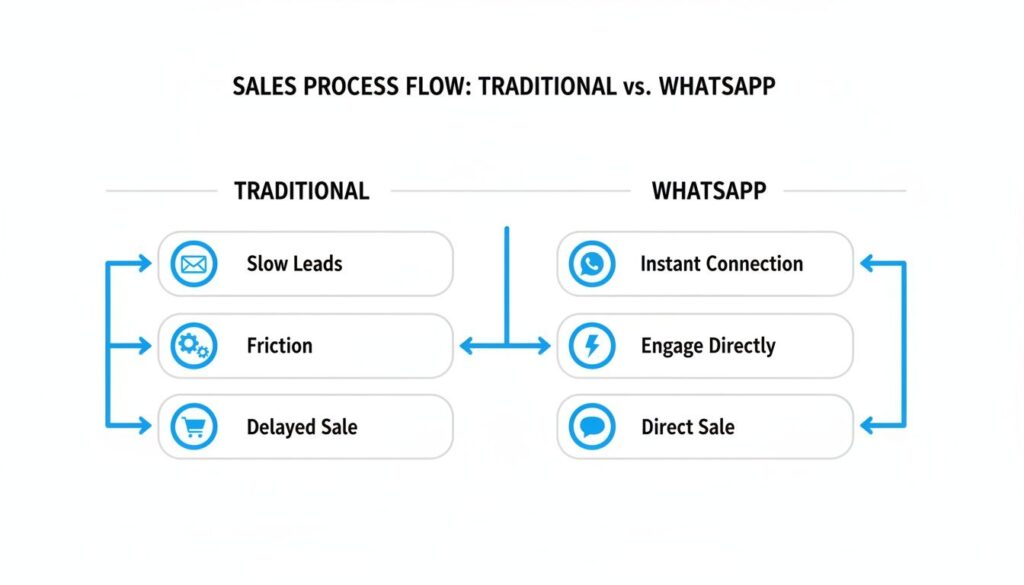
Create WhatsApp Link Sales Flow
You’re not just giving them a number; you’re opening a door to an immediate conversation.
2. Links with Pre-filled Messages
This is where you gain control of the conversation. By adding a pre-filled message, you can guide the user’s first interaction, making it incredibly useful for tracking campaigns or giving your support team instant context.
The structure builds on the basic link. Just add ?text= to the end, followed by your URL-encoded message.
Pro Tip: “URL-encoded” simply means replacing spaces with
%20. For example, “Hello there” becomes “Hello%20there”. This ensures the link works correctly in all browsers.
Here’s how this works in real-world scenarios:
- For a specific promo: A link on a product page could be
https://wa.me/15551234567?text=Hi!%20I'm%20interested%20in%20the%2020%25%20OFF%20summer%20sale. - For customer support: A link on your pricing page might be
https://wa.me/15551234567?text=I%20have%20a%20question%20about%20the%20Pro%20plan.
You’ve transformed a generic “hello” into a specific, actionable request, saving time for both you and your customer.
3. Group Invitation Links and QR Codes
Beyond one-on-one chats, you can also generate links to invite people directly into a WhatsApp group. This is perfect for onboarding new clients, creating a VIP community, or coordinating attendees for an event. You can create this link right from the “Group Info” settings inside any WhatsApp group you admin.
Finally, connect your offline marketing to online conversations with QR codes. Any WhatsApp link can be turned into a QR code using a free online generator. Put one on a product package, a trade show banner, or a restaurant menu to instantly drive people into a chat.
It’s this accessible, low-friction connectivity that has fueled WhatsApp‘s growth to over 3 billion monthly users since its launch in 2009. For a deeper dive into the numbers, explore more data on WhatsApp’s global reach on Infobip.
How to Track Your WhatsApp Link Performance
Creating links is easy. Knowing which ones actually drive results is what separates guessing from growing.
If you’re not tracking your links, you’re flying blind. You might see new chats appearing, but you won’t know why. Did they come from your Facebook ad, your email signature, or that banner on your homepage? This is where UTM parameters become a game-changer.
UTM (Urchin Tracking Module) parameters are simple tags you add to the end of your URL. They don’t change where the link goes, but they feed your analytics tools valuable data about where each click came from.
This is the difference between knowing “someone clicked my link” and knowing “the January Sale button in my email signature brought in 50 new leads.” That’s actionable data you can use to optimize your strategy.
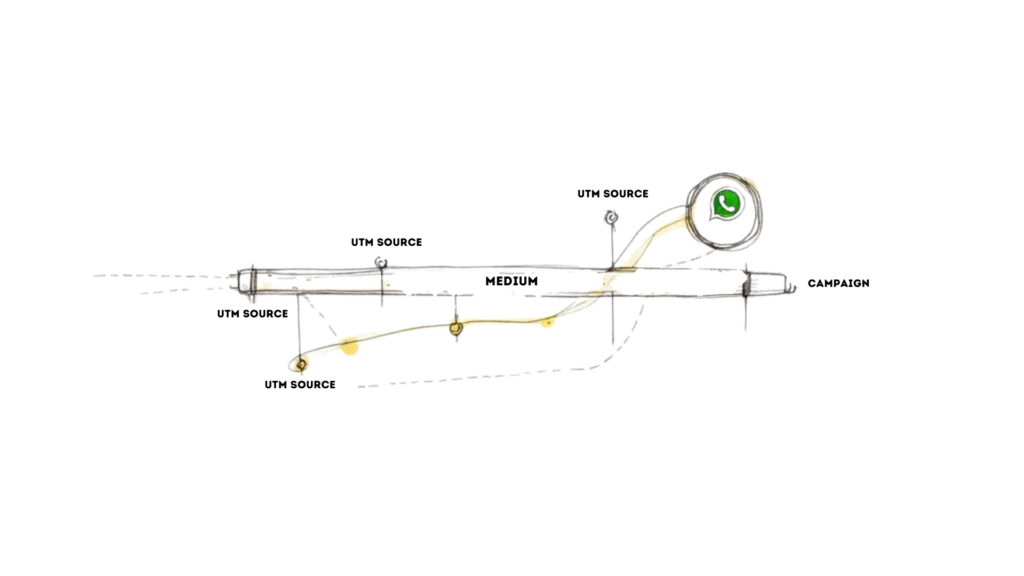
Create WhatsApp Link UTM Tracking
Adding UTMs to Your WhatsApp Link
Building a tracked link is surprisingly simple. You just append the parameters to your standard wa.me link. While several UTMs exist, these three are the most critical to start with:
- utm_source: Tells you where the traffic is from (e.g.,
facebook,google,email-newsletter). - utm_medium: Explains the type of link (e.g.,
cpcfor paid ads,socialfor a post, oremail). - utm_campaign: Names your specific marketing push (e.g.,
summer-sale-2024orq4-promo).
Let’s walk through a real-world example. Imagine you’re running a Facebook ad for a summer sale. Your tracked link would look like this:
https://wa.me/15551234567?utm_source=facebook&utm_medium=cpc&utm_campaign=summer-sale-promo
Now, when a chat comes in from that link, you know with 100% certainty it was driven by that specific ad. This clarity is essential for optimizing your ad spend and overall marketing strategy.
When you know which links perform best, you can confidently double down on what’s working and cut the campaigns that are wasting money. Your WhatsApp link transforms from a simple button into a measurable part of your sales engine.
This approach gives you a sharper view of your customer’s journey, similar to how you would track website visitors to understand on-site behavior. UTMs bring that same analytical power directly to your WhatsApp conversations.
Where to Place Your Links for Maximum Engagement
You’ve crafted the perfect WhatsApp link. Now, where do you put it? A link is useless if no one sees it. The secret is placing it exactly where your customers are looking, right when they might need help.
Placing your link in high-visibility spots means you’re always just one click away. This simple move transforms passive website visitors, email readers, and social media scrollers into active, meaningful conversations.
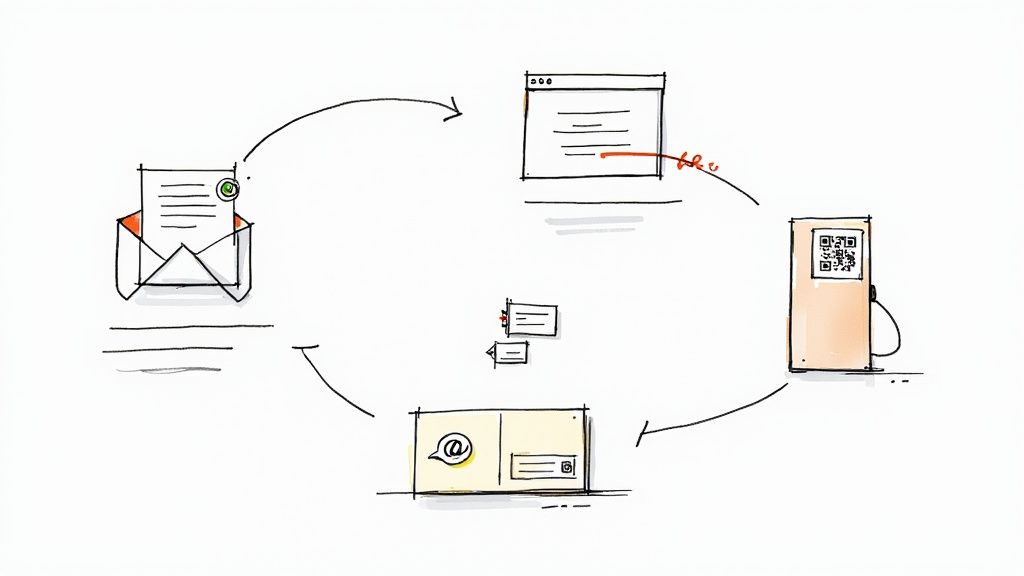
Create WhatsApp Link Workflow
Smart Digital Placements
Every digital interaction is an opportunity. Here are some of the most effective places to put your link:
- Email Signatures: Add a “Got a question? Chat on WhatsApp” link to every email. Suddenly, routine correspondence becomes a support channel.
- Instagram Bio: Your “link in bio” is prime real estate. Send followers straight to a WhatsApp chat, bypassing the noise of Instagram DMs.
- Website Header/Footer: A sticky header or prominent footer with a WhatsApp icon ensures help is always visible, no matter where someone is on your site.
- Abandoned Cart Emails: Instead of a generic “Did you forget something?” email, embed a link with a pre-filled message like, “Hi, I had a question about my cart.” This is a powerful tactic for recovering lost sales.
To make these placements truly effective, you need to master effective calls to action (CTAs). Your WhatsApp link is a CTA—treat it like one.
Bridging the Physical and Digital Divide
Don’t limit yourself to the digital world. QR codes are the perfect tool to connect your physical marketing materials to a digital conversation.
The goal is to make starting a conversation completely effortless. Whether a customer is reading an email or holding your product, the path to reaching you should be obvious and immediate.
Put a QR code on product packaging for instant post-purchase support. Add one to your business cards to make networking more actionable. Print a large one on event banners to capture leads on the spot.
This seamless approach has helped make WhatsApp the world’s top messaging app in key markets like India (532.3 million users) and Brazil (124 million).
Bringing Your WhatsApp Links Into Clepher Workflows
You’ve got your link. Now it’s time to put it to work. By connecting your link directly into your Clepher automation flows, you can create a seamless journey for your customers.
Imagine a potential customer is chatting with your Instagram or Messenger bot. Instead of letting the conversation end there, you can drop a “click-to-chat” link right inside the flow. This instantly moves a warm lead from an automated chat to a live agent on WhatsApp, turning a simple query into a high-value sales conversation.
Turn Website Visitors into WhatsApp Leads
It’s not just about social media bots. Clepher’s website widgets and pop-ups are prime real estate for your WhatsApp links. Use a direct link as your main call-to-action to convert casual website visitors into WhatsApp subscribers on the spot.
Here’s a practical look at how a Clepher workflow can guide users into a WhatsApp conversation.
This isn’t just theory. You can design a conversational path that intelligently steers a user toward a specific action—in this case, clicking your WhatsApp link. It’s a perfect example of Clepher’s automation power in action.
By building your link into a chatbot flow, you’re not just passively waiting for leads. You’re actively creating a direct pathway for them to connect with you instantly, which is huge for boosting engagement and making your support feel incredibly responsive.
This strategy is also fantastic for scheduling appointments or follow-ups. For more ideas on automating your outreach, check out our guide on how to schedule a WhatsApp message.
Frequently Asked Questions
Got questions about creating WhatsApp links? Let’s clear up some common hurdles so you can start creating links with confidence.
Now that you have the know-how, it’s time to put it into practice. With Clepher, you can drop these WhatsApp links directly into your chatbot flows, capture widgets, and automated campaigns. Start turning website visitors and social media followers into valuable WhatsApp conversations today. Explore Clepher’s features and see just how easy it is to connect with your audience.

Related Posts
How to Customize Your Facebook Page URL: A 2026 Guide to Boost Your Brand
April 5, 2026Chatbots for Banks: The Ultimate Guide for 2026
April 4, 2026Mastering Conversational AI for E-commerce Success
April 3, 2026
Founder Clepher