

Let’s be honest—most chatbots are a waste of time. They’re clunky, unhelpful, and feel like talking to a brick wall. Subsequently, to design a chatbot that actually grows your business, you need to think beyond a simple Q&A script. A truly smart AI chatbot captures leads, solves problems instantly, and actively guides users toward a sale. Also, it stops being a frustrating dead end and becomes one of your hardest-working assets.
Why Your Business Needs a Smarter Chatbot

chatbot concept
Too many businesses slap a chatbot on their site without a real strategy. The result? An experience that misunderstands simple questions, spits out irrelevant answers, and creates more work for your support team. A poorly designed bot isn’t just useless—it actively damages your brand with every frustrating conversation.
This guide shows you how to do the exact opposite. We’ll break down the actionable steps to transform a basic bot into a powerful, revenue-driving machine that works for you 24/7. The goal is a seamless experience that feels less like a machine and more like a sharp, efficient assistant. This doesn’t just make customers happier; it delivers real, measurable business results.
And this isn’t just a trend. The global chatbot market is projected to smash $27 billion by 2030. The market is sending a clear signal: it’s time to invest in a smarter solution and build your chatbot the right way.
Key Elements of a High-Converting Chatbot
Before we dive into the “how,” let’s quickly look at the key design pillars. Each one plays a crucial role in turning your chatbot from a simple script into a conversion-focused machine.
| Design Element | Impact on Conversions |
|---|---|
| Clear Goals & Strategy | Aligns every interaction with a specific business outcome (e.g., lead capture, sale). |
| Conversational Flow | Guides users naturally toward your goal without feeling robotic or pushy. |
| Personalization & Segmentation | Delivers relevant, targeted messages that resonate with different user groups. |
| AI & Keyword Triggers | Understands user intent instantly, providing accurate answers and reducing friction. |
| Lead Capture & Integrations | Seamlessly captures user data and syncs it with your marketing tools (CRM, email). |
| Testing & Optimization | Uses real user data to find and fix weak points, continuously improving performance. |
These elements work together to create an experience that not only helps your users but also directly contributes to your bottom line.
From Simple Scripts to Strategic Assets
A smart chatbot is more than a list of pre-written replies—it’s a strategic tool built to hit specific business goals. Before you write a single line of dialogue, decide exactly what you want your bot to accomplish.
Actionable Use Cases:
- Lead Generation: A bot can greet website visitors, ask qualifying questions like “What’s your biggest marketing challenge?”, and capture their contact info, turning passive browsers into hot leads for your sales team.
- Sales Conversion: An e-commerce bot can act as a virtual sales assistant, recommending products based on a quiz, answering questions about sizing, and guiding shoppers directly to checkout.
- Customer Support: Your bot can instantly handle common queries like “Where’s my order?” or “How do I reset my password?”, freeing up human agents for complex issues.
When you focus on these outcomes, you’re designing a valuable asset. The benefits of AI chatbots go beyond automation; they help you build stronger customer relationships at scale. Now, let’s get into the practical steps.
Figure Out Your Chatbot’s Mission and Persona
Before writing a single line of dialogue, you need to pause. Jumping into chatbot creation without a clear mission is like building a house without a blueprint. You might end up with something that stands, but it won’t deliver the seamless customer experience you’re after.
To design a chatbot that actually works, you must first answer two critical questions: What specific problem is this bot solving? And who, exactly, is it?
Pinpoint a Single, Primary Goal
This is where most businesses trip up. They open a chatbot builder and try to make their bot a jack-of-all-trades that handles support, sells products, and tells jokes. This approach leads to a confusing experience that helps no one.
A truly effective chatbot has one primary, measurable goal. This laser focus makes every interaction count. Don’t just pick a generic template and hope for the best; your core mission must be specific and tied to a KPI you can track.
A vague goal like “improve customer service” is useless. Actionable goals sound like this:
- Slash support ticket volume by 25% by answering common order status questions.
- Generate 15% more marketing qualified leads by engaging visitors on high-intent pages and scheduling demos.
- Boost cart recovery rates by 10% by sending timely reminders to shoppers who have abandoned their cart.
Pick one clear objective and stick with it. This single-minded focus guides every decision you make, from mapping conversation flows to writing the script. Once your bot nails its main job, then you can add more skills or leverage machine learning to handle more complex queries.
Key Takeaway: A chatbot without a specific, measurable mission will fail. Define its single most important job before you do anything else. This clarity transforms it from a fun gadget into a strategic business asset.
Crafting a Memorable Chatbot Persona
You know what your chatbot needs to do. Now you must decide who it is. Regardless of which chatbot platform you use, a chatbot’s persona is its personality—the mix of voice, tone, and character that defines how it communicates. This isn’t just about flair; a well-defined persona makes your bot more engaging and keeps your branding consistent.
Think of your chatbot as a new hire. Your bot’s personality should be a natural extension of your brand’s voice.
Real-World Persona Examples:
- A Law Firm’s Bot: The persona should be professional, reassuring, and precise. It needs to project confidence and expertise, meaning no slang or goofy emojis.
- An E-commerce Brand’s Bot: A company selling quirky t-shirts can use a bot that’s witty, casual, and a bit playful. Using GIFs and a friendly tone connects better with its target audience.
A strong persona shows up in every detail, especially in how it handles mistakes. Also, it’s the difference between a bot saying, “Error. I do not understand,” and one that says, “Oops, my wires are crossed! Could you try phrasing that another way?” The second one feels more human and less frustrating.
To start building your persona, define its core traits:
- Formal or Casual?
- Funny or Serious?
- Concise or Detailed?
- Enthusiastic or Reserved?
Crafting a persona that resonates starts with knowing who you’re talking to. Check out our guide on building detailed buyer personas by understanding your ideal customer. This knowledge is key to designing a chatbot that genuinely connects with your audience.
Mapping a Seamless Conversational Flow
You have a clear goal and a brand-aligned persona. Now it’s time to map the conversation. This is where you architect the user’s journey, turning a simple script into an intuitive, helpful guide.
Think of the conversational flow as the blueprint for your chatbot’s dialogue. It outlines every possible turn a user can take, from “hello” to conversion. Without this map, conversations quickly hit dead ends, leaving users frustrated. The goal is to design a smooth, logical experience that moves people toward their goal.
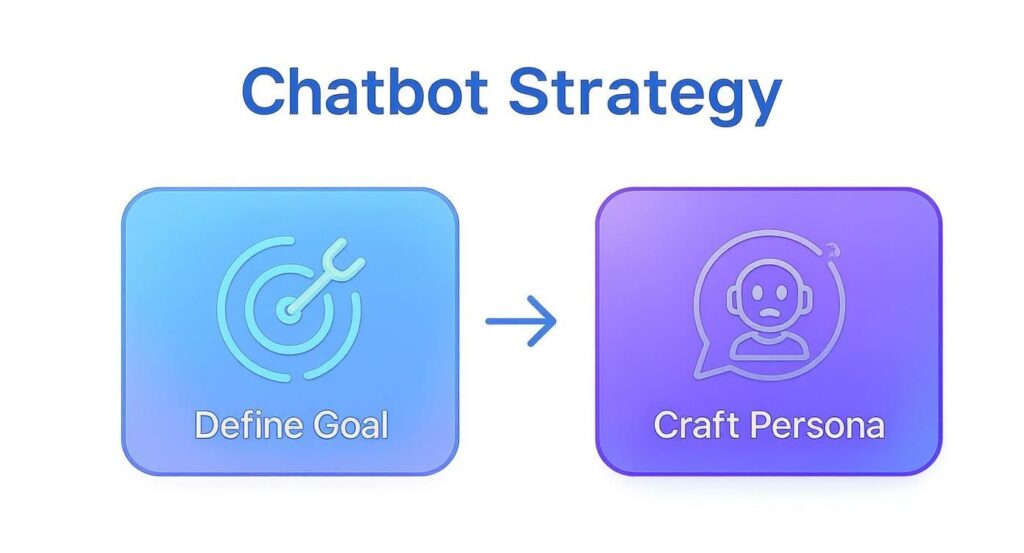
chatbot strategy
This strategic foundation ensures every conversational path you build is purposeful.
Start with a Powerful Welcome Message
First impressions matter. Your chatbot’s first message must do three things instantly: greet the user, explain what it can do, and offer a clear call to action.
Don’t leave them guessing. A vague “Hi, how can I help?” is a recipe for disaster. It invites wide-ranging questions a focused bot can’t handle, leading to immediate failure. Instead, be direct and take control of the conversation from the start.
Example of a Strong Welcome Message:
“Hey there! I’m the Clepher Bot. I can help you schedule a demo, check our pricing, or get answers on features. What would you like to do?”
This approach clarifies the bot’s purpose and gives the user simple choices, immediately eliminating friction.
Use Buttons and Quick Replies to Guide the User
Lean heavily on structured inputs like buttons and quick replies. These tools are your best friend. They prevent confusion by limiting the user’s options to what your chatbot is programmed to handle, creating a controlled, guided experience that just works.
Let’s map a simple flow for scheduling a demo:
- Initial Choice: The user clicks the “Schedule a Demo” button in the welcome message.
- Gather Information: The bot responds, “Great! I just need a couple of details. First, what’s your work email?”
- Offer Time Slots: Once the email is captured, the bot presents quick-reply buttons with time slots: “Perfect. Which day works best for you? [Today] [Tomorrow] [Next Week]”.
This step-by-step process feels effortless. It gathers information without overwhelming the user, moving them closer to conversion with every tap.
Design Smart Fallback Responses
No matter how well you design a chatbot, users will ask something unexpected. This is where most bots fail, replying with a robotic “I don’t understand.” A well-designed fallback response is your safety net, gracefully getting the conversation back on track.
An effective fallback doesn’t just admit defeat—it offers a solution.
Pro Tip: Don’t use the same generic fallback every time. If the bot has some idea what the user meant, it can offer the closest matching options. It’s a “fall-forward” approach that helps users self-correct.
For example, if a user types “how much,” a smart fallback could be:
“I’m not sure I understand completely. Were you looking for info on our pricing plans or our refund policy?”
- [Show Pricing]
- [Refund Policy]
This acknowledges the hiccup but provides a constructive path forward. You can learn more about crafting effective dialogue in our guide on how to write a chatbot script.
Always Provide an Escape Hatch
Finally, every good conversational flow needs an “escape hatch”—a clear way for users to connect with a human. Hiding this option skyrockets user frustration. Giving someone a quick way to talk to a person can salvage the experience and save the lead.
Include an option like “Talk to a Human” in your main menu or within fallback messages. It shows you respect their time and are committed to solving their problem, one way or another.
Bring Your Chatbot to Life with AI and Personalization
A well-mapped flow gets users from A to B. But AI and personalization make the journey feel designed just for them. This is where you graduate from a scripted tool to a smart assistant that understands what your customers want. Static, one-size-fits-all conversations are dead.
Use AI to Instantly Understand Your Customers
The magic of AI in a chatbot is its ability to grasp what users actually mean, even when they don’t use the exact keywords you planned for. Instead of forcing people down a rigid path of buttons, you can let them type freely, and the AI will figure it out.
Consider a simple e-commerce question: “Where is my order?”
A basic bot might just spit out a generic tracking page link. But an AI-powered chatbot uses keyword recognition to spot the user’s intent from phrases like “order status” or “track my package.” If the user is logged in, the bot can pull their exact status and reply with something personal:
“Hi Alex, your order #78521 is out for delivery and should arrive today by 5 PM. You can follow the driver in real-time here: [Tracking Link].”
That single interaction turns a moment of frustration into a moment of delight.
Engage Proactively with Smart Triggers
Why wait for the user to start the conversation? One of the smartest ways to design a chatbot is to have it jump in based on user behavior. These triggers let you offer help at the exact moment someone needs it.
Actionable Trigger Examples:
- Pricing Page Dwell Time: Someone spends more than 30 seconds on your pricing page, signaling buying intent. A chatbot can pop up with, “Have questions about our plans? I can help you find the best fit.”
- Exit-Intent: A user moves their cursor to leave the browser from a checkout page. An exit-intent trigger can launch a chatbot to offer a last-minute discount, potentially saving the sale.
- Multiple Page Views: A visitor views the same product page three times. Your bot can ask, “I see you’re checking out the Pro Plan. Can I answer any questions about it for you?”
These triggers turn your chatbot from a passive tool into a proactive sales and support agent.
Key Insight: The difference between an annoying popup and a helpful assistant is context. Smart triggers use user behavior to make sure your chatbot’s message is always relevant.
Personalize Every Conversation at Scale
Personalization is more than using a first name. It’s about using data—browsing history, past purchases, location—to tailor the conversation. With a platform like Clepher, you can use personalization tags to store this info and drop it into your chatbot’s responses.
This moves you from mass communication to meaningful one-on-one dialogues. And with over 300,000 bots active on Facebook alone, you need to stand out. To cut through the noise, your chatbot must deliver a uniquely personal touch. For more advanced ideas, explore these strategies for using AI in business.
Test, Launch, and Optimize Your Chatbot
Here’s a hard truth: hitting “go live” isn’t the finish line. It’s the starting block. An effective chatbot is never “finished.” It’s a living part of your marketing that gets smarter with every conversation. This is where you stop designing based on what you think users want and start optimizing based on what they actually do.
Before You Go Live: The Pre-Flight Check
Before your chatbot meets real customers, you need to put it through its paces. This isn’t just about catching bugs; it’s about ensuring the conversation flows naturally. The last thing you want is for a customer’s first impression to be a dead-end flow.
Get your team involved—especially people who weren’t part of the design process. They’ll ask questions you never considered and poke holes in your logic before a real customer does. This internal testing is your best defense against a messy launch.
Your Pre-Launch Chatbot Testing Checklist
A quick pre-launch check can save you from major headaches. Use this checklist to ensure every path is clear, every message is on-brand, and every interaction works flawlessly.
| Checklist Item | Why It Matters | Status |
|---|---|---|
| Test every conversational path | You need to find any dead ends, broken buttons, or confusing loops before your users do. Try to break it! | ☐ |
| Check for tone & persona consistency | Does the bot’s personality stay consistent, even in fallback messages? A sudden shift in tone feels jarring. | ☐ |
| Proofread every single word | Typos and grammatical errors are instant credibility killers. They make your brand look sloppy and untrustworthy. | ☐ |
| Test on desktop, mobile, & tablet | Your chatbot needs to look and function perfectly everywhere. A great desktop experience might be a disaster on mobile. | ☐ |
| Verify all links and integrations | Make sure any links to your site or integrations with your CRM are firing correctly. | ☐ |
| Review fallback and error messages | A helpful, guiding fallback message is much better than a generic “I don’t understand.” | ☐ |
Taking the time to tick every box here prevents a poor first impression with your audience.
The Real Work Begins: Monitoring After Launch
Once your chatbot is live, the real learning starts. Now you trade assumptions for cold, hard data. Whether you used a no-code platform or custom Python scripts to build it, designing a chatbot that improves over time requires you to track the right metrics.
Actionable Metrics to Track:
- Conversation Completion Rate: What percentage of users reach the goal you set (like booking a demo)? A low rate is a massive red flag that your flow is too long or confusing.
- User Drop-off Points: Where are people giving up? Pinpointing the exact message where users go silent tells you precisely which part of your script needs a rewrite.
- Fallback Rate: How often is your bot forced to say “I don’t understand”? A high rate means your NLP (Natural Language Processing) triggers aren’t broad enough or your welcome message isn’t setting the right expectations.
- Human Handoff Rate: How many conversations need a human to step in? This metric is a goldmine for identifying knowledge gaps your chatbot needs to fill.
A chatbot isn’t a “set it and forget it” tool. It’s a data-driven project. Consistently reviewing these metrics is the only way to improve your chatbot and turn a good bot into a great one that delivers tangible business results.
From Insights to Action
Data is useless if you don’t act on it. The real value of chatbot development is unlocked through a continuous feedback loop: test, launch, measure, and refine.
See a high drop-off rate right after you ask for an email? You’re probably asking too early. Notice users constantly asking a question your bot can’t answer? It’s time to build a new flow to handle that query.
Businesses that get this right see a stunning return on investment (ROI) between 148% and 200%. This is why 44% of North American support teams plan to invest more in AI bots and generative AI by 2025. You can discover more insights about chatbot ROI to see how they generate such significant value.
Chatbot Design Questions We Hear All the Time
Building your first chatbot can feel like navigating a maze. As you set out to create a chatbot, you’re bound to hit a few walls. Here, we clear up the most common questions we get from users, giving you a cheat sheet to sidestep common mistakes.
Conclusion
To design a chatbot that delivers real business value, your development process must be rigorous: gather feedback and training data, customize conversational flows, and automate repetitive tasks while escalating complex issues to human agents.
Whether using rule-based approaches, OpenAI artificial intelligence models, or the Microsoft Bot Framework with programming languages, prioritize personalized experiences, user experience, and a user-friendly interface that encourages self-service to improve customer satisfaction.
Ensure your solution provides a consistent experience and fast response times across digital channels and messaging apps like WhatsApp. Plan for scalable deployment of custom solutions that integrate with your database and backend systems so performance is measurable, allowing you to deploy, monitor, and optimize.
Crucially, remain compliant with privacy laws (GDPR and CCPA) when storing personal data, documenting the handling process to protect end users. By adhering to these practices, your chatbot will provide the best customer interaction, reduce costs, and deliver measurable business value.
Ready to design a chatbot that actually drives results? With Clepher, you can build, launch, and optimize powerful AI chatbots for your website, Messenger, and Instagram—no coding required. Start turning your conversations into conversions today. Start your free trial with Clepher.

Related Posts
How to Create a Killer Poll Game on Instagram to Boost Engagement and Leads
March 24, 202612 Fresh Social Media Content Ideas That Convert in 2026
March 23, 2026Elevate Your Customer Experience with Conversational AI for Customer Engagement
March 22, 2026
Founder Clepher