
A Facebook chatbot is a smart piece of software that lives inside Facebook Messenger and Instagram DMs. It’s designed to understand what people are asking and give them instant, human-like answers.
Think of it less like complex code and more like your smartest, most efficient team member—one that works 24/7. It can handle customer conversations, qualify new leads, and even close sales while you’re asleep. This guide gives you the actionable steps to build a Facebook Messenger chatbot that gets results.
What Is a Facebook Chatbot and Why It Matters
Ever missed a customer message at midnight and lost a sale for good? Now, picture an automated assistant that not only answers their question instantly but also guides them straight to the right product. That’s the real power of a Facebook chatbot.
It’s an incredibly accessible tool for scaling your conversations and revenue, leveling the playing field for businesses of any size.
In a world where speed is everything, customers expect answers right away. A delay of just a few minutes can be the difference between making a sale and losing a customer forever. This is where chatbots become a critical asset for any business active on social media.
Your 24/7 Digital Employee
A well-designed Facebook chatbot is more than a simple auto-responder; it’s an active part of your team. It works around the clock, ensuring no customer is ever left waiting, which is crucial for building trust and satisfaction. This constant availability directly transforms how your business runs.
- Instant Support: It can handle frequently asked questions about shipping, returns, or store hours without any human help. Example: A user asks, “Do you ship to Canada?” The bot instantly replies with your shipping policy and a link to your international rates.
- Lead Qualification: It asks targeted questions to figure out if prospects are a good fit, saving your sales team valuable time. Example: The bot asks, “What’s your monthly marketing budget?” to filter high-intent leads for an agency.
- Personalized Experiences: It can greet users by name and remember past conversations, making the interaction feel relevant. Example: “Welcome back, Sarah! Are you still interested in our new skincare line?”
Since Facebook launched chatbots on Messenger in 2016, their use has exploded. The platform now hosts over 300,000 active bots, delivering 10-80x better engagement than traditional channels. Why? Because Messenger has a massive 98% open rate, crushing email’s typical 20-30%.
A chatbot’s primary job is to bridge the gap between a customer’s question and a valuable answer, instantly. By doing so, it creates a seamless experience that turns passive browsers into active, engaged customers.
While we’re focused on Facebook chatbots here, it’s worth keeping the bigger picture of AI in mind. For example, understanding how a brand can be recommended by ChatGPT can shape your overall brand perception and reach.
This guide, however, is all about giving you the actionable steps you need to build a bot that works for your business, starting today.
How a Chatbot Transforms Your Business Operations
Think a Facebook chatbot is just a glorified auto-reply? Think again. A well-built bot is a powerful engine for automating huge parts of your business. By plugging one into your Messenger and Instagram DMs, you create a system that attracts, converts, and supports customers around the clock.
This isn’t just about answering questions faster. It’s a fundamental shift that turns your social media presence from a passive billboard into an active, revenue-generating machine. Let’s break down the real-world impact across marketing, sales, and customer support.
Supercharge Your Marketing and Lead Generation
In marketing, a Facebook bot is your proactive lead magnet. Instead of hoping someone fills out a website form, the bot jumps into action the second a user shows interest, pulling them into a tailored conversation right then and there.
This immediate, one-on-one interaction is where the magic happens. A bot can ask qualifying questions, segment users based on their answers, and capture valuable contact info like an email address directly inside the chat. No friction, no waiting.
Here are a few practical marketing wins:
- Automated Lead Qualification: The bot acts as a gatekeeper, filtering out unqualified leads by asking about budget, needs, or timeline. This means your sales team only spends time on high-intent prospects.
- Audience Segmentation: It automatically tags users based on their responses (e.g., “interested in service A” vs. “wants to learn about service B”), letting you send hyper-relevant follow-up messages later.
- Instant Content Delivery: Offer an e-book or a discount code, and the bot delivers it instantly. You capture the lead while their interest is at its absolute peak.
The infographic below shows why this channel is so powerful for business communication.
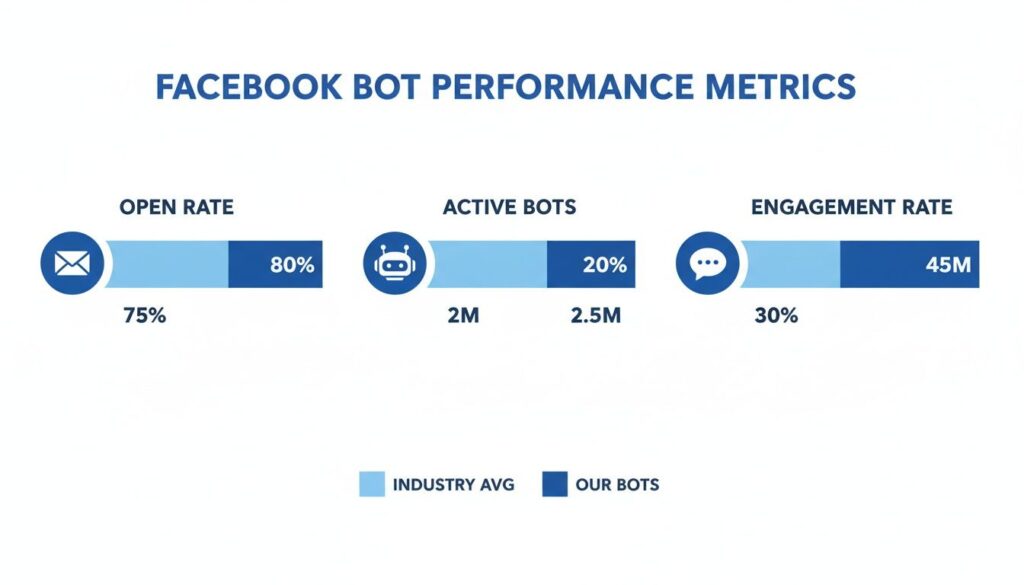
Facebook Chatbot Metrics
These metrics—especially the sky-high open and engagement rates—are what directly drive marketing success and fill your pipeline with qualified leads.
To put the chatbot’s power into perspective, let’s compare it directly to the old standby: email marketing. The difference is night and day.
Facebook Chat Bot vs. Traditional Email Marketing
| Metric | Facebook Chat Bot | Email Marketing |
|---|---|---|
| Open Rate | 80-90% | 15-25% |
| Click-Through Rate | 15-60% | 2-5% |
| Response Time | Instant | Hours to Days |
| Engagement | Conversational & Interactive | Passive & One-Way |
As you can see, there’s no contest when it comes to getting your message seen and acted upon. While email still has its place, Messenger bots deliver a level of immediate engagement that email simply can’t match.
Drive Sales and Recover Lost Revenue
For your sales team, a chatbot is an assistant who never sleeps, gets tired, or misses a follow-up. It handles the repetitive work, nurtures leads, and can even close simple deals on its own. This frees your human reps to focus on high-value conversations that require their expertise.
A perfect example is abandoned cart recovery. A simple Messenger reminder can hit an 18-20% recovery rate—often double what you’d see from email—because it lands in a more personal, conversational space.
A well-implemented chatbot doesn’t just answer questions; it actively moves customers down the sales funnel. It can offer personalized recommendations, handle objections, and guide users directly to checkout.
On top of that, a Facebook bot can manage other critical sales functions:
- Personalized Product Recommendations: By asking a few simple questions, the bot becomes a personal shopper, guiding customers to the exact product that fits their needs.
- Appointment and Demo Scheduling: It can integrate with your calendar to book sales calls automatically, killing the endless back-and-forth emails.
- Processing Simple Orders: For straightforward purchases, the bot can collect the necessary details and payment information right inside the chat window. For a deeper dive, check out our guide on how to automate sales with Facebook Messenger chatbots.
Deliver Instant, 24/7 Customer Support
Finally, in customer support, the impact is immediate. A properly trained chatbot can resolve up to 80% of common customer inquiries without ever needing to escalate to a human agent.
This frees up your support team from answering the same questions over and over. Instead, they can focus their brainpower on complex, nuanced issues that actually require a human touch. The result is a more efficient support system, lower costs, and happier customers.
Your bot becomes the first line of defense, providing:
- Instant Answers to FAQs: It can immediately tell a customer about your shipping policy, order status, or return procedures.
- 24/7 Availability: Customers get the help they need, when they need it—even if it’s 2 AM on a Sunday.
- Reduced Ticket Volume: By handling the bulk of common queries, the bot dramatically cuts down on the number of support tickets your team receives, slashing operational costs.
Proven Chatbot Use Cases for Your Industry
Theory is one thing, but seeing a Facebook chatbot in action is what really shows you what’s possible. A chatbot isn’t a one-size-fits-all tool; its power comes from solving specific problems for specific businesses. Let’s move past general benefits and look at how different industries use chatbots to get real, measurable results.
These are proven strategies you can adapt for your own business. Think of it as turning your Messenger and Instagram DMs into automated growth engines. Each example tackles a common business headache and shows how a chatbot offers a direct, effective fix.
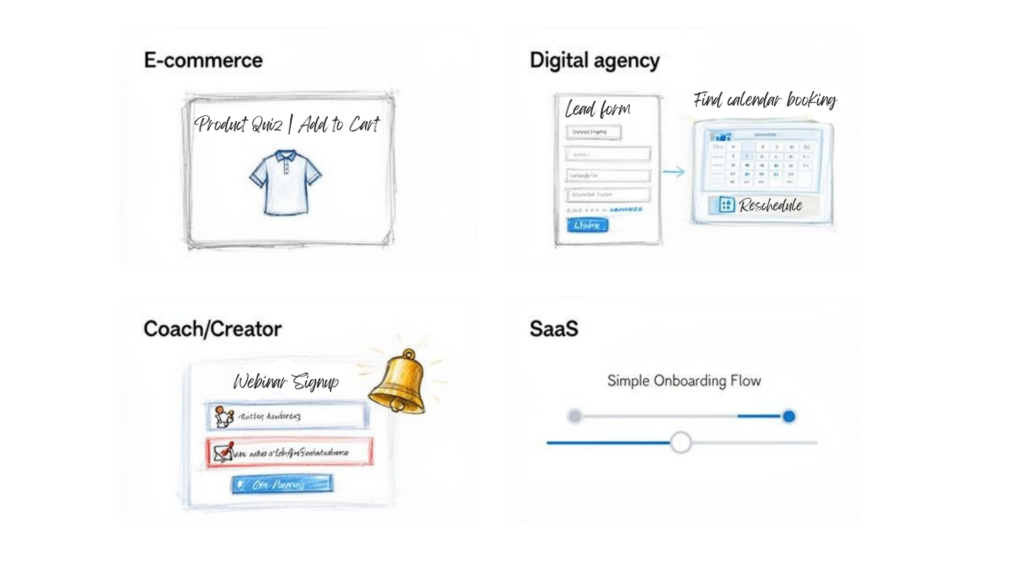
Facebook Chatbot Use Cases
For E-commerce Brands
For any e-commerce store, the biggest friction points are helping customers find the right product and answering the constant flood of “Where’s my order?” messages. A chatbot is brilliant at solving both.
Imagine a customer lands on your Facebook page, overwhelmed by your 50 different skincare products. Instead of letting them browse aimlessly, your chatbot can jump in with a “product finder quiz.”
- Problem: Shopper uncertainty leads to abandoned sessions and lost sales.
- Chatbot Solution: The bot kicks off a conversation, asking simple questions like, “What is your skin type?” or “What’s your main skin concern?”
- Business Outcome: Based on the answers, the bot instantly recommends 2-3 perfect products, with a direct link to buy. It’s like having a personal shopper on standby, boosting conversion rates and average order value.
It can also connect directly with your shipping software to give instant, 24/7 order tracking. That simple automation can dramatically cut down on repetitive questions hitting your support team.
For Digital Agencies and Service Providers
Agencies live and die by the quality of their leads. Wasting hours sorting through inquiries from Facebook ads just to find the good ones is a massive time sink. A lead qualification bot acts as your expert screener.
When a potential client clicks your ad and lands in Messenger, the bot takes over the initial chat. It can ask important qualifying questions upfront to figure out if the lead is a good fit before a human ever gets involved.
An agency bot’s real value isn’t just generating leads—it’s qualifying them at scale. It ensures your sales team only spends time talking to prospects who are ready to move forward.
The workflow is incredibly effective:
- Initiate Contact: The bot greets the user and asks about their business and goals.
- Qualify Budget and Timeline: It can ask about their monthly budget and how soon they’re looking to start.
- Schedule a Call: For leads that tick all the boxes, the bot can integrate with a calendar and book a consultation on the spot.
This automation turns your ad spend directly into booked appointments, filtering out the tire-kickers and ensuring your team has a steady flow of high-quality prospects.
For Coaches and Content Creators
Coaches and creators often use events like webinars or challenges to bring in new clients. But the admin work behind it—managing registrations, sending reminders, and answering the same questions—can be overwhelming.
A Facebook chatbot can automate that entire process. You can set it up to handle registrations right inside Messenger, making it ridiculously easy for your audience to sign up.
- Automated Registration: Users can sign up for a webinar with a single click.
- Timed Reminders: The bot can send reminders one day before, one hour before, and right when the event starts, significantly boosting attendance rates.
- Post-Event Follow-Up: After the webinar, the bot automatically sends out a link to the replay and your special offer, nurturing warm leads toward a sale.
This frees you up to focus on creating amazing content, knowing the logistics are handled. The scale here is massive. Every month, an incredible 20 billion messages are exchanged between businesses and users on Messenger. This is a huge opportunity to connect directly with your audience.
When looking at how AI is being applied across different sectors, it’s useful to see how other specialized industries are using technology. For instance, you can find a complete guide on new developments in highly-specialized AI solutions, such as the most advanced AI tools for fashion brands.
For SaaS Companies
For a SaaS business, those first few interactions with a new user are everything. A confusing onboarding experience is a huge reason for churn. A chatbot can step in as an interactive onboarding guide.
The bot can walk new users through the initial setup, point out key features, and answer common questions, all within the familiar comfort of Messenger or Instagram.
This proactive support helps users get to their “aha!” moment much faster, making them far more likely to stick around and become paying customers. It turns a passive help-doc experience into an active, guided tour, setting your users up for long-term success.
How to Build Your First Facebook Chat Bot
Jumping into chatbots might sound technical, but building one for Facebook is surprisingly simple. You don’t need to write a single line of code. Modern tools have turned this process into a visual, drag-and-drop experience that feels more like sketching a flowchart than programming.
The key is to start small. Forget about building a complex, all-knowing bot on day one. Your first goal should be to launch a simple, effective bot that solves one specific problem. Once you see results, you can add more features over time.
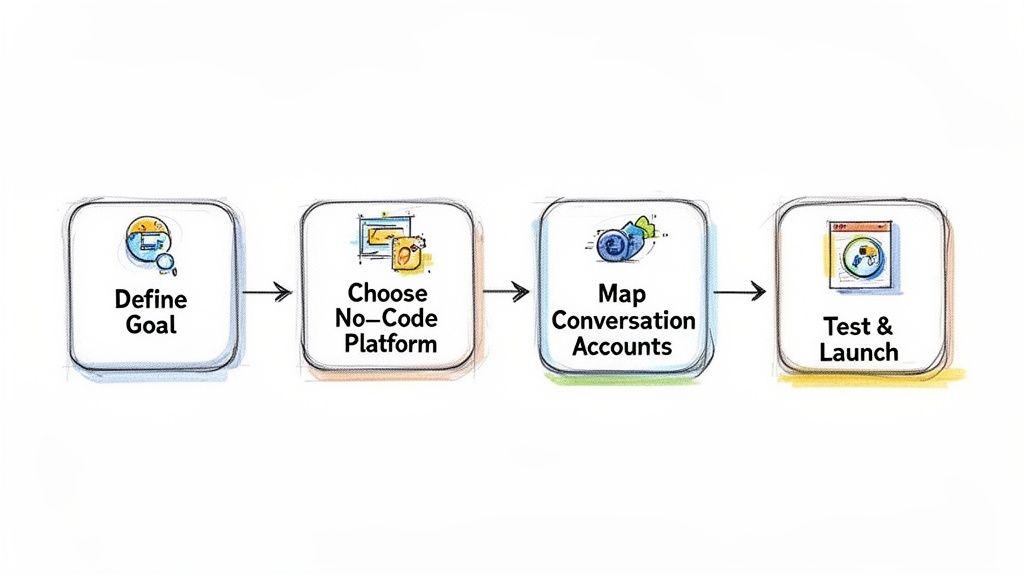
Facebook Chatbot Workflow Steps
This guide lays out a clear, five-step roadmap to get your bot live and working for your business—fast.
Step 1: Define Your Primary Goal
Before you build anything, you have to know why you’re building it. What’s the single most important task for this bot? Trying to make it a jack-of-all-trades is a recipe for a confusing, useless bot.
Instead, pick one high-impact problem to solve. This focus makes the entire process easier and guarantees your bot delivers real value right away.
Here are a few common goals to get you thinking:
- Answer Frequently Asked Questions: Automate replies to your top 3-5 most common questions, like “What are your hours?” or “What’s your return policy?”
- Qualify New Leads: Ask a few simple questions to filter prospects who message you from ads before they talk to your sales team.
- Recover Abandoned Carts: Send a friendly reminder to shoppers who left items behind, nudging them back to complete their purchase.
- Schedule Appointments: Let users book a demo or consultation automatically by integrating with your calendar.
Just pick one. This will be the foundation for everything that follows.
Step 2: Choose the Right No-Code Platform
The right tool makes all the difference. No-code chatbot builders are designed for marketers and business owners, not programmers. They give you a visual canvas where you can design conversation flows by connecting different elements like text boxes, buttons, and images.
Look for a platform with an intuitive, drag-and-drop builder. A solid platform will also offer templates, analytics, and integrations with other tools you already use. Platforms like Clepher are built specifically to make this process painless. You can learn more about the fundamentals of a chatbot for Facebook to see how these tools work in practice.
Step 3: Map the Conversation Flow
Now for the fun part: designing the conversation. Think of it like a simple flowchart. What’s the very first thing your bot should say? What options will the user see?
Start with a blank canvas (or even a piece of paper) and map out the user’s journey.
- The Welcome Message: This is your bot’s first impression. Make it clear, friendly, and state exactly what it can help with.
- The Main Menu: Use quick reply buttons to give users clear choices. Think “Track My Order,” “Ask a Question,” or “Browse Products.”
- The Conversation Paths: For each button, sketch out the next few steps. If a user clicks “Ask a Question,” what happens next? If they click “Track My Order,” what info does the bot need to ask for?
Keep it simple. Every step in the flow needs a clear purpose. The goal is to guide the user to their answer with as few clicks as possible.
Step 4: Connect Your Accounts and Build
Once your flow is mapped out, it’s time to bring it to life. This is where you connect your Facebook Business Page and Instagram account to your chosen chatbot platform. The process is usually guided and only takes a few clicks.
After connecting, you’ll use the platform’s visual builder to recreate the flowchart you designed. You’ll drag and drop text blocks, add your buttons, and write the copy for each message. Good platforms show you a live preview as you build, so you know exactly what the user will see.
Step 5: Test and Launch
Never launch a bot without testing it thoroughly. Go through every single conversation path yourself. Click every button, test every keyword, and actively try to break it.
Better yet, ask a few team members or friends to interact with it. They’ll almost certainly find confusing parts or dead ends you missed. This phase is crucial for catching errors before your customers do.
Once you’re confident it’s working perfectly, it’s time to go live. Set your bot to active on your Facebook Page and Instagram account. And that’s it—you’ve launched your first chatbot! Now the real work begins: gathering data and watching the results roll in.
Best Practices for Engaging Conversations
Building a Facebook chatbot is one thing. Building one that people actually enjoy talking to is a different game. The difference between a brilliant bot and an annoying one comes down to a few key practices that make it feel less like a robot and more like a helpful guide for your brand.
A great bot doesn’t just spit out answers—it creates a positive experience. By focusing on clarity, personality, and giving the user control, you can turn simple automated chats into the foundation of a real customer relationship.
Nail the First Impression
Your welcome message is your handshake. It needs to be clear, concise, and immediately tell the user what’s possible. A vague or robotic “hello” can make someone tune out before the conversation even starts.
Do This:
- Tell them what the bot can do. Something like, “Hey [First Name]! Welcome to [Your Brand]. I can help you track an order, browse products, or get answers to common questions. What can I help you with?”
- Use quick reply buttons. Give them clear, clickable options right away. This guides them and removes the guesswork of typing into a void.
Not This:
- Don’t start with a generic “How can I help you?” This open-ended question is a recipe for confusion and requests your bot can’t handle.
- Avoid a wall of text. Keep that first message short and scannable. Get straight to the point.
Give it Personality and Guide the Conversation
A bot without a personality is just a sterile tool. But a bot that reflects your brand’s voice—whether it’s witty, professional, or playful—becomes a memorable part of the customer experience.
Beyond tone, your bot’s main job is to keep the conversation moving forward. Use visual elements like image carousels for products or simple buttons to guide the user from one step to the next. This stops them from getting stuck, frustrated, and ultimately, leaving.
Think of your chatbot as a concierge for your business. Its job is to greet users warmly, figure out what they need in seconds, and guide them effortlessly to their destination.
This level of direct engagement is why bots are so powerful. In fact, a huge percentage of users are already interacting with bots on Messenger regularly. For marketers, that translates into impressive metrics like high lead conversion rates and engagement rates, turning simple chats into real business. You can dive into more Messenger statistics to see just how big the opportunity is.
Always, Always Have a Human Escape Hatch
No matter how smart you make your Facebook chatbot, it will eventually hit a wall. It won’t be able to answer every single question. That’s why one of the most critical rules is to always offer an easy way to talk to a human.
Hiding this option is a massive mistake. It creates frustration and shatters trust in your brand.
A simple “Talk to an Agent” button should be available in your main menu and pop up whenever the bot gets confused. This acts as a safety net, reassuring the user that real help is just a click away. It turns a potential dead-end into a seamless handoff, keeping the customer happy and the experience positive.
Measuring and Optimizing Your Chatbot Performance
Think your work is done once the chatbot is live? Not even close. Launching your bot is just the starting line.
Your Facebook chatbot is a living tool, not a project you finish and forget. The difference between a bot that just works and one that drives real growth comes down to constant refinement based on what your users are actually doing. This is where you use data to get better business results.
This loop of measuring, analyzing, and optimizing is what turns a decent bot into a core asset for your company.
Key Chatbot Metrics You Must Track
So, how do you know what to fix? You start by measuring the right things. Most chatbot platforms give you a dashboard with key performance indicators (KPIs) that tell a clear story about what’s working and what isn’t.
Don’t get lost in vanity metrics. Focus on the numbers that tie directly back to your business goals.
Here are the essentials you need to watch:
- Open Rate: The percentage of people who open your messages. In Messenger, this is usually high, but it’s your baseline for engagement.
- Click-Through Rate (CTR): This is a big one. It measures how many users click the buttons or links inside your messages. A low CTR on a specific button is a clear signal that the text or offer isn’t landing.
- Conversion Rate: This is your money metric. It tracks the percentage of users who complete the action you want them to take—like signing up for a webinar, making a purchase, or booking a call.
- User Input Analysis: Pay close attention to what people are typing when your bot doesn’t have an answer. This is a goldmine for spotting common questions you haven’t accounted for yet.
To get a better handle on the specific numbers you should be aiming for, you can dig into the key chatbot KPI metrics that successful businesses rely on.
Turning Data into Actionable Improvements
Data is useless if you don’t do anything with it. Once you’re tracking these KPIs, the real work of optimization begins. It’s all about running small experiments to see what changes move the needle.
A low CTR on a sales message isn’t a failure—it’s an opportunity. It gives you a clear, data-backed reason to A/B test new button copy, a different product image, or a more direct call to action.
For example, if you see a lot of users dropping off at the same spot in a conversation, that’s a red flag. Go look at that specific step. Is the message too long? Is the question confusing? Tweak that single interaction and watch the data to see if more people make it through.
It’s the same with “unhandled” messages—the things users type that your bot can’t understand. If you see the same questions popping up over and over, that’s your cue. Build a new conversation flow to address that topic. You’ve just turned a frustrating user experience into a helpful, automated answer.
Your Top Questions About Facebook Chatbots Answered
Got a few questions before you dive in? Smart. Most business owners do. Here are the straight-up, no-fluff answers to the most common concerns we hear.
Ready to turn your social media conversations into an automated growth engine? Clepher gives you an intuitive, no-code builder to create a powerful AI chatbot for your website, Facebook, Messenger, and Instagram. Launch your first bot in minutes.

Related Posts
How to Create a Survey on Facebook for Maximum Engagement
March 28, 2026Social Media Marketing Automation: Your Ultimate Guide
March 27, 2026
Founder Clepher