
Your Facebook Page URL is the direct link that sends people straight to your business page. Think of it as your digital address—a simple link like facebook.com/YourBusinessName that acts as the front door for anyone looking to connect with your brand online.
This guide gives you actionable steps to find, create, and use your URL to transform your marketing.
Why Your Facebook Page URL Is a Core Marketing Asset
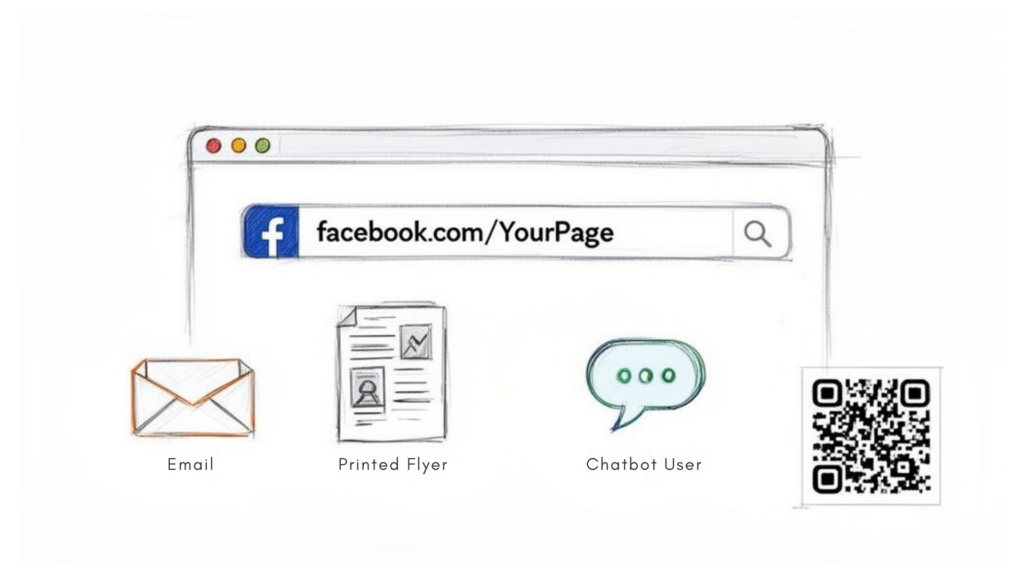
Facebook Page URL Sharing
It’s easy to dismiss your Facebook profile or Facebook business page URL as just another link, but it’s one of the most fundamental parts of your marketing. This URL is your digital business card, a powerful tool that bridges the gap between your offline and online presence. Every time you share it, you create a direct path for someone to engage with you.
Whether you’re trying to find your Facebook URL for sharing or branding, it’s worth treating it like a core asset. Once you find the URL, it becomes something you can reuse everywhere your brand shows up.
This simple string of text belongs everywhere your brand is visible:
- Print Materials: Add your Facebook business page URL to business cards, flyers, and posters. It’s the fastest way for people to find you after an in-person interaction. For example, a restaurant can put its URL on a menu to encourage diners to follow them for special offers.
- Email Signatures: Include your Facebook profile link in every email you send. It’s a passive, no-effort way to grow your audience with every message.
- Website Footers: Make your Facebook URL a permanent fixture on your site for easy cross-platform discovery.
- Other Social Profiles: Link your Facebook page from your Instagram, X (formerly Twitter), or LinkedIn bio to create a unified social presence.
If you’re working from a mobile device, it’s just as easy to copy and share your Facebook profile or business page URL directly from the app, making it simple to stay consistent no matter where you’re posting from.
The real power of a well-crafted Facebook Page URL is fully realized when integrated into effective Facebook advertising strategies. It’s the destination for your ad clicks and the starting point for countless customer journeys.
This single link is a gateway to a massive audience. With over 3.068 billion monthly active users on the platform, Facebook remains a giant, offering an enormous pool of potential customers. For businesses in markets like India (378 million users) or the United States (over 100 million users), that reach is simply invaluable.
Ultimately, your URL is crucial for driving automated conversations and sales. When you build chatbots with a tool like Clepher, this link connects your marketing efforts to Messenger bots that can qualify leads, answer questions, and nurture customers 24/7. To learn more, check out our beginner’s guide to Facebook advertising.
How to Quickly Find and Copy Your Page URL
Need your Facebook Page URL now? Whether you’re adding it to a marketing tool or sending it to a designer, finding this link is a quick, painless task.
The steps are slightly different depending on whether you’re on a desktop or your phone, but both are dead simple.
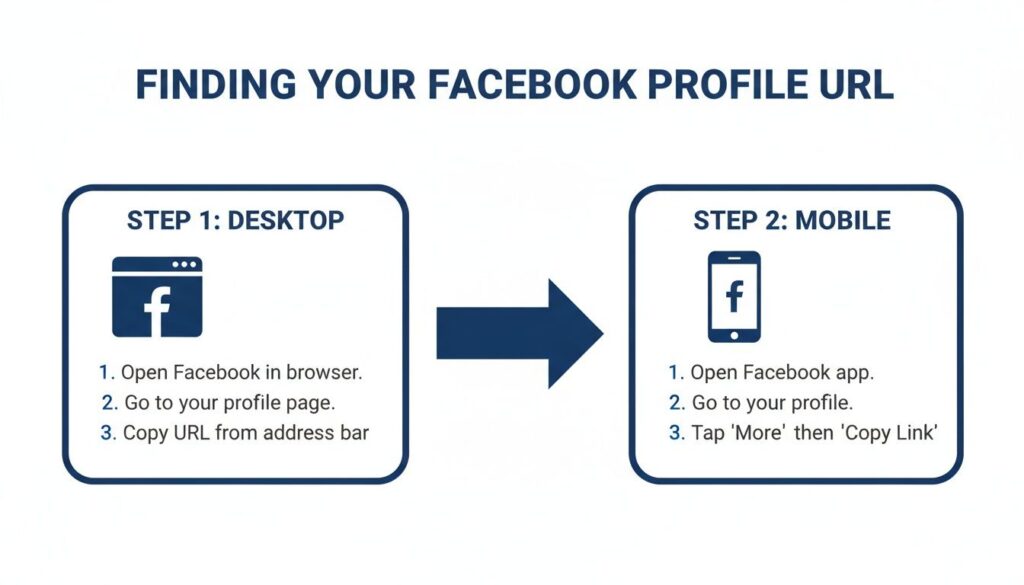
Finding Your URL on a Desktop Browser
Grabbing your URL on a desktop is the fastest method—it takes about five seconds.
When you’re logged into Facebook and on your business Page, just look up at your browser’s address bar. The URL you see is the one you need, usually looking something like facebook.com/YourBusinessName.
Simply click the address bar to highlight the whole thing. Then, right-click and choose Copy or use the classic keyboard shortcut (Ctrl+C on Windows, Cmd+C on a Mac). That’s it.
Actionable Tip: Paste the link into a plain text editor first. This step strips away any tracking parameters (like ?ref=...) that Facebook sometimes adds. You’re left with a clean, professional-looking link that’s ready to share.
A clean URL isn’t just for looks—it’s for function. When you’re hooking your Page up to chatbots or marketing automation software, those extra characters can sometimes cause integration headaches. Always use the base URL to be safe.
Copying Your URL on the Mobile App
If you’re on your phone, you’ll need a few extra taps since the mobile app doesn’t have a visible address bar for your Page. No problem—you’ll just use the built-in sharing function.
Here’s how to do it in seconds:
- First, open the Facebook app and go to your business Page.
- Find the three-dots icon (…) just below your Page’s cover photo. Tapping this opens the ‘More’ menu.
- A new screen will pop up with a bunch of options.
- Look at the bottom. Under the “Your Page Link” section, you’ll see your Page’s URL clearly displayed.
- Just tap the “Copy Link” button right underneath it.
The URL is now copied to your phone’s clipboard, ready to be pasted wherever you need it. It’s perfect for when you’re on the move and need to quickly share your Page with a client.
How to Create a Memorable Custom Vanity URL
That long string of random numbers in your default Facebook Page URL? It looks unprofessional and hurts your branding. It’s time to claim your custom “vanity” URL.
A custom URL transforms a clunky link like facebook.com/pages/Your-Brand/1234567890 into a sharp, memorable facebook.com/YourBrand. It’s your digital handshake—make it a firm one.
Choosing Your Perfect Page Username
Getting this right is both an art and a science. Your username must be easy for customers to remember and perfectly aligned with your brand.
To get started, go to your Page and find “Settings” in the left-hand menu. From there, click “General Page Settings” and you’ll spot the “Username” option. This is where the magic happens.
When you’re ready to pick your name, keep these pointers in mind:
- Stay Consistent. Your Facebook username should match your handles on Instagram, X, and elsewhere. If you’re known as
@YourBrandon Instagram, customers should find you just as easily on Facebook. - Keep It Simple. Avoid weird spellings, numbers, or symbols. If you tell someone your Facebook Page name at a networking event, they need to be able to type it in later without a second thought. “TheSourdoughSpot” is far better than “The-Sourdough_Spot-1”.
- Reflect Your Brand. The name should tell people what you do. For instance, “JensArtStudio” is a hundred times better than “JensCreations1992.”
Finding your current URL is the first step before you can customize it.
Facebook Page URL Guide
As you can see, grabbing your URL is a straightforward action. Managing this critical brand asset is something anyone can do in seconds.
Guidelines and Common Pitfalls
Of course, Facebook has a few rules. Usernames must be at least five characters long and can only include letters (A-Z), numbers (0-9), and periods.
You also can’t claim generic terms like “pizza” or step on another company’s trademark. This is to protect both users and brands from confusion.
Don’t underestimate how much a good URL matters. An analysis of 38 million URLs shared on Facebook showed how critical a clean, trustworthy link is for engagement. You can dig into the findings from the Facebook URL Shares dataset research from Social Science One to see for yourself.
Key Takeaway: Your custom Facebook Page URL is a core marketing asset. It builds brand trust, improves memorability, and makes you look professional. Taking ten minutes to set a vanity URL is one of the highest-ROI branding activities you can do.
Putting Your URL to Work in Marketing Automation
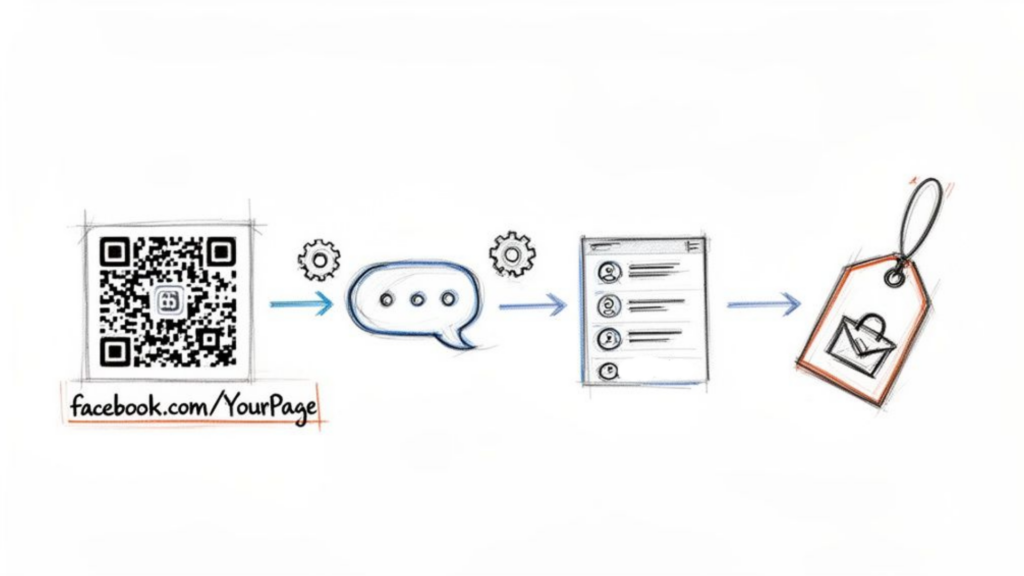
Facebook Page URL Bot Flow
So you’ve got your clean, professional Facebook Page URL. Now what? It’s time to put that simple link to work and turn it into a lead-generating machine.
This URL is the key that unlocks powerful automation, bridging the gap between passive viewers and engaged subscribers. It’s the central connection point for tools like Clepher, telling your chatbot exactly which Page to report for duty on.
Think of your URL as the address your bot uses to greet new visitors, field questions, and capture leads right inside Messenger—all without you lifting a finger.
Connecting Your URL to Automated Campaigns
This is where your URL transforms from a static link into a dynamic trigger for automated interactions that build your audience and support customers 24/7. It becomes a direct funnel into your sales and support system.
Consider these real-world scenarios:
- Trade Show Engagement: An e-commerce brand at a trade show puts a QR code on its banner. When attendees scan it, it opens Messenger, and a chatbot instantly offers them a show-exclusive discount. Just like that, they’ve captured a new, interested subscriber.
- The Expert’s Email Signature: A business coach adds their Page URL to their email signature with a call-to-action: “Have a quick question? Ask my AI assistant!” This directs clients to an automated bot that answers FAQs and even helps schedule consultations.
The opportunity here is massive. As of early 2025, Facebook’s advertising reach had already hit 2.28 billion users—a 4.3% jump from the previous year. This ever-expanding audience is the perfect place to start automated conversations that a simple URL can kick off.
By connecting your URL to a chatbot, you’re not just sharing a link—you’re launching an interactive experience. You’re building a system that nurtures relationships and drives business goals around the clock.
For a much deeper look at setting this up, check out our complete guide on Facebook Messenger automation.
And don’t stop at just your main Page URL. For specific campaigns, you can create and track specialized branded and shareable URLs to see exactly which promotions are driving the most engagement.
Troubleshooting Common Facebook URL Issues
Trying to set or change your Facebook Page URL but hit a wall? A taken username, a grayed-out button—it happens to the best of us.
These roadblocks are frustrating, but the fix is usually simple. Let’s walk through the most common issues and get you sorted.
I Can’t Change My Page Username?
Nothing is more annoying than seeing that “Create @username” option grayed out and unclickable. This classic Facebook hiccup almost always comes down to a few things.
Here’s a quick troubleshooting checklist:
- You’re Not an Admin: This is the most common reason. Only users with full Admin privileges can change a Page’s username. If your role is Editor, Moderator, or something else, you won’t have the option.
- Your Page is Brand New: Facebook often puts a short hold on newly created Pages to prevent spam. If you just launched your Page today, give it a few days, get a few followers, make a post, and then check back.
- The Page Looks Inactive: A Page with zero posts and only a handful of followers can sometimes be flagged. This can temporarily block you from claiming a vanity URL until the Page shows some signs of life.
The Takeaway: The most common culprit is permissions. Before you do anything else, confirm you have full Admin rights to the Page. This single check solves the problem for the majority of users.
Finding Your Numeric Page ID
Sometimes, a third-party app or a marketing tool will specifically ask for your numeric Page ID, which can feel like a hidden secret once you’ve set a custom username.
Finding it is actually straightforward. Just go to your Page, click the “About” tab in the left-hand menu, and then select “Page Transparency.”
A pop-up window will appear, and your unique Page ID will be listed right there. You can copy and paste it directly into whatever tool needs it. This ID is often crucial for certain integrations, especially for more advanced chatbot configurations.
For simpler automations, like setting up basic responses, you might not even need the ID. You can learn more about how to auto-reply on Facebook Messenger in our other guides.
Frequently Asked Questions About Facebook Page URLs
Still have questions? Let’s tackle some of the most common ones we hear about Facebook Page URLs.
Ready to turn your Facebook Page URL into an automated marketing engine? Clepher gives you the power to build AI-powered chatbots that capture leads, support customers, and drive sales 24/7.

Related Posts
Your Guide to the Facebook Page URL in 2026
April 7, 20265 Best Chatfuel Alternatives in 2026 You Need to Try!
April 6, 2026How to Customize Your Facebook Page URL: A 2026 Guide to Boost Your Brand
April 5, 2026
Founder Clepher