

At its core, a Facebook poll is an interactive question you can post on your Page, in a Group, Story, or even in Messenger. But the real magic lies in the settings—the Facebook poll options. These let you control things like the number of choices you offer, whether people can select multiple answers, and how long the poll runs.
These aren’t just bells and whistles. Mastering these options is what turns a simple question into a powerful tool for feedback and engagement.
Why Facebook Polls Are Your Secret Engagement Weapon
Let’s be honest, getting people to stop scrolling is half the battle. Interactive content is your best ally here. A Facebook poll isn’t just a fun little gimmick; it’s a direct line into your audience’s brain. It grabs their attention and invites them to participate, turning them from passive scrollers into active members of your community.
This guide is for marketers and business owners who want to get serious about their polls. We’re going to dive into every setting available, showing you how to build a genuine connection with your followers. Because once you understand these options, you can create polls that do so much more than just collect votes.
A well-crafted poll can:
- Skyrocket your engagement: Interactive content is a magnet for likes, comments, and shares. The algorithm loves it.
- Get instant feedback: Wondering about a new product idea? Want to test a marketing message? A poll gives you answers in minutes, not weeks.
- Segment your audience on the fly: You’ll quickly learn what different people want, which makes your follow-up messaging far more effective.
- Spark real conversations: A good poll question is the perfect icebreaker, getting people talking in the comments.
To really appreciate why polls are such a secret weapon, it helps to know what constitutes a good engagement rate for your industry. A well-executed poll can easily blow your typical post’s performance out of the water. For instance, a simple “This or That” poll pitting two product designs against each other can rack up hundreds of votes, giving you clear data while signaling to the algorithm that your content is valuable.
The real power of polls lies in their simplicity. You’re not asking for a lengthy comment or a click-through; you’re asking for a single, easy tap that gives you valuable insight.
We’re going to break down the specific settings for polls across Pages, Groups, Stories, and Messenger. You’ll walk away with actionable blueprints for creating polls that don’t just get votes, but also generate leads, shape your product strategy, and forge a stronger community. For a broader look at social strategy, don’t forget to check out our complete guide on how to improve social media engagement.
It’s time to turn those passive viewers into active participants and drive real growth for your business.
Deconstructing the Perfect Poll: It’s All in the Options
Before you can build a poll that truly resonates, you have to get familiar with the tools you’re working with. Think of a Facebook poll like a car—the question is your destination, but the Facebook poll options are the engine, tires, and steering wheel that actually get you there. Small tweaks to these settings can completely change the journey for your audience and the results you get back.
The real magic isn’t just in what you ask, but in how you let people answer. These settings are the gatekeepers of your data, dictating the type and quality of feedback you’ll receive. For instance, a simple two-option poll is fantastic for a quick, decisive answer, but it’s the wrong tool if you’re trying to do more nuanced market research.
Core Components and Where They Work
The first thing to wrap your head around is that poll features aren’t the same everywhere. A poll you run in a Facebook Group is a totally different beast than one you post in a Facebook Story. Each has unique strengths that are actually defined by its limitations.
Facebook has been tweaking these features for years. A game-changing update was when they expanded the choices in Group polls, which now let you add up to 25 different options. This gives marketers and e-commerce brands serious power to test complex product preferences. Imagine asking, “Which sneaker color should we launch next?” and getting thousands of votes to give you a crystal-clear winner.
The secret to a killer poll is matching the right format to your specific goal. A quick engagement boost needs a totally different setup than an in-depth customer feedback survey.
Let’s get into the nitty-gritty of the most critical settings you’ll be using:
-
Number of Choices: This is the most basic setting. Facebook Stories are locked at just two choices, making them perfect for simple A/B tests or fun “This or That” questions. On the other end of the spectrum, Facebook Groups can support a whopping 25 options, which is ideal for gathering detailed feedback on a whole range of ideas.
-
Allowing Multiple Answers: This one little checkbox changes everything. If you’re running a poll like, “Which of these features would you actually use?” allowing multiple selections gives you a much richer picture of what your audience wants. Instead of forcing them to pick just one favorite, you get to see every single feature that resonates with them.
-
Letting Users Add Options: This setting can turn your poll from a one-way street into a genuine conversation. It’s a fantastic tool for brainstorming and making your community feel heard, since you’re inviting them to chip in with their own ideas. Just be careful—if you need clean, structured data for analysis, this feature can make things a bit messy.
Facebook Poll Options at a Glance
With features varying so much, it can be tough to keep track of what’s possible where. Here is a quick comparison of poll features and limits available across different Facebook placements to help you choose the right format.
| Placement | Max Options | Multiple Answers? | Can Users Add Options? | Best For |
|---|---|---|---|---|
| Facebook Posts | 2 | No | No | Quick A/B questions, driving simple engagement. |
| Facebook Stories | 2 | No | No | “This or That” content, fast feedback, interactive fun. |
| Facebook Groups | 25 | Yes | Yes | In-depth feedback, market research, community brainstorming. |
| Messenger | 3 | No | No | Quick decisions in group chats, scheduling, simple preferences. |
As you can see, a poll in a Group is built for depth and community input, while a Story poll is all about speed and simplicity.
Knowing the limits and capabilities of each placement is the first real step. Once you understand the toolkit, you can strategically pick the right poll type to get the exact information you need, turning simple questions into seriously valuable business intelligence.
How to Craft Polls Your Audience Can’t Resist
Anyone can create a poll. But crafting one that people actually want to answer—one that stops their scroll and sparks a bit of excitement? That’s an art. It’s less about surveying and more about starting a conversation.
The real magic happens when you move beyond generic “this or that” questions and start thinking about the psychology of what makes people click. To really get into the weeds of what drives clicks, it’s worth understanding the core principles of psychology in advertisement.
Frame Questions That Invite Participation
The best poll questions feel open-ended, even when the answers are multiple-choice. Don’t ask a dry, corporate question like, “Do you like our new logo?” It’s boring, and the answers tell you almost nothing.
Instead, try something that invites a bit more personality: “Our new logo just dropped! What’s the first word that comes to mind?” Then, give them options like “Bold,” “Fresh,” “Playful,” or “Classic.” See the difference? You’ve turned a simple yes/no into a mini-personality test. It gives people a chance to share a piece of themselves, which is a huge driver for engagement.
A great poll makes the user feel seen and heard. The question should be less about what you want to know and more about what they want to share about themselves.
Here are a few actionable ways to frame questions for more engagement:
- Ask for an opinion, not just a fact: “What’s the #1 skill every marketer needs in 2026?” is way more compelling than “Which skill is most important?”
- Create a sense of shared experience: “What’s your go-to cure for a Monday morning slump?” This is relatable and connects with your audience on a personal level.
- Use it for light market research: “If you could add one new flavor to our lineup, what would it be?” This not only provides valuable data but makes your followers feel like they’re co-creators in your brand’s story.
Use Visuals and Clear Options
Let’s be honest, a poll with a vibrant image or a fun GIF is always going to beat a text-only post. Visuals grab attention, add context, and make the whole thing feel more dynamic. Always try to pair your question with a high-quality visual that reinforces the theme.
For example, just knowing that you can create a poll isn’t enough. You have to know where it will show up, because each placement has its own rules and best practices.
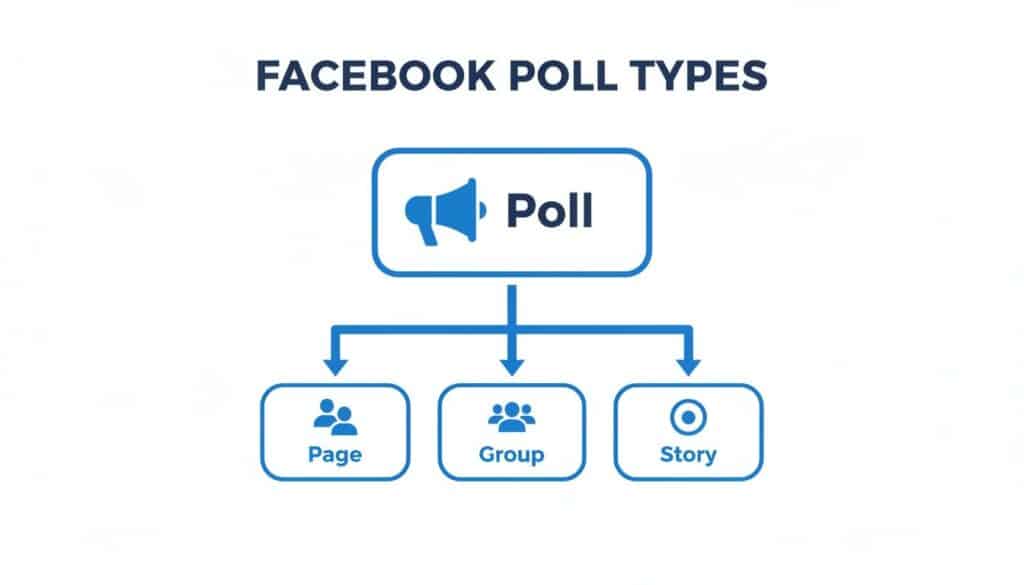
Facebook Poll Types
This simple diagram shows how polls differ depending on whether you post them on a Page, in a Group, or as a Story. Understanding this is crucial for choosing the right poll options for the right context.
Speaking of options, they need to be crystal clear. Ambiguity is the enemy of engagement. If someone has to stop and think about what an option even means, you’ve probably lost their vote. Keep the text short, punchy, and to the point. Each choice should be distinct and instantly understandable.
Real-World Examples of Strategic Polls in Action
Theory is one thing, but seeing what works in the real world is what really matters. Let’s look at how smart businesses are using Facebook poll options to get tangible results. These aren’t just fluffy engagement tactics; they’re clear blueprints for turning simple questions into measurable marketing wins.
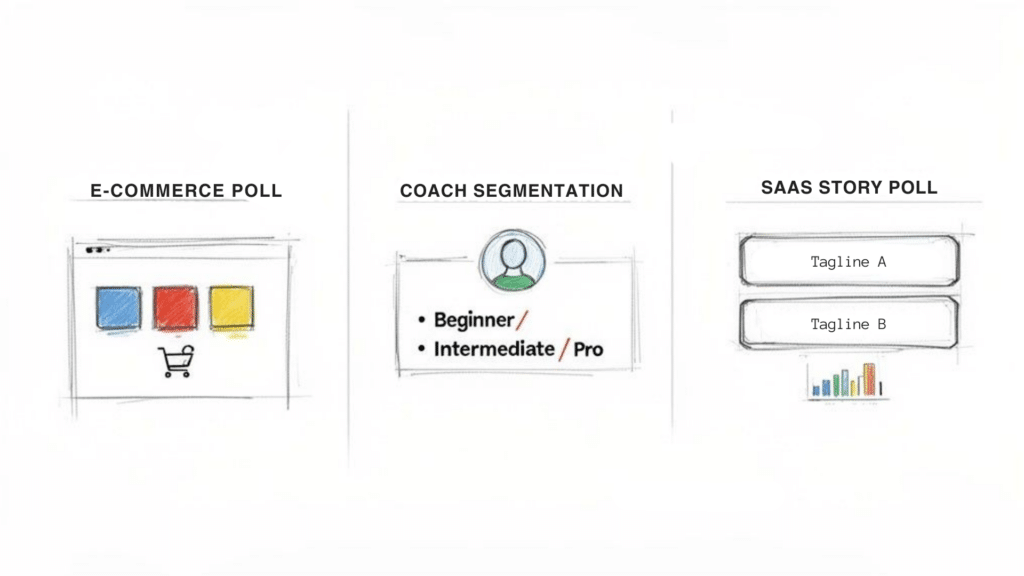
Facebook Poll Options
Each of these examples is designed to make smarter business decisions, not just to get likes and comments for their own sake.
E-commerce Product Validation
Imagine an online apparel brand ready to launch a new hoodie. They could guess which colors will fly off the shelves, but that’s a risky bet that often leads to unsold inventory. Instead, they turned to their Facebook Group community to make the call.
- Poll Question: “Help us choose! Which new hoodie color should we drop next? (You can pick more than one!)”
- Poll Options: They listed seven different colors like ‘Forest Green,’ ‘Desert Sand,’ and ‘Slate Gray,’ making sure to enable the “allow multiple answers” setting.
- Business Objective: Validate which product variations had real demand before placing a huge inventory order.
- Measurable Outcome: The poll pulled in over 2,000 votes. The top three colors captured a whopping 78% of the total votes, giving the brand an undeniable signal of what to produce. They launched with the top two, and both sold out within a week.
Audience Segmentation for a Coach
A business coach knew her content would hit harder if she tailored it to her audience’s experience level. But sending out a clunky survey felt like too much friction. A simple poll was the perfect solution to segment her followers on the spot.
By asking one simple question, you can immediately categorize your audience into buckets. This allows for hyper-relevant follow-up content that speaks directly to their needs.
Here’s how she set it up:
- Poll Question: “Where are you on your business journey right now?”
- Poll Options:
- Just starting out (the idea phase)
- In my first 1-2 years (building momentum)
- Scaling up (ready for the next level)
- Business Objective: To segment her audience for more personalized content and targeted offers.
- Measurable Outcome: She discovered 60% of her followers were “Just starting out.” Armed with that insight, she created a free webinar specifically for beginners. The result? A 35% higher registration rate compared to her previous, more generic webinars.
A/B Testing a Tagline with a Story Poll
A SaaS company was stuck debating two new taglines for a big campaign. They needed quick, gut-reaction feedback, which made a Facebook Story poll the ideal tool for the job.
- Poll Question: “Which tagline hits harder?”
- Poll Options:
- Tagline A: “Effortless Automation”
- Tagline B: “Work Smarter, Not Harder”
- Business Objective: To quickly A/B test marketing copy with a real audience and settle an internal debate.
- Measurable Outcome: In just 24 hours, “Effortless Automation” won with 68% of the vote. The team moved forward with the winning tagline for their ad campaigns, completely confident because the decision was backed by direct audience feedback. The customization of Facebook poll options offers creators precise control, like in this case, to generate high interaction. You can learn more about creating Facebook polls and see how these features drive participation.
Turning Poll Responses into Automated Sales
A vote on your Facebook poll is so much more than a simple click; it’s a clear signal of what a user is interested in. This is where your poll strategy can evolve from just gathering opinions to actively driving business growth. By connecting poll responses to automated marketing workflows, you can turn passing interest into tangible sales opportunities.
The key is to treat each poll response as a valuable piece of data. This allows you to automatically segment users based on their choices, transforming a broad audience into highly targeted groups.
From Poll Vote to Personalized Follow-Up
Imagine you run an e-commerce store and post a poll asking, “Which new sneaker style are you most excited about?” with options like “Red Racers” and “Blue Jets.” When a user votes for “Red Racers,” automation tools can instantly apply a tag to their profile, like ‘interested-in-red-products’.
This simple action unlocks a world of personalized marketing. Instead of blasting generic promotions to everyone, you can now trigger specific, automated follow-up sequences in Messenger or Instagram DMs based on that tag. The user who voted for red sneakers could immediately get a message like, “Great choice! We’ll let you know the moment the Red Racers drop. Here’s a sneak peek!”
This approach turns a basic poll into a powerful lead-nurturing machine. You’re no longer just collecting votes; you’re building a segmented list of warm leads you can talk to one-on-one. As you can see, evolving Facebook poll options give creators incredible power, which is why polls boast a 5.07% engagement rate, outperforming many other content types. You can discover more insights about these Facebook statistics and how they impact user interaction.
By automating the follow-up, you close the gap between engagement and conversion. The conversation doesn’t end with the vote; it begins.
Scaling Your Sales with Automation
This strategy isn’t limited to one-off sales. You can use it to build sophisticated nurturing funnels that guide users toward a purchase over time.
- Segment by Problem: A coach could poll users about their biggest challenge (“Time Management” vs. “Finding Clients”). Each voter is tagged and entered into a unique content sequence that speaks directly to their specific pain point.
- Qualify Leads: A SaaS company might ask, “What’s your team size?” and tag users as ‘SMB’ or ‘Enterprise.’ This lets the sales team prioritize outreach and tailor their pitch from the get-go.
This automated segmentation and follow-up system allows you to have thousands of personalized conversations at the same time, without lifting a finger. To dive deeper into this, you might be interested in our detailed guide on how to automate Facebook Messenger for your business. It’s all about transforming casual voters into loyal, paying customers at scale.
Poll Best Practices and Common Mistakes to Avoid
Crafting a poll that truly delivers value goes beyond just asking a good question. It’s about earning a reputation for running polls your community genuinely looks forward to. Following a few proven best practices can be the difference between a poll that falls flat and one that ignites real interaction.
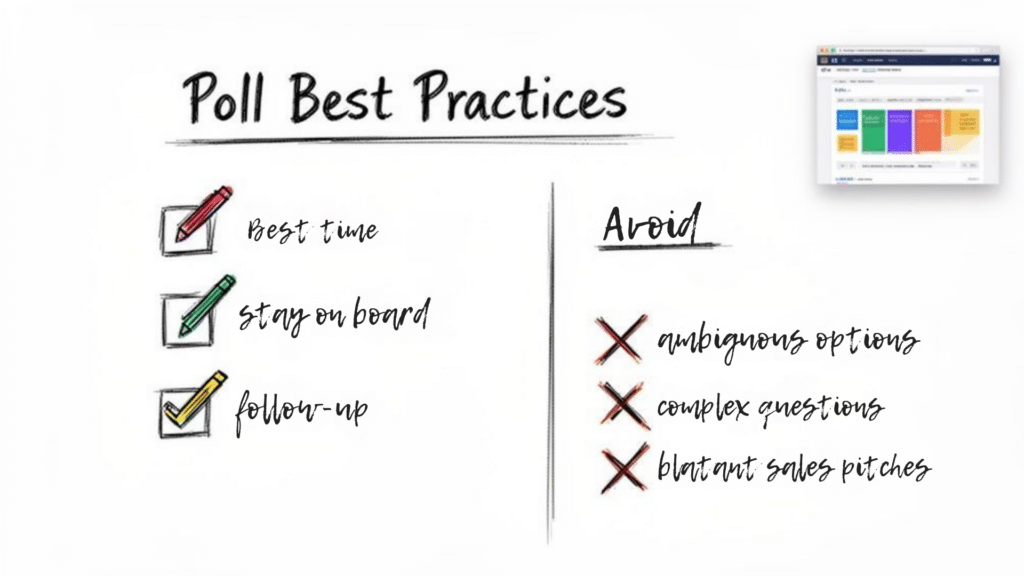
Poll Best Practices
First up, always stay on-brand. Your poll questions should sound like they’re coming from you, reflecting your brand’s unique voice and personality. If your brand is playful and fun, ask questions that match that energy. If you’re more on the educational side, your polls should be built to offer insight.
Always Close the Loop
The single biggest mistake businesses make with polls is failing to follow up. When your audience takes a moment to vote, they are investing their time and opinion in the conversation. Leaving them hanging is a surefire way to kill any future engagement.
Think of a poll as a promise. When you ask for an opinion, you’re implicitly promising to listen and react. Following up on the results is how you keep that promise.
Always share the final results, give a shout-out to your audience for participating, and—this is the most important part—explain what you’re going to do with that information. For instance, if a poll helped you decide on a new product color, announce the winner and let everyone know when they can get their hands on it. This simple act closes the feedback loop and proves to your community that their opinions actually matter.
Common Mistakes That Destroy Engagement
Even a brilliant poll idea can be completely tanked by a few simple mistakes. Avoiding these common pitfalls is just as crucial as following best practices. Make sure you steer clear of these:
- Ambiguous Facebook poll options: If people have to squint and guess what an option really means, they’ll just keep scrolling. Keep your choices distinct and crystal clear. For example, instead of a vague option like “Soon,” use something concrete like “Next Week.”
- Overly complex questions: Your poll isn’t a final exam. Keep the question simple, direct, and easy to answer in a split second without too much brainpower.
- Blatant sales pitches: Polls should feel like a conversation, not a late-night infomercial. Ditch questions like, “Ready to buy our new product?” Instead, ask for opinions that help guide your strategy in a more natural way.
By dodging these errors and sticking to the best practices, you’ll cultivate a loyal following that actually gets excited to see your next poll pop up in their feed.
Frequently Asked Questions About Facebook Polls
Jumping into the world of Facebook polls always brings up a few questions. As a marketer or business owner, you want to be sure you’re using every feature to its full potential to get the results you’re after.
Let’s clear up some of the most common questions we hear about Facebook poll options and how to use them effectively.
Ready to turn all those poll responses into automated conversations and paying customers? Clepher makes it incredibly simple to connect with voters, segment your audience, and trigger personalized follow-ups in Messenger and Instagram. You can build powerful chatbot flows without touching a single line of code and watch your engagement transform into real growth. Explore what you can build at Clepher.

Related Posts
How to Create a Killer Poll Game on Instagram to Boost Engagement and Leads
March 24, 202612 Fresh Social Media Content Ideas That Convert in 2026
March 23, 2026Elevate Your Customer Experience with Conversational AI for Customer Engagement
March 22, 2026
Founder Clepher