
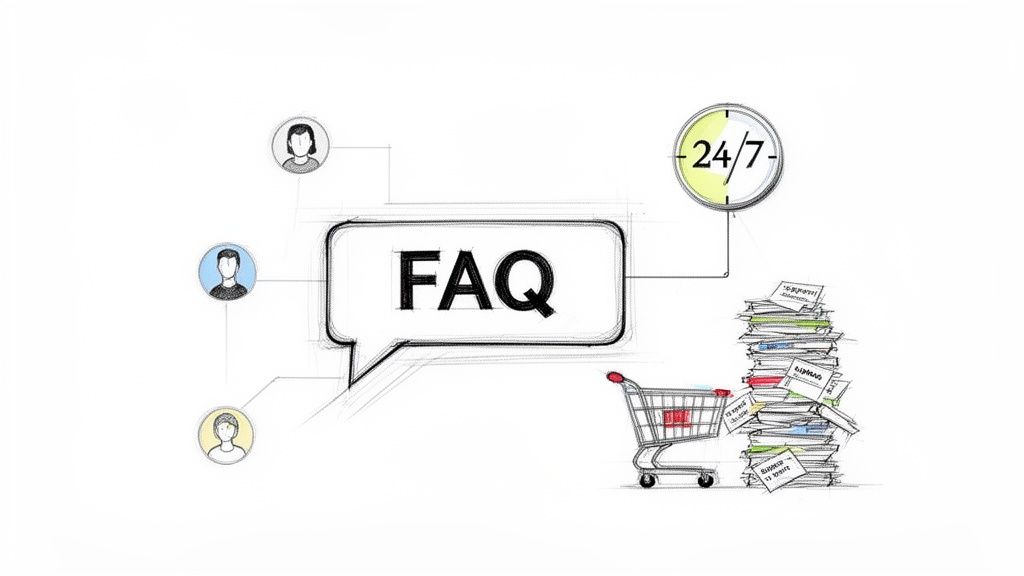
Think of your Facebook FAQ as more than just a list of questions and answers. It’s your brand’s digital front door—an automated, 24/7 concierge that can instantly help customers, qualify leads, and even guide people straight to a sale.
Why Your Facebook FAQ Is More Than Just a Q&A
Let’s be clear: a static, boring list of questions is yesterday’s news. A dynamic, automated system is what actually moves the needle. It becomes your frontline support, handling the repetitive stuff so your team can focus on the complex issues that truly need a human touch.
For an e-commerce brand, the impact is immediate. Instead of your team manually answering “Where is my order?” a dozen times a day, your FAQ can serve up tracking information on the spot. This isn’t just about saving time; it’s about building trust and keeping customers happy.
FAQ
When you combine automated responses with clear paths to purchase or human help, you create a customer journey that feels both seamless and efficient. This simple shift transforms your Facebook Page from a passive profile into an active business tool.
Turning Questions into Opportunities
A smart FAQ strategy doesn’t just deflect tickets—it creates opportunities. For service-based businesses like agencies or consultants, it’s an incredible tool for pre-qualifying leads.
Imagine a potential client lands on your Page and sends a message. Instead of making them wait, they’re instantly greeted with a menu:
- “See our services”
- “View case studies”
- “Request a quote”
Just like that, you’ve guided a high-intent user directly into your sales funnel. No manual effort required. You’ve established authority and shown you value their time by providing immediate, useful options. This simple interaction can be the difference between a lead and a lost visitor.
The Power of Proactive Automation
The sheer scale of Facebook makes this approach a no-brainer. With 3.07 billion monthly active users, the platform gives you access to a massive audience. An automated FAQ ensures you can engage with them effectively, whether they message you at 2 PM on a Tuesday or 2 AM on a Sunday.
Your FAQ is the digital equivalent of a perfect salesperson who never sleeps, greeting every visitor, answering their initial questions, and directing them exactly where they need to go.
This level of automation isn’t just about efficiency. It’s about delivering a modern, responsive experience that customers now expect. It gives them the power of self-service, much like the instant answers they find on well-designed website self-service portals.
Let’s look at the real-world impact of making this shift. The difference between handling things manually and letting an automated system take over is stark.
Manual Support vs Automated FAQ Impact
| Metric | Manual Support | Automated FAQ | Business Transformation |
|---|---|---|---|
| Response Time | Hours or days | Instant (seconds) | Drastically improved customer satisfaction and reduced churn. |
| Availability | 8-10 hours/day, 5 days/week | 24/7, 365 days/year | Never miss a lead or support request, regardless of time zone. |
| Cost Per Interaction | High (human salary/time) | Pennies (automation cost) | Significantly lower operational costs and higher profit margins. |
| Lead Qualification | Manual, inconsistent | Automated, standardized | Higher quality leads sent to sales, improving conversion rates. |
| Team Focus | Repetitive, low-value queries | Complex, high-value issues | Frees up human agents to solve real problems and build relationships. |
| Scalability | Limited by headcount | Virtually unlimited | Easily handles sudden spikes in traffic without a drop in service. |
The table makes it obvious: moving to an automated FAQ system isn’t just a small tweak. It fundamentally changes how your business operates, leading to happier customers, a more effective team, and a healthier bottom line.
Building Your First Line of Defense on Your Facebook Page
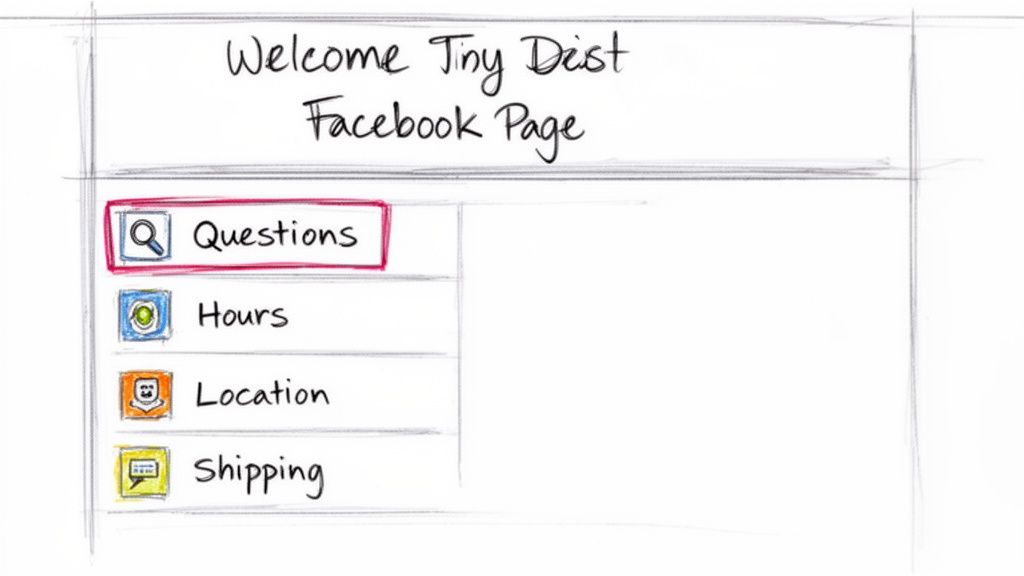
Your first real step into customer service automation is already built right into your Facebook Page. Forget complex chatbots for a second—you can set up a simple, effective faq on Facebook using the native “Questions” feature. Think of it as your brand’s digital welcome mat, offering instant answers to the most common questions people have.
FAQ on Facebook Menu
Honestly, this is your first line of defense against the flood of repetitive questions. Enabling this one feature immediately cuts down on inbox clutter. That frees up your team to handle the more specific, high-value customer needs. It’s a tiny change that can have a huge impact on your day-to-day workflow.
Crafting the Right Questions and Answers
The key here isn’t just flipping a switch; it’s about getting inside your customer’s head. What do people really need to know before they pull out their wallet or walk through your door? Kick things off by brainstorming the top 5-7 questions you get hammered with every single day.
For an e-commerce store, that list probably looks something like this:
- What is your shipping policy? Give them clear timelines for domestic and international orders.
- What is your return policy? Spell out the return window, the conditions, and the exact process.
- How can I track my order? Provide simple instructions and, most importantly, a direct link to your tracking portal.
If you’re a local business like a restaurant or a service provider, you’ll want to focus on the practical stuff:
- What are your business hours? List your hours for every day, making sure to note any weekend changes.
- Where are you located? Don’t just give the address—mention a nearby landmark to make it foolproof.
- Do you take reservations? Explain exactly how to book a table or schedule an appointment.
The whole point is to give clear, concise answers that stop the conversation right there—in a good way. A user should read your answer and think, “Okay, got it,” not, “But what about…?” This is how you build immediate trust and show people you respect their time.
How to Set Up Your Page Questions
Getting this feature live is refreshingly simple. Just navigate to your Facebook Page settings, find the “Page Info” section (or something similar), and look for the option to add questions. From there, you just start plugging in your question-and-answer pairs one by one.
Keep your answers short and easy to scan. Use bold text to make key info like free shipping or 30-day returns pop. If an answer truly needs more detail, just link out to a dedicated page on your website. This strategy keeps your Facebook Page looking clean while still giving the deep-divers all the information they need.
This initial setup does more than just answer questions; it transforms your Page from a static profile into a functional, self-service resource. It’s the solid foundation you’ll build on when you’re ready to move into the more dynamic, conversational world of Messenger automation.
Creating an Interactive FAQ Inside Facebook Messenger
Static FAQs on your Facebook Page are a good start, but the real magic happens when you turn those questions into a dynamic, interactive conversation. This is where Messenger’s “Automated Responses” feature comes into play, transforming a simple “hello” into a guided, self-service experience for your customers.
Forget forcing people to type out their questions. The real power move is to create interactive buttons that pop up the moment someone opens a chat with your Page. This simple menu immediately empowers users to find their own answers without waiting around for a human agent.
This first greeting sets the tone. It offers clear, tappable options that guide the user’s next move, cutting down on friction from the very first tap.
Designing a User-Guided Menu
Your goal here is to get ahead of your users’ needs and lay out the most common queries as obvious, actionable choices. Instead of making them type, you’re handing them the answers before they even ask. It’s a small shift, but it massively improves the user experience.
If you’re running an e-commerce store, your initial button menu should tackle the most urgent customer issues head-on:
- Track my order: This should link directly to your order tracking portal. No hoops to jump through.
- View return policy: Give them a quick summary or a link straight to the full policy page.
- Chat with an agent: Always, always have an escape hatch. For complex problems, people need to know they can reach a real person.
Now, if you’re a service-based business like a marketing agency or a local contractor, your focus will be more on lead generation and qualification:
- See our services: Showcase your core offerings with short, punchy descriptions.
- Request a quote: Guide them straight to a simple form to capture their details.
- View portfolio/case studies: Build instant trust by linking to your best work.
Think of this interactive menu as a digital triage nurse. It doesn’t just answer questions; it efficiently directs users to the right information or department, saving everyone a ton of time and frustration. It’s the first critical step in building a seamless auto-reply for Facebook Messenger.
Implementing Your Messenger FAQ
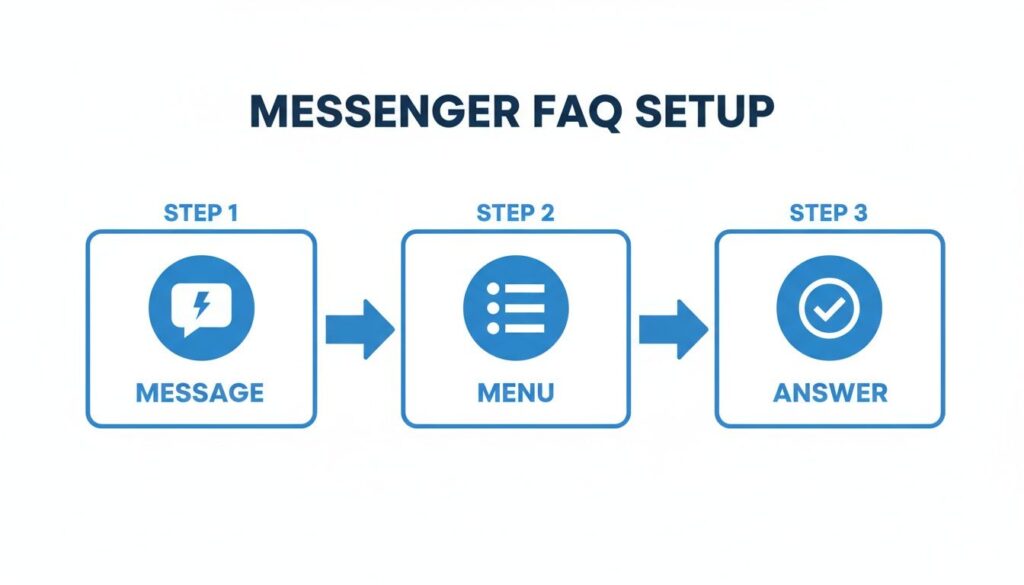
Getting this set up is refreshingly simple. Just head to your Page’s “Inbox,” and look for “Automated responses.” From there, you can configure the “Frequently Asked Questions” option and add up to four button-led questions. Each button can fire off a pre-written text response or even link out to a specific webpage.
This feature is a game-changer for businesses trying to operate at scale. Messenger is a core part of the Facebook ecosystem, boasting a staggering 979 million monthly active users and racking up 262.53 million global downloads just last year. For businesses using AI chatbots, this massive audience is a goldmine for instant lead qualification and sales recovery. You can dig into more stats about Facebook’s user engagement.
By setting up this simple, interactive FAQ, you’re not just providing information—you’re building an efficient, scalable communication channel. This setup then becomes the perfect launchpad for more advanced automation, where AI chatbots like Clepher can take over for even more complex and personalized conversations.
Scaling Your Support With an AI Chatbot
Let’s be honest, the built-in Messenger tools are a great starting point. They get the job done for basic questions. But eventually, you’ll hit a ceiling.
When you need to handle more complex questions, capture user details, or walk someone through a multi-step process, you need to bring in the big guns: a dedicated AI chatbot. This is how you stop just answering questions and start building a powerful, automated support and sales engine.
A tool like Clepher lets you go way beyond preset buttons to design truly intelligent conversational flows. These flows can figure out what a customer actually means, answer nuanced questions, and even capture important info like email addresses to grow your marketing lists. You move from deflecting common queries to proactively solving problems and generating leads.
FAQ Setup
As you can see, a guided menu system quickly turns a customer’s question into a resolution. No waiting for a live agent, just a fast, satisfying answer.
Handling Complex Scenarios Automatically
Imagine you run an online store and constantly get requests for product exchanges. A basic Messenger FAQ might just link to your returns policy page. That’s helpful, but it doesn’t solve the problem. An AI chatbot, on the other hand, can handle the entire exchange right inside the chat.
Here’s how that plays out in the real world:
- A customer messages, “I need to exchange my shirt.”
- The chatbot understands the intent and asks for the order number and email to verify the purchase.
- It then asks for the reason for the exchange and the new size or color the customer wants.
- After confirming the details, the bot automatically creates a support ticket in your helpdesk and tells the customer a return label is on its way.
In just a few minutes, the chatbot resolved an issue that would have otherwise taken several back-and-forth emails with a human agent. This frees up your team to focus on unique problems while the bot handles routine tasks flawlessly, 24/7.
The Power of Conversational AI
To really make this work, it helps to understand the tech that makes it possible. Advanced chatbots are powered by things like Large Language Models, which allow them to go beyond simple keywords and grasp the real meaning behind a user’s message.
By integrating a sophisticated chatbot, you can create a much more dynamic and genuinely helpful experience. We’ve gone deep into the specifics of setting up chatbots on Facebook and how they can drive sales and support. It’s an approach that turns your Facebook Messenger from a simple messaging app into an intelligent assistant that scales with your business.
How to Optimize Your FAQ Performance With Real Data
Launching your Facebook FAQ automation is the starting line, not the finish line. The real growth comes from listening to the data and making smart, iterative improvements. This is how you transform a decent FAQ into an intelligent, high-performing support and sales channel.
Start by diving into your chatbot analytics. Tools like Clepher provide detailed reports showing which questions are asked most often and, more importantly, where your bot gets stuck. Look for patterns in user messages that don’t trigger a response—these are your content gaps.
If you see dozens of users asking, “Do you ship to Canada?” and it’s not in your FAQ, that’s your next automation priority. Adding this single answer can immediately slash your support tickets and give customers a much better experience.
Refining Your Answers and Fallback Flows
Once you’ve identified what to automate, focus on how you answer. Your data can tell you which responses lead to a good outcome versus which ones cause users to abandon the chat completely.
- Analyze Conversation Drop-offs: Pinpoint the exact message where users go silent. Is the answer too long? Is the language confusing? Don’t be afraid to A/B test different versions of your answers to see which one performs better.
- Craft a Better Fallback Message: Every bot will eventually get stumped. Instead of a generic “I don’t understand,” you need a helpful fallback flow. A great fallback message acknowledges the failure gracefully and offers clear next steps.
For instance, a much better fallback could be: “I’m still learning and can’t quite answer that yet. Would you like me to connect you with a live agent who can help?” This simple pivot turns a dead end into a smooth handoff.
A well-designed fallback isn’t an admission of failure; it’s a critical part of a resilient and user-friendly automation strategy. It ensures no customer is left behind, even when your bot is out of its depth.
Driving Action and Maximizing ROI
Every FAQ answer should do more than just provide information—it should guide the user toward a specific action. This is where you connect your support efforts directly to your business goals.
Make sure every automated response includes a clear call-to-action (CTA). If a user asks about your return policy, end the answer with a button that says “Start a Return.” If they ask about services, give them a “Request a Quote” button. Simple.
This approach is especially powerful when you’re running paid ads. Facebook’s ad ecosystem generated a massive $134.9 billion from its user base. For brands using chatbots, this creates a huge opportunity to turn ad clicks into immediate, guided conversations that drive conversions. By optimizing your FAQ flows, you can dramatically improve the return on your ad spend. You can find more fascinating details in these Facebook revenue and user statistics.
Ultimately, optimizing your FAQ on Facebook is an ongoing process of listening, refining, and testing. Use your data to make small, consistent improvements, and you’ll build an automated system that not only satisfies customers but actively contributes to your bottom line.
Got Questions About Your Facebook FAQs?
As you start automating your FAQ on Facebook, you’re bound to run into some practical questions. It happens to everyone. Let’s tackle some of the most common issues businesses face, with quick, actionable answers to help you sharpen your strategy.
We’ll cover everything from managing multiple languages to figuring out the right number of questions. These insights will get you past the usual stumbling blocks and on your way to building an automated support system that actually works.
Ready to go beyond basic FAQs? What if you could build an intelligent AI chatbot that not only answers questions but also drives sales and keeps customers happy? Clepher gives you all the tools you need to design powerful conversational flows for Messenger, Instagram, and your website—no coding required. Start your free trial of Clepher today and see what real automation can do.

Related Posts
How to Create a Survey on Facebook for Maximum Engagement
March 28, 2026Social Media Marketing Automation: Your Ultimate Guide
March 27, 2026
Founder Clepher