
What if you could grab the attention of potential customers who are literally right around the corner, scrolling through Instagram? That’s exactly what geo-tagging does for you. It’s the simple act of adding a location to your content, turning your Instagram profile into a beacon for local discovery.
Think of it as leaving a digital breadcrumb trail right to your front door. For any business with a physical address—a cafe, a salon, a boutique, you name it—this isn’t just a nice feature. It’s a powerful tool for driving real-world foot traffic and growth.
How Geo-Tagging Puts Your Business on the Local Map
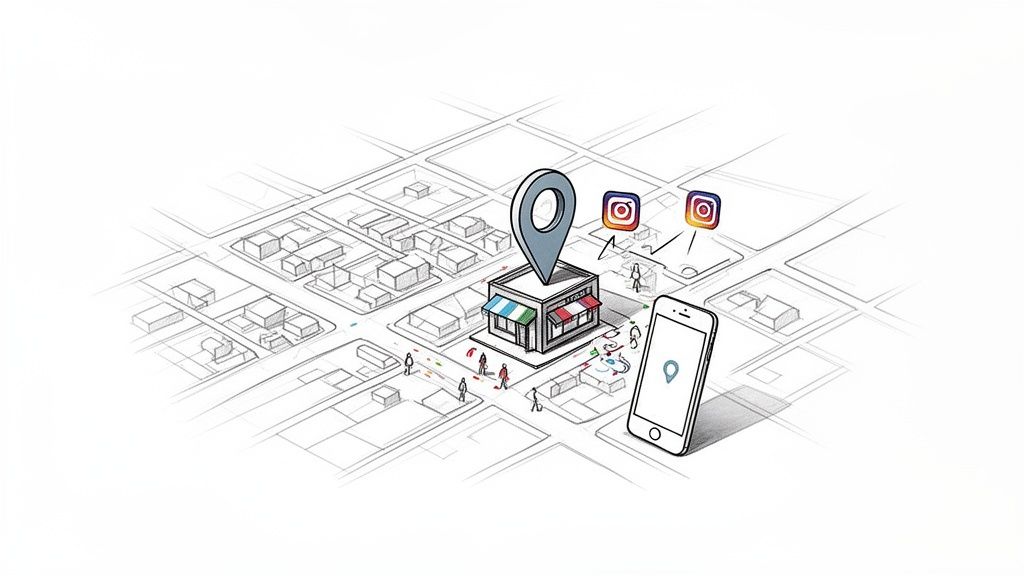
Geo Tagging Local Business on Instagram
When you add a location to your Post, Story, or Reel, you’re not just labeling your content. You’re plugging it into a searchable, location-specific feed on Instagram. The data is clear: posts with a tagged location see 79% higher engagement on average.
Here’s what that means in practice. Your tagged content shows up in two critical places:
- On the specific location’s page (e.g., a user taps on “Austin, Texas”).
- In location-based search results on the Explore page.
This simple action immediately makes you visible to a highly motivated audience—people actively looking for things to do, see, and buy in your area.
Turning Local Discovery into Foot Traffic
For a brick-and-mortar business, this is where the magic happens. It’s how you turn a digital “like” into a customer walking through your door.
Imagine a tourist exploring your city. They search Instagram for “Downtown Austin” to find local gems. Because you’ve been consistently tagging your content with that location, your posts about your shop’s new arrivals pop right up, serving as a direct invitation.
This is how you get real-world results from your digital marketing.
- Drive Walk-Ins: A user sees your perfectly poured latte tagged at your cafe. They check the map, realize they’re only two blocks away, and decide to stop by.
- Target with Precision: You can tag specific neighborhoods, popular landmarks, or even nearby events (like a farmer’s market) to capture the attention of people in that exact vicinity at that exact moment.
- Build Social Proof: When customers tag your business in their own photos, they add to your location’s content feed. This creates a powerful, authentic gallery of user-generated content that new customers trust far more than a traditional ad.
Let’s break down the tangible results you can expect when you start using location tags effectively.
The Immediate Benefits of Geo-Tagging Your Content
Here’s a quick look at the direct impact geo-tagging has on your business, moving from theory to real-world outcomes.
| Benefit | Impact for Your Business | Real-World Scenario |
|---|---|---|
| Increased Visibility | Your content appears in location-specific searches, reaching users beyond your current followers. | A tourist searching for “Miami Design District” discovers your boutique’s latest collection. |
| Higher Engagement | Posts with locations feel more relevant and contextual, leading to more likes, comments, and shares. | A local food blogger finds your restaurant via its geo-tag and features it on their popular page. |
| More Foot Traffic | Digital discovery translates directly into people walking through your door. | Someone sees a friend’s Story tagged at your bar and decides to join them for a drink. |
| Community Building | Creates a hub for all user-generated content tagged at your business, building trust and authenticity. | A happy customer posts a selfie with their new haircut, tagging your salon and promoting it to their followers. |
These aren’t just abstract concepts; they are the practical results of consistently adding a location to your posts.
Transform Your Profile from an Account into a Destination
Without a location, your post is essentially floating in the digital ether, primarily reaching your existing followers. But once you add a geo-tag, it becomes anchored to a real-world place, inviting discovery and action.
The bottom line is that geo-tagging adds crucial context. It tells your audience not just what you’re sharing, but where it’s happening. This simple step transforms your business from just another online account into a tangible destination people want to visit.
Here’s a smart, actionable example: A clothing boutique could geo-tag a popular brunch spot next door on a Sunday morning. People browsing that restaurant’s location tag might see the boutique’s post about a “post-brunch sidewalk sale.” Seeing they’re just a few feet away, they decide to pop in. That’s the power of geo-tagging: putting your business in front of the right people, at the right time, in the right place.
Adding and Optimizing Your Instagram Location Tags
Geo Tagging Instagram Sketch
Okay, you’re sold on why geo-tagging is a must. Now, let’s get into the how. Adding a location is simple, but the real results come from thinking strategically about which location to tag and when. This isn’t just about dropping a pin on your city; it’s about choosing the perfect location to meet your specific goal.
Whether you’re posting to your feed, sharing a Reel, or updating your Story, you have an opportunity to add a location. The process is straightforward, but the thinking behind it can make all the difference.
Tagging Your Feed Posts and Reels
When you’re about to publish a new post or Reel, you’ll reach the final screen before hitting “Share.” Look for the “Add Location” option. Tap it, start typing, and Instagram will suggest locations based on where you are and what you’ve searched for previously.
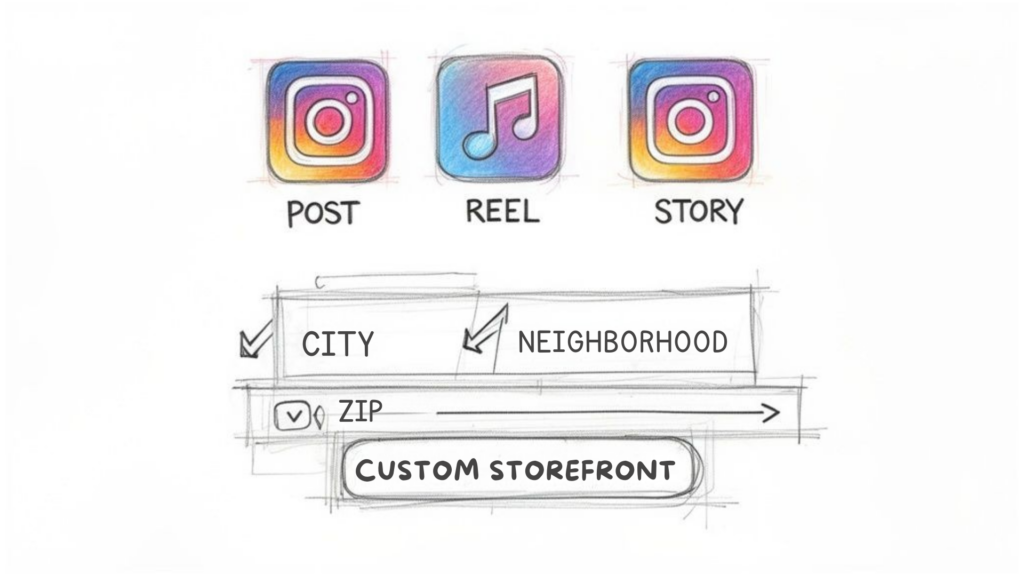
Here’s your first strategic decision. Do you tag the broad city, a specific neighborhood, or the exact address of your business?
- Broad City Tag (e.g., “New York, New York”): Use this for content with wide appeal. It’s great for building general brand awareness or announcing something relevant to the entire city, like a new delivery service.
- Neighborhood Tag (e.g., “Williamsburg, Brooklyn”): This is your best bet for targeting a specific community. If you run a local coffee shop, tagging your neighborhood helps you pop up for residents and people exploring that part of town.
- Specific Business/Landmark Tag (e.g., “The Bagel Store”): Use this when your content is directly tied to that spot. Tagging your own business this way is non-negotiable for driving foot traffic.
Always think about the user’s intent. Someone searching for “New York” is just browsing. Someone searching for “Williamsburg” is likely nearby and has a much higher intent to visit.
Using the Location Sticker in Stories
For Instagram Stories, the tactic is a bit different but just as powerful. Once you’ve taken your photo or video, tap the sticker icon at the top of the screen and find the “Location” sticker.
Just like with posts, you can search for and pick the perfect location. The sticker is interactive—when a viewer taps it, they get sent straight to that location’s page, where they can browse all the other public content tagged there.
Pro Tip: Don’t just slap the sticker on randomly. Make it part of your Story’s design. You can tap the sticker to cycle through different color styles. Or, if you want a cleaner look, you can shrink it down and hide it behind another GIF or element to get the geo-tagging benefits without cluttering your visual.
Creating a Custom Location for Your Business
What happens if you search for your business and… nothing shows up? It’s a common issue with an easy fix. Creating a custom location turns your business into a permanent, taggable spot on the Instagram map for you and your customers.
To do this, you need to use the Facebook mobile app, since Instagram’s location database is powered by Facebook.
- Open the Facebook app and start a new post by tapping “Check In.”
- Type your business’s name. If it doesn’t appear, scroll to the bottom and tap “Add [Your Business Name].”
- Choose a relevant category for your business, enter your physical address, and you’re set.
After you create it, your new location should become available on Instagram within a few hours or, in some cases, a couple of days. This single action creates a dynamic content hub for your business. Every time a customer checks in or tags your location, they’re contributing to a growing library of user-generated content that provides powerful social proof.
Advanced Geo-Tagging Strategies for Growth
Tagging your own business is Geo-Tagging 101. The real growth happens when you start thinking less like a business owner and more like a local scout, identifying all the places your ideal customers spend their time.
This is strategic tagging. The goal is to get your brand in front of the right people by tagging locations they already frequent, even if it has nothing to do with your storefront. You’re essentially placing your content right in their path and joining conversations they’re already part of.
Think about it. A high-end hair salon isn’t just selling a haircut; they’re selling a lifestyle. Where else does their ideal client go? Probably upscale gyms, boutique hotels, and popular brunch spots.
By tagging these complementary locations, the salon can appear in front of an audience that is already pre-qualified by interest and spending habits. It’s like setting up a digital pop-up shop in all the right places.
Tapping into Complementary Audiences
So, where do your people hang out? Brainstorm a list of places that align with your customer profile. A local bookstore could tag the nearby university campus during finals week. A pet supply shop could tag the most popular dog park in town on a sunny Saturday.
Let’s say you run an eco-friendly home goods store. Here’s what your strategic tagging might look like:
- Tag the weekly farmer’s market: Your post about reusable produce bags will land perfectly with people already browsing photos from the market.
- Tag a popular yoga studio: You could showcase your non-toxic cleaning supplies or aromatherapy diffusers, catching the eye of the wellness-focused crowd.
- Tag a new upscale apartment complex: Residents looking to furnish their new homes could discover your brand simply by exploring tags in their new neighborhood.
This is how you expand your reach far beyond your own followers and physical address. You’re actively putting your content into the digital spaces your future customers already frequent.
Fostering User-Generated Content with Your Custom Location
One of the most powerful tools in your arsenal is your custom location tag. When you create a branded location for your business, it becomes a living gallery of your customers’ experiences. Your job is to encourage them to use it.
When customers tag your business, they’re giving you the ultimate social proof. In fact, consumers find user-generated content (UGC) 9.8x more impactful than influencer content. It’s authentic, trustworthy, and free marketing.
So, how do you get more people to tag you? Make it fun and worthwhile.
- Run a photo contest: Offer a monthly prize for the best photo tagged at your location. A simple sign in-store and a mention in your Instagram bio can get the ball rolling.
- Create an “Instagrammable” moment: This doesn’t have to be expensive. A cool mural, a witty neon sign, or beautifully plated food gives people a reason to share. A cafe could feature a “Mugshot of the Week” using a customer’s photo tagged at their shop.
- Offer an instant reward: A sign at checkout that says, “Tag us in your Story for 10% off your next coffee!” is a brilliant way to encourage tagging and drive repeat business.
When you turn your space into a place where people want to create content, every customer becomes a potential brand ambassador. Each tag builds your location’s visibility and credibility, creating a powerful cycle of discovery that brings new people through your doors.
Put Your Local Marketing on Autopilot with Geo-Tags
Getting your geo-tagging strategy right and encouraging customers to tag you is a fantastic start. But what if you could put that effort on autopilot? This is where you can seriously level up your geo-tagging Instagram game by using automation to turn passive location tags into measurable business results.
When you connect your Instagram account to a marketing automation tool like Clepher, you can set up automatic responses that trigger the second someone tags your business. You’re no longer just getting discovered; you’re starting a direct conversation at the peak of their excitement.
Turn Local Mentions into Instant Conversations
Picture this: a customer loves their experience at your shop and posts an Instagram Story tagging your location. Instead of that tag being just another notification, what if it triggered an immediate, personal thank-you message in their DMs?
It’s not just possible—it’s a game-changer for building loyalty.
Let’s say you run a local ice cream parlor. You could set up an automation that instantly DMs anyone who tags your location in their Story. The message could be:
“Hey [username]! Thanks so much for stopping by and sharing the love. To show our appreciation, here’s a code for a free topping on your next visit: TOPPING10.”
In one simple step, you’ve acknowledged your customer, made them feel special, and given them a real reason to return. That one-time social mention just became a powerful tool for driving repeat business.
Build Your Own “Local VIP” List
Automation also gives you incredible audience-building superpowers. Think about it: anyone who tags your location isn’t just a random follower. They are a confirmed customer who has physically been to your business.
With a tool like Clepher, you can automatically add these users to a specific audience segment.
By automatically segmenting users who geo-tag your business, you can create a “Local VIP” list. This isn’t just a list of followers; it’s a curated group of people who have physically interacted with your brand and shared it online.
Once you have this hyper-targeted list, the possibilities are endless. You can send this group exclusive offers, early access to new products, or invites to special in-store events. Your marketing will land with so much more impact because you’re talking to a pre-qualified and highly engaged audience.
This simple flow—strategic tagging, encouraging user content, and automating the response—is a powerful cycle for growth.
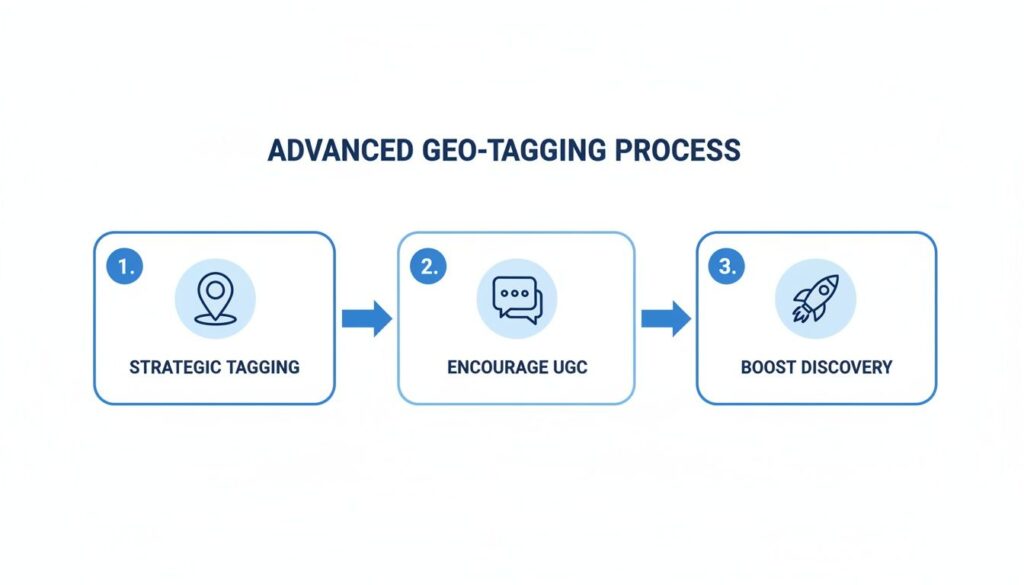
Advanced Geo Tagging Process
This automated process creates a solid foundation for turning organic mentions into new customers and loyal fans.
Finally, You Can Actually Track Your ROI
Perhaps the biggest win with automation is that it’s measurable. When you send a discount code through an automated DM, you can track how many people use it. This draws a direct line from a geo-tagging Instagram action to a sale, giving you a clear return on investment (ROI).
Instead of guessing if your location tags are working, you’ll have hard numbers. You’ll be able to see:
- How many automated DMs were sent in response to location tags?
- What percentage of people clicked the link in your message?
- The exact number of discount codes that were redeemed.
This kind of data is gold. It proves the value of your local social media efforts and gives you the insights to refine your offers and messaging over time. By automating your engagement, you’re not just saving time—you’re making smarter, data-driven decisions that grow your business.
Troubleshooting Common Geo-Tagging Issues
Geo Tagging Instagram Location Privacy
It’s one of the most frustrating moments on Instagram: you go to add your business location, and… it’s not there. When your geo tagging instagram strategy hits a wall like this, don’t panic. It’s almost always caused by one of a few simple issues that are quick to fix.
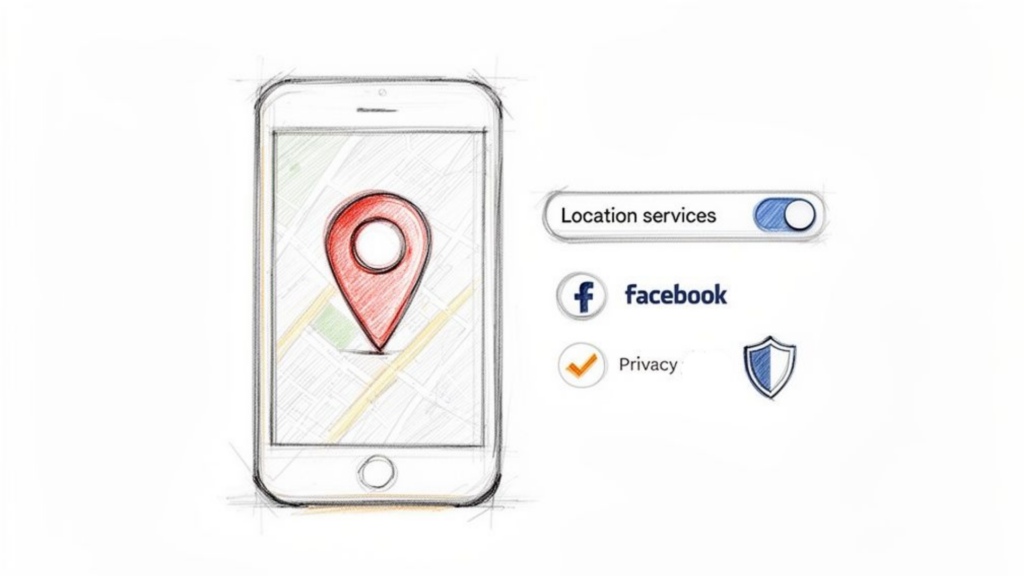
More often than not, the culprit is hiding in your phone’s settings. Instagram can’t suggest nearby places if it doesn’t have permission to see where you are. A quick dive into your settings usually sorts things out.
Fixing Your Missing Location Tag
If your location tag has gone missing, work through this simple checklist. Start with the easiest fix first.
- Check Your Permissions: First, jump into your phone’s settings. Go to your privacy or location settings and ensure that location services are turned on for your phone and that the Instagram app specifically has permission to access them.
- Confirm Your Facebook Page Connection: Remember, Instagram pulls all its location data from Facebook. Your Instagram business account must be properly linked to a Facebook Business Page. Double-check that your page has a complete, accurate address listed in the right category.
- Get Closer to the Location: Instagram’s algorithm prioritizes places that are physically near you when you’re posting. If you’re trying to tag your coffee shop while sitting on your couch at home, it might not show up. Try posting when you’re actually at the location.
Still no luck? The issue might be with the location itself on Facebook. You may need to create it again by physically going to your business, “checking in” on your personal Facebook profile, and adding it as a new place. Be patient—it can take a few days for a new location to sync with Instagram’s database.
The link between your Instagram and Facebook profiles is everything for location tagging. If your business address isn’t correctly categorized and listed on your Facebook Page, it simply won’t be an option when you go to geo-tag on Instagram.
A Note on Using Location Data Responsibly
Great marketing is built on trust, and that means respecting your audience’s privacy. While Instagram geotags and geotagging can be incredibly powerful for boosting visibility and local discovery, they should always be used ethically.
Never repost a customer’s content—like an Instagram post or Story they tagged you in—that reveals their location on Instagram without asking for their permission first. A quick, friendly DM is all it takes. It shows respect, builds goodwill, and reflects responsible marketing behavior.
The goal is to make your customers feel seen and appreciated, not like they’re being tracked. When brands responsibly add your location or use hashtags and location tags in posts, it helps audiences discover businesses naturally while maintaining trust. Ethical geotagging practices ensure that promoting your physical location enhances customer relationships rather than invading privacy.
Got Questions About Instagram Geo-Tagging? We’ve Got Answers.
Even with a guide, a few questions always pop up when you start using Instagram geotags strategically. Getting these details right is the key to building a strong local presence and running an effective social media marketing campaign.
One of the biggest headaches is your business not appearing in the location list when you try to add your location to a post. As mentioned earlier, the cause is usually Facebook. Instagram pulls most of its location data from Facebook, so you must have a Facebook Business Page set up with a correct physical location and categorized properly as a “Local Business or Place.” Once that information is verified, your location on Instagram should become searchable when creating an Instagram post with location tags and relevant hashtags.
Ready to turn local tags into real conversations and customers? With Clepher, you can automatically message users who tag your location, add them to special customer lists, and see exactly how much business your local strategy is driving. Start building your first location-based automation today.

Related Posts
Geo Tagging Instagram: Your Guide to Boosting Local Reach
March 14, 2026What is Marketing Attribution? A Practical Guide to Measuring ROI
March 13, 2026How to Sell Online Courses and Build a Profitable Business
March 12, 2026
Founder Clepher