
Ever wondered how to do a poll on Instagram? It’s easier than you think. You just use the poll sticker, which you can add to your Instagram Stories, Reels, and even in Direct Messages. This little feature is a powerhouse for asking a question with two custom answers, giving you an instant way to connect with your audience and get their feedback.
Why Instagram Polls Are Your Secret Weapon for Engagement
If your Instagram reach feels like it’s hit a wall, you’re not just imagining it. Getting your audience’s attention with passive content is a real grind. This is why knowing how to do a poll on Instagram is no longer just a fun trick—it’s a crucial marketing strategy.
Polls transform your content from a one-way broadcast into a two-way conversation. Instead of just hoping for a like, you’re directly inviting your followers to share their opinions and become an active part of your brand’s story.
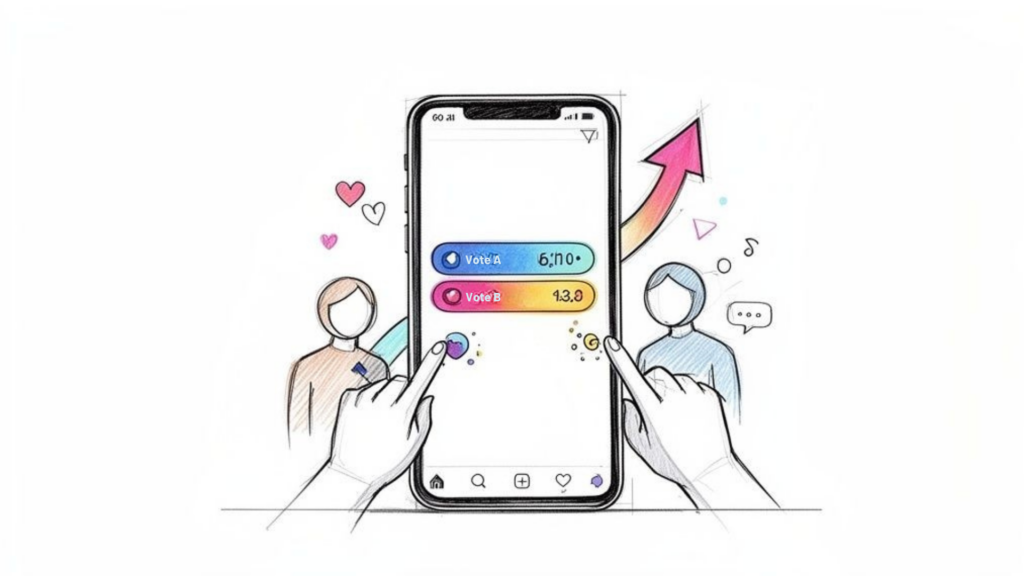
Instagram Mobile Poll
Here’s a quick breakdown of where you can place Instagram polls and the primary goal for each format. Each placement has its own strategic advantage, so think about what you want to achieve before you post.
| Poll Location | Primary Goal | Best For |
|---|---|---|
| Stories | Quick Engagement & Feedback | Daily interactions, A/B testing ideas, behind-the-scenes fun. |
| Reels | Boost Interaction & Reach | Driving a conversation on viral or trending content. |
| DMs (Group Chats) | Niche Feedback & Community | Getting opinions from a select group of superfans or customers. |
Cut Through the Noise With Interaction
Let’s be honest, organic engagement is tough. But interactive features like polls can completely flip that script. Some brands see 2-3x higher interaction rates on content with polls compared to their standard posts.
That simple tap from a user does more than just cast a vote. It sends a powerful signal to the Instagram algorithm that your content is interesting. This helps get more eyes on everything you post, boosting your overall visibility.
Turn Opinions into Business Intelligence
Polls are one of the fastest, most direct ways to do real-time market research without spending a dime. You get instant insights from the very people who follow your brand and buy your products.
Here’s how you can use polls for real-world results:
- Validate new product ideas: Before you invest in inventory, ask, “Would you prefer this in blue or green?”
- Gauge content interest: Let your audience pick your next blog topic with a quick “Which topic are you more curious about?” poll.
- Segment your audience: A fitness coach could ask, “What’s your biggest goal? Building muscle or losing fat?” to better understand their followers’ needs.
A poll isn’t just a question; it’s a data collection tool. Each vote provides a valuable piece of information you can use to refine your marketing strategy and create content that truly resonates. While polls are a fantastic tool, understanding the broader strategies that increase social media engagement will make your entire profile even more effective.
Creating Your First Poll on Stories, Reels, and DMs
So, you know why polls are a great idea. But putting them into practice is where the real magic happens. Let’s walk through exactly how to do a poll on Instagram’s three key placements: Stories, Reels, and Direct Messages. We’ll use real-world business scenarios to show you how it’s done.
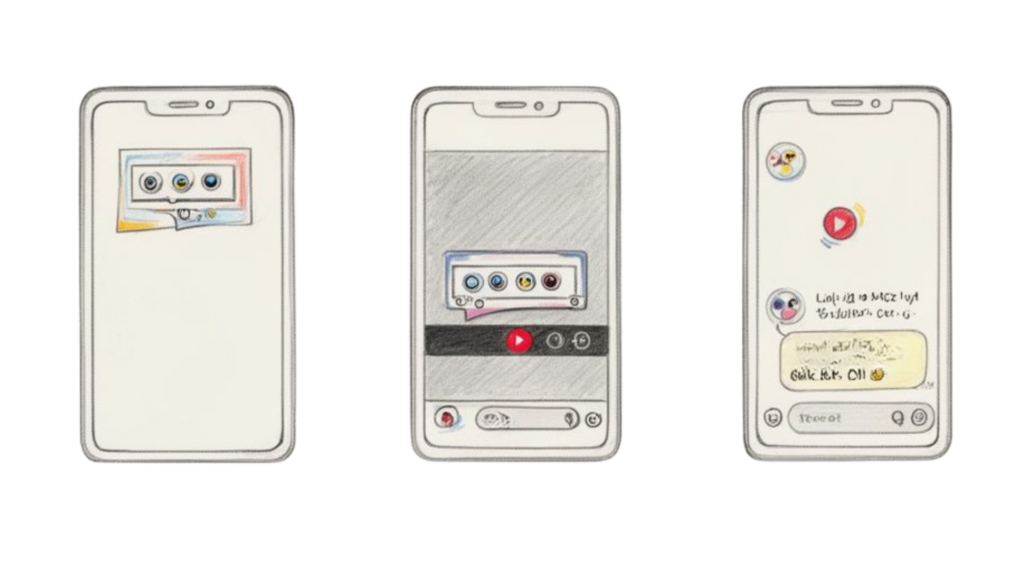
Poll on Instagram Features
Stories are perfect for quick, daily check-ins, while Reels can push your poll to a much broader audience. DMs, on the other hand, are your go-to for getting direct feedback from a specific group.
How to Create a Poll in Instagram Stories
Stories are the original home of the Instagram poll. They disappear after 24 hours, making them ideal for getting immediate feedback on timely topics. Think of them as your brand’s daily pulse-check.
Let’s say you run a fashion brand and you’re stuck between two new t-shirt designs. Use a Story poll to A/B test them with your actual audience before committing to a big production run.
Here’s the step-by-step:
- Open Instagram and create a new Story by swiping right or tapping the “+” icon.
- Upload your content. For our example, this would be an image showing both t-shirt designs side-by-side.
- Tap the Sticker icon (the smiling square) at the top.
- Find and select the “POLL” sticker.
- Write a specific question, like “Which design should we launch next?”
- Customize the poll answers. Ditch “YES/NO” and use the design names, like “Cosmic Cat” and “Astro Dog.”
- Drag the poll sticker where it’s easily visible.
- Hit share! You’ll get real-time votes to help you make a smart, data-backed decision.
Actionable Tip: Don’t just post and ghost. Follow up 24 hours later with a new Story announcing the winner. This closes the loop and shows your audience their opinion mattered.
How to Add a Poll to an Instagram Reel
Adding polls to Reels is a game-changer for interaction. Reels are built for discovery, meaning they can reach tons of people who don’t follow you yet. A well-placed poll can be the very thing that stops their scroll. If you’re weighing your options, check out this comparison of Instagram Reels vs Stories.
Imagine you’re a business coach teasing a new workshop. Create a quick Reel with a valuable tip, then use a poll to gauge interest.
Here’s how to do it:
- Record and edit your Reel as usual with clips, music, and text.
- Tap “Next” to get to the final screen where you can add stickers.
- Tap the Sticker icon and select the “POLL” sticker.
- Type in your question, like “Ready for a deep-dive workshop on this?”
- Change the answers to something engaging, like “Yes, I’m in!” and “Maybe later.”
- Important for Reels: A timeline slider will appear at the bottom. Drag it to decide the exact moment the poll pops up in your video. Show it right after you’ve provided the key information for max impact.
- Finish your caption and share it.
This simple trick transforms passive viewing into an active experience. You’re not just showing content; you’re starting a conversation inside the video.
Sending a Poll in a Direct Message
Polls in Direct Messages (DMs) are the most targeted and personal way to use the feature. This is perfect for getting feedback from a hand-picked group, like your top customers or a private coaching group.
For example, a SaaS company can use a DM poll to tailor onboarding for new trial users. By creating a group chat, they can ask about their primary goals.
Creating a poll in a DM is super simple:
- Go to your Instagram DMs and open a chat or create a new group.
- In the message bar, tap the Sticker icon.
- Choose the “POLL” sticker.
- Enter your question, like “What’s your #1 priority for this trial?”
- Set your options, for example, “Increase Leads” and “Improve Support.”
- Tap “Create Poll,” and it’s sent.
Everyone in the chat can vote and see the live results. This gives the SaaS company instant segmentation data, allowing them to follow up with targeted resources for each group and make the onboarding journey more effective.
Turning Poll Results into Actionable Insights
Getting votes is the easy part. The real marketing magic happens after the poll ends. This isn’t about counting taps; it’s about turning that data into smart business decisions that fuel growth.
Anyone can post a poll, but what separates casual posting from strategic marketing is what you do with the results. Every vote is a piece of market research handed to you for free.
Finding and Viewing Your Poll Results
So, where do you find this goldmine of data? Instagram makes it simple to see not just the final score, but exactly who voted for each option.
For Instagram Story Polls:
- Open your live Story (within 24 hours) and swipe up.
- You’ll see a breakdown: the total votes for each choice, and a list of every user who voted.
This voter list is your new best friend. It’s a direct signal telling you who is interested in what, allowing for incredibly targeted follow-ups.
From Votes to Valuable Business Intelligence
Once you have the results, it’s time to analyze them. You’re looking for clues about your audience’s preferences, pain points, and desires. To really dig deep, get comfortable with unlocking Instagram Insights for a richer view of your account’s performance.
Let’s use a practical example. A skincare brand runs a poll asking, “What’s your biggest skin concern?” with two options: “Acne” and “Dryness.”
With one simple question, you’ve just created two distinct audience buckets. You now have a ready-made list of followers who have told you their primary skin issue. This is a huge opportunity.
Turning Insights into Actionable Strategies
Now for the fun part: taking action. The goal is to make your followers feel heard by responding to the feedback they just gave you.
E-commerce Brand Example (Skincare)
- Segment Your Audience: Create “Close Friends” lists for each group. Share exclusive content with the “Acne” list about your salicylic acid serum. Send hydration tips to the “Dryness” group.
- Send Targeted DMs: Send a personalized DM to a few people from each list. “Hey! Saw you voted for ‘Dryness’ in our poll. Have you seen our new Hyaluronic Acid moisturizer? It might be perfect for you.”
- Plan Your Content: If 70% of voters chose “Acne,” your next few weeks of content should be packed with acne solutions and testimonials for related products.
Creator or Coach Example (Fitness)
Imagine a fitness coach polls their audience: “What’s stopping you from working out?” The options are “No time” and “Lack of motivation.”
- Create Relevant Content: If “No time” wins, the coach should create a Reel showcasing a “15-Minute HIIT Workout.” If “Lack of motivation” wins, they can film a Story about setting goals.
- Develop New Offers: An overwhelming response for “No time” could be the validation needed to launch a new “Busy Professional’s Workout Program.”
This process closes the feedback loop. You asked, you listened, and you delivered a solution. That’s how you build a loyal community and drive sales.
Crafting Polls People Actually Want to Answer
Hitting the poll button is easy. Getting people to actually vote is another game entirely. Crafting a poll that stops the scroll, gets people talking, and moves the needle for your business is an art.
Let’s move beyond simple “Yes or No” questions and start using polls to qualify leads, source testimonials, and discover what your audience really wants.
Go Beyond Basic Questions
The best polls are simple to answer but hard to ignore. They tap into your audience’s opinions and preferences. Your job is to make voting feel like a quick, satisfying tap.
People love sharing their two cents. Frame your questions to make them feel like they have a real stake in your brand’s next move.
Creative Poll Ideas for Specific Goals:
- For Lead Qualification: A real estate agent asks, “What’s your timeline for moving?” The options? “Within 6 months” vs. “Just browsing.” Instantly, they’ve segmented their audience into hot leads and window shoppers.
- For Market Research: A coffee shop brainstorms new drinks. They post a poll: “Which seasonal flavor are you craving?” with “Pumpkin Spice” and “Peppermint Mocha” as options. The winner gets featured on the menu.
- For Content Ideation: A marketing agency asks, “Which topic for our next webinar?” Choices are “AI in Marketing” and “Advanced SEO Tactics.” Now they create content that people want.
Design Polls for Visual Impact
A poll sticker lives on a Story or a Reel, and the background you choose is as crucial as the question. Your visuals need to support the poll, not compete with it.
If a clothing brand is A/B testing two jackets, they should show a clean, side-by-side shot of both. A travel blogger asking about dream destinations? Use a stunning video collage of both places to make the decision more tempting.
A visually compelling background grabs attention and provides context, making your audience more likely to stop and engage. This one detail can make a massive difference in your participation rates.
Timing Your Polls for Maximum Engagement
When you post is almost as important as what you post. Drop your poll when most of your followers are online. Dive into your Instagram Insights to find your peak activity hours and schedule your content around them.
Think about the user journey. You can’t just jump to a salesy question. Warm them up first.
A smart sequence looks like this:
- Engage: Start with a fun, no-brainer poll. “Coffee or Tea?” to get them tapping.
- Educate: Follow up with a Story that talks about a common problem your product solves.
- Qualify: Now hit them with the strategic poll: “Struggling with [problem]? Yes, help! / Nope, I’m good.”
This flow feels natural and guides interested followers down a path. Turning your content into a more interactive experience, like one of these Instagram Story games, is a proven way to boost these interactions. You can discover more stats about Instagram marketing effectiveness on SocialPilot to see just how much every interaction matters. When you craft better polls, you’re not just collecting votes—you’re building a stronger, more engaged audience.
Automating Follow-Ups to Convert Voters into Customers
You know how to get people talking with polls. Great. Now, let’s turn that chatter into business growth. This is where you convert casual voters into qualified leads and paying customers with smart automation.
Think about it: every poll vote could trigger an instant, personalized conversation. By automating your follow-ups with a tool like Clepher, you build a direct line from a simple tap to a meaningful exchange in the DMs.
The Power of Instant, Automated Conversations
When someone votes in your poll, their interest is at its peak. But that window of opportunity is tiny. An automated reply that lands in their inbox in seconds is a game-changer.
You can build AI-powered chatbot flows that activate the second someone votes. Suddenly, your simple poll becomes a hands-off, 24/7 system for capturing leads.
Here’s a real-world scenario:
- A DTC clothing brand posts a Story poll: “Ready for our secret 25% OFF flash sale? Heck Yes! / Maybe Next Time.”
- Anyone who taps “Heck Yes!” gets an automated DM immediately.
- The DM says, “Awesome! So glad you’re in. Here’s your personal code for 25% off: FLASH25. It’s good for the next 24 hours. Happy shopping!”
This isn’t spam. It’s a personalized experience. The customer feels rewarded, and the brand just opened a path to a sale—all without lifting a finger. Get the full rundown in our guide to automated Instagram messaging.
This process starts with crafting polls built for automation from the get-go.
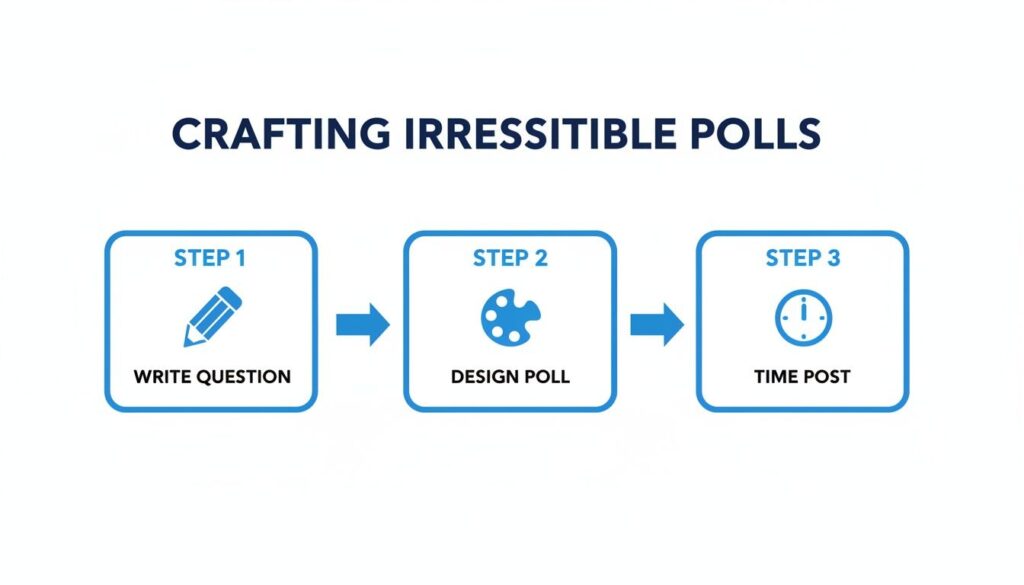
Instagram Poll Steps
A successful automated poll strategy is all about being thoughtful with your question, design, and timing.
Segmenting Your Audience at Scale
Automation isn’t just about firing off one message. Its real strength is sorting your audience based on how they vote. This lets you create laser-focused marketing campaigns.
When a user votes, a tool like Clepher can automatically apply a tag to their profile.
- Voted for “Product A”? They get the “Interested-in-A” tag.
- Voted for “Product B”? They get the “Interested-in-B” tag.
Automation transforms your poll from a simple engagement tool into an intelligent customer segmentation engine. Each vote is a data point that helps you understand your audience better, allowing for deeply personalized follow-ups.
This simple act of tagging unlocks huge marketing possibilities. When you launch an accessory for Product A, you can send a broadcast message only to the “Interested-in-A” segment. The message is more relevant, which means higher open rates, more clicks, and more sales.
Organic Polls Outperforming Paid Ads
A well-designed organic poll can often beat paid ads in terms of pure interaction. A typical Reels ad might get a 1.25% click-through rate, but a strategic organic poll can easily hit 2.7% engagement or higher.
This is especially powerful when you pair polls with keyword triggers. For instance, tell users to DM you a specific word like “GUIDE.” When they do, Clepher‘s AI can instantly deliver the guide and tag them as a warm lead. You’re building an efficient sales funnel right inside Instagram DMs, completely on autopilot.
Frequently Asked Questions About Instagram Polls
You’ve got the basics down, but a few lingering questions are probably popping up. Let’s tackle the most common ones so you can start creating polls with confidence.
Ready to turn these poll strategies into an automated sales machine? Clepher lets you build AI-powered chatbots that instantly respond to poll voters, segment your audience with tags, and send targeted DMs that convert interest into revenue. Stop manually following up and let automation do the work. Start your journey with Clepher today.

Related Posts
Unlock Growth with Conversational AI for Customer Support
March 26, 2026Your Ultimate Guide to Instagram Chat Bots
March 25, 2026How to Create a Killer Poll Game on Instagram to Boost Engagement and Leads
March 24, 2026
Founder Clepher