

Knowing how many people visit your site is a start. But understanding who they are, what they do, and where they get stuck? That’s the difference between guessing and growing. Effective visitor tracking transforms anonymous clicks into a clear roadmap for better marketing, a smoother user experience, and more sales.
This guide gives you that roadmap. We’ll skip the jargon and focus on actionable steps to see your website through your customers’ eyes.
Why Visitor Tracking Is Your Business Superpower

Website Visitor Tracking
To grow your business, you need to move from assumptions to data-driven decisions. Track your website visitors—this is the bridge that gets you there. It’s not about vanity metrics; it’s about answering critical business questions. Are your marketing dollars working? Is your checkout process seamless or a conversion killer? Your visitor data holds the answers.
From Data to Decisions
When you understand how people interact with your site, you can directly improve your bottom line. This isn’t theory; it’s tangible business intelligence that drives results.
- Refine Marketing Campaigns: Stop guessing which channels work. See exactly which sources—like organic search, a specific Facebook ad, or your email newsletter—bring in visitors who actually convert. Example: You notice your LinkedIn ads bring high-quality traffic, but your Instagram ads don’t. You can now reallocate your ad spend for a better ROI.
- Improve User Experience (UX): Pinpoint where users get frustrated and leave. A high drop-off rate on your pricing page is a massive red flag. Example: Using a session recording, you see users repeatedly clicking a non-clickable image. You can now make it a link or remove it to reduce confusion.
- Optimize Product Offerings: Discover which products or services get all the attention and which are ignored. Example: An e-commerce store sees high traffic to “Product A” but low sales. They can investigate the product page for issues or run a targeted promotion.
- Increase Conversion Rates: Map the customer journey and remove friction points. Example: By analyzing your checkout funnel, you find that 60% of users drop off at the “Create an Account” step. Offering a guest checkout option could immediately boost sales.
Metrics like total sessions show traffic volume. But the real gold is in metrics like average session duration, which signals engagement, and bounce rate, which can indicate a mismatch between your ads and your landing page. When you track visitor behavior, you gain access to these insights. For a deeper dive, UXCam has a great breakdown of key metrics.
An Overview of Core Tracking Methods
Throughout this guide, we’ll unpack the essential best website visitor tracking tools for monitoring your site. Each offers a different lens for viewing your audience and helping you track your website performance.
Key Takeaway: You don’t need dozens of tools. The goal is a simple, effective stack that reveals the “what,” the “who,” and the “why” of visitor behavior.
To kick things off, here’s a quick rundown of the main tracking methods we’ll cover.
Core Website Visitor Tracking Methods at a Glance
| Tracking Method | What It Measures | Primary Use Case |
|---|---|---|
| Web Analytics | Quantitative data: page views, sessions, bounce rate, traffic sources, and user demographics. | Understanding high-level traffic trends, marketing channel performance, and audience composition. |
| Tracking Pixels | User actions tied to ad campaigns: conversions, add-to-carts, sign-ups. | Measuring the ROI of paid advertising on platforms like Meta, Google Ads, or LinkedIn. |
| Session Recording | Qualitative user behavior: mouse movements, clicks, scrolls, and rage clicks. | Diagnosing user experience (UX) issues, identifying friction points, and seeing your site through users’ eyes. |
Each method provides a different piece of the puzzle. When combined, they create a powerful, 360-degree view of what’s truly happening on your website.
Choosing Your Website Tracking Toolkit
Before you can track website visitors, you need the right tools. This isn’t about collecting a dozen subscriptions; it’s about building a smart, strategic stack where each tool has a clear purpose. Your toolkit should give you both the big picture (quantitative data) and the crucial details of user actions (qualitative data).
The goal is to move beyond simply counting visits and start understanding the behavior behind the numbers.
The Three Pillars of Visitor Tracking
A rock-solid tracking setup rests on three types of tools, each answering a critical question about your visitors.
- Web Analytics Platforms (The “What”): These tools show what is happening on your site—how many people are visiting, where they came from, and which pages are most popular.
- Ad Platform Pixels (The “Who”): These track who is clicking your ads, helping you measure campaign performance and build powerful retargeting audiences.
- Behavioral Analytics Tools (The “Why”): These reveal why users act a certain way. Heatmaps and session recordings show exactly where they click, get stuck, and drop off.
For most businesses, one tool from each category provides a complete picture. An e-commerce store, for example, would use Google Analytics for traffic analysis, the Meta Pixel to measure Facebook ad ROI, and a tool like Hotjar to see why shoppers abandon their carts.
Your Foundational Tool: Google Analytics 4
At the heart of any tracking strategy is Google Analytics 4 (GA4). It’s the industry standard for understanding broad user journeys and demographic data.
This dashboard gives you a quick look at user acquisition, showing which channels are pulling their weight.
From this, you can immediately see that “Direct” and “Organic Search” are the top drivers, which signals strong brand recognition and solid SEO performance.
GA4 uses an event-based model, capturing specific interactions like button clicks and video plays, not just page views. This gives you a much more detailed view of user engagement.
Specialized Tools for Specific Goals
While GA4 provides the landscape, you need specialized tools for the close-ups.
The Meta Pixel is non-negotiable if you run Facebook or Instagram ads. It connects an ad click to an on-site action, like a purchase, allowing you to calculate a clear return on ad spend (ROAS).
Qualitative tools like Hotjar or the free Microsoft Clarity fill the final gap. Ever had a landing page with great traffic but a terrible conversion rate? A heatmap can reveal that users aren’t scrolling far enough to even see your call-to-action button—an insight you’d never get from numbers alone.
When you pair these deep analytics with powerful AI marketing automation tools, you can act on these insights instantly and turn visitor data into real results.
Implementing Your Foundational Tracking System
Getting your tracking tools connected might sound technical, but it’s straightforward with the right setup. We’ll use Google Tag Manager (GTM) as our central hub.
Think of GTM as a digital toolbox for your website. Instead of adding multiple tracking scripts directly to your site’s code, you place them all inside GTM. This simplifies management and means you won’t have to ask a developer for every small change. Plus, it keeps your site fast by loading just one script.
Setting Up Google Tag Manager
First, you need a Google Tag Manager account. Head to the GTM website, create an account, and set up a “container” for your website. GTM will then give you two small code snippets.
These snippets go on every page of your site—one in the <head> section and the other after the opening <body> tag. If you use a platform like WordPress, plugins like “GTM4WP” make this a simple copy-and-paste job.
Pro Tip: Install the free “Google Tag Assistant” browser extension. It instantly confirms if your GTM tag and other Google tags are installed and working correctly, saving you a ton of guesswork.
Deploying GA4 Through GTM
With GTM active, it’s time to add your analytics. Instead of putting the GA4 tracking code directly on your site, you’ll deploy it through GTM. This process uses three key components:
- Tags: The actual tracking scripts (e.g., the GA4 script).
- Triggers: The rules that tell tags when to activate (e.g., “All Page Views”).
- Variables: Placeholders for important information (e.g., your GA4 Measurement ID).
To set up GA4, you’ll create a “Google Analytics: GA4 Configuration” tag, set its trigger to “All Page Views,” and use a variable to hold your Measurement ID. This Tag > Trigger > Variable structure is the core of GTM, allowing you to manage all your tracking in one organized place.
Tracking Key User Actions
Now, let’s track what people are actually doing. Imagine you want to know how many people click your “Request a Demo” button. This is where GTM shines.
You would create a new tag for a GA4 Event. Then, you’d set up a new trigger that only fires when someone clicks on a button with the text “Request a Demo.”
Once you publish your changes, GA4 will start recording a custom event every time that button is clicked. You can apply this logic to track almost any interaction: form submissions, video plays, or PDF downloads.
This flow chart visualizes how different tracking tools work together to build a complete picture of visitor behavior.
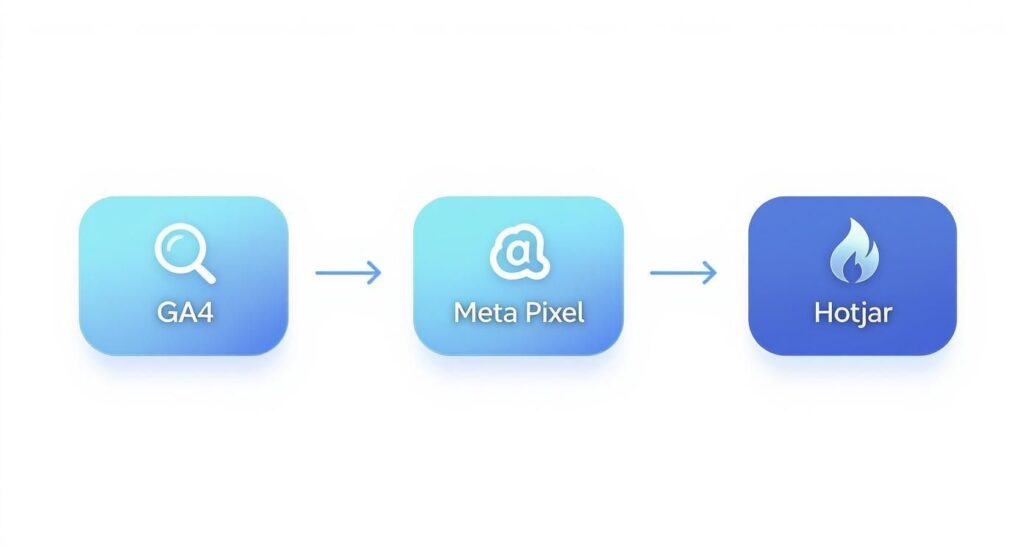
Track Website Visitors Analytics Flow
As you can see, GA4 provides the high-level analytics, the Meta Pixel measures ad performance, and a tool like Hotjar diagnoses user experience. Together, they tell a much richer story.
Translating Visitor Data Into Actionable Insights
Installing tracking tools is just the first step. Raw data is noise; the real value comes from interpreting that data and turning it into smart business decisions.
Instead of just noting your bounce rate is 70%, ask why. A high bounce rate on a key service page could mean your ad is attracting the wrong audience, or the page itself fails to deliver on the ad’s promise. This is how you move from observation to action.
Reading the Signals in Your Data
To make your data work for you, you must turn it into actionable insights. This often involves mastering real-time data analytics to connect different data points and see the complete user journey.
Start by asking diagnostic questions:
- Which traffic sources bring in my best customers? In GA4, if you see “Organic Search” visitors spend more time on your site and convert at a higher rate than “Paid Social” visitors, that’s a clear signal to double down on SEO.
- Where are people dropping off? Use behavior flow reports or session recordings to find the exact pages where you’re losing people. An e-commerce store might discover many visitors abandon the cart on the shipping information page, indicating that unexpected shipping costs are a major issue.
- What content resonates most with my audience? Look at your most popular pages. If your top-performing blog posts are all case studies, your audience is telling you exactly what kind of content they value most.
The Power of Audience Segmentation
One of the best ways to find hidden opportunities is by segmenting your audience. Instead of viewing all visitors as one group, break them down into specific cohorts. For more on this, explore what audience segmentation is.
For example, compare the behavior of mobile users vs. desktop users. You might find that mobile visitors have a much higher bounce rate, a dead giveaway that your site isn’t properly optimized for smaller screens.
By segmenting your visitors, you move from generic observations to specific, solvable problems. You can tailor user experiences, create more relevant content, and ultimately drive better results.
Understanding a few core metrics is key here. Unique visitors gauges your reach and audience growth. Sessions helps spot engagement patterns; a rise in sessions per user means your content is hitting the mark. Finally, pageviews shows which individual pages are most engaging and how easily people are navigating your site.
Advanced Tracking for Marketing and Sales Funnels
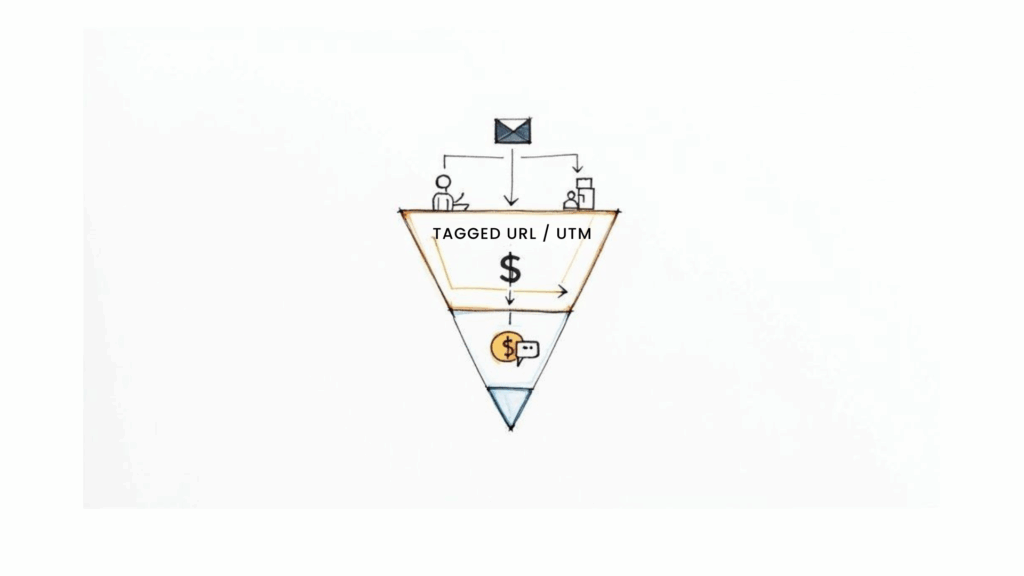
Track Website Visitors Marketing Funnel
With your foundational tracking in place, it’s time to connect that visitor data directly to your bottom line. This means moving from simply monitoring traffic to strategically fine-tuning every step of your marketing and sales funnels.
The goal is to trace every entry point to your website. When you know for a fact that a specific email campaign or Facebook ad led to a sale, you can finally invest with confidence and cut what isn’t working.
Mastering UTM Parameters for Clear Attribution
UTM parameters are your secret weapon for proving marketing ROI. They are simple tags added to the end of a URL that create a digital breadcrumb trail, telling your analytics platform exactly where a visitor came from.
A URL with UTM tags can instantly answer key questions about your traffic:
- Source: Where did they come from? (e.g.,
google,facebook,newsletter) - Medium: How did they find you? (e.g.,
cpc,social,email) - Campaign: Why did they click? (e.g.,
summer_sale,new_product_launch)
For example, a link in a Facebook ad for a summer sale might look like this: yourwebsite.com?utm_source=facebook&utm_medium=cpc&utm_campaign=summer_sale. Now, you can open GA4 and see precisely how many clicks, sales, and how much revenue that single ad generated.
For a great primer, check out a detailed explanation of UTM variables in Google Analytics.
Defining and Tracking Key Conversions
Now that you can see where your traffic originates, the next step is to define what a “win” looks like on your website. This is what conversion tracking is all about—pinpointing every valuable action a visitor takes.
A conversion isn’t always a purchase. It can be any action that moves a prospect forward:
- Submitting a contact form
- Signing up for a newsletter
- Adding a product to their cart
- Watching a key demo video
Inside Google Analytics 4, you can mark these critical actions as “Conversion events.” An e-commerce store, for instance, would mark the purchase event as a conversion. This allows them to instantly see which campaigns (utm_campaign) are driving the most sales.
Bridging the Gap From Anonymous Visitor to Engaged Lead
The magic happens when you connect this anonymous data to actual conversations. Knowing a visitor from your summer_sale campaign landed on a product page is good. Being able to engage them at that exact moment is a game-changer.
By combining on-site behavior with real-time engagement tools like chatbots, you can proactively capture and nurture leads. This transforms passive website visitors into active participants in your sales funnel.
This is how you turn raw data into revenue. Imagine a visitor has viewed your pricing page three times this week. With the right setup, that data can trigger a proactive chat message offering a personalized demo. You’re turning an insight into a direct sales opportunity.
This integration is also crucial for customer identity resolution, stitching together a visitor’s on-site actions with their chat history and other touchpoints. The result is a unified view of each person, allowing you to build highly targeted nurturing sequences that guide them through your funnel.
Your Top Visitor Tracking Questions, Answered
Even with the right tools, tracking website visitors can bring up questions. Here are clear answers to the most common ones.
Can You Really See Who an Individual Visitor Is?
The short answer is no—at least not with tools like Google Analytics. These platforms are designed to show you anonymous, aggregated data for privacy reasons.
You can see that someone from Chicago on a Safari browser viewed three pages, but you won’t see John Doe’s name or email. The goal isn’t to track individuals, but to spot the behavior patterns of your audience segments.
Why Isn’t My Data 100% Accurate?
You’ve likely noticed that numbers in GA4 don’t perfectly match your Meta Pixel data. This is normal. Perfect 1:1 accuracy across platforms is impossible for several reasons:
- Ad Blockers: Many ad blockers prevent tracking scripts from loading, making those visitors invisible to your analytics.
- Cookie Consent: If a visitor declines your cookie banner, their activity won’t be tracked for marketing or analytics purposes.
- Different Definitions: Each platform may define a “session” or “user” slightly differently, leading to small discrepancies.
The goal isn’t flawless data; it’s directionally accurate insights. Focus on the trends, not the tiny discrepancies.
A 5% difference between two tools is just noise. Discovering that 70% of your mobile visitors abandon their cart at checkout? That’s a clear signal you need to act on. Keep this perspective to focus on what truly matters: making smart decisions based on strong trends.
Conclusion
In conclusion, understanding how to track website visitors is essential for improving user experience, optimizing content, and measuring marketing effectiveness. Start with a clear plan, implement analytics tools correctly, respect privacy regulations, and use the collected data to make iterative improvements.
Ready to turn those anonymous clicks into real conversations? Clepher’s AI-powered chatbots capture, segment, and convert visitors based on their on-site behavior. See how it works and start your automated sales funnel today.

Related Posts
Geo Tagging Instagram: Your Guide to Boosting Local Reach
March 14, 2026What is Marketing Attribution? A Practical Guide to Measuring ROI
March 13, 2026How to Sell Online Courses and Build a Profitable Business
March 12, 2026
Founder Clepher