
When you hear “website self service,” do you picture a dusty, forgotten FAQ page from 2005? Let’s fix that.
Modern website self service isn’t a static page; it’s a dynamic, automated system designed to give your customers exactly what they demand: instant answers and complete control. It’s a proactive strategy that uses tools like knowledge bases, AI chatbots, and customer portals to empower users to solve their own problems, 24/7.
So, What Is Website Self Service, Really?
Think of it as a direct response to a massive shift in customer behavior. With billions of people online, you can’t scale your support team by just hiring more agents. It’s not financially sustainable, and frankly, it’s not what customers want.
The market confirms this trend. The global self-service industry was valued at USD 34.38 billion in 2022 and is projected to skyrocket to nearly USD 61.63 billion by 2031. With over half of all web traffic coming from mobile, customers don’t just want answers—they expect to find them in seconds, right from their phones, without ever waiting on hold.
From Cost Center to Growth Engine
This is where a simple shift in thinking leads to transformative results. An effective self-service strategy does more than just deflect support tickets; it fundamentally improves your customer relationships.
By providing immediate, reliable answers, you build trust. By giving them the power to manage their own accounts, you give them the autonomy they crave. This isn’t just about operational efficiency; it’s about creating a standout experience that keeps people coming back.
For example, a CRM with a Client Portal gives customers a direct window into their orders, history, and support tickets. You’re not just solving a problem—you’re building loyalty by putting them in the driver’s seat.
Actionable Takeaway: The goal isn’t to replace your team. It’s to make them better. When you automate repetitive questions, you free up your human experts to tackle the complex, high-value issues where they can truly make an impact.
This strategic move turns customer service from a necessary expense into a powerful tool for customer retention.
Of course, no system is perfect alone. A great chatbot handles the initial conversation but must also be smart enough to know when to pass the baton to a human. Understanding what live chat support is and how it works is key to building an escalation path that actually solves problems, blending automation with a human touch to create a support system customers love.
Key Components of a Modern Website Self-Service Strategy
To make this happen, you need the right tools in your toolkit. Here’s a quick breakdown of the essential components that power a winning self-service experience.
| Component | Primary Function | Business Use Case |
|---|---|---|
| Knowledge Base | A centralized library of articles, tutorials, and guides. | Answering “how-to” questions for a SaaS product or providing detailed product specs for an e-commerce store. |
| AI Chatbots | Automated conversational agents for instant, 24/7 support. | Answering “Where is my order?”, qualifying new leads, and booking sales demos automatically. |
| Customer Portal | A secure, logged-in area for account management. | Allowing users to track orders, update payment info, or manage subscription plans on their own. |
| Community Forums | Peer-to-peer support spaces where users help each other. | Building a brand community and sourcing user-generated solutions for niche or advanced problems. |
These elements work together to create a seamless support layer, ensuring your customers can find what they need, whenever they need it, without having to wait.
The Three Pillars of an Effective Self-Service Strategy
A great self-service experience isn’t about just one tool; it’s a complete ecosystem built on three core pillars that work in harmony. When you integrate them correctly, they create a seamless journey that empowers customers. This is how you transform your website from a simple online brochure into a dynamic, 24/7 support hub.
This concept map shows how a single self-service strategy branches out into its key components: knowledge bases, chatbots, and customer portals.

Website Self-Service Concept Map
As you can see, these pillars aren’t isolated tools. They are interconnected systems designed to give users total control over their experience.
AI Chatbots for Instant Engagement
Think of AI chatbots as your digital front-line staff. They’re the first point of contact, available 24/7 to greet visitors, tackle common questions, and guide people to the right resources. Today’s chatbots do more than regurgitate scripted answers; they handle real tasks like qualifying leads, booking appointments, or checking an order status.
- Real-World Example: For an e-commerce brand, a chatbot can instantly answer, “Where is my order?” by integrating with shipping APIs. For a SaaS company, it can guide a new user through their first setup steps, reducing churn before it even starts.
Actionable Takeaway: Chatbots are the triage nurses of your website. They quickly assess a user’s needs and direct them to the fastest solution, whether that’s a knowledge base article, a customer portal, or a live agent.
Comprehensive Knowledge Bases
While chatbots handle quick questions, a knowledge base is your digital library. This is where you store in-depth tutorials, detailed guides, and answers to more complex, multi-step problems. A truly great knowledge base is a searchable, organized, and constantly updated resource, not a glorified FAQ page.
For it to be effective, content must be easy to find and digest. Use clear headings, screenshots, and short video tutorials. When a customer searches “how to reset my password,” a well-written article should solve their issue in under a minute, without them ever needing to file a support ticket.
Personalized Customer Portals
The final pillar is the customer portal—a secure, personalized hub where users take direct action. It’s where they go to manage their accounts, view past orders, update payment details, or tweak their subscriptions. Portals transform passive visitors into active participants.
- Real-World Example: A subscription box company’s portal lets customers skip a month, change their preferences, or update their address on their own. This self-serve control is no longer a luxury; it’s a baseline expectation that builds trust and long-term loyalty.
How Self-Service Transforms Your Business Operations
Putting a solid website self-service strategy in place is one of the most powerful moves you can make to reshape your business. It directly connects a great user experience to tangible business results, turning a cost center into a genuine growth engine.
The most immediate impact? Your bottom line.
By empowering customers to find their own answers, you deflect a huge volume of repetitive questions away from your support team. When automation handles “Where is my order?” and “How do I reset my password?”, your human agents are free to tackle the complex issues where their expertise truly matters. This shift does more than just save money; it makes your entire support operation smarter.
Beyond Cost Savings: A New Growth Channel
The benefits go far beyond shrinking your support ticket queue. Providing instant, 24/7 support dramatically improves customer satisfaction. When a customer can solve a problem at 10 PM on a Sunday, you build the kind of trust and loyalty that boosts their lifetime value. They feel empowered, not frustrated.
This matters in a world where poor service can put trillions in revenue at risk. Well-designed self-service portals can successfully deflect 40–60% of incoming customer queries. And as analysts forecast that up to 95% of customer interactions will be AI-powered by 2025, getting this right is non-negotiable. You can dive deeper into how customer service statistics are shaping business priorities.
Uncovering Hidden Customer Insights
Every interaction within your self-service system is a valuable piece of data. This is where your strategy becomes a source of business intelligence, revealing exactly what your customers are struggling with.
Actionable Takeaway: A failed search in your knowledge base isn’t a failure—it’s a bright, flashing sign telling you exactly what content you need to create next.
This feedback loop is incredibly powerful. By analyzing chatbot conversations and popular help articles, you get a direct line into customer pain points.
Here’s how that data translates into real action:
- Product Development: Are multiple users asking how to use a specific feature? That’s a clear signal of a UX design flaw that needs fixing.
- Marketing Content: Common questions can inspire new blog posts, video tutorials, or onboarding emails that proactively address user needs.
- Operational Efficiency: Identifying the most frequently asked questions helps you refine chatbot scripts and knowledge base articles for even better deflection rates.
Ultimately, website self-service creates a positive cycle: customers get faster answers, which increases their satisfaction. Your team is freed from repetitive tasks, letting them focus on high-impact work. And your business gains invaluable insights that fuel smarter decisions.
Designing an Experience Customers Will Actually Use
Having a shiny set of self-service tools is one thing. Getting customers to prefer using them over contacting you is the real win.
Success comes down to a smart user experience (UX) that makes finding answers feel easy, not like a chore. A clunky, confusing system won’t just frustrate people—it’ll drive them away. Your design process has to start with one simple question: “How can we make this as painless as possible?” This means intuitive navigation, plain English, and a search function that feels like it’s reading your customer’s mind.
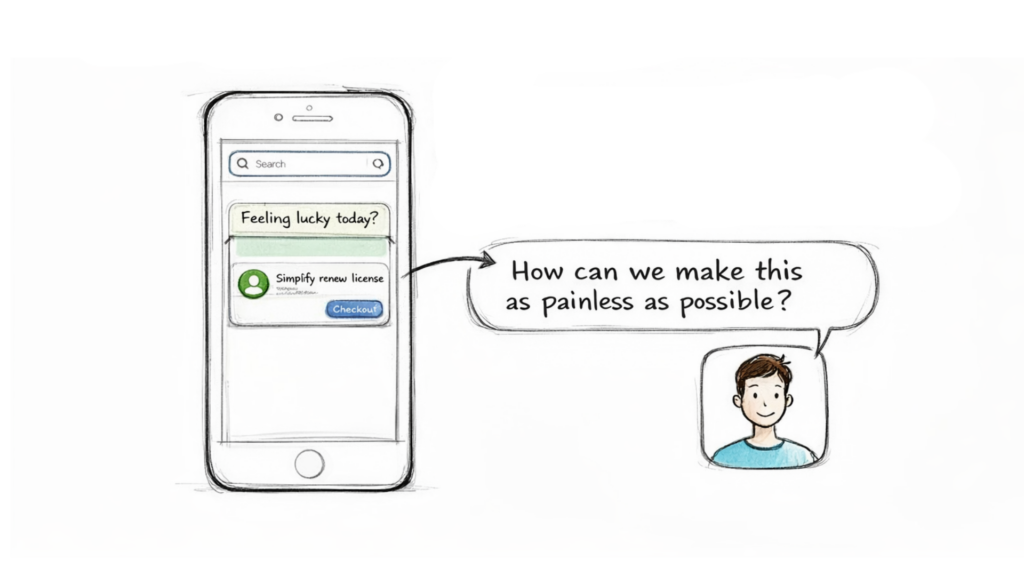
Website Self Service UI Sketch
Prioritize a Mobile-First Approach
These days, the customer journey almost always starts on a phone. With 58.66% of all web traffic now coming from mobile devices, a clunky mobile interface is a deal-breaker. People expect fast, rich self-service experiences, and patience is in short supply.
The shocking part? 81% of websites still underperform on mobile. This is a massive opportunity. A fast, responsive design will immediately set you apart from the competition.
Create a Seamless Escalation Path
Let’s be real: even the best automation has its limits. A critical piece of user-friendly design is giving customers a clear, simple way to reach a human when they need one. Think of this “escalation path” as your safety net. It prevents frustration and shows customers you’re there to help, no matter what.
Actionable Takeaway: The goal of self-service isn’t to build a wall between you and your customers. It’s to build a bridge that helps them solve problems faster, with a clear path to a person if they get stuck.
Position your automation as a helpful assistant, not a gatekeeper. By integrating smart tools like Clepher’s chat widgets for websites, you can design conversations that gracefully hand off complex issues to your live support team without missing a beat.
Here are a few design principles to live by:
- Make Search the Hero: Your search bar should be front and center. Use predictive search to help users find what they need before they finish typing.
- Write Like a Human: Ditch the jargon. Use a clear, conversational tone in your knowledge base and chatbot scripts to build trust.
- Optimize for Skimming: No one reads a wall of text. Break up content with short paragraphs, bold headings, and bullet points so people can find answers at a glance.
These practical tips to make a customer-friendly website are the foundation for effective self-service. When you focus on the user’s perspective, you create a genuinely helpful experience that customers will want to use.
Building Your Self-Service Engine with Clepher
Theory is great, but let’s get practical. Here’s how you can build a powerful website self-service engine using a tool like Clepher, turning these ideas into a working solution that helps your customers and grows your business.
The heart of your strategy will be an intelligent AI chatbot. This isn’t about writing complex code. It’s about visually mapping out customer conversations with a no-code tool. You can design automated dialogues that answer common questions, qualify leads, and walk users through simple processes.
Crafting a Conversation with the Flow Builder
Everything starts inside a visual Flow Builder. Think of it like a digital whiteboard where you connect conversational steps with drag-and-drop ease. Each step can be a question, a piece of information, or an action, letting you create sophisticated paths that feel natural to the user.
Here’s a glimpse of Clepher’s visual Flow builder, where you can map out an entire customer conversation without touching any code.
This visual-first approach means you can quickly build, test, and tweak your automated conversations to handle a wide range of customer needs.
You can also set up your bot to respond to specific AI keyword triggers. When a visitor types “pricing” or “refund policy,” the chatbot instantly serves up the correct, pre-written answer. This simple feature can deflect a massive number of repetitive questions.
Actionable Takeaway: A well-designed chatbot flow anticipates customer needs. It doesn’t just answer questions; it guides the conversation toward a successful resolution, whether that’s a solved problem or a qualified lead for your sales team.
Engaging Visitors and Personalizing the Experience
Building the bot is just the beginning. Next, you need to proactively engage visitors using capture widgets. These are the pop-ups or slide-ins that invite people to start a chat, turning anonymous traffic into subscribers you can nurture.
Once someone interacts with your chatbot, the real work begins. You can use tags to segment them based on their interests or actions.
- Practical Use Case: Tag users who ask about a specific product so you can send them a targeted promo later. Identify visitors who download a lead magnet and automatically add them to a follow-up sequence.
This level of personalization transforms a generic chatbot into a smart assistant.
Of course, no bot can handle everything. That’s why a seamless handoff to a live agent is critical. When a conversation gets too complex, the bot can automatically pass the user—and the entire chat history—to a human. This creates a smooth, frustration-free transition and is a cornerstone of effective help desk automation.
Measuring Success and Optimizing Your Strategy
A website self-service strategy isn’t a “set it and forget it” project. It’s a living system that needs data to thrive. If you’re not measuring, you’re just guessing. To turn a good self-service experience into a great one, you have to track what matters.
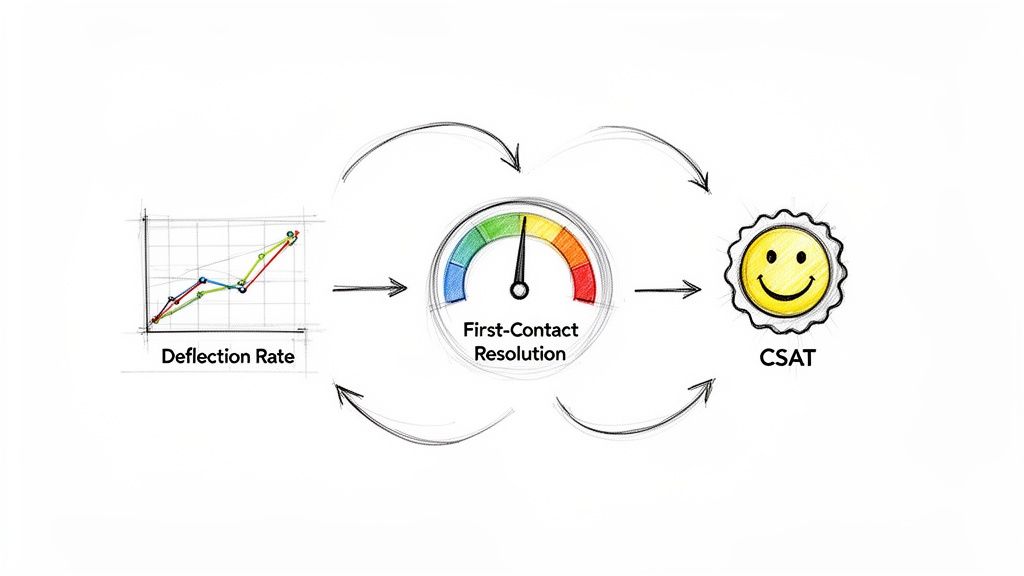
Website Self Service Metrics
The right metrics give you a clear roadmap for improvement, showing you exactly where your strategy is winning and where it’s falling short.
Key Metrics to Track
Don’t get lost in a sea of data. Focus on a handful of key performance indicators (KPIs) that tell a clear story about your self-service effectiveness.
Here are the essentials:
- Ticket Deflection Rate: This is the big one. It’s the percentage of customer questions solved without ever reaching a human agent. This is the most direct measure of your ROI.
- Self-Service Resolution Rate: Of all the people who use your knowledge base or chatbot, what percentage successfully find what they need? This tells you if your content is truly helpful.
- Customer Satisfaction (CSAT): After an interaction, pop up a simple “Was this helpful?” survey. This gives you instant, on-the-spot feedback.
Actionable Takeaway: Tracking these numbers isn’t just for reports. It’s about uncovering insights. A low resolution rate isn’t a failure—it’s a guide to what content you need to create or improve next.
Turning Data into Action
Data is useless until you do something with it. Your goal is to create a simple feedback loop: measure, analyze, and iterate.
For example, look at the failed searches in your knowledge base. This is a goldmine. If dozens of users are searching for “how to integrate with X” and coming up empty, you know exactly what article to write next.
It’s the same with your chatbot. If you see low CSAT scores on a specific step in a conversation, you’ve pinpointed a confusing part of the script that needs a rewrite. By consistently reviewing this data, you can refine your chatbot flows and update help articles, ensuring your system evolves with your customers’ needs.
Your Top Questions About Website Self-Service, Answered
Jumping into website self-service can bring up a few questions. Let’s tackle the most common ones so you can move forward with confidence.
Ready to build a self-service engine that delights customers and drives growth? With Clepher, you can design intelligent AI chatbots, engage visitors, and automate support without writing a single line of code. Start your free trial today and see how easy it is to get started.

Related Posts
Unlock Growth with Conversational AI for Customer Support
March 26, 2026Your Ultimate Guide to Instagram Chat Bots
March 25, 2026How to Create a Killer Poll Game on Instagram to Boost Engagement and Leads
March 24, 2026
Founder Clepher