

Imagine a customer lands on your website, interested but with a question. Instead of forcing them to hunt for a “Contact Us” page and send an email into the void, a small window appears, offering help right then and there.
That’s live chat in action—a direct, real-time bridge between your business and your visitors, right when they need you most.
What Is Live Chat, Really?
Think of live chat as the digital equivalent of a helpful associate in a retail store. It’s a software tool that places a messaging widget on your website, inviting visitors to start a real-time conversation.
When someone has a question about a product, shipping times, or pricing, they don’t have to pause their journey. They just click and ask.
This isn’t just about answering questions. It’s about transforming a passive browsing session into an active, engaging conversation. It closes the critical gap between a visitor’s curiosity and their confidence to make a purchase.
Human and AI-Powered Conversations
Live chat isn’t a one-size-fits-all tool. It comes in two main flavors, and the smartest strategies blend them together for maximum impact.
- Human-Powered Chat: This is where a real person from your team jumps in to answer complex questions, troubleshoot unique problems, and build genuine connections. It’s perfect for high-value sales or tricky support issues where that human touch makes all the difference. For example, a B2B software company might use human agents to discuss custom pricing packages.
- AI-Powered Chat (Chatbots): Think of this as your 24/7 front-line team. An automated chatbot can handle common questions (“Where is my order?”), qualify leads (“What’s your budget?”), and even schedule appointments. This frees up your human agents to focus on the conversations that truly need their expertise.
The real magic happens when you combine them. A chatbot can handle the initial contact, and if the conversation gets too complex, it can seamlessly hand it off to a human agent without the customer ever feeling a bump in the road.
Live chat has quickly become the go-to support channel, with 41% of consumers now preferring it over any other method. The numbers don’t lie: it boasts an average customer satisfaction rating of 87-88%, leaving email (61%) and phone support (44%) in the dust. You can explore more about customer support trends to see the full picture.
Comparing Live Chat to Traditional Support
To really understand the shift, let’s see how live chat stacks up against old-school methods. Phone and email had their day, but customer expectations have evolved. Instant gratification isn’t just for streaming services; it’s now the standard for support.
| Feature | Live Chat | Email Support | Phone Support |
|---|---|---|---|
| Response Time | Instant to a few minutes | Hours to days | Minutes (plus hold time) |
| Convenience | High (can multitask) | Medium (asynchronous) | Low (requires full attention) |
| Cost Per Interaction | Low (agents handle multiple chats) | Medium | High (one agent per call) |
| Customer Satisfaction | Very High (avg. 87-88%) | Moderate (avg. 61%) | Low (avg. 44%) |
| 24/7 Availability | Yes (with chatbots) | No (typically business hours) | No (typically business hours) |
| Lead Generation | Excellent (proactive engagement) | Poor (reactive only) | Poor (inbound only) |
The table makes it clear: live chat isn’t just another channel. It’s a fundamentally more efficient, satisfying, and cost-effective way to engage with customers. It meets them where they are and delivers answers on their terms.
How Live Chat Technology Works
Ever wonder what happens behind that little pop-up chat window? The technology is designed to create a direct, seamless line of communication between someone curious about your business and your team.
It all starts the moment a visitor clicks on the small button or window on your site, often called a chat widget.
Once they send a message, it doesn’t just sit in an inbox like an email—it triggers an instant alert on your business’s central dashboard. From there, the system routes the conversation based on rules you’ve set. It might go straight to a sales agent, a support specialist, or an AI-powered chatbot to handle initial questions.
The Agent Dashboard and Automated Flows
For your team, everything is managed in a single, unified space called the agent dashboard. This is where the efficiency kicks in. A single agent can juggle multiple conversations at once—something impossible with a phone call. They can see the customer’s browsing history, pull up past chats, and use pre-written “canned responses” to answer common questions in a flash.
Many modern platforms also use automated conversational paths, or “Flows,” to guide users before a human ever gets involved.
For example, a flow can ask initial questions like, “Are you a new or existing customer?” to collect important context. This little step ensures that when an agent does jump in, they have all the info they need to give a fast, helpful answer. You can often how to identify a chat widget just by watching how these automated interactions kick off.
This simple process creates a direct connection between the customer, the conversation, and your business.
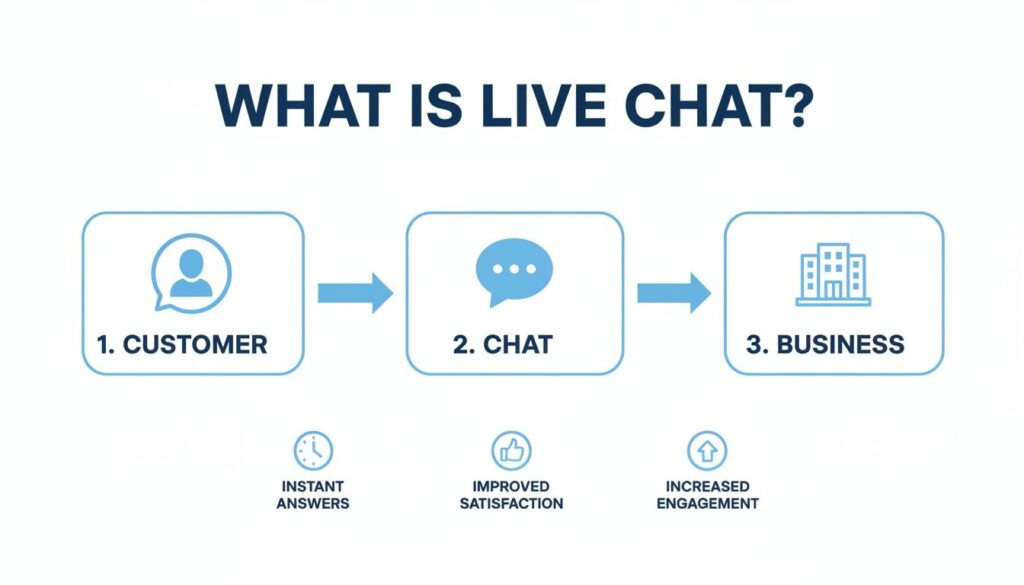
Live Chat Process
The takeaway is that the technology is designed to eliminate friction. It turns a passive website visit into a productive, two-way dialogue.
At its core, live chat is about accessibility and speed. It transforms your website from a static brochure into a dynamic, conversational hub, making it incredibly easy for visitors to get the answers they need without ever leaving the page. The best part? You don’t need a team of developers to make it happen.
Choosing the Right Type of Live Chat
Live chat isn’t a one-size-fits-all tool. The right setup depends entirely on your goals. Get this right, and you’re not just answering questions—you’re actively growing your business.
The first big decision comes down to the “who” behind the chat. Do you need the nuanced touch of a real person, the 24/7 efficiency of an AI, or a smart combination of both?
Human-Powered vs. AI Chatbots
Human-powered chat is your best bet for complex, high-value conversations. Think of a customer struggling with a tricky technical issue or a serious buyer with detailed questions before making a big purchase. In these moments, nothing beats the empathy and creative problem-solving of a real person.
On the flip side, AI-powered chatbots are the perfect front-line responders. They work around the clock answering common questions, asking screening questions to qualify leads, and capturing visitor info. This frees up your human team to focus on the conversations that truly need their expertise.
A hybrid model gives you the best of both worlds. An AI chatbot can kick things off and handle the routine stuff. But if a customer’s issue gets too complex, the bot can seamlessly hand the chat over to a live agent—complete with the full conversation history. It’s a frictionless experience for the customer and a massive efficiency boost for your team.
If you want to go deeper on this, our guide on chatbot vs. live chat for customer service breaks it all down.
Proactive vs. Reactive Engagement
Beyond who is doing the chatting, you also need to decide how the conversation starts. This boils down to two powerful strategies.
- Reactive Chat: This is what most people think of. A visitor has a question, they click the chat widget, and your team responds. It’s a must-have for customer support, letting people get help on their own terms.
- Proactive Chat: This is where things get interesting for sales and marketing. Instead of waiting for the customer to make the first move, you initiate the conversation based on what they’re doing on your site.
For example, an e-commerce store could trigger a proactive chat when someone has items in their cart for more than three minutes without checking out. A friendly message could pop up: “Hey, need help with sizing? I can help you find the perfect fit.” This one simple, well-timed move can slash cart abandonment rates.
Similarly, a SaaS company can use proactive chat to help new users get started. If someone is spending a lot of time on a specific feature page, a targeted message can offer a quick tutorial. This transforms the experience from self-service to guided support, boosting adoption and keeping users from getting stuck.
The Core Business Benefits of Using Live Chat
Live chat isn’t just a nifty communication tool; it’s a powerful engine for business growth. When you answer a visitor’s question in real-time, you’re not just providing support. You’re directly influencing their decision to buy, their loyalty to your brand, and ultimately, your company’s bottom line.
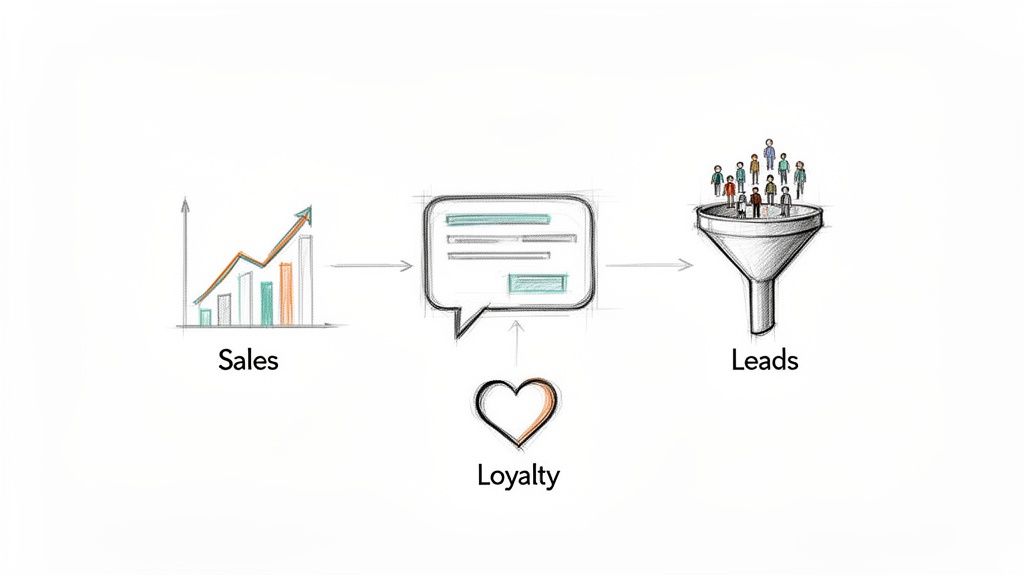
Live Chat Sales Process
The results are tangible and can transform how you do business. The most immediate impact? A direct lift in sales.
Boost Sales and Customer Loyalty
Imagine a customer hesitating on your checkout page, unsure about your return policy. A proactive chat message pops up, answers their question instantly, and dissolves the friction that causes cart abandonment. That single moment of doubt just turned into a completed purchase.
By providing instant answers at critical decision points, live chat builds buyer confidence. Instead of leaving your site to search for answers—and potentially finding a competitor—customers get the assurance they need to click “buy.”
This isn’t just a theory; 79% of companies report that live chat has directly helped increase customer loyalty, revenue, and sales. When customers know they can get fast, easy help, they are far more likely to return. Data shows that 63% of customers are more likely to make a purchase when a live chat widget is available.
Think of live chat as your always-on sales assistant. It’s there to overcome objections, clarify value, and guide visitors toward a purchase, creating a smoother path from interest to conversion.
Turn Website Traffic into a Sales Pipeline
Your website gets traffic every day, but how much of it are you converting into leads? Live chat transforms passive browsers into an active sales pipeline. Even before a human agent joins the conversation, an automated chatbot can engage visitors with targeted questions.
Here’s how it works for lead generation. A bot can:
- Qualify Visitors: By asking simple questions like, “Are you looking for a solution for your business or personal use?” it can segment leads automatically.
- Capture Information: It can collect essential contact details like names, emails, and phone numbers in a natural, conversational way.
- Book Appointments: For service-based businesses, a bot can sync with your calendar to schedule demos or consultations without any manual effort.
Suddenly, every visitor becomes a potential lead. Instead of hoping someone fills out a contact form, you proactively engage them, capture their info, and feed your sales team a steady stream of qualified prospects.
Gain Invaluable Customer Insights
Every conversation that happens through live chat is a goldmine of data. The transcripts of these interactions are raw, unfiltered feedback straight from your target audience.
By analyzing these conversations, you uncover critical insights.
For example, if multiple customers ask the same question about a product feature, that’s a clear signal your product page needs updating. If you notice a recurring pain point, you’ve just identified a powerful angle for your next marketing campaign. This feedback loop allows you to refine your messaging, improve your products, and make smarter business decisions based on what your customers actually want.
Essential Features of a Modern Live Chat Platform
Not all live chat tools are created equal. A basic chat window gets the conversation started, but a modern platform is a command center for growth—packed with features to make your team more efficient, delight your customers, and drive more sales.
Simply answering questions isn’t the goal. The real magic happens when you move from reactive support to a streamlined sales and service operation.
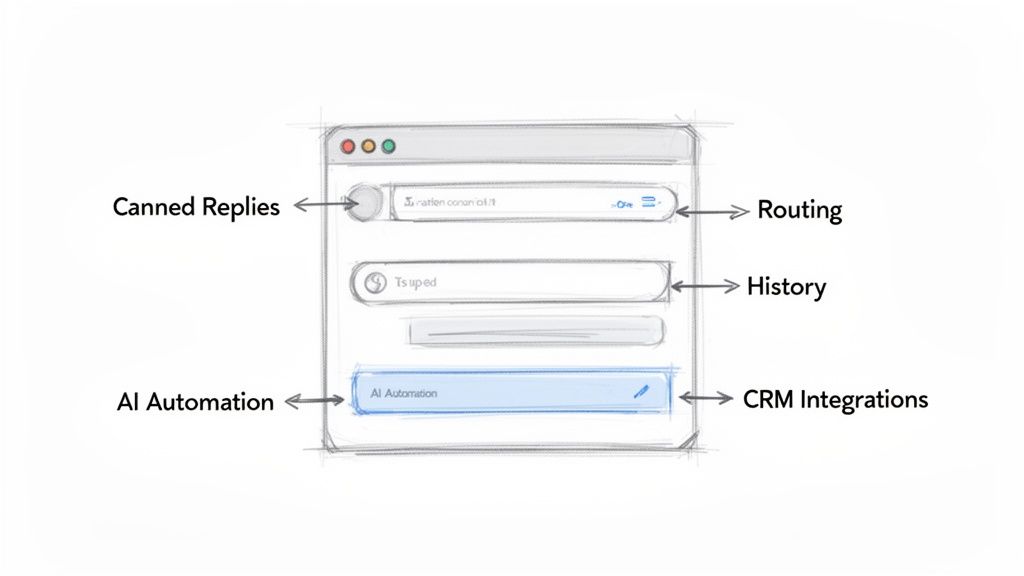
Live Chat Features
Core Functionality for Day-to-Day Efficiency
Think of these as the engine of your live chat strategy. They’re the non-negotiables that empower your team to handle more conversations without breaking a sweat.
- Canned Responses: Instead of typing out the answer to “What are your business hours?” for the tenth time, agents can send a pre-written, perfect reply with a single click. It’s faster for them and consistent for your customers.
- Intelligent Chat Routing: This feature automatically directs incoming chats to the right department. A pricing question lands with the sales team, while a bug report goes straight to tech support. No more awkward transfers.
- Conversation History: Context is everything. Having a complete record of every past interaction means your team can pick up right where the last conversation left off. No more asking customers to repeat themselves.
Advanced Features That Fuel Growth
Once you’ve nailed the basics, it’s time to put your live chat to work as a proactive growth engine. These features are all about automation, smart engagement, and turning visitors into loyal customers.
An effective live chat platform does more than facilitate conversations; it automates processes and integrates with your existing tools, creating a seamless flow of data across your entire business.
Proactive Chat Triggers are a game-changer. This feature lets you automatically start a conversation based on visitor behavior. For example, if someone has been lingering on your pricing page for 30 seconds, you can pop up a message asking, “Have any questions about our plans?” It’s the perfect way to engage high-intent visitors right before they bounce.
Finally, seamless integrations are absolutely critical. Your live chat tool needs to talk to your CRM, email marketing software, and other business tools. This ensures every lead and every piece of customer data captured in a chat gets synced automatically, giving you a single, unified view of your customer.
If you’re exploring different platforms, our guide on live chat software for websites dives deeper into what to look for.
Essential Live Chat Features for Business Growth
| Feature Category | Essential Features | Business Impact |
|---|---|---|
| Team Efficiency | Canned Responses, Internal Notes, File Sharing | Reduces agent workload, speeds up response times, and ensures consistent messaging. |
| Smart Routing | Keyword Routing, Department Routing, Agent Skill-Based Routing | Connects customers to the right expert instantly, improving first-contact resolution and satisfaction. |
| Customer Context | Conversation History, Visitor Information (Location, Page), CRM Integration | Empowers agents with full context for personalized, effective support without repetitive questions. |
| Proactive Engagement | Proactive Chat Triggers, Targeted Pop-ups, Cart Abandonment Messages | Turns passive visitors into active leads by engaging them at the perfect moment, boosting conversions. |
| Automation & AI | AI-Powered Chatbots, Automated Welcome Messages, and Offline Lead Capture Forms | Provides 24/7 support, qualifies leads automatically, and ensures you never miss an opportunity, even after hours. |
| Analytics & Reporting | Agent Performance Metrics, Chat Volume Reports, Customer Satisfaction (CSAT) Scores | Offers data-driven insights to optimize your strategy, train your team, and continuously improve the customer experience. |
Choosing a platform with this mix of features ensures you’re not just buying a chat widget—you’re investing in a tool that will grow with you.
Implementing a Successful Live-Chat Strategy
Just dropping a live chat widget on your site is easy. But turning it into a tool that actually grows your business? That takes a plan. A successful rollout starts with clear, measurable goals.
Don’t just aim to “improve support.” Get specific. Are you trying to increase conversion rates by 15% on your pricing page? Or maybe your goal is to reduce support ticket volume by 25% by handling common questions on the spot. Setting a precise target turns live chat from a passive feature into an active part of your business strategy.
Once you know your goals, it’s time to get your team ready. Train every agent on your brand’s unique tone and voice. Whether your style is professional or fun and casual, consistency is everything.
Creating a Practical Roadmap
You don’t need to do everything at once. Focus on a few key areas that will deliver immediate results.
Your initial roadmap should include these essentials:
- Strategic Placement: Don’t just slap the chat widget on every single page. Think about where it will make the biggest impact. High-value spots include checkout pages, key product pages, and the pricing page—anywhere a question might be stopping a purchase.
- Realistic Response Times: Set clear expectations. Aim for an initial reply within 30-60 seconds to show visitors you’re there and ready to help.
- A Hybrid AI/Human Approach: Let an AI chatbot handle the initial greeting and repetitive questions. This frees up your human agents to jump in for the complex issues, giving you the best of both worlds—speedy efficiency and a personal touch.
A well-implemented strategy does more than just answer questions; it actively builds customer confidence. For e-commerce brands, businesses using live chat tools see a 20% conversion increase, and customers who engage with live chat tend to spend 60% more per purchase.
By focusing on these practical steps, you can launch a live chat operation that delivers real, measurable business results right from the start.
Best Practices for Your Live Chat
To get the best live chat results, treat every chat interface as an extension of your customer service agent experience: optimize the chat interface for fast, real time through a chat responses and make sure your cs agent knows the support tools and web chat features available. Many live chat solutions offer automation and routing — use live chat for customer support to shorten response time and improve customer interactions, so visitors are more likely to return to a website.
- Train staff: teach customer service agents how live chat works, when to hand off to phone or email, and how to keep live chat sessions focused.
- Use the right tools: choose a live chat app that integrates with your CRM and other support tools so your team sees full customer context during live chat sessions.
- Be available and clear: set expectations for response times via live chat and use canned replies sparingly to keep conversations personal.
- Measure and improve: track metrics for many live chat interactions, including satisfaction and resolution rate, and iterate on scripts and routing.
- Balance automation and human help: live chat can also use bots to handle simple tasks, but ensure a smooth transfer to a cs agent for complex issues.
- Promote the channel: offer live chat on key pages, compare live chat vs other channels in FAQs, and highlight that live chat allows immediate help to boost conversions.
Got Questions About Live Chat?
It’s smart to have questions before jumping into any new tool. Let’s tackle some of the most common ones business owners ask about live chat. The good news? Modern tools have made live chat accessible, efficient, and secure for just about any business, regardless of size.
Conclusion
Adding a robust live chat to your website transforms customer support by enabling real-time responses that reduce wait times and let support teams respond faster to chat requests and queries. A well‑implemented live chat system or live chat platform — whether through a chat widget, chat box, chat icon, or integration with Facebook Messenger — lets a customer support agent or live agent begin a live chat conversation, route the right query to the appropriate agent, and provide personalized service based on customer history and chat transcripts.
Live chat enables proactive chat invitations and a smoother chat experience that increases customer engagement, improves customer retention, and helps potential customers find answers faster. The benefits of live chat include immediate support for common use cases, the ability to handle routine queries with canned responses or a chatbot, and an easy escalation path to a live agent for complex issues. Capturing chat history and live chat transcripts in your CRM or customer service platform turns each chat interaction into actionable data for future support strategy and personalized support.
Whether you add live chat as a simple live chat option or deploy a full live chat service with advanced chat features and live chat tools, the live chat experience drives measurable growth: higher conversion rates, better customer satisfaction, and more efficient customer support teams. By following best practices — keeping chat invitations relevant, minimizing wait times, training support agents, and reviewing chat transcripts — businesses can use live chat to your website as a central part of a customer-centric support strategy that powers real-time engagement and scalable customer support.
Ready to turn your website visitors into loyal customers? With Clepher, you can build powerful AI chatbots and manage live conversations across your website, Messenger, and Instagram—all from one intuitive platform. Start your free trial today and see the difference real-time engagement can make.

Related Posts
5 Best Chatfuel Alternatives in 2026 You Need to Try!
April 6, 2026How to Customize Your Facebook Page URL: A 2026 Guide to Boost Your Brand
April 5, 2026Chatbots for Banks: The Ultimate Guide for 2026
April 4, 2026
Founder Clepher