
Imagine your best customer support agent. They’re knowledgeable, patient, and always available. Now, imagine they could handle thousands of conversations at once, 24/7, on every single channel your customers use.
That’s not science fiction anymore. That’s the reality of conversational AI for customer support, a technology that has rapidly gone from a “nice-to-have” luxury to a non-negotiable part of any serious business strategy.
Why Conversational AI Is No Longer Optional
In the old days, customer support was a straight line: a customer had a problem, they contacted your team, and they waited. But today’s customers expect instant, personalized service on their own terms, wherever they are. This shift in expectations has raised the bar for customer experience, while also creating major challenges for businesses—sky-high support costs, long wait times, and agent burnout from repetitive tasks.
Conversational AI for customer service is the answer to these modern problems. Don’t think of it as a replacement for your team, but as a force multiplier. An AI chatbot, or a system of AI chatbots for customer queries, acts as your digital front line—instantly handling the flood of simple, repetitive questions that would otherwise overwhelm your support queue.
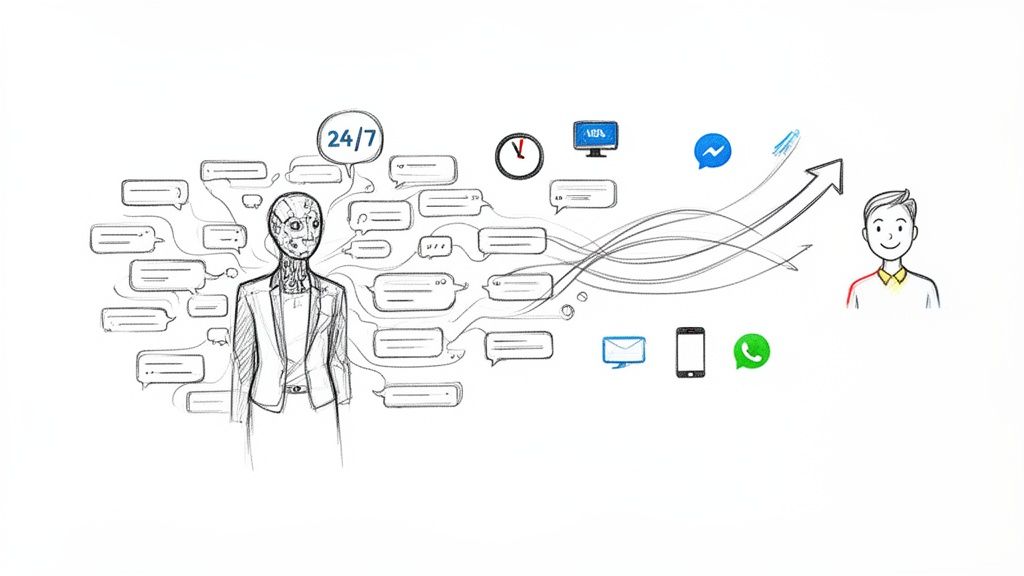
AI Chatbot Customer Support
Meeting Sky-High Customer Expectations
Modern consumers are used to getting everything on-demand, and customer support is no different. In fact, studies show 51% of consumers prefer interacting with bots when they want an immediate answer. Making a customer wait hours for a simple password reset or an order status update is one of the fastest ways to lose them for good.
Conversational AI fixes this by providing:
- 24/7 Availability: Your business can offer instant help around the clock, even when your human team is asleep. This is a game-changer for serving customers in different time zones.
- Instantaneous Responses: AI completely eliminates wait times for common questions, giving answers in seconds, not hours. This keeps customers happy and prevents frustration from building up.
- Omnichannel Presence: It meets customers on the channels they already live on, from your website chat to social media platforms like Messenger and Instagram.
Moving Beyond Simple Chatbots
It’s crucial to understand that modern conversational AI for customer support is light-years ahead of the clunky, keyword-based chatbots of the past. To really get a handle on this, you can learn more about what conversational AI truly is and how it works. Today’s systems use natural language processing (NLP) to understand context, intent, and even typos, creating a far more helpful and human-like conversation.
By automating routine tasks, AI doesn’t just cut costs—it frees your skilled agents to focus on complex, high-value issues that build lasting customer relationships and drive loyalty.
This strategic shift turns your support team from reactive ticket-handlers into proactive problem-solvers. Platforms like Clepher make this powerful technology accessible to anyone, letting you design intelligent, automated conversations without needing a team of developers. The result is a support system that scales effortlessly, delights your customers, and gives your business a massive competitive edge.
The Business Case for Investing in AI Support
Let’s be honest, any new tech investment boils down to one simple question: what’s the return? When it comes to conversational AI for customer support, the answer isn’t just good—it’s a game-changer for your budget, your team, and your brand’s reputation. This is more than just plugging in a chatbot; it’s about completely rethinking your support strategy for real profitability and growth.
The first and most immediate win is a massive drop in operational costs. Just think about your current cost-per-interaction—what you spend every time a customer has a question. By automating the high-volume, repetitive queries, AI pushes that cost way down.
Picture an e-commerce store flooded with “Where is my order?” tickets every single day. Instead of paying human agents to look up tracking numbers over and over, an AI can handle 85% or more of these questions instantly. That’s where the business case really starts to click.
Supercharge Your Team and Your Metrics
One of the biggest myths about AI is that it’s here to replace people. The reality is much smarter: AI is here to make your human agents more effective and more valuable. By taking the simple, mind-numbing tasks off their plate, you free up your support pros to focus on what they do best.
This frees up their time and mental energy for:
- Solving complex, high-value problems that need critical thinking and a human touch.
- Building real relationships with customers during those make-or-break moments.
- Spotting upsell and cross-sell opportunities that naturally arise in conversations.
This shift pays off in your most important business metrics. And the numbers don’t lie. Experts predict that conversational AI will slash contact center labor costs by a staggering $80 billion globally by 2026. Businesses are already reporting 3.5x to 8x returns on investment, and a massive 92% see improved customer satisfaction after launch. To see more stats like these, check out the full report on AI customer service trends.
The true power of AI support lies in transforming your cost center into a growth engine. When agents are freed from repetitive tasks, they become proactive problem-solvers who drive customer loyalty and lifetime value.
The impact on speed is just as dramatic. In a world where everyone expects instant answers, making customers wait is a surefire way to lose them. AI virtually erases wait times for a huge chunk of your support inquiries, turning frustrating multi-minute delays into immediate resolutions.
The Real-World Impact on Key Metrics
So, what does this actually look like on your company’s dashboard? It means seeing direct, tangible improvements in the key performance indicators (KPIs) that every business leader watches.
Here’s a quick look at the kind of transformation you can expect.
Conversational AI vs Traditional Support Metrics
This table shows just how big of a shift you can expect when you bring conversational AI into your support workflow.
| Metric | Traditional Support (Human-Only) | Conversational AI Support | Improvement |
|---|---|---|---|
| First Response Time (FRT) | Minutes to hours | Seconds | Instantaneous for most queries |
| Customer Satisfaction (CSAT) | Often tied to agent availability & speed | Consistently higher due to 24/7 instant answers | Up to 92% improved satisfaction |
| Cost Per Interaction | High, driven by agent salaries | Low, based on subscription/usage fees | Significant cost reduction |
| Agent Productivity | Limited by one-on-one interactions | High, agents focus only on complex tickets | Dramatically increased efficiency |
| Ticket Volume (Human Handled) | High, agents handle everything | Low, only escalations reach humans | Up to 85% deflection of simple tickets |
As you can see, it’s not just a minor tweak—it’s a fundamental improvement across the board that frees up your team and makes customers happier.
Key Metric Improvements with AI:
- First Response Time (FRT): Some companies have slashed their first response times by up to 74% in the first year alone. This immediate engagement keeps customers from bouncing to a competitor.
- Customer Satisfaction (CSAT): Faster, 24/7 resolutions are a direct path to happier customers. Higher CSAT scores are proven to drive loyalty and positive word-of-mouth.
- Agent Productivity: With AI handling the easy stuff, your agents can resolve more of the tough tickets each day, boosting team efficiency without needing to hire more people.
Ultimately, the business case is crystal clear. Bringing in AI isn’t just another line item expense; it’s a strategic investment in efficiency, customer loyalty, and long-term growth. To dig deeper into the financial upside, see how using generative AI for customer service drives real growth and can seriously boost your bottom line.
How Businesses Use Conversational AI Today
The move to conversational AI for customer support isn’t some far-off idea anymore. It’s happening right now, and it’s completely changing how businesses operate. Companies are ditching basic, clunky chatbots for smart, automated systems that get real, measurable results. These aren’t just concepts; they are practical strategies you can put to work today.
Let’s break down the main ways conversational AI is making a huge difference. We’ll look at real-world examples that show just how accessible and powerful these tools have become for everyone, from e-commerce shops to software companies.
Provide Instant 24/7 Support
The most obvious and immediate win with conversational AI is offering instant, around-the-clock support. Your customers aren’t just active from 9-to-5. Questions about their orders, accounts, or your services can pop up at any time, day or night. Forcing them to wait until morning for a simple answer is a surefire way to create frustration and lose a sale.
Think of an AI assistant as your first line of defense, always on duty to handle that constant stream of common, repetitive questions. This is where you really see the power of automation.
Practical Example: The E-commerce Powerhouse
Picture an online clothing store. Their support inbox is flooded with the same three questions, over and over: “Where is my order?”, “How do I make a return?”, and “What are your sizes like?”.
- A conversational AI on their website and Messenger can be trained to spot these questions instantly.
- When a customer asks, “Where’s my stuff?”, the AI can ask for an order number, connect to the shipping provider’s system, and give a real-time tracking update right in the chat window.
- For returns, it can walk the customer through the policy, ask a few quick questions, and even generate a return shipping label on the spot.
This one piece of automation can handle up to 80% of all incoming support tickets without a human ever getting involved. The customer gets their answer in seconds, and your support team is freed up to focus on the trickier issues, like a damaged package or a specific product problem.
Streamline Intelligent Ticket Routing
Let’s be real: not every problem can—or should—be solved by an AI. Some issues need the empathy, creativity, and authority that only a human can provide. The classic support problem is that every ticket, simple or complex, gets dumped into the same massive queue, creating a huge bottleneck.
Conversational AI acts like an intelligent dispatcher. It doesn’t just block tickets; it sorts and preps them, making sure every issue lands with the right person, armed with all the right information.
Practical Example: The SaaS Help Desk
Imagine a software company with separate teams for billing, tech support, and sales. A customer might pop into a chat and say, “My integration broke, and I think you overcharged me this month.”
A well-designed AI gets that this is a two-part problem. It will collect the essential details first—like the user’s account ID and which integration is failing. It then routes the technical part of the ticket to the engineering support queue while simultaneously notifying the billing team about the payment issue.
This simple process means the customer never has to repeat themselves. The agent who picks up the ticket already has the full chat transcript and all the data the AI gathered. The result? A much faster resolution and a customer who feels heard and taken care of.
Drive Proactive Lead Generation and Sales
Conversational AI isn’t just a defensive tool for putting out fires; it’s a powerful engine for growth. Your website and social media feeds are full of potential customers browsing, asking questions, and showing buying signals. An AI can engage these visitors automatically, turning a passive looker into an active lead.
Platforms like Clepher make this incredibly simple, with no-code tools to design conversations that qualify leads, answer sales questions, and even recover sales you would have otherwise lost. You can see how businesses are Automating Customer Support With Generative AI to not only improve service but also to directly boost their bottom line.
Practical Example: Abandoned Cart Recovery on Instagram
A direct-to-consumer skincare brand sees a lot of shoppers add products to their cart but never finish checking out. Instead of just sending an easily ignored follow-up email, they set up an AI on their Instagram and Messenger.
- An hour after a user leaves their cart, the AI sends a friendly, low-pressure message: “Hey [Name], saw you left a few things in your cart. Did you have any questions about the ingredients or shipping?”
- If the user replies, the AI is ready to answer product questions, maybe offer a small discount code to nudge them over the finish line, and guide them straight back to the checkout page.
This proactive conversation feels helpful and personal, not aggressive. It meets the customer exactly where they are—scrolling through social media—and successfully claws back revenue that was about to disappear. It turns a support channel into a money-making machine.
Your Step-By-Step Implementation Roadmap
Ready to put conversational AI to work? Moving from an idea to a live, helpful AI assistant can feel overwhelming, but it’s far more manageable when you break it down. Think of it as a crawl-walk-run approach that gets things right from day one.
The goal isn’t to build a perfect, all-knowing AI overnight. It’s about starting small, solving a real problem, and building momentum.
Step 1: Define Your Core Goal
Before you design a single conversation, you have to answer one critical question: What’s the single biggest pain point this AI needs to solve? Trying to do everything at once is a recipe for disaster. Instead, get laser-focused on a high-impact goal.
Take a look at your support tickets. Where is your team bleeding the most time? A great place to start is by tackling your top three most frequently asked questions.
- For an e-commerce brand, this is probably “Where is my order?”, “What’s your return policy?”, or “Do you ship internationally?”.
- For a SaaS company, it might be “How do I reset my password?”, “Where do I find my API key?”, or “What are your pricing tiers?”.
Starting here guarantees an immediate win. You’ll slash your ticket volume, free up your agents, and give customers the instant answers they crave.
Step 2: Design Natural Conversations
Once you have your goal, it’s time to map out the conversation. This isn’t about writing code—it’s about designing a helpful, human-like dialogue. Modern tools like Clepher use visual, drag-and-drop builders that make this feel more like sketching a flowchart than programming.
Get inside your customer’s head. What words would they actually use? No one types “Request order status.” They type, “Where’s my stuff?” or “Tracking update, please.” Your AI needs to get that.
Your AI’s personality should match your brand. If your marketing is fun and informal, your AI shouldn’t sound like a robot reading a legal document. A little personality goes a long way in making the interaction feel less automated and more helpful.
Build your flows to be empathetic. If a user is frustrated, the AI should acknowledge it. Something as simple as, “I can see you’re having trouble logging in—that can be really frustrating. Let’s get this sorted out for you,” makes a world of difference. For more advanced strategies, you can explore our guide on how to automate customer service.
Step 3: Master the Seamless Human Handoff
Let’s be clear: no AI can solve 100% of problems, and it shouldn’t try to. The most critical part of a successful setup is a frictionless handoff for when a customer needs a real person. Nothing is more frustrating than a dead-end bot.
This process should be invisible to the customer. When the AI hits its limit or the customer asks for an agent, it should instantly:
- Gather Context: Ask for any final details needed, like an account email or a quick summary of the issue.
- Route Intelligently: Send the ticket to the right department—billing, tech support, or sales.
- Transfer the History: Pass the entire conversation transcript to the human agent.
This simple handoff ensures the customer never has to repeat themselves, and your agent has all the info they need to solve the problem fast.
Step 4: Integrate Your Tech Stack
To really unlock the power of conversational AI, you have to connect it to your other business tools. An isolated chatbot is only doing half the job. Integrating your AI with your CRM, helpdesk, and marketing platforms creates a single, unified view of your customer.
The market for this tech is exploding for a reason. AI is quickly becoming the standard for resolving customer questions without needing a human agent, which means fewer escalations and happier customers. For small businesses, this integration is a game-changer, allowing for powerful segmentation and high-engagement broadcasts.
This process flow shows how an inquiry can move through an integrated AI system—from initial support to smart routing and even lead capture.
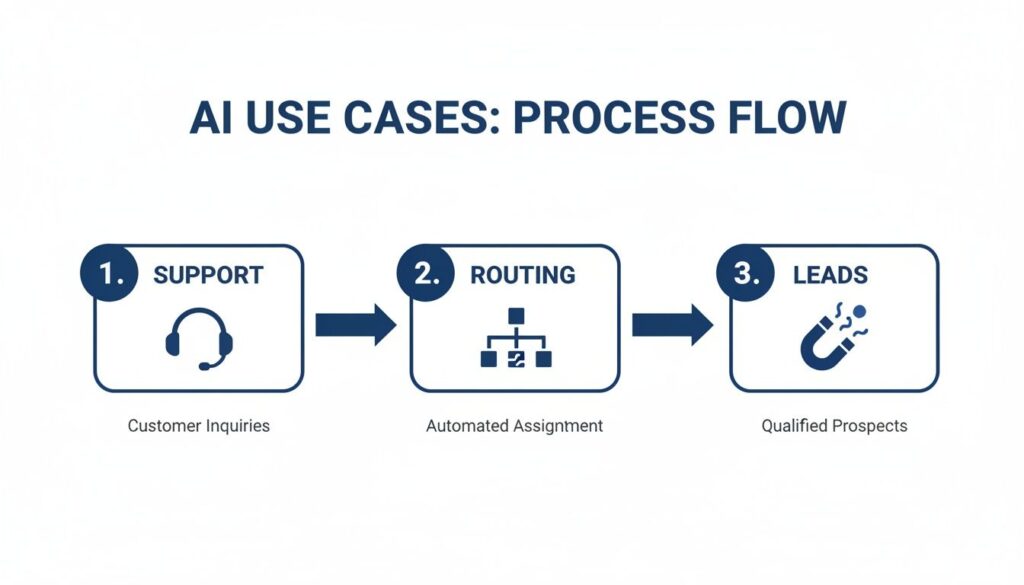
AI for Customer Support Process Flow
When your systems are connected, a single AI interaction can serve multiple business functions. For instance, connect your AI to your Shopify store, and it can pull real-time order data. Link it to your CRM, and it can update a customer’s contact record with their latest inquiry. This gives your sales and support teams a complete, unified history of every interaction, every time.
Choosing the Right Conversational AI Platform
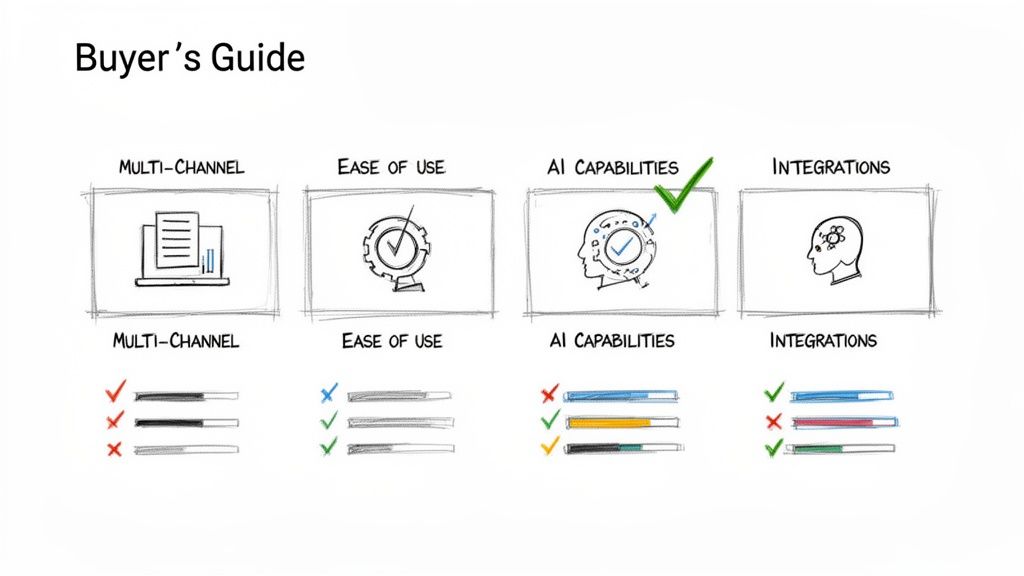
AI for Customer Support Buyers Guide
The market for conversational AI for customer support is crowded, but let’s be honest—most options aren’t created equal. Picking the wrong platform is a fast track to robotic conversations, frustrated customers, and a ton of wasted time. To get it right, you need a clear framework for what actually matters to your business.
Think of it like buying a car. You wouldn’t just look at the paint job. You’d pop the hood, check the safety features, and make sure it actually fits your family. When you’re choosing an AI platform, you need to look under the hood in the same way.
This buyer’s guide breaks down the four most critical areas for any business, especially for marketers and entrepreneurs who just need a solution that works.
Multi-Channel Support
Your customers are everywhere, so your AI needs to be, too. A platform that only lives on your website is leaving countless conversations—and sales—on the table. You need a tool that can be your brand’s voice across every single channel where your audience actually spends their time.
Ask yourself: Does it support the channels that are non-negotiable for my business?
- Website Chat: This is the baseline. It’s essential for on-site support and capturing leads the moment they show interest.
- Facebook Messenger & Instagram DMs: Absolutely critical for e-commerce brands and anyone building a community on social media. This is where the action is.
- WhatsApp: A global powerhouse for personal communication that smart businesses are now using for direct, instant support and sales.
A true multi-channel platform like Clepher lets you build one conversation flow and deploy it everywhere. This ensures a consistent, high-quality experience no matter how a customer decides to reach out.
Ease of Use and Management
The most powerful AI in the world is useless if you need a team of developers just to change a welcome message. For marketers and entrepreneurs, a no-code, drag-and-drop builder isn’t a “nice-to-have”—it’s a requirement. You need to be able to create, test, and tweak conversations yourself, on your own time.
The goal is speed and agility. You should be able to go from an idea—like a new promo or a lead-gen flow—to a live, functioning AI conversation in a few hours, not weeks.
Look for a visual interface. It makes mapping out conversation paths, adding conditions, and seeing exactly how your AI will behave incredibly simple. A platform designed for non-technical users means you can own your automation strategy completely. You can learn how to create AI agents without touching a single line of code.
True AI Capabilities
This is where you separate the real deal from the old-school, rigid chatbots. A basic bot relies on simple keywords. If a customer types “shipping cost,” it might work. But if they ask, “How much to ship my order?”, it completely breaks. That’s not good enough anymore.
Modern conversational AI for customer support uses Natural Language Processing (NLP) to understand intent, not just words. It gets the context, figures out typos, and handles the million different ways people phrase the same question. The difference in performance is night and day.
Customer expectations for AI are soaring. In fact, new research shows that generative AI can hit 92% intent accuracy—a massive leap from the 65-70% you’d get from an old keyword bot. This is precisely why 92% of businesses report higher customer satisfaction after switching to modern AI. To see the full picture, discover more insights on the state of AI in customer service.
Integration Power
Your conversational AI shouldn’t be an isolated island. Its real power is unlocked when it talks to the other tools you already use to run your business. When your AI and your tech stack are connected, you create a single, unified system for managing every customer interaction.
Key integrations to demand from any platform include:
- CRM (like HubSpot or Salesforce): Lets the AI pull customer data for personalized chats and push new lead info straight into your sales pipeline.
- Helpdesk (like Zendesk or Gorgias): Enables a buttery-smooth handoff to human agents with the full conversation history attached. No more “can you repeat that?”
- E-commerce Platforms (like Shopify): Allows the AI to give real-time order status updates, start a return, or answer specific product questions.
A platform with solid native integrations, plus connections through services like Zapier or Make, ensures your AI becomes the central hub of your customer operations, not just another siloed tool.
Common Pitfalls to Avoid When Launching AI
Rolling out a conversational AI is thrilling, but it’s also surprisingly easy to get wrong. A botched launch can frustrate customers faster than a dead-end phone tree, completely undermining your goals. The secret isn’t in the code—it’s in remembering what good support feels like in the first place.
The biggest mistake? Creating a bot that sounds like, well, a bot. If your AI is a cold, rigid machine that only gets what you’re saying with perfect phrasing, people will just give up. An AI that just repeats, “I don’t understand,” is actually worse than no AI at all.
Build Helpful, Human-Like Conversations
The fix is to design conversations with a bit of empathy. Use natural, friendly language that sounds like your brand. More importantly, your AI needs to grasp intent, not just keywords. A customer might type, “my order hasn’t arrived,” “where’s my package?”, or “tracking update please”—your bot has to know these all mean the exact same thing.
Another classic blunder is trapping customers in an endless loop with a bot that can’t solve their problem. There’s no faster way to burn goodwill. Your AI must know its own limits.
An AI assistant isn’t a replacement for your team; it’s a partner. Its job is to handle what it can and intelligently pass off what it can’t, making the entire support process more efficient for everyone involved.
When a customer’s issue gets complicated, or they just flat-out ask for a person, that handoff needs to be instant and painless. This means transferring the entire conversation history to the agent so the customer never, ever has to repeat themselves.
Measure What Matters for Continuous Improvement
The final trap is treating your AI like a crockpot—you can’t just set it and forget it. A powerful conversational AI for customer support isn’t a static tool. It’s a living system that needs data to get smarter. Without tracking the right metrics, you’re flying blind.
Keep a close eye on these key performance indicators (KPIs) to sharpen your AI’s performance over time:
- Resolution Rate: What percentage of conversations does the AI handle from start to finish without needing a human? This is your main report card on its effectiveness.
- Ticket Deflection: How many support tickets that would have swamped your human team are now closed out by the AI? This shows your ROI in black and white.
- Customer Satisfaction (CSAT): Are people actually happy with the help they get? A quick “Was this helpful?” survey after an AI interaction gives you direct, unfiltered feedback.
By checking these numbers regularly, you’ll see exactly where your AI is winning and where it needs a little more training. This data-first mindset is what turns customer support from a cost center into an engine for real growth.
Common Questions (and Myths) About AI in Support
Jumping into AI for customer support brings up a lot of questions. That’s natural. Let’s tackle some of the biggest concerns we hear from businesses before they make the switch.
Ready to see how easily you can implement these powerful automations? Clepher gives you the no-code tools to build, launch, and manage intelligent conversations across all your customer channels. Get started with Clepher today and turn your support into a growth engine.

Related Posts
Unlock Growth with Conversational AI for Customer Support
March 26, 2026Your Ultimate Guide to Instagram Chat Bots
March 25, 2026How to Create a Killer Poll Game on Instagram to Boost Engagement and Leads
March 24, 2026
Founder Clepher