
What turns an Instagram DM from a simple question into a purchase, a qualified lead, or a resolved support issue? Speed helps, but a fast message alone isn’t a useful customer experience. A strong quick reply recognizes intent, personalizes the next step, offers one clear action, and knows when a person should take over.
The following quick reply Instagram examples cover ecommerce, agencies, creators, SaaS, subscriptions, and promotional campaigns. Each one includes trigger ideas, personalization tokens, branching logic, follow-up timing, and practical ways to build the flow in Clepher. Adapt every message to your actual offer, current stock, delivery terms, return policy, and the customer’s stage. For visual content teams, this step-by-step Instagram carousel tutorial can also help turn your best DM prompts into useful Stories and carousel posts.
1. The Instant Order Confirmation Quick Reply
An order confirmation should remove uncertainty quickly. The customer may be checking whether payment succeeded, whether the item is reserved, or when delivery will begin. Answer that concern first, then offer the next useful action.
For an ecommerce brand:
Thanks for your order! 🎉 Your order #[order number] is confirmed. You can track it here: [tracking link]. We’ll send another update when it ships. Reply SUPPORT if you need help.
For a subscription business:
Welcome to [Product]. Your subscription is active, and you can manage it here: [account link]. Reply PLAN to change your subscription or HELP to speak with our team.
Use tokens only when the connected fields are dependable. A reliable flow can insert the customer’s first name, [order number], product name, tracking URL, and support status. Do not show a tracking link before the carrier creates one, or promise a dispatch window that fulfilment cannot meet.
Build the order flow around intent
Useful triggers include order status, purchase, buy now, tracking, and an order number pattern. Route “where is my order?” to tracking or support. Route “can I still buy this?” to a product page, stock confirmation, or checkout link. The same keyword should not send every customer through one path.
Instagram’s quick reply guidance describes quick replies as saved answers for common questions about pricing, delivery options, return policies, and opening hours. In practice, they reduce repetitive typing while keeping the team’s approved wording consistent.
In Clepher, connect the order-status trigger to three branches: a tracking option, a support option, and a human handoff. Add personalization tokens for the order number and product name, then tag customers who select SUPPORT or HELP. Repeat purchasers or higher-value customers can receive priority review, but only if your team actually provides priority support.
Practical rule: Confirm what happened, explain what happens next, and give the customer one obvious way to get help.
Set a follow-up for customers who neither click the tracking link nor reply. Ask whether they found the information, then stop the sequence as soon as they engage. A human should take over when the order record is missing, the tracking status conflicts with the customer’s report, or the customer requests a change.
Response speed also affects the workflow. One 2026 Instagram DM benchmarking guide reports that replies sent in under 60 seconds convert 21x higher than replies delayed 30 or more minutes. Use that as an operational benchmark, not a promise of results.
2. The Lead Qualification and Discovery Quick Reply
A lead rarely arrives with every detail a sales team needs. Asking for a full brief in the first message creates friction, while asking one focused question keeps the conversation natural.
A digital agency might reply:
Great question, [name]. Which area would help most right now?
A. Website design
B. Lead generation
C. Both
A SaaS company could ask:
To see whether [Product] fits your team, how many people would use it?
A. A small team
B. A growing team
C. A larger organisation
A coach can make the question more personal:
I’d love to point you toward the right option. Are you currently starting, working through a growth challenge, or scaling an established business?
Ask, route, and remember
Use reply buttons whenever possible. They reduce typing and give Clepher a clean value to route. Each answer can apply a tag such as website-design, lead-generation, or coaching-growth, then send a relevant follow-up instead of a generic sales pitch.
Ask no more than two questions in one message. A useful sequence might collect the service need first, then ask about timing. A referral lead can enter a short sales path, while a general inquiry can receive educational content before a call invitation.
Clepher can connect qualification answers to CRM workflows through integrations such as Zapier and Make. Its lead qualification chatbot workflow can also support conditional paths, so a promising answer reaches a sales representative while a less urgent lead receives a suitable nurture message. Teams planning broader targeting can pair this with segmentation for ecommerce growth.
Personalization should reflect what the person said:
You mentioned [challenge], so I’m sending the option that addresses that first. Would you like the short overview or a call with our team?
That sentence feels more human than repeating the person’s name in every message. Store the pain point in a field, and use it only when the field is populated.
Here’s a visual example of how a three-stage automated path can move from first response to qualification and handoff:
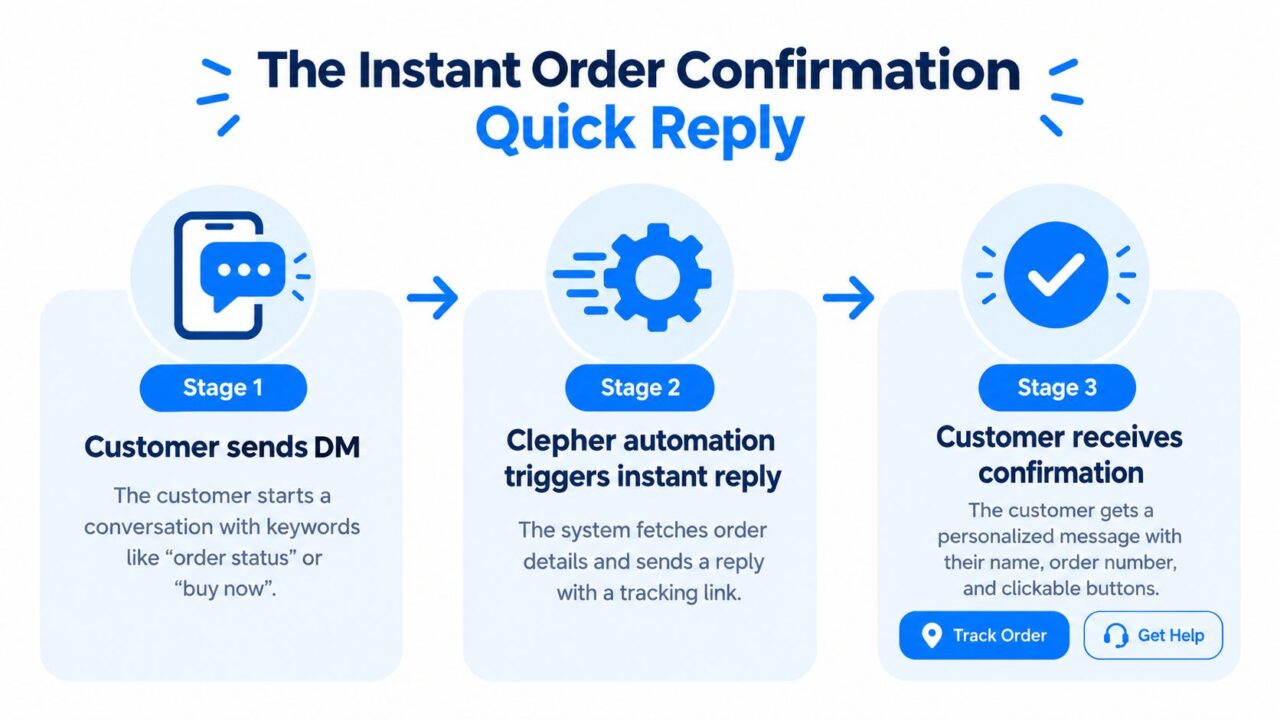
Quick Reply Instagram Examples Automation Process
Follow up after the person chooses an option, not after a fixed delay. If they select “call,” offer booking. If they select “learn more,” send one relevant resource. If they ask a question outside the flow, stop automation and route the conversation to a person.
3. The Abandoned Cart Recovery Quick Reply
Did the customer abandon checkout because of shipping, sizing, payment, product fit, or missing product information? A recovery DM should help answer that question instead of making the customer feel watched. Lead with assistance, then offer an incentive only when the conditions are clear.
A fashion brand could send:
Hey [name], you left [product] in your cart. Would you like help with sizing, delivery, or styling? Choose an option below and we’ll point you in the right direction.
A beauty store might use:
Your selection is still waiting in your cart. Do you need help choosing the right shade, checking ingredients, or completing checkout?
For a subscription business:
You were looking at [plan]. Would you like to review what’s included, compare plans, or return to checkout?
Let the customer reveal the hesitation
Useful buttons include Complete order, Help with size, Shipping question, and Remove item. Each button should trigger a separate path. A sizing response can send a measurement guide, while a shipping response can show the current policy. Remove item should end the sales path rather than start another promotion.
Use product and customer fields only when they are available. Insert [product], [plan], or [name] from the cart event, and leave the token out when a value is missing.
Use urgency only when it reflects current conditions. A “Low stock” message should come from an inventory field, not a reusable template. Discounts need clear conditions, expiry details, and eligibility rules. For additional context on timing and incentives, see Quikly’s cart abandonment guide.
Clepher can connect an ecommerce event to an Instagram DM sequence through ecommerce automation. Add an abandoned-cart tag when the event fires, remove it after purchase, and stop the sequence when the person replies. Set a follow-up for a later point in the recovery flow, then branch it according to the customer’s selected objection.
A second message can address a common concern:
Still deciding? Here are the details customers usually ask about [product]: [key fact]. If you tell us what matters most, we’ll help you choose.
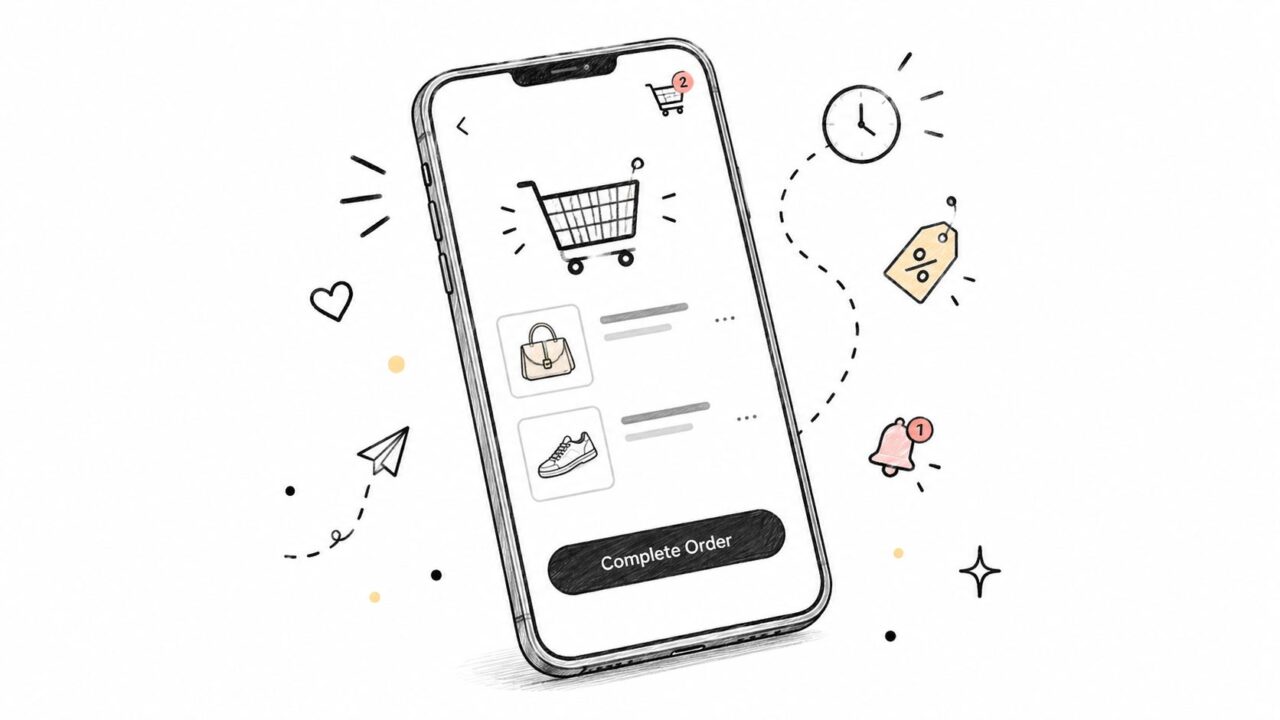
Quick Reply Instagram Examples Shopping App
End with an easy exit. No thanks and I’ll decide later can close the automation respectfully. Stop sending recovery messages after a clear refusal, and let the customer return when ready.
4. The Customer Support and FAQ Quick Reply
Support quick replies work best when they answer one question completely. A long paragraph covering shipping, refunds, sizing, payment, and store hours forces the customer to search for the relevant sentence. Give each intent its own shortcut and route complex cases to a person.
For shipping:
📦 Standard delivery is [current delivery window]. You can review available options and track an existing order here: [policy or tracking link]. Reply HUMAN if your order is delayed.
For returns:
You can return unused [product] under our current return policy. Start here: [return link]. If your item arrived damaged, reply DAMAGED and we’ll route this to support.
For sizing:
Need help choosing a size? Send your usual size and measurements, or view the guide here: [size guide]. A team member can help if you’re between sizes.
Make escalation part of the design
A saved reply shouldn’t pretend to solve a dispute, a damaged delivery, a billing error, or a sensitive complaint. Add a Talk to a person button to every support category, and use order-ID or account-status triggers to route the conversation into the correct queue.
Instagram’s official business guidance explains that quick replies can be created from the Quick reply icon by selecting New quick reply, then adding both the message and a shortcut. It also explains that a previously sent message can be saved by long-pressing it and editing the response and shortcut, as outlined in Instagram’s official business communication guidance.
Organize the library by Shipping, Returns, Billing, and Product information. Review new support conversations regularly and turn recurring questions into new templates. Clepher’s customer service automation workflow can combine keyword detection, saved answers, conditions, and live-agent handoffs.
An FAQ response can also use customer status:
Your order is marked [status]. I can send the tracking details, or connect you with a support specialist if that status doesn’t look right.
The system should never expose internal notes or guess at an order status. If the data is missing, say so and ask for the order number securely.
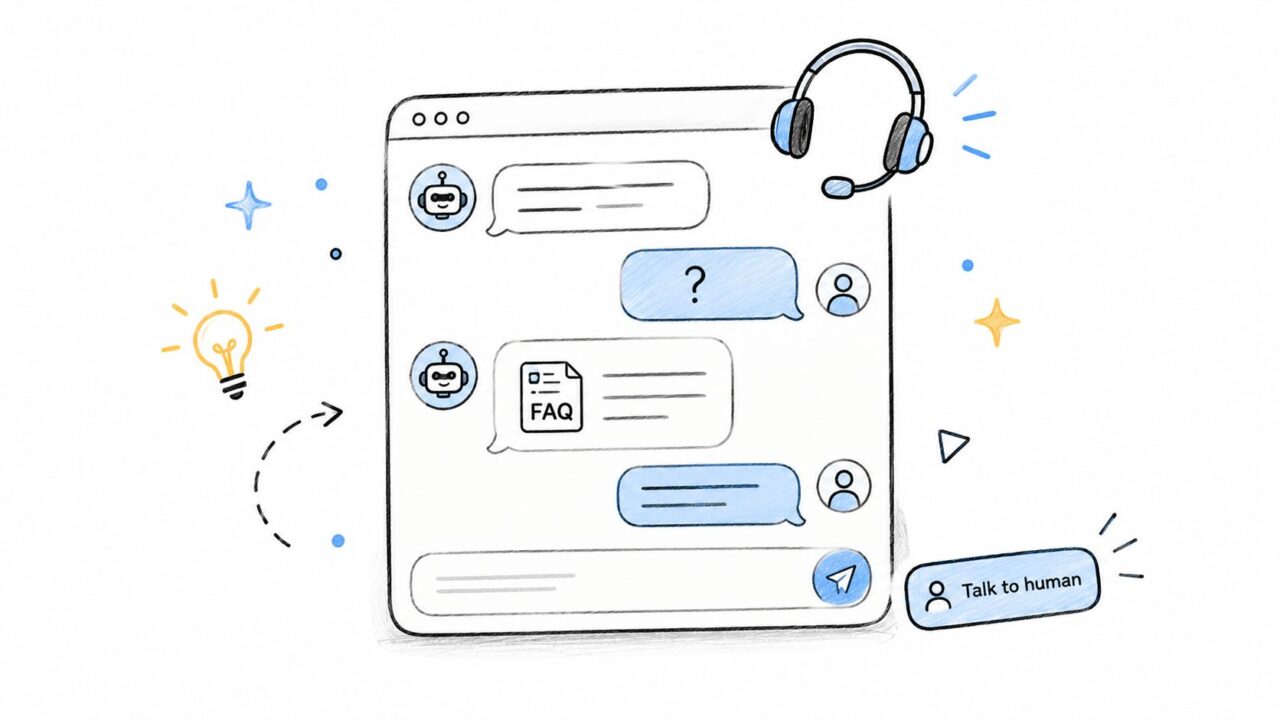
Quick Reply Instagram Examples Chatbot Interface
5. The VIP and Loyalty Engagement Quick Reply
Loyalty messages should feel earned, not like a public promotion copied into a private inbox. Use purchase history, product preferences, or a genuine membership status to explain why the person is receiving early access or a special invitation.
For a repeat customer:
Hey [name]! You’re part of our returning customer group, so you can see [collection] before the wider launch. Explore it here: [early-access link].
For a customer interested in a known category:
[name], your saved [category] is back in stock. Would you like the new arrivals, the bestsellers, or a message from our team?
For a lapsed customer:
We haven’t seen you in a while. If you’re looking for [past category] again, here are the latest options: [link]. Reply HELP if you’d like a recommendation.
Reward relevance, not just spending
A loyalty branch can use tags such as repeat-customer, high-value, category-interest, or restock-request. Avoid calling someone a VIP unless your business has a clear definition and the customer qualifies. A surprise offer can be effective, but it should never conflict with existing exclusions or advertised pricing.
Early access can also be non-monetary. Customers may value a preview, a restock alert, a product consultation, or the chance to choose between options. That gives the brand more ways to create recognition without training every loyal customer to wait for a discount.
A good follow-up asks for a preference:
Which would you prefer, early access, a product recommendation, or a small thank-you offer?
That answer can improve future segmentation. If someone chooses recommendations, send useful suggestions rather than a generic campaign. If they choose early access, tag them for launch notifications and remove the tag after the launch period.
Keep the tone warm but restrained. Over-personalizing with browsing details can feel intrusive, especially when the person didn’t knowingly request a reminder. Use only fields the customer expects the business to have, and give them a clear way to opt out of promotional messages.
6. The Educational Content and Nurture Quick Reply
Some DMs signal interest without signalling purchase readiness. A creator, coach, agency, or SaaS company can use the conversation to teach one useful idea before asking for a call or sale.
A SaaS reply might say:
Great question about [topic]. This beginner’s guide explains the main steps: [article link]. The practical takeaway is [one-sentence summary]. Reply NEXT if you’d like the advanced version.
An agency can respond:
Before you choose a service, start with this checklist for [problem]: [resource link]. If you share your current setup, I’ll point you toward the most relevant section.
A coach could write:
You’re asking the right question. Here’s a template for [problem]: [download link]. Try it, then reply RESULTS if you want the next step.
Build a value-first branch
The first message should solve a small part of the problem. The next message can offer a related example, and a later branch can invite the person to a demo, consultation, or paid product. The sequence should earn the next conversation instead of assuming the first click means buying intent.
Personalization can reference the topic, role, or challenge:
You mentioned [challenge], so I’m sending the resource focused on that rather than the general guide.
Use a content tag to record the subject, then route future messages accordingly. A creator discussing video planning shouldn’t receive the same nurture path as someone asking about pricing. Clepher’s tags, custom fields, conditions, and follow-up paths can keep those conversations separate.
Don’t send every resource you have. One strong guide with a clear next action is easier to use than a library dump. If the person doesn’t engage, pause the sequence. If they reply with a question, move to a human conversation or a more specific branch.
A useful prompt is:
Would you prefer a short example, a detailed guide, or help applying this to your situation?
That question gives the person control and produces a meaningful signal for the next message.
7. The Promotional Campaign and Limited-Time Offer Quick Reply
Promotional DMs need a real reason to exist. Use them for a current launch, an actual event, a confirmed stock position, or a clearly defined offer. Don’t recycle “last chance” language when nothing has changed.
For a new-customer campaign:
Welcome! If this is your first order, you can use
under these conditions: [eligibility and expiry]. Shop the collection here: [shop link].
For a seasonal promotion:
Our [seasonal event] is live. Browse the eligible products here: [link]. Reply TERMS for exclusions or HELP for a recommendation.
For a product launch:
[Product] is now available. Want the product details, the launch offer, or help choosing the right option?
Separate urgency from pressure
A credible promotional flow states what ends, when it ends, and who qualifies. If inventory is limited, connect the message to current inventory data. If an offer can’t be combined with another promotion, say that before checkout. Clear conditions reduce support questions and prevent avoidable disappointment.
Instagram quick replies support a maximum of 13 replies in a message, labels can be up to 20 characters before truncation, and the format supports plain text only, according to the Instagram Messenger Platform quick replies documentation. Use those constraints to prioritize options such as Shop now, View terms, Find my size, Shipping, and Talk to a human, rather than presenting every possible route.
Clepher can trigger promotional paths from AI keywords, tags, audience segments, and campaign conditions. A new visitor might receive an introductory offer, while a repeat customer receives early access or product-specific messaging. A/B testing can compare different openings and calls to action, but keep the offer and eligibility rules consistent while testing the copy.
Follow-up timing should match the deadline. Send a reminder only while the offer is active, and stop the sequence when the person buys, opts out, or asks for support. Scarcity earns attention when it’s accurate. It damages the relationship when it’s manufactured.
Comparison of 7 Instagram Quick Replies
| Template | Implementation Complexity 🔄 | Resource & Integration Needs ⚡ | Expected Outcomes ⭐ / 📊 | Ideal Use Cases 💡 | Key Advantages ⭐ |
|---|---|---|---|---|---|
| The Instant Order Confirmation Quick Reply | 🔄 Medium, keyword triggers + conditional routing; needs order-data hookups | ⚡ Moderate, product/order DB, automation rules, minor dev | ⭐ Immediate acknowledgement; 📊 ~35–40% fewer post-purchase inquiries; faster customer reassurance | E‑commerce, subscriptions, DTC brands | ⭐ Instant trust-building; frees ~80% of initial responses; upsell opportunities |
| The Lead Qualification & Discovery Quick Reply | 🔄 High, multi-step branching & well-mapped buyer journey | ⚡ High, CRM tagging, NLP/intent logic, handoff to sales | ⭐ Better lead quality; 📊 40–60% faster sales cycles, ~25% higher close rates | Agencies, B2B SaaS, coaches, high-volume lead gen | ⭐ Rapid qualification; reduces wasted sales time; personalized handoffs |
| The Abandoned Cart Recovery Quick Reply | 🔄 Medium‑High, real-time detection + timed triggers | ⚡ High, e‑commerce API, dynamic product insertion, discount engine | ⭐ Higher recovery; 📊 10–18% cart recovery on IG vs ~2–5% email; 2–3x CTR | DTC fashion/beauty, subscription boxes, retail | ⭐ Recovers lost revenue with personalized product reminders and urgency |
| The Customer Support & FAQ Quick Reply | 🔄 Medium, AI keyword detection + escalation rules | ⚡ Moderate, evolving FAQ database, analytics dashboard, live-agent handoff | ⭐ High automation coverage; 📊 handles 60–70% routine inquiries; saves ~15–20 hrs/week | High-support e‑commerce, SaaS, platforms with common FAQs | ⭐ Fast answers; reduces ticket volume; surfaces product issues via analytics |
| The VIP/Loyalty Engagement Quick Reply | 🔄 Medium, segmentation + tiered personalization | ⚡ Moderate, accurate customer tagging, purchase-history data, exclusive offers | ⭐ Strong ROI from VIPs; 📊 30–50% higher repeat rate; VIPs 3–5x revenue/person | DTC, subscription services, luxury brands | ⭐ Increases CLV and loyalty; drives higher AOV from repeat customers |
| The Educational Content & Nurture Quick Reply | 🔄 Medium‑High, multi-step drips and progressive disclosure | ⚡ High, content library, timed sequences, engagement tracking | ⭐ Long-term conversion uplift; 📊 3–5x better conversion vs direct-sell; +20–30% spend | SaaS, coaches, agencies, high-consideration purchases | ⭐ Builds authority and trust; nurtures leads toward higher-ticket offers |
| The Promotional Campaign & Limited-Time Offer Quick Reply | 🔄 Medium, campaign scheduling, segment targeting, urgency controls | ⚡ High, inventory sync, dynamic codes, analytics and A/B testing | ⭐ Immediate revenue spikes; 📊 25–40% higher conversions on segmented promos; +15–25% AOV | Major sales events (BF/CM), product launches, seasonal promos | ⭐ Drives fast conversions; effective when scarcity is genuine and targeted |
Build Replies That Move the Conversation Forward
These seven examples serve four practical goals. Purchase-friction replies confirm orders and recover carts. Intent-qualification replies help agencies, SaaS teams, coaches, and service businesses understand what a lead needs. Support replies handle predictable questions while protecting the route to a human. Nurture and promotional replies educate engaged audiences or give them a timely reason to act.
Every flow starts with a specific trigger. That might be “order status,” a product keyword, a Story response, a cart event, or a button selection. Write the trigger down before writing the message. If the trigger is vague, the automation will enter the wrong conversations and make the brand sound careless.
Use personalization fields you can trust. A first name, order number, product name, customer segment, and current link can make a reply useful. A missing or outdated field can do the opposite, so create a fallback message that asks for the information or routes to support.
Give every message one obvious next action. The customer should know whether to click tracking, choose a size, book a call, read a guide, or speak with a person. Multiple competing actions make a quick reply feel like a menu instead of a conversation.
Set a follow-up condition rather than sending reminders on autopilot. Stop when the customer replies, clicks, purchases, opts out, or reaches a human. For high-risk topics such as billing disputes, damaged orders, account access, or complaints, escalation should be available from the first response.
Start with one high-volume Instagram question. Write two or three versions, test the opening and call to action, then review open rate, reply rate, click-through rate, response time, conversion rate, and revenue per conversation. These are the core operational metrics identified in Instagram DM automation measurement guidance. Another 2026 Instagram analytics guide reports typical automated-reply open rates of 70% to 90% and reply rates of 15% to 25%, while reporting stronger reply rates for warm comment-to-DM flows than for cold broadcasts. Use those figures as external benchmarks, then judge your own flow by its business outcome and customer experience.
Clepher can bring AI keyword triggers, tags, segments, personalization, conditional paths, A/B testing, and live-agent handoffs into one no-code Instagram workflow. Expand only after the first flow is accurate, helpful, and easy for your team to maintain.
Clepher helps businesses create Instagram Direct Message flows for marketing, sales, support, qualification, promotions, and cart recovery. Visit Clepher to connect quick-reply interactions with tags, segments, conditions, personalization, analytics, and human handoffs in a no-code workflow.
