
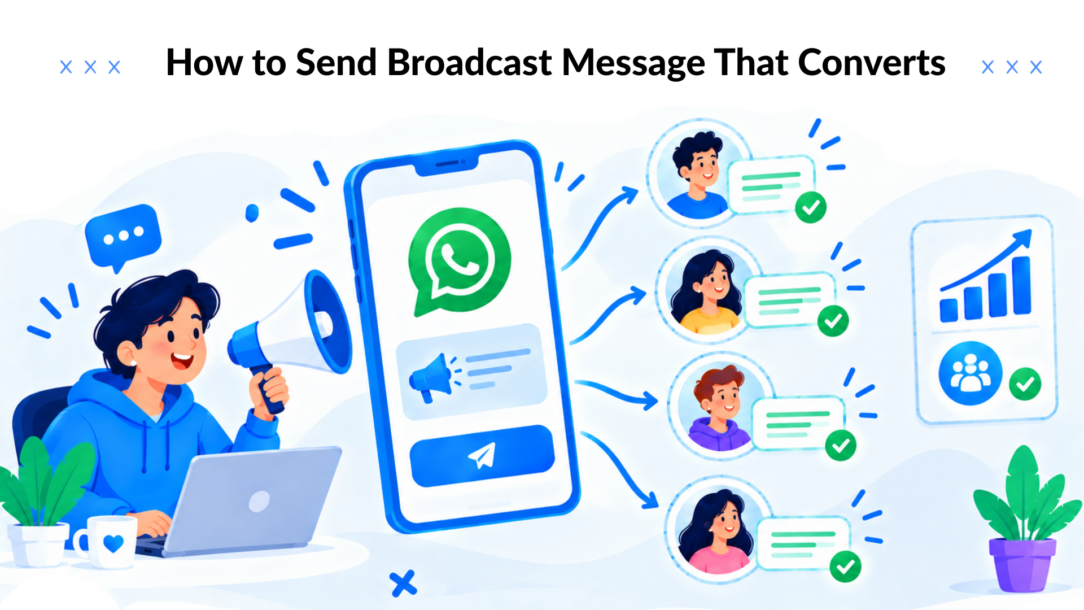
Most advice on how to send broadcast message campaigns starts with the wrong action: write the message, select the whole list, and click send. That workflow belongs to a simpler era. Today, delivery depends on consent, saved contacts, messaging windows, approved templates, list quality, and the recipient’s relationship with your business.
A broadcast can show as “sent” while failing to reach part of the audience. A large list can produce less revenue than a smaller, well-segmented audience. And on WhatsApp, messaging economics have changed because business messaging became pay-per-message by category and country on July 1, 2025, as explained in this WhatsApp broadcast economics guide.
The practical approach is straightforward: send fewer irrelevant messages, target people with a reason to care, use one clear next step, and measure delivery through conversion rather than volume.
Why Mass Blasts Are Dead
A broadcast that reaches everyone can still produce very little value. Modern messaging systems separate sent, delivered, read, and clicked, so marketers can identify whether a campaign failed through eligibility, delivery, attention, or the offer itself. Treating the send count as success hides those differences.
A message marked sent may never reach an eligible recipient. Delivery without a read often signals poor timing or weak relevance. A read message without a click usually points to unclear copy, an unconvincing opening, or an offer that does not match the recipient’s intent.
Broadcasting has always used a one-to-many structure. Radio popularized that model around 1920. Earlier wireless milestones included Guglielmo Marconi’s transatlantic transmission demonstration in 1901 and a radio message crossing the Atlantic in 1902. Digital infrastructure later expanded broadcast capacity from 432 exabytes in 1986 to 1.9 zettabytes in 2007, according to the historical overview of broadcasting.
The distribution model works. The assumption that reach alone creates results does not.
Volume creates avoidable risk
Generic content and excessive frequency increase spam reports and blocks. Platforms use those signals when assessing continued reach, so an unsegmented blast can weaken future delivery as well as underperform in the current campaign.
Pay-per-message channels make waste easier to see. Each send may carry a cost, which shifts the useful question from “How many contacts can receive this?” to “Which eligible recipients have a credible reason to respond?”
Practical rule: Treat every broadcast as a targeted conversation delivered to many people, not as a digital loudspeaker.
A product launch may fit recent browsers and previous buyers. A replenishment reminder belongs with customers whose purchase cycle or product interest makes it timely. A support update should reach affected users rather than the full subscriber base.
The work starts before copywriting. Define the audience, confirm eligibility, select one measurable outcome, and build the message only after those decisions are clear. That process protects delivery quality, controls message costs, and gives each broadcast a realistic path to revenue.
Building Your Target Audience Segments
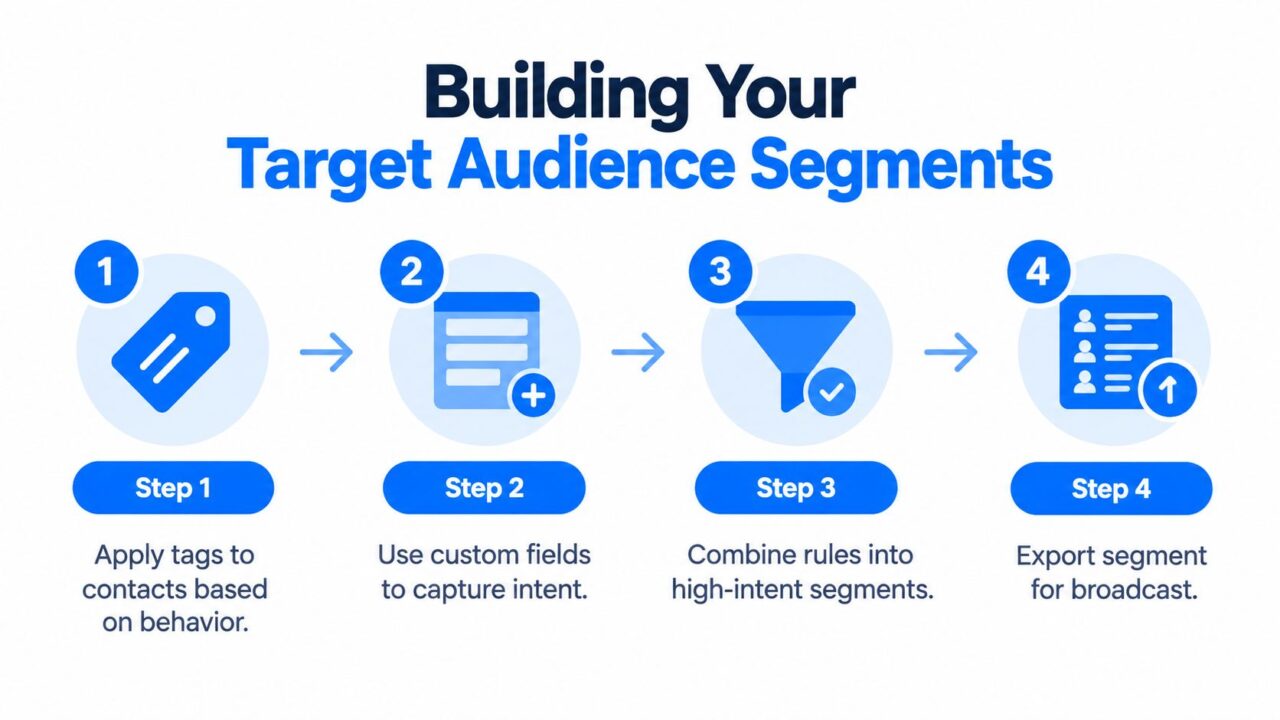
Strong broadcasts begin with audience logic, not clever wording. Build segments from the signals your contacts have already given you, including their last interaction, purchase history, lifecycle stage, expressed intent, and response to previous campaigns.
How to Send Broadcast Message Audience Segments
Start with behavior
Apply tags when a person takes a meaningful action. Useful examples include:
- Product interest: Tag someone who asks about a specific product, category, or feature.
- Lifecycle stage: Separate new subscribers, active prospects, customers, repeat customers, and dormant contacts.
- Engagement: Record whether someone clicked, replied, completed a flow, or ignored recent messages.
- Commercial history: Distinguish first-time buyers, high-value customers, subscribers, and people who abandoned checkout.
Custom fields capture details that tags can’t express cleanly. Store a preferred product, location, language, appointment type, or stated buying timeframe. An AI keyword trigger can add a field or tag when someone types a phrase such as “pricing,” “demo,” or a product name.
The distinction matters. A tag says that an event happened. A custom field can preserve context about what the person wants.
Combine rules into an intent segment
Create the audience with conditions that reflect a real campaign decision. For example, a skincare brand could target contacts who viewed a moisturizer, haven’t purchased it, and engaged with a recent product message. A course creator could target subscribers who clicked a lesson link but haven’t enrolled.
Use exclusion rules deliberately. Remove recent purchasers from acquisition offers, suppress people who already completed the requested action, and exclude contacts without valid consent. Then preview the final audience before writing the message.
A useful segment should answer three questions:
- Why this person? Identify the behavior or relationship that makes the message relevant.
- Why now? Tie the send to a timely offer, update, reminder, or next step.
- What should happen next? Choose one action, such as clicking, replying, booking, or completing checkout.
For a broader guide to structuring audiences, review these customer segmentation strategies, then translate the ideas into tags, fields, and filters inside your messaging platform.
Personalize without pretending
Personalization should change the usefulness of the message, not merely insert a first name. Use a product variable, a relevant category, a recent action, or a location when that information improves the offer.
Before scheduling, check the fallback value for every variable. A blank product name or incorrect location makes a personalized broadcast feel less trustworthy than a well-written generic message.
Navigating Platform Delivery Rules
A dashboard status is not the same thing as recipient delivery. Platforms apply eligibility rules after you initiate a send, and those rules differ by channel.
WhatsApp broadcast lists have two operational constraints that cause many “sent but not received” complaints. Each list supports up to 256 contacts, and recipients must have saved your number for the broadcast to reach them, as documented in this WhatsApp broadcast guide. Larger audiences therefore require multiple lists, consistent naming, and careful suppression of people who aren’t eligible.
WhatsApp also says business broadcasts may not be available in every country. Availability and behavior can change, so teams should verify the current rules in the WhatsApp business broadcast help page before building a campaign around a particular feature.
Respect conversation windows
After the customer’s most recent conversation with a business passes 24 hours, free-form WhatsApp messaging is no longer allowed. Outbound marketing must use an approved template message, according to WhatsApp campaign guidance from Qiscus.
That rule affects campaign planning. A support conversation may create an opportunity for a useful follow-up, but the timing and format determine whether you can send ordinary text or need an approved template. Store the last conversation time and route each contact through the correct sending path.
Instagram and Messenger have their own limits. Instagram broadcasting can be constrained by a messaging window after the visitor’s last message, so a general “send to all followers” assumption is unsafe. The recipient’s channel activity, permission state, and platform eligibility matter more than the size of your audience.
Diagnose silent failures
When delivery is lower than expected, inspect the campaign in this order:
- Eligibility: Did recipients opt in, save your number, or remain inside the channel’s permitted window?
- List construction: Did multiple filters accidentally narrow the audience or include contacts who can’t receive the message?
- Template status: Does the approved template match the content and category you selected?
- Account quality: Have recent blocks, reports, or excessive sends affected access to marketing messages?
- Channel availability: Is the feature active for the country, account type, and platform version involved?
For teams running WhatsApp workflows, WhatsApp for Business automation can be evaluated alongside the platform’s own eligibility and template requirements. The tool doesn’t remove channel rules. It helps you design campaigns around them instead of discovering them after launch.
Crafting Conversational Copy and Templates
Chat copy should sound like a useful message from a business that remembers the customer, not a compressed billboard. Open with the relevant context, explain the benefit quickly, and give the recipient one clear action.

How to Send Broadcast Message Drawing Communication
A reliable structure is:
- Context: Mention the product, action, or situation that connects the recipient to the message.
- Value: State what they can gain, solve, access, or avoid.
- Proof or detail: Add the one fact that makes the offer credible.
- CTA: Ask for one action, such as “View the restock,” “Reply BOOK,” or “Finish checkout.”
- Exit path: Make it easy to stop receiving promotional messages.
For an abandoned-cart reminder, avoid pretending the customer forgot. Try: “You left the linen shirt in your bag. It’s still reserved for your checkout. Complete your order here.” The CTA should lead directly to the cart, not to a general homepage.
For a flash sale, identify the audience and the reason for the send: “Because you viewed our running shoes, we’ve added a limited promotion to that collection. See the available sizes.” That is more relevant than broadcasting the same discount to every contact.
For a support update, lead with the operational impact: “Your delivery is moving again. Use this link to view the latest status.” Customers don’t need a sales introduction when they’re waiting for service information.
Use personalization with restraint
A first name can make a message feel personal, but it won’t compensate for an irrelevant offer. Product names, order references, preferred locations, and appointment details usually carry more practical value.
Buttons work best when the label completes the sentence. “View my order,” “Choose a time,” and “See available sizes” tell the recipient what happens next. Multiple competing buttons force the user to choose between your priorities.
For examples of conversational messaging patterns, visit Leaping Lemur Media’s journal for additional creative and marketing context. Use outside inspiration to improve structure, not to copy a tone that doesn’t fit your audience.
Test the message with internal recipients before sending. Check variable fallbacks, button destinations, mobile rendering, template approval, and the exact audience count. You can also review subscribe message examples when designing the opt-in language that precedes future broadcasts.
Protecting Your Account with List Hygiene
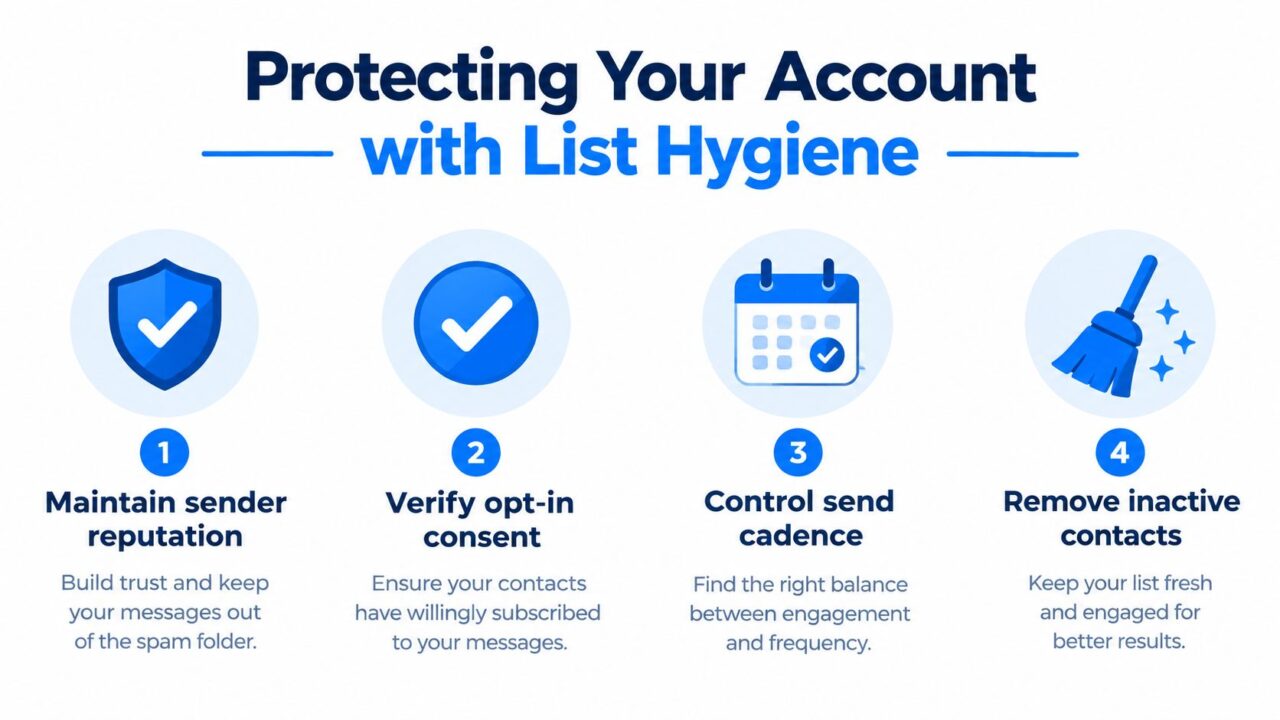
List hygiene is a revenue discipline, not an administrative chore. A contact who never opted in, no longer recognizes your brand, or receives irrelevant offers can create delivery problems that affect people who do want to hear from you.
Collect explicit opt-in before promotional messaging. For SMS, Mailchimp’s SMS broadcast guidance recommends consent before sending promotions, reasonable local sending hours, and clear opt-out instructions such as replying STOP. The same principle applies across conversational channels: permission should be specific enough that the recipient understands what they’re agreeing to receive.
How to Send Broadcast Message List Hygiene
Control cadence and relevance
Generic or overly frequent campaigns increase spam reports and block rates. Industry guidance identifies a block rate above 5% and an unsubscribe rate above 10% as red flags in this WhatsApp list hygiene guide, so monitor those signals immediately after each send.
Don’t solve low engagement by sending more often. First inspect the segment, offer, opening, timing, and previous interaction. If a customer ignored several unrelated promotions, reduce promotional pressure and move them into a lower-frequency or preference-based path.
Schedule for the recipient’s local context. For SMS, reasonable local hours are commonly described as 8 a.m. to 9 p.m., while WhatsApp guidance often points to late morning and early evening as useful engagement windows. These are starting points, not guarantees. Test against your audience’s behavior without treating a blanket send time as universal.
Keep the database honest
Remove or suppress contacts who revoke consent, repeatedly fail delivery, request fewer messages, or remain inactive under your own defined policy. Preserve the reason for suppression so another automation doesn’t add them back without a new qualifying action.
Build opt-out handling into the flow. A person who replies “stop,” “unsubscribe,” or an equivalent phrase should exit promotional broadcasts promptly. Transactional support and compliance messages may follow different rules, but promotional audiences should remain clean and permissioned.
Measuring True Campaign Performance
A broadcast report should show where the campaign created value, not just confirm that messages left the system. Track four operational metrics: sent, delivered, read, and clicked, as outlined in ManyChat’s broadcast performance documentation.
Read the sequence as a diagnostic:
- Sent versus delivered: Exposes eligibility issues, invalid contacts, channel restrictions, and delivery failures.
- Delivered versus read: Shows whether timing, sender recognition, and the opening earned attention.
- Read versus clicked: Measures whether the offer and CTA gave recipients a reason to act.
- Clicked versus completed action: Links the broadcast to checkout, booking, signup, support resolution, or another business result.
For pay-per-message campaigns, divide actual campaign cost by completed acquisitions to calculate cost per acquisition. Delivered volume is not revenue, and a high read count does not prove commercial success.
Review performance by segment, not only by campaign average. A product-specific audience, previous-buyer group, or behavior-triggered segment can produce better downstream results than a broad list, even with fewer recipients.
Change one meaningful variable in the next send. Weak delivery calls for a cleaner segment. Low reads point to the opening or timing. Low clicks point to the offer or CTA. Clicks without completed actions usually indicate friction in the landing or checkout experience.
Use Clepher to build segmented chatbot broadcasts, manage opted-in audiences, personalize messages, and review delivery and engagement signals across supported channels. Visit Clepher to structure campaigns around eligible recipients and measurable business actions.
