
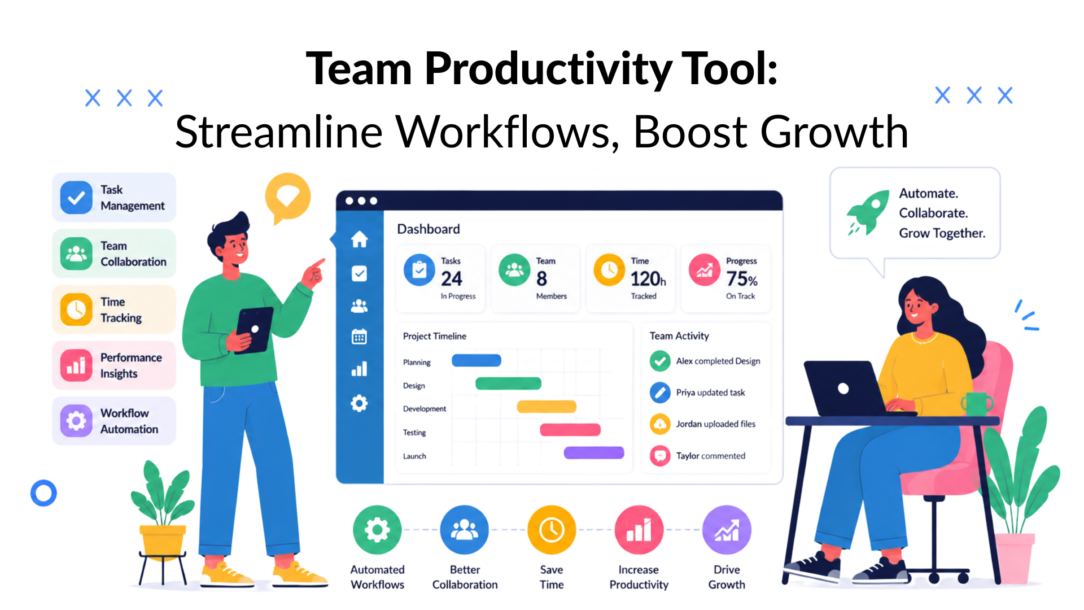
Teams don’t usually have a motivation problem. They have a workflow problem.
The signal is hard to miss. 67% of knowledge workers lose over three hours daily to manual coordination tasks, and the workflow automation market is projected to reach $40.77 billion by 2031. Early adopters are already reporting 30 to 40% productivity increases within the first year, according to workflow automation statistics compiled here. That changes the conversation. A team productivity tool isn’t just software for staying organized. It’s infrastructure for reclaiming time that’s already being lost.
For e-commerce teams, agencies, SaaS operators, and creators, the primary victory isn’t “more tasks completed.” It’s fewer handoffs, fewer missed messages, cleaner execution, and faster movement from customer interaction to business action.
Why Your Team Feels Busy But Not Productive
A busy team can still be slow.
That sounds contradictory until you look at where the day goes. Messages come in through Instagram, Messenger, email, and chat. Someone copies lead details into a sheet. Someone else posts an update in Slack. A manager asks for status. Support checks the CRM. Marketing waits on approvals, which can hinder the efficiency of the project management tool. Sales follows up late because the first message never made it into the right queue.
That’s the manual tax. It isn’t one dramatic failure. It’s a chain of small, repeated actions that keep work moving sideways instead of forward.
Where the drag actually happens
Teams often don’t lose momentum because they lack effort. They lose it in the spaces between tools.
Common friction points look like this:
- Conversation handoffs: A prospect replies on social, but the sales team doesn’t see it until much later.
- Duplicate data entry: Staff retypes names, order details, tags, and notes into multiple systems.
- Context switching: A team member jumps from inbox to spreadsheet to project board just to complete one routine task.
- Reactive work: People spend the day responding to pings instead of working through planned priorities.
Busy work often looks responsible in the moment. Over a week, it turns into delayed campaigns, slower support, and missed revenue opportunities.
A strong team productivity tool changes that pattern by turning recurring actions into workflows. Instead of waiting for a person to notice a message and decide what to do next, the system can route, tag, assign, notify, and update automatically.
What productive teams do differently
They don’t try to “manage chaos” better. They reduce the amount of chaos entering the system.
For a DTC brand, that might mean turning customer messages into structured support or sales actions. For an agency, it might mean centralizing client communication so account managers aren’t hopping between tabs all day. For a SaaS team, it could mean capturing onboarding questions and pushing them into a defined follow-up flow.
The practical shift is simple. Stop treating productivity as personal discipline alone. Start treating it as workflow design.
Beyond To-Do Lists: What Are Team Productivity Tools
A to-do list helps you remember work. A team productivity tool helps your team move work.
That distinction matters. Many companies think they’ve solved productivity because they have a task board, a chat app, and a shared drive. In practice, they’ve just assembled a disorganized kitchen. The knives are in one drawer, ingredients are somewhere else, and the stove is working, but dinner still takes too long because the station isn’t built for flow.
Modern productivity systems work more like a professional chef’s setup. Everything needed to act is within reach, and the steps connect cleanly.
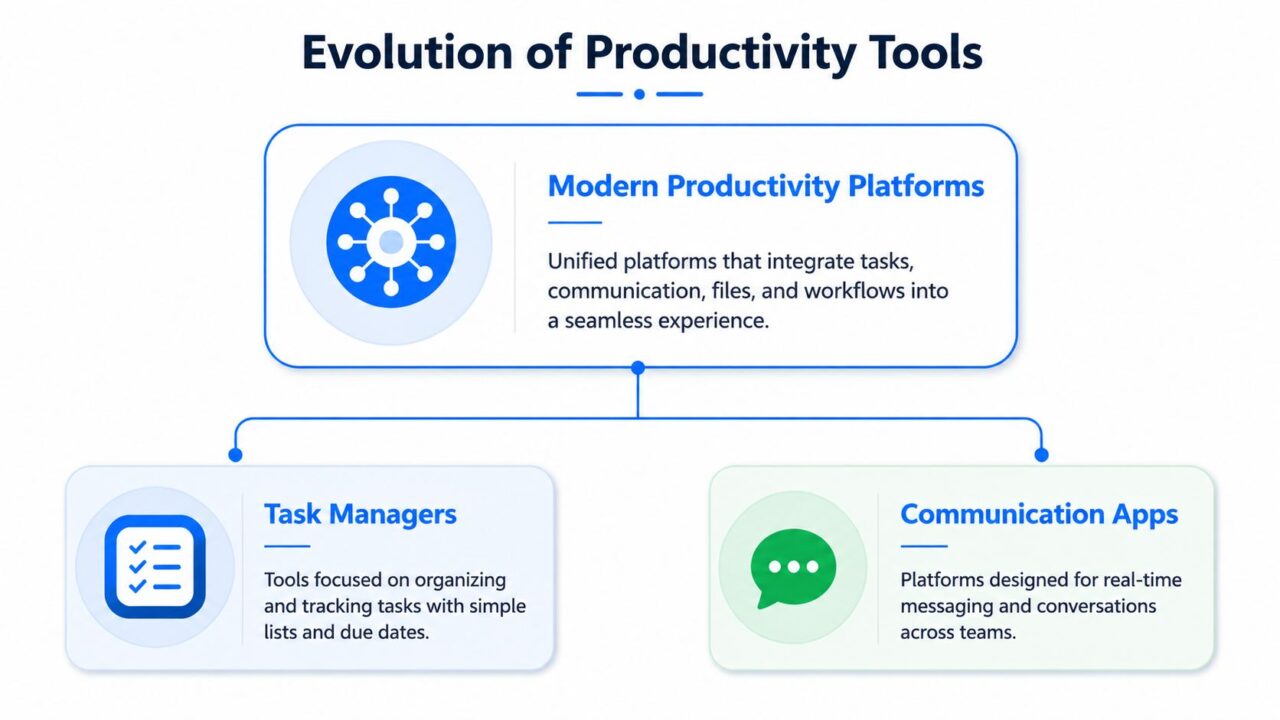
Team Productivity Tool Evolution
The difference between tools and systems
A standalone task manager answers, “What needs doing?”
A productivity system answers bigger questions:
- What triggered the task?
- Who owns the next step?
- Which customer or client is affected?
- What data should be captured automatically?
- Where should the result be logged?
That’s why the most useful stack usually combines several categories, like collaboration tools, into one operating model.
The core parts of the ecosystem
Here’s a simple way to think about the situation:
| Category | What it handles | Practical example |
|---|---|---|
| Project hub | Tasks, owners, deadlines, visibility | Asana, ClickUp, Teamwork |
| Communication layer | Team updates and discussion | Slack, Microsoft Teams |
| Documentation layer | Notes, SOPs, shared context | Notion, Google Docs |
| Automation engine | Triggers, routing, syncing, task creation | Zapier, Make, native automations |
| Conversational workflow layer | Customer-facing messages tied to internal action | Messaging platforms, support chat, social inbox automation |
A team doesn’t need the most software. It needs the right handoffs between these layers.
What a good setup should create?
The end goal is a single source of truth for work, not a bigger stack. If you’re comparing options, this roundup of best collaboration software for project managers is useful because it frames tools by how teams collaborate, not just by feature count.
If your team still asks, “Where does this live?” or “Who saw that message?” the system isn’t integrated enough.
The strongest setups connect conversations, tasks, and reporting. A customer message becomes a lead, a support issue, or a follow-up task without someone manually carrying it across platforms. That’s when a team productivity tool stops being a digital checklist and starts acting like an operating system.
Core Features That Drive Team Throughput
The right features don’t just make work look tidy. They remove steps.
That’s the standard worth using in any management tool for tracking task progress. If a feature doesn’t reduce manual effort, cut errors, or improve handoffs, it’s probably decorative and not worth the investment in a productivity app. The most valuable team productivity tool features are the ones that shorten the distance between input and action.
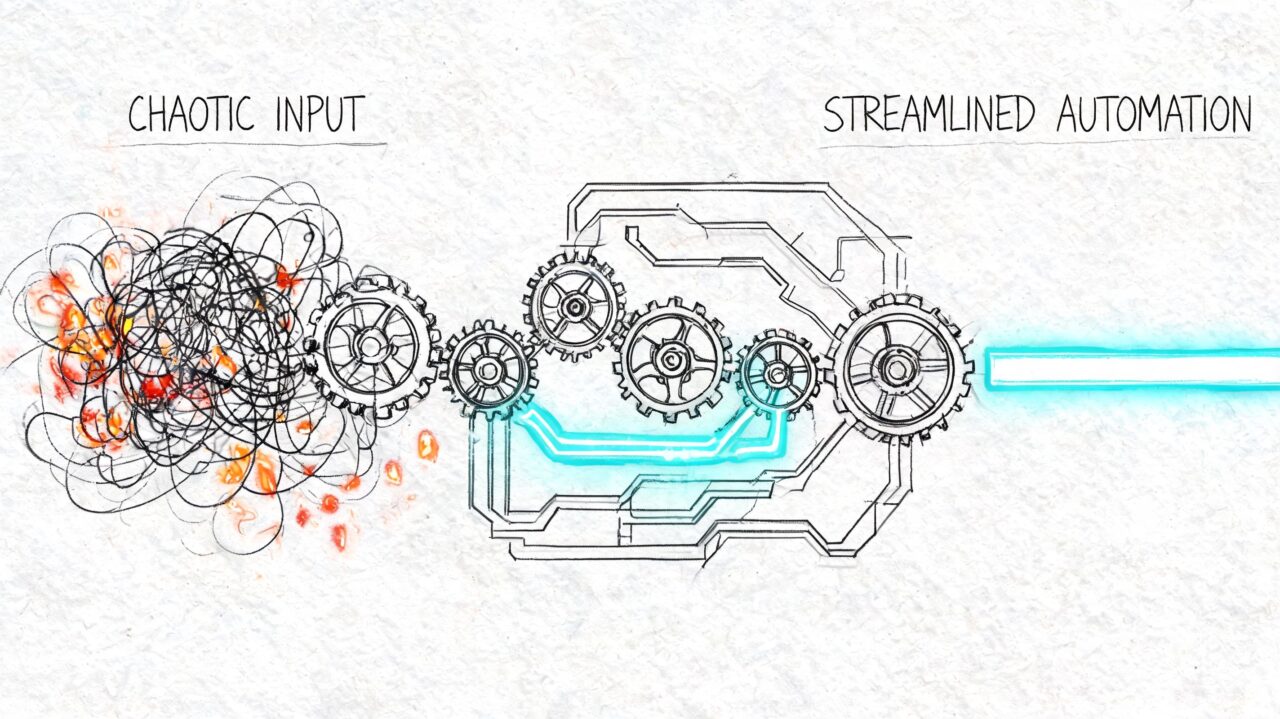
Team Productivity Tool Process Automation
AI-assisted setup and task creation
This is one of the clearest shifts in modern platforms. AI-powered team productivity tools can reduce administrative overhead by 40 to 60%, and AI can generate project structures, descriptions, and tags in seconds instead of the 15 to 30 minutes manual setup often requires, based on Teamwork’s analysis of AI productivity features.
That matters more than it sounds.
Before:
A campaign manager creates a project from scratch, names folders, writes descriptions, assigns tags, and builds recurring tasks manually.
After implementing the new productivity app, we saw significant improvements in team collaboration.
The system generates the initial structure, and the manager edits for context instead of building from zero.
For an agency handling many live campaigns, that kind of feature reduces setup fatigue fast.
Native integrations that prevent double work
A productivity tool becomes useful at scale when it connects to the rest of the stack. If it can’t pass data cleanly, your team becomes the integration layer.
Look for systems that can connect with:
- CRM platforms: essential tools like project management tools that help teams streamline their processes. So lead and customer data flows into sales and support records.
- Messaging channels: So incoming conversations don’t sit in siloed inboxes.
- Project tools: Integral to enhancing team performance and facilitating collaboration. So requests can become tasks automatically.
- Reporting tools: So the team can track outcomes without exporting and rebuilding data.
A simple before-and-after example:
- Before: A prospect sends a DM, a team member copies the info into a spreadsheet, then another person creates a follow-up reminder.
- After: The message triggers a workflow that captures the lead, tags the inquiry type, and assigns the next action.
Central dashboards and workload visibility
Throughput improves when managers can see blocked work early.
A dashboard isn’t valuable because it looks clean. It’s valuable because it helps answer operational questions quickly:
- Which conversations need replies?
- Which tasks are waiting on approval?
- Which campaigns are live but missing assets?
- Which support topics are repeating?
That visibility cuts the delay between noticing a problem and fixing it.
Practical rule: If a dashboard only reports activity but doesn’t help someone decide what to do next, it’s not improving productivity.
Rules, routing, and automation logic
Underinvestment is common among many teams. They buy the tool, create boards, and stop there.
The bigger gains usually come from rule-based workflows such as:
- Sending high-intent sales inquiries to a specific owner
- Tagging support conversations by issue type
- Creating tasks when a message includes a keyword
- Triggering reminders when no one responds within a defined window
Those rules don’t remove human judgment, which is essential for team performance. They remove repetitive sorting so people can spend more time on judgment.
Choosing a Tool That Fits Your Team’s Workflow
The worst way to choose a team productivity tool is by shopping for the longest feature list.
That usually leads to overbuying, underusing, and slow adoption. Teams add a project platform, then a separate automation tool, then another workspace for notes, then an inbox layer on top. Before long, they’re managing the stack instead of managing the work.
That problem has a name: tool overload. As noted in Training Magazine’s discussion of team efficiency and productivity tool fatigue, the issue isn’t solely which tool to choose. It’s how to avoid diminishing returns as more platforms create more context switching.
Buy for bottlenecks, not for features
Start with the workflow that breaks most often.
For many teams, it’s one of these:
- leads arrive, but follow-up is inconsistent
- support requests are spread across multiple inboxes, complicating team collaboration.
- campaign requests get lost between chat and project management
- client communication lives in too many places
If the tool doesn’t reduce one of those bottlenecks directly, it probably won’t stick.
A simple audit before you switch
Use this quick review of your current stack:
- List every tool your team touches in a normal workday.
- Mark what each one is supposed to do.
- Note where the same information gets entered twice.
- Highlight steps that require a human just to move data from one place to another.
- Flag tools that only one person understands.
That exercise usually exposes redundancy fast.
What to evaluate before committing
Different teams need different trade-offs, but these criteria hold up well:
| Decision point | What to ask |
|---|---|
| Integration fit | Does it connect to the tools you already depend on? |
| Ease of adoption | Can the team use it without a long training cycle? |
| Workflow flexibility | Can it match your actual process, not force a rigid one? |
| Visibility | Does it make work clearer for managers and operators? |
| Consolidation value | Can it replace scattered steps or just add one more layer? |
If you’re exploring how automation fits into that decision, this guide on no-code automation is a practical starting point because it focuses on building workflows without engineering dependency, making it an effective productivity app.
A tool that your team understands and actually uses will outperform a “more powerful” platform that creates friction every day.
Productivity in Action: Use Cases for Your Business
The fastest way to judge a team productivity tool is to test it against real work. Not abstract “collaboration.” Actual jobs that need to happen on time.
Team Productivity Tool Robotic Shopping
E-commerce brand handling social demand
A DTC brand runs product drops through Instagram and Facebook. Messages spike during launches, support asks about shipping, and sales questions get mixed with routine comments. The team spends more time sorting messages than acting on them.
A better setup routes conversations by intent. Product questions go to sales follow-up. Order issues go to support. Repeated answers get automated. Managers can then look at patterns and staff around them. That matters because teams using analytics-driven workforce optimization report a 20 to 35% improvement in task completion velocity, according to EmpMonitor’s review of productivity intelligence tools.
For an e-commerce team, that can mean finding the best windows to run a flash sale based on when the support team handles inquiries most effectively.
Agency managing multiple client channels
An agency often has a visibility problem disguised as a staffing problem.
Account managers are jumping between Messenger, email, WhatsApp, client docs, and task boards. Nothing feels impossible on its own, but the total coordination load gets heavy. A message gets answered, but the client task doesn’t get updated. Or a strategist approves an asset in chat, but production never sees the note.
A stronger system gives the agency one control layer for incoming communication and one workflow path for execution. That means fewer “did anyone respond to this?” checks and cleaner client handoffs.
SaaS team improving onboarding and support
A SaaS company gets the same early-stage questions repeatedly. New users ask where to start, how billing works, or how to activate a feature. The support team answers well, but the repetition pulls attention away from more complex tickets.
A productivity system improves this by combining conversational guidance with internal action. Basic onboarding questions get resolved automatically. Higher-value issues get tagged and routed. Product and success teams can then review what users are asking most often and improve onboarding material upstream.
Creator or coach qualifying inbound leads
A creator selling a course or coaching offer often receives interest through comments and direct messages. The volume may not look “enterprise,” but it still creates operational drag. Every lead needs screening, follow-up, reminders, and segmentation to optimize team performance.
With a workflow-based setup, the conversation itself becomes the qualification path. People answer a few questions, get tagged by interest or fit, and enter the right follow-up sequence. The creator doesn’t need to manually sort every inquiry before deciding who to contact first.
The strongest use cases all follow the same pattern. Customer communication triggers internal work automatically, instead of waiting for someone to translate it by hand.
Automate Your Team’s Workflows with Clepher
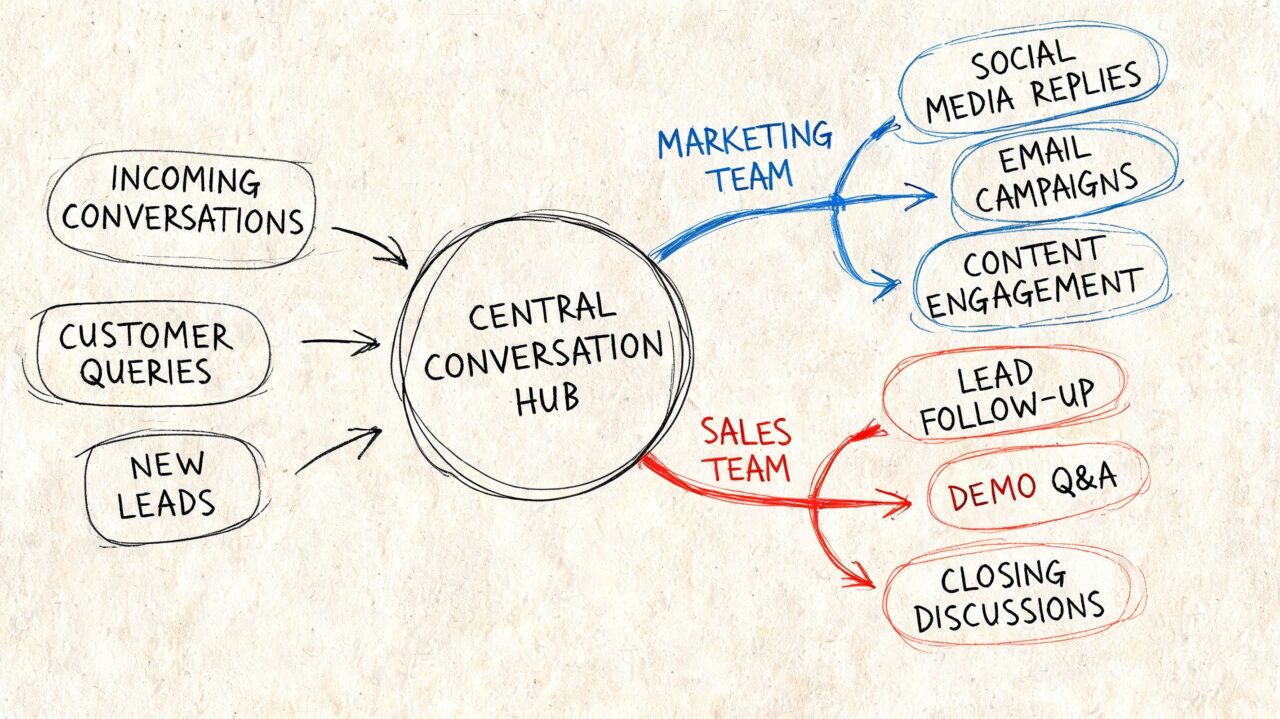
Clepher is useful when the bottleneck is not task management, but the gap between customer messages and internal action. It connects website chat, Facebook, Messenger, WhatsApp, and Instagram Direct Message so teams can turn conversations into structured work instead of passing details around by hand.
Team Productivity Tool Conversation Hub
Where conversational workflows help most
A lot of productivity tools start after the work is already defined. The problem is that in e-commerce brands, agencies, and service businesses, work often starts in a message. A prospect asks about pricing in Instagram DMs. A customer requests an order update in WhatsApp. A lead replies to a campaign in Messenger.
If those conversations stay trapped in separate inboxes, the team has to translate each one into a task, owner, and next step. That translation layer is where delays, missed follow-ups, and inconsistent handoffs show up.
Clepher addresses that by letting the conversation trigger the workflow.
Useful automations include:
- Lead capture from social engagement: A comment or DM can start a qualification flow and collect the details sales needs.
- Support triage: Messages with certain keywords can be tagged, categorized, and sent to the right queue.
- Campaign broadcasts: Teams can send segmented messages and track responses from one system.
- Audience tagging: Contacts can be grouped by behavior, intent, or inquiry type so follow-up stays relevant.
A practical workflow example
Take an Instagram DM from a potential buyer.
In a manual setup, someone sees the message late, asks follow-up questions, copies notes into a CRM or spreadsheet, pings a teammate, and hopes the thread gets picked up. Each step is small. Together, they create drag.
With a workflow system, the DM can trigger an automated sequence, collect qualifying answers, store tags and contact fields, notify the right owner, and push the person into the next step automatically. The team still decides how to handle qualified leads or sensitive support issues. They just stop spending time on the repetitive setup work that comes before real judgment.
That trade-off matters. Automation should handle routing, tagging, and handoff logic. Humans should handle exceptions, revenue-critical conversations, and anything that needs context.
Why this matters for throughput
The gain is not just speed. It is consistency.
When conversations feed marketing, sales, and support processes directly, teams spend less time re-entering information and less time checking who owns what. Agencies can route client inquiries without building manual handoff chains. E-commerce teams can qualify inbound demand from social channels before it clogs the inbox. If you want more examples of how to build those flows, this guide on how to automate repetitive tasks across team workflows is a useful companion.
Good automation removes the waiting, routing, and copy-paste work so your team can spend more time on decisions that affect revenue and customer experience.
How to Measure Your Team’s Productivity Gains
A new tool feels productive long before it proves productive. That’s why measurement matters.
Only 21% of organizations use consistent methods to measure productivity, often leveraging time tracking tools, according to ActivTrak’s guide to productivity measurement. Consequently, teams often rely on impressions like “things seem smoother” or “we’re answering faster.” Useful signal, but not enough.
Metrics that actually show progress
Start with a small set of operational measures:
| Metric | What it tells you | How to use it |
|---|---|---|
| Cycle time | How long work takes from start to finish | Track before and after automation |
| Planned-to-done ratio | How realistic your team’s planning is | A ratio above 70% is a healthy sign |
| Utilization rate | How much team capacity is allocated | Watch for overload, not just fullness |
| Output per input | Basic efficiency baseline | Example: 1.25 hours per support ticket |
| Reduced manual interactions | How often automation replaced handoffs | Count tasks no longer done by hand |
A practical measurement routine
Use a simple before-and-after model for one workflow at a time.
- Pick one process. Example: inbound lead qualification or support triage.
- Record the current baseline. How long does it take, how many handoffs happen, where do delays occur?
- Implement the workflow.
- Compare after a defined period. Look for shorter cycle time, better completion consistency, and fewer manual steps.
If you need a framework for tracking that kind of operational improvement, Clepher’s page on client success metrics are crucial for evaluating the effectiveness of our productivity app. offers useful examples of what to monitor.
What not to confuse with productivity
More messages sent isn’t productivity. More tasks created isn’t productivity. More activity on a dashboard isn’t productivity.
Productivity means the team can move important work with less friction, less delay, and less waste. The numbers should reflect that.
From Chaos to Control: Your Next Steps
Teams that feel busy all day usually do not have an effort problem. They have a workflow design problem.
The next step is not adding more tasks, more meetings, or another layer of check-ins. It is choosing one process where work gets stuck, then rebuilding it so information moves with less waiting, fewer handoffs, and clearer ownership. That is how a team productivity tool becomes part of an operating system, not another tab people ignore, ultimately enhancing team collaboration.
For e-commerce brands, that often starts with support triage, campaign approvals, or post-purchase issue handling. For agencies, it is usually client requests, lead qualification, reporting intake, or creative feedback. The right first workflow has visible friction, repeated manual steps, and a clear business cost when it slows down.
A practical next-step checklist
- Audit one messy process: Find the work that still depends on copy-paste, inbox monitoring, delayed approvals, or people asking for status updates.
- Pick one workflow with clear stakes: Start where faster execution affects revenue, client delivery, or customer experience.
- Map actual handoffs: Note who owns each step, where context gets lost, and which actions can trigger the next step automatically.
- Use your current stack first: A tool fits better when it works with the systems your team already relies on every day.
- Review results after rollout: Look for shorter cycle times, fewer manual touches, and more consistent completion.
Small workflow fixes often reveal larger operational gaps.
Once one process runs cleanly, teams usually spot the next bottleneck fast. That is the real shift. You stop managing productivity as individual effort and start improving it as a system across marketing, sales, and support.
If your business depends on conversations across chat, social, and your website, Clepher is worth exploring as part of that system. Start with one high-friction workflow, automate the routing and follow-up with a management tool, then measure what changed before expanding further.
