

Ticketing support software is no longer a back-office tool. One market report values the help desk and ticketing software market at US$3.64 billion in 2023 and projects it will reach US$7.51 billion by 2031, with a 9.5% CAGR over that period, reflecting how fast customer service is moving toward automated, centralized systems (help desk and ticketing software market analysis).
That number matters because many businesses still handle support like it’s 2018. Email sits in one inbox. Instagram DMs live on a phone. Messenger messages get answered by whoever sees them first. WhatsApp questions stay with the sales rep who happened to open the thread. Nothing is owned, tracked, or measured.
The result is predictable. Customers repeat themselves. Staff forward screenshots around. Urgent issues wait behind easy ones. And when a chatbot conversation needs a human, the handoff often drops the context that would have made the response fast and useful.
Modern ticketing support software fixes that, but only if you think beyond email. For many brands now, the primary front door is a conversation on Messenger, Instagram DM, WhatsApp, or live chat. The best systems don’t treat those channels as side notes. They treat them as first-class support entry points.
Why Your Support Feels Chaotic and How to Fix It
A common support mess looks like this. A customer asks about a delayed order by email. Ten minutes later, the same customer sends an Instagram DM because nobody has replied yet. Then they comment on a Facebook post. Three team members now see fragments of one issue, but nobody sees the whole story.
That kind of chaos doesn’t mean your team is careless. It usually means your process depends on memory, inbox searching, and manual follow-up. Those methods can work when volume is light. They break when your business grows or when customers prefer messaging apps over formal support forms.
Where the chaos comes from
Most support disorder starts with three problems:
- Scattered conversations: Email, social DMs, chat widgets, and phone notes all live in different places.
- Unclear ownership: Everyone assumes someone else is handling it.
- No system for priority: A refund request, a login issue, and a simple product question all land in the same pile.
When that happens, your team spends energy organizing work instead of resolving it.
Practical rule: If your support team has to ask “Who owns this?” more than once a day, you don’t have a staffing problem first. You have a workflow problem.
Ticketing support software gives every incoming issue a record, an owner, a status, and a history. It turns loose conversations into structured work. That matters more in 2026 because customers don’t care which channel they used. They expect you to remember them across all of them.
What “fixing it” actually looks like
A better setup doesn’t start with buying the most complex platform on the market. It starts with one decision. Every support request should enter a single operating system, no matter where it began.
That means:
- Messages become tickets: Email, chat, social messages, and forms all create trackable cases.
- People stop guessing: The system assigns or routes the issue.
- Managers get visibility: You can finally see backlog, response patterns, and recurring issues.
- Customers get consistency: They don’t need to re-explain the problem every time they switch channels.
If your team is still working from inboxes and screenshots, start with a clean support process before adding heavy automation. These good help desk practices are a useful baseline because they force you to define ownership, response standards, and escalation rules before the software takes over.
What Is Ticketing Support Software Really
Ticketing support software is easiest to understand if you stop thinking of it as an inbox and start thinking of it as air traffic control for customer conversations.
Each incoming message is a plane entering busy airspace. Some can land quickly. Some need special handling. Some need to be redirected to a specific runway because only a certain team can handle them safely. Without control, planes circle, collide, or land at the wrong gate. Support works the same way.
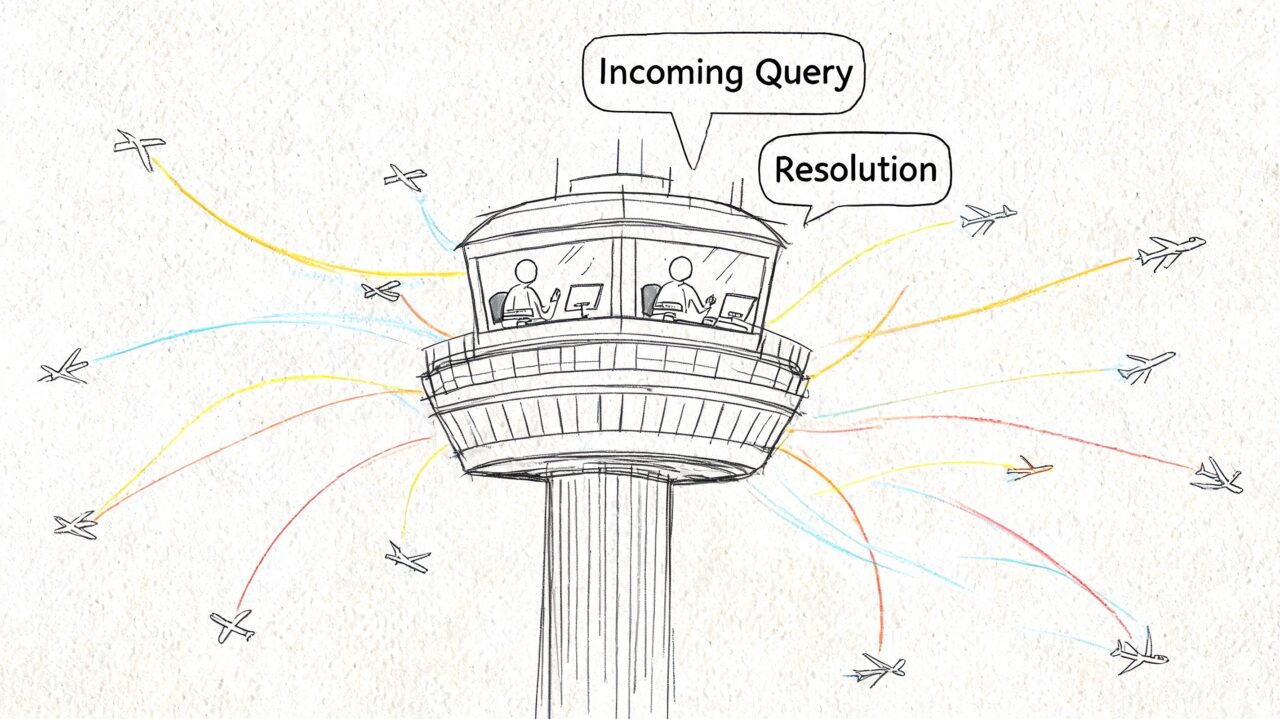
Ticketing Support Software Air Traffic
More than a shared inbox
A shared inbox only shows messages. Ticketing support software adds structure around those messages.
It typically does four jobs at once:
- Captures the request from email, chat, forms, phone logs, or social channels.
- Creates a record with status, owner, timestamps, notes, and customer history.
- Moves the issue through a workflow until it’s resolved.
- Stores the outcome so the team can learn from it later.
That last point is where many owners get confused. A ticket isn’t just a message. It’s a unit of work with accountability attached to it.
A simple example
Say a customer sends “My subscription renewed twice” through WhatsApp.
A basic inbox says, “Here is a message.”
Ticketing support software says:
- this is a billing issue
- it may be urgent
- it belongs to finance or account support
- the customer has a history
- the team needs to respond, resolve, and record what happened
That’s a completely different level of control.
Why the social channel angle matters
A lot of older guides still assume support starts with email or a website form. That misses how many customers now begin with messaging. A Zendesk guide on omnichannel support, along with commentary around platforms like Front and Pylon, highlights the need to consolidate email, chat, and social into one support experience, but many buyers still get little practical guidance for teams whose customers mainly message inside social apps rather than traditional help centers (Zendesk omnichannel ticketing guide).
For an e-commerce brand, that gap is significant. The support journey often begins inside the same apps where marketing and sales already happen. In that environment, chatbots become the front desk, and the ticketing system becomes the back office that catches, organizes, and resolves anything the bot can’t finish on its own.
The Core Features That Power Modern Support
The strongest ticketing support software doesn’t win because it has the longest feature list. It wins because the features work together like a production line. Intake, classification, assignment, collaboration, automation, and reporting all feed the same system.
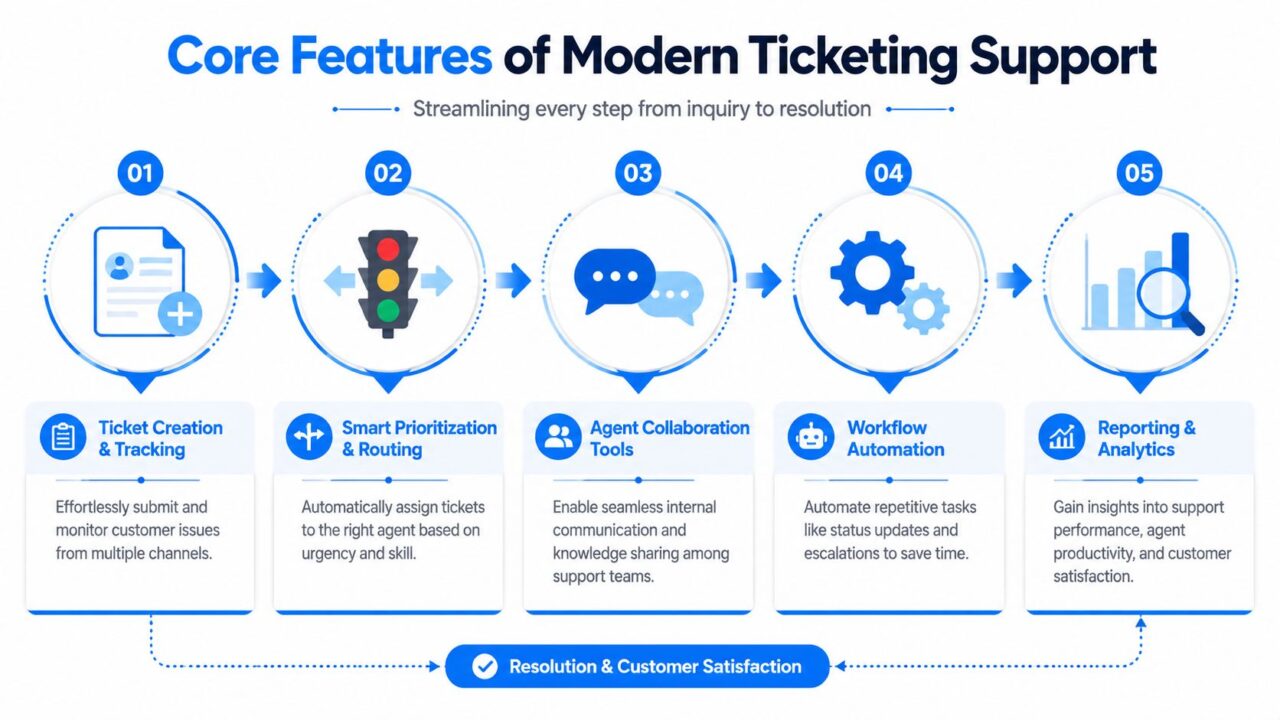
Ticketing Support Process
Ticket lifecycle and status control
Every ticket needs a clear journey. Typical stages include new, open, pending, resolved, and closed.
That sounds simple, but it’s where discipline starts. If your team uses statuses loosely, you lose operational clarity. “Pending” should mean you’re waiting on the customer or another team. “Resolved” should mean the issue is fixed, not just replied to.
A good system makes those stages visible so managers can quickly answer questions like:
- What is waiting on us
- What is waiting on the customer
- What keeps getting reopened
- Which queue is overloaded
Intelligent routing
Routing is the traffic controller of support. It decides where each ticket should go.
Modern systems use predictive AI to analyze ticket data and send inquiries to the most qualified agent. That smart auto-routing reduces manual reassignment, cuts wait time, and improves first-contact resolution by getting the issue to a specialist sooner (intelligent routing in ticketing systems).
For a non-technical owner, think of routing like a restaurant host. If a family of six arrives, the host doesn’t seat them at a table for two and let staff sort it out later. The host sends them to the right spot the first time. Ticket routing should work the same way.
Send tickets based on issue type, urgency, language, product area, or customer tier. Don’t make agents play support ping-pong.
SLAs and response promises
SLAs, or service level agreements, are your timing promises.
They answer questions like:
- how fast should we give a first reply
- how long should a billing issue stay open
- when should a manager be alerted
- which customers or issue types need faster handling
You don’t need enterprise jargon to use SLAs well. Think of them as timers attached to commitments. If a customer reports a failed payment or locked account, that timer should run differently than it would for a feature question.
Automation that removes repetitive work
Automation isn’t about replacing your team. It’s about removing the chores that slow them down.
Useful automations include:
- Auto-tagging: Label billing, shipping, returns, technical, or account issues automatically.
- Status updates: Move a ticket when a customer replies or when a task is completed.
- Escalation rules: Notify a senior agent when a ticket sits too long.
- Saved replies: Give agents approved language for common questions.
- Knowledge suggestions: Surface articles before a human even joins the conversation.
Collaboration and full context
Support rarely stays inside one department. Refunds touch finance. Delivery issues touch operations. Product bugs touch engineering.
A solid platform keeps internal notes, conversation history, and handoffs in one place so the customer isn’t forced to repeat the problem. That’s especially important when social conversations escalate into more formal support processes.
The Business Benefits and Real ROI of Ticketing Software
Most owners don’t buy ticketing support software because they want better ticket status labels. They buy it because support chaos costs money, reputation, and time.
The clearest return starts with labor. Helpdesk automation can save agents about 25% of their time on repetitive tasks, and the average support ticket costs $15.56 to resolve, though the range varies by complexity (help desk automation and ticket cost statistics). When you automate repetitive work or prevent unnecessary tickets, you reduce cost while preserving staff attention for the cases that need judgment.
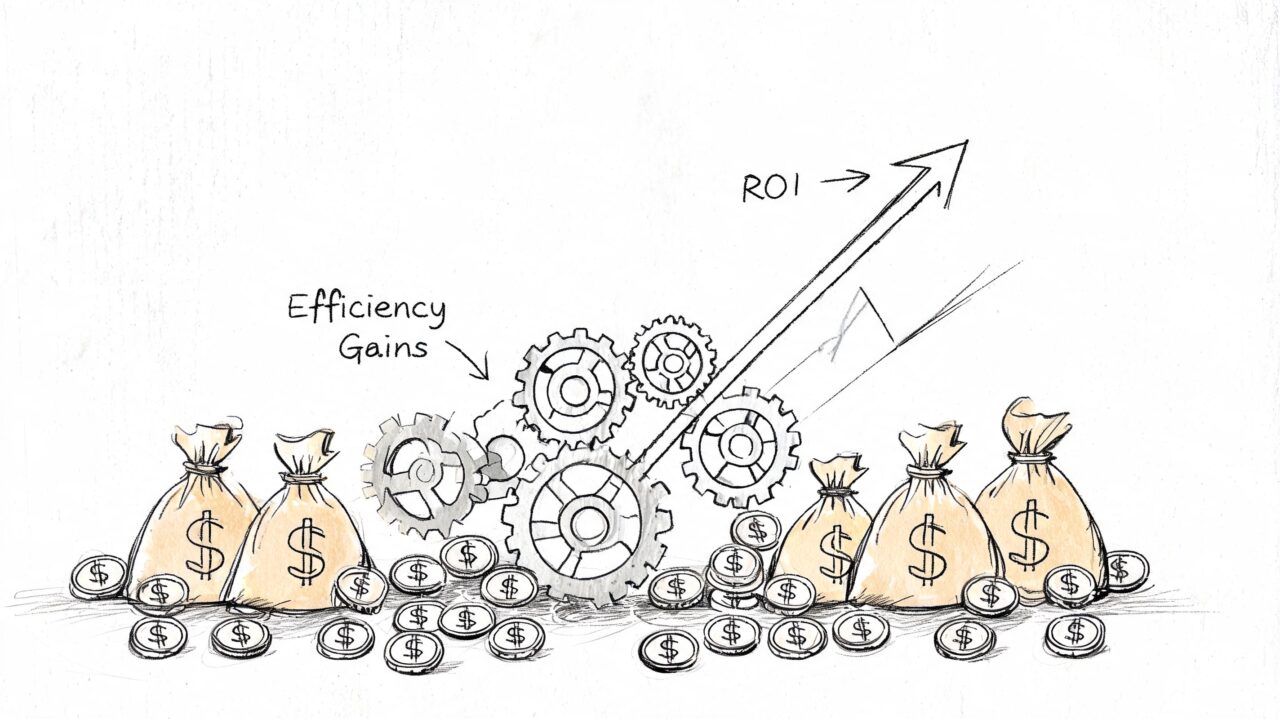
Ticketing Support Software Business Growth
Where the payoff shows up first
Typically, ROI appears in four places.
- Less manual triage: Agents stop copying messages between tools, forwarding screenshots, and asking who owns what.
- Faster responses: Customers get answers sooner because the system organizes work automatically.
- Better consistency: Approved workflows and saved responses reduce random service quality.
- Smarter staffing decisions: Reports show which queues need attention and which problems repeat.
A practical example: if your team handles order-status questions, simple return requests, and account-access issues every day, automation can collect the basics before an agent gets involved. The ticket arrives cleaner. The answer goes out faster. The team spends more time on exceptions instead of routine admin.
Support becomes easier to scale
Without a ticketing system, growth usually creates one bad choice. Either hire more people to absorb mess, or let service quality slide.
Ticketing support software gives you a third option. Standardize the repeatable work, then reserve people for the situations where empathy, judgment, or cross-team coordination matter. That’s especially valuable for smaller companies that need strong support operations without a large back-office team.
If support is also tied to your broader IT environment, it’s worth understanding how service delivery, maintenance, and operational oversight connect to customer-facing workflows. This guide to comprehensive IT support for SMBs gives helpful context on the wider systems that often sit behind responsive support.
Good support software doesn’t just help agents answer faster. It helps the business stop wasting skilled time on low-skill coordination.
Choosing the Right Software for Your Business
The wrong ticketing platform creates a different kind of chaos. It adds layers, fields, and rules your team won’t use. The right one matches how your business receives support requests.
If you sell through social channels, don’t choose a tool that treats Instagram DM or WhatsApp as an afterthought. If you’re a SaaS company, don’t settle for a system that can’t connect support, product issues, and knowledge content. If you’re an agency, you’ll need stronger collaboration and client separation than a simple shared inbox can offer.
Start with channel reality
Many teams buy based on feature grids and demos. A better starting point is this question: Where do your customers ask for help?
If the answer is email, website chat, and a support form, your selection criteria will be different from a DTC brand that gets most support requests in Messenger, Instagram, and post-purchase chat.
For stores that sell on Shopify, live chat often overlaps with sales and support. If you’re evaluating the front-end side of that experience as well, this resource on comparing live chat tools for Shopify can help you think through pre-sale and post-sale conversations together rather than as separate systems.
Ticketing software priorities by business type
| Business Type | Top Priority Feature | Key Integrations | Must-Have Workflow |
|---|---|---|---|
| E-commerce and DTC | Omnichannel inbox for social and chat | Shopify, payment tools, shipping platforms, social messaging tools | Bot or agent handles common order questions, then escalates returns, refunds, or delivery exceptions with full context |
| SaaS and subscriptions | Knowledge base and SLA tracking | CRM, product tools, engineering systems, billing platform | Triage technical vs billing vs onboarding issues, enforce response targets, and connect bugs to product teams |
| Agencies | Collaboration and client separation | Team chat, CRM, reporting tools, ad platforms | Route by client account, keep internal notes separate, and avoid cross-client confusion |
| Local service businesses | Simplicity and mobile usability | Calendar, phone, website chat, messaging apps | Capture inquiries fast, assign them clearly, and follow through without a large support team |
The shortlist questions that matter
Use these when you’re comparing tools:
- Can it unify your real support channels? Not just email, but the messaging apps your customers use every day.
- Can it route automatically? Manual assignment becomes a bottleneck quickly.
- Can your team learn it fast? A feature-rich platform that nobody adopts isn’t a good fit.
- Can it keep context during handoff? This is critical when chatbots escalate to people.
- Can it connect to your CRM and workflows? If not, you’ll rebuild the same silos in a new interface.
If you’re mapping how customer records and support workflows should connect before you buy, this overview of a CRM and ticketing system is useful because it frames support as part of a larger customer operations stack, not a standalone inbox.
Implementation and Workflow Best Practices
Implementation goes wrong when teams install the software but never redesign the workflow. The platform matters. The handoff logic matters more.
The strongest setup for modern support is simple: conversational channels handle first contact, automation handles routine work, and humans handle exceptions with full context attached.
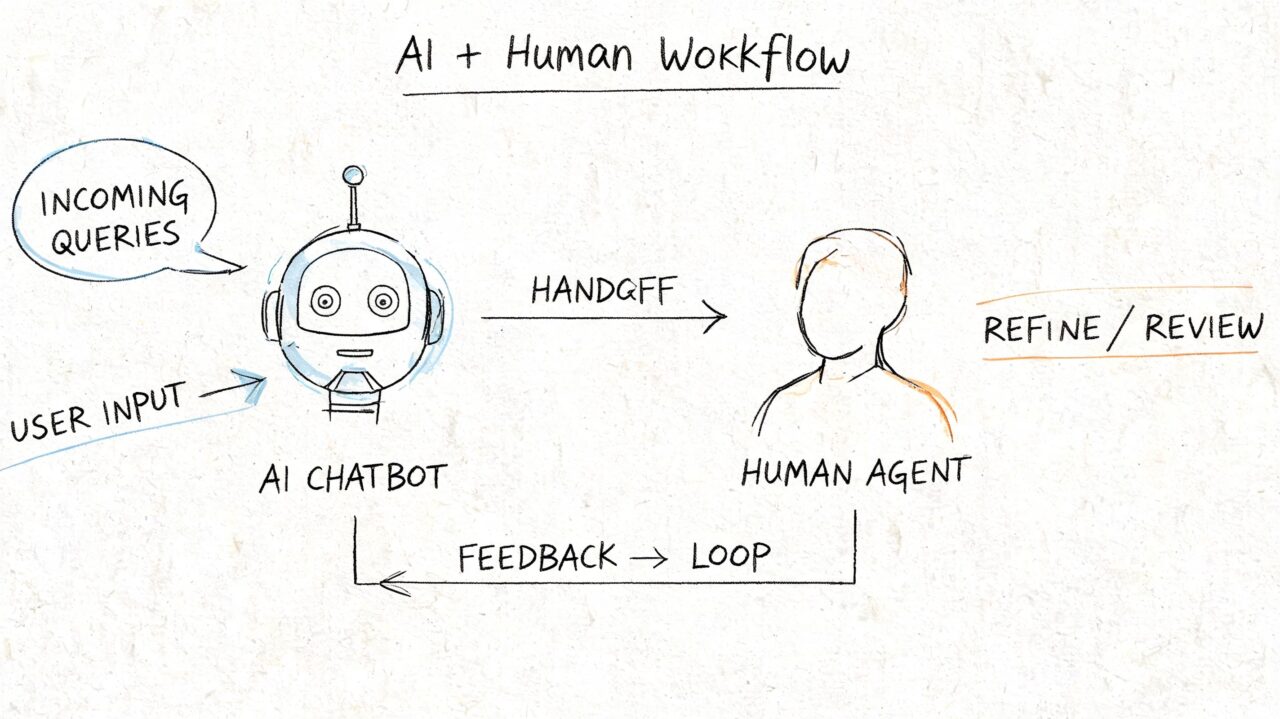
Ticketing Support Software AI Workflow
A practical omnichannel workflow
Take a Facebook Messenger example.
A customer opens Messenger and asks where their order is. The bot checks the order status or offers the most relevant self-service answer. If the customer says the parcel shows delivered but never arrived, the issue becomes more complex. The bot collects the order number, confirms contact details, and creates a ticket for a human.
The key is what happens next. Omnichannel ticketing systems consolidate requests from email, chat, social media, and phone into a unified inbox, so when a chatbot conversation escalates, the agent can see the complete interaction history and avoid context loss (omnichannel ticketing architecture overview).
That means the human agent shouldn’t receive “Customer needs help.” They should receive a complete package:
- Channel origin: Messenger, Instagram DM, WhatsApp, or website chat
- Conversation transcript: What the customer already said
- Collected fields: Order number, product, issue type, urgency
- Suggested routing: Shipping support, billing, technical, or account team
Five implementation habits that prevent friction
-
Define escalation triggers early
Decide which issues the bot can finish and which must become tickets. Returns, billing disputes, and account access usually need clear rules. -
Keep forms conversational
Don’t ask customers to fill long support forms after they’ve already explained the problem in chat. Let the bot gather details naturally. -
Route by expertise, not availability alone
The next free person isn’t always the right person. Billing should go to billing. Technical issues should go to technical support. -
Train agents on transcript-driven replies
Agents should begin from the existing context, not restart the conversation. -
Review failed handoffs weekly
Look for tickets with missing details, wrong routing, or duplicated responses. Those are workflow design issues, not just agent mistakes.
Keep the system connected
Tool selection matters. A conversational front end should feed your support back end cleanly.
One practical option is Clepher, which businesses use to manage customer conversations across website chat, Facebook, Messenger, WhatsApp, and Instagram Direct Message, then connect those interactions into broader workflows through native integrations and automation. If you’re planning that kind of rollout, a guide to help desk automation can help you map which conversations should stay automated and which should escalate.
If your team needs outside guidance while setting up AI workflows, governance, or handoff rules, Ekipa AI strategy consulting is a useful reference for thinking through implementation support rather than just software configuration.
The best handoff is the one the customer barely notices. They stay in the same conversation, and your team gets a structured ticket behind the scenes.
Common Pitfalls and Key Metrics to Track
The most common mistake is overbuilding on day one. Teams create too many statuses, too many rules, and too many automations before they understand their real support flow. Start simpler than you think you need.
Another mistake is choosing based on price alone. Cheap software that can’t handle your actual channels, especially social and messaging, often becomes expensive later because your team keeps compensating with manual work.
Pitfalls to avoid
- Treating social support as separate: If Instagram and Messenger stay outside the system, context will keep breaking.
- Skipping team training: Even a good platform fails when agents don’t understand ownership, status use, or escalation.
- Automating bad processes: Software speeds up what already exists. If the workflow is messy, automation just makes the mess happen faster.
Metrics that actually matter
Track a small set of metrics consistently:
- First Response Time: How quickly someone acknowledges the issue.
- Average Resolution Time: How long it takes to fully solve the problem.
- First-Contact Resolution: Whether the issue gets solved without bouncing around.
- Customer Satisfaction: Whether the customer felt helped, not just answered.
Ticket volume matters, but it doesn’t tell the whole story. A high volume team with clean routing and fast resolution may be healthier than a lower volume team stuck in rework and handoff confusion.
The practical goal is straightforward. Build a support system where conversations from Messenger, Instagram DM, WhatsApp, chat, and email all enter one workflow, routine requests are handled automatically, and human agents step in with context when they can add real value.
If your business supports customers through chat, social, and messaging apps, Clepher can serve as the conversational front door while your ticketing workflow handles escalation, routing, and follow-up behind the scenes. It’s a practical way to connect AI chat, human support, and omnichannel customer history without forcing customers to leave the channels they already use.
