
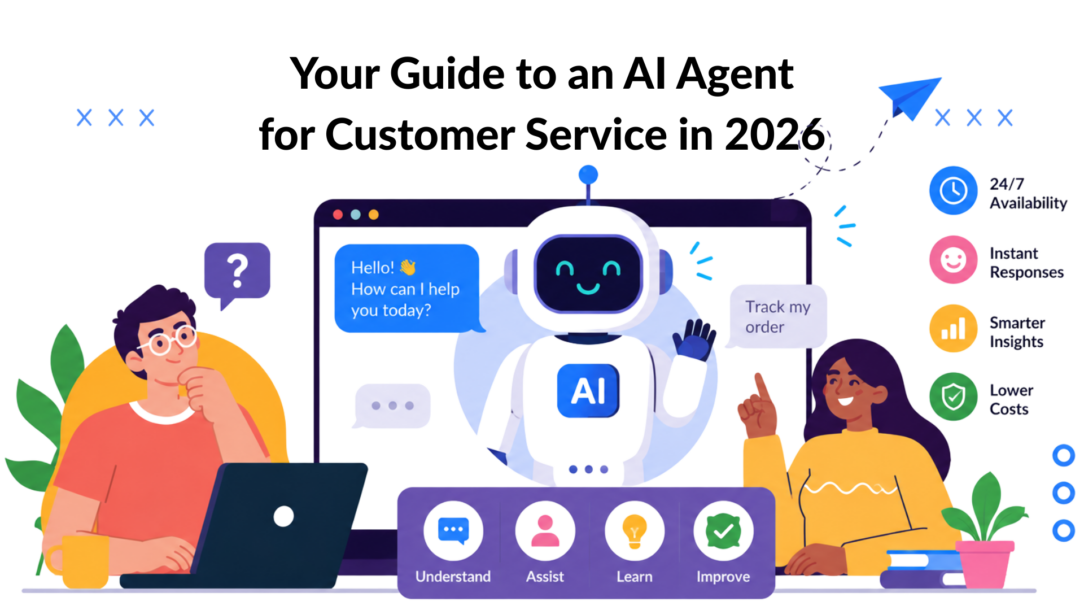
88% of contact centers use some form of AI, according to IBM’s industry compilation, which is the clearest sign that AI in support has moved from pilot project to operating model (IBM on AI agents in customer service).
That matters because most support teams still fight the same battle. Order-status tickets pile up. Billing questions repeat. Customers ask for simple changes that should take seconds, but they wait because human agents are stuck doing low-value, high-volume work.
For SMBs and DTC brands, that’s where an AI agent for customer service becomes practical, not theoretical. It doesn’t just answer “Where is my order?” It can look up the shipment, check the account, apply the right policy, and hand the case to a person only when the situation requires judgment.
The result is a support operation that feels faster to customers and lighter for your team. Marketers feel this, too. When support is cleaner, retention improves, repeat buyers get help faster, and your human team gets time back for higher-value conversations.
The New Standard for Customer Support
Support has a capacity problem. For SMBs and DTC brands, it usually shows up in the same places: order tracking, subscription changes, return questions, and pre-purchase clarifications that flood the queue every day.
That volume is what sets the new standard. Customer service now has to respond fast, stay consistent across channels, and resolve a high percentage of routine requests without adding headcount each time sales grow.
For a lean team, the constraint is not product complexity. It is a repetitive demand.
A growing brand might see this pattern every week:
- Order updates: shipping status, delivery windows, tracking confusion
- Account changes: subscription pauses, address edits, billing details
- Policy questions: returns, exchanges, refunds, warranty rules
- Pre-purchase friction: sizing, availability, compatibility, discounts
Human agents can handle these tickets well. The trade-off is cost and speed. If experienced reps spend their day copying tracking links, checking policy docs, and making simple account changes, response times slip, and higher-value conversations wait in line.
Customers notice that immediately. They do not care that the queue is busy. They care whether they get a clear answer in the moment they need it.
For marketers and e-commerce operators, this is usually the point where AI becomes practical. A support agent that connects to your storefront, help desk, order system, and tools your team already uses can take care of the repeatable work and pass exception cases to a person. Teams evaluating that shift often start with a plain-English primer on what AI agents actually do before mapping workflows.
The business case is straightforward. As noted earlier, self-service interactions are far cheaper than agent-assisted ones, which is why more support leaders are redesigning routine service around AI-first workflows instead of adding staff to cover predictable demand.
The same operating model now shows up outside chat support, too. AI-powered form agents handle intake, qualification, and routing with the same logic: automate the repeatable path, keep humans focused on judgment-heavy work.
For SMBs, that is the shift to understand. The new standard is not a smarter FAQ bot. It is a support layer that reduces ticket volume, protects response times, and gives your human team room to solve the cases that need them.
What an AI Agent Is and How It Differs
A traditional chatbot is like a junior rep with a script. It can match keywords, surface a canned answer, and stay useful as long as the customer asks the expected question in the expected way.
An AI agent is closer to a trained support specialist with system access. It can interpret intent, follow context, and take action inside connected tools. That’s the difference that matters.
If you want a simple primer before choosing software, Clepher’s guide on what AI agents are is a helpful baseline for non-technical teams.
The practical definition
IBM’s definition is a good working model. An AI agent combines LLMs, machine learning, NLP, and automation so it can understand requests, respond naturally, escalate when needed, and personalize support across channels.
That still sounds abstract, so here’s the simpler version:
- A chatbot answers
- An AI agent resolves
- A human agent handles judgment-heavy situations
This distinction also matters outside support chat. For teams looking at lead capture and intake workflows, tools like AI-powered form agents show the same pattern. The useful systems don’t just collect inputs. They guide, qualify, and route based on intent.
AI Agent vs. Traditional Chatbot vs. Human Agent
| Attribute | Traditional Chatbot | AI Agent | Human Agent |
|---|---|---|---|
| How it works | Follows predefined rules and scripts | Reasons over intent and uses connected tools | Uses judgment, experience, and empathy |
| Best for | Simple FAQs | Routine requests plus multi-step resolutions | Complex, sensitive, or exception-heavy cases |
| Context handling | Limited | Strong, especially across connected systems | Strong |
| Action taking | Usually limited to basic replies or routing | Can update records, trigger workflows, and complete tasks | Can complete tasks and make discretionary decisions |
| Consistency | High in narrow scenarios | High when knowledge and guardrails are strong | Varies by training and workload |
| Availability | Always on | Always on | Shift-based |
| Cost profile | Low | Lower than human support for routine work | Highest for repetitive volume |
| Emotional intelligence | Minimal | Limited but improving | Strongest |
Where people still matter
An AI agent for customer service is not a replacement for your entire team. It’s a way to remove the repetitive layer that burns time and patience.
Use people when the issue is:
- Policy-sensitive: goodwill refunds, disputed charges, fraud concerns
- Emotion-heavy: damaged orders, missed deadlines, loyalty risk
- Ambiguous: the customer’s problem spans multiple systems or has missing data
- Relationship-driven: upsell conversations, retention saves, VIP support
Practical rule: If the task depends on judgment more than retrieval, a human should stay in the loop.
That’s why the strongest setups combine all three layers. A chatbot handles simple navigation. An AI agent resolves operational requests. A human steps in when the customer needs nuance, reassurance, or an exception.
Core Capabilities That Transform Your Business
The biggest mistake I see is evaluating an AI agent for customer service as if it were just another support widget. Its essential value comes from execution.
An advanced agent uses LLM-based reasoning plus tool access to carry out multi-step workflows such as refunds, subscription changes, and record updates directly inside backend systems. That’s what allows end-to-end resolution instead of generic replies (Decagon on AI customer service agent capabilities).
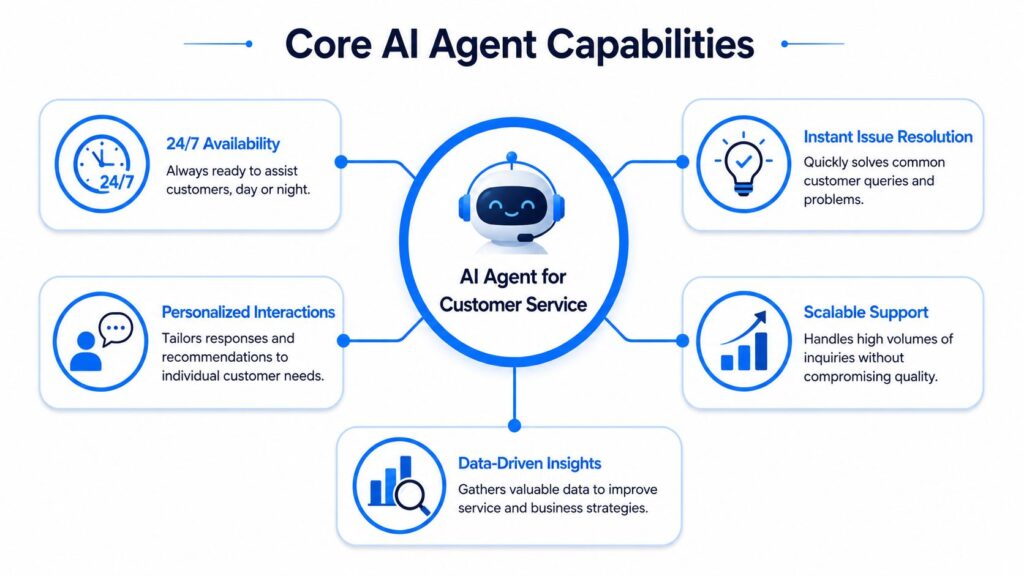
AI Agent for Customer Service Capabilities Diagram
End-to-end issue resolution
This is the capability that separates useful automation from a dead-end bot.
A customer asks to pause a subscription because the next shipment is too soon. A basic chatbot links to a help article. A real AI agent checks account status, confirms plan rules, updates the subscription, records the change, and sends confirmation.
For e-commerce teams exploring conversational AI for customer support, this is the bar to aim for. If the agent can’t act inside your real workflows, it will still leave most of the work with your team.
Personalization from live customer context
Good support doesn’t just answer correctly. It answers in context.
When an agent can access CRM records, order data, and prior conversations, it can tailor the interaction to the customer’s actual situation. That means it doesn’t ask repeat questions, it doesn’t offer irrelevant help, and it can respond based on plan tier, order status, or purchase history.
For a DTC brand, that often looks like this:
- Returning buyer: the agent recognizes a past purchase and gives product-specific support
- Subscriber: it references renewal timing before suggesting a change
- High-value customer: it flags the case for priority handling when needed
Omnichannel continuity
Customers don’t think in channels. They think in unresolved problems.
A strong AI agent keeps context intact whether the conversation starts on a website, moves to Instagram DM, or ends in email. That continuity cuts friction because the customer doesn’t have to repeat the same details every time the channel changes.
This is especially useful for marketing-led brands where support and sales often overlap. A pre-purchase product question on social can turn into a support inquiry after purchase. The handoff still needs to feel like one conversation.
Better operational insight
Every interaction generates a signal. Which questions repeat? Where customers get confused. Which policies create friction? Which products trigger support demand?
Connected systems matter here. LeewayHertz notes that high-performing agents rely on unified data from help desks, CRMs, knowledge bases, product usage logs, and logistics systems because cleaner connected data improves intent detection, routing, personalization, and reporting (LeewayHertz on AI agents for customer service).
That’s not a technical footnote. It’s what turns support from a cost center you react to into an operating function you can improve.
The Undeniable Business Case for AI Agents
Support economics break fast when volume rises. Earlier research cited in this article found that AI agents now handle a large share of routine support work, speed up resolution, and lower operating costs. For SMBs, that matters less as a headline and more as a margin decision.
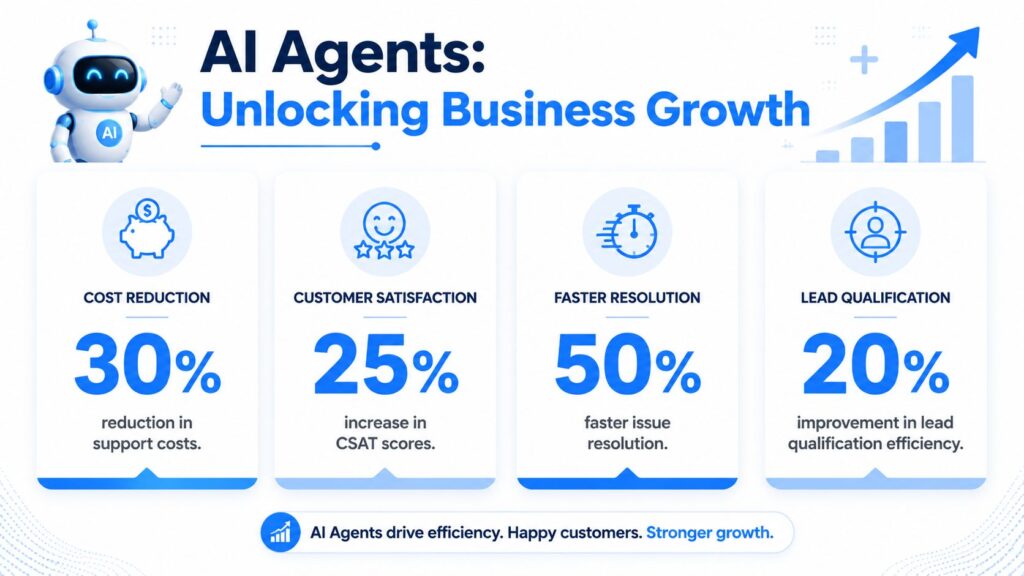
AI Agent for Customer Service Business Growth
Lower cost per interaction
The clearest return shows up in repetitive tickets. Order status, return windows, subscription changes, shipping delays, product availability, password resets. If a trained agent handles those requests end-to-end, your team stops spending premium labor on basic retrieval and policy explanation.
Gartner’s benchmark, cited earlier in the article, puts self-service far below agent-assisted support on a per-contact basis. That cost gap is why even a modest containment rate can change the math for a lean support team.
For brands reviewing AI customer service automation, my first filter would be: can the system take a real percentage of repetitive contacts off the queue without creating cleanup work for humans later?
That question matters because bad automation is expensive. If the agent answers inaccurately, misses customer intent, or escalates without context, you pay twice. Once for the failed bot interaction and again for the human recovery.
Faster service without adding headcount
Speed is not a vanity metric. In e-commerce, slow answers create refunds, chargebacks, canceled orders, and “just checking in” follow-ups that inflate volume further.
A capable AI agent cuts that spiral by handling simple requests instantly and passing qualified cases to a person with the right details attached. Teams feel the difference during promotions, product launches, holiday spikes, and post-campaign shipping surges. Those are the moments when hiring more agents is slow, expensive, and often temporary.
For SMBs, this is usually an inflection point. The agent gives you extra coverage before you add headcount. Marketers and CX leads can keep service levels stable without rebuilding the team every time demand jumps.
Better use of human talent
Good support teams do not win by answering more copy-paste questions. They win by resolving exceptions well, saving at-risk customers, and protecting revenue when something goes wrong.
AI changes staffing quality more than staffing quantity:
- Senior agents spend more time on judgment-heavy cases: damaged orders, VIP complaints, retention conversations, and policy exceptions
- Escalations arrive cleaner: order details, conversation history, and customer intent are already captured
- Managers get clearer operating data: they can see which issues drive contact volume and which flows need fixing
I have seen this shift matter most for DTC brands with small teams. One or two strong agents stop drowning in repetitive work and start doing the jobs that require experience. That improves response quality and reduces burnout, which is a real cost even if it does not show up first in a dashboard.
The business case is straightforward. Lower cost per contact. Faster response during peak periods. Better use of skilled people. For a growing brand, that is not a theory win. It is a practical way to protect margin and customer loyalty at the same time.
Real-World Use Cases for Growth-Focused Brands
The best way to judge an AI agent for customer service is to map it to the moments that already drain your team. Not hypothetical use cases. The tickets and messages you saw this week.
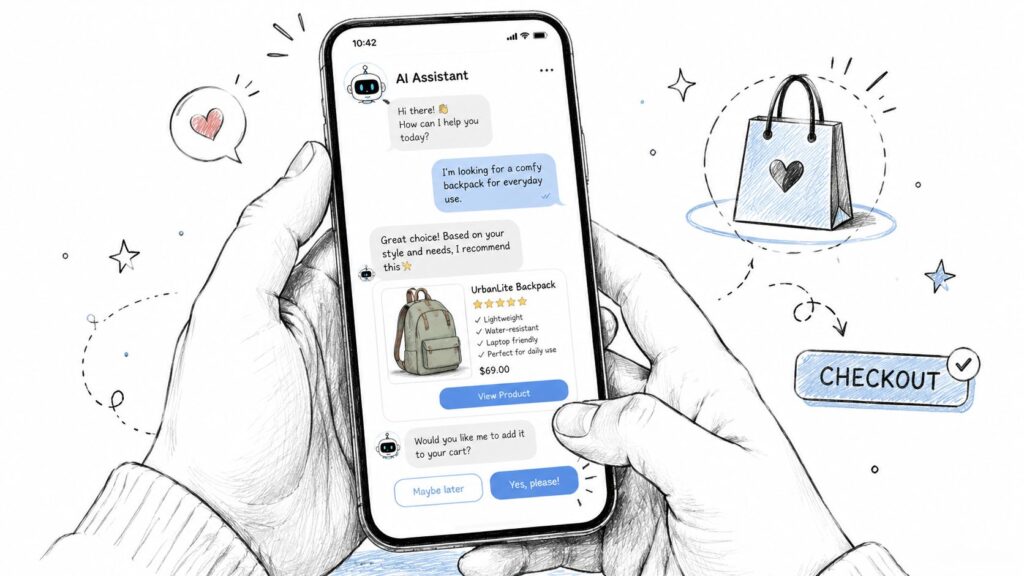
AI Agent for Customer Service Mobile Chatbot
E-commerce brand handling order pressure
A DTC skincare brand gets flooded with “Where is my order?” messages after a promotion. The agent connects to shipping data, verifies tracking status, explains the latest update in plain language, and handles the common follow-up questions about delays, address edits, or return timing.
If the shipment looks stuck or the customer is upset, the agent escalates with the order details attached. The human agent doesn’t waste time gathering basics. They step straight into problem-solving.
Business impact is immediate. Customers get answers faster, and the support team isn’t buried under shipping lookups all week.
SaaS company improving onboarding and retention
A subscription software company sees the same support pattern every month. New users ask how to connect an integration, update billing, or change seats. Churn risk starts with friction, not always with pricing.
An AI agent can guide the user through setup, answer product questions from the knowledge base, update account records when the workflow allows it, and route technical edge cases to the right team with context preserved.
That matters because onboarding support often sits between customer success and support. If the handoff is clumsy, the user feels it immediately.
Creator or coach qualifying leads in direct messages
A course seller gets Instagram DMs at all hours. Some people want pricing. Others want to know if the program fits their level, schedule, or niche. Some are existing customers asking about access or payment issues.
This is a strong fit for an AI agent because sales and service overlap. The agent can answer common questions, sort prospects from support contacts, collect the details a human closer needs, and route customer issues into a support workflow instead of leaving them stranded in social DMs.
Local service business reducing admin drag
A small clinic, gym, or home-service company usually has a lighter tech stack but the same operational problem. Staff lose time answering repeat questions about appointments, policies, hours, cancellations, and availability.
An AI agent works well here when the workflow is narrow and clear. It can handle inbound routine requests, keep the conversation on-brand, and escalate exceptions to the front desk or owner when needed.
The lesson across all four examples is the same. Start where customer intent is predictable, your policy is clear, and the request follows a repeatable path.
Your Step-by-Step Implementation Guide
Most failed AI projects don’t fail because the model is weak. They fail because the business tries to automate before it has the right data, workflows, and rules in place.
ASAPP’s buyer guidance makes this point clearly. The biggest barrier is often implementation maturity, not model capability. Reliable performance depends on enterprise data access, workflow orchestration, governance, and ongoing operations, and teams need customer history, policies, and feedback loops to get dependable results (ASAPP buyer guide for AI agent platforms).
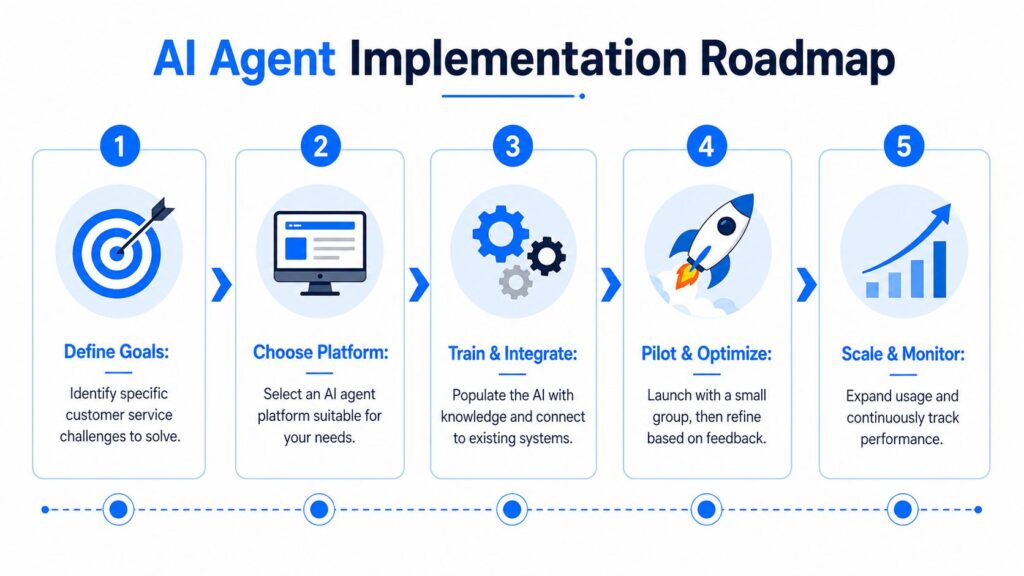
AI Agent for Customer Service Implementation Roadmap
Start with one repeatable problem
Don’t begin with “automate support.” Begin with one narrow use case.
Good starting points usually have three traits:
- High volume: the request appears constantly
- Low complexity: the policy is clear, and exceptions are limited
- Clean resolution path: the answer or action is easy to define
For DTC brands, that’s often order tracking, return-policy guidance, subscription changes, or pre-purchase product questions.
Operator advice: Your first workflow should be boring. If it’s exciting, it’s probably too complex for launch.
Gather the knowledge your agent will depend on
An agent can only be as reliable as the information it can access. Before launch, pull together the material your team already uses to answer customers:
- Help center content: shipping, returns, sizing, billing, warranties
- Past tickets: common phrasing customers use, not just internal terminology
- Policy documents: refund rules, service limits, approval criteria
- Customer context: order history, account status, previous interactions
This step matters more than prompt writing. If your policies are inconsistent or outdated, the agent will expose that problem quickly.
A short visual walkthrough can help when you’re mapping the rollout process:
Connect the tools your team already uses
Many SMB teams often hesitate, but it doesn’t need to turn into a custom engineering project. The practical goal is to connect the systems that hold customer truth and the systems where actions happen.
That usually means your help desk, CRM, commerce platform, email tool, and messaging channels in a no-code stack, that might include Shopify, Klaviyo, Zendesk, HubSpot, Meta messaging channels, and workflow connectors.
This is the one place where a platform decision matters a lot. If you’re managing support and marketing conversations in social channels, Clepher is one option for building AI-driven interactions across website chat, Facebook, Messenger, WhatsApp, and Instagram Direct Message while syncing with the rest of your stack.
Set guardrails before you scale
An AI agent needs rules, not just knowledge.
Define:
- What can it answer
- What it can do automatically
- What requires human review
- When escalation is mandatory
- How the handoff should appear to the customer
Refunds above a threshold, account security issues, angry customers, and policy exceptions should usually move to a human.
Monitor the misses and improve weekly
Launch is not the finish line. The useful work starts after real customers interact with the agent.
Review failed answers, bad handoffs, edge cases, and conversations where the customer rephrased the same question multiple times. Those are your best training signals. The teams that get value from AI are the ones that treat it like an operating system that needs ongoing tuning, not like a widget they install once.
Start Your Customer Service Transformation Today
An AI agent for customer service is no longer a tool reserved for enterprise support teams with large implementation budgets. SMBs, DTC brands, agencies, creators, and SaaS teams can use it now if they stay practical about scope.
The winning pattern is simple. Start with repetitive work. Connect real customer data. Give the agent clear guardrails. Keep humans focused on judgment, exceptions, and relationship-building.
That’s how support turns from a backlog problem into a growth function. Customers get faster answers. Your team gets breathing room. The business spends less time on routine operations and more time on retention, conversion, and loyalty.
If your support operation also relies on outbound follow-up, post-purchase messages, and customer lifecycle email, keep your stack healthy around the agent, too. Tools like the Email deliverability toolkit for humans and AI agents are useful because support automation only works well when your follow-up messages reach the inbox.
The first step is small and concrete. Spend the next 30 minutes reviewing your latest support conversations. Pull out the top three questions your team answers again and again. If the answer is consistent and the workflow is repeatable, that’s your first automation candidate.
If you want to turn those repeat questions into working automations across your site and messaging channels, Clepher gives you a practical place to start with no-code AI-driven conversations for support, lead capture, and customer follow-up.

Related Posts
What Is Lead Scoring and How It Drives Real Sales Results
October 16, 2026AI with Personality: How Chatbots Build Real Connections
October 14, 2026
Founder Clepher