
Many small businesses are already using AI agents, and the gap shows up in speed, consistency, and follow-up.
For a company with one to five people, an AI agent for small business use is usually less about advanced tech and more about coverage. It handles the repetitive work that keeps slipping through the cracks. That includes answering common questions, collecting lead details, sending follow-ups, routing requests, and keeping conversations active while you’re on a job, with a customer, or off the clock.
The appeal is simple. Small teams do not need another system that creates more setup work. They need something they can plug into their website, inbox, or booking flow without hiring a developer, then see a return fast on a few core tasks.
That practical gap is where many articles lose the plot. They talk about AI in broad terms. A micro-business owner usually needs clearer answers: what to automate first, which no-code tools are realistic, how much oversight is still required, and where the first payoff will come from.
Used well, an AI agent acts like an extra set of hands for lead generation and customer support. Used poorly, it creates messy automations, weak replies, and more cleanup work. The difference comes down to choosing a narrow first use case and setting it up around the work you already do every day.
Your Competitors Are Already Using AI Agents
AI adoption is no longer a big-company story. The same analysis cited earlier shows why small operators should pay attention. Businesses that respond faster and follow up with less manual work are gaining ground, and that matters even more when you have one to five people covering sales, service, and admin at the same time.
For a micro-business, the competitive gap usually shows up in ordinary moments. A prospect sends a message after hours. A past lead goes cold because nobody followed up. A customer asks the same pre-sale question for the fifth time that week. None of those tasks are hard. They are just easy to miss when one person is doing everything.
What an AI agent actually is
An AI agent handles a defined job from start to finish with rules, memory, and actions attached.
That is the practical difference.
A basic chatbot answers questions. An agent can ask the next useful question, collect details, decide what happens next, and pass clean information into the tools you already use. For a solopreneur or very small team, that often means a no-code setup connected to your website form, inbox, calendar, CRM, or help desk.
Typical jobs include:
- Capturing leads: asking what the person needs, collecting contact details, and sending the right next step
- Handling routine support: replying to common questions about pricing, availability, shipping, policies, or booking
- Following up automatically: checking back with prospects who asked, clicked, or started a form but did not finish
- Starting onboarding: sending forms, reminders, payment links, or welcome instructions without manual back-and-forth
If you want a practical example of how conversational automation fits a small front-desk workflow, Recepta.ai’s small business AI guide is a useful reference.
Why micro-businesses feel the benefit faster
Small teams have less slack. That is the advantage and the pressure.
A larger company can hide slow response times behind departments and handoffs for a while. A solo consultant, local service business, small ecommerce shop, or two-person agency feels the cost immediately. One missed inquiry can mean a lost sale. One hour spent answering repeat questions can mean no time left for delivery or prospecting.
The best early use of an AI agent is narrow and tied to revenue or service quality. In practice, that usually means one of three places first: lead intake, FAQ support, or follow-up. Those are repetitive, easy to define, and simple to measure. If the agent saves two hours a week and helps recover even a few missed conversations each month, the return is usually easy to spot.
I have seen small businesses get better results from one well-scoped agent than from a stack of half-finished automations. Start with the task that reliably steals time or costs you replies. Configure it with clear rules, review the conversations weekly, and improve from there.
How an AI Agent Transforms Your Business Operations
The fastest wins come from operational pressure points. You don’t need a complex setup to feel the difference. You need the right workflow.
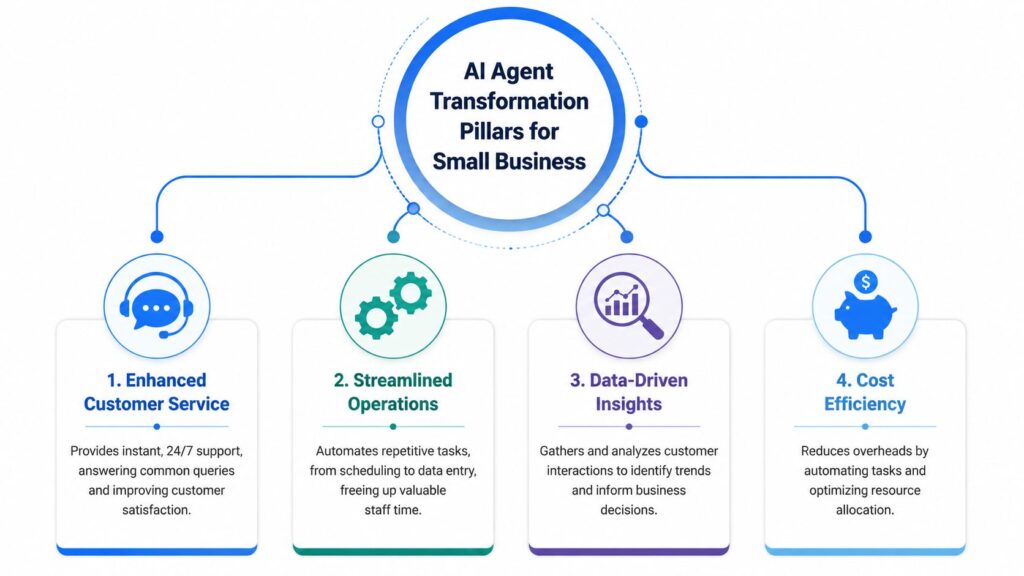
AI Agent for Small Business Transformation Pillars
Lead capture and qualification
A lot of small businesses lose leads before the sales process even starts. Someone visits your site, opens Instagram DMs, or clicks a message ad. Then they ask a vague question, get distracted, and disappear.
An agent fixes that by turning casual interest into a structured conversation.
A coach might use an agent to ask:
- What the person wants help with
- whether they’re looking for one-on-one support or a group offer
- What timeline are they aiming for
- whether they want a booking link or more details first
That sounds simple, but it changes the quality of incoming leads. Instead of waking up to “Hey, how much is it?” messages, you get context.
If you want another perspective on where conversational automation fits at the front desk level, Recepta.ai’s small business AI guide is a useful companion read.
Customer support without the constant interruption
Support is where AI agents become financially obvious.
According to this YouTube breakdown citing IBM and Juniper Research, AI agents can resolve up to 80% of routine customer inquiries without human intervention. The same source notes that a human-led interaction costs $8-$15, while an AI-powered one costs $0.50-$0.70.
For a small team, the biggest gain isn’t just cost. It’s focus.
A shop owner shouldn’t spend the day answering:
- Where is my order
- Do you ship internationally
- What’s your return policy
- Are you open on Saturday
Those are legitimate questions. They just shouldn’t consume the owner’s best hours.
The right agent doesn’t replace your team. It protects your team’s time from low-value repetition.
Abandoned cart recovery
E-commerce brands often think of abandoned cart recovery as an email problem. It’s also a conversation problem.
A shopper hesitates because they need one more answer. Maybe it’s sizing, shipping speed, product fit, or payment options. If no one responds quickly, the sale stalls.
An agent can re-open that conversation through chat or messaging channels, answer the objection, and guide the customer back to checkout. That’s more useful than sending the same generic reminder sequence to everyone.
What works here is specificity. Don’t build a “recover every cart” bot with ten branches on day one. Build one that handles the top few objections your buyers raise repeatedly.
Automated client onboarding
Service businesses, agencies, and coaches usually feel pain after the sale.
A client says yes, then you need to send the intake form, explain the process, collect missing details, share next steps, and reduce confusion before kickoff. That admin work is easy to postpone, which creates a poor first impression.
An onboarding agent can send:
- welcome messages
- intake prompts
- scheduling links
- document reminders
- milestone updates
Onboarding sets the tone for retention. Clients don’t judge your business only on results. They judge it on responsiveness and clarity.
Where one no-code platform can fit
For businesses that want website chat plus messaging channels in one no-code setup, Clepher supports AI chatbots across website, Facebook, Messenger, WhatsApp, and Instagram DM, with segmentation, analytics, broadcasts, and flow-based automation. That kind of setup is often enough for a micro-business to centralize support, lead qualification, and promotional conversations without adding headcount.
Real-World AI Agent Flows You Can Use Today
The difference between a mediocre bot and a useful one is usually the flow. Not the model. Not the label. The flow.
When an agent uses business context well, the performance gap can be dramatic. According to vcita’s small business AI agent overview, agents that use contextual business data for personalization achieve 3x higher client conversion rates than generic rule-based bots.
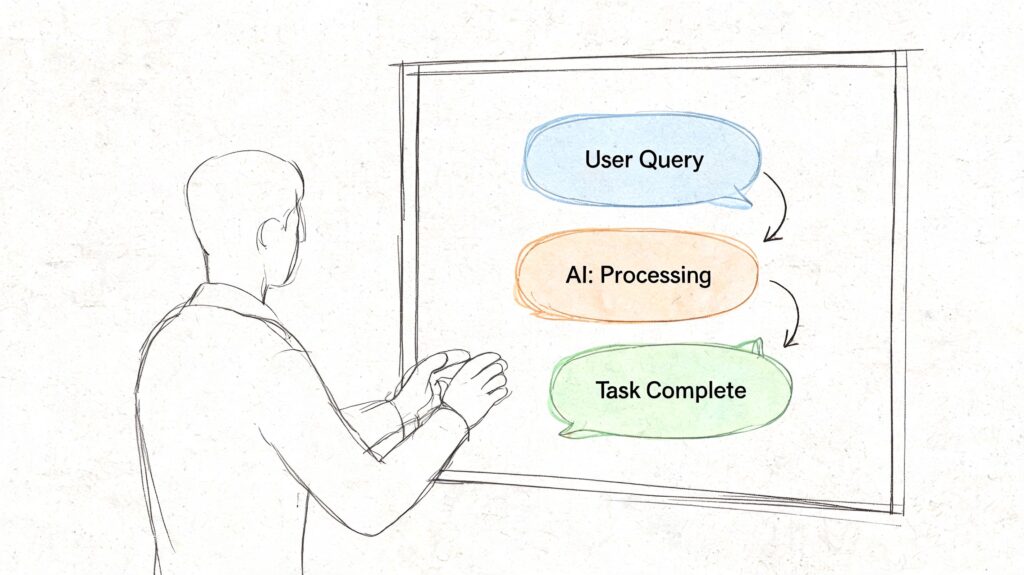
AI Agent for Small Business Workflow Diagram
E-commerce abandoned cart flow on Instagram
Before: A shopper adds products, leaves, and ignores email.
Better flow: The agent starts from behavior and context, not a generic pitch.
Example conversation:
Agent: Hey, you were looking at the linen set. Want help with sizing or shipping before you check out?
Customer: Does it run true to size?
Agent: Most buyers choose their usual size. If you want, I can show the size guide or help compare two options.
Customer: Show me the size guide.
Agent: Here it is. If you’d like, I can also send you back to your cart.
Why this works:
- It starts with a likely friction point.
- It offers help before offering a discount.
- It keeps the path short.
A lot of brands jump straight to incentives. That can train customers to wait for offers. Start by resolving uncertainty first.
Local service lead-gen flow on your website
A local plumber, med spa, accountant, or cleaning service doesn’t need a “smart” conversation. They need a useful one.
Before: The visitor fills out a form or leaves because they can’t get a quick answer.
Better flow: The agent narrows the request and drives toward booking.
Example structure:
- Ask what service they need.
- Ask whether they want a quote, callback, or appointment.
- Ask one qualifying detail.
- Offer the next best action.
A simple exchange could look like this:
Agent: What can we help with today?
Visitor: I need a quote for weekly cleaning.
Agent: Is this for a home or office?
Visitor: Home.
Agent: Got it. Would you like a quick estimate now, or should we help you book a call?
That feels human because it moves in a straight line. It doesn’t ask for everything upfront.
If you want to study how multi-step agent workflows are designed under the hood, this article on developing AI research agents is helpful. It’s more technical, but it gives you a good sense of why decision paths matter.
Digital coach onboarding flow on WhatsApp
Coaches and course creators often lose momentum right after purchase. The buyer is excited, but the next step isn’t clear.
Before: The coach manually sends links, reminders, and welcome notes at inconsistent times, leading to delays and confusion for the buyer.
Better flow: The agent handles the first experience consistently, guiding the customer through the next steps in a timely and organized manner. With AI tools, small businesses can streamline this process, ensuring that every buyer gets a smooth and personalized onboarding experience.
By integrating an AI agent for your small business, you can automate these tasks, allowing for a seamless, consistent flow from purchase to engagement. With an agentic AI, you can reduce manual work and provide an immediate, welcoming experience for every customer, enhancing their journey and increasing the chances of long-term engagement.
Sample conversation:
Agent: Welcome in. I’m here to help you get started. Would you like your first lesson, your coaching schedule, or the setup checklist first?
Client: Setup checklist.
Agent: Great. First, complete your intake form. After that, I’ll send your next step automatically.
That’s not flashy. It’s effective.
For businesses building this kind of logic visually, a no-code flow library like chatbot flow examples can help you think in steps instead of scripts.
What strong flows have in common
- They start with intent: What is the person trying to do right now?
- They use context: Past interactions, channel, and business type shape the reply.
- They reduce choices: Too many branches kill momentum.
- They always offer a next step: Book, buy, reply, or hand off.
Your Quick-Start Implementation Roadmap
Most micro-businesses don’t fail with AI because the technology is too hard. They fail because they try to automate everything before they’ve proven one useful workflow.
That’s the implementation gap. As Salesforce notes in its AI agent for small business article, micro-businesses often struggle because guides don’t address setup realities or realistic ROI expectations for teams with no technical resources.
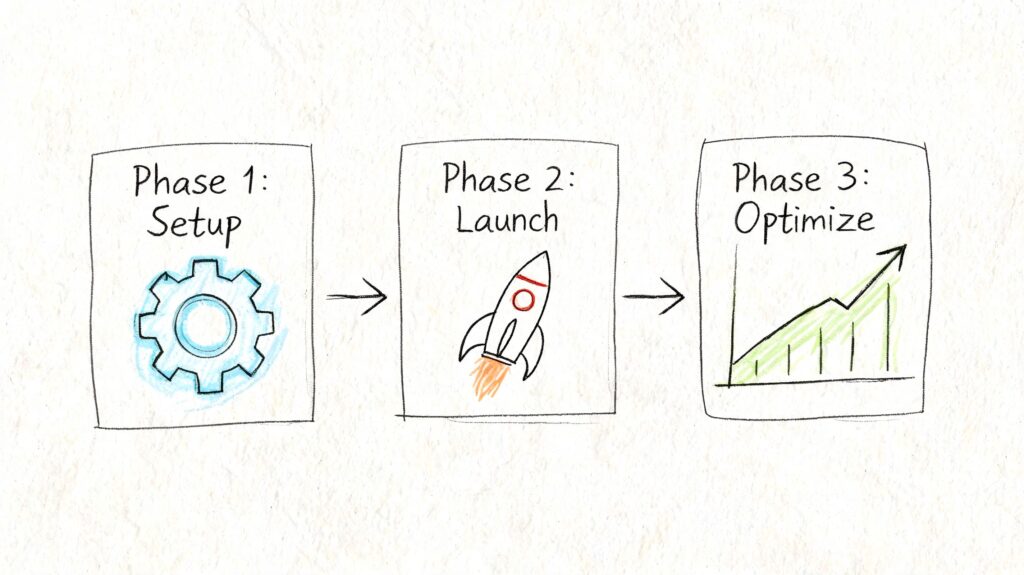
AI Agent for Small Business Process
Step one picks the bottleneck
Don’t start with “we need AI.”
Start with one sentence: “We lose money when this task doesn’t happen fast enough.”
For most micro-businesses, the first candidate is one of these:
- Lead response: Inquiries arrive, but replies are delayed.
- Support triage: The same questions keep interrupting work.
- Onboarding: New customers wait too long for the next steps.
- Recovery: Interested buyers leave without converting.
Pick one. If you pick four, you’ll build nothing well.
Step two chooses the simplest build path
You do not need a custom app to get value.
Look for:
- a drag-and-drop builder
- channel support for where your customers already message you
- simple integrations
- easy editing by non-technical staff
If your audience already lives in social DMs or web chat, choose a platform built for those channels first. If you’re comparing options, no-code AI agent builder options can give you a practical reference point for what that setup looks like.
Field note: The best first tool is rarely the most powerful one. It’s the one you can launch and improve without waiting on a developer.
Step three writes the first conversation
Your first flow should sound like your most helpful staff member on a normal day.
Use this formula:
- greet the user
- identify intent
- ask one clarifying question
- offer the next step
- define a human handoff path
Bad first flows try to impress. Good first flows remove friction.
For example, don’t ask a lead for name, email, phone, budget, timeline, company size, and project details in the first message. Ask for the minimum needed to keep the conversation moving.
After you’ve mapped the basics, watch a walkthrough like this to see how a simple launch process can work in practice:
Step four launches on one channel first
Small teams often make the mistake of going live on website chat, Instagram, Messenger, and WhatsApp all at once.
That creates four versions of every problem.
Instead:
- Start where volume already exists
- Keep the use case narrow
- Monitor the first conversations manually
If your website gets little traffic but Instagram DMs are active, launch there first. If support requests hit your site constantly, start with web chat.
Step five improves from real conversations
Your first version will miss things. That’s normal.
Review actual chats and look for:
- repeated questions, the agent didn’t answer well
- places where users dropped off
- moments where the handoff came too late
- wording that sounded stiff or unclear
Then tighten the flow. Add one fix at a time. Small businesses get better results from steady iteration than from giant rebuilds.
How to Choose the Right AI Agent Platform
Platform choice matters because small businesses don’t have spare time for migration, cleanup, or training on bloated software. The right system should handle useful work without becoming another project to manage.
One more factor belongs near the top of your checklist. According to nexos.ai’s overview of AI agents for small businesses, modern autonomous agents can achieve 70-80% end-to-end task autonomy, and platforms should have security certifications such as SOC 2 Type 2. For small businesses, that means autonomy is only valuable if the platform handles customer data responsibly.
AI Agent Platform Evaluation Checklist
| Criteria | What to Look For | Why It Matters for Your Business |
|---|---|---|
| Integrations | Connects with the tools you already use, or at least supports practical automation handoffs | You don’t want staff copying data between inboxes, spreadsheets, and CRMs |
| Ease of use | A builder that non-technical people can edit without documentation overload | If only one technical person can manage it, the project stalls when they get busy |
| Channel support | Works on the channels where customers already contact you | A strong agent on the wrong channel won’t reduce workload |
| Handoff controls | Clear rules for when a person should step in | Some conversations need judgment, exception handling, or reassurance |
| Data and privacy | Security standards, permissions, and compliance features | You’re collecting customer information. That requires trust and discipline |
| Reporting | Conversation history, drop-off visibility, and outcome tracking | You can’t improve flows if you can’t see where they fail |
| Pricing and scale | Costs that stay reasonable as usage grows | Cheap to start can become expensive if pricing punishes growth |
Questions worth asking before you buy
Use the demo call or trial period to pressure-test the platform with real scenarios.
Ask:
- Can I build and edit this myself?
- Can it collect and pass structured data cleanly?
- Can I see where users abandon the flow?
- Can it route based on tags, intent, or channel?
- Can it support a human takeover without breaking the experience?
A platform page like AI agent platforms for business comparison can help you frame these questions, even if you’re still comparing multiple vendors.
If a platform looks powerful but you can’t imagine who on your team will maintain it next month, it’s the wrong platform.
What small teams often overvalue
Many owners overvalue “intelligence” and undervalue manageability.
The flashy demo matters less than:
- How fast can you launch
- How easily can you change a reply
- How clearly the system shows failures
- How safely it handles customer data
A simple system that your team keeps improving will beat a complex system that sits half-configured for weeks.
Common Pitfalls and How to Avoid Them
Most disappointing AI projects don’t fail because AI “doesn’t work.” They fail because the business launched the wrong workflow, wrote robotic conversations, or stopped paying attention after setup.
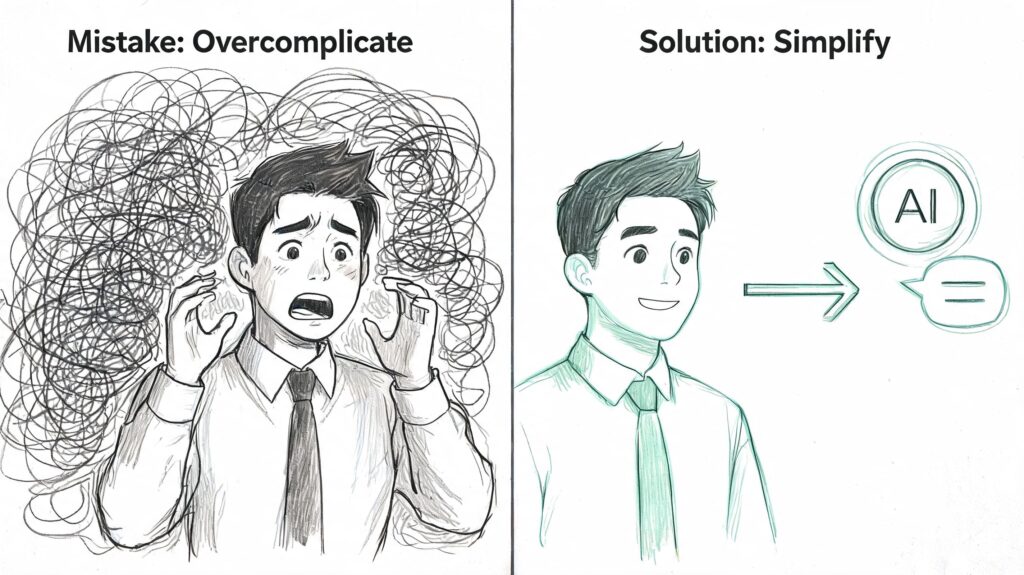
AI Agent for Small Business Simplification
Automating too much too soon
This is the most common mistake in micro-businesses.
An owner sees the potential and tries to automate support, sales, onboarding, remarketing, and reporting in one push. The result is usually a tangled system full of edge cases and inconsistent messages.
Fix it by narrowing the brief:
- Choose one use case: Pick the workflow with the clearest business value.
- Define success: More booked calls, fewer repetitive support messages, or faster onboarding.
- Expand only after proof: Once one flow works, build the next.
Sounding robotic
Customers don’t expect perfection. They do expect clarity.
Robotic agents usually fail because the copy is too formal, too long, or too generic. They answer with policy language when the person wants a straight answer.
A better approach:
- Write as staff speak
- Keep replies short
- Offer options, not essays
- Use the customer’s context when possible
Creating dead ends
A conversation should never trap the customer.
If the agent can’t answer a question, needs approval, or senses frustration, there should be a clear path to a person. That handoff matters more than trying to make the AI look endlessly capable.
Reality check: Customers forgive limits. They don’t forgive loops.
Ignoring mobile behavior
Most small-business conversations happen on phones. If your flow is hard to scan, overloaded with buttons, or too long before the useful step, people drop.
Review your flows on mobile and tighten them:
- Front-load the useful action
- Reduce form-like questioning
- Avoid giant message blocks
- Make booking and reply paths obvious
Setting it and forgetting it
An AI agent is not a static asset. It’s an operating process.
Strong teams review conversations regularly. They look at where buyers hesitate, where support questions repeat, and where messaging feels off. Security deserves the same discipline. If you need a framework for reviewing risk and implementation quality, an AI agent security assessment can help you think through governance questions before problems appear.
What to review on an ongoing basis:
- Missed intents: Questions the agent didn’t classify correctly
- Tone drift: Replies that don’t sound like your brand
- Broken branches: Paths that stop without resolution
- Late handoffs: Moments when a human should have stepped in sooner
The businesses that get the most from AI agents treat them like staff training. Launch, review, refine, repeat.
If you want a practical place to start, Clepher is built for small teams that need no-code AI chat automation across website and messaging channels. The easiest win is usually one focused flow for lead capture, support, or onboarding. Launch that first, watch the conversations, and improve from there.
If you want to put this into practice, Clepher helps businesses build conversational lead generation flows across website chat, Facebook, Messenger, WhatsApp, and Instagram DM so social engagement doesn’t die at the handoff. It’s a practical way to capture, qualify, segment, and nurture leads inside the channels where the conversation has already started.

Related Posts
8 Promo Code Examples for Smarter Campaigns
October 20, 2026Revenue Optimization: A Practical Playbook for Growth
October 19, 202610 Lead Capture Software Tools Compared for 2026
October 18, 2026
Founder Clepher