
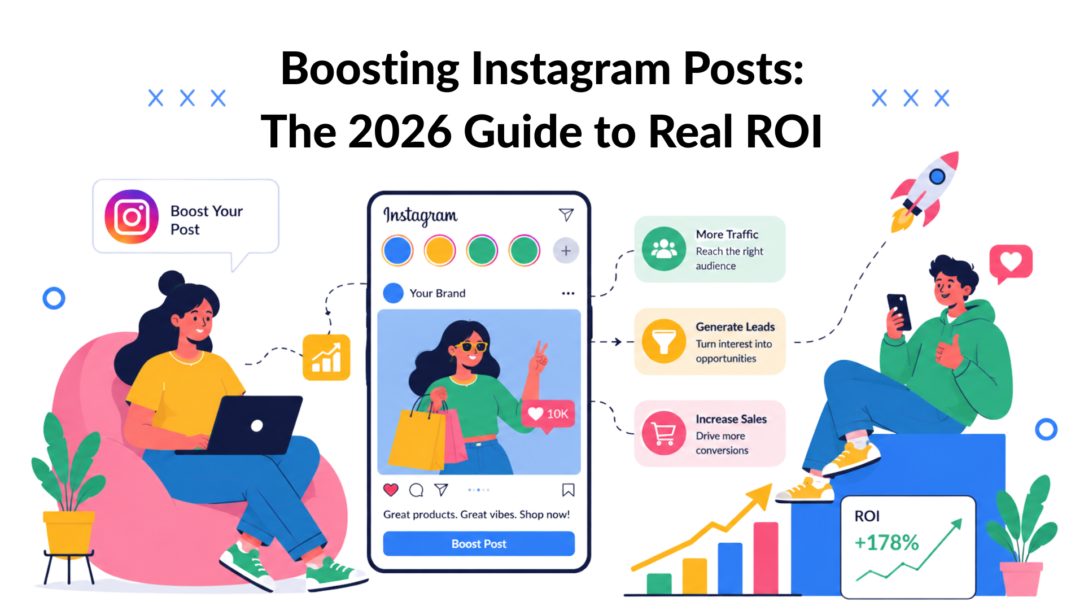
Most advice about boosting Instagram posts is too shallow. It treats the button itself as the strategy.
It isn’t.
A boost can help. Instagram’s average organic engagement rate sits around 0.45%, with Carousels at 0.55% and Reels at 0.52%, which is why paid amplification matters in the first place, according to Instagram benchmark data from Socialinsider. But paying to extend reach is not the same as building a path to leads, conversations, and sales.
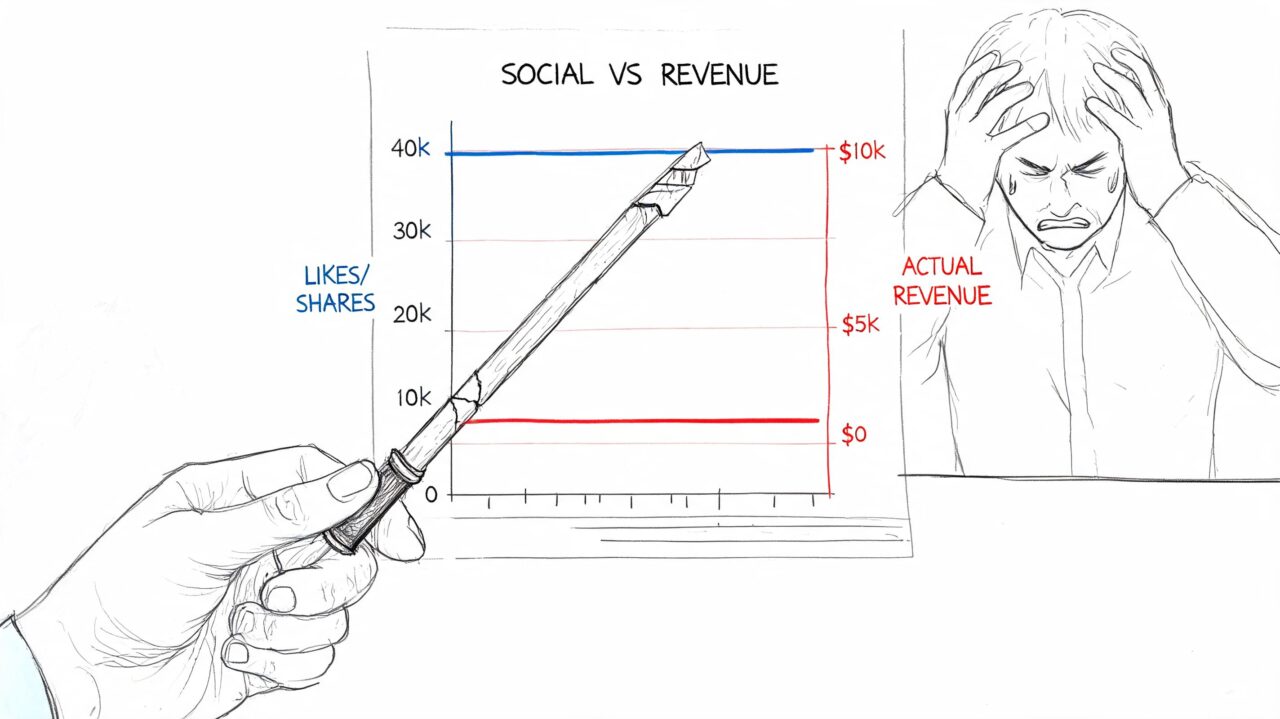
That gap is where most budgets get wasted. Brands see more likes, more views, and maybe a few profile visits, then wonder why revenue barely moves. If your boosted posts have ever felt busy but unprofitable, the problem usually isn’t that boosting never works. The problem is using it without a conversion system behind it.
Why Your Boosted Posts Aren’t Working
The Boost Post button is designed to feel easy. That’s exactly why marketers misuse it.
Most businesses boost a post because it looks decent, got a few likes, or needs “more exposure.” That mindset creates campaigns optimized for activity, not outcomes. You end up buying attention without deciding what that attention should do next.
Boosting Instagram Posts Social Revenue
Engagement is not the same as intent
Meta made boosting simple for a reason. It lets you promote an existing post directly from Instagram or Meta Business Suite with minimal setup. That convenience is useful for quick visibility. The trade-off is that the default experience often leans toward engagement, not conversion-focused outcomes, as explained in Metricool’s guide to boosting Instagram posts.
That’s why boosted posts often produce the wrong kind of win:
- More likes, weak follow-through. People react to the creative, then leave.
- More reach, no sales conversation. The post traveled further, but didn’t move anyone into your funnel.
- More comments, poor lead quality. You paid for interaction, not buying intent.
Practical rule: If you can’t answer “what should happen after someone sees this post?”, don’t boost it yet.
For local brands, this is the same trap that shows up in other Meta campaigns. If you want a broader view of how visibility should connect to pipeline, this breakdown on boost ROI with local Facebook marketing is worth reading because it forces the same business-first thinking.
The real job of a boost
A good boost does one thing well. It puts a proven piece of content in front of more of the right people and pushes them toward one clear action.
That action might be:
- Send a message for a quote, offer, or product question
- Visit a website to view a collection or landing page
- Visit a profile when brand discovery is the main objective
The mistake is treating all three as interchangeable. They’re not. A traffic objective serves a different business need than a messages objective.
If you’ve been spending money and not seeing return, the diagnosis is usually simple. You promoted content before defining the business result. That’s why the post looked healthy in-app while the campaign looked weak in your sales numbers. A related breakdown of that disconnect appears in these reasons Instagram ROI often stalls.
How to Choose a Post That’s Worth Boosting
Don’t pay to rescue a weak post. Put budget behind a post that already earned attention on its own.
That’s the simplest upgrade you can make when boosting Instagram posts. Organic traction acts like a filter. It tells you which messages, hooks, and formats already connect with your audience before you spend a dollar amplifying them.

Boosting Instagram Posts Plant Analysis
Start inside Instagram Insights
The best rule here is blunt. Only boost posts that are already in the top 25th percentile of your historical engagement rates, based on guidance from Nomadic Advertising’s practical guide.
That doesn’t require a complicated dashboard. Open Instagram Insights and compare recent content against your own baseline. You’re looking for posts that outperformed your normal range on engagement, shares, saves, replies, or message starts.
Posts that usually deserve a second look:
- User-generated content that shows the product in real use
- Behind-the-scenes content that makes the brand feel human
- Customer testimonials that carry built-in social proof
Boosting bad content doesn’t fix the content. It only makes the problem more expensive.
A simple selection checklist
A boost-worthy post usually has three parts working together.
- A strong opening hook. For a Reel, that might be the first second of motion or a direct promise. For a carousel, it’s the first slide headline.
- Clear value in the body. Educational tips, product proof, transformation examples, or a compelling demonstration tend to hold attention better than vague brand statements.
- One next step. If the post asks people to comment, click, follow, and message all at once, response quality drops.
A few practical examples:
| Business type | Better post to boost | Why it works |
|---|---|---|
| E-commerce brand | Carousel showing the product in use, plus a customer result | It combines education and proof |
| Coach or consultant | Reel with one sharp tip and a message-based CTA | It creates curiosity and starts conversations |
| Local service business | Testimonial post with a clear problem and result | It lowers trust friction |
Pick the post people already leaned into
The strongest candidates usually feel obvious in hindsight. They’re the posts people saved, shared with a friend, or replied to with a question.
That matters because a boost should amplify momentum, not create it from scratch. If your audience ignored it organically, colder audiences probably won’t respond better just because you paid to show it to them.
The Hidden Cost of the Boost Post Button
Convenience has a price. On Instagram, that price can be higher than most advertisers realize.
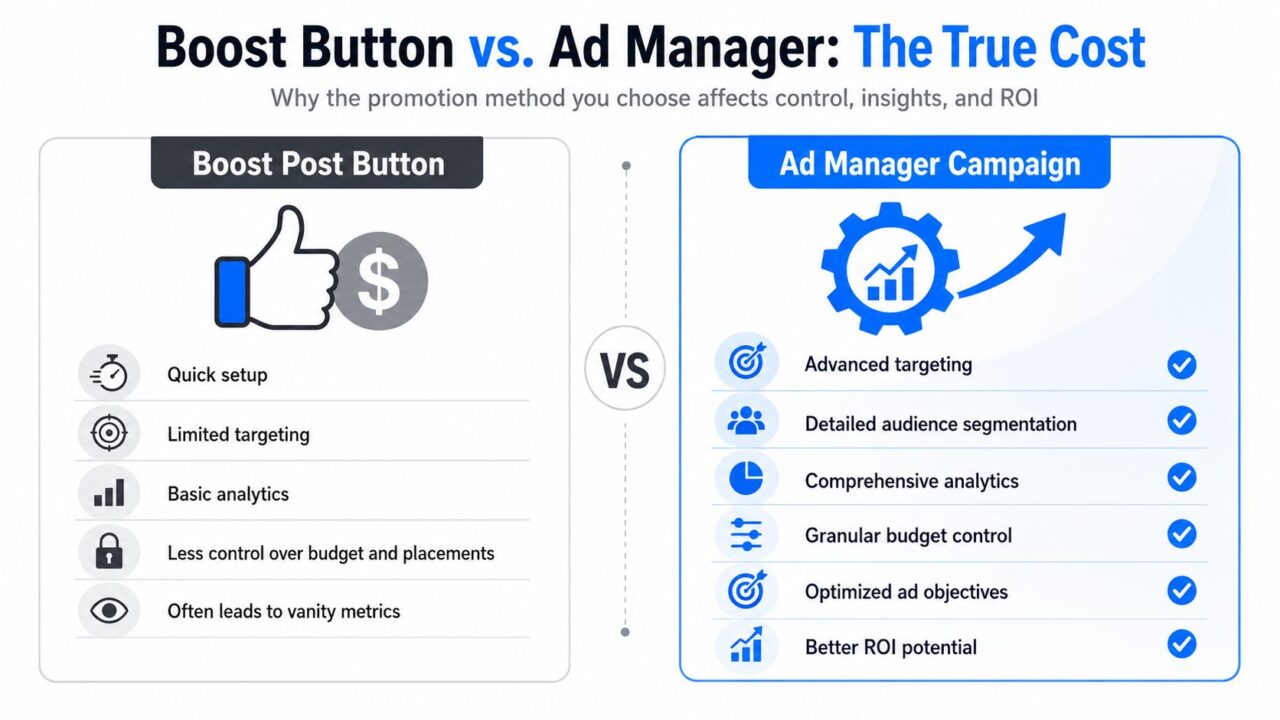
If you boost directly from the iPhone app, Apple adds a 30% commission, according to Shotkit’s breakdown of Instagram boosting. You can promote the same post through Meta Ads Manager on desktop and avoid that fee entirely.
Boosting Instagram Posts Ad Comparison
That changes the economics fast. If you’re serious about paid social, paying extra for the same inventory makes no sense.
Why the app button feels good but performs worse
The in-app button wins on speed. You tap, pick a goal, choose an audience, set a budget, and launch. For simple awareness pushes, that can be enough.
For business campaigns, the drawbacks show up quickly:
- Less targeting control than a campaign built in Ads Manager
- Weaker reporting for evaluating what happened
- Fewer strategic options for building around customer intent
- Higher cost on iPhone because of the Apple fee
The bigger issue isn’t only the surcharge. It’s the mindset the button encourages. Fast setup makes people skip planning. They boost from impulse instead of building a campaign around audience quality and the action they want.
In-App Boost vs. Ads Manager
| Feature | In-App ‘Boost Post’ Button | Meta Ads Manager |
|---|---|---|
| Setup speed | Faster and simpler | Slower, but more deliberate |
| Targeting | More limited | More advanced audience controls |
| Analytics | Basic | More detailed campaign reporting |
| Budget efficiency on iPhone | Includes Apple commission | Avoids the iPhone surcharge |
| Best use case | Quick visibility push | Serious lead generation and conversion work |
The practical takeaway
If you’re running a casual test from a non-iPhone device and speed matters more than control, the native boost can still be useful.
But if you care about lead quality, message volume, conversion tracking, or budget efficiency, use Ads Manager. You’ll keep more of your spend working inside Meta’s system instead of handing part of it away before the campaign even starts.
Setting Up Your First High-ROI Boost
High-ROI boosts are built before you spend a dollar. The post needs a clear offer, the campaign needs one conversion goal, and the path after the click needs to be planned. If someone taps your ad, opens a DM, and gets silence, the boost did its job, and the business still loses.
For lead generation, I usually set these campaigns up in Ads Manager and optimize for messages. That pushes Meta to find people who are more likely to start a conversation, not just hand out likes. If the sale usually starts with a question, a quote request, or a product recommendation, that objective lines up with revenue better than broad engagement.
Start with one outcome
Pick the action that matters before you touch targeting or budget. For many local services, coaches, clinics, and ecommerce brands with higher-consideration products, that action is a qualified DM.
That decision shapes the whole setup. Your creative should invite a specific reply. Your CTA should make the next step obvious. Your team should know what happens once the message comes in.
A weak CTA gets vague chats. A strong CTA gets buying intent.
Build an audience with buyer logic
Automatic audience settings are fast, but speed is not the goal here. Relevance is.
A better first test uses one audience built around the actual buyer:
- Location that matches delivery or service area
- Age range tied to the offer
- Interest signals related to the product category
- Exclusions when needed, such as current customers if the offer is meant for net-new leads
Keep the first audience simple enough to read. If you launch five audience variations at once on a small budget, you usually learn very little from any of them.
For B2B marketers applying the same discipline beyond Instagram, this guide on structured performance marketing for B2B teams is a useful complement because it frames ad setup around revenue logic instead of channel activity.
Set a budget that can produce a signal
Skip the urge to spend the minimum just to get the campaign live. Tiny budgets often buy noise, not insight.
A practical starting point is a daily test budget you can sustain for several days while still generating enough conversations to judge quality. In many accounts, that means starting with a modest daily spend, running one proven post, and resisting mid-test edits. If the budget is too low to produce message volume, you cannot tell whether the problem is the post, the audience, or the offer.
Use this first-pass framework:
-
Promote one post with a clear CTA
“DM us for pricing,” “Message us for your shade match,” or “Send ‘guide’ to get the checklist” works better than a generic awareness prompt. -
Use one audience built around likely buyers
Start narrow enough to stay relevant, but not so narrow that delivery stalls. -
Run the test long enough to judge lead quality
Give Meta time to optimize and give yourself enough incoming conversations to spot patterns. -
Track business outcomes, not just ad metrics
Measure qualified DMs, booked calls, offer requests, and sales. Reach and reactions are secondary.
Connect the boost to a DM system
This is the part many boost tutorials skip. A message objective performs best when the conversation flow is already in place.
If the ad invites people to DM for a coupon, quote, or recommendation, set up an Instagram DM automation flow for lead capture and follow-up before launch. That keeps response times fast, qualifies interest, and moves people toward purchase while intent is still high.
The first campaign does not need to scale. It needs to prove that your boosted post can create qualified conversations at a cost your business can support.
Turn DMs into Deals with Chat Automation
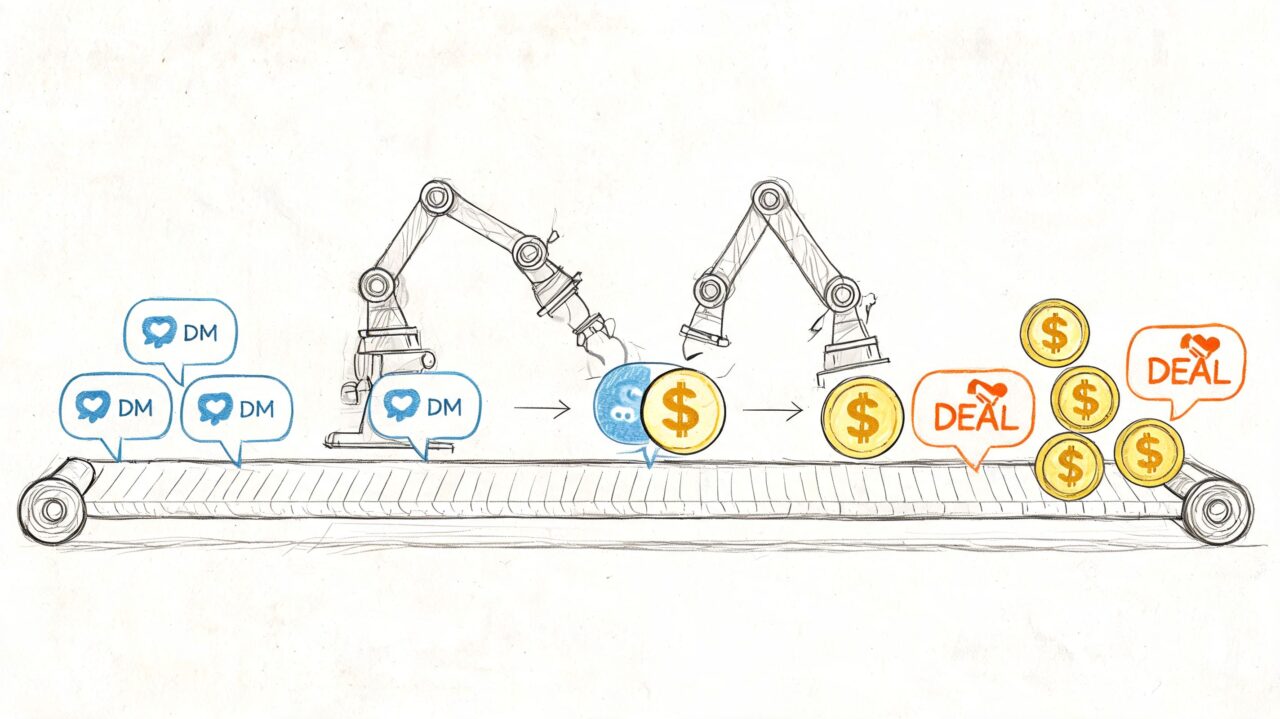
The biggest missed opportunity in boosting Instagram posts happens after the click. A person taps your ad, opens a DM, and then waits.
If nobody replies quickly, that interest fades. If your team replies manually hours later, you’ve already lost momentum.
Boosting Instagram Posts Marketing Automation
Why message campaigns need a follow-up system
Most guides stop too early. The post got boosted. The ad drove messages. End of story.
That’s not enough.
According to Front Row’s guide to growing Instagram with boosted posts, campaigns using a More Messages objective can generate 20-30% higher engagement, but those leads often get lost without automation. The same source notes tests showing 15-25% cart recovery through automated DM flows.
That changes how you should think about a boosted post. It’s not just content promotion. It’s the front door to a conversation funnel.
A practical e-commerce example
Say a skincare brand boosts a Reel about a new serum and invites people to message for a routine recommendation.
A weak setup looks like this:
- Person sends a DM
- Team replies later when someone notices
- The response is generic
- The shopper loses interest or forgets
A stronger setup works differently:
- Person sends a DM from the boosted post
- An automated flow responds immediately
- The flow asks one qualifying question
- It delivers the most relevant product path
- It offers a code or follow-up prompt
- It captures details for future retargeting or support
That’s how social attention turns into a sales process.
If you want a broader context for why this works, this practical guide to modern social selling is useful because it frames DMs as relationship infrastructure, not just inbox clutter.
What to automate first
You don’t need an elaborate bot to get value. Start with the parts your team repeats every day.
-
Instant first response
Acknowledge the message and set the tone while intent is fresh. -
Basic qualification
Ask one useful question. Product type, budget range, use case, or timeline can all work depending on the business. -
Offer delivery
Send the promised code, guide, menu, or next step without delay. -
Routing logic
Push high-intent replies to a human when needed and keep simpler requests automated.
A clean automation stack is what turns a boost into a system. If you’re exploring how to set that up on Instagram itself, this resource on automating Instagram messages shows the workflow in more detail.
A boosted DM campaign only creates opportunity. The follow-up flow is what captures it.
Your New Boosting Workflow: Measure and Optimize
The best marketers don’t treat boosting Instagram posts as a one-time tactic. They treat it like an operating system.
The workflow is simple:
- Choose the business goal first
- Select a post that already earned traction
- Launch through Ads Manager instead of relying on the app button
- Drive people into a conversation path, not a vanity metric
- Measure what happened after the click
What to track instead of likes
Reach and reactions still have context value, but they’re not the scoreboard. Watch the numbers that connect to revenue.
Focus on metrics like:
- Cost per message
- Conversation quality
- Lead-to-sale movement
- Sales tied back to the campaign
If your reporting is messy, sharpen your baseline first. A clear read on what Instagram metrics mean will help you make better campaign decisions, especially if you’re comparing organic winners against paid results. This guide to Instagram insights meanings is useful for that.
Keep the loop tight
When a campaign underperforms, don’t just raise the budget. Check the post, the audience, the CTA, and the DM follow-up path. Most failures happen in one of those four places.
When a campaign works, document the pattern. Winning hooks, stronger formats, and better message prompts should become repeatable assets, not lucky accidents.
If you want boosting to produce more than attention, Clepher helps turn Instagram DMs into an organized conversion system. You can automate replies, qualify leads, route conversations, and keep follow-up moving while your boosted posts keep generating interest.
