
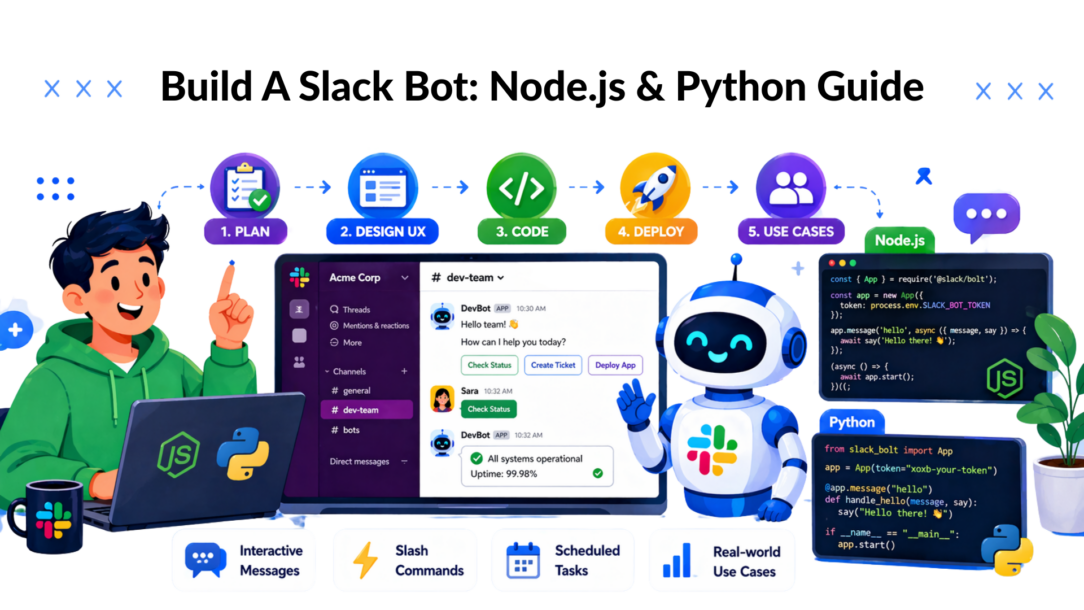
Your team already lives in Slack. Sales asks for lead updates there. Support escalations land there. Marketing watches campaign chatter there. So when a process matters, the fastest path usually isn’t asking people to open another tool. It’s bringing the workflow into the channel where they already make decisions.
That’s why teams decide to build a Slack bot. Not because bots are novel, but because they remove friction from work that keeps getting delayed, dropped, or handled inconsistently. A well-made bot doesn’t just answer messages. It routes leads, nudges reps, collects approvals, posts metrics, and turns routine coordination into something people can complete in a few clicks.
The Real Business Case for Building a Slack Bot
Missed handoffs are expensive in ways that rarely show up on a dashboard. A lead sits in an inbox instead of reaching a rep. A new employee waits for the onboarding steps because a manager forgot to send them. A support issue drifts between channels because nobody owns the next action.
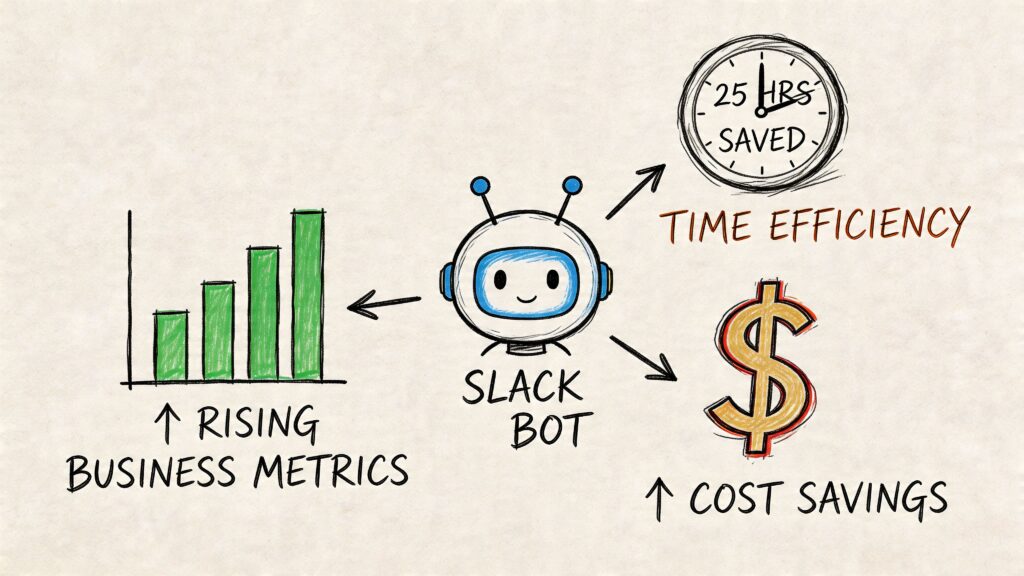
A Slack bot fixes that when it’s built around a specific operational gap. For a sales team, that might mean pushing inbound form submissions into #sales, tagging the right owner, and letting a rep claim the lead with a button. For onboarding, it might mean sending a checklist on day one, then posting timed reminders and resource links during the first week. For a marketing agency, it might mean surfacing campaign anomalies directly in the client channel so nobody has to refresh a dashboard all day.
Build a Slack Bot
The strongest argument for custom bots is that they shape behavior inside an existing habit loop. People already check Slack. They already respond there. A bot that appears in the right channel, with the right message, at the right moment gets attention faster than another standalone internal tool.
One example makes the point well. A developer-built snack bot generated over 400 video meetings across 23 organizations, showing how bots can create meaningful engagement, not just task automation, in distributed teams, as described in this Slack bot build write-up.
Where bots create business value fastest
- Lead response: A bot can post new leads instantly, include form details, and trigger a follow-up workflow.
- Onboarding: HR or operations can standardize reminders, documents, and check-ins.
- Approvals: Finance, legal, or client-service teams can approve requests without email chains.
- Support triage: Bots can collect context before a human jumps in.
- Metrics delivery: A daily or on-demand KPI summary is easier to consume inside Slack than in a buried spreadsheet.
Build the bot around a delay, a handoff, or a repetitive decision. That’s where the return usually shows up first.
Plan Your Bot for Impact Before You Write a Line of Code
Most failed bot projects don’t fail because Slack is hard. They fail because the team built a feature without defining a job. The result is a bot that technically works, but nobody feels a reason to use it.
That’s a bigger problem than many tutorials admit. Content about custom bots often focuses on implementation while skipping adoption and rollout, even though 75% of bots are unused after 3 months, according to the rollout context cited in Slack’s launch guide discussion. If you’re going to build a Slack bot, start with user behavior, not event handlers.
Start with one job, not a platform
Bad planning sounds like this: “We want a bot for sales and support and onboarding and approvals.”
Good planning sounds like this: “We need a bot that posts inbound demo requests to the right regional sales channel and lets reps claim them.”
That second version is usable because it has boundaries. It tells you:
- Who the user is: sales reps and managers
- What event starts the workflow: a new form submission
- What action matters: claim the lead
- What success looks like: faster ownership and less confusion
If you’re still deciding what your bot should do, it helps to think through the same framing used in broader conversational design work, like this practical guide on how to build chat bot flows.
Choose the right Slack interaction model
A lot of wasted effort comes from choosing the wrong interface.
Use a slash command when the user knows they want something and initiates the action. Examples include /pipeline, /daily-kpis, or /new-hire-status.
Use an event-driven bot when the system should react automatically. Examples include posting a lead alert when a form is submitted or welcoming someone when they join a channel.
Use interactive messages or modals when the user has to make a decision, fill in structured fields, or complete a short workflow.
A quick comparison helps:
| Need | Best fit | Why |
|---|---|---|
| User asks for info on demand | Slash command | Fast and explicit |
| Bot reacts to something happening | Event listener | No user initiation needed |
| User needs to choose, approve, or submit data | Interactive message or modal | Cleaner than back-and-forth text |
Map the conversation before the code
Write the bot flow in plain language first. Not pseudocode. Actual user-facing steps.
For a lead routing bot, the flow might be:
- Website form sends a webhook.
- Bot posts a summary in
#sales-inbound. - Rep clicks Claim.
- Bot updates the message and tags the owner.
- If nobody claims it, bot reminds the channel or posts to a manager.
That exercise forces you to answer the parts that usually become rework later.
- What should the bot say first
- What fields are required
- What happens if data is missing
- What happens if two people click the same button
- What should be public in-channel versus private
Practical rule: If you can’t sketch the workflow in a few bullets, the first version of the bot is too broad.
Design for trust, not just function
Users will ignore bots that are noisy, vague, or intrusive. Good bot UX is simple:
- Be specific: “New Shopify lead from paid social” is better than “New submission received.”
- Show context: Include source, owner, urgency, or next action.
- Limit interruptions: Post to the channel that owns the work.
- Handle failure clearly: If the action fails, say what the user should do next.
A bot doesn’t earn adoption because it exists. It earns adoption because it makes one job easier than the old way.
Create and Configure Your First Slack App
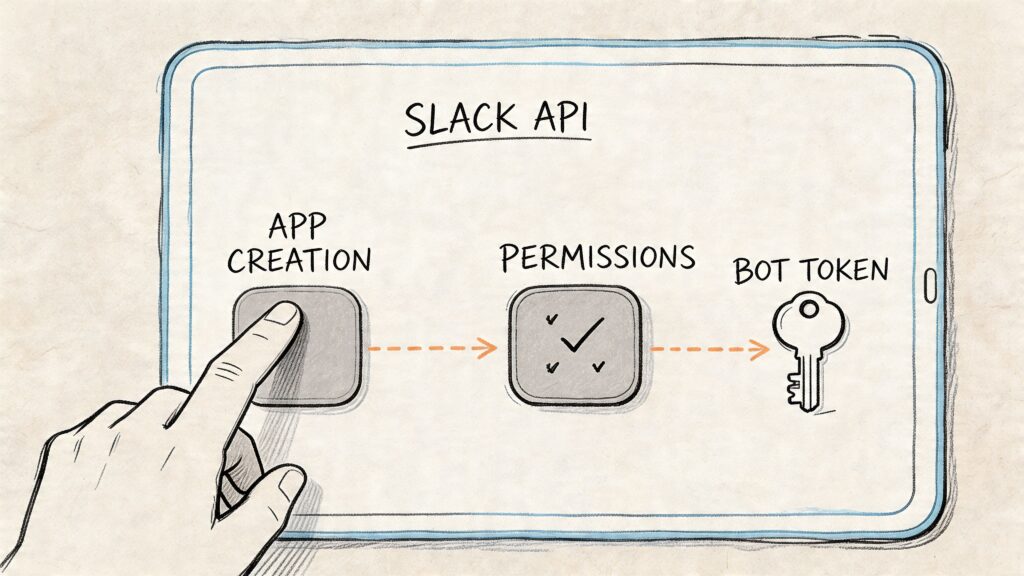
The first setup pass in Slack feels more confusing than it should. There are tokens, scopes, app settings, and a few names that sound similar enough to cause mistakes. The easiest way to keep it straight is to treat the app configuration like a permissions contract. Give the bot only what it needs to do one job well.
Slack API
Slack’s Bolt framework is often the preferred starting point. Slack introduced Bolt in 2019, and it simplified bot development by abstracting away much of the API plumbing, cutting boilerplate by an estimated 60% compared with manual handling of Slack APIs, as shown in the Bolt tutorial for a random fact generator. If you’re building a first bot, that reduction in setup friction matters.
Create the app from scratch
Go to Slack’s app dashboard and create a new app from scratch. Pick a name that reflects the workflow, not just the team. “Lead Router” is better than “Ops Bot” because users immediately understand what it does.
Slack will create the app shell and show the basic configuration pages. Early on, pay attention to these settings:
- Signing Secret: Used to verify that requests really came from Slack.
- Bot Token: Lets the bot post messages and perform workspace actions.
- App-Level Token: Needed for Socket Mode.
- OAuth scopes: Define what the bot can read or do.
Use Socket Mode for local development
For a first build, Socket Mode is usually the least painful option. It lets your bot connect to Slack without exposing a public callback URL during development. That removes the overhead of tunneling tools and reduces moving parts while you’re still iterating.
The setup sequence is straightforward:
- Create the app.
- Enable Socket Mode.
- Generate an app-level token with the
connections:writescope. - Add the bot scopes you need.
- Install the app in your workspace.
- Save your tokens and signing secret in environment variables.
Here’s the shape of the environment file you’ll use:
SLACK_BOT_TOKENSLACK_SIGNING_SECRETSLACK_APP_TOKEN
Request only the scopes you need
Most first-time builders over-permission the app because it feels safer. It isn’t. Broad scopes increase risk and make admin review harder.
For a bot that listens for mentions and sends replies, common needs include:
app_mentions:readso the bot can detect when someone mentions itchat:writeso it can send messages
A lead-routing bot may also need more depending on the channels and interactions you choose, but don’t add scopes until the workflow requires them.
One common setup problem is a permission mismatch. In practical build guidance, token scope mismatches affect 40 to 50% of initial deployments, which is why being deliberate with scopes early saves debugging time, as noted in this Bolt setup walkthrough.
Keep a simple mental model of Slack auth
Use this as your reference:
| Item | What it’s for | Where you use it |
|---|---|---|
| Bot Token | Acting as the bot in Slack | Posting messages, responding to commands |
| Signing Secret | Verifying inbound requests | Security and request validation |
| App-Level Token | Socket Mode connection | Local development and event transport |
Don’t treat setup as a formality. Most “my bot doesn’t respond” issues start in permissions, tokens, or installation, not in the code.
Code Your Bot’s Core Logic with Events and Commands
A Slack bot starts proving its value when it does one useful job reliably.
For a support lead, that might mean typing /daily-metrics and getting queue health without opening three dashboards. For a sales manager, it might mean mentioning the bot in a deal room and getting the latest account status in context. The code you write here determines whether the bot becomes part of the team’s daily workflow or ends up ignored after the demo.
The first version should stay narrow. Handle one event, one simple message pattern, and one slash command tied to a real decision.
Node.js example with Bolt
Create a project, install @slack/bolt, and set your environment variables. Then start with a minimal app:
require('dotenv').config();
const { App } = require('@slack/bolt');

const app = new App({
  token: process.env.SLACK_BOT_TOKEN,
  signingSecret: process.env.SLACK_SIGNING_SECRET,
  appToken: process.env.SLACK_APP_TOKEN,
  socketMode: true,
});

app.event('app_mention', async ({ event, say }) => {
  await say(`Hey <@${event.user}>! I’m ready.`);
});

app.message('hello', async ({ message, say }) => {
  await say(`Hi <@${message.user}>`);
});

(async () => {
  await app.start();
  console.log('Slack bot is running');
})();
This does two jobs. It confirms Slack can deliver events to your app, and it confirms your bot can post back into the channel. If that loop works, you have a base you can trust before you connect CRM lookups, campaign reporting, or ticket actions.
Node.js fits well when the bot shares code with internal web apps, serverless functions, or existing JavaScript services.
Python example with Bolt
If your team prefers Python, the starting point is just as clean:
import os
from slack_bolt import App
from dotenv import load_dotenv

load_dotenv()

app = App(
    token=os.environ["SLACK_BOT_TOKEN"],
    signing_secret=os.environ["SLACK_SIGNING_SECRET"]
)

@app.event("app_mention")
def handle_mention(event, say):
    say(f"Hey <@{event['user']}>! I'm ready.")

@app.message("hello")
def message_hello(message, say):
    say(f"Hi <@{message['user']}>")

if __name__ == "__main__":
    from slack_bolt.adapter.socket_mode import SocketModeHandler
    handler = SocketModeHandler(app, os.environ["SLACK_APP_TOKEN"])
    handler.start()
Python is a good choice when the bot needs to call analytics scripts, internal data pipelines, or operations tooling that already lives in Python. The language matters less than the maintenance path. Pick the stack your team can support six months from now.
Add a slash command that does useful work
Mentions show the bot is reachable. Slash commands turn it into an operational tool.
A good command returns something a person can act on right away:
/lead-status ACME/daily-metrics/onboarding-checklist
In the Slack app settings, create the command and point it to your app. Then register the handler.
Node.js:
app.command('/daily-metrics', async ({ command, ack, respond }) => {
  await ack();
  await respond({
    text: 'Today’s summary: leads are synced, campaigns are live, and support queue is clear.'
  });
});
Python:
@app.command("/daily-metrics")
def daily_metrics(ack, respond, command):
    ack()
    respond("Today’s summary: leads are synced, campaigns are live, and support queue is clear.")
The ack() call matters because Slack expects a fast response. If your command needs to fetch data from a CRM or an internal API, acknowledge first, then send the result. Teams often skip that detail in early builds and end up with commands that time out under load.
The business test is simple. Does the command help someone decide, act, or confirm status without leaving Slack? If yes, adoption has a chance. If it just mirrors a dashboard with no next step, usage drops fast.
For teams exposing bot actions across internal systems, it helps to design handlers the same way you would structure a stable chat bot API integration for business workflows.
Map each trigger to a business action
Slack events are just inputs. The handler should connect each input to a specific business outcome.
| Slack trigger | Technical handler | Business use |
|---|---|---|
| Mention | app.event('app_mention') |
Ask the bot for help in-channel |
| Keyword match | app.message('hello') |
Catch simple patterns or intents |
| Slash command | app.command('/...') |
Run an explicit workflow on demand |
That mapping keeps the project grounded. A marketing bot might post campaign pacing. A sales bot might fetch account context. A support bot might summarize the ticket backlog. The code stays cleaner when every listener answers one question: what business action should happen when this trigger fires?
Common mistakes that break the first versions
Early Slack bots usually fail in predictable ways. The code is often fine. The workflow design or handler boundaries are not.
Watch for these issues:
- Missing scopes: Slack receives the event, but your app cannot read or respond the way you expect.
- Forgetting to reinstall the app: Scope changes do not apply until the app is reinstalled.
- Hardcoding secrets: Acceptable for a quick local test, risky the moment another person touches the project.
- Putting business logic inside listeners: Keep the Slack handler thin and move the main work into service functions.
- Returning vague responses: “Done” creates follow-up questions. A better message says what happened, what changed, and what to do next.
One more trap shows up after the first success. Teams add five commands before they confirm whether one command saves time for marketing, sales, or support. Breadth feels productive, but a single command that removes manual status checks creates more business value than a long command list nobody remembers.
A good bot response reduces uncertainty and shortens the next step.
A simple project layout that scales
Even a small bot gets hard to maintain when handlers, API calls, and formatting logic all live in one file. Separate Slack-specific code from business logic early.
A practical structure looks like this:
app.jsormain.pyfor initializationcommands/for slash command handlersevents/for event listenersservices/for business logiclib/for shared helpers.envfor local secrets
That structure pays off once the bot starts touching real systems. A support command might call the ticketing API. A sales command might fetch opportunity data. A marketing command might summarize campaign performance. Keeping those concerns separate makes testing easier and lowers the cost of adding new workflows later.
Design Engaging Workflows with Interactive Messages
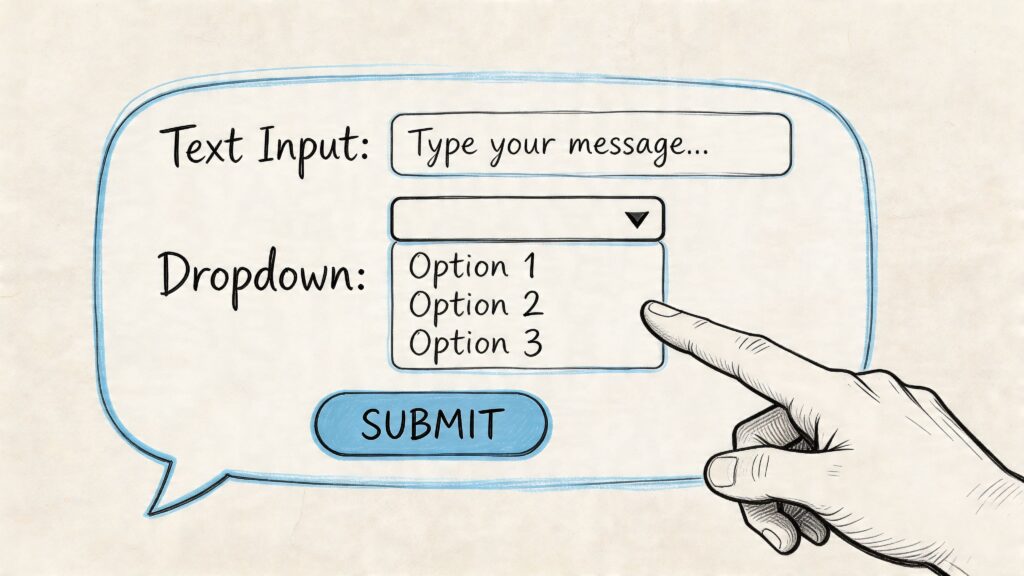
Text-only bots are useful up to a point. Once users need to choose an option, confirm ownership, enter structured data, or move through a short approval flow, plain messages get clumsy fast. That’s where Block Kit turns a simple bot into an actual interface.
Build a Slack Bot Dropdown Menu
A good interactive message reduces back-and-forth. Instead of asking a rep to reply with owner, priority, and region in free text, you give them buttons, menus, and a modal form. The workflow becomes easier to complete and easier to validate.
Build the UI in Block Kit Builder first
Don’t start by writing JSON from memory. Use Slack’s Block Kit Builder to sketch the message visually.
A practical lead qualification message might include:
- A section block with the lead name and source
- A context block with campaign or account details
- An action block with buttons like Claim or Escalate
- A modal launched from a button click for extra fields
That flow works well for marketing and sales teams because it captures data at the moment of action, not later when context is already gone.
If you’re thinking about more natural conversational experiences on top of structured UI, it’s worth understanding how chatbot natural language processing fits alongside deterministic buttons and forms. In practice, the strongest Slack bots use both.
A simple interactive message example
Here’s a Node.js example that posts a message with a claim button:
app.command('/new-lead', async ({ ack, respond }) => {
  await ack();

  await respond({
    blocks: [
      {
        type: 'section',
        text: {
          type: 'mrkdwn',
          text: '*New lead*\nName: Dana Cole\nSource: Paid Search'
        }
      },
      {
        type: 'actions',
        elements: [
          {
            type: 'button',
            text: {
              type: 'plain_text',
              text: 'Claim'
            },
            action_id: 'claim_lead',
            value: 'lead_123'
          }
        ]
      }
    ]
  });
});
Now handle the button click:
app.action('claim_lead', async ({ ack, body, respond }) => {
  await ack();
  await respond({
    text: `Lead claimed by <@${body.user.id}>`,
    replace_original: false
  });
});
The same pattern matters more than the exact example. The bot posts a clear action. The user clicks. Your app acknowledges the interaction quickly, then updates the workflow.
Respect the three-second rule
Interactive Slack flows fail in a very specific way. The user clicks a button, sees a spinner, and then nothing reliable happens. One major cause is slow acknowledgment. In Block Kit workflows, 25% of interactivity failures are often caused by not acknowledging the action within Slack’s 3-second timeout window, as explained in this Block Kit implementation guide.
That’s why the pattern is always:
ack()immediately- Do any slower processing after that
- Use
respond()or another API call to update the user
Implementation note: Treat
ack()as mandatory plumbing, not optional polish. If your backend work is slow, acknowledge first and process second.
When to use buttons, selects, and modals
Different interaction types solve different workflow problems.
| UI element | Best use | Weak use |
|---|---|---|
| Button | Claim, approve, escalate, confirm | Collecting several fields |
| Select menu | Choose owner, region, priority | Decisions that need explanation |
| Modal | Gather structured multi-field input | One-click yes or no actions |
A support triage bot might post a message with Assign, Needs Info, and Escalate buttons. A lead bot might open a modal to collect budget range, target timeline, and product interest. An onboarding bot might use a checklist-style message with action buttons for each completed task.
The design rule is simple. Keep the interaction inside Slack only if the task is quick and bounded. If the workflow requires deep editing, long-form writing, or large record views, the bot should hand off to another app instead of pretending Slack is a full admin panel.
Deploy, Secure, and Scale Your Production-Ready Bot
A bot usually feels finished the first time it responds in Slack. That is also the point where production problems start. The critical test is whether it keeps working during a sales launch, a support spike, or a Monday morning when three systems are slow and Slack retries the same event.
For a business team, reliability is not an infrastructure nicety. It decides whether people trust the bot enough to put real work through it. If marketing relies on it for lead alerts, a missed notification costs response time. If support uses it for triage, duplicate actions create ticket confusion. Teams building workflows like Slack support ticket integration usually learn this fast. The bot becomes part of an operational process, so uptime, security, and message discipline affect customer experience.
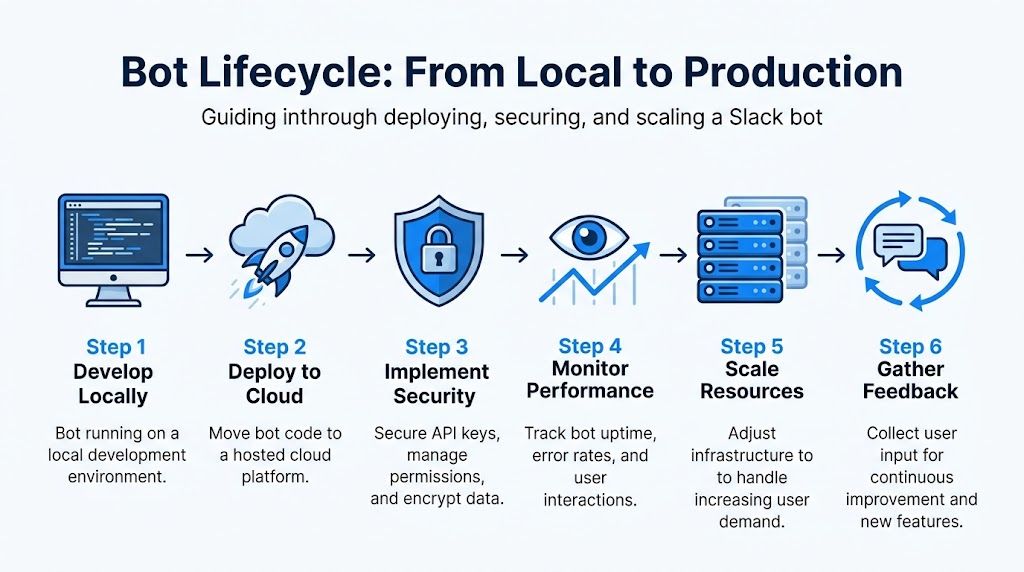
Build a Slack Bot Life Cycle
Choose hosting around response patterns
Hosting should match bot behavior, not team fashion.
A simple app server works well for bots with steady traffic, straightforward request handling, and a need for easier debugging. Serverless is a good fit for bursty event volume or low baseline usage, where paying only for execution time makes sense. Background workers or queues matter when the bot has to call slow systems such as a CRM, help desk, warehouse API, or LLM service.
The trade-off is operational control versus simplicity. Traditional app hosting gives clearer runtime visibility and fewer cold start surprises. Serverless reduces infrastructure management but can make tracing and local parity harder. Queues add moving parts, yet they protect user experience by keeping Slack-facing handlers fast while heavier jobs run separately.
Put guardrails in place before users depend on it
Production issues usually come from a short list of preventable mistakes.
- Verify Slack request signatures so the bot only accepts real Slack traffic.
- Store tokens and signing secrets in a secret manager or environment config, never in the repo.
- Log request IDs, user actions, and downstream API outcomes, so support and engineering can debug failures quickly.
- Make event handling idempotent because retries happen, and duplicate side effects are expensive.
- Set timeouts and retries for external services instead of letting one slow dependency stall the whole flow.
- Throttle message posting and respect Slack rate limits so one noisy workflow does not flood a channel or hit API caps.
- Add health checks and alerting so the team knows the bot is failing before users report it.
Those controls protect business workflows, not just code. A lead-routing bot that creates duplicate assignments causes sales friction. A support bot that posts the same update five times trains the team to ignore it.
Security decisions shape adoption
Slack bots often sit close to internal systems. They read messages, post updates, and sometimes act on customer records. That makes security part of product design.
Start with the smallest set of OAuth scopes you can get away with. Limit which users or channels can run sensitive commands. Be careful with what the bot echoes back into public channels, especially customer details, internal notes, pricing information, or account status. Review logs too. Teams often hide secrets in code, but still write sensitive payloads into logs where far more people can access them.
One common mistake is giving the bot broad access early because it is faster during development. That shortcut creates cleanup work later and raises approval friction with IT, security, or enterprise customers. Tight scopes and clear data boundaries make rollout easier.
Scale the architecture before scale becomes visible
Slack bots rarely fail because of one huge traffic event. They fail because small edge cases pile up. Two reps click Claim at the same time. An external API slows down. A retry lands after the first request already succeeded. The channel gets three updates when one would have done the job.
The fix is disciplined design. Keep Slack handlers thin. Move business rules into services you can test outside Slack. Use a queue for slow jobs. Add locking or state checks around actions that should happen once. Prefer updating an existing message over posting a new one whenever the workflow is really one shared thread of work.
That structure pays off beyond engineering. Product managers can change workflow rules without rewriting every event handler. Support teams get more consistent behavior. Sales and marketing see fewer noisy alerts and cleaner ownership signals.
A production-ready bot earns trust by being predictable under stress, careful with data, and boring in the best possible way.
Inspiring Bot Use Cases That Drive Business Results
The best Slack bots don’t try to do everything. They solve one recurring coordination problem so well that the team starts depending on them. A few patterns show up again and again because they map directly to revenue, service quality, or internal speed.
The lead alert bot
A new lead arrives from your website, paid campaign, or partner form. The bot posts a clean summary into the right sales channel with source, company, and contact details. A rep clicks Claim, and the bot updates the message so ownership is visible to everyone.
That single workflow removes a lot of hidden friction. No forwarding emails. No “who’s taking this?” chatter. No rep starting outreach only to discover someone else already did. For agencies and DTC teams, this is often the fastest way to bring lead routing into the same place where account conversations already happen.
The onboarding bot
Most onboarding problems aren’t about missing documents. They’re about inconsistent follow-through. One manager sends a checklist. Another forgets. One new hire gets links on day one. Another gets them after asking twice.
An onboarding bot standardizes that cadence. It can send the first checklist, post reminders, share docs by role, and nudge the manager when a milestone needs attention. The user experience matters here. Messages should feel like guided steps, not corporate spam. If the workflow needs acknowledgment, add buttons like Done, Need help, or Schedule check-in.
The daily metrics bot
Leaders ask the same question every morning. How are we doing today?
A metrics bot answers that in the channel where the team is already reviewing work. A slash command can pull daily KPIs from a sheet, database, or internal service and return them in a readable Block Kit layout. This is especially useful for e-commerce operations, paid media teams, and support managers who need a quick snapshot before standup.
Good metrics bots don’t dump raw data. They show just enough context to support a decision.
The support triage bot
Support is a strong fit for Slack because urgency and collaboration already live there. A triage bot can collect context, route issues to the right team, and create a cleaner handoff between support and engineering. If you’re exploring workflows where incidents or customer requests need to become structured internal tasks, this guide on Slack support ticket integration is a useful complement to the bot patterns covered here.
What these use cases have in common
They all follow the same operating principle:
- a real trigger starts the workflow
- the bot appears where the work already happens
- the user gets a short, obvious next action
- the workflow updates shared visibility
That’s why a Slack bot becomes valuable. Not because it’s complex, but because it reduces delay around work people already care about.
If you want to automate customer conversations beyond Slack, Clepher gives you a fast way to build AI-powered chat flows for marketing, sales, and support across your website, Messenger, WhatsApp, and Instagram. It’s a practical option for teams that want structured automation, segmentation, and no-code deployment without building every workflow from scratch.

Related Posts
AI with Personality: How Chatbots Build Real Connections
October 14, 2026Client Account Management: A Practical Playbook
October 13, 2026Chat Bot Responses That Convert: A Practical Guide
October 12, 2026
Founder Clepher