
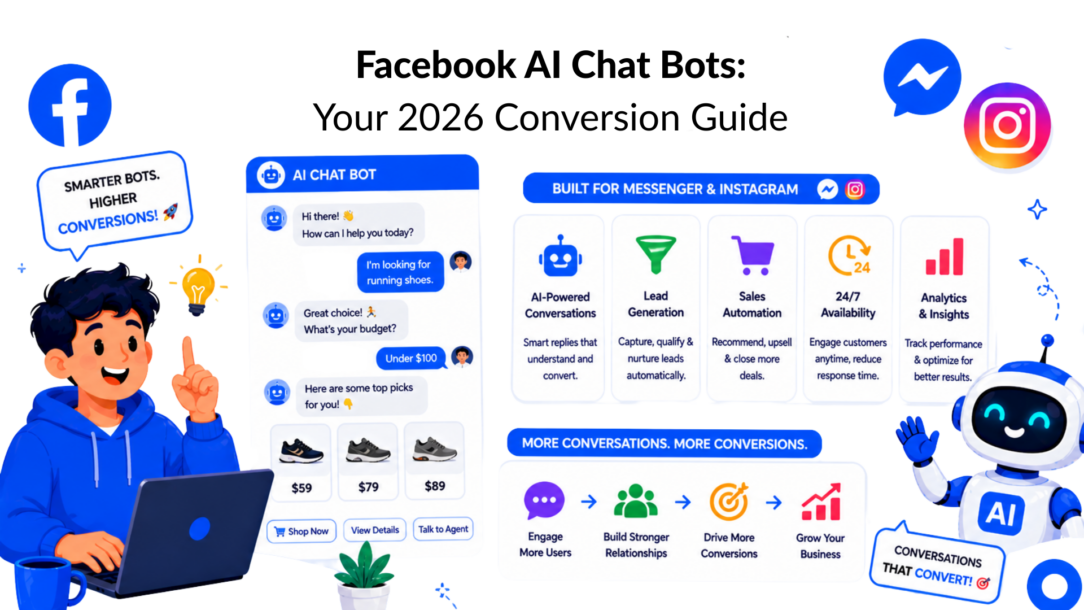
Most brands still treat Messenger and Instagram DMs like side channels. That’s a mistake. On Meta’s platforms, conversational AI has already moved into the mainstream, and the businesses getting results from Facebook AI chatbots aren’t the ones with the fanciest automation. They’re the ones that tie every message to a business outcome.
A bot should do one of three jobs well. It should capture demand, convert demand, or deflect routine support work so humans can handle the conversations that actually need judgment. Everything else is decoration.
Why Facebook AI Chat Bots Are a Non-Negotiable Asset in 2026
The scale alone should reset how you think about this category. Over 987 million people worldwide are projected to use AI chatbots by 2026, and these systems can handle up to 80% of routine customer inquiries while companies report 33 to 45% reductions in average handle times and conversion improvements of 20% or more, according to Chatbot statistics compiled by ChatBot.com.
Facebook AI Chatbots AI Illustration
That matters because Messenger and Instagram aren’t just messaging apps anymore. They’re buying journeys, lead funnels, support desks, and re-engagement channels sitting inside the same environment where people already spend time. If your team still sends traffic to a slow landing page and waits for a form fill, you’re often adding friction where a conversation would convert faster.
The practical shift is simple. Stop asking, “Should we add a chatbot?” Start asking, “Which revenue or support bottleneck should the bot remove first?”
Practical rule: The first bot should solve one expensive problem, not five small ones.
For most brands, the strongest starting points are:
- Lead capture: Turn ad clicks and profile visits into qualified conversations.
- Sales assistance: Answer product questions, route shoppers, and recover hesitant buyers.
- Support triage: Deflect repetitive messages so agents spend time on exceptions.
Facebook AI chat bots work when they feel less like scripts and more like guided decision systems. The bot doesn’t need to mimic a human perfectly. It needs to move people to the next useful action with less delay, less confusion, and fewer abandoned conversations.
Designing Your Chatbot Architecture for Conversions
A conversion-focused bot starts on paper, not in the builder. If you skip the architecture step, you usually end up with a chatbot that answers questions but doesn’t produce pipeline, sales, or cleaner support operations.
The first decision is ruthless prioritization. Pick one primary outcome for version one. Not “engagement.” Not “customer experience.” A concrete target like qualified leads from Facebook ads, abandoned-cart recovery in Messenger, or support triage for shipping and returns.
Start with one business goal
The strongest bot builds I’ve seen usually have one dominant metric behind them.
If you run eCommerce, that metric is often product discovery or cart recovery. If you run an agency, it’s usually a qualification before a strategy call. If you’re a creator or coach, it may be application filtering so your inbox doesn’t fill with low-fit prospects.
For example, a Facebook chatbot or Messenger chatbot could be optimized for customer interactions that focus on product discovery or customer engagement, while also integrating natural language processing (NLP) to make the conversation feel more human-like.
Here’s the test: If a stranger looked at your flow, could they tell what the bot is trying to achieve within the first few messages? If not, the architecture is too broad.
By narrowing your focus with a targeted goal, like using a Messenger chatbot for lead qualification or a Facebook chatbot for product recommendations, you can create a seamless experience that delivers on your primary objective with the help of natural language processing. This keeps the flow clear and effective, and ultimately, it’s what sets high-performing bots apart.
Use this sequence when planning:
- Choose the goal: lead, sale, booking, or support deflection.
- Define the trigger: ad click, post comment, page message, story reply, or website widget.
- Map the path: what does the user need to know, decide, or submit to reach the outcome?
- Set the exit: purchase link, booking page, human handoff, or help article.
Map the user journey before you write copy
Good bot architecture follows user intent, not internal org charts. A shopper doesn’t care that marketing owns Instagram and support owns Messenger. They care about getting the answer they need without repeating themselves.
That means your flow should reflect the user’s actual decision path:
- Entry intent: “I’m interested.”
- Clarification: “Is this for me?”
- Friction point: “What’s the price, fit, timing, or catch?”
- Action: “Buy, book, apply, or talk to a person.”
Most bot drop-off happens where the flow asks for effort before it creates clarity.
That’s why high-converting bots front-load relevance. They identify the user’s need quickly, then ask only the minimum questions required to route or qualify them.
For a cleaner planning process, use a conversation wireframe before you build in software. A simple visual map helps you spot dead ends, repeated questions, and weak handoff points. This guide on how to design a chatbot is useful if you want a practical planning model before you open the builder.
Chatbot use-case templates by business type
| Business Type | Primary Goal | Example Flow |
|---|---|---|
| Ecommerce brand | Product discovery or cart recovery | Welcome message → ask what they’re shopping for → route by category or need → answer common objections → send product link or offer human help |
| Marketing agency | Lead qualification | Ask service needed → ask business type or main challenge → check budget or timeline fit → collect contact details → route to booking |
| Creator or coach | Application filtering | Ask what outcome they want → ask current stage → identify fit for offer → collect email or phone → send application or booking link |
What works and what doesn’t
What works
- Single-path clarity: one core flow per objective.
- Short branches: each choice moves the conversation closer to action.
- Early qualification: ask enough to segment, not enough to feel like a survey.
- Visible escape routes: let people ask for a person, pricing, or details at any point.
What doesn’t
- Mega-menus: too many buttons kill momentum.
- Generic welcomes: “How can I help you today?” sounds polite but often creates vague replies.
- Premature data capture: asking for email before value is established depresses completion.
- Disconnected channels: if Messenger says one thing and Instagram DMs say another, trust drops fast.
A useful architecture rule is this. Every message should either increase intent, reduce friction, or route the user forward. If it does none of those, remove it.
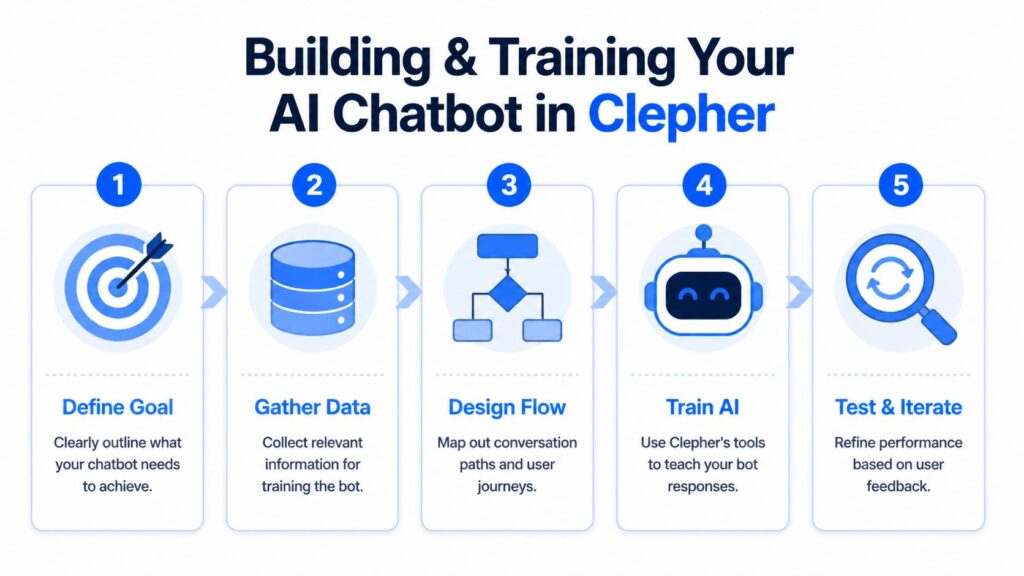
Building and Training Your AI Chatbot in Clepher
The build phase is where things tend to become overcomplicated. Builders assume AI means the bot should understand everything. It shouldn’t. It should understand the messages that matter most to your funnel and know when to stop pretending.
For business-facing Messenger bots, deployment usually follows a three-stage workflow: webhook and permissions setup, an intent-driven NLP layer, and multi-step flows with live-agent fallback. Benchmarks on 200k+ conversations found that bots using confidence-threshold routing achieved 25 to 30% higher goal completion rates than rule-only bots, while 35 to 40% of integrations fail at stage one because of setup issues. The same benchmark also points to common confidence ranges such as responding when intent confidence is 0.7 or higher and handing off when it falls below 0.4, as described in JustThink AI’s analysis of Meta chatbot workflows.
Facebook AI Chatbots Process
Train for intents, not perfect language
The practical way to train Facebook AI chat bots is to start with intent buckets. Not every sentence variation. Not every edge case. Just the recurring reasons people message you.
For a DTC brand, the core intents often look like this:
- product question
- shipping question
- return policy
- discount request
- order status
- talk to support
For an agency:
- pricing
- services
- case-study request
- book a call
- not a fit
- existing client support
In Clepher, the point isn’t to create a massive AI brain. It’s to give the builder enough examples and routing rules so the bot can recognize high-frequency intent and move users into the right flow. If you want a step-by-step framework for that setup, this tutorial on how to train an AI chatbot covers the mechanics.
Use confidence scores to protect conversions
Confidence routing is one of the biggest differences between a bot that converts and a bot that frustrates people.
If confidence is high, let the AI answer or route automatically. If confidence is middling, ask a clarifying question. If confidence is low, hand the conversation to a human or offer structured options.
That approach works better than forcing the model to answer every message because bad certainty kills trust faster than honest uncertainty.
A bot that says “I’m not sure, but I can route you correctly” usually performs better than a bot that guesses.
A simple decision model looks like this:
| Confidence level | Bot action | Best use |
|---|---|---|
| High | Answer directly or send the user into the correct flow | FAQs, routing, common pre-sale questions |
| Mid | Ask one clarifying question | Ambiguous product, service, or support queries |
| Low | Trigger live chat, fallback menu, or callback option | Emotional messages, complex support, unusual phrasing |
Build a lead qualification flow that feels human
The easiest way to make a bot feel robotic is to interrogate the user. The easiest way to make it feel useful is to make each question earn its place.
A solid qualification flow usually follows this rhythm:
-
Anchor on intent
“Are you looking for help with [offer A], [offer B], or something else?” -
Segment by fit
Ask the one question that changes the next step. For an agency, that might be a service type. For ecommerce, it might be a product use case. -
Capture a meaningful field
Name, email, phone, budget range, timeline, product preference, or account type. Use custom fields so later messages don’t reset context. -
Route to action
Send a booking link, product page, offer application, or support handoff.
The personalization layer matters. If a returning user already told you they want wholesale pricing, don’t ask again. Save that detail and use it to shorten future conversations.
What to test during training
Don’t judge the bot by whether it “sounds smart.” Judge it by whether it routes correctly and keeps momentum.
Focus your testing on:
- Intent coverage: can it correctly identify your most common incoming messages?
- Fallback quality: does the bot recover cleanly when confidence is low?
- Field capture: are custom fields storing useful segmentation data?
- Channel consistency: does the same intent produce the same routing logic in Messenger and Instagram?
- Human takeover: when handoff happens, does the agent get the conversation context?
The most expensive training mistake is overtraining fringe language while ignoring obvious buyer questions. Train the top conversion and support intents first. Expand later.
Where teams usually get stuck
Most implementation issues aren’t about AI quality. They’re operational.
Common failure points include:
- Broken permissions or page connections
- Too many overlapping keyword triggers
- No fallback path
- No agent handoff rule
- No review loop for missed intents
If your bot keeps failing on real traffic, reduce complexity. Narrow the first release to a smaller set of intents, tighten the routing, and review conversation logs weekly. The bot doesn’t need to be broad to be profitable. It needs to be reliable where demand already exists.
Launching and Driving Traffic to Your Chatbot
A well-built bot with no traffic is just an internal project. Launch is where Facebook AI chat bots become revenue assets or stay invisible.
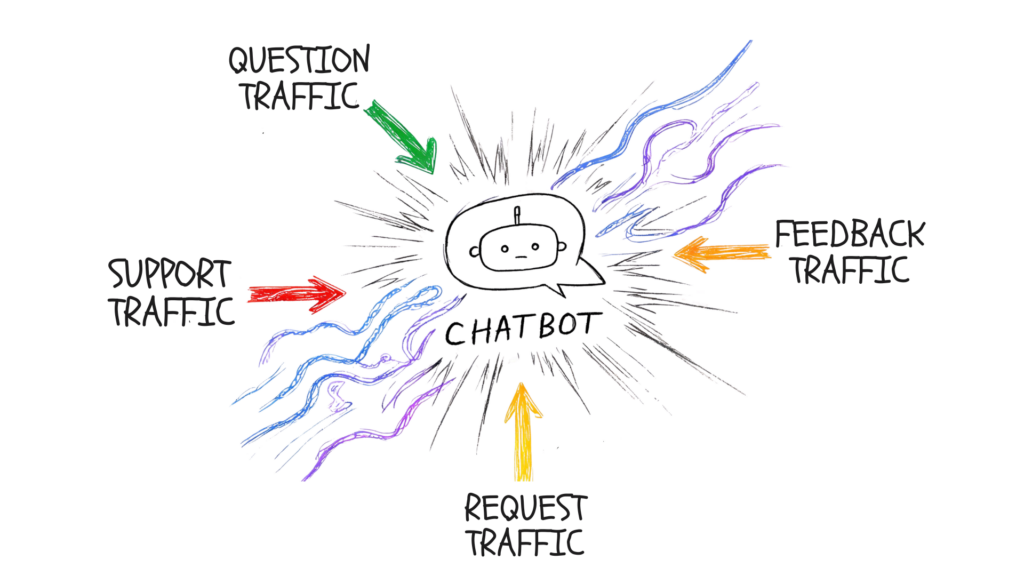
Facebook AI Chatbots Traffic
The mistake I see most often is treating traffic as a single tactic. It isn’t. Different entry points produce different conversation quality. Some generate scale. Others generate intent. You need both, but you should know which one you’re buying.
Click-to-Messenger ads for controlled intent
If you want predictable bot traffic, start with ads that open directly into Messenger. They work well because the handoff from ad promise to conversation is immediate. The user taps, the chat opens, and the bot can continue the same offer angle without making the person load a separate page.
This setup is strong for:
- Lead generation offers
- Product recommendation flows
- Appointment booking
- Limited-time campaign launches
The trade-off is message quality. Ad traffic can be broad, so your opening sequence has to qualify fast. If the first messages are generic, low-intent clicks will clog the inbox.
For teams setting this up inside a no-code workflow, click-to-Messenger ads with Clepher show the basic path from ad click to automated follow-up.
Also, if your ad or bot setup depends on the right page access and role permissions, Raven SEO’s Facebook Page guide is a useful operational reference for getting the admin side clean before launch.
Comment automation for list growth
Comment automation is a different animal. It’s less about precision and more about turning public engagement into private conversation.
When someone comments on a post, reel, or promotion, your automation can invite them into Messenger or Instagram DMs with a relevant next step. This is useful when you want to capitalize on social momentum without manually replying to every person.
What makes it work:
- The post promise matches the DM flow
- The first DM delivers the thing they expected
- Tags are applied at entry based on the campaign
- The next step is obvious
What kills it is bait-and-switch behavior. If the post offers a guide, a coupon, or a recommendation, and the DM starts with unrelated sales questions, people drop immediately.
Here’s a quick walkthrough worth watching before you build the launch sequence:
Website widgets for high-intent capture
Website chat widgets usually produce fewer conversations than social entry points, but the intent is often stronger. These users are already on your site, reading your offer, comparing products, or looking for reassurance.
That changes how the bot should behave. On-site, the bot should be tighter and more specific. It should answer objections, route the visitor to the right page, or capture the lead before they bounce.
Website widget traffic is a good fit for:
- Pricing-page questions
- Product recommendation quizzes
- Exit-intent offers
- Consultation requests
The best launch mix usually includes one scale channel and one high-intent channel.
Segment from the first interaction
Don’t wait until the end of the flow to organize the audience. The first trigger already tells you something useful.
A person who arrived from a product ad is different from a person who commented on a giveaway post. A person who opened the widget on your pricing page is different from a person asking about order tracking.
Tag that difference immediately. Then use it in a follow-up:
- Campaign-source tags for ad set or content origin
- Intent tags for what they asked about
- Lifecycle tags for lead, shopper, customer, or support contact
Launch’s role shifts from mere traffic generation to list quality control. The more precisely you label people at entry, the easier it is to send relevant follow-ups later without blasting everyone with the same sequence.
Integrating Your Bot Across Your Tech Stack
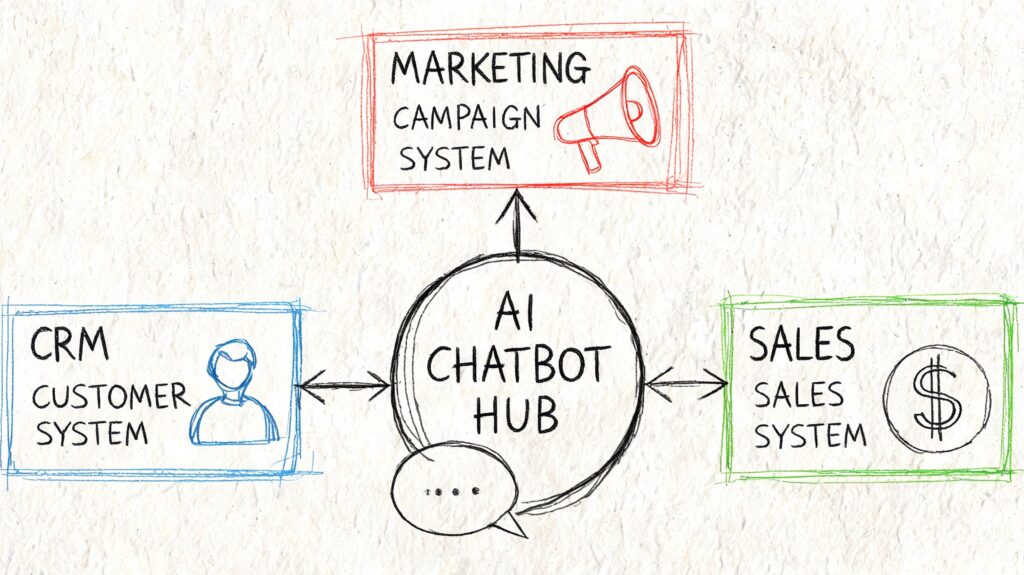
A chatbot becomes far more useful when it stops acting like a separate inbox. Its true advantage emerges when conversation data moves into the rest of your stack and triggers action elsewhere.
Facebook AI Chatbot Diagram
Without integration, you get fragmented operations. Leads stay trapped in Messenger. Support context never reaches the help desk. Marketing can’t distinguish casual engagement from buying intent. Teams then start copying data manually, which slows response time and creates errors.
Connect chat data to your CRM
Your CRM should receive more than a name and email. It should receive context.
If someone came through a product quiz, that preference data should travel with the lead. If an agency prospect selected paid social as their need, that should shape the sales rep’s first outreach. If a returning customer opened a support flow, the agent should see that history before replying.
A practical CRM sync should pass:
- Contact identity
- Entry source
- Intent or selected path
- Key qualification fields
- Conversation status
- Assigned tags
That creates a more usable customer record and avoids the usual problem where the sales team gets a lead but no clue why that person started the conversation.
Push follow-up into email and SMS
Messenger is strong for immediate interaction. Email and SMS are strong for broader nurture and follow-up depth. Used together, they cover both speed and persistence.
A common flow looks like this:
- User starts in Messenger or Instagram.
- The bot qualifies or segments them.
- The integration sends their data to your email or SMS platform.
- A follow-up sequence starts based on the path they took.
That lets you keep the first interaction conversational while moving longer nurture into channels better suited for reminders, onboarding, education, or offer stacking.
Use automation platforms for everything else
Not every team needs a direct native integration for every app. Sometimes a webhook tool is the cleaner answer.
Platforms like Zapier, Make, or similar workflow tools are useful when you want to:
- create tasks in a project tool after a qualified lead enters
- notify sales in Slack when a high-intent prospect requests a callback
- push support conversations into a ticketing queue
- add users to custom audience workflows after specific bot actions
Integration matters most at the moments where handoffs usually break.
Those moments are predictable. A lead qualifies, but nobody follows up. A support issue escalates but loses context. A shopper asks for a product and never receives the right sequence later. Good integrations prevent those gaps.
Build one customer view, not channel-specific silos
The strongest setup treats Messenger, Instagram DMs, website chat, email, and SMS as inputs into one customer profile.
That doesn’t mean every tool has to do everything. It means each tool should know enough to continue the conversation intelligently. If a person asked about an offer in Instagram, your email system shouldn’t send beginner content unrelated to that interest. If a lead booked a call through the bot, your CRM shouldn’t treat them like a cold contact.
The payoff is operational as much as marketing-related. Sales gets a cleaner context. Support gets faster resolution. Marketing gets better segmentation. The bot stops being a message responder and starts acting like a structured intake layer for the whole business.
Optimizing Performance Analytics and Ensuring Compliance
The fastest way to waste a good build is to launch it and leave it alone. Bots drift. Offers change. user questions evolve. Traffic sources shift. The conversation flow that worked last month can gradually start leaking conversions if nobody reviews the data.
That’s why “set it and forget it” is the wrong operating model. The work that matters starts after launch.
Read drop-offs like funnel leaks
Your analytics should tell you where people stop, not just how many people entered.
If users exit after the first question, your opener is too broad, too demanding, or mismatched to the traffic source. If they engage until the contact form step and disappear, you’re probably asking for information before enough value has been established. If they repeatedly trigger fallback, your training data or routing logic needs work.
Look for patterns such as:
- High exits after welcome message
- Repeated confusion around pricing or offer fit
- Low completion on qualification steps
- Frequent requests for a person
- Unanswered free-text messages
Those patterns tell you what to change next. Usually, the answer isn’t “add more AI.” It’s “remove friction.”
A/B test the pieces that affect action
Bot optimization is often simpler than teams think. You don’t need to rebuild the whole flow every time. Start by testing the parts that shape momentum.
Good testing targets include:
- Opening message framing
- Button labels
- Question order
- Offer wording
- Timing of email or phone capture
- Handoff language
For example, one opener may invite exploration while another immediately narrows to a buying use case. One version may ask for contact details too early. Another may answer a key objection first. Small changes here can materially affect whether people continue.
Field note: Test one friction point at a time. If you change the welcome message, the offer copy, and the button structure together, you won’t know what caused the result.
Protect consent and data handling
Performance doesn’t excuse sloppy governance. If your bot captures personal data, you need clear consent language, clean data storage practices, and a way for people to understand what they’re opting into.
That matters for practical reasons, not just legal ones. People are more willing to continue a conversation when the next step is transparent. If they think the bot is hiding what happens after they share details, trust drops.
Operationally, that means:
- State what the bot is collecting
- Clarify what follow-up the user may receive
- Limit collection to what the flow needs
- Maintain clean processes for access, updates, and deletion requests
- Document when a human takes over sensitive conversations
Don’t use bots as unsupervised emotional support
This is the part many growth-focused teams skip. A critical and undercovered issue is the ethical risk of AI chatbot failures in mental health or crisis-like conversations. General studies on counseling-style AI have found that these systems can reinforce harmful beliefs and mishandle crisis situations, while platform-specific data for Messenger remains lacking. Businesses that deploy bots for emotional engagement without safeguards can face significant litigation risk under GDPR or FTC rules, as discussed in this health journalism analysis of AI avatars and mental health risk.
That has a direct implication for Facebook AI chat bots. If your business operates anywhere near emotional vulnerability, personal transformation, wellness, coaching, or crisis-adjacent support, your automation boundaries need to be strict.
Avoid these failures:
- Letting the bot improvise in high-risk emotional conversations
- Framing the bot as a counselor, coach, or trusted confidant in crisis
- Failing to route distress signals to human review
- Using a persuasive follow-up when the user is clearly distressed
A safer operating model is to keep the bot focused on structured tasks. Intake. Scheduling. resource routing. FAQ handling. Basic check-ins with clear escalation paths.
Build escalation into the design
Responsible optimization includes knowing where automation should stop.
Set clear triggers for human involvement, such as:
- negative sentiment
- repeated fallback
- refund disputes
- medical, legal, or crisis-related language
- messages indicating confusion, harm, or distress
When a handoff happens, the human should receive the context already gathered. That protects the user from repeating themselves and protects the business from leaving sensitive conversations in an automated dead zone.
The strongest bots don’t try to automate every conversation. They automate the right parts, measure performance continuously, and respect the limits of what AI should handle.
Frequently Asked Questions About Facebook AI Bots
If you want to turn Messenger, Instagram, and website conversations into a structured lead, sales, and support system, Clepher gives you a no-code way to build flows, train AI routing, capture subscriber data, and connect those conversations to the rest of your stack.

Related Posts
Chat Bot Responses That Convert: A Practical Guide
October 12, 202610 Broadcast Automation Software Platforms Compared
October 11, 2026Customer Journey Automation: The Practical Guide
October 10, 2026
Founder Clepher