
Most advice about a facebook auto share bot is stuck in the old playbook.
It still pushes the same idea: log in with a browser bot, spray links into groups, mimic clicks, and hope Meta doesn’t notice. That approach is outdated. It burns accounts, annoys audiences, and turns “automation” into a fragile workaround instead of a reliable growth channel.
The smarter move in 2026 is to stop thinking about auto-sharing as public mass posting and start treating it as permission-based content delivery. If someone has opted in to hear from you, Messenger becomes a far better place to distribute updates, offers, product launches, and content than a risky posting bot ever was.
Rethinking the Facebook Auto Share Bot in 2026
Automation isn’t the problem. Bad automation is.
By 2021, bot traffic accounted for 27.7% of all global web traffic according to Statista’s bot traffic data. That matters because it shows how normal automated systems have become across digital operations. Marketers automate publishing, routing, monitoring, support, and follow-up every day.
The issue is how you automate on Facebook.
A traditional facebook auto share bot usually means one of two things. Either it’s a sketchy browser tool pretending to be a human user, or it’s a workaround built to push content into public spaces at scale. Both models are rooted in the same flawed assumption: that reach comes from posting everywhere.
It doesn’t.
Reach comes from sending relevant content to people who want it. That’s why the better model looks less like mass posting and more like targeted distribution through owned channels, subscriber lists, and approved integrations. If you’ve been exploring broader social media marketing automation, this is the shift that matters most on Facebook.
What changed
Facebook used to reward volume more generously. Marketers could push one link into pages and groups, repeat the process, and get enough visibility to justify the mess.
That environment is gone. Platforms now evaluate quality, intent, user experience, and pattern consistency much more aggressively. If your automation behaves like spam, the platform treats it like spam.
What the new model looks like
The modern version of “auto-sharing” is simple:
- People opt in: They ask to hear from you through Messenger.
- Content gets routed intelligently: New articles, product drops, reminders, or promos trigger messages.
- Messages feel personal: They use tags, conditions, and timing instead of one-size-fits-all blasts.
- Delivery stays compliant: The system runs through approved workflows instead of unauthorized scraping.
Practical rule: If your automation depends on imitating a human clicking Share in a browser, you’re already using the wrong system.
That’s the biggest mindset shift. The best Facebook auto share bot today often doesn’t “share” publicly at all. It broadcasts privately, intentionally, and with consent.
Why Traditional Auto-Share Bots Are a Risky Gamble
The old tools still sell a seductive promise. Install an extension, connect an account, load up a list of groups, and let the bot do the work. On paper, that sounds efficient.
In practice, it’s a liability.
Meta has tightened enforcement hard enough that this isn’t a gray area anymore. According to the cited reporting in the provided source, account suspensions for automation violations saw a 300% rise in Q1 2025 in response to widespread abuse, as referenced in this automation enforcement discussion. If your business still relies on unauthorized posting bots, you’re building on unstable ground.
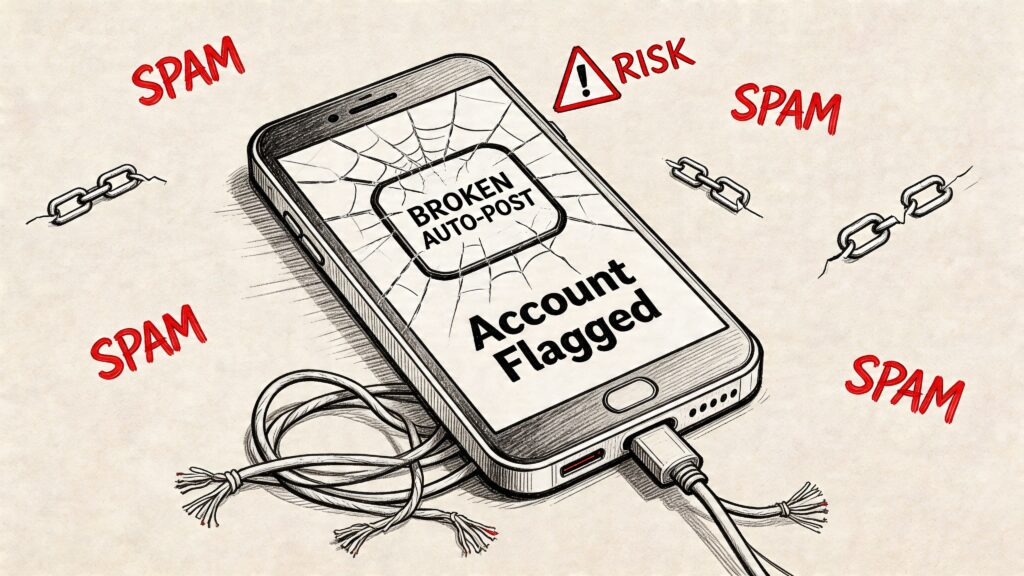
Facebook Auto Share Bot Banned
Why these bots fail even when they “work”
A lot of marketers judge these tools too early. They see the bot publish a few posts successfully and assume the system is fine.
That’s the trap.
A bot can technically complete the action and still damage the account behind it. Public overposting creates weak engagement signals. Repetitive message patterns train audiences to ignore you. Low-quality interactions then make every future campaign harder.
Here’s what usually breaks first:
- Account trust: Suspicious automation patterns make the account look manipulated.
- Audience quality: Group members and followers stop treating your content as useful.
- Operational stability: A workflow built on scraped buttons and browser behavior fails the moment Facebook changes the interface.
- Team confidence: Staff stop trusting the system because every campaign feels like it might trigger a restriction.
The hidden cost isn’t just suspension
Marketers often focus on bans. They should also focus on brand damage.
When a business posts the same link into too many places, the content starts to feel cheap. It doesn’t matter how good the article, offer, or product is. The delivery method lowers its value.
If your distribution tactic makes your brand look lazy, the automation is costing more than it saves.
That’s why agencies eventually walk away from bulk auto-posters. Not because they can’t make them run, but because the upside is weak compared with the downside. Serious operators want systems they can hand to clients, scale calmly, and keep running without daily fear.
A simple decision filter
Use this table before you touch any facebook auto share bot tool.
| Question | Risk signal |
|---|---|
| Does it log into Facebook and click through the interface like a user? | High risk |
| Does it promise mass posting to groups or pages? | High risk |
| Does it depend on browser extensions or desktop scripting? | High risk |
| Does it use official messaging or API-driven workflows? | Lower risk |
| Does the audience explicitly opt in first? | Strong sign of a safer model |
Traditional bots chase exposure. Good automation protects the account, respects the audience, and still gets the content seen.
The New Rules of Automation Compliant Auto-Sharing
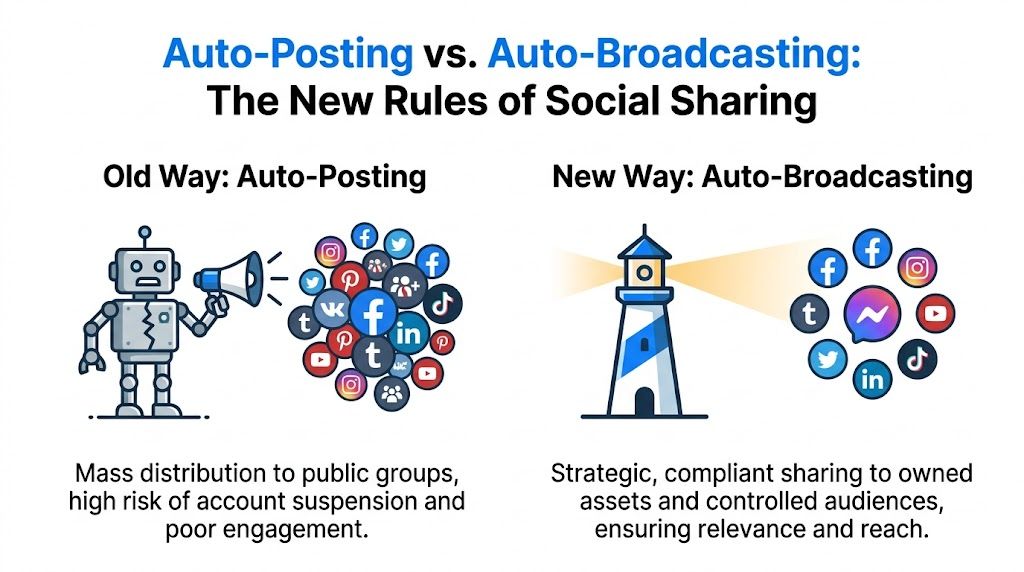
The replacement for risky auto-posting is auto-broadcasting.
That means you stop pushing content into public feeds by force and start delivering it directly to people who asked for it. On Facebook, that usually means Messenger-based communication tied to approved workflows and clear consent. The result is cleaner, more durable, and easier to optimize.
Facebook Auto Share Bot Social Media Strategy
Auto-posting versus auto-broadcasting
The difference is strategic, not cosmetic.
Auto-posting says, “How do I get this link everywhere?”
Auto-broadcasting says, “Who should receive this update, and why would they care?”
That second question produces better systems. It pushes you toward audience segmentation, consent capture, message timing, and contextual offers. It also aligns better with how modern social media automation tools are evolving across platforms. The best tools are no longer built around brute-force posting. They’re built around routing the right message to the right subscriber.
The compliant stack
A clean setup usually has three parts:
- An opt-in point: Website widgets, lead magnets, comment triggers, or support conversations that convert visitors into subscribers.
- A messaging layer: Messenger broadcasts and flows that deliver content based on user actions and preferences.
- An integration layer: Tools that bring new content, CRM events, or commerce actions into your messaging system automatically.
That model turns “sharing” into a controlled sequence instead of a random blast.
Why Messenger changes the game
Messenger is stronger than public posting for one simple reason. It creates a direct line to someone who has already shown interest.
A public group post fights for attention in a noisy feed. A Messenger update arrives in a channel the subscriber checks. That changes how you write, how you schedule, and how you measure success.
It also forces discipline. If a message isn’t useful, people won’t tolerate it for long. That’s healthy. It leads to better copy, sharper targeting, and a content strategy that serves the audience instead of chasing vanity reach.
Field note: Good auto-sharing feels less like broadcasting a link and more like sending a timely recommendation.
The policy side matters too. If you operate through approved messaging rules, you’re building on infrastructure Meta expects businesses to use. That’s a very different position from scraping interface buttons or running a stealth browser.
For marketers handling Messenger campaigns, the policy details in this Messenger policy reference are worth reviewing before scaling anything promotional.
What this looks like in the real world
A DTC brand can send a product restock alert only to subscribers who clicked a related category before.
A coach can distribute a new training video only to leads tagged for that topic.
A SaaS company can route feature updates to active users while sending onboarding content to new trials.
Same core mechanism. Different audience logic. Much better outcome than a mass-sharing bot ever delivered.
How to Build an Auto-Share Flow in Clepher
A compliant content-sharing system works best when the flow feels conversational instead of mechanical. The setup is straightforward if you think in terms of trigger, message, and action.
Start with a simple use case: sending subscribers your newest blog post through Messenger after it’s published.
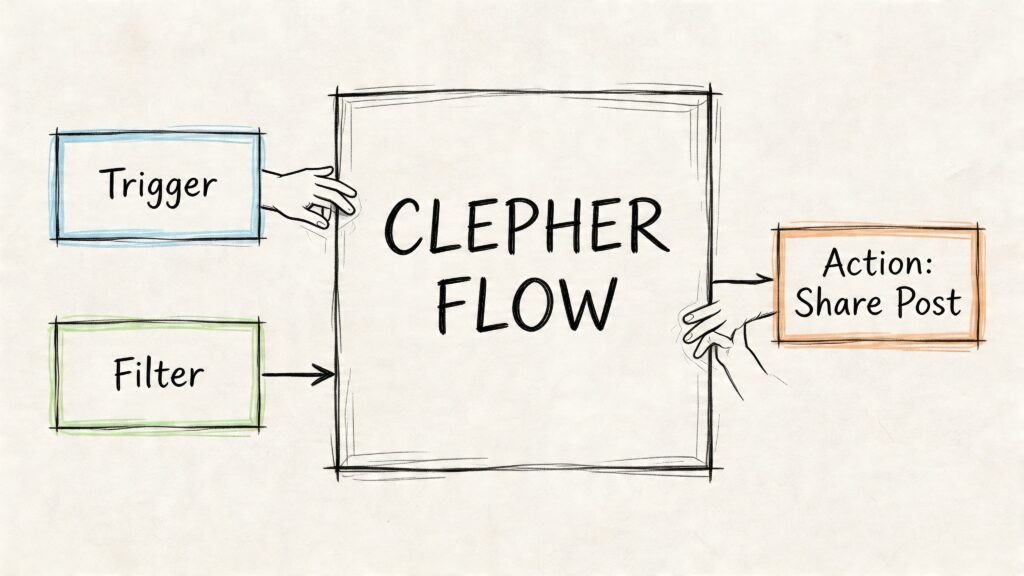
Facebook Auto Share Bot Clepher Flow
Start with the entry point
Inside a no-code builder, create a fresh flow that begins with a broadcast trigger or a custom event trigger. Don’t overcomplicate the first version. One trigger, one content card, one button is enough.
The job of this flow is not to act like a chatbot support tree. It’s to deliver a single piece of content cleanly.
If you want a reference point for the type of platform used for these Messenger experiences, this Facebook chatbot overview gives the broader context.
Build the first message like a person wrote it
Most failed auto-share systems sound automated before the subscriber even reaches the link. The opening message should feel short, relevant, and direct.
A practical format looks like this:
- Greeting with personalization: Use a first-name field if available.
- Reason for the message: Mention the new article, offer, or update.
- Why it matters: Give one sentence on the benefit.
- Action prompt: Invite the click with a clear button.
Example structure:
- Line one: “Hey {first_name}, we just published something new.”
- Line two: “It breaks down how to improve repeat purchases without discounting every week.”
- Button: “Read the article”
That works because it doesn’t oversell. It sets context fast.
Add a visual content card
A bare link often underperforms because it asks too much of the user. A card gives the message shape.
Use:
- A featured image: Pull in the article or product image.
- A short title: Keep it crisp and benefit-driven.
- A compact description: One line is usually enough.
- A primary button: “Read now,” “See how,” or “Get the update.”
Avoid stuffing the card with extra buttons unless you have a strong reason. More choices usually reduce focus.
One strong click path beats three weak options.
Make the timing feel natural
The easiest way to make automation feel robotic is to send everything instantly with no pacing. Add a short typing indicator before the first text block, then a brief delay before the card appears.
This doesn’t need to be theatrical. It just needs to stop the message from feeling machine-dumped into the inbox.
A clean sequence is:
| Step | Purpose |
|---|---|
| Typing indicator | Softens the start of the interaction |
| Short text message | Gives context before the link |
| Brief delay | Creates pacing |
| Content card with image and CTA | Drives the click |
| Optional follow-up question | Invites engagement after the click |
Use tags from the start
Even your first flow should prepare for better targeting later.
When someone clicks a content category, apply a tag tied to that topic. If they click posts about paid media, tag them for paid media. If they engage with ecommerce content, tag them for that theme.
That one habit changes everything later because your future broadcasts won’t need to go to everyone.
A practical tag structure could include:
- Interest tags: ecommerce, agency, coaching, SaaS
- Behavior tags: clicked_blog, clicked_offer, viewed_demo
- Funnel tags: lead, customer, repeat_buyer
Include a follow-up branch
The advantage of modern Messenger automation is evident when compared to old sharing bots.
Don’t stop at the link. Add a simple branch after the click:
- If the subscriber clicks, send a quick follow-up later with a related resource or a soft CTA.
- If they don’t click, leave them alone or test a different headline later.
- If they reply, route them based on keywords or hand the conversation to live chat.
That’s the difference between content distribution and content-triggered lead nurturing.
Here’s a walkthrough format worth studying before you build your own sequence:
A simple example flow
Let’s say an ecommerce brand publishes a guide on choosing bundles.
The flow could look like this:
- Trigger: New blog post entered into the system
- Condition: Send only to subscribers tagged “store_tips” or “repeat_buyer”
- Message: Personalized text introducing the guide
- Card: Bundle guide image, title, summary
- Button: “Read guide”
- After-click action: Apply tag “clicked_bundle_content”
- Later follow-up: Offer a bundle recommendation or category link
That’s a far stronger setup than auto-posting the same article into pages and groups. It respects intent, creates better data, and gives your team something useful to optimize next time.
Advanced Tactics Segmentation and Scheduling
The fastest way to ruin a good automation system is to send the same content to everyone.
That’s where a lot of marketers recreate the exact problem they were trying to escape. They leave risky posting bots behind, then build Messenger broadcasts that are just as generic. The channel is safer, but the messaging is still lazy.
The fix is segmentation and timing.
Segment by behavior, not assumptions
A subscriber who clicked three ecommerce articles shouldn’t get the same update as someone who asked about coaching packages. Interest is observable. Use it.
Create segments from actions like:
- Content clicks: Tag people by the topics they open.
- Lead source: Separate website leads, ad leads, customer support contacts, and buyers.
- Offer engagement: Distinguish between people who consume education and people who react to promotions.
- Lifecycle stage: New lead, active prospect, customer, repeat customer.
This gives your facebook auto share bot logic. It stops acting like a megaphone and starts acting like a filter.
Schedule around audience behavior
Timing matters because inbox attention isn’t evenly distributed. A message sent at the wrong moment can look weak even when the content is strong.
Use your own engagement patterns to choose windows for delivery. If your audience tends to respond during lunch breaks, commute times, or early evening, schedule around that behavior instead of blasting messages whenever your team publishes something.
A simple scheduling discipline helps:
| Scheduling choice | Better practice |
|---|---|
| Immediate send for every new post | Review whether the content is urgent first |
| One global send time | Match timing to audience segment |
| Repeating the same hour every time | Rotate and test windows |
| No suppression rules | Exclude recent clickers or recent buyers when needed |
Operational advice: Schedule for subscriber convenience, not team convenience.
Personalization is not optional
The data in the provided source is clear. Generic automated feeds can cause engagement to drop by as much as 45%, while AI-powered personalization can boost click-through rates by 28% according to this automation and engagement analysis.
That doesn’t mean every message needs elaborate AI logic. It means relevance matters.
Useful personalization includes:
- Referring to a known interest category
- Mentioning the type of product or content they engaged with before
- Changing the CTA based on where they are in the funnel
- Suppressing messages that clearly don’t fit their recent actions
A/B test the parts that change response
Teams often test too much at once and learn nothing. Test one variable per send.
Good first variables to test:
- Headline angle: direct benefit vs curiosity
- Card image: product visual vs text-led creative
- CTA copy: “Read now” vs “See how”
- Intro text length: one sentence vs two
Keep the rest of the flow stable while you test. The point is to learn what your audience responds to, then feed that insight back into the next broadcast.
One practical segmentation example
A course creator has three content themes: traffic, offers, and retention.
Instead of sending each article to the full list, they can:
- Tag subscribers who clicked traffic content
- Build a segment for subscribers interested in offers
- Exclude customers from beginner educational messages
- Send retention content only to people who already bought
That feels better to the subscriber, and it gives the marketer cleaner performance signals with every send.
Automating Content Discovery with RSS and Zapier
Building the message flow is only half the system. The other half is feeding it automatically.
If someone on your team still has to copy every blog title, image, and URL into a broadcast manually, you haven’t built a real automation engine yet. You’ve built a nicer interface for repetitive work.
The cleanest input method for content publishing is usually RSS plus an integration layer like Zapier.
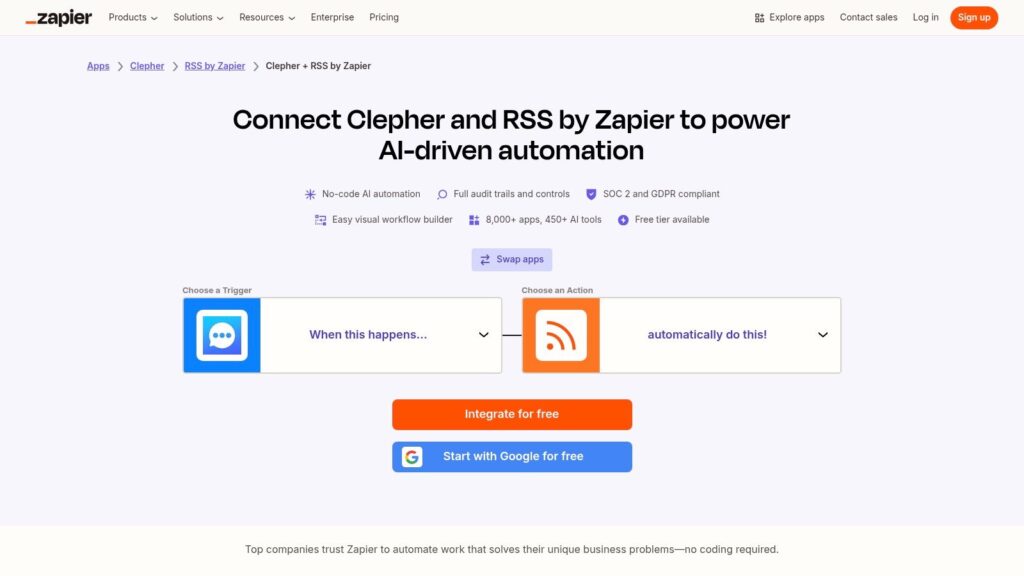
Facebook Auto Share Bot Zapier Integration
The basic automation pattern
The workflow is simple:
- Trigger on new RSS item: Your site publishes a new article and the feed updates.
- Catch the item in Zapier: Zapier watches the RSS feed for new entries.
- Send data into your Messenger flow: The title, link, image, excerpt, or category fields get mapped into your broadcast variables.
- Apply conditions before sending: You can route by content type, topic, or audience segment.
That gives you a hands-off pipeline from publishing to distribution.
What to map into the flow
At minimum, pass these fields from the RSS item:
- Post title
- Post URL
- Featured image
- Short description or excerpt
- Category if available
Those variables can populate the card and intro message automatically. If your content system provides tags or categories, use them to decide which audience segment should receive the update.
Keep editorial control where it matters
Fully automated doesn’t have to mean reckless.
For some businesses, every new item should go out automatically. For others, a better model is “new item enters queue, then approved items trigger broadcast.” That’s especially useful if your content mix includes announcements, support articles, and sales material that shouldn’t all be treated the same way.
Use a filter step when needed:
- Send product launch content to buyers
- Send educational content to leads
- Suppress support-only content from marketing audiences
- Exclude old republished items from triggering again
A real-world use case
A SaaS team publishes three kinds of content: tutorials, release notes, and thought leadership.
With RSS and Zapier, they can route each item differently. Tutorials go to trial users and new customers. Release notes go to active users who care about product updates. Thought leadership goes to broader leads who want education, not platform detail.
That’s the part many people miss. Automation isn’t just about reducing manual work. It’s about preserving context as content moves from your website into your messaging stack.
Common setup mistakes
Watch for these issues early:
- Broken image fields: Some RSS feeds don’t expose the featured image cleanly.
- Duplicate sends: Republishing or updating old posts can retrigger the workflow.
- Missing category logic: Without content labels, everything enters the same broadcast path.
- Weak message templates: Auto-filled data still needs good surrounding copy.
When the plumbing is correct, your facebook auto share bot stops being a risky posting script and starts behaving like an always-on distribution workflow.
Staying Compliant A Troubleshooting and Best Practices Checklist
Once your system is live, discipline matters more than complexity.
Most account problems don’t come from one catastrophic mistake. They come from small habits: over-broadcasting, weak segmentation, sloppy message tagging, poor unsubscribe handling, and ignoring platform rules because the last few sends “seemed fine.”
Compliance habits that protect the channel
Use this checklist regularly:
- Respect the messaging window: Match your sends to Messenger rules and the correct message category.
- Keep opt-ins clear: People should understand what they’re signing up to receive.
- Offer an exit path: Make unsubscribing simple and visible.
- Send only relevant updates: Permission is not a license to over-message.
- Review promotional copy carefully: Don’t force a sales message into a non-promotional context.
If you’re not sure whether a message belongs in a broadcast, ask a simple question: would the subscriber reasonably expect this based on how they opted in?
Subscribers forgive occasional mistakes. They don’t forgive repeated irrelevance.
Troubleshooting low performance
If a broadcast underperforms, don’t jump straight to blaming the platform.
Check the basics first:
| Problem | Likely cause |
|---|---|
| Low clicks | Weak relevance, weak CTA, or poor segment fit |
| Low engagement on replies | Message feels one-way or too promotional |
| Poor image display | Bad source image, formatting issue, or inconsistent feed data |
| Complaints or unsubscribes | Frequency is too high or content misses intent |
| Good delivery but weak results | Timing or audience targeting is off |
Practical do’s and don’ts
A few operating rules save a lot of pain.
- Do use tags aggressively: Behavioral tags make future sends smarter.
- Do rotate message formats: Text-only every time gets ignored.
- Do suppress recent buyers when the offer no longer fits: Relevance protects trust.
- Don’t treat every post like a broadcast-worthy event: Not all content deserves interruption.
- Don’t write like a notification system: Write like a helpful brand representative.
- Don’t chase volume: More sends don’t automatically create more outcomes.
A healthy review rhythm
The strongest teams review automation weekly.
Look at which segments clicked, which headlines worked, which content categories triggered replies, and where subscribers lost interest. Then tighten one thing at a time. Better segmentation. Better timing. Better card copy. Better suppression rules.
That’s how a compliant auto-sharing system stays productive over time. It’s not magic. It’s careful operation.
If you want a safer way to replace risky posting bots with Messenger-first automation, Clepher is built for exactly that workflow. You can create no-code conversation flows, segment subscribers, send broadcasts, and connect your content stack without relying on ban-prone browser tricks.
