
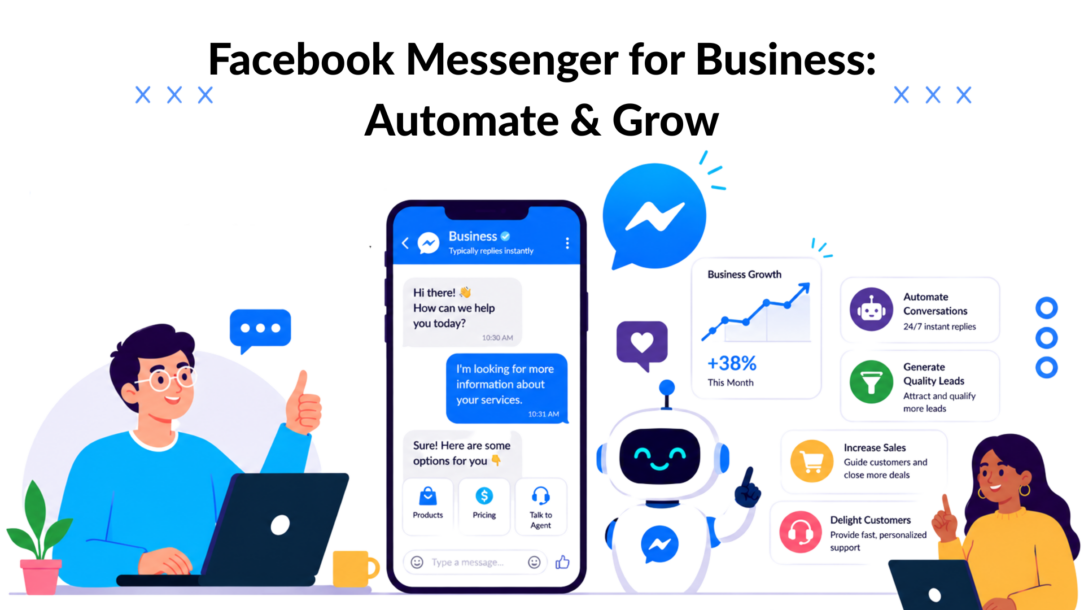
Messenger isn’t a side inbox anymore. Meta said Messenger had over 1 billion monthly active users in Q1 2025, while Facebook reached 3.070 billion monthly active users in 2025, according to Sprout Social’s 2025 Facebook stats roundup. That scale changes the strategy. You’re not choosing a support add-on. You’re choosing a channel where lead generation, customer service, remarketing, and sales can all happen in one conversation.
Most businesses still use Messenger like email with typing bubbles. A customer asks a question. Someone replies late. The thread dies. That approach wastes the biggest advantage of Messenger, which is that it can move people from interest to action without forcing them through a clunky handoff.
The better model is simple. Treat Facebook Messenger for Business as a conversational funnel. Use it to capture intent, qualify people automatically, answer buying questions fast, and route only the valuable or complex conversations to a human. Done well, it becomes one of the most practical bridges between paid social traffic and revenue.
Why Facebook Messenger Is Your Next Growth Channel
Meta’s scale gives Messenger an advantage few channels can match. It sits inside an ecosystem where discovery, ad engagement, product research, and direct conversation already happen in the same session. That changes how businesses should use it.
The common approach is reactive support. A customer sends a question, an agent replies, and the interaction ends. That model handles service volume, but it leaves revenue on the table. Messenger can also capture leads, qualify buyers, recover abandoned intent, and move high-intent traffic into a sales conversation before attention drops.
That matters most in paid social. Clicks from Facebook and Instagram are often impulse-driven and fragile. Sending that traffic to a generic landing page adds friction right when the prospect is most likely to bounce. A Messenger entry point keeps the conversation active, collects context immediately, and gives the business a chance to answer the question that is blocking the sale.
Where the growth opportunity actually sits
The outdated use case is basic support, such as store hours, order status, and simple FAQs. Those automations still save time, but they are the floor, not the ceiling.
The stronger use case is social selling inside chat. A prospect clicks a Click-to-Messenger ad, answers a few qualification questions, gets product guidance, and receives the right next step based on intent. For ecommerce, that might be a product recommendation, bundle suggestion, or checkout link. For service businesses, it might be appointment routing or lead qualification before a rep joins.
Used well, Messenger becomes part of the funnel instead of a side inbox.
High-performing teams usually apply it across three revenue and efficiency jobs:
- Lead capture: Start conversations from ads, posts, QR codes, or site widgets, then collect budget, product interest, location, or timing before handoff.
- Sales assistance: Answer buying questions in real time, recommend the right offer, and reduce drop-off from uncertain shoppers.
- Support deflection: Automate repeat questions and send only exceptions, complaints, or high-value opportunities to human agents.
Practical rule: If the same question appears every week and the answer follows a pattern, automate the first layer and let people handle exceptions.
Why Messenger performs well in modern funnels
Messenger works especially well for offers that need clarification before purchase. That includes apparel sizing, product compatibility, shipping policies, pricing tiers, appointment availability, onboarding questions, and package selection. In each case, the blocker is not always price. It is hesitation. Chat resolves hesitation faster than a form fill followed by a delayed email.
This is also where newer automation stacks change the economics. AI agents and workflow tools can qualify, recommend, tag, sync CRM fields, and trigger follow-up sequences inside the conversation. That gives businesses a practical way to turn Messenger into a sales and retention channel, not just a service queue.
For businesses already spending on Meta ads, Messenger is often the shortest path from social attention to measurable action. The opportunity is not for more messages. It is more qualified conversations that lead to revenue, booked calls, and lower support costs.
Beyond the Inbox: What Messenger for Business Actually Is
Facebook Messenger for Business is often described as a messaging feature attached to a Facebook Page. That’s technically true, but strategically incomplete. It’s better understood as a business communication layer inside Meta’s ecosystem.
Messenger became far more useful for companies after its 2015 launch as a standalone app. Since then, it has matured into a broader business messaging system. Meta’s developer documentation now states that Messenger supports business replies through both Facebook Pages and Instagram Professional accounts, as summarized in Verint’s review of Messenger stats and trends.
It’s not just chat
A lot of teams still picture Messenger as a private DM channel. In practice, it sits at the intersection of several workflows:
- Marketing entry point: Ads can open conversations instead of sending traffic to a page.
- Sales touchpoint: Product questions, objections, and recommendations can happen in-thread.
- Service channel: Customers can get answers, updates, and escalation paths in the same conversation history.
- Identity layer: The thread carries context, which makes later follow-up more useful than a cold restart.
That last point is what makes Messenger valuable. The conversation itself becomes the asset. Every answer, tag, reply path, and handoff adds context you can use later.
The business inbox is only the surface
If you only work from the native Page inbox, Messenger feels limited. It’s fine for low volume and simple support. It starts breaking when you need routing, automation, lead scoring, or cross-channel coordination.
At that point, Messenger becomes less about “replying to messages” and more about managing a workflow:
| Business need | Basic inbox approach | Operational approach |
|---|---|---|
| New inquiries | Manually reply when available | Trigger greeting, qualification, and routing |
| Product questions | Answer one by one | Reuse flows, quick replies, and catalog logic |
| Team handling | One shared inbox | Assign by intent, language, or priority |
| Follow-up | Easy to forget | Automate based on tags, actions, or inactivity |
Messenger becomes powerful when you stop treating every message like a separate event and start treating conversations like structured customer journeys.
That shift is what turns Facebook Messenger for Business from a convenience feature into infrastructure.
The Core Features That Drive Real Business Results
The features that matter most in Messenger are the ones that either reduce manual work or move someone closer to a sale. Everything else is secondary.
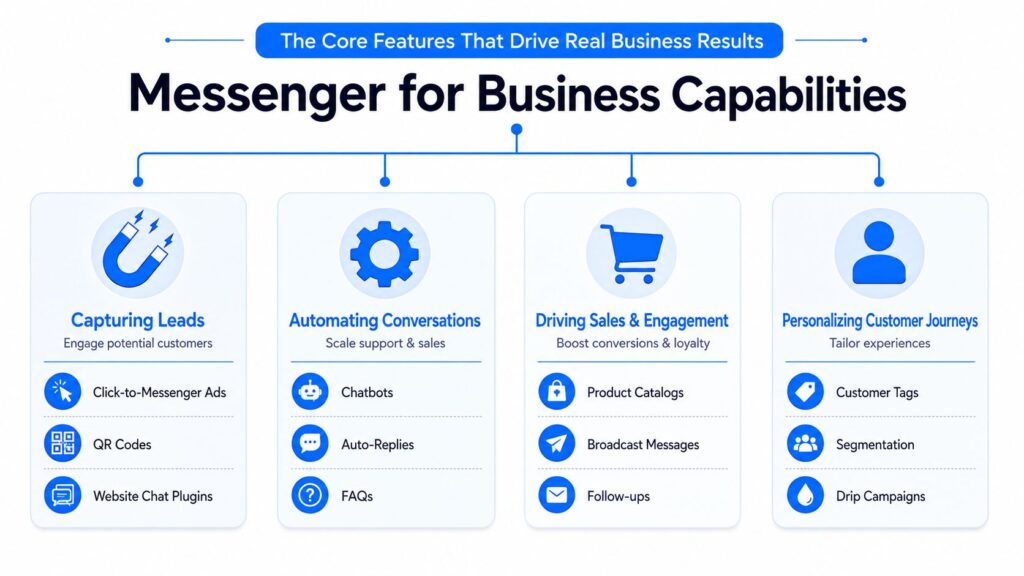
Facebook Messenger for Business Capabilities
A useful setup starts with structure. Messenger for business supports team assignment, support case tracking, and automation-based follow-ups so conversations can be centralized and linked to customer history, as described in this overview of Messenger business workflows. That’s the difference between “someone answered” and “the business has a repeatable system.”
Features that capture leads
Messenger is strong at converting curiosity into a real contact because the ask feels smaller than a form fill or a booking page.
Core lead capture tools include:
- Click-to-message ads: These are ideal when the customer likely has a question before buying.
- Greeting messages: Good for setting expectations and offering paths like pricing, support, or product help.
- Quick replies: Useful for qualifying intent fast without making users type long answers.
- Website chat entry points: If you want Messenger on your site, tools that support Facebook Messenger on web chat can keep the same conversation channel across social and website traffic.
A practical example: a skincare brand runs a Facebook ad for a routine bundle. Instead of sending traffic to a product page, the ad opens Messenger with three choices: “Find my routine,” “Compare bundles,” or “Ask about shipping.” That first interaction does the segmentation work a landing page often fails to do.
Features that reduce support load
Messenger is excellent at repetitive support if you design the flow around intent, not around generic bot menus.
The questions that should almost always be automated first are:
- Order status
- Returns and exchange basics
- Business hours or availability
- Shipping timelines
- Simple eligibility or fit questions
Here’s a useful benchmark for deciding what to automate:
| Type of request | Best owner |
|---|---|
| Repetitive and rules-based | Automation |
| Needs account context | Automation first, human if needed |
| Emotional or high-friction complaint | Human |
| High-value pre-purchase question | Human or assisted automation |
Put your bot on the repetitive front line. Don’t let it trap people there.
A strong Messenger experience gives customers a fast answer first, then a clear path to a person.
Here’s a walkthrough that shows the broader mechanics in action:
Features that support sales
Messenger can also support product discovery and follow-up. Product carousels, guided questions, and behavior-based replies work well when the buyer isn’t ready to browse a full catalog.
What doesn’t work is blasting everyone with the same message. Messenger performs better when messages reflect the person’s intent. Someone who asked about a product line should get product help. Someone who asked about shipping should not get pushed straight into a promo.
The best Messenger automations feel like a helpful sales associate, not a decision tree with branding.
Actionable Blueprints for Your Business Model
Messenger strategy should follow the economics of the business. The right flow for a DTC brand is different from the right flow for a SaaS company, a local clinic, or an agency selling high-ticket services.
Facebook Messenger for Business Chatbot Marketing
E-commerce brands
E-commerce gets the highest upside from Messenger because buying intent is often immediate. A shopper clicks on an ad, has one or two questions, and will either buy now or disappear.
That is why basic FAQ bots underperform. Revenue comes from guided selling inside the conversation.
A strong e-commerce flow usually looks like this:
-
Entry from ad or post
The shopper clicks a product ad and enters Messenger instead of landing on a broad category page. -
Intent branching
The flow asks a short qualifying question, such as “Is this for you or a gift?” and then narrows by use case, price range, style, or urgency. -
Recommendation logic
The system shows a small set of relevant products instead of pushing the full catalog. -
Purchase support
It handles the questions that block conversion. Size, shipping timing, ingredients, compatibility, or returns. -
Follow-up
If the shopper leaves without buying, the conversation can tag that intent and trigger retargeting, email capture, or a sales follow-up in another channel.
The modern shift is in-chat commerce. Many articles still treat Messenger as a support inbox, but advanced teams use it as a sales path. AI agents can qualify intent, suggest products, answer pre-purchase objections, and move the customer closer to checkout without sending them through three extra pages. If you want to build that kind of flow, a platform built for Facebook Messenger automation gives you the branching, tagging, and follow-up control that native tools usually lack.
There is a trade-off. Keeping more of the journey inside chat reduces friction, but only if the flow stays short and product-specific. If the conversation becomes slow or generic, shoppers leave.
SaaS and subscription businesses
Messenger works well in SaaS at two points. Early qualification and post-signup activation.
A practical SaaS sequence looks like this:
- Lead qualification bot: Ask role, company size, use case, and purchase timeline.
- Routing logic: Send sales-ready leads to a booking page. Send lower-intent prospects to a guide, webinar, or email sequence.
- Onboarding prompts: After signup, answer setup questions and point users to the right next step.
- Human escalation: Route technical or account-specific questions to sales or support fast.
The trade-off is simple. Messenger can reduce form friction and increase response speed, but it is rarely the right place for a long procurement process or a complex technical review. Use it to qualify, route, and activate. Let the demo, trial, or sales call handle the heavy lift.
Agencies and service businesses
For agencies, Messenger is a filtering tool. It helps separate real opportunities from vague interest before a strategist spends time on a call.
A good qualification flow asks for business type, budget range, primary problem, timeline, and current channel mix. That gives the team enough context to prioritize leads, route by service line, and follow up with a relevant offer instead of a generic “book a call” message.
This works especially well for consultants, coaches, and course creators selling expertise. Chat feels lighter than a long form, so more prospects will start the conversation. The goal is not to collect everything. The goal is to collect enough to judge fit and move qualified leads to the next step.
Local businesses and appointment-driven brands
Local businesses usually win with speed, not complexity.
A promotion-based Messenger flow can stay simple:
| Trigger | Messenger response |
|---|---|
| Facebook post about an offer | “Do you want the offer details or do you want to book now?” |
| QR code in store or flyer | “Choose your location, service, or product interest.” |
| Page message | “Do you need hours, pricing, or an appointment?” |
For salons, clinics, restaurants, fitness studios, and similar businesses, the value is immediate response. If a customer has to wait to ask about availability or pricing, the booking often goes elsewhere.
Keep the flow tight. Answer the question, capture the lead, and move them to the appointment.
Unlocking Full Power with Automation and Integrations
Messenger becomes much more valuable when it’s connected to the rest of your stack. On its own, it’s a conversation tool. With integrations, it becomes an operating layer for sales, support, and retention.
The biggest gap in most Messenger advice is architecture. A lot of content explains greetings and basic replies. Very little explains how to build logic-driven flows that qualify users, branch by intent, and trigger personalized follow-up from commerce or CRM data. That’s the difference between a support inbox and a revenue system.
What advanced automation actually means
For most businesses, advanced automation in Messenger comes down to four capabilities:
- Conditional paths: Different users should see different questions and offers.
- Data capture: Every useful answer should map to a tag, field, or audience segment.
- Event-based actions: Behavior should trigger next steps, not just time delays.
- Cross-channel handoff: Some conversations belong in email, SMS, or a sales pipeline after the initial chat.
That’s why third-party platforms matter. Native tools are usually enough for basic replies. They’re not enough for a serious funnel.
If you want to build more structured flows, a tool that supports Facebook Messenger automation can handle branching paths, triggers, segmentation, and follow-up logic that the default inbox won’t.
The integrations that matter most
Not every integration is worth the setup time. Start with the ones that change how your team works.
CRM integration
When Messenger writes lead data into HubSpot, Salesforce, or another CRM, the sales team doesn’t start blind. They can see what the person asked, what they clicked, and what intent signals they already gave you.
That leads to better follow-up because the rep can pick up the conversation instead of restarting it.
E-commerce platform integration
For Shopify, WooCommerce, or similar systems, the useful triggers are product views, abandoned carts, order status, and customer attributes. Once Messenger can react to commerce behavior, it becomes much more than support.
A practical use case is cart-aware messaging. If someone asked about a product and later abandoned checkout, the next follow-up can reflect what they were considering.
Email and SMS handoff
Messenger is strong for immediacy. Email is better for longer nurturing. SMS is useful for urgent reminders. Good automation moves people between channels based on what they’re doing, not based on internal team silos.
If your Messenger bot collects intent but your CRM, email tool, and ad audiences never receive that data, you built a conversation, not a system.
What usually breaks
Three things cause most Messenger automation projects to stall:
- They automate copy, not logic. Scripted messages alone won’t fix a weak funnel.
- They ask too much too early. A long questionnaire inside chat kills momentum.
- They forget the handoff. Buyers need an easy route to a human when the stakes go up.
The fix is to start with one high-value journey. Build that journey around intent, outcomes, and routing. Then layer in integrations after the path is working.
How to Measure Messenger Marketing ROI
If you measure Messenger by message volume alone, you’ll miss what matters. The right question is simple: did the conversation create business value?
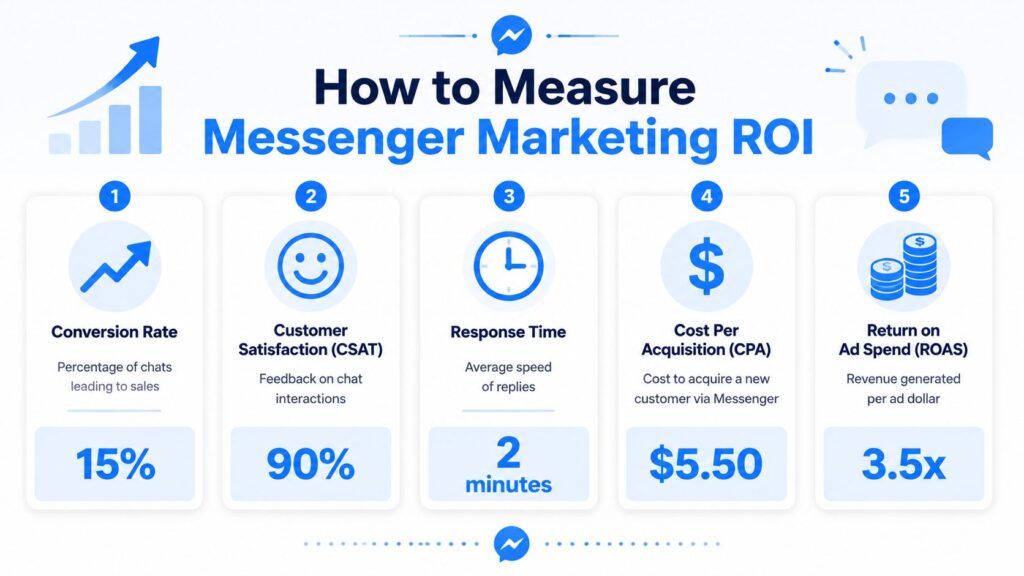
Facebook Messenger for Business Marketing ROI
The cleanest way to measure Facebook Messenger for Business is to separate it into lead generation, sales influence, and support efficiency.
Metrics that actually matter
Start with these:
- Conversation-to-lead rate: How many new chats become qualified leads?
- Lead-to-booking rate: For service businesses or SaaS, how many qualified chats become calls or demos.
- Conversation-to-purchase rate: For e-commerce, how many chat sessions influence or complete a sale.
- Support deflection rate: How many repetitive requests automation resolves without human effort.
- Assisted revenue: Revenue from buyers who interacted in Messenger before purchasing.
Here’s a simple working table:
| KPI | What it tells you | Simple formula |
|---|---|---|
| Conversation-to-lead rate | Lead quality from Messenger traffic | qualified leads ÷ total new conversations |
| Lead-to-booking rate | Funnel strength after qualification | bookings ÷ qualified leads |
| Conversation-to-purchase rate | Sales impact of chat | purchases ÷ sales conversations |
| Support deflection rate | Efficiency gain from automation | automated resolutions ÷ total support conversations |
| Assisted revenue | Messenger’s influence on closed sales | Revenue from customers who chatted before buying |
Avoid vanity metrics
Open rates, reply counts, and total messages can help diagnose issues, but they’re not ROI on their own. A busy inbox can still be inefficient. A quieter inbox can be more profitable if the flows are qualifying better and routing faster.
One of the easiest mistakes is treating all conversations as equal. They aren’t. A thread that captures a buying need is more valuable than ten low-intent support pings.
Track outcomes by entry point. A click-to-message ad, a website widget, and an organic Page message rarely perform the same way.
Build reporting around the funnel
Use campaign naming, tags, and audience fields so you can answer practical questions:
- Which ad campaigns create qualified Messenger conversations?
- Which automated paths produce the most bookings or purchases?
- Which support intents should stay automated, and which should go straight to a human?
- Which segments respond to follow-up and which ones go cold?
If you can’t answer those questions, your reporting is too shallow.
Messenger ROI gets clearer when each flow has one job. One flow qualifies leads. Another recovers carts. Another handles support. Once each path has a defined outcome, optimization becomes straightforward.
Messaging Best Practices and Staying Compliant
A Messenger strategy fails fast when it feels intrusive. The businesses that win here make chat useful, timely, and easy to exit.
Compliance isn’t separate from performance. It shapes performance. If users feel trapped in automated loops or get messages they didn’t expect, trust drops and response quality drops with it.
Rules that protect the channel
The basics are simple:
- Get a clear opt-in: Don’t assume someone wants ongoing promotional messages because they asked one question.
- Set expectations early: Tell people what kind of help they’ll get in Messenger.
- Offer a human path: Let users ask for a person without fighting the bot.
- Make exits easy: Unsubscribing or stopping promotional messages shouldn’t be hidden.
- Respect platform rules: Your team should stay current on Messenger policy changes and reply windows. A practical reference point is this summary of the Facebook Messenger policy update from March 4, 2020.
What good messaging feels like
The best Messenger experiences have a few shared traits.
They start with relevance
If someone clicked an ad about a product, open the chat around that product. Don’t greet them with a generic “How can we help?” if you already know the context.
They keep questions short
Ask one useful question at a time. Don’t turn chat into a disguised application form.
They escalate intelligently
If someone shows buying intent, frustration, or complexity, bring in a human. Fast. Bots should reduce friction, not create it.
A practical checklist for every Messenger flow:
- Opening message: Does it match the traffic source?
- First question: Does it help with qualification or progress?
- Fallback path: Can the user recover from confusion?
- Human handoff: Is it obvious and fast?
- Consent handling: Is follow-up permission clear?
Good Messenger marketing feels personal without becoming invasive. That balance is what keeps the channel effective over time.
If you want to turn Messenger into a structured sales and support system, Clepher is one option for building no-code flows, AI agents, segmentation, and cross-channel handoffs across Messenger, Instagram, WhatsApp, and web chat.

Related Posts
Customer Journey Automation: The Practical Guide
October 10, 2026Lead Qualification Marketing: A Practical 2026 Guide
October 9, 2026Customer Experience Optimization Playbook
October 8, 2026
Founder Clepher