
Meta’s own ad planning data still puts Messenger in front of a massive audience. The platform’s advertising reach remains in the hundreds of millions, which is enough to make one point clear. Messenger is still a serious customer acquisition and conversion channel, not a leftover support inbox.
The gap is execution.
A lot of marketing teams still use Messenger for one-off replies, a default welcome message, and little else. That approach keeps the channel active, but it does not help much with qualification, product discovery, cart recovery, or routing high-intent buyers to the right next step. The better use of Messenger is operational. Build flows that match customer intent, tag people based on behavior, and preserve context so each reply moves the conversation forward.
That is the primary value behind these facebook messenger hacks. They are not tricks. They are system choices that reduce response friction, improve lead quality, and give teams a cleaner path from first message to sale. The trade-off is straightforward. More automation saves time and captures more demand, but only if the logic is specific enough to feel relevant and controlled enough to avoid spammy behavior.
Clepher is useful here because it lets marketers build that structure inside one system. You can set up Facebook Messenger chatbot flows in Clepher, combine AI replies with rules-based paths, and segment people as they interact instead of forcing every contact through the same script. The same logic also matters across channels, which is why teams working on chat strategy often pair Messenger with Instagram Direct Message automation rather than treating each inbox as a separate project.
The eight plays that follow are built as a working playbook. Each one explains why the hack works, where teams usually overdo it, and how to implement it step by step in Clepher using flows, AI, and segmentation.
1. Messenger Bot Shortcuts with Custom Keywords and AI Triggers
The fastest Messenger win is keyword automation. Not menus. Not giant decision trees. Keywords.
When someone types “pricing,” “shipping,” “refund,” or a product name, you can trigger the right flow immediately. That removes friction because the customer doesn’t need to hunt for a button or restart the conversation from the top. For marketers, this is one of the cleanest facebook messenger hacks because it feels natural to the user while still being structured behind the scenes.
If you run e-commerce, a shopper who types “discount” can get a promo flow. If you sell software, “setup” can trigger onboarding help. If you’re a coach, “pricing” can launch a qualification sequence instead of dumping your rates on everyone.
For businesses building these automations, Clepher’s chatbot for Facebook is useful because you can pair keyword triggers with flows, AI behavior, and tags rather than relying on one rigid auto-reply.
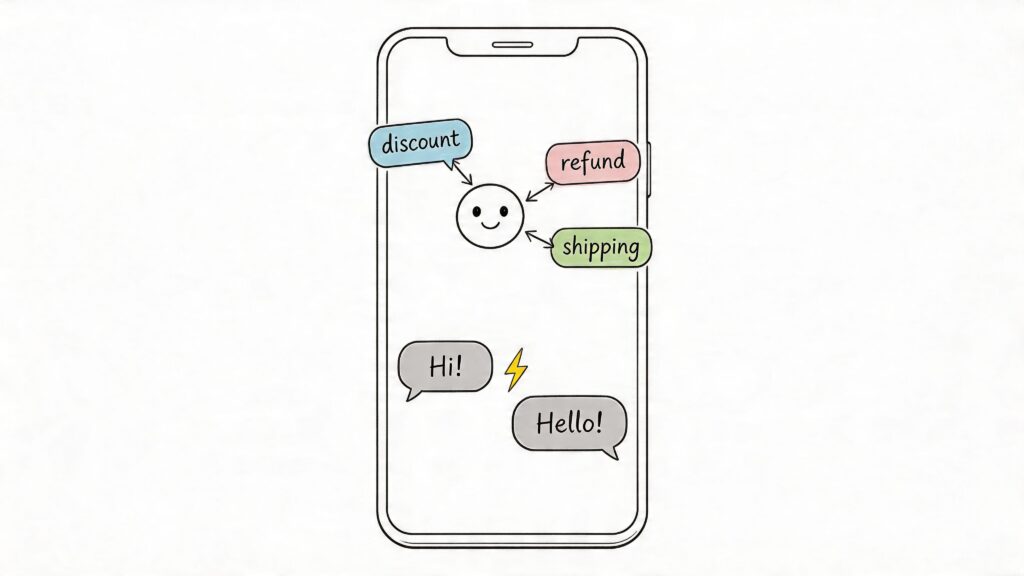
Facebook Messenger Hacks Chatbot Interface
How to build it in Clepher
Start small. Pick the phrases your team already sees every day.
- Map recurring intent: List 5 to 10 phrases customers naturally type, such as pricing, order status, shipping, refund, trial, or demo.
- Create one flow per intent: Build a focused response path in Clepher for each keyword instead of one giant universal support flow.
- Enable AI matching: Add close variations like “price,” “cost,” “how much,” or product nicknames so the trigger catches natural language.
- Apply tags immediately: Tag people by interest, such as pricing_interest or support_shipping, so later broadcasts stay relevant.
- Review false triggers weekly: If “trial” is accidentally matching unrelated phrases, tighten the keyword logic.
Practical rule: Keywords should route people into the next best action, not just send information.
What works and what doesn’t
What works is intent-based automation. A skincare brand can route “sensitive skin” to a product finder. A local restaurant can route “delivery” to hours, menu, and order links. A SaaS team can route “integrations” to setup guidance and a live demo option.
What doesn’t work is over-automation with vague triggers. If every mention of “help” sends the same canned paragraph, people stop trusting the bot. Keep the first response narrow, then offer quick replies like “track order,” “talk to support,” or “see pricing.”
If you’re also working cross-channel, the same intent-first approach translates well into Instagram Direct Message automation, especially when customers bounce between Instagram and Messenger during the same buying journey.
2. Broadcast Segmentation with Dynamic Audience Tags and Personas
Broad reach is easy. Relevant reach is what drives replies, clicks, and purchases.
Broadcast segmentation matters because Messenger audiences are mixed by default. New leads, repeat buyers, inactive subscribers, and high-intent prospects often sit in the same list unless you separate them on purpose. If they all receive the same message, response quality drops fast. Recent customers ignore beginner offers. Cold leads skip product pushes. High-intent prospects get generic copy when they should be seeing a direct next step.
The fix is a tagging model you can maintain.
Dynamic audience tags let Clepher update segments as people interact with your brand. Personas add another layer by describing who the subscriber is, not just what they clicked. Used together, they give you tighter broadcasts without building dozens of static lists that go stale.
A workable setup usually combines four data types:
- Behavior tags: purchaser, browser, cart_started, webinar_registered
- Interest tags: skincare, supplements, paid_ads, course_bundle
- Persona fields: founder, agency, creator, first_time_buyer
- Lifecycle markers: lead, customer, repeat_customer, inactive
If you need a cleaner framework before building campaigns, Clepher’s guide to customer segmentation strategies is a useful reference.
How to build it in Clepher
Start with a small model. Three to five personas are typically sufficient. More than that usually creates reporting noise before it creates better campaigns.
Then build the system in this order:
- Define your core personas. Map the few audience types that change your offer, message angle, or follow-up. For example: first-time buyer, returning customer, agency lead, or product-specific shopper.
- Capture profile data inside flows. In Clepher, add one or two qualification questions to your welcome flow, quiz, lead magnet, or post-click entry flow. Ask only for information you will use in a broadcast.
- Apply tags based on actions. Tag subscribers when they view a category, click a product family, register for an event, start checkout, or request pricing.
- Update lifecycle status automatically. Use integrations through Zapier, Make, or your existing stack so purchases, bookings, and form submissions change tags and fields without manual work.
- Create broadcasts by segment, not by list size. Write one message for one defined audience. That usually outperforms a broad campaign with watered-down copy.
One practical rule helps here. Every tag should answer a real messaging question. What does this person want? Where are they in the buying process? What should they see next?
A practical Clepher playbook
A fashion retailer might tag someone as purchaser, dresses, and repeat_customer. That subscriber should receive accessories, restock alerts, or VIP offers. A SaaS team might tag a lead as trial_user, feature_interest_automation, and inactive_7_days. That segment should get activation help, a short demo, or an offer to talk to sales. A course creator might tag users who clicked sales content but did not buy, then send a payment plan or deadline reminder only to that group.
That is where segmentation starts paying off. The broadcast feels timely because it reflects behavior, interest, and buying stage at the same time.
What usually goes wrong
Tag chaos is the common failure point. Teams create tags for every click, use inconsistent names, and never retire old labels. Six months later, nobody trusts the segments, so they go back to broad sends.
Keep the system operational:
- Use clear naming conventions
- Limit duplicate tags that mean the same thing
- Review unused tags every month
- Merge or delete segments that no longer affect messaging
- Reserve persona fields for stable traits, and use tags for changing behavior
Send fewer broadcasts. Make each one sharper.
That trade-off is worth it because segmentation adds setup time up front, but it cuts wasted sends and improves message relevance over time. In Clepher, the win comes from combining flows, tags, and AI-driven routing so the audience updates itself as people interact.
3. Messenger Conversation Threading with Context Preservation Across Chats
Customers notice broken memory fast. If someone explained a return issue on Monday, clicked a product on Wednesday, and asked a follow-up on Friday, a generic reset makes the brand look disorganized.
This hack matters because repeated questions create avoidable friction for both support and revenue teams. Buyers want an answer that reflects what already happened. Agents want the order history, issue type, and recent clicks in front of them before they reply. Without that continuity, Messenger becomes another disconnected inbox instead of a channel that moves the conversation forward.
As noted earlier, Messenger is part of daily communication behavior in many markets. That raises the standard. People expect uninterrupted context across repeat chats, even if they first engaged through an ad, a product page, or another channel.
Clepher handles this well because it stores conversation data in a form you can use later. The goal is not to remember everything. The goal is to keep the few details that change the next reply.
A practical setup usually includes five parts:
- Save key custom fields: capture order number, product interest, issue category, buyer status, and last requested action
- Apply history tags: use labels such as
refund_requested,high_intent_product_view,vip_customer, orsupport_open - Update records from connected systems: sync Shopify, WooCommerce, or your CRM so purchase status and support milestones feed back into Messenger
- Build re-entry flows: show a different opening path for a new lead, a returning shopper, or a customer with an unresolved issue
- Pass a thread summary to human support: give the agent the latest context, not just the latest message
Here is the implementation playbook inside Clepher.
Start by mapping the moments that deserve memory. For ecommerce, that is usually last viewed product, cart status, order state, and support topic. For SaaS, it may be trial status, feature interest, account role, and last onboarding step. Keep it tight. Every field should have a clear use in the next message or handoff.
Next, build the capture points inside your flows. If a user clicks a product button, write that product name to a custom field. If they choose “refund” from a menu, tag them with refund_requested and save the issue category. If AI detects purchase intent or support frustration in a free-text reply, route that response to the right branch and update the contact record.
Then configure the return path. A returning customer should not hit the same welcome message as a first-time contact. In Clepher, use conditions at the top of the flow. If support_open = true, send them to support continuation. If last_product_viewed exists and no purchase has been recorded, reopen the product assistance flow. If vip_customer is present, prioritize fast help or direct handoff.
One example makes the value clear. A customer asks about shipping for a supplement bundle, leaves, and comes back two days later with, “Is it still available?” A well-built thread checks the saved product interest, confirms stock, shows the same bundle, and offers checkout help. It does not restart with “How can we help you today?”
That difference sounds small. It usually improves response quality more than rewriting the welcome copy for the tenth time.
There is a trade-off. Over-storing data creates clutter and raises maintenance risk. Store the details that affect routing, personalization, or handoff quality. Skip anything your team will never use. In practice, product interest, order stage, issue history, and customer value tier cover most of the gain without turning your Messenger setup into a database cleanup project.
4. Automated Lead Qualification Flows Using Conditional Logic Paths
Most inboxes are full of leads that look equal at first contact and behave very differently once you start selling. Qualification flows separate curiosity from buying intent.
Instead of sending every inquiry to a human, build a short decision path that asks the right questions, scores the responses, and routes the person into the correct next step. That might be a sales call, a nurture sequence, a webinar, or a polite disqualification.
For agencies, coaches, SaaS teams, and service businesses, this is one of the most valuable facebook messenger hacks because it protects sales time.
Here’s the walkthrough first.
A simple qualification structure
The best qualification flows feel like a conversation, not a form.
Ask questions that change what happens next:
- Business type: brand, agency, creator, local service, SaaS
- Primary goal: more leads, support automation, cart recovery, onboarding
- Urgency: this month, this quarter, exploring
- Current stack: Shopify, WooCommerce, HubSpot, none
- Fit marker: budget range, contact volume, or team size
Inside Clepher, each answer can add tags or fill custom fields. Then conditions decide the branch. A high-intent SaaS lead can go to calendar booking. A lower-fit lead can get educational content first.
How to build it in Clepher
Keep it short and weighted.
- Define qualification criteria first: Decide what makes a lead sales-ready before building the flow.
- Write 5 to 7 questions max: Shorter flows get more completions and cleaner data.
- Assign meaningful tags: Mark industry, urgency, use case, and qualification status.
- Create route logic: Send hot leads to sales, middle-intent leads to nurture, and poor-fit leads to resources or another offer.
- Review results monthly: Compare what the flow predicted with what the sales team closed.
A coach can ask about revenue stage and goal, then route established operators to strategy calls and newer leads to a workshop. A local business can ask zip code, service need, and timeframe, then filter out inquiries outside the service area before a human ever steps in.
What doesn’t work is asking vanity questions. If the answer won’t change routing, remove it. Messenger should qualify with momentum, not drag people through a survey.
5. Rich Media Capture and Product Recommendation Flows
Some products are easier to sell when customers can react to options instead of typing everything out. That’s where carousels, quick replies, galleries, and visual prompts outperform plain text.
Rich media turns Messenger into a lightweight product discovery tool. A shopper taps preferred color, category, or goal. The bot narrows choices and recommends the next product. For e-commerce, that creates a smoother buying path than sending everyone back to a broad collection page.
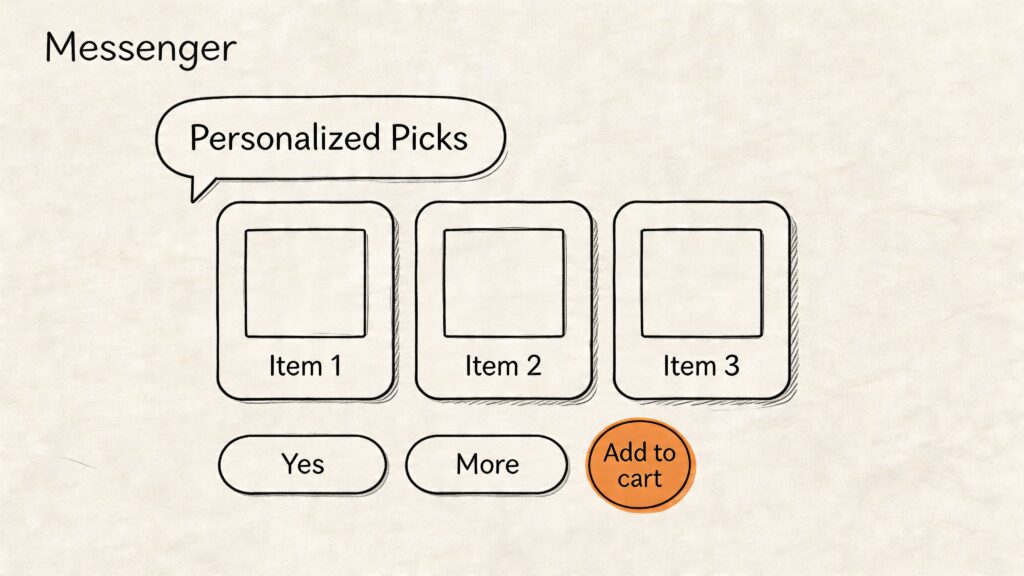
Facebook Messenger Hacks Messenger Interface
Where this shines
This works especially well when the catalog is broad but the decision inputs are simple.
Examples:
- Fashion: style, size, color, occasion
- Supplements: goal, routine, flavor, bundle preference
- Software: company type, use case, required features
- Courses: topic, skill level, outcome, schedule
If someone says they want “a gift under a budget” or “a beginner course for paid ads,” a visual recommendation flow can narrow the path quickly without overwhelming them.
How to build recommendation flows in Clepher
The practical build is straightforward:
- Start with one choice question: Ask the user to pick a goal, category, or preference.
- Use buttons or quick replies: Reduce typing whenever possible.
- Present a short carousel: Show a focused set of products or plans, not your entire catalog.
- Tag every click: Save preferences like menswear_interest, beginner_course, or monthly_plan.
- Link to action: Give the user a clear next step such as checkout, book demo, or ask a question.
A DTC skincare brand might ask, “What’s your priority?” with options like hydration, acne, or sensitivity. A hydration click leads to a product carousel, then a follow-up for skin type, then a recommendation bundle. A SaaS brand can do the same with use case and team role.
What doesn’t work is treating rich media like decoration. Every image card needs one job. Clarify options, narrow intent, or move the buyer forward. If your carousel is just a prettier menu, it won’t add much.
6. Abandoned Cart Recovery with Automated Reminder Sequences
Abandoned cart recovery in Messenger works best when the message feels like a continuation of the buying session, not a generic follow-up blast. Speed helps, but relevance closes the sale. A shopper who left a cart usually needs one of three things: a reminder, an answer, or a reason to return now.
Messenger is strong here because it supports short, interactive exchanges. You can send the exact product left behind, route the person to sizing or shipping help, and return them to checkout with one tap. For brands building retention across channels, this works even better alongside an email list growth strategy that complements Messenger follow-up.
Trust matters in recovery flows. The message should clearly match your brand, reference the shopper’s actual cart, and link back to the right checkout path. Generic copy lowers response rates and can look suspicious.
A sequence that respects the customer
A recovery sequence should change by timing and intent. Sending the same reminder three times wastes the channel.
A practical structure inside Clepher looks like this:
- Message one: Send a short reminder with the exact product name, image if available, and a direct return-to-cart link.
- Message two: Answer the most likely objection. Use shipping details, returns, ingredient info, sizing help, or setup clarity based on the product.
- Message three: Add urgency only if it fits. Use a time-bound offer, low-stock note, or a relevant alternative product if the original item may not be the right fit.
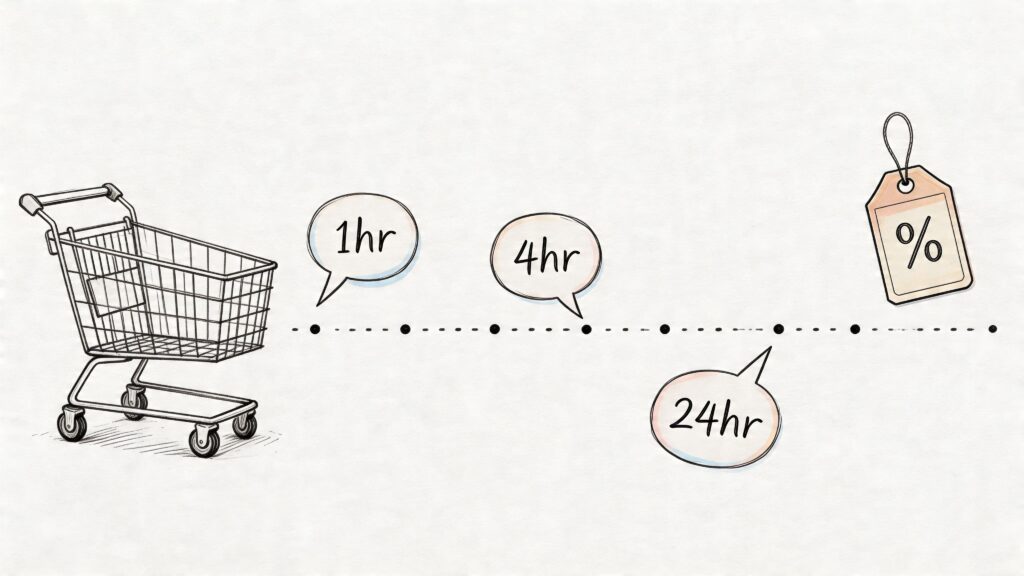
Facebook Messenger Hacks Shopping Timeline
This approach protects margin. If every abandoned cart gets an instant discount, buyers learn to wait. Use the first follow-up to recover intent before you give up price.
How to implement in Clepher
Clepher handles this with event-based flows, dynamic fields, and segment rules.
- Pass cart events into Clepher: Connect Shopify, WooCommerce, or your checkout stack so Clepher receives cart-start and checkout-start events.
- Build a recovery flow: Set delays for each reminder based on your sales cycle. Fast-moving consumer products may need shorter gaps than high-consideration offers.
- Insert dynamic cart data: Pull in product names, cart value, checkout URL, and product-specific variables so each message matches what the shopper left.
- Segment before sending: Split first-time visitors, repeat buyers, and high-value carts into different paths. A returning customer may only need a reminder. A first-time buyer may need trust signals.
- Add AI replies for objections: If someone responds with a question about price, delivery, or fit, Clepher AI can classify the objection and send them into the right answer path.
- End the sequence on conversion: The moment a purchase event fires, remove the person from the reminder flow.
The trade-off is complexity. More personalization usually improves recovery, but it also requires cleaner event data and tighter flow logic. Start with one core path for your top abandoned product category, then add segments once the base sequence is converting.
A supplement brand might send reminder one with the bundle left in cart, then follow with ingredient and subscription details. A course seller can use the second message to address payment-plan concerns. A Shopify brand with broad catalog depth can also review outside strategies to reduce shopping cart abandonment and then map the strongest ones into Messenger flows instead of relying on discount-first recovery.
The rule is simple. Recover the conversation first. Discount only when the buyer behavior suggests price is the actual blocker.
7. Subscriber List Growth Through Native Lead Capture Widgets
Most brands think of Messenger only after someone messages them. That’s too late.
One of the most practical Facebook Messenger hacks is using lead capture widgets on your site or landing pages so visitors subscribe inside Messenger with minimal friction. You don’t need to force email first. You can start the conversation where the follow-up will occur.
For brands that still want a mixed list strategy, Clepher’s guide on how to build an email list is useful because the strongest systems usually collect Messenger and email together over time, not as competing channels.
Where to place widgets
Placement matters more than complexity. Put widgets where intent already exists.
Strong spots include:
- High-intent pages: pricing, product pages, webinar pages
- Content pages: blog posts tied to a product category or use case
- Exit moments: last-chance offer or help prompt before someone leaves
- Post-purchase pages: invite buyers into tips, reorder reminders, or VIP updates
A “Get style tips in Messenger” prompt on a fashion article can work well. So can a “Get trial help in Messenger” prompt on a SaaS pricing page. The opt-in should promise a clear benefit, not generic updates.
How to launch in Clepher
The setup is simple if you keep the first interaction focused.
- Create the widget: Choose the target page and the audience promise.
- Match the entry source: Build a different welcome flow for blog readers, pricing-page visitors, and webinar leads.
- Deliver value immediately: Send a guide, quiz, discount, reminder sequence, or recommendation flow right after opt-in.
- Tag the source: Mark where each subscriber came from so future follow-up stays relevant.
- Back up your audience: Use Zapier or other integrations to mirror subscriber data into your broader CRM or email stack.
This pairs well with conversion-focused content strategies like strategies to reduce shopping cart abandonment, especially when the widget captures someone before they disappear.
What doesn’t work is slapping the same widget on every page with the same message. Page context should shape the opt-in promise and the first flow.
8. Intelligent Handoff to Live Chat with Conversation Context
Businesses that rely on Messenger for support usually hit the same ceiling. Automation handles routine questions well, but resolution drops fast when the issue involves billing, account access, damaged orders, or an upset customer. The fix is not more bot copy. The fix is a handoff system that sends the right conversations to a person with enough context to act immediately.
Good handoff design protects conversion and support efficiency at the same time. If a customer has already shared their order number, selected a return reason, and explained the problem, forcing them to repeat that history adds friction at the exact moment patience is lowest. Support teams also lose time reading scattered messages and asking for details the bot already collected.
Clepher works best here when you treat handoff as a flow decision, not a last-resort fallback.
What an intelligent handoff should include
A useful transfer gives the live agent the information needed to continue the conversation without re-qualifying the customer. In practice, that usually means:
- customer name and contact details
- latest messages and detected intent
- tags such as billing, refund, VIP, trial user, or high purchase value
- data pulled from your store, CRM, or help desk
- the exact step where the customer exited the bot flow
- the reason the handoff was triggered
That context changes the quality of the conversation. An agent who sees “repeat failed answer, refund request, order #1842, negative sentiment” can respond with a solution. An agent who sees only “new chat assigned” has to start from zero.
How to set it up in Clepher
Build the handoff logic around clear operational rules.
- Define escalation triggers: Route to live chat when a user asks for a human, shows frustration, hits multiple fallback replies, raises a billing issue, or asks a question your team has marked as high-complexity.
- Map trigger to team: Send sales questions to sales, support issues to support, and high-value customer issues to your priority queue.
- Pass conversation memory: In Clepher, attach flow step history, collected form fields, tags, and recent messages to the handoff event.
- Set business-hour rules: If agents are offline, switch to a callback, ticket capture, or next-available-agent path instead of promising an instant reply.
- Review missed transfers: Check chats where the bot held on too long or escalated too early, then adjust trigger thresholds and fallback wording.
The trade-off is straightforward. Aggressive escalation improves customer experience for complex cases, but it can overload the team and erase the efficiency gains of automation. Tight escalation rules reduce agent load, but they increase the risk of trapping people in flows that no longer fit their problem. The right setup sits between those extremes and gets stricter as the bot proves it can resolve more intents accurately.
A practical example helps. An ecommerce brand can let Clepher resolve shipping updates, basic return windows, and sizing questions inside Messenger. If the customer selects “wrong item received,” sends two free-text messages, and uses language that signals frustration, Clepher can assign the chat to a live rep, pass the order details and prior flow answers, and label the conversation for urgent review. A SaaS team can use the same model for pricing and onboarding. Product setup questions with account-specific context go to a specialist, while standard feature questions stay automated.
The best handoff feels like one continuous conversation.
Avoid single-trigger routing built only around the phrase “talk to an agent.” Strong Messenger programs use intent, sentiment, failed bot attempts, customer value, and team availability together. That is how handoff becomes a real operational advantage instead of a patch for weak automation.
8-Point Facebook Messenger Hacks Comparison
| Feature | Implementation Complexity 🔄 | Resource Requirements ⚡ | Expected Outcomes ⭐📊 | Ideal Use Cases 💡 | Key Advantages ⭐ |
|---|---|---|---|---|---|
| Messenger Bot Shortcuts with Custom Keywords and AI Triggers | Moderate, NLP tuning and conditional logic setup | Low–Medium, bot platform, analytics, ongoing tuning | Faster response times; engagement +40–60%; scale support automation | FAQs, promotions, quick intent responses, DTC customer service | Natural-feeling instant replies; captures intent data; seamless handoff |
| Broadcast Segmentation with Dynamic Audience Tags and Personas | Medium, tag rules and CRM integrations | Medium, customer data, tag management, A/B testing | Much higher opens/CTR; conversion uplift 200–400% vs. blasts | Targeted promos, abandoned carts, persona-driven campaigns | Highly relevant messaging → higher CTRs and lower unsubscribes |
| Messenger Conversation Threading with Context Preservation Across Chats | High, cross-channel sync and history aggregation | High, centralized inbox, CRM sync, data storage | Resolution time −40–50%; CSAT +25–35%; fewer repeats | Support-heavy businesses, VIP customers, omnichannel service | Seamless context across agents/channels; proactive support |
| Automated Lead Qualification Flows Using Conditional Logic Paths | Medium, build branching flows and scoring | Medium, defined ICP, analytics, maintenance | More qualified leads; sales time saved 30–50%; conversion ↑2–3x | B2B SaaS, agencies, high-ticket sales qualification | Routes hot leads to sales; shortens sales cycle; improves efficiency |
| Rich Media Capture and Product Recommendation Flows | Medium, catalog & media integration, recommendation logic | Medium–High, product catalog, images/videos, recommendation engine | AOV +25–40%; higher engagement; in-chat purchases | E-commerce, DTC brands, product discovery and upsell flows | Personalized shopping in Messenger; seamless checkout conversion |
| Abandoned Cart Recovery with Automated Reminder Sequences | Low–Medium, cart API + sequence templates | Low, cart data feed, message templates; quick setup | Recovers 10–30% of carts; Messenger open rates 80–90% | E-commerce stores with frequent cart abandonment | High ROI, fast to implement, dynamic product reminders |
| Subscriber List Growth Through Native Lead Capture Widgets | Low, embed widgets and CTAs on pages | Low, Facebook pixel, widget placement, minimal dev | Opt-in rates 5–15% CTR; growth at 5–10x lower CAC | Lead gen, product launches, blog and pricing pages | Low-friction opt-in; instant bot engagement; high subscriber lift |
| Intelligent Handoff to Live Chat with Conversation Context | High, AI intent models + routing and queues | High, trained agents, AI, queue management, SLAs | Frustration −50–70%; resolution +80–90%; CSAT ↑ | Complex support, billing disputes, technical troubleshooting | Timely human escalation with full context; reduces workload |
From Hacks to Habits: Your Messenger Playbook Awaits
Teams that systemize Messenger usually outperform teams that treat it like a shared inbox.
The difference is operational discipline. Messenger produces better results when replies, routing, segmentation, qualification, recovery, and handoff are defined in advance inside one working system. Without that structure, marketers end up answering the same questions manually, sending broad broadcasts, and letting high-intent conversations stall.
That is why the eight plays in this guide matter as a set. Each one solves a recurring problem. Together, they turn Messenger into a channel your team can run consistently.
Start with the constraint that is costing revenue or time right now:
- Repetitive support volume: set up custom keywords and AI triggers for common intents.
- Low campaign relevance: build dynamic audience tags and persona-based segments.
- Slow sales follow-up: route prospects through qualification flows with conditional logic.
- Lost purchases: trigger cart recovery reminders based on checkout behavior.
- Weak subscriber growth: place native lead capture widgets on pages with strong intent.
- Bot dead ends: send complex cases to live chat with the full conversation attached.
Then improve one workflow at a time. Review trigger accuracy. Remove tags nobody uses. Tighten qualification questions. Rewrite weak prompts. Check where handoffs happen too early or too late. Good Messenger programs are built through iteration, not through one large setup project.
Clepher makes that process practical because the same workspace covers flows, AI triggers, segmentation, broadcasts, widgets, and live chat. A marketer can build a lead qualification flow, tag users based on answers, trigger a follow-up broadcast to one segment, and pass qualified conversations to sales without rebuilding the process in separate tools. That matters because every extra tool adds delay, data gaps, and more room for routing mistakes.
Trust also needs to be built into the setup. Use clear opt-in language. Ask for only the information the next step requires. Keep stored context useful, not excessive. If someone returns to a Messenger thread weeks later, the conversation should feel informed and relevant, not intrusive.
Conclusion
To ensure smooth interactions, make sure you’re using a Facebook account and taking advantage of tips and tricks to enhance the experience. Choose the best Facebook Messenger app for your needs and optimize the chat window for easy access. For users on iOS, ensure notifications are set up for timely updates, and consider incorporating WhatsApp for a broader reach. A simple rollout works best. Pick one use case. Build it in Clepher. Measure reply quality, conversion movement, and handoff volume. Once that flow is stable, add the next one.
If you want to turn Messenger into a real marketing and sales channel, explore Clepher and start with one focused flow, such as lead qualification, cart recovery, or segmented broadcasts. The fastest gains usually come from fixing one repeated conversation first, then expanding with intent.

Related Posts
Customer Journey Automation: The Practical Guide
October 10, 2026Lead Qualification Marketing: A Practical 2026 Guide
October 9, 2026Customer Experience Optimization Playbook
October 8, 2026
Founder Clepher