
Free AI chatbots are easy to try, and some of them are genuinely useful. They can speed up drafting, summarization, brainstorming, research, and light coding work with almost no setup.
That makes them a strong starting point for personal use and early exploration. It also helps to understand how AI chatbots work in practice before comparing tools, because model quality is only part of the result. The interface, memory, file handling, web access, and guardrails often matter just as much.
For business use, the gap shows up fast. General-purpose bots help one person work faster. They usually do not manage lead capture, qualification, routing, follow-ups, CRM sync, or support flows across Messenger and Instagram. That is the line this list keeps clear. These tools are worth testing, but teams that need repeatable marketing, sales, and support automation usually outgrow them and move to a purpose-built system such as Clepher. Brands also pair exploration with specialized tools for DTC brand AI content solutions when content production becomes the bottleneck.
1. ChatGPT (OpenAI)
For many users, ChatGPT is still the default place to start. That’s not because it’s perfect. It’s because it handles the broadest range of everyday tasks well: writing, summarizing, brainstorming, coding help, file-based Q&A, and image-related prompts on supported devices.
What makes the free version useful is breadth. You can use the main chat app for general work, then dip into user-created GPTs when you need something narrower, like resume editing, marketing ideation, or lightweight tutoring.
Where it works best
If you’re using a free AI chat bot for solo productivity, ChatGPT covers a lot of ground without much setup. It’s especially good when your work starts messy, and you need the tool to impose structure.
- Drafting fast: Turn rough notes into emails, product copy, ad angles, or meeting recaps.
- Cleaning up thinking: Paste in a long document and ask for objections, gaps, or a tighter summary.
- Testing ideas: Compare headlines, landing page angles, or outreach variants in one thread.
A lot of people use ChatGPT without understanding why some prompts work and others don’t. If you want the mechanics behind that, this explainer on how AI chatbots work gives useful context.
Practical rule: ChatGPT is strongest when you give it source material to transform, not when you ask it to invent expertise from nothing.
The trade-off is familiar. Free usage limits show up when demand spikes, and some of the more advanced models and tools sit behind paid plans. For business use, there’s another issue. ChatGPT can generate excellent outputs, but it doesn’t natively behave like a customer conversation engine.
That matters if you’re comparing personal AI assistance with actual brand operations. For teams producing content at scale, this comparison of DTC brand AI content solutions is a useful reminder that strong generation and strong workflow control aren’t the same thing.
2. Google Gemini
Google Gemini works best for people whose day already runs through Google products. Search, Gmail, Docs, Drive, Android. In practice, that reduces friction. You can move from a question to a draft, summary, or comparison without changing how you already work.
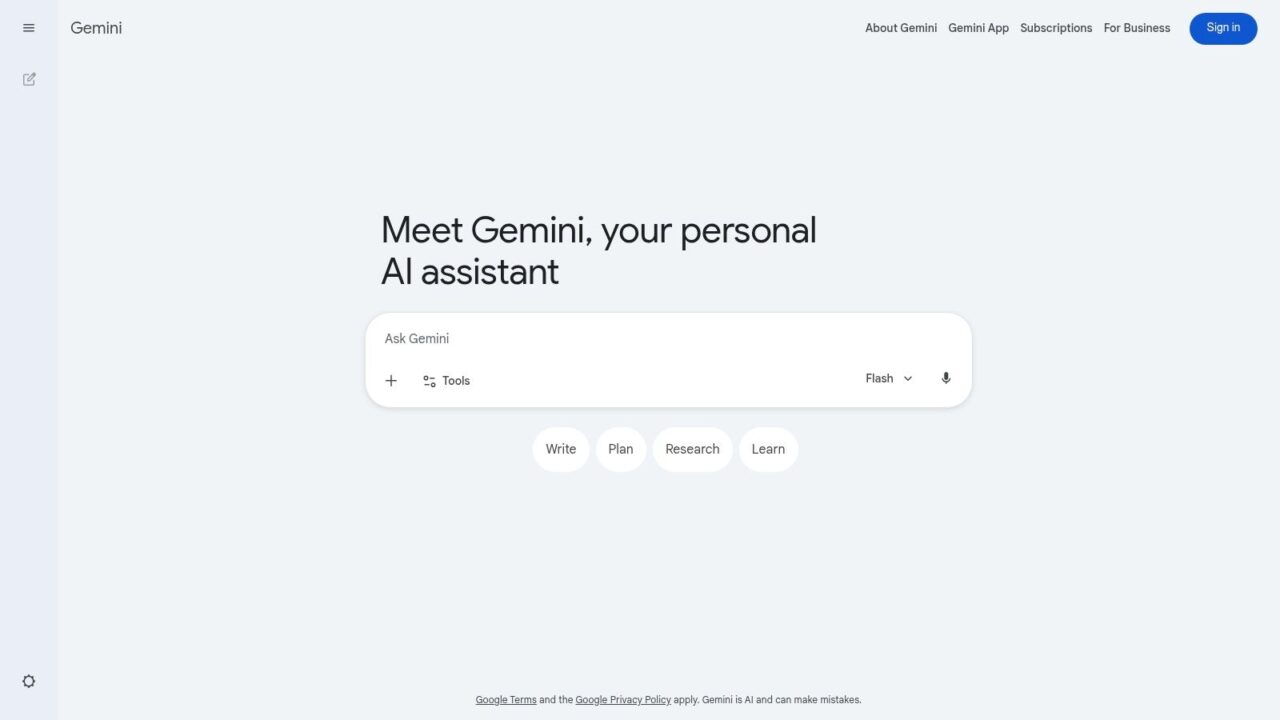
Free AI Chatbot Gemini Interface
Its edge over many free AI chat bot options is context. Gemini is useful when the task starts with research, includes live web information, and ends with something practical such as a brief, outline, or first-pass document. It also handles multimodal prompts well, which matters if you’re reviewing screenshots, product images, or creative references alongside text.
Best fit for research and synthesis
I’d point marketers, founders, and operators to Gemini when they need quick synthesis more than long-form back-and-forth. It’s good for comparing competitors, turning scattered notes into a cleaner structure, and pressure-testing ideas against current information. That makes it a strong starting point for personal use and early exploration.
The limit is business execution. Gemini can help a person think and draft faster, but it is not a customer-facing automation system for Messenger or Instagram. If the goal is to answer leads, qualify prospects, route support questions, and follow up at scale, a purpose-built tool like Clepher fits that job far better than a general chat interface.
If you want to move from prompting tools to building workflows, this guide on how to make a chatbot for real business use is a better next step than treating Gemini like a long-term operations layer.
Free access is still useful. It lets teams test use cases before they spend money. The trade-off is predictable: feature depth, usage limits, and workspace controls are tighter than what growing teams usually need.
Gemini is a strong choice when the work begins with research and ends with a draft. It is a weaker choice when the work begins with a customer message and needs automation, routing, and follow-up.
3. Microsoft Copilot
Microsoft Copilot is easiest to appreciate when you’re already on Windows and spend a lot of time in Edge or Microsoft’s app ecosystem. In that environment, it feels convenient in a way that standalone chat tools sometimes don’t.
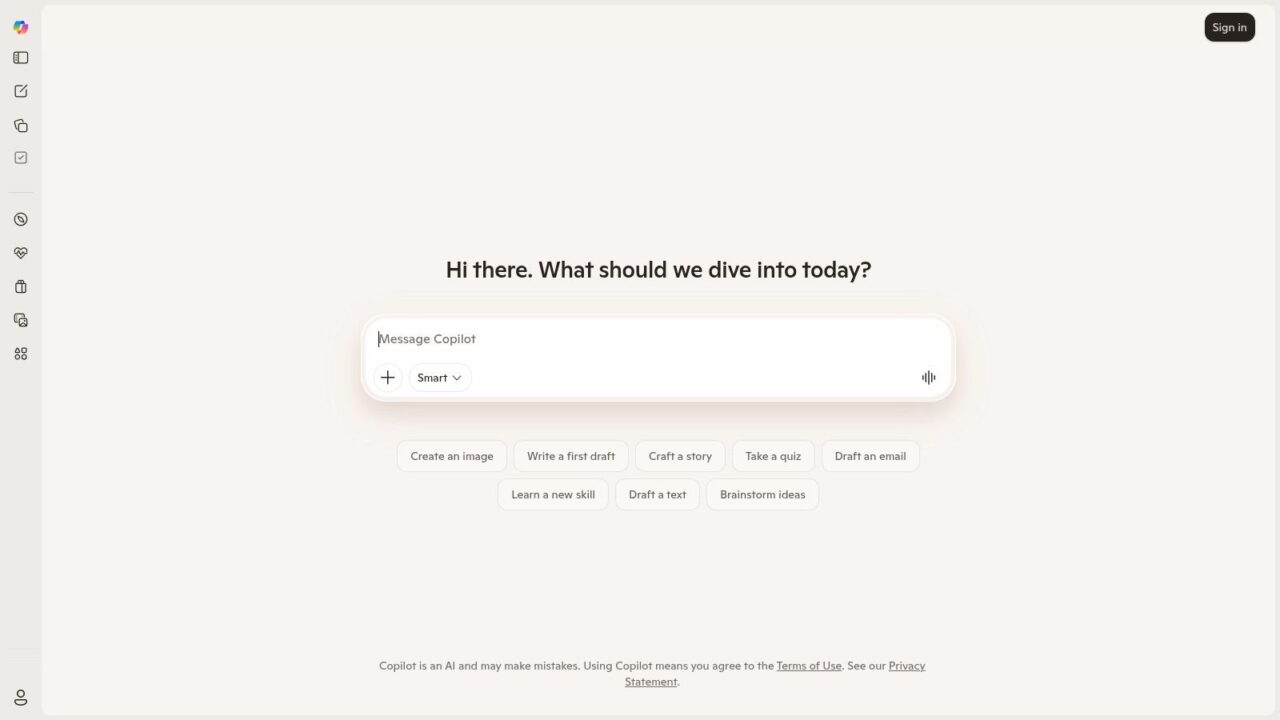
Free AI Chatbot Copilot Interface
Copilot shines in small, frequent tasks. Summarize this page. Rewrite this paragraph. Pull key points from a document. Generate an image concept. Those moments add up if your workday already runs through Microsoft products.
A practical desktop assistant
This is one of the better free AI chat bot options for office-style productivity. Not because it’s the smartest in every test, but because accessibility matters. If the tool is one click away inside your existing workflow, you’ll use it more.
A few common use cases:
- Browser-side help: Summarize articles, extract main points, or draft responses while reading.
- Windows convenience: Use it as a quick assistant instead of bouncing between tabs.
- Visual ideation: Generate rough image concepts through Microsoft’s creative tools.
If you’re moving from experimentation into building your own conversational flows, this guide on how to make a chatbot is a better next step than treating Copilot as a long-term business bot.
The catch is that some features feel more polished inside Microsoft’s ecosystem than outside it. That’s fine for internal productivity. It’s less compelling if your goal is external customer engagement.
4. Claude (Anthropic)
Claude has built a strong reputation for thoughtful writing and document-heavy work. If your main use case is “I have too much text, help me reason through it,” Claude is often one of the best free starting points.
Its tone also tends to feel calm and structured, which matters more than people admit. For long-form drafting, policy review, planning memos, or synthesizing messy notes, Claude often produces cleaner first drafts than tools that default to shorter, punchier answers.
Strong for long documents
Claude is especially useful when you’re working through PDFs, transcripts, internal briefs, or multi-part instructions. It tends to handle nuanced prompts well, and it’s a good fit for users who want fewer gimmicks and more focused assistance.
That said, the free plan is constrained. Daily limits can show up quickly, and the more advanced tools sit on paid tiers. So while Claude is a great free AI chat bot for analysis, it isn’t a great substitute for a business system that needs persistent workflows, lead routing, or campaign logic.
For teams, that’s the dividing line. Claude helps a person think. It doesn’t replace operational software.
5. Perplexity AI
Perplexity AI is one of the better free AI chat bot options for people who care about source-backed answers. The experience is built around search, summaries, and citations, so it fits a different job than tools that are stronger at drafting or brainstorming.
That makes it useful early in a task. A marketer can use it to scan competitor messaging, check whether a trend is being cited across credible sources, or pull a quick summary before writing a brief. An operations lead can use it to compare vendors, policies, or category definitions without opening twenty tabs first.
Best for fast research and verification
Perplexity works well for questions that need traceable context. You ask for an answer, then review the linked sources and decide what holds up. That extra step matters, especially in business work where a polished answer is not the same as a reliable one.
The trade-off is straightforward. Perplexity helps with discovery, not execution. It can help a person get oriented, but it does not manage lead routing, automate follow-up in Messenger or Instagram, or maintain the logic behind a support workflow. That is the line between a free research assistant and a business tool such as Clepher, which is built for marketing, sales, and support automation.
A practical way to use Perplexity is to keep it in the research lane:
- Use it to validate claims: Check whether a statement is supported by cited sources.
- Use it to compare options: Build a shortlist of tools, vendors, or ideas.
- Use it to prepare handoff material: Turn research into notes your team can use inside actual workflows.
For personal use, that is a strong free starting point. For customer-facing operations, it remains an input tool rather than the system doing the work.
6. Poe (by Quora)
Poe is for people who don’t want to commit to one model. It gives you a single interface where you can try different bots and compare outputs without hopping between separate apps.
That sounds minor until you’re evaluating tools. Then it becomes useful fast. One model writes more naturally. Another is better at logic. Another handles short factual queries better. Poe makes those differences easier to test.
Good for comparison, less ideal for depth
As a free AI chat bot, Poe is appealing because it lowers friction. You can experiment across multiple assistants in one place, especially on mobile. For curious users, that’s a practical way to learn how model behavior changes by task.
The downside is that the free caps can feel tight if you’re doing serious work. Model availability can also shift by plan, which means the experience isn’t always stable in the way business users prefer.
A useful way to think about Poe is as a model playground.
- Try it when you’re evaluating assistants
- Use it to compare prompt responses side by side
- Avoid relying on it for critical business workflows
Poe is a smart exploration tool. It isn’t a system of record, and it isn’t a customer automation platform.
7. Duck.ai (DuckDuckGo AI Chat)
Privacy is the main reason to look at Duck.ai. DuckDuckGo’s AI chat front end is attractive for people who want anonymous, low-friction access without creating yet another account.
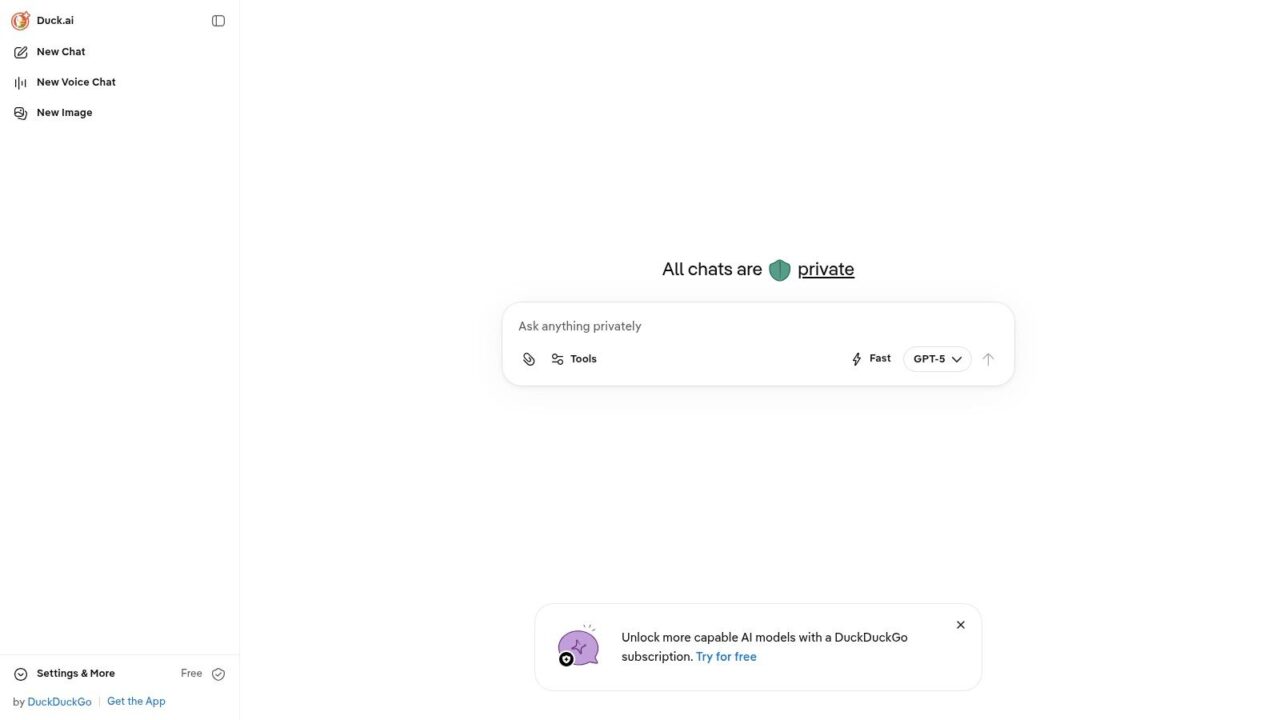
Free AI Chatbot Duck.ai Interface
That matters because privacy and retention questions are often the weakest part of “best free AI chatbot” coverage. Many roundups obsess over model variety and ignore the more practical issue: what happens to the conversation data.
The privacy angle most lists skip
Independent research on chatbot-based mental health apps found that users valued transparency about what information was collected from conversations, and that some chatbots captured conversation history to track progress over time, as discussed in this privacy and transparency research. Even though that’s a different use case, the lesson carries over. “Free” often comes with data-handling trade-offs that deserve scrutiny.
Duck.ai stands out because it brings privacy to the front of the experience instead of burying it in assumptions. That’s useful for casual personal queries, early experimentation, and users who don’t want a persistent identity tied to every prompt.
The limitations are clear, though. Daily usage can be restrictive, and the platform isn’t trying to be a deep workflow hub.
Before you adopt any free AI chat bot for work, check retention, training use, export options, and account-level controls. Those details matter more than clever replies.
8. HuggingChat (Hugging Face)
HuggingChat is the most open-ended option on this list. It isn’t polished in the same way as the big consumer chat apps, and that’s part of the appeal.
If you want to test open models, compare community-driven options, or understand what’s happening outside the major proprietary ecosystems, HuggingChat is a useful place to spend time. It’s less about convenience and more about transparency and experimentation.
Best for technical curiosity
This is a strong fit for builders, AI hobbyists, and technical teams that care about model openness. You can explore different open or community models, see how they behave, and in some cases move toward self-hosting if you need more control.
That openness comes with trade-offs. Quality can vary a lot between models. Guardrails are looser. The user experience is usually less refined than what you’d get from the largest commercial assistants.
For business users, the practical takeaway is simple. HuggingChat is a good lab. It usually isn’t the best frontline tool for support, sales conversations, or brand-safe messaging.
9. Meta AI
Meta AI is less interesting as a standalone chatbot and more interesting because of where it lives. Facebook, Instagram, WhatsApp, and Meta’s broader app environment give it a built-in distribution advantage.
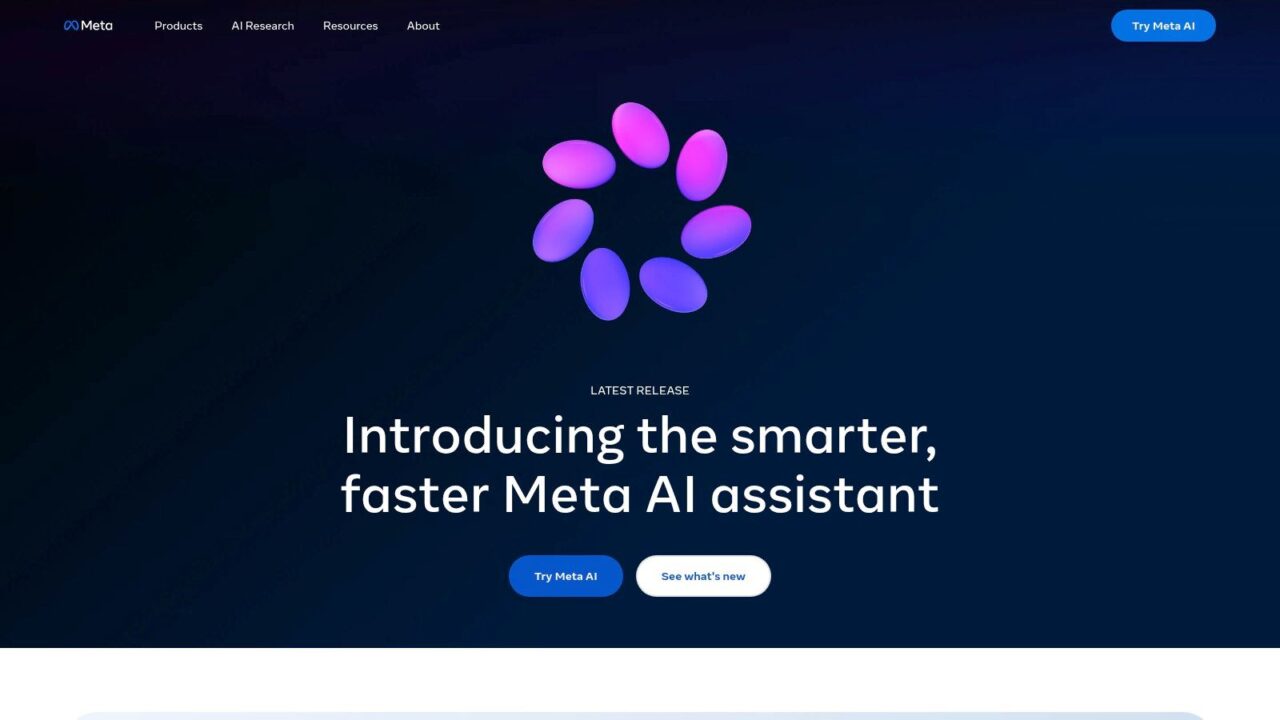
Free AI Chatbot Meta AI Interface
If you’re already spending time in Meta’s apps, Meta AI is convenient for quick prompts, casual assistance, and lightweight creative tasks. That convenience matters. People use what’s nearby.
Strong in-channel convenience
For creators, social sellers, and marketers, Meta AI makes sense for rapid idea generation inside the same apps where content and conversations already happen. It reduces context switching.
The limitation is equally obvious. Convenience inside Meta’s ecosystem isn’t the same as having a real automation system for Messenger or Instagram customer journeys. A business still needs audience segmentation, capture flows, triggered follow-ups, and handoff logic.
There’s another reason this matters. One industry roundup reports that 91% of businesses with 50+ employees use AI chatbots somewhere in the customer journey, 74% of businesses say they’re satisfied with their chatbot systems, and 62% of consumers prefer a chatbot to waiting for a human agent. Demand is clearly there. But demand for chatbot access isn’t the same as demand for generic chat. Businesses need channel-ready execution.
Meta AI helps with convenience. It doesn’t solve the system layer.
10. DeepSeek
DeepSeek has become a notable option for users who want a free AI chat bot with strong reasoning and coding help without much friction. Its web and mobile access make it easy to try, and it often feels fast in practical use.
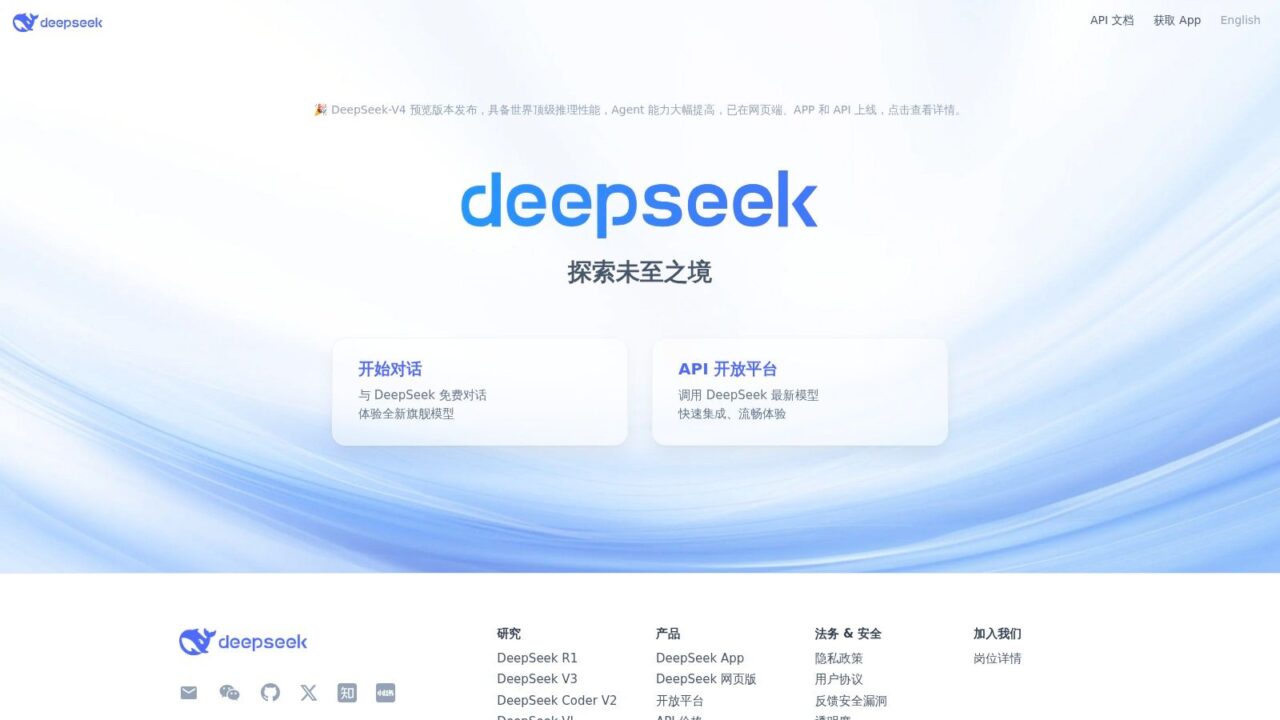
Free AI Chatbot Deepseek Homepage
One reason people like DeepSeek is straightforward. It often gives capable responses quickly, and the barrier to entry feels low. That’s a good combination for experimentation.
Where it fits
DeepSeek is worth testing if your main use cases are logic-heavy prompting, coding support, or general exploration outside the most established consumer brands. It can be a useful backup option, especially if you’re comparing model behavior across platforms.
The bigger question isn’t whether it can answer prompts. It’s whether a free general chatbot is the right tool for your actual job to be done. That’s where many evaluations go wrong. They compare “which chatbot sounds smartest” instead of “which tool fits the workflow.”
Recent coverage of free chatbots often emphasizes broad assistance and model switching, but the more useful question is task fit, as reflected in this discussion of free chatbot use cases and model switching. For many users, a general bot is good enough for search-like tasks, content generation, and ideation. It becomes less reliable when you need structured support flows, multilingual customer handling, or controlled business automation.
Top 10 Free AI Chatbots Comparison
| Product | Core strengths | UX & Quality (★) | Best for (👥) | Price / Value (💰) | Unique selling point (✨ / 🏆) |
|---|---|---|---|---|---|
| ChatGPT (OpenAI) | General-purpose text, coding, multimodal, GPTs ecosystem | ★★★★☆ | 👥 Content teams, devs, general users | 💰 Free tier; paid for advanced tools | ✨ GPT marketplace & multimodal tools · 🏆 broad capability |
| Google Gemini | Web‑aware answers, tight Google service integrations | ★★★★☆ | 👥 Google Workspace users & web‑centric teams | 💰 Free + Gemini Advanced upgrade | ✨ Web grounding & Workspace tie‑ins · 🏆 search integration |
| Microsoft Copilot | In‑app assistance in Windows/Edge, summarization, Designer | ★★★★ | 👥 Enterprises & Office‑centric teams | 💰 Free tiers; some features via MS subscriptions | ✨ Deep OS/Office integration · 🏆 seamless in‑app help |
| Claude (Anthropic) | Careful reasoning, long‑form analysis, file tools | ★★★★☆ | 👥 Analysts, writers, compliance teams | 💰 Free (daily limits); paid higher tiers | ✨ Strong safety & long‑form output |
| Perplexity AI | Conversational search with live sources & citations | ★★★★ | 👥 Researchers & support needing sources | 💰 Free core; Pro for model switching/higher caps | ✨ Built‑in citations & reading mode |
| Poe (Quora) | Single app to access many models | ★★★☆ | 👥 Explorers, testers, casual users | 💰 Free w/ caps; subscriptions available | ✨ One app, many models (easy switching) |
| Duck.ai (DuckDuckGo) | Privacy‑first, anonymous by‑default chat | ★★★ | 👥 Privacy‑conscious users | 💰 Free daily use; DDG Plus raises limits | ✨ No‑account anonymous use · 🏆 privacy focus |
| HuggingChat (Hugging Face) | Open/community models, transparent, self‑hostable | ★★★ | 👥 Developers, researchers, open‑source fans | 💰 Free | ✨ Selectable open models & self‑host options |
| Meta AI | Embedded across Facebook/IG/WhatsApp, creative tools | ★★★ | 👥 Social‑media teams & creators | 💰 Free | ✨ In‑app social integrations & creative features |
| DeepSeek | First‑party models (R1 series), fast reasoning, APIs | ★★★★ | 👥 Developers & technical teams | 💰 Free chat; API/paid platform options | ✨ First‑party models + low‑friction access · 🏆 dev tools |
When to Upgrade From Free Bots to a Business Growth Engine
Free AI chat tools are excellent for exploration. They help a marketer draft subject lines, let a founder summarize notes after a customer call, and give a support lead a faster first pass on reply copy. That is real value, especially early on.
The limit shows up when the conversation has revenue attached to it.
A customer message is not just a prompt. It can be a product question on Instagram, a lead asking for pricing in Messenger, a support issue that needs routing, or an abandoned cart follow-up that has to happen on time and in the right channel. General-purpose bots are built for broad assistance. They are rarely built to capture contact data, trigger follow-ups, tag intent, or push conversation outcomes into the rest of your operating stack.
That operational gap matters more than model quality in many businesses. A very capable free bot can still underperform if your team has to copy answers manually, check inboxes one by one, and guess which conversations turned into sales.
The upgrade usually makes sense when your team needs to:
- Keep conversations in-channel: Continue sales and support interactions inside Messenger, Instagram, WhatsApp, or website chat instead of sending people elsewhere.
- Route and segment automatically: Tag users by intent, product interest, or stage so follow-ups are relevant.
- Trigger workflows from behavior: Start the right sequence after a click, reply, purchase action, or support request.
- Measure business outcomes: Track where chats produce leads, bookings, purchases, or drop-offs.
- Sync with core tools: Pass data into your CRM, email platform, SMS system, or help desk without manual cleanup.
For ecommerce brands, agencies, creators, SaaS teams, and local businesses, that is the point where a free chat app stops being enough. Clepher is built for that next stage. It handles marketing, sales, and support automation across website chat, Facebook, Messenger, WhatsApp, and Instagram Direct Message, with a no-code builder for conversational flows.
The practical way to use both categories is simple. Start with free bots to test ideas, draft content, and learn where AI saves your team time. Upgrade when you need audience capture, segmentation, broadcasts, live chat coordination, and automated journeys that support actual pipeline or support volume. If you are evaluating that shift, this article on AI chatbot implementation for brand owners is a useful business-side reference.
If you’re ready to move beyond generic chat and build automated conversations that support marketing, sales, and customer service, take a look at Clepher. It’s designed for businesses that want no-code chatbot flows, audience segmentation, live chat, and channel-specific automation across their website and Meta messaging channels.
