
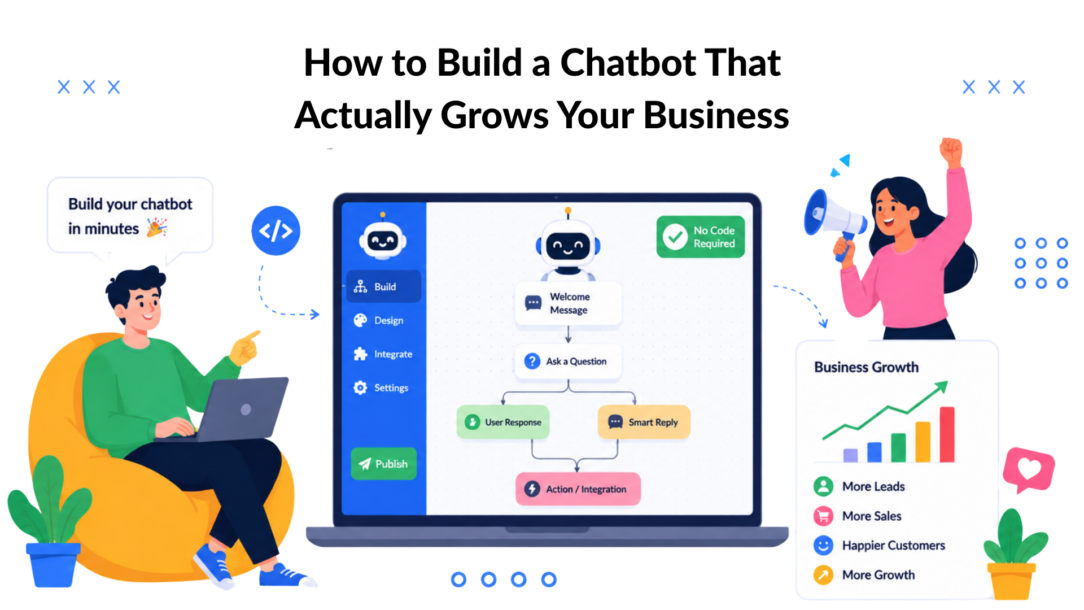
Building a chatbot isn’t a single task; it’s a strategic process. It breaks down into four core stages: planning your strategy, designing the conversation, connecting your business tools, and then launching and optimizing.
With a no-code platform like Clepher, you can get from an idea to a fully functional bot without writing a single line of code. But the transformation from a simple widget to a business asset all starts with a rock-solid plan.
Your Blueprint for a High-Performing Chatbot
Before you drag and drop a single element in a builder, the most critical work happens on paper (or a whiteboard). A clear strategy is what separates a chatbot that feels like a gimmick from one that becomes a revenue-generating machine.
This isn’t about getting lost in technical details. It’s about defining the specific job you need your chatbot to do.
This clarity prevents you from building a bot that tries to do everything but masters nothing. Think of your chatbot as a new hire. You wouldn’t bring someone on without a clear role and key performance indicators (KPIs), right? The same logic applies here when building chatbots; testing is crucial.
Define Your Chatbot’s Primary Job
What’s the single most important outcome you need to achieve? Nailing down one primary goal will guide every decision you make, from the questions you ask to the personality you adopt. A focused bot delivers transformative results.
Here are a few common business goals a chatbot can crush:
- Lead Generation: Your bot can engage website visitors 24/7, ask smart qualifying questions, and capture their contact info, turning passive traffic into a predictable pipeline of leads. For a deep dive, see how to build a chatbot for lead generation.
- 24/7 Customer Support: It can instantly answer frequently asked questions about shipping, returns, or product specs. This frees up your human agents to handle complex issues that require a human touch, slashing support costs.
- Sales Qualification: A chatbot acts as a friendly gatekeeper, pre-qualifying prospects by asking about their budget, needs, and timeline before seamlessly handing them off to a sales rep who is ready to close the deal.
- E-commerce Sales: Enhance your sales with a chatbot using OpenAI technology. It can guide shoppers to the perfect products with a quiz, offer personalized recommendations, and even recover abandoned carts by sending a timely, helpful reminder. This directly impacts your bottom line.
Choosing one of these as your north star makes the entire building process simpler and far more effective. You’ll know exactly what success looks like and how to measure it.
Chatbot Strategy Planning Checklist
Before you jump into the builder, use this checklist to solidify your strategy. This ensures your chatbot is aligned with your core business objectives from day one.
| Planning Area | Key Question to Answer | Example (E-commerce Store) |
|---|---|---|
| Primary Goal | What is the single most important job for this bot? | Increase sales by guiding users to the right products. |
| Target Audience | Who will be interacting with this chatbot? | First-time visitors and repeat customers looking for specific items. |
| Key Metrics | How will we measure success? | Conversion rate from chat, average order value, cart recovery rate. |
| Brand Voice | What personality should the bot have? | Friendly, helpful, and slightly playful, using emojis. |
| Core Conversations | What are the 2-3 most critical conversation paths? | 1. Product finder quiz. 2. Order status lookup. 3. Creating a chatbot can streamline communication and improve efficiency. Abandoned cart recovery. |
Once you have these answers, you have a solid foundation. This isn’t just busywork; it’s the blueprint that ensures your chatbot delivers real, measurable results.
Map the Ideal User Journey
With the chatbot’s job defined, you can map out the conversation. This isn’t about writing a rigid script. It’s about designing a user journey that feels natural and helpful, guiding users from point A to point B seamlessly.
The goal is to make the interaction feel like a real conversation, not a robotic quiz.
Start with a strong welcome message that clearly states what the bot can do. From there, use buttons and quick replies to guide them toward their goal. For an e-commerce store, the journey might start with a shopper asking about an order. The bot then guides them through simple steps to check its status. This proactive guidance creates a smooth, positive user experience.
Key Takeaway: A successful chatbot doesn’t just answer questions—it guides users along a pre-defined path that solves their problem while achieving your business objective.
The market data confirms this shift. The global chatbot market is projected to skyrocket to over $15 billion by 2025. This massive growth is driven by businesses realizing the power of bots to improve both efficiency and customer engagement.
Craft a Memorable Brand Personality
Finally, your chatbot needs a personality. Is it friendly and casual, or more formal and professional? The tone should be a direct extension of your brand’s voice. A consistent personality makes every interaction more memorable and builds trust.
For example, a brand selling skateboards would use a bot with a fun, informal tone, maybe throwing in slang and emojis. A financial services company, on the other hand, would opt for a professional and reassuring personality. This detail has a huge impact on how users perceive your brand.
Designing Your First Conversational Flow
You’ve got your strategy. Now it’s time to move from the whiteboard to the visual builder. This is where you bring your plan to life, building the actual conversation in a tool like Clepher. Think of it as a digital canvas where you drag and drop elements to create a dialogue.
The goal here isn’t to write a boring script. You’re designing a dynamic, interactive experience that guides the user toward a specific outcome. It’s more about smart conversation design than hardcore programming.
Crafting a Compelling Welcome Message
Your chatbot’s first message is its most important. This is your one shot to set the tone, manage expectations, and show the user your bot is genuinely helpful. A weak opening will cause people to drop off before the real conversation even begins.
A great welcome message does three things:
- Greets the user warmly: A simple “Hello!” or “Hey there!” makes the interaction feel more human.
- States its purpose clearly: Tell them exactly what the bot can do. For example, “I can help you track your order, find the perfect product, or connect you with support.”
- Provides clear next steps: Use buttons like “Track My Order” or “Browse Products” to get the conversation moving instantly.
This structure removes guesswork and empowers the user to take immediate action, which is a huge win for engagement.
Guiding the Conversation with Interactive Elements
Once you have their attention, keep the momentum going. Interactive elements like buttons and quick replies are your best friends. Instead of making people type out what they need, you give them predefined choices that steer the conversation in the right direction.
For example, a marketing agency’s chatbot could start by asking, “What’s your biggest marketing challenge right now?” and then offer buttons like:
- Generating More Leads
- Improving Ad ROI
- Content Strategy
When a user clicks “Generating More Leads,” you guide them down a specific path tailored to that goal. This makes the experience smoother for them and lets you segment your audience from the very first click.
This visual guide shows the core steps in creating an effective chatbot strategy, starting with a clear goal and mapping the user journey.
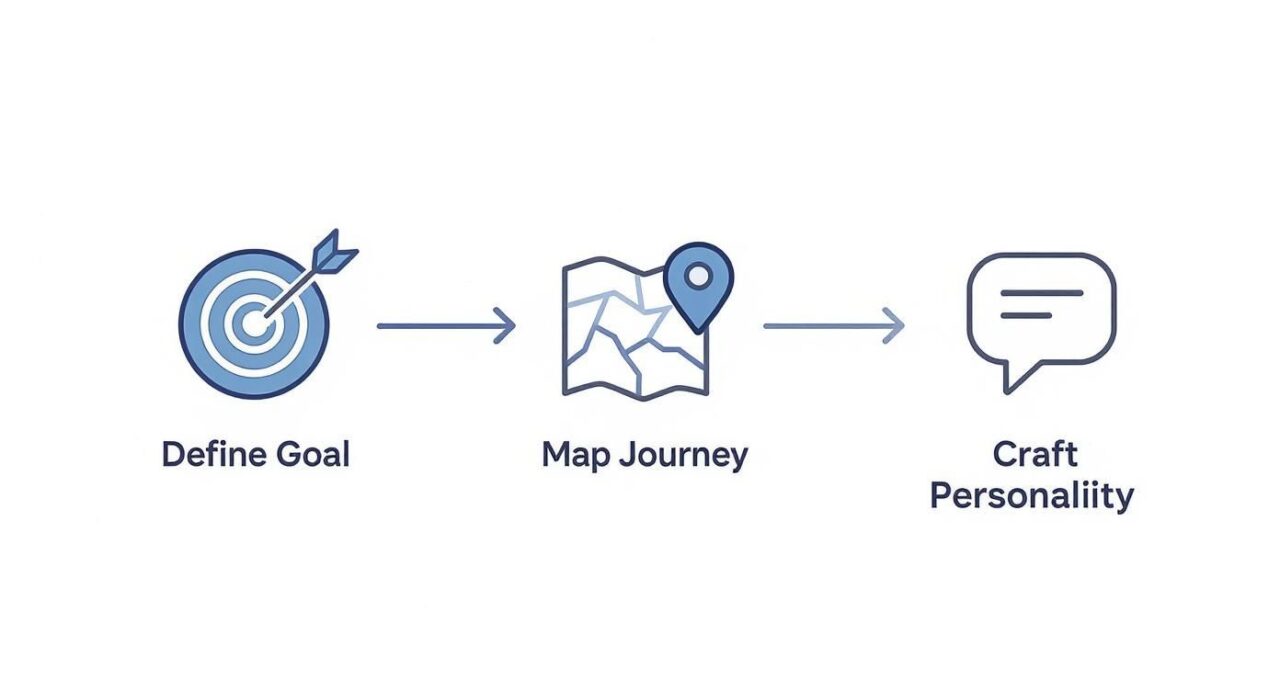
How to Build A Chatbot Core Steps
This process ensures every part of your conversational flow is built with a specific outcome in mind, which makes the whole thing far more effective.
Collecting Information Without Friction
One of a chatbot’s superpowers is collecting user information, like names and emails. But if you ask for it too early or bluntly, it feels intrusive. The secret is to ask for it at the right moment—when the user sees clear value in providing it.
Don’t just demand an email. Offer something valuable in return.
Pro Tip: Frame your request as a benefit to the user. Instead of saying “Enter your email,” try “Where should I send your free shipping coupon?” This simple rephrasing can dramatically increase your conversion rates by focusing on what they get, not what you want.
By positioning data collection as a necessary step to deliver value, you turn a transactional request into a helpful exchange.
Real-World Example: A Lead Qualification Flow
Let’s walk through a simple lead qualification flow for a real estate agent. The goal is to identify serious buyers and get their contact info for a follow-up. In a no-code builder, you just connect the conversational blocks to guide the user.
- Welcome Message: “Hi! I can help you find your dream home. To start, are you looking to buy or rent?” [Buttons: Buy / Rent]
- Segment the User: If they click “Buy,” the bot continues. “Great! What type of property are you interested in?” [Buttons: Single-Family Home / Condo / Townhouse]
- Gather Key Details: After they choose, the bot asks a qualifying question. “Got it. And what’s your ideal budget?” [Quick Replies: <$300k / $300k-$500k / >$500k]
- Offer Value & Capture Lead: Finally, the bot makes its move. “Perfect! We have several listings that match your criteria. What’s the best email to send them to?”
In just four steps, the bot has qualified the lead by budget and property type, captured their email, and delivered immediate value. This is how you build a chatbot that feels less like an automated script and more like a helpful assistant.
Using AI and Automation for Smarter Responses
A basic, button-based chatbot is a solid start. But integrating artificial intelligence is what transforms a simple tool into a genuine business asset. This is where your bot stops just following a script and starts understanding what your users want.
It’s the difference between a glorified FAQ page and a smart assistant that can anticipate needs, handle complex questions, and truly scale your business.
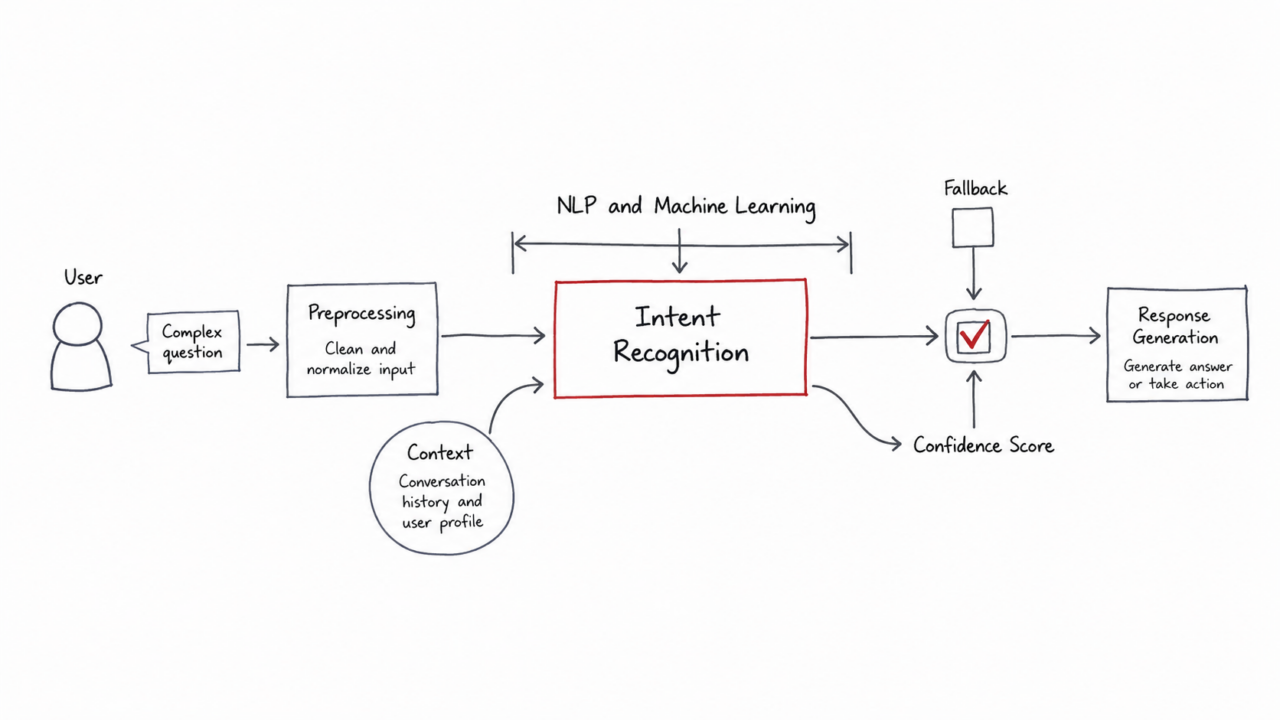
How to Build A Chatbot Complex Questions
AI and machine learning are the engines behind the chatbot industry’s explosive growth. This technology is what allows for the intelligent, automated interactions that businesses are increasingly relying on to improve customer experience.
Demystifying Natural Language Processing
At the core of any smart chatbot is Natural Language Processing (NLP). It sounds complex, but the concept is simple: NLP gives your chatbot the ability to understand human language as it’s actually written—typos, slang, and all.
Think about all the ways a customer might ask about shipping costs:
- “how much is shipping?”
- “delivery price”
- “what are your shipping fees?”
- “cost to ship to California”
A simple, rule-based bot would be stumped. But an AI-powered bot using NLP instantly recognizes that all these phrases have the same underlying intent: to get shipping information.
This is how you move from rigid commands to flexible, natural conversations. Instead of forcing users down a narrow path, you meet them where they are. For a deeper look, check out our guide on understanding how AI chatbots work.
Setting Up Smart Keyword Triggers
Inside a platform like Clepher, you can teach your bot to recognize these intents with keyword triggers. This is your first practical step into AI. You create groups of related keywords and phrases that all point to a single, correct answer or conversation.
- Keyword Group: Shipping Cost
shipping cost,delivery price,shipping fees,cost to ship
- Keyword Group: Return Policy
return policy,how to return,exchange process,send back item
When a user types a message with any of these keywords, the bot triggers the right response instantly. You’ve just built a system that understands context and delivers accurate answers on the spot.
Key Takeaway: Keyword triggers are the foundation of a smart chatbot. By grouping synonyms and related phrases, you empower your bot to understand user intent and respond accurately, dramatically reducing the need for human intervention.
Automating Follow-Up and Workflow Sequences
Beyond answering questions, AI lets you build powerful automations that connect your chatbot to the rest of your business. This is how you create a bot that doesn’t just talk to customers but actually gets work done.
Here are a few real-world business use cases:
- Automated Lead Nurturing: A visitor downloads a guide from your chatbot. The bot automatically adds their contact info to your CRM, tags them as a “warm lead,” and kicks off a three-part email follow-up sequence.
- Seamless Support Handoff: A customer has a problem too complex for the bot. The bot collects their info, creates a support ticket in your help desk system, and notifies a human agent with the full chat transcript.
- Proactive Sales Engagement: Someone asks several buying-intent questions about a high-value product. The bot recognizes this pattern and can automatically alert a sales rep in real-time to jump into a live chat and close the deal.
This is the kind of automation that lets you scale personalized interactions 24/7. Your chatbot becomes a central hub that intelligently routes information and tasks, freeing up your team from countless hours of manual work. To keep your AI sharp, continually asking the right questions is key. This list of 10 crucial questions for artificial intelligence is a great resource.
Integrating Your Chatbot with Other Business Tools
A chatbot is powerful on its own, but it becomes a true growth engine when it communicates with the other tools you use every day. Think of your bot as your front-line ambassador; to do its job right, it needs a direct line to your business’s brain—your CRM, email software, and project management tools.
This is what separates a conversational widget from a fully automated business system. It’s how you turn a friendly chat into a new lead in your sales pipeline or a fresh subscriber on your email list, all without lifting a finger.
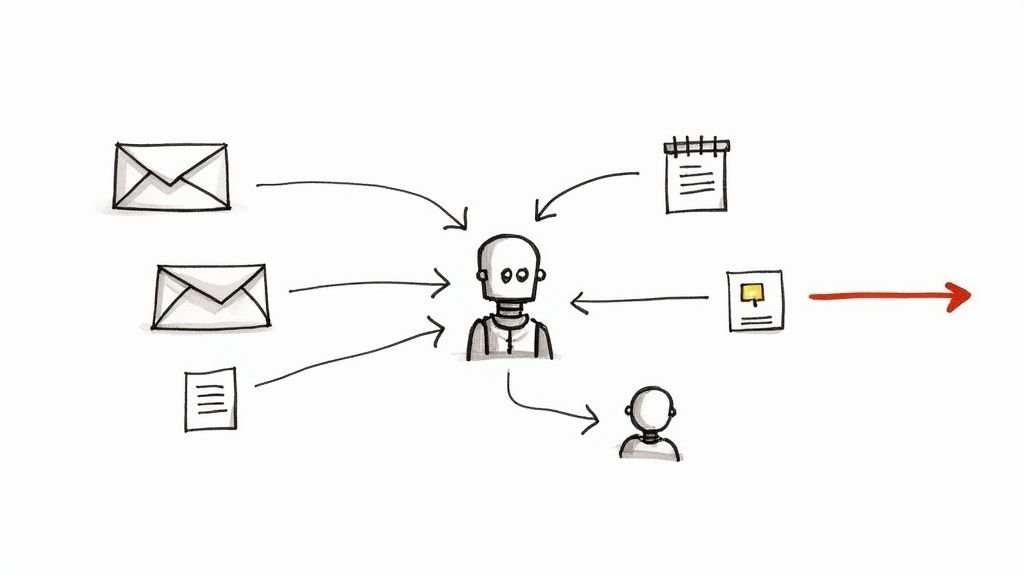
How to Build A Chatbot Sales Pipeline
This is where massive efficiency gains are unlocked. You’re building an automated system that eliminates manual data entry, stops leads from falling through the cracks, and creates a seamless customer journey.
Connecting Your Tech Stack
The magic behind these connections happens through platforms like Zapier, which acts as a universal translator between your chatbot and thousands of other apps. With a no-code platform like Clepher, you don’t need to be a developer to get your tools talking.
The process is straightforward: you set up a “trigger” in your chatbot (like a user submitting their email) and link it to an “action” in another app (like creating a new contact in your CRM).
For instance, when a user finishes a lead qualification flow, the moment they hit “submit,” your chatbot can instantly trigger a series of actions:
- Create a new contact in your CRM: Add the user to HubSpot or Salesforce, complete with their name, email, and qualifying answers.
- Add them to an email campaign: Subscribe them to a specific list in Mailchimp or ConvertKit based on their interests.
- Notify your sales team: Send an instant Slack notification to your team with the new lead’s details so they can follow up immediately.
This automation elevates your chatbot from a simple engagement tactic into a core part of your business operations.
Essential Chatbot Integrations for Business Growth
Connecting your chatbot to other tools isn’t just a “nice-to-have”; it’s how you extract measurable value from every conversation. Different integrations unlock different benefits, turning simple interactions into powerful business outcomes.
| Integration Type for building chatbots with Python. | Business Benefit | Example Use Case |
|---|---|---|
| CRM (e.g., HubSpot) | Unified Customer View | A user answers qualification questions in the chatbot. Their responses are automatically synced to their contact record in the CRM, giving your sales team instant context. |
| Email Marketing | Automated Segmentation | A visitor downloads a lead magnet via the chatbot. They are instantly added to a specific email nurture sequence based on the topic of that magnet. |
| Team Chat (e.g., Slack) | Real-Time Lead Alerts | A “hot lead” (e.g., someone asking for a demo) is identified by the chatbot. An immediate notification is sent to the #sales channel in Slack for fast follow-up. |
| Spreadsheets (e.g., Google Sheets) | Simple Data Logging | Your chatbot collects customer feedback. Every new submission is automatically added as a new row in a Google Sheet for easy review and analysis. |
| E-commerce (e.g., Shopify) | Personalized Shopping | A customer asks the chatbot if an out-of-stock item is available. The bot adds them to a waitlist tag in Shopify, triggering an automatic “back in stock” notification later. |
By thinking through these connections, you start to see your chatbot not just as a conversational tool, but as the central hub of an automated ecosystem designed for growth.
Unlocking Massive Cost and Time Savings
Why is this connectivity so important? Because the incentives are huge. Cost efficiency and automation are the top reasons businesses are adopting chatbots worldwide.
The numbers don’t lie. Research shows businesses can save up to $11 billion annually by using chatbots for tasks like customer service. Bots can slash support costs by up to 92%, saving an average of $4.13 per interaction compared to a human agent. You can see the full research on chatbot market trends to grasp the scale of this impact.
This is the real transformation. It’s not just about answering questions faster; it’s about redesigning your workflows to be smarter and more cost-effective. By connecting your tools, your chatbot handles the repetitive, data-heavy lifting, freeing up your team for strategic work that actually grows the business. For a step-by-step walkthrough, check out our guide on how to integrate Zapier.
How to Test, Launch, and Optimize Your Chatbot
Hitting “publish” on your chatbot feels like the finish line, but it’s really just the starting gun. A great chatbot isn’t just built—it’s refined. The difference between a clunky bot and a conversion machine comes down to rigorous testing before you go live and a relentless focus on improvement afterward.
Think of it like a Broadway show. You’d never skip dress rehearsals. The same logic applies here. A solid testing process catches awkward moments and broken flows before your audience sees them, ensuring a flawless performance.
The Pre-Launch Checklist
Before you unleash your chatbot, put it through its paces. The goal is simple: find every broken path, confusing message, or failed integration before a real customer does.
First, be your own toughest critic. Go through every conversational path. Click every button and actively try to break it. What happens if you type something random? Does the fallback message guide you back on track, or is it a dead end?
Next, pull in a small group of colleagues who weren’t involved in the build. They will spot confusing phrasing or awkward flows you’ve become blind to.
Have your internal testers focus on these key areas:
- Conversational Flow: Does the dialogue feel natural? Are there any loops or dead ends where a user could get stuck?
- Clarity and Tone: Is the language clear and consistent with your brand’s voice?
- Integration Checks: This is critical. When the bot captures a lead, does it actually How do chatbots with Python appear in your CRM? Do email notifications fire correctly? Test every connection.
- Error Handling: What happens when the bot gets confused? A generic “I don’t understand” is a dead end. A good fallback message should guide the user back to a productive path.
This internal feedback loop is priceless. It allows you to iron out the kinks in a safe environment, setting you up for a smooth launch.
Monitoring Key Metrics Post-Launch
Once your chatbot is live, your job shifts from builder to analyst. You’re now watching real user behavior to see what’s working and what isn’t. Don’t just set it and forget it—the first few weeks are a goldmine for actionable insights.
Inside a platform like Clepher, you get access to analytics that tell the whole story. Instead of guessing, you can make data-driven decisions to boost performance.
Key Takeaway: Your launch data is your roadmap for optimization in the development of your AI chatbot. It tells you exactly where users are succeeding and, more importantly, where they’re getting stuck. This information is the foundation for everything that comes next.
To avoid getting overwhelmed, focus on a few key metrics:
- Engagement Rate: How many visitors start a conversation? A low rate might mean your welcome message isn’t compelling enough.
- Goal Completion Rate: Of the users who start a chat, how many complete the primary goal (like signing up)? This is your ultimate measure of success.
- Conversation Drop-Off Points: Where are people abandoning the chat? If 70% of users drop off after a specific question, that’s a massive red flag telling you to fix that step immediately.
- Fallback Rate: How often does your bot say, “I don’t understand”? A high fallback rate means your keyword triggers aren’t broad enough to catch how real people talk.
A Culture of Continuous Improvement
Optimization isn’t a one-time fix; it’s an ongoing process. Use the data you’ve collected to form a hypothesis, make a targeted change, and measure the output results. This is the core of A/B testing.
For example, let’s say you notice a high drop-off rate the moment your bot asks for an email. That’s a perfect opportunity for a test.
- Hypothesis: Asking for an email directly feels too aggressive. Offering a clear incentive first will increase submissions.
- Version A (Control): “What’s the best email to reach you?”
- Version B (Test): “Enter your email below to get your free guide to [Topic] delivered instantly!”
Run the test for a week and see which version of the AI chatbot performs better. By constantly testing and tweaking everything—from button copy to the order of questions—you can systematically improve your chatbot’s performance. This iterative cycle is how you transform a simple bot into a powerful, automated engine for your business.
Let’s Clear Up a Few Things About Building a Chatbot
Jumping into building your first chatbot using Python usually brings up a handful of questions. Let’s tackle the big ones so you can get started with confidence. Most people wonder about the cost, the time investment, and whether they need to be a coding genius.
The short answer? Modern, no-code platforms have completely changed the game. You no longer need a huge budget or a team of developers to build a bot that gets real results for your business.
Ready to see just how easy it is to build a chatbot that drives real business results? With Clepher, you get an intuitive, no-code builder packed with powerful AI and automation features. Start building your first chatbot for free and transform your customer conversations today.

Related Posts
10 Lead Capture Software Tools Compared for 2026
October 18, 2026WhatsApp Chatbot for Ecommerce: A Practical 2026 Guide
October 17, 2026What Is Lead Scoring and How It Drives Real Sales Results
October 16, 2026
Founder Clepher